

1214 colored pie graph style bar graph for result representation powerpoint template




Try Before you Buy Download Free Sample Product
 Impress Your
 Audience
 100%
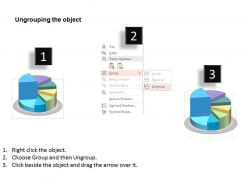
100% Editable
 Save Hours
 of Time


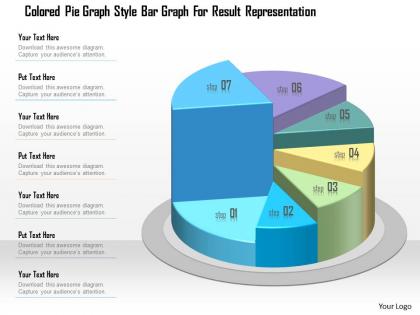
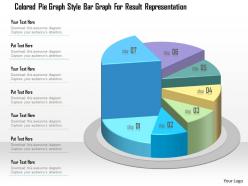
We are proud to present our 1214 colored pie graph style bar graph for result representation PowerPoint template. The concept of business result analysis has been displayed in this PowerPoint template. This PPT contains colored pie graph with a bar graph. Crafted by a professional designer, this visual in one of it`s kind. The use of pie chart and bar graph together can help you represent and analyze your data, therefore our visual can become a stepping stone in the improvisation of your sales and marketing strategy. Share your presentation with your board of members and they will be impressed both your ideas and the structured layout. Text can be accommodated in the left hand of the graphic allowing you to explain your point`s crux. Use this PPT for your business and marketing result analysis related presentations. There is no stopping on this visual if you are looking for another layout on pie charts and bar graph then we have many other options for you. Our 1214 Colored Pie Graph Style Bar Graph For Result Representation PowerPoint Template are good for canvassing. Become the candidate of their choice.
People who downloaded this PowerPoint presentation also viewed the following :
1214 colored pie graph style bar graph for result representation powerpoint template with all 5 slides:
Our 1214 Colored Pie Graph Style Bar Graph For Result Representation PowerPoint Template are created with extreme dedication. A great example of conscientious effort.
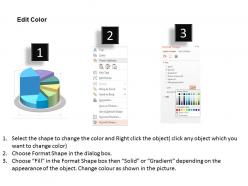
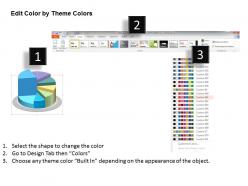
FAQs for 1214 colored pie graph style bar graph for result
Best practices for designing colored pie graphs include using distinct, high-contrast colors, limiting segments to 5-7 categories, arranging data logically from largest to smallest, and ensuring accessibility with colorblind-friendly palettes. These design principles enhance audience comprehension by creating visual hierarchy, reducing cognitive load, and maintaining professional aesthetics, with many presenters finding that strategic color choices significantly improve data retention and decision-making outcomes.
Strategic color choice in pie graphs enhances data comprehension by creating visual hierarchy, enabling quick pattern recognition, and reducing cognitive load through intuitive associations. Well-selected color palettes help audiences instantly distinguish between segments, identify key insights, and retain information more effectively, with many organizations finding that thoughtful color application transforms complex datasets into compelling, actionable visual narratives.
**INPUT**: What software tools are recommended for creating visually appealing pie graphs? **OUTPUT**: Recommended software tools include Microsoft Excel, Google Sheets, Tableau, PowerBI, and Canva, each offering distinct customization capabilities for professional presentations. These platforms streamline data visualization by providing templates, color schemes, and interactive features, with many organizations finding that strategic tool selection enhances audience engagement and delivers clearer business insights. [Word count: 54 words]
Pie charts effectively represent complex data by breaking information into distinct, proportional segments with strategic color coding, clear labeling, and hierarchical grouping of smaller categories. Through thoughtful design choices, organizations streamline data visualization by highlighting key segments, using contrasting colors for clarity, and combining minor elements into "other" categories, ultimately delivering more accessible insights and enhanced stakeholder comprehension.
Effective pie graph color schemes include sequential palettes for ordinal data, diverging schemes for comparative analysis, categorical palettes for distinct segments, monochromatic variations for subtle differentiation, and high-contrast combinations for accessibility. These approaches enhance data comprehension by creating visual hierarchy, reducing cognitive load, and ensuring clarity across different audiences, with many organizations finding that strategic color selection significantly improves presentation impact and audience engagement.
Differentiate pie graph categories through strategic color palettes, pattern fills, white space separation, selective labeling, and callout techniques for smaller segments. These design approaches enhance readability by using complementary color schemes, texture variations, and clean typography, with many data visualization professionals finding that strategic white space and consistent labeling ultimately deliver clearer insights without visual overwhelm.
Common mistakes in colored pie graphs include using too many similar colors, insufficient contrast between segments, missing or unclear labels, improper data proportions, and overwhelming color schemes. These issues can be avoided by selecting distinct, high-contrast colors, limiting segments to 5-7 categories, ensuring clear labeling with percentages, and maintaining visual hierarchy, with many organizations finding that strategic color choices significantly enhance data comprehension and decision-making accuracy.
Color perception significantly influences pie graph interpretation by affecting emotional responses, emphasizing hierarchies, and guiding attention to specific data segments. Research shows that warm colors like red and orange draw immediate focus while cool blues and greens suggest stability, with many organizations finding that strategic color choices enhance data comprehension and drive more informed decision-making across presentations.
Contrast plays a crucial role in pie chart readability by ensuring clear visual separation between segments, improving data comprehension, and enhancing accessibility for diverse audiences. Strategic color contrast enables viewers to quickly distinguish between categories, identify patterns more efficiently, and interpret data accurately, with many organizations finding that high-contrast designs significantly improve presentation effectiveness and audience engagement.
Pie graphs integrate seamlessly into presentations through consistent color palettes, matching fonts, and coordinated design elements that align with your overall visual theme. Strategic placement alongside complementary charts, maintaining uniform sizing and spacing, and using your brand colors ensures visual coherence, with many organizations finding that cohesive data visualization enhances audience comprehension and professional credibility.
Effective colored pie graphs appear in McKinsey's market share analyses using distinct blues and greens, PwC's budget allocation reports with strategic color coding, and Harvard Business Review's consumer preference studies employing accessible palettes. These publications enhance data comprehension by selecting contrasting colors, maintaining brand consistency, and ensuring accessibility compliance, ultimately delivering clearer insights and more persuasive presentations across diverse audiences.
Animations enhance pie graph understanding by revealing data progressively through segment-by-segment reveals, rotation effects, and highlighting transitions that guide audience attention to key insights. These dynamic presentations enable presenters to control information flow, emphasize critical data points, and maintain engagement, with many organizations finding that animated visualizations significantly improve audience retention and comprehension during stakeholder meetings.
Colorblind-friendly pie graph options include high-contrast color palettes, distinct patterns or textures, direct labeling, monochromatic schemes with varying saturation, and accessible color combinations like blue-orange or blue-yellow. These approaches enhance data visualization accessibility by combining visual differentiation with clear labeling, ensuring presentations reach broader audiences while maintaining professional clarity and comprehensive data comprehension across diverse viewing capabilities.
2D pie charts enhance data clarity and accuracy by minimizing visual distortion, enabling precise comparison of segments, and maintaining professional credibility across business presentations. While 3D versions can attract attention, they often skew perception of data proportions, with many analysts finding that 2D formats deliver better comprehension and more reliable decision-making outcomes.
Alternatives to pie graphs include bar charts for comparing categories, line graphs for trends over time, scatter plots for correlations, histograms for distributions, and heat maps for complex datasets. These visualization methods enhance data clarity by providing more precise comparisons and detailed insights, with many organizations finding that bar charts and line graphs deliver superior accuracy for decision-making across financial services, retail analytics, and operational reporting.
-
Innovative and attractive designs.
-
Informative presentations that are easily editable.