0414 business comparison pie chart powerpoint graph
Try Before you Buy Download Free Sample Product
Audience
Editable
of Time
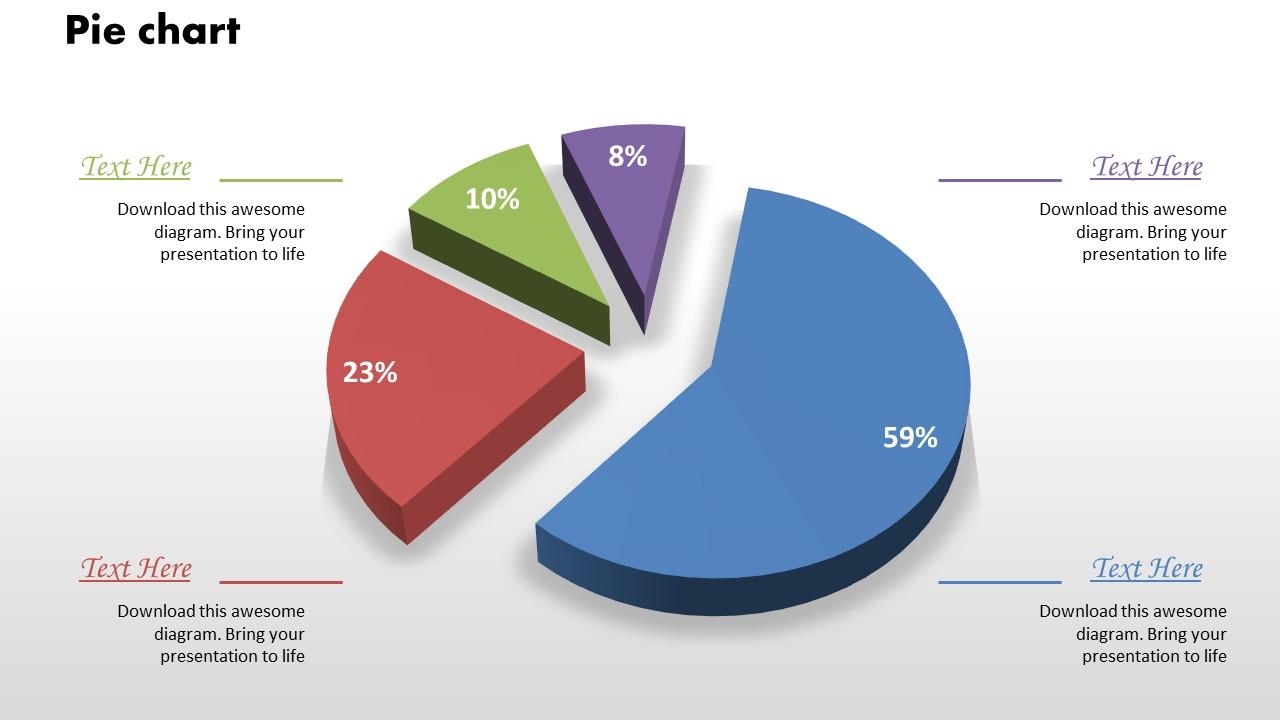
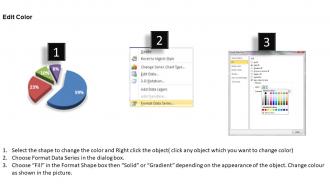
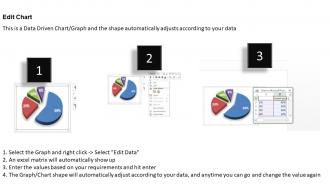
Our 0414 business comparison pie chart PowerPoint graph is a multi-purpose tool which holds the capacity to complete multitudes of PowerPoint presentation. This business comparison pie chart PowerPoint template graph is useful for drawing comparisons between different aspects of a business. For instance, the business comparison pie chart PPT design can be used to draw a comparison amongst sources of revenue within an organisation. Similarly, there are various other aspects of a business where use of business comparison pie graph PPT template can be necessary as it helps with a fair evaluation. Our designers have done a great job in creating an attractive PPT diagram which can easily retain the attention of the viewers. Download the business comparison pie chart Presentation design graph and stay ahead of the game. Explain your subordinates and teammates how comparison pie chart PPT layout can bring about positive changes resulting in overall better productivity. Accept hard assignments with our 0414 Business Comparison Pie Chart Powerpoint Graph. They help ease the burden.
People who downloaded this PowerPoint presentation also viewed the following :
0414 business comparison pie chart powerpoint graph with all 3 slides:
Our 0414 Business Comparison Pie Chart Powerpoint Graph will build esteem. You will get a lot of accolades.
FAQs for 0414 business comparison pie
Honestly, pie charts are perfect when you need to show how things break down as parts of a whole. Your audience gets it instantly - like, everyone understands pie slices, right? Great for showing market share or revenue splits in exec meetings because the visual impact hits immediately. You'll see which business segments are crushing it versus the smaller players. Don't go crazy with too many slices though - I'd say 5-6 max or it looks like a hot mess. They work really well for cost breakdowns too. Quick tip: save them for when proportions matter more than exact numbers.
Honestly, pie charts are great when you need to show how parts add up to a whole - think market share or where your budget's going. People get it instantly instead of staring at a bunch of percentages trying to do mental math. Don't go crazy with too many slices though - maybe 5 or 6 max before it starts looking like a rainbow explosion. Use colors that actually contrast (not five shades of blue, please) and pull out your most important slice slightly so it pops. Way better than watching everyone's eyes glaze over during your presentation.
Use pie charts when you're breaking down a whole into parts - stuff like budget categories or market share. The data should add up to 100% and honestly, keep it to 5-6 slices max or it looks like a hot mess. They're great for quick visual comparisons, like showing how revenue splits across product lines. Perfect for that "at a glance" understanding. Don't use them for tracking changes over time though - that's what line charts are for. Also skip them if your categories aren't actually related to each other. The whole "pie" concept needs to make sense to whoever's looking at it.
Pick colors that actually stand out from each other - otherwise what's the point? Your brand colors are great if they work, but honestly, readability beats brand loyalty every time. Skip the red/green combo since colorblind people can't tell them apart. I usually go darker for big segments and lighter for the small ones, looks way more polished. Oh, and here's something that saved me once - print it in black and white first. If you can still see the contrast, you're golden. Trust me on this one.
Honestly, Excel's probably your best bet to start - everyone's got it and the charts look decent enough. Google Sheets works too if you're collaborating with people. Tableau makes gorgeous stuff but it's kind of a pain to learn at first. PowerBI's solid if your company's already in the Microsoft ecosystem. Oh, and Canva's actually pretty good now for making charts that look super polished - I was surprised by that one. Really depends on whether you need something quick or if you've got time to make it look fancy. I'd just go with Excel unless you're presenting to clients or something.
First thing - check that your data actually adds up to 100%. I've seen so many pie charts where the math is just wrong lol. Don't make tiny slices for anything under 5% because they're impossible to read. Pick colors that actually look different from each other (seriously, why do people use five shades of blue?). Make sure you're not mixing percentages with raw numbers or data from different time periods - that'll mess everything up. Short version: label everything clearly with the actual percentages so people don't have to guess what they're looking at.
Keep it simple - max 6 or 7 slices or people's eyes will just glaze over. Similar colors are the worst, nobody can tell what's what. Oh and skip the 3D effects, they just mess with the actual data even if they look fancy. Your percentages need to add up to 100% (sounds obvious but you'd be surprised). Start your biggest slice at the top like a clock for easier reading. Honestly though? Sometimes a regular bar chart works way better for comparing stuff. Don't force the pie chart just because it seems more interesting.
Put your pie chart right after you mention the data - nobody wants to flip pages looking for context. Max 5-7 slices or it looks like a rainbow mess. I always start the biggest slice at 12 o'clock and go clockwise, just feels more natural. Use your brand colors if you've got them. Here's the thing - your caption underneath should actually say something useful, not just repeat what's obvious. Like if your competitor suddenly grabbed 30% market share, call that out! Short sentences work. The chart needs to back up your story, not just take up space because you had leftover data.
Honestly, just go with bar charts - they're way clearer than pie charts anyway. People can actually compare the data without doing mental gymnastics. If your category names are long, flip them horizontal so they're readable. Tables work too if you need to show exact percentages, but they're kinda boring. Oh, and treemaps look cool if you want something different, though I've never actually used one for client stuff. Column charts are solid too. Really though, stick with bars - they look professional and nobody has to squint at those annoying tiny pie slices that always end up being impossible to read.
Honestly, dynamic pie charts are a game changer for keeping people awake during presentations. Instead of showing everything at once, reveal segments bit by bit - builds actual suspense. You can animate between different time periods or let people click around with scenarios. Way better than static charts where everyone's eyes glaze over after 30 seconds. The interactive stuff keeps them guessing what's coming next. I always build mine progressively now rather than dumping all the data upfront. It's like... you become the storyteller instead of just throwing numbers at people's faces.
Yeah, pie charts are terrible for time tracking - they're just snapshots. You'd end up with like 5 pie charts in a row trying to show trends, and honestly? That's just visual chaos. Line or bar charts actually show movement, which is what you want. Although... if you're tracking something like revenue mix changes quarter to quarter, pie charts could work. But seriously, stick to 2-3 periods tops or people's eyes will glaze over. I learned this the hard way during a client presentation once - never again!
Honestly, just think about telling someone what the chart actually means. Start with your biggest slice - like if it's 60% of sales, don't just say that. Say "our main product is crushing it BUT here's the issue..." Then treat the smaller pieces like you're building up to something. I usually pretend I'm explaining it to my boss who missed the meeting (works every time). Throw in some connectors - "meanwhile this segment..." or "but wait, here's the weird part." The real trick? End with what you're gonna DO about it. That's what people remember anyway, not your fancy percentages.
Ugh, pie charts are the worst for business stuff. Your brain just can't compare slice sizes properly - like when two companies are at 23% vs 27%, good luck telling the difference. Bar charts are so much cleaner for that. Also pie charts turn into a hot mess once you hit more than 5 categories... nobody's got time to decipher those tiny wedges. The real kicker? No gridlines or numbers means you're just guessing at actual values. Honestly feels pretty dated now. Just go with bars or tables where you can see real data and spot trends easily.
So first thing - grab your brand colors and upload them directly into whatever chart tool you're using. Most let you save custom palettes which is clutch. Then add your logo as a watermark and switch to your brand fonts. I'd honestly start with just one template that looks perfect, then copy it for everything else. Way easier than starting from scratch each time. You can mess around with legend styles, spacing between slices, maybe some gradients if that's your vibe. Templates are seriously underrated for this stuff!
So first thing - spot your biggest and smallest slices, that's where the real action is. Then hunt for weird patterns or stuff that doesn't match what you thought you'd see. Pie charts are honestly kind of annoying to read precisely, so just focus on the big trends instead of obsessing over tiny differences. You'll want to compare against industry standards or your old data to make sense of it all. From there, figure out which segments need fixing based on size and how much they actually matter to your business. The whole point is turning those visuals into real moves for next quarter.
-
Best Representation of topics, really appreciable.
-
Innovative and attractive designs.