


![Learn To Create Animated Map Location in PowerPoint [Animation Tutorial #6]](https://www.slideteam.net/wp/wp-content/uploads/2018/05/Learn-To-Create-Animated-Map-Location-In-PowerPoint.png)



 0 Comment
 Customer Reviews

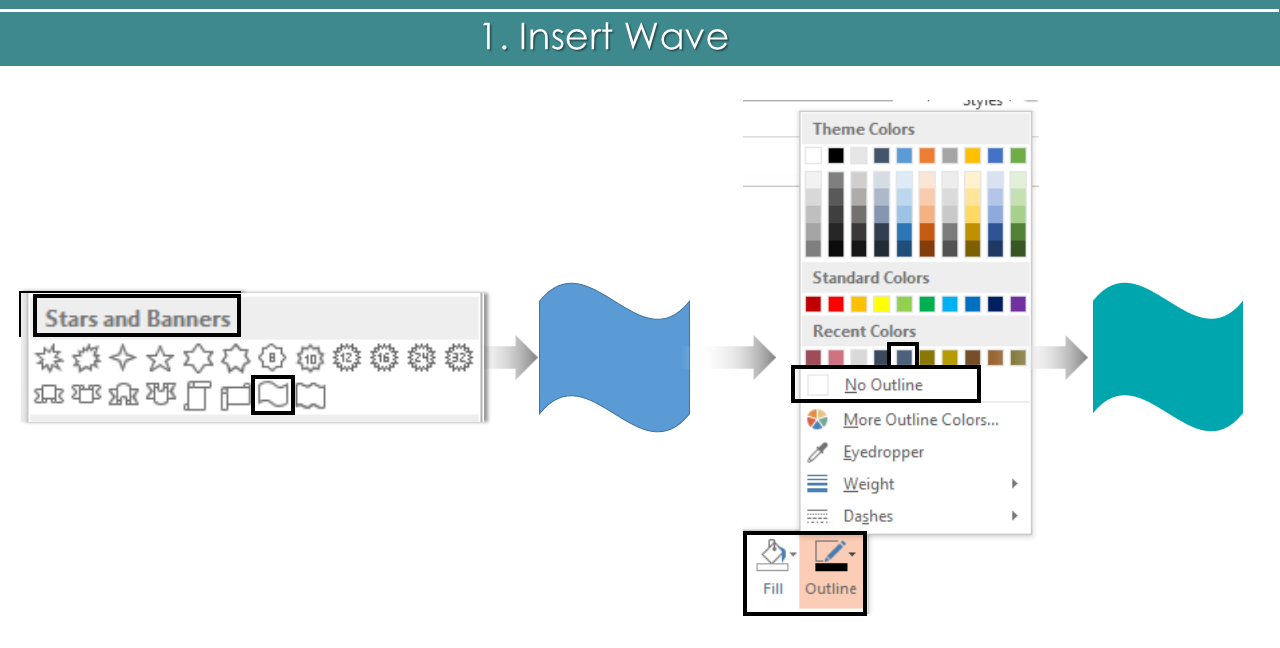
- Insert Wave. Go to Insert> Shapes> Stars and Banners> Wave. Right click the shape> Outline> No Outline> Fill> Color of your choice.
- Insert Line. Go to Insert> Shapes> Lines> Line. Right click the line> Outline> Color of your choice> End Arrow Type> Oval Arrow.

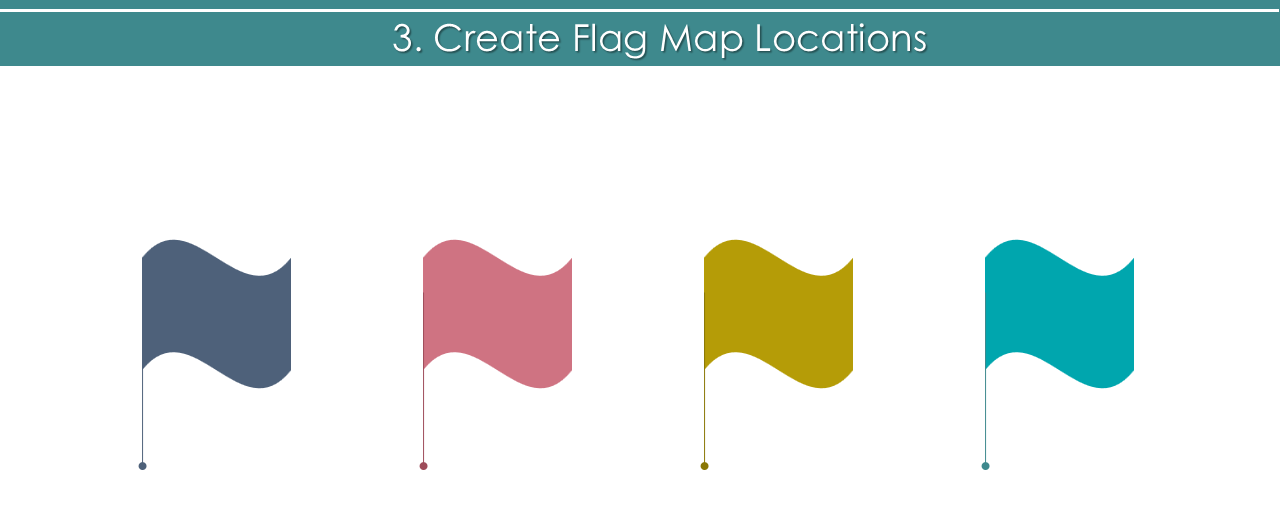
- Join wave and line to create a flag. Create as much flags as you want by following the above steps.
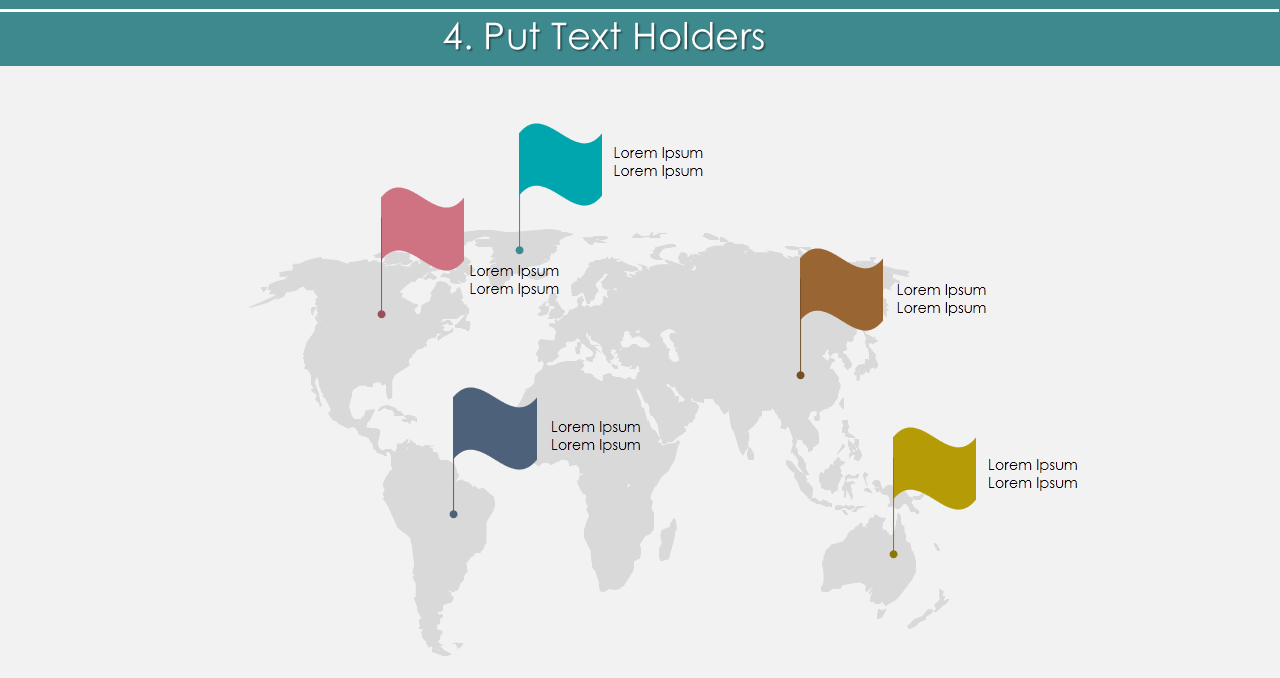
- Place flags on the map. We have used this editable world map template. You can also download the same. Add text holders.
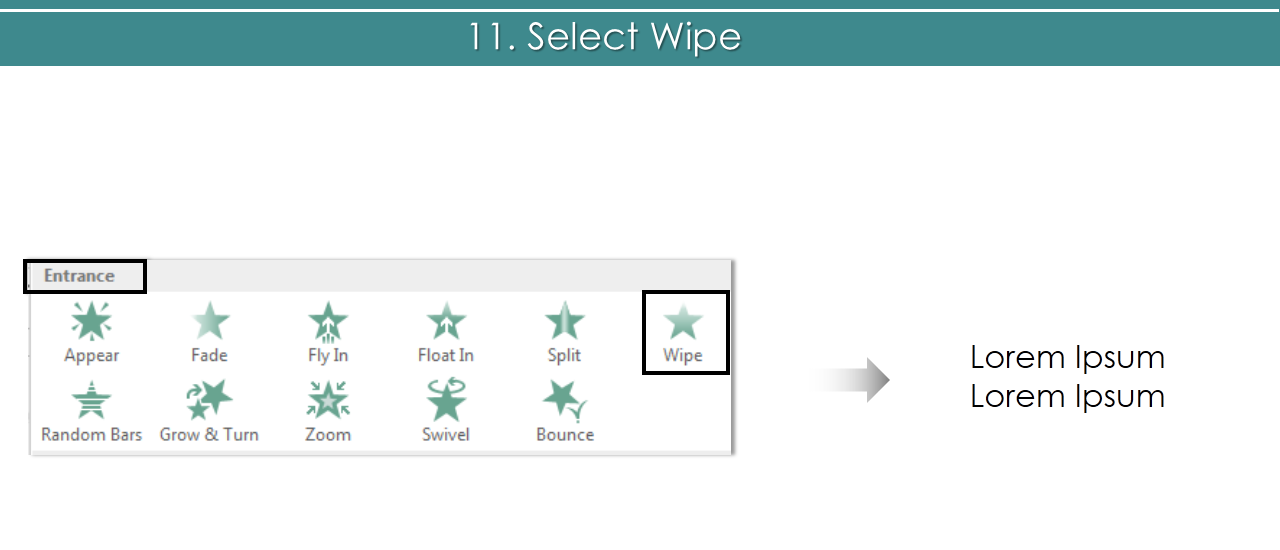
- Let’s now apply animation. Choose wave shape> Animation> Wipe.
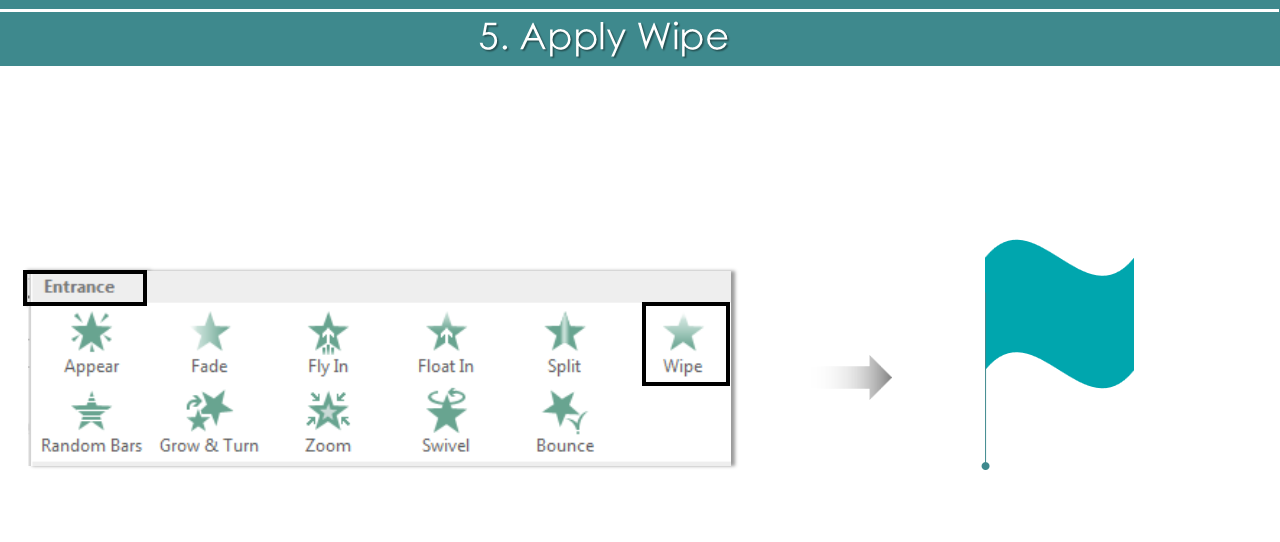
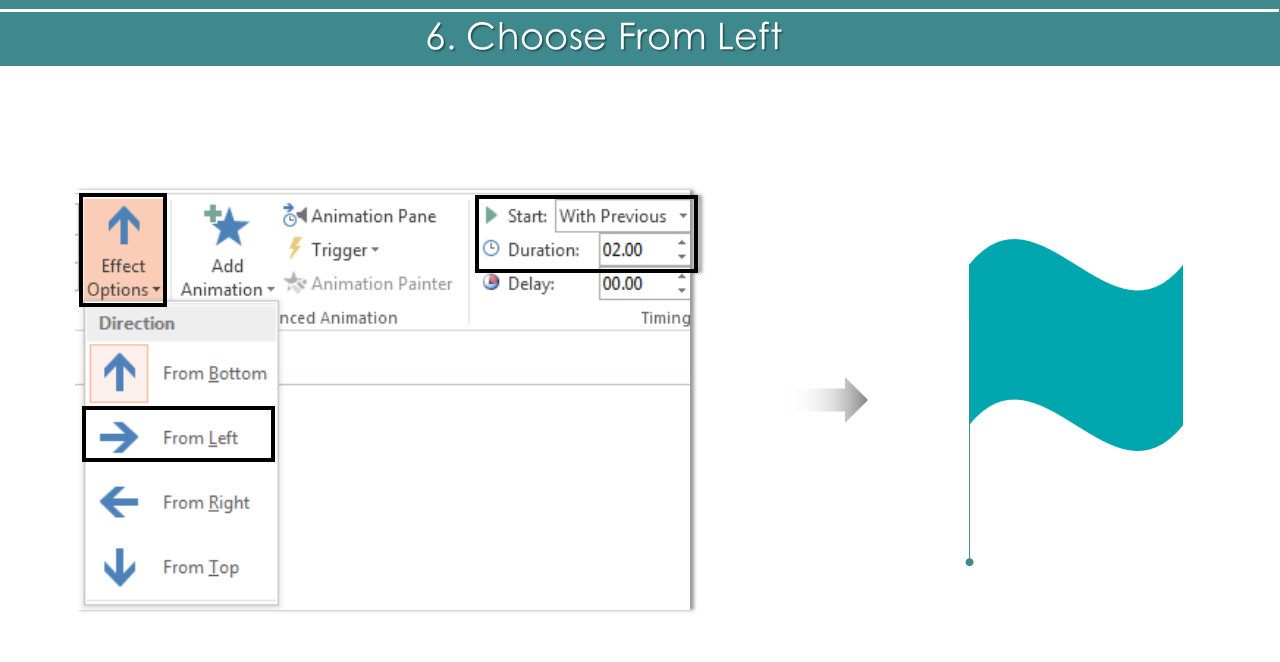
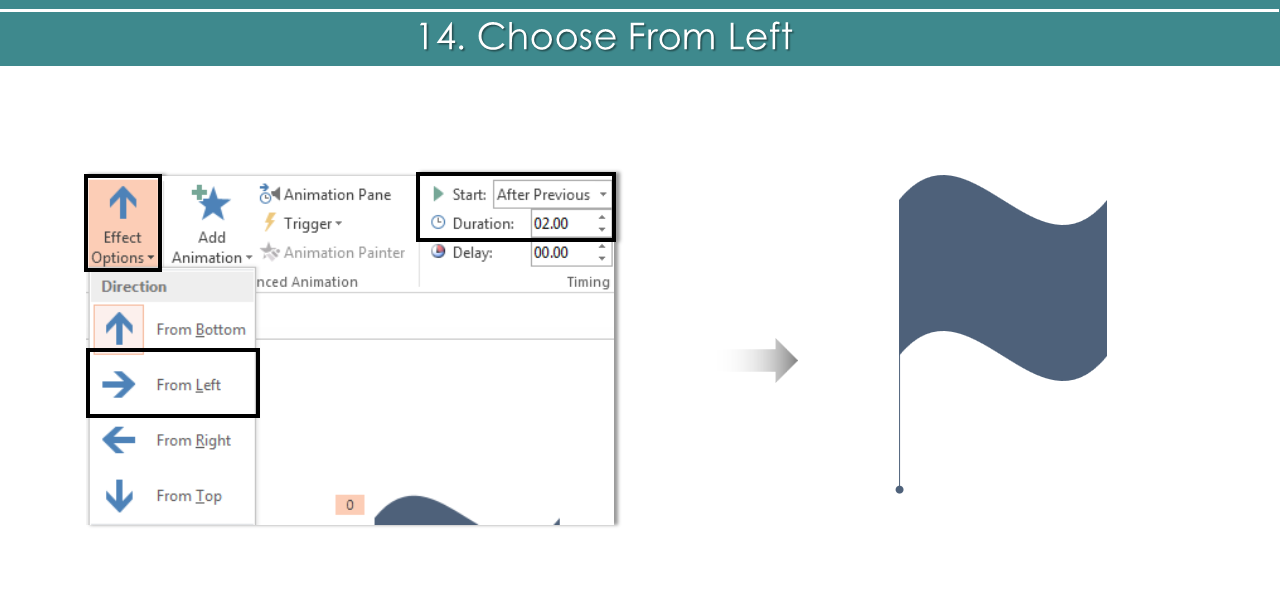
- Choose From Left > With Previous> Duration> 2.00.
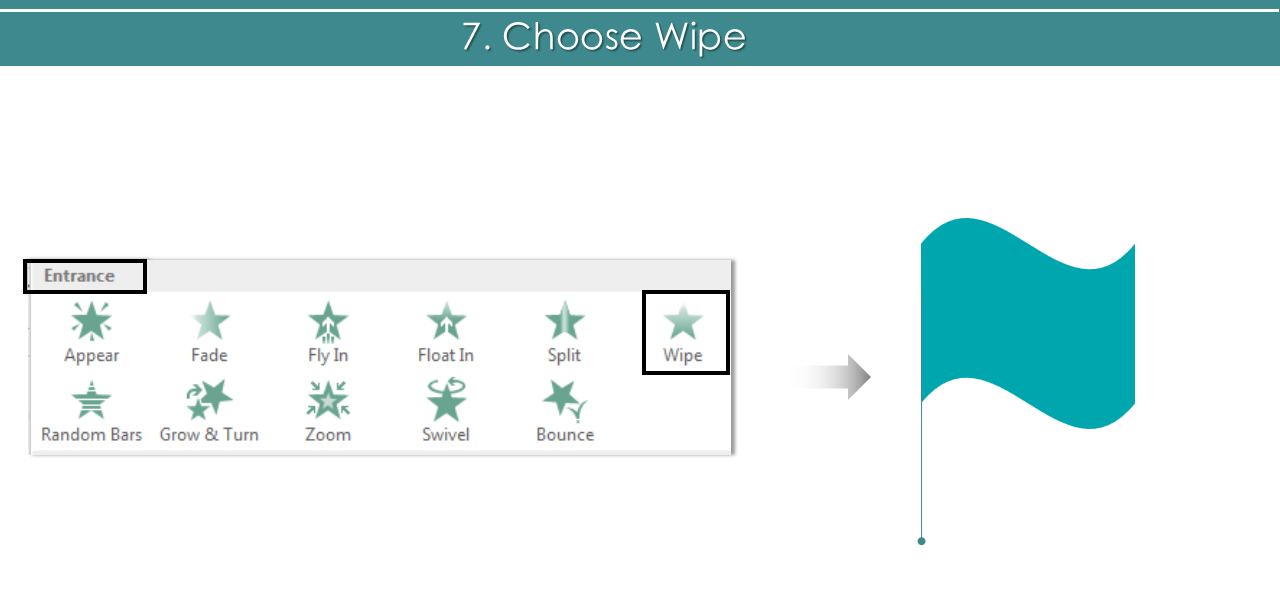
- Select Line> Animation> Wipe.
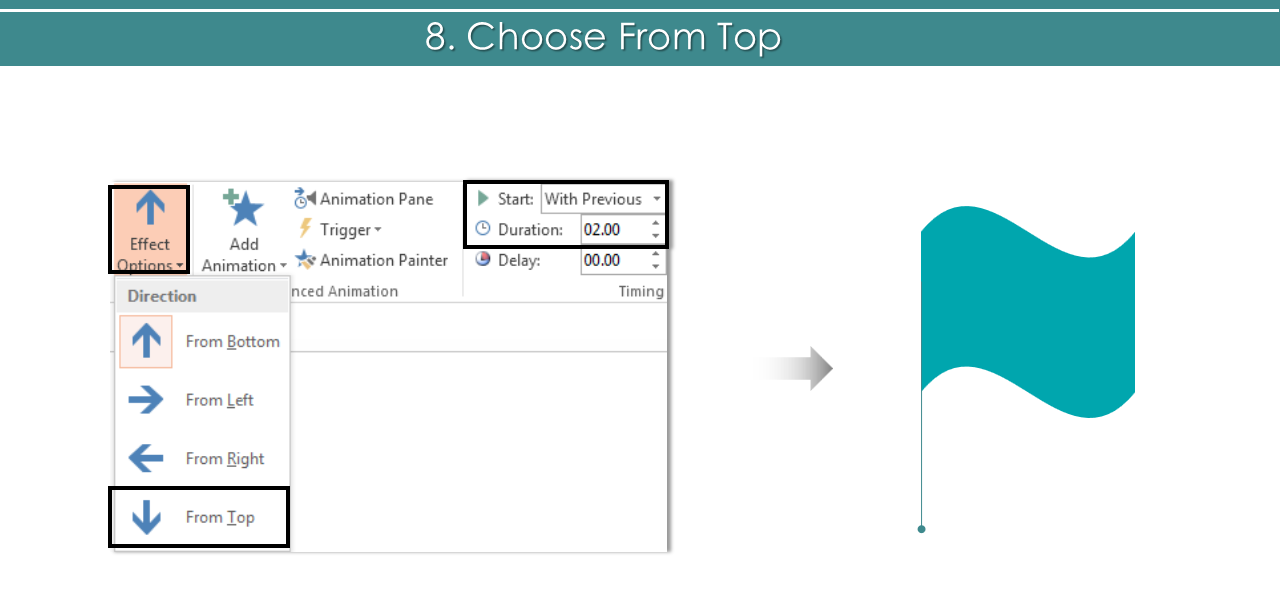
- Choose From Top> With Previous> Duration> 2.00.
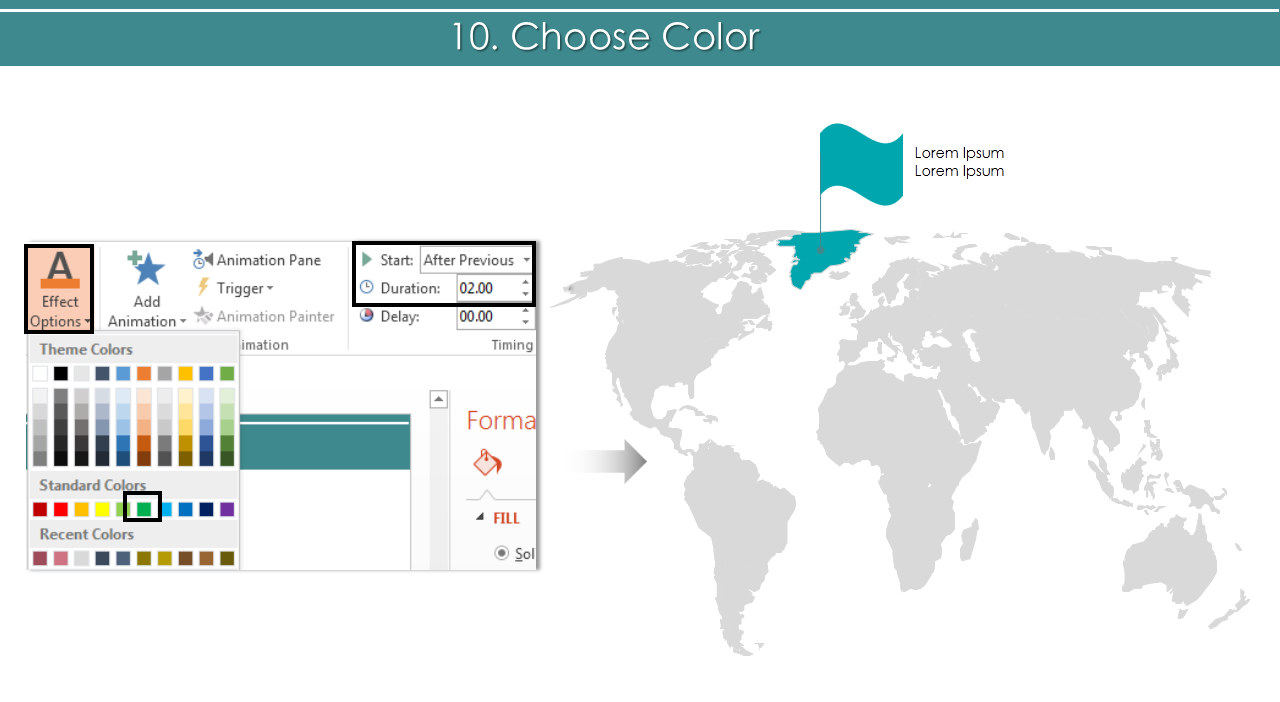
- Highlight the country area you want to. Select the area> Animation> Fill Color.
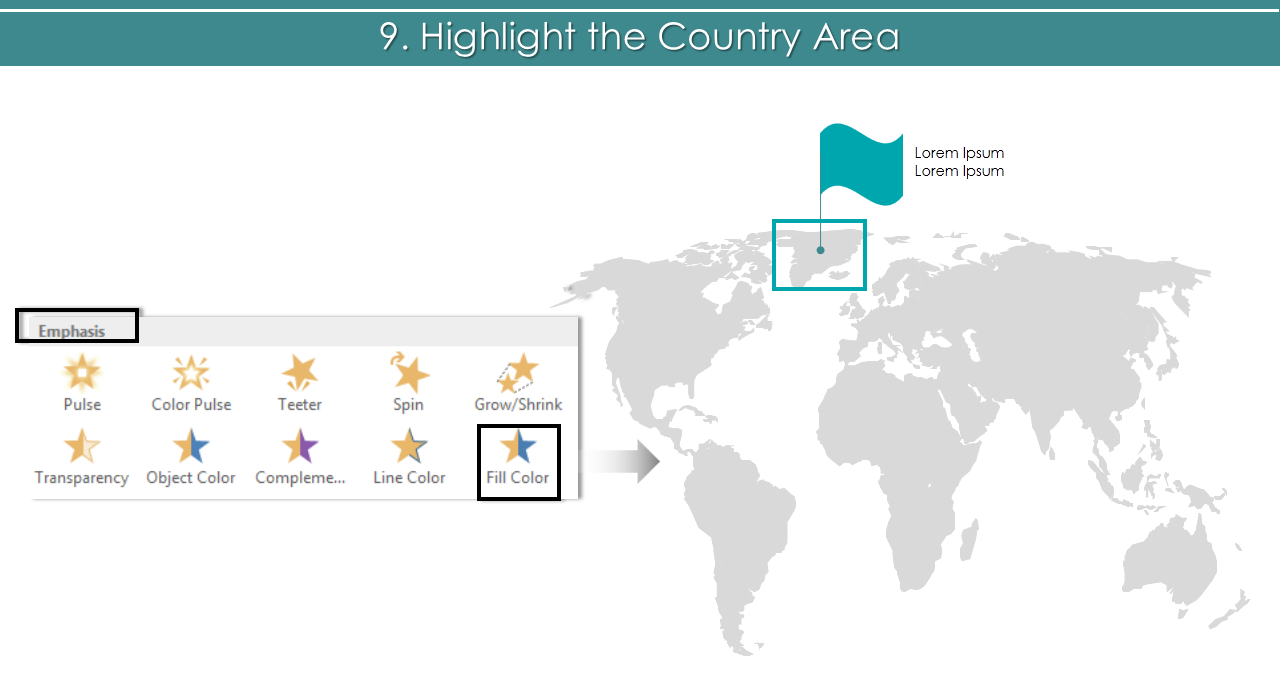
- Choose Color> After Previous> Duration> 2.00.
- Select Text Box> Animation>Wipe.
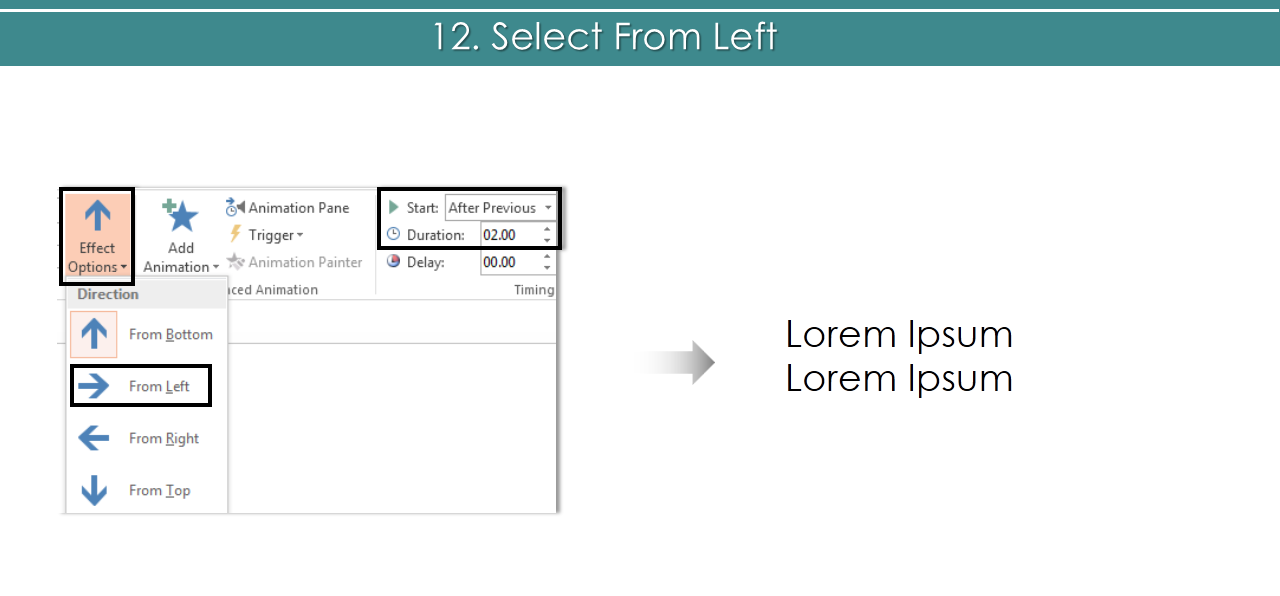
- Choose From Left> After Previous> Duration> 2.00.
- Choose 2nd wave shape> Animation> Wipe.
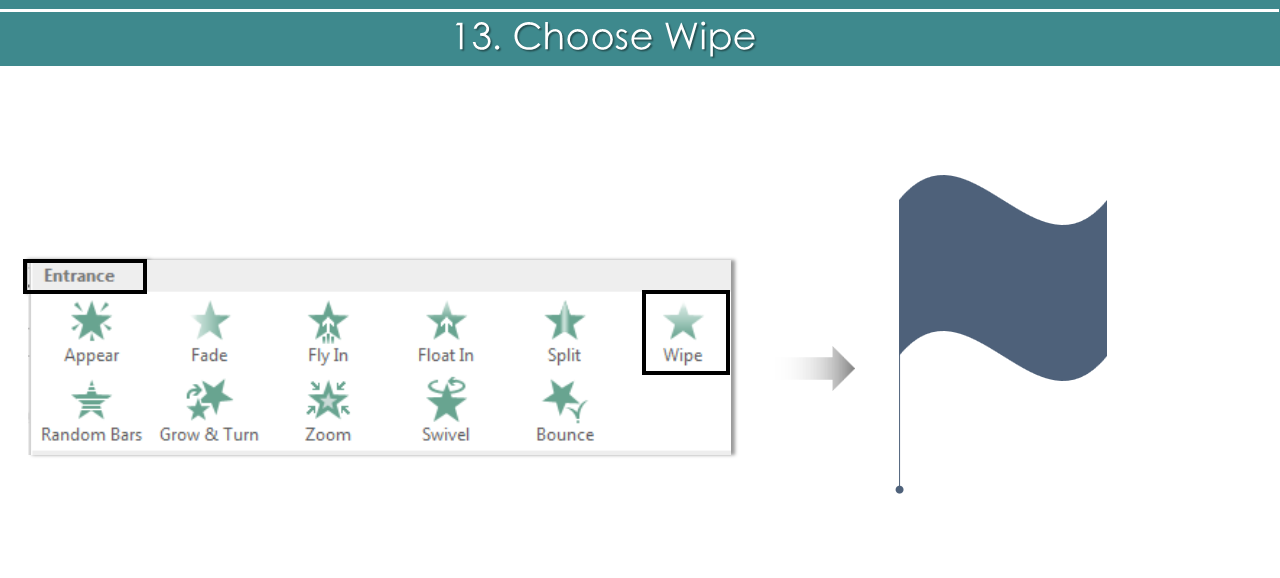
- Select From Left> After Previous> Duration> 2.00.
 Note: Now you just have to repeat the steps for the rest of the elements.
Or go through the tutorial below.
We will come back with more animation tutorials. Stay tuned.
Note: Now you just have to repeat the steps for the rest of the elements.
Or go through the tutorial below.
We will come back with more animation tutorials. Stay tuned.

