


Business Change Control Process And Plan Powerpoint Presentation Slides





Try Before you Buy Download Free Sample Product
 Impress Your
 Audience
 100%
100% Editable
 Save Hours
 of Time


Presenting our content-ready business change control process and plan PowerPoint presentation slides. Our change management ppt help your staff to understand, commit and accept changes in their existing work environment. This readymade business improvement procedure and strategy presentation illustration plays a crucial part in successful organizational transitions. To cover all the topics, we have constituted unique PowerPoint slides like of continuous improvement, success rate, business solution strategy, organizational role, influence key stakeholders, sustaining momentum, bridge transition model, force field analysis, adoption curve, and adkar model. Furthermore, business transformation presentation templates guide you making your entire organization more productive, innovative and profitable. Our predesigned change control PowerPoint visuals can be employed for other similar topics such as organizational culture, business process mapping, strategic change, OCM, enterprise change management plan, strategic planning, organization development, performance management and business process re-engineering. Download our business change control processes and plan PPT templates and let your presentation speak for you!. Our Business Change Control Process And Plan Powerpoint Presentation Slides give form to your thoughts. The audience will have an educative experience.
People who downloaded this PowerPoint presentation also viewed the following :
Content of this Powerpoint Presentation
Slide 1: This slide introduces Business Change Control Process and Plan. State Your Company Name and begin.
Slide 2: This slide showcases Agenda. Add the company or team agenda and use it.
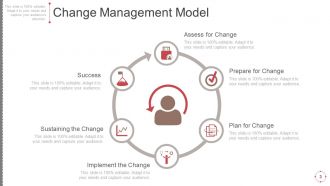
Slide 3: This slide presents Change Management Model with these of the six steps you can follow as- Assess for Change, Plan for Change, Sustaining the Change, Implement the Change, Prepare for Change, Success.
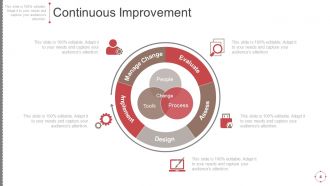
Slide 4: This slide showcases Continuous Improvement with these of the stages- Manage Change, Evaluate, Assess, Design, Implement. You can use it for improving the company culture.
Slide 5: This slide presents Forces for Change with these of the six of the parameters those are- Knowledge Economy, Mergers & Acquisitions, Virtual Organization, Electronic Commerce, Digital Convergence, Privatizations.
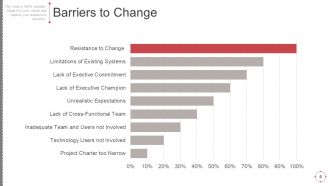
Slide 6: This slide showcases Barriers to Change with bar chart. You can use some of these parameters with percentages.
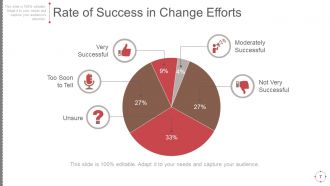
Slide 7: This slide presents Rate of Success in Change Efforts with these of the pie chart ratio form- Moderately Successful, Not Very Successful, Very Successful, Too Soon to Tell, Unsure.
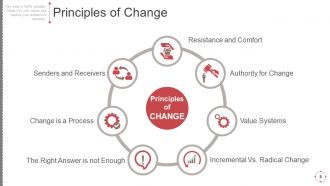
Slide 8: This slide showcases Principles of Change with these of the seven we have listed- Senders and Receivers, Resistance and Comfort, Authority for Change, Value Systems, Incremental Vs. Radical Change, The Right Answer is not Enough, Change is a Process, Principles of CHANGE.
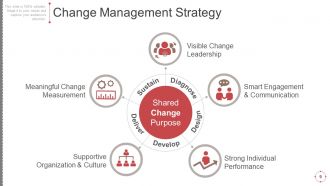
Slide 9: This slide presents Change Management Strategy with these of the following five we have noted- Visible Change Leadership, Smart Engagement & Communication, Strong Individual Performance, Supportive Organization & Culture, Meaningful Change Measurement, Shared Change Purpose, Diagnose, Develop, Design, Deliver, Sustain.
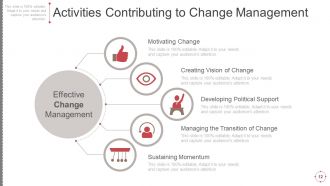
Slide 10: This slide shows Activities Contributing to Change Management with these of the six various stages- Effective Change Management, Creating Vision of Change, Developing Political Support, Managing the Transition of Change, Sustaining Momentum, Motivating Change.
Slide 11: This slide shows Activities Contributing to Change Management with these six of the stages- Effective Change Management, Motivating Change, Sustaining Momentum, Creating Vision of Change, Managing the Transition of Change, Developing Political Support.
Slide 12: This slide presents Activities Contributing to Change Management with these of thes six contributing parameters- Effective Change Management, Motivating Change, Creating Vision of Change, Developing Political Support, Managing the Transition of Change, Sustaining Momentum.
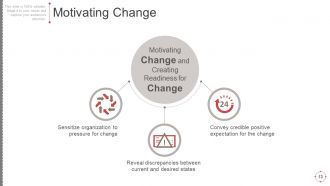
Slide 13: This slide presents Motivating Change which further showcases Sensitize organization to pressure for change, Convey credible positive expectation for the change, Reveal discrepancies between current and desired states, Motivating Change and Creating Readiness for Change.
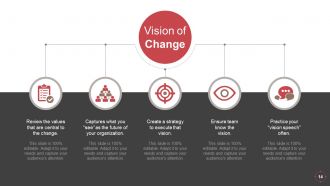
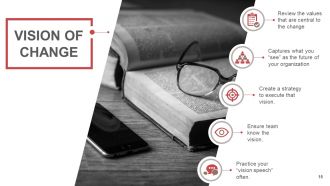
Slide 14: This slide shows Vision of Change with these five parameters- Review the values that are central to the change, Captures what you “see” as the future of your organization, Create a strategy to execute that vision, Ensure team know the vision, Practice your “vision speech” often.
Slide 15: This slide presents vision of change with these of the five important sections- Review the values that are central to the change, Captures what you “see” as the future of your organization, Create a strategy to execute that vision, Practice your “vision speech” often, Ensure team know the vision.
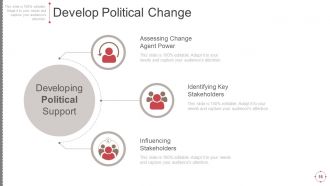
Slide 16: This slide shows Develop Political Change which further showcases these three main categories- Assessing Change Agent Power, Identifying Key Stakeholders, Influencing Stakeholders.
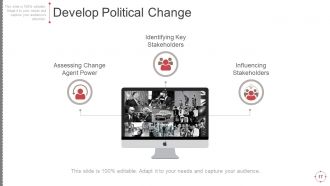
Slide 17: This slide presents Develop Political Change with these of thes three changes- Identifying Key Stakeholders, Influencing Stakeholders, Assessing Change Agent Power.
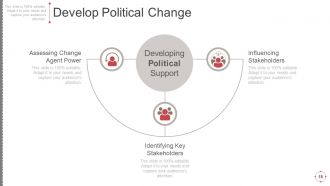
Slide 18: This slide presents Develop Political Change which further presents Developing Political Support Assessing Change Agent Power, Influencing Stakeholders, Identifying Key Stakeholders.
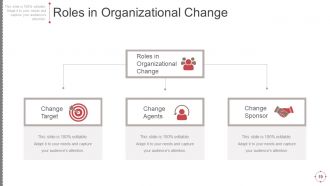
Slide 19: This slide showcases Roles in Organizational Change with Roles in Organizational Change Change Target, Change Agents, Change Sponsor.
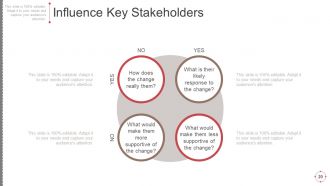
Slide 20: This slide shows Influence Key Stakeholders with these of the related question you can use- How does the change really them, What is their likely response to the change, What would make them less supportive of the change, What would make them more supportive of the change.
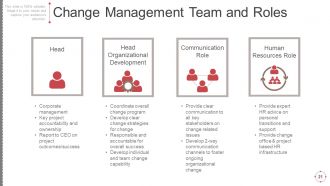
Slide 21: This slide presents Change Management Team and Roles with these four following team memebers- Head, Head Organizational Development, Human Resources Role, Communication Role.
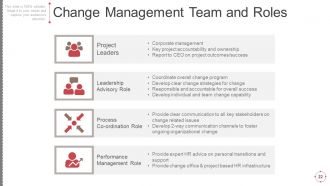
Slide 22: This slide showcases Change Management Team and Roles Performance Management Role, Process Co-ordination Role, Leadership Advisory Role, Project Leaders.
Slide 23: Coffee Break Time 10:15 To10:30
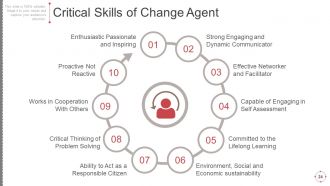
Slide 24: This slide presents Critical Skills of Change Agent with these ten of the criterias- Enthusiastic Passionate and Inspiring, Committed to the Lifelong Learning, Environment, Social and Economic sustainability, Ability to Act as a Responsible Citizen, Capable of Engaging in Self Assessment, Critical Thinking of Problem Solving, Effective Networker and Facilitator, Works in Cooperation With Others, Strong Engaging and Dynamic Communicator, Proactive Not Reactive.
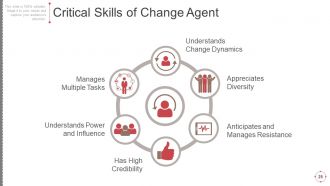
Slide 25: This slide presents Critical Skills of Change Agent which further with these of the following stages- Understands Change Dynamics, Anticipates and Manages Resistance, Appreciates Diversity, Understands Power and Influence, Manages Multiple Tasks, Has High Credibility.
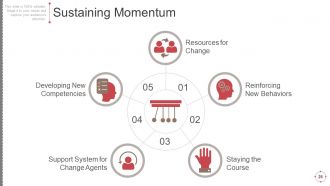
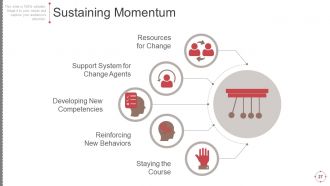
Slide 26: This slide presents Sustaining Momentum with these five steps- Staying the Course, Reinforcing New Behaviors, Support System for Change Agents, Resources for Change, Developing New Competencies.
Slide 27: This slide showcases Sustaining Momentum with these of the five following important parameters- Developing New Competencies, Support System for Change Agents, Reinforcing New Behaviors, Resources for Change, Staying the Course.
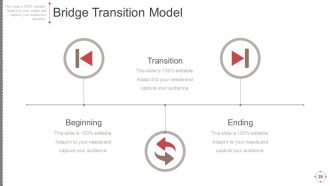
Slide 28: This slide presents Bridge Transition Model with these of the three main parameters- Ending, Beginning, Transition.
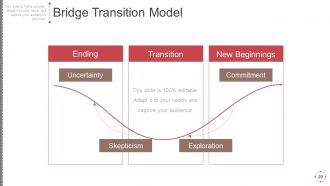
Slide 29: This slide showcases Bridge Transition Model with these of the main parameters- New Beginnings, Ending, Transition, Exploration, Skepticism, Commitment, Uncertainty.
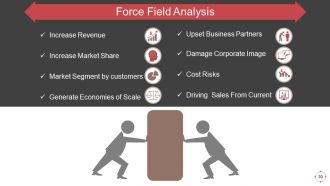
Slide 30: This slide presents Force Field Analysis with these of the eight analysis factors- Upset Business Partners, Damage Corporate Image, Cost Risks, Driving Sales From Current, Increase Revenue, Increase Market Share, Market Segment by customers, Generate Economies of Scale.
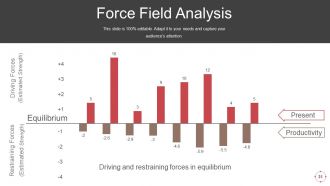
Slide 31: This slide showcases Force Field Analysis further showing the these different factors- Present, Productivity, Restraining Forces, Driving Forces, Equilibrium, Driving and restraining forces in equilibrium.
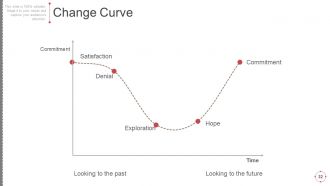
Slide 32: This slide presents Change Curve with these of the parameters we have used in this- Satisfaction, Denial, Exploration, Hope, Commitment, Time, Looking to the past, Looking to the future.
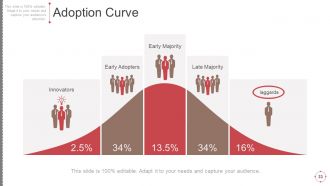
Slide 33: This slide shows Adoption Curve with these of the five important parameters- Late Majority, Early Majority, Early Adopter, Innovators, laggards.
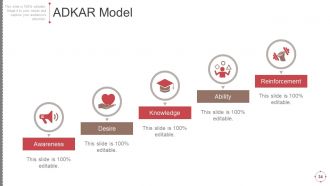
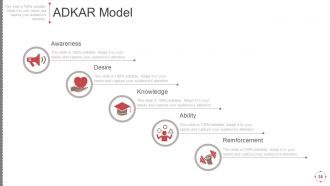
Slide 34: This slide presents ADKAR Model with these of the parameters we have used in slide- Awareness, Desire, Knowledge, Ability, Reinforcement.
Slide 35: This slide showcases ADKAR Model with a curve and stages- Awareness, Desire, Knowledge, Ability, Reinforcement.
Slide 36: This slide presents ADKAR Model with these of the following steps we have taken in to consideration- Reinforce-ment, Awareness, Desire, Knowledge, Change Management, Leadership, Sponsorship, Project Management, Ability.
Slide 37: This slide presents Business Change Control Process Icons Set.
Slide 38: This slide is titled Additional slides to proceed forward.
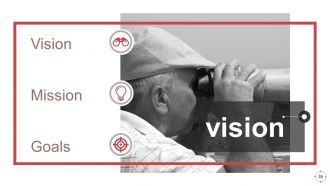
Slide 39: This is Our mission slide with imagery and text boxes to go with.
Slide 40: This is Our team slide with names and designation
Slide 41: This is an About us slide to state company specifications etc.
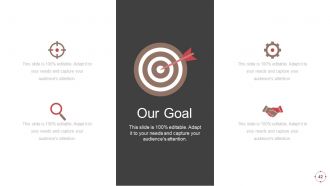
Slide 42: This is an Our Goal slide. State your important goals here.
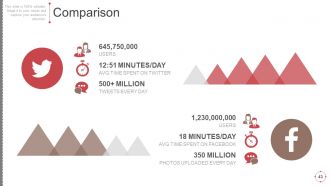
Slide 43: This slide shows Comparison of Positive Factors v/s Negative Factors with thumbsup and thumb down imagery.
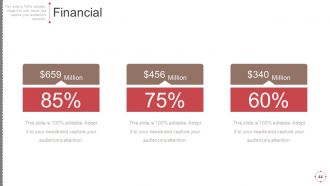
Slide 44: This is a Financial Score slide to show financial aspects here.
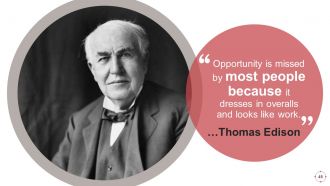
Slide 45: This is a Quotes slide to convey message, beliefs etc.
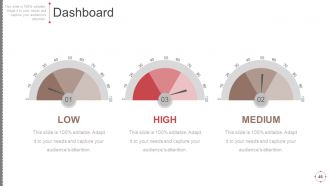
Slide 46: This is a Dashboard slide to show- Strategic System, Success, Goal Process, Sales Review, Communication Study.
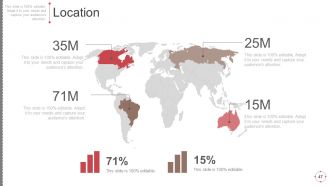
Slide 47: This is a Location slide to show global growth, presence etc. on world map.
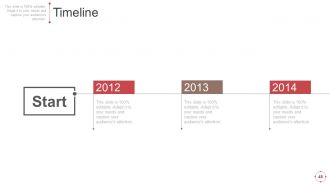
Slide 48: This is a Timelines slide to show- Plan, Budget, Schedule, Review.
Slide 49: This is a Timelines slide to show- Plan, Budget, Schedule, Review. Timeline.
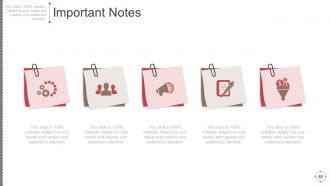
Slide 50: This slide displays Critical notes on Challenge, Positive Attitude, Balanced Lifestyle.
Slide 51: This is a Newspaper slide to highlight something.
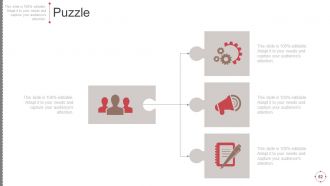
Slide 52: This slide presents a PUZZLE slide with the following subheadings- Integrity and Judgment, Critical and Decision Making, Leadership, Agility.
Slide 53: This is a Target slide. State your targets here.
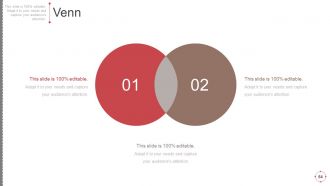
Slide 54: This is a Venn diagram image slide to show information, specifications etc.
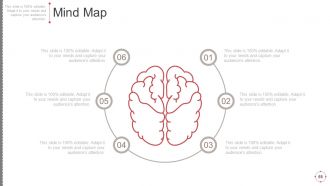
Slide 55: This slide shows a Mind map for representing entities.
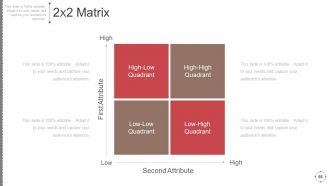
Slide 56: This slide shows a Matrix in terms of High and Low.
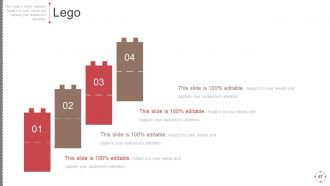
Slide 57: This is a LEGO slide with text boxes to show information.
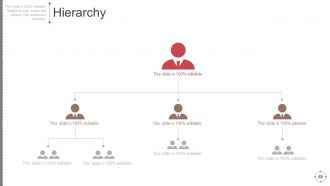
Slide 58: This slide is a Hierarchy.
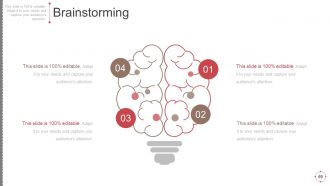
Slide 59: This slide showcases Brainstorming.
Slide 60: This is a Magnifying glass image slide to show information, scoping aspects etc.
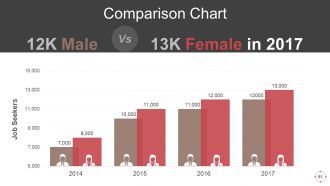
Slide 61: This slide shows Comparison of Positive Factors v/s Negative Factors with thumbsup and thumb down imagery.
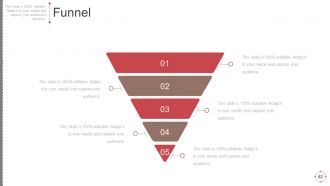
Slide 62: This is a Funnel image slide showing: Calls-to-action, Reachability, User Experience, Color Schemes, Engagement, Simplicity.
Slide 63: This is a Thank You slide with image.
Business Change Control Process And Plan Powerpoint Presentation Slides with all 63 slides:
Assess the impact of global influences with our Business Change Control Process And Plan Powerpoint Presentation Slides. Evaluate the effect on domestic growth.









FAQs for Business Change Control Process And Plan
Honestly, you need four main things: change request docs, impact assessment, approval workflows, and rollback plans. Communication is massive though - I swear most disasters happen because nobody knew what was changing. Map out who approves what based on risk levels. Like, don't make someone wait for the CEO to approve a minor bug fix, but definitely loop them in for major overhauls. Document everything as you go. Oh, and always have that rollback ready because things go sideways more often than you'd think. Start by looking at your current mess and figure out the biggest holes.
Map out everything that'll get hit by your change first - both what feeds into it and what comes after. Score each workflow based on how messy it'll get, how many people you're screwing over, and what kind of workarounds they'll need. Good process docs are clutch here if you actually have them (big if). Run workshops with the people doing the real work - they catch stuff you'd never see from your desk. Don't just wing this whole thing. Short version: be systematic about tracking dependencies now, or you'll hate yourself later when everything breaks.
Okay so the big things you need are: what's changing, why someone wants this change, and how it'll mess with your timeline and budget. Seriously, don't skip the "why" part - I've watched so many requests die because nobody explained the reasoning. Document any dependencies and risks right away. Oh, and write down what success actually looks like with real metrics, not just vague stuff. Someone should be able to read this months later and totally get it. Keep it detailed enough to be useful but not a novel. If you can make a template, do it - makes reviews so much faster for everyone.
Honestly, just talk to people way more than you think you need to. Figure out who's gonna be affected first, then hit them up regularly - weekly updates work great. Trust me, nobody likes being blindsided by changes they weren't expecting. Don't just tell them what's happening either, explain why it actually matters for their day-to-day stuff. Some people want emails, others prefer a quick call - whatever works for them. Oh and definitely be upfront about timelines and how things might impact their work. Gives everyone a chance to prepare instead of scrambling later.
Honestly, communication makes or breaks the whole thing. People absolutely hate work surprises - like, nobody wants to walk in and find out everything's different. Tell everyone what's going down, why you're doing it, and how it hits them personally. But don't just blast out emails and call it done. Actually listen when people have concerns or questions. The back-and-forth builds trust way better than just talking at people. Oh, and definitely over-communicate rather than leaving people guessing. Be real about the good stuff AND the messy parts coming up.
Honestly, workflow automation tools are a game changer for change control. Set up digital approval systems with automated notifications - otherwise people just ignore requests sitting in their inbox (we've all been there). Centralized dashboards let you track everything live. Version control systems handle your documentation changes, and collaboration platforms work great for impact assessments. Map out your current process first though - that's crucial. Then spot where tech can kill those annoying bottlenecks or cut down on manual handoffs. Just make sure whatever you pick plays nice with your existing setup.
Honestly, most pushback happens because people are scared of what they don't know. Get everyone in the loop early and explain the actual reasons for changes - not just corporate speak. Communication is huge here, like way more than feels necessary. Nobody likes getting blindsided. Listen when people voice concerns instead of just steamrolling ahead. Give them real training and support during the switch. Oh, and start small! Quick wins help build momentum, then make sure you celebrate those with the team. If you involve people in figuring out solutions, they'll feel like it's theirs instead of something being done to them.
Honestly, you've gotta set up your measurement stuff during the planning phase - not after everything's already rolled out. Track your KPIs against whatever baseline you captured beforehand. The numbers matter obviously (performance, costs, timelines), but don't ignore the people side of things. Employee adoption rates and satisfaction scores will tell you if folks are actually buying in or just pretending to comply. I always tell people to start gathering feedback within 30 days because that's when the real issues surface. Oh, and qualitative feedback from stakeholders is just as valuable as the hard data.
Honestly? Don't rush into changes without figuring out what'll break first - learned that the hard way. Get input from people who actually use the system, and for the love of god, document your decisions. Scope creep is evil - your "quick fix" becomes this monster project nobody approved. Always have a rollback plan because stuff WILL go wrong. Regular check-ins catch problems early. Oh, and communicate updates even when it's boring status stuff. The "we'll patch it later" approach during implementation? Yeah, don't do that.
So it really depends on your industry's risk level, honestly. Healthcare and finance are super strict - like multiple approvals, tons of documentation, the whole nine yards because people's lives and money are at stake. Manufacturing needs detailed impact stuff for production changes. Tech companies though? Way more chill - they move fast and can roll back quickly if something breaks. I've seen some startups push changes daily, which is wild to me. Retail's kinda in between, trying to balance speed with not breaking their systems. You gotta figure out what compliance rules you're dealing with first, then build your process around that instead of just copying someone else's playbook.
Honestly, you need this or your business will turn into complete chaos. Random changes flying around with zero oversight? Hard pass. It gives you a way to actually think through changes before implementing them - who approves what, how big the impact is, that kind of thing. Keeps costly screwups to a minimum too. If you're in anything regulated, it's basically mandatory for compliance stuff. My advice? Start super basic: write down what needs approval, who signs off, and how you'll tell people about changes. Don't overcomplicate it at first.
Build risk assessment directly into your change forms and approval process. Each proposed change needs evaluation for operational, security, and customer impact before moving ahead. Honestly, I've watched way too many "quick fixes" blow up because nobody bothered asking what could go wrong first. Categorize changes by risk level - high-risk stuff needs more people involved, maybe even rollback plans. Risk evaluation can't be an afterthought anymore. Add a basic risk matrix to whatever process you're using now. Makes the whole thing way more structured.
Honestly? ServiceNow, Jira Service Management, and Remedy are your main options - most big companies go with these. ServiceNow's like the Rolls Royce but you'll pay through the nose (and it might be way more than you need). Jira Service Management is solid, good workflows, won't destroy your budget. For simpler stuff, Asana or Monday.com work fine if you just need basic change tracking. The real trick is finding something that plays nice with whatever you're already using. Otherwise your team will hate it and never touch the thing. I'd make a list of what you actually need first, then demo a couple options.
So feedback loops are basically your secret weapon for making change control actually work. You track what's happening during implementation - what's going well, what's a disaster - then use that intel to improve next time. Most teams skip this part which is honestly crazy to me. Set up monthly check-ins where you compare results to your original goals. Pick 2-3 metrics that are easy to track (don't overcomplicate it). The whole point is creating this cycle where you're constantly learning and tweaking your approach. It's like having a built-in upgrade system for your process.
Honestly, training makes or breaks everything. People freak out when they don't know what they're doing - can you blame them? Start training way before you actually launch anything. Hands-on stuff works way better than boring PowerPoint sessions (learned that the hard way). You'll need support people ready to jump in when things go sideways. And they will go sideways, guaranteed. Plan for at least 2-3 weeks of extra help after you go live. The whole point is getting people comfortable before you change everything on them.
-
Informative design.
-
Great product with effective design. Helped a lot in our corporate presentations. Easy to edit and stunning visuals.