


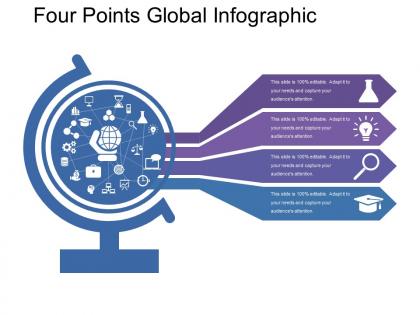
Four Points Global Infographic
You must be logged in to download this presentation.




Try Before you Buy Download Free Sample Product
 Impress Your
 Audience
 100%
100% Editable
 Save Hours
 of Time


Avoid any brinksmanship with our Four Points Global Infographic. Convey your belief in being forthright.
People who downloaded this PowerPoint presentation also viewed the following :
Four Points Global Infographic with all 5 slides:
Our Four Points Global Infographic are given to accomplishments. They are completely committed till the end.
FAQs for Four
Okay so first thing - your headline has to actually grab people or they'll scroll right past. Then focus on clean visual flow so their eyes know where to go next. Nobody's reading paragraphs on an infographic, trust me, so keep text super minimal. Your data viz needs to make sense immediately - I've seen too many confusing charts that defeat the whole purpose. Color scheme should work together, not fight each other, and don't forget strategic whitespace. Honestly, sketch your main message first before you even think about design elements. You're telling one story, not dumping everything you know onto one page.
Think of visual hierarchy like giving your readers a GPS for your infographic. Make the most important stuff bigger and bolder - your main headline should totally dominate the page. Then scale down from there: medium for secondary points, smallest for details. Colors and white space help tons too. People literally don't know where to look first without good hierarchy, which is kinda sad because your content might be brilliant. Here's a trick that actually works - squint at your design and whatever pops out first is what readers will see. If it's not your main point, you've got some tweaking to do.
Color theory makes such a difference in infographics - it's literally how people process and remember your info. I always start with 2-3 main colors from your brand, then add one contrasting accent for the important stuff. Trust me, I've seen way too many rainbow disasters that just hurt to look at! Complementary colors work great for creating hierarchy. Your key data should pop against neutral backgrounds. Short sentences help too. When you keep it simple, people actually focus on your content instead of getting distracted by all the colors screaming at them.
Okay so basically instead of cramming everything into text blocks, use charts and icons to tell your story. White space is your friend - nobody wants to stare at a data wall. Pick the right format for what you're showing: timelines work great for step-by-step stuff, pie charts for percentages, bar graphs when you're comparing things. Color coding keeps related info together, and making important numbers bigger just makes sense since that's how our brains work anyway. Oh and definitely test it on someone first - if they're squinting or asking questions, you've got more work to do.
Start with government databases and research institutions - that's where the good stuff is. I always cross-reference with at least two other solid sources because one bad stat will totally mess up your whole infographic. Trust me on that one! Check when things were published too. Old data is useless data. Also, if you can't figure out how they collected the info, skip it entirely. That's sketchy territory. Oh, and bookmark everything as you go! You'll hate yourself later when someone's like "where'd you get that 73% thing?" and you're scrambling through fifty browser tabs trying to remember.
So basically treat it like you're telling a story - problem, journey through the data, then boom, conclusion. I always outline the narrative first before even touching design. Use arrows and color schemes to guide people through chronologically. Adding real personas helps too since nobody cares about abstract numbers, but they'll connect with how data affects actual people. Each data point should build toward your main point instead of just... idk, random stats everywhere? Think mini movie script but with charts. Oh and keep sentences flowing naturally - short punchy ones mixed with longer explanatory bits work best.
Honestly, just start with Canva - it's super easy and has tons of templates. Yeah, everyone uses it so you might see the same designs everywhere, but whatever. Once you get the hang of infographic layouts, Piktochart and Venngage are solid next steps. Adobe Illustrator is where the magic happens if you want full control and professional results, but there's definitely a learning curve. Oh, and Figma's free and works in your browser which is pretty convenient. I'd say mess around with Canva first, then jump to Illustrator when you're ready to get serious about it.
Honestly, interactive infographics crush static ones for engagement - we're talking 2-3x better numbers. People actually stick around longer when they can click and mess around with the data themselves. Plus you get way more shares and people remember the info better. That said, static ones aren't terrible. They're just... simpler? Load super fast and work great when people are mindlessly scrolling social media. Sometimes I don't want to think too hard about hovering over stuff, you know? But if your data's complex or you want people really digging into it, definitely go interactive. Just figure out what you're actually trying to accomplish first.
Oh, start with the basics - rename your file with keywords and write good alt text since Google can't actually see images. Don't just slap it on your site though! Write some text around it explaining the main points, maybe pull out key stats into paragraphs. Size it right so it loads fast (nobody waits around for slow images anymore). Then hit up some infographic directories and push it on social media. Honestly, the supporting content around your infographic matters way more than people think. Those backlinks from shares and submissions? That's where the real SEO magic happens.
Okay so first figure out who's actually gonna see this thing. Executives want the big picture stuff - key numbers, clean visuals, nothing fancy. Technical people? Go nuts with the details and jargon they love. Colors are weirdly important too - I learned this the hard way. Bright stuff works for younger crowds, but you'll look amateur showing neon charts to board members. Also think about whether they're viewing on phones or computers. My approach is always making those audience personas first, then working backwards. Way easier than guessing what'll land.
Dude, don't cram everything into one graphic - it'll look like a hot mess. Low-quality images are the worst, and clashing colors will hurt people's eyes. Also check your facts twice because wrong stats make you look like an amateur. I learned that one the hard way lol. Keep the flow logical so readers aren't jumping all over the place trying to follow along. Oh, and size it right for social media or what's the point? Start with one solid message instead of trying to say everything at once. Trust me on this.
Honestly, infographics are like cheat codes for marketing. People love them because they turn boring data into something actually interesting to look at. I've seen super simple ones go viral while expensive videos get ignored - social media is weird like that. They're perfect for breaking down your product benefits or explaining processes without walls of text. Plus they stop people from scrolling past your post. You can use them to show stats that make your brand look good, or create how-to guides that make you seem like the expert. Just don't forget your logo and some kind of "learn more" button at the end.
So I'd focus on the basics first - views, shares, saves across your platforms. Those numbers tell you if people actually found it worth passing along. Click-through rates matter too if you're trying to drive traffic somewhere. Comments and mentions are gold though, way better than passive likes. Time spent viewing is solid data, especially on your own site. But honestly? The real question is whether it moved whatever needle you were aiming for - more leads, better brand recognition, whatever your actual goal was. Pick maybe 3-4 metrics that match what you're trying to accomplish and just track those consistently.
Honestly, infographics are game-changers for getting kids to actually pay attention. You know how dense text just makes their eyes glaze over? Visuals fix that problem instantly. When you break complex stuff into chunks with icons and short text, suddenly even the daydreamers start following along. What's cool is how they show connections between ideas - like you can literally see cause and effect flowing from one section to another. I swear, comprehension goes way up when kids can process info through multiple channels instead of just reading paragraphs. Worth trying on your next tough lesson for sure.
Honestly, go minimalist with tons of white space - cluttered stuff looks so 2019. Make it interactive if you can, like clickable sections or animations that slowly reveal info. Those soft pastel colors everyone loved? Ditch them for bold contrasting ones instead. Tell a story with your data rather than just throwing random stats at people. Oh, and design for mobile first since that's where most eyeballs are anyway. I always sketch out the narrative flow before messing with fonts or anything visual. Trust me on this one.
-
Awesome presentation, really professional and easy to edit.
-
Unique design & color.