


Sales Campaign PowerPoint Presentation Slides





Try Before you Buy Download Free Sample Product
 Impress Your
 Audience
 100%
100% Editable
 Save Hours
 of Time


Our Sales Campaign PowerPoint Presentation Slides are topically designed to provide an attractive backdrop to any subject. Use them to look like a presentation pro.
People who downloaded this PowerPoint presentation also viewed the following :
Content of this Powerpoint Presentation
Slide 1: This slide introduces Sales Campaign. State Your Company Name and begin.
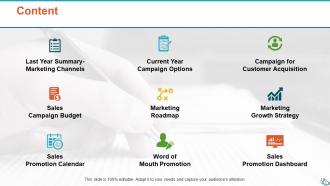
Slide 2: This slide shows Content of the presentation.
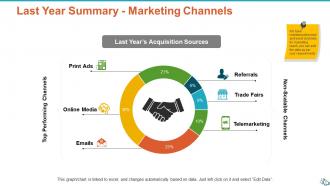
Slide 3: This slide presents Last Year Summary - Marketing Channels which includes- Emails, Referrals, Trade Fairs, Telemarketing, Online Media, Print Ads.
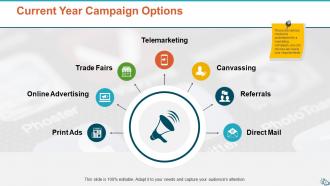
Slide 4: This slide presents Current Year Campaign Options describing- Print Ads, Telemarketing, Canvassing, Trade Fairs, Referrals, Online Advertising, Direct Mail.
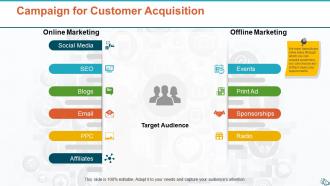
Slide 5: This slide displays Campaign for Customer Acquisition with online and offline marketing.
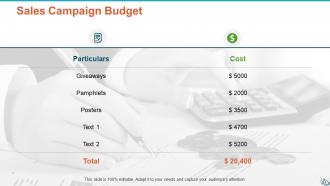
Slide 6: This slide represents Sales Campaign Budget in a table form.
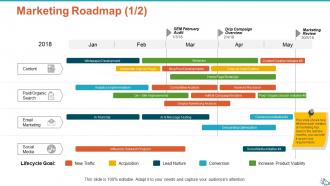
Slide 7: This slide showcases Marketing Roadmap describing- Social Media, Paid/Organic Search, Content, Email Marketing.
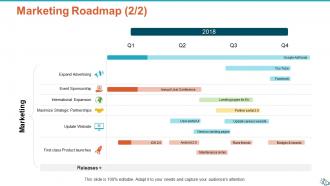
Slide 8: This is another slide on Marketing Roadmap in a table form with categories as- Expand advertising, event sponsorship, update website etc.
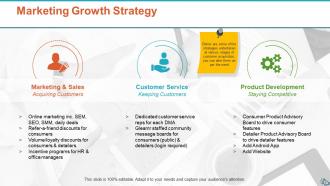
Slide 9: This slide shows Marketing Growth Strategy describing- Marketing & Sales, Customer Service, Product Development.
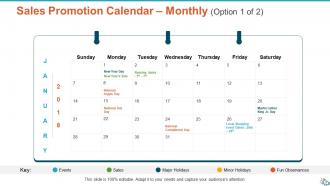
Slide 10: This slide presents Sales Promotion Calendar with- Events, Sales, Major Holidays, Minor Holidays, Fun Observances.
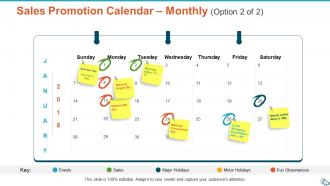
Slide 11: This is an optional slide for Sales Promotion Calendar.
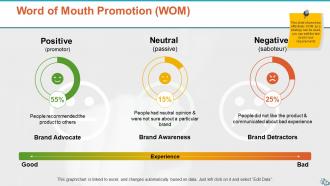
Slide 12: This slide displays Word of Mouth Promotion as positive, neutral and negative.
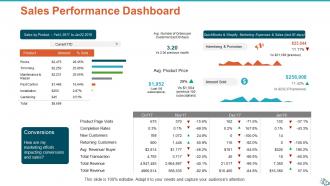
Slide 13: This slide represents Sales Performance Dashboard with graphs and tables to show related information.
Slide 14: This slide shows Sales Campaign Icons.
Slide 15: This slide is titled as Additional Slides for moving forward.
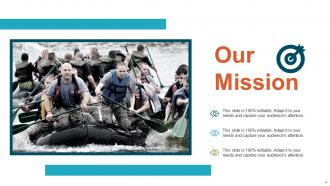
Slide 16: This is Our Mission slide with imagery and text boxes.
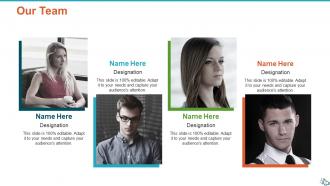
Slide 17: This is Our Team slide with names and designation.
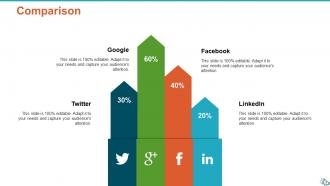
Slide 18: This is a comparison slide to compare between commodities, entities etc.
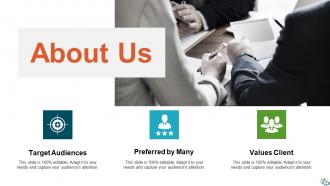
Slide 19: This is About Us slide to state company specifications etc.
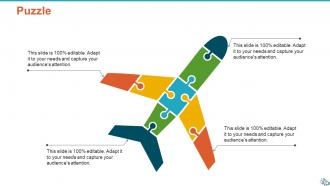
Slide 20: This is a Puzzle slide with text boxes.
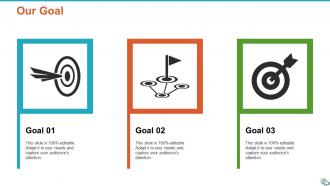
Slide 21: This is Our goal slide. State your important goals here.
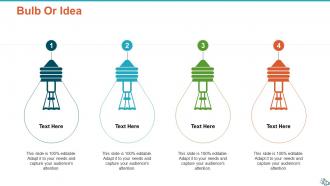
Slide 22: This is a Bulb Or Idea slide to state a new idea or highlight specifications, information etc.
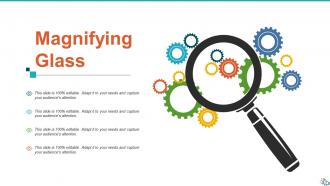
Slide 23: This slide shows Magnifying Glass with text boxes to show information.
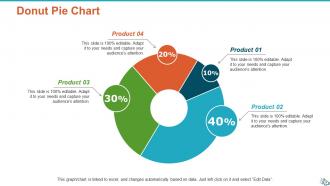
Slide 24: This slide shows Donut Pie Chart with four products comparison.
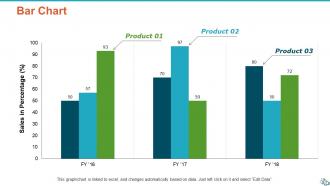
Slide 25: This slide displays Bar chart with three products comparison.
Slide 26: This is a Thank You slide with address, contact numbers and email address.
Sales Campaign PowerPoint Presentation Slides with all 26 slides:
Use our Sales Campaign PowerPoint Presentation Slides to effectively help you save your valuable time. They are readymade to fit into any presentation structure.
FAQs for Sales Campaign
Honestly, nail these four things: start with a value prop that hits their actual pain points, back it up with real data/case studies, show them a demo instead of just talking about features, and give them a concrete next step with timing. The storytelling piece is huge though - like, people will forget your feature list in five minutes but they'll remember a good story. Focus on their business outcomes, not your product specs. Oh and don't end with "any questions?" That's weak. Ask for something specific like "Can we get implementation planning on the calendar for next week?"
Dude, stories are everything in pitches. People don't remember boring stats - they remember the customer who was pulling their hair out with the same exact problem your friend's dealing with. You paint that picture and suddenly they're like "wait, that's literally us." Facts are fine but honestly, spreadsheets make everyone's eyes glaze over. What works is picking one really solid story that hits their specific pain point, then building your whole pitch around that. Keep it tight though - you don't want to ramble. But yeah, stories create those lightbulb moments way better than any feature list ever will.
Conversion rate is your main thing - shows how many leads actually buy from you. Cost per acquisition matters too so you don't go broke lol. Track total revenue and pipeline value obviously. I'd also look at lead quality by source since some channels just bring in tire kickers. Sales cycle length is worth watching - good campaigns can actually speed that up. Honestly, don't get caught up in stuff like impressions because they look good but don't mean much. Revenue metrics are what actually count. Just throw these on a simple dashboard so you can see what's working without digging through spreadsheets every time.
Honestly, segmentation changes your whole game plan. You're gonna need different messaging, channels, timing - basically everything shifts based on who you're targeting. Think about it - a startup founder and a Fortune 500 CTO both need enterprise software, but they have totally different pain points and ways of making decisions. Your email copy that works for one will probably flop with the other. I'd start small though, maybe 2-3 segments max so you don't go crazy trying to manage everything. Then you can build separate campaign tracks for each group.
Honestly, visuals can make or break your whole presentation. I've watched way too many people lose their audience to phone scrolling because of boring, text-heavy slides. Clean layouts and smart color choices help people actually absorb what you're saying faster. Plus there's this weird psychology thing - good design creates an instant emotional hook before you even start talking. Your slides should back up your story, not fight against it (learned that one the hard way). More white space is usually the answer. Think of design as your wingman keeping everyone focused while you hit the important stuff.
Templates are seriously a game changer - they give you that pre-built structure so you're not just staring at a blank slide going "now what?" Just drop your campaign stuff into layouts that already work. I swear it cuts prep time in half, especially when you're running like three campaigns at once (which, let's be real, is always). Your whole team stays on the same page too. I'd make maybe 2-3 master ones for different things - product launches, client pitches, quarterly stuff. Then just tweak from there. Way better than starting from scratch every time.
Honestly, the biggest mistake I see is cramming too much data into slides - it just confuses people. Research your audience first though, like actually figure out what keeps them up at night. Focus on benefits, not features (nobody cares about your fancy specs). Visuals beat walls of text every time. Practice your timing or you'll rush the important stuff. Have answers ready for pushback - there's always someone who'll challenge you. And don't end with "we should chat sometime" - be specific about next steps. Oh, and skip the corporate buzzwords. They make you sound like a robot.
Social media works great for finding leads and keeping them warm. I'd start with content that actually solves problems your prospects have. LinkedIn's your best bet for B2B - honestly, their targeting is almost scary good now. Facebook and Insta work better for consumer stuff. Run targeted ads to push people to your landing pages, but don't just blast generic messages at everyone. Actually respond when people comment or share your posts. Oh, and set up social listening tools to catch when someone mentions keywords related to what you sell - then reach out with something personal, not some copy-paste pitch.
Look, your call-to-action is what turns interest into actual money. Without it, people just nod politely and walk away empty-handed. Be super specific about next steps - schedule a demo, sign here, let's meet Tuesday at 2pm. I can't tell you how many solid presentations I've watched die because they ended with "reach out if you're interested" or some weak sauce like that. Don't dance around it. Just ask for what you want directly and give them a deadline. Works way better than being all polite about it.
Honestly, market research is like having cheat codes for your messaging. It shows you the exact words your audience uses to describe their problems - not the fancy corporate speak you think sounds professional. Customer interviews are pure gold for this stuff. I've watched campaigns totally bomb, then flip the script just by ditching technical jargon for how people actually talk. You'll discover their biggest pain points, common objections, and which benefits they care about most. Plus you get intel on competitors they're considering. Check if you have any recent surveys or customer calls lying around - those direct quotes will make your copy way more effective than anything you dream up in a conference room.
So countdown timers and limited-time offers are your best bet here. I've honestly seen conversion rates spike like 30% with a solid 24-hour flash sale - it's kinda crazy how well they work. Try "only 5 left" or "while supplies last" messaging too. Flash sales are clutch for this stuff. Oh, and showing how many people are viewing the product right now really amps up that urgency feeling. Just don't go overboard with it though - people aren't stupid, they'll notice if every single item is "almost sold out." Test different approaches since what works varies by audience.
Competitor analysis shows you what messaging actually works in your market. Look at their pricing, positioning, and selling points to spot where you can be different. If everyone's yelling about "lowest price," go for quality or service instead. You'll find prospects they're ignoring and pain points they suck at handling. Plus you get inside info on their sales moves and can prep for objections prospects have heard before. Honestly, most companies just copy competitors instead of finding gaps. Use it to carve out your own angle and stand out from everyone else doing the same boring pitch.
Dude, interactive dashboards are a game changer. Tableau's great but Google Data Studio works too if you're on a budget. Let people click around and drill into the details - way more engaging than static slides. Heat maps for territory stuff look pretty slick, and animated charts showing trends over time actually keep people awake. Story-telling helps too... like walking through the customer journey instead of just dumping numbers on them. Most sales presentations put me to sleep honestly, so anything visual is an upgrade. Before/after comparisons are super simple but they work. Make it obvious enough that anyone can spot what matters right away.
Honestly, just grab your team for 15 minutes right after each presentation - like immediately while it's all still fresh. Ask what landed well and what bombed. Which objections did you hear again and again? Nothing formal, just a quick huddle. Then actually document this stuff (I know, I know, more paperwork). But seriously, track the patterns in a spreadsheet or whatever. When you see the same feedback across multiple pitches, update your deck and talking points based on what's really happening out there. The faster you make these tweaks, the better your next presentations will be.
Honestly, everything's about meeting people where they already hang out instead of forcing them to come to you. Personalization is huge right now - AI tools can help you figure out timing and audience stuff way better than guessing. Video's crushing it too, even just quick phone recordings beat boring emails every time. LinkedIn's become the new cold calling (way less annoying though). I'd say pick one thing and get really good at it first. Oh, and track what actually makes you money, not vanity metrics that look pretty. The old pushy sales tactics are basically dead - people want real stories now.
-
Great product with highly impressive and engaging designs.