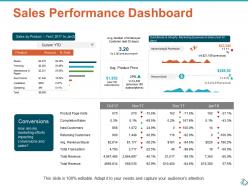
Sales performance dashboard ppt show infographic template

Sales performance dashboard ppt show infographic template
Slide 1 of 5
Favourites Favourites

Try Before you Buy Download Free Sample Product

Audience Impress Your
Audience
Editable 100%
Editable
Time Save Hours
of Time
The Biggest Sale is ending soon in
0
0
:
0
0
:
0
0
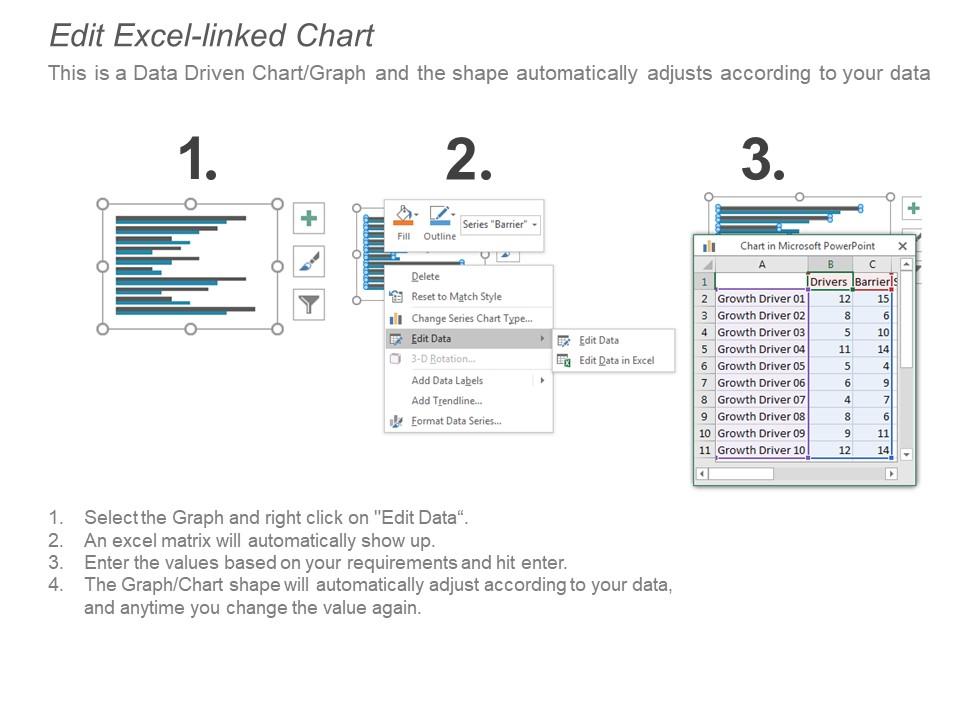
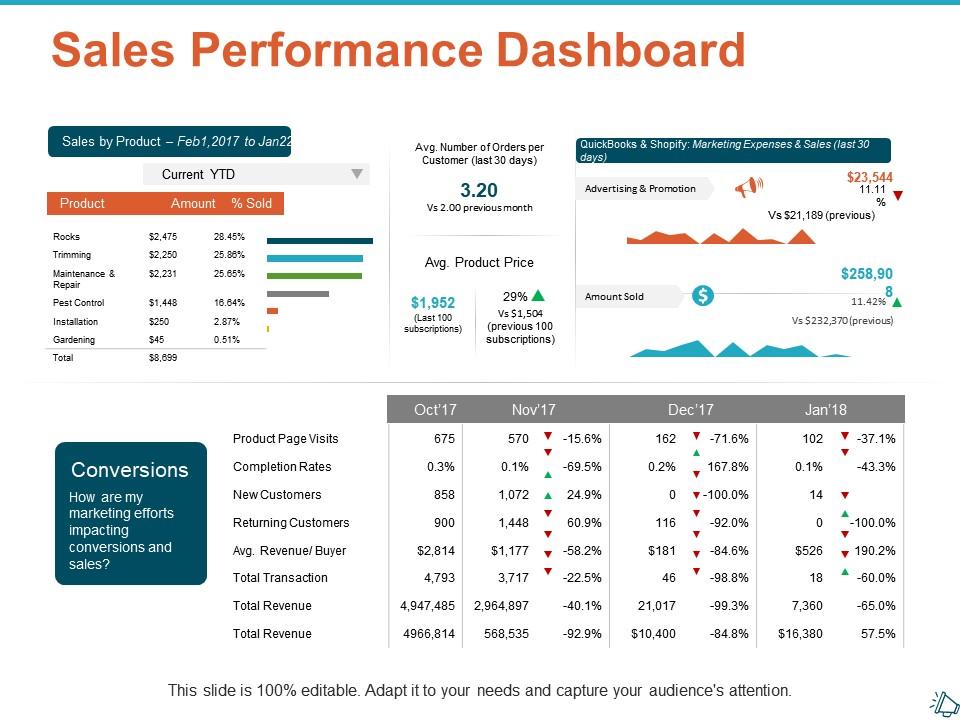
Presenting this set of slides with name - Sales Performance Dashboard Ppt Show Infographic Template. This is a four stage process. The stages in this process are Business, Planning, Strategy, Marketing, Management.
FAQs for Sales performance dashboard ppt

Revenue numbers first - monthly totals, pipeline value, conversion rates by stage. Those are your bread and butter. Activity stuff like calls, emails, meetings booked? Super important because they predict what's coming down the line. Win/loss ratios and deal size matter too, obviously. Honestly though, I've watched teams create these monster dashboards with like 20 metrics and nobody knows what to look at anymore. Stick to maybe 6-8 that people actually check daily. The magic happens when you can click from big picture numbers down to see how individual reps are doing - that's where you find the real story.

Dude, those dashboards are game-changers for spotting trends you'd totally miss in boring spreadsheets. Like, you can actually see seasonal patterns and which products are taking off. Way easier to catch problems before they blow up. I set mine up to track our main KPIs and honestly? Best decision ever. You can zoom into specific months to figure out what's actually driving changes. Oh and it shows you if certain regions keep screwing up - that visual stuff just hits different than rows of numbers. Just make sure you're tracking metrics that actually matter to your goals, not random vanity stuff.

Tableau and Power BI are your best bets if you've got budget - they're kind of the standard everyone compares to. Power BI's actually gotten way better lately. Google Data Studio works fine too and won't cost you anything, which your finance team will probably appreciate. Salesforce has decent dashboards built in if you're using their CRM already. Just make sure whatever you pick connects to your existing systems - CRM, marketing tools, all that stuff. I'd start with your most important metrics first. Don't overcomplicate it right away.

Daily updates are your best bet - gives you fresh data without driving everyone crazy with constant changes. Real-time is awesome if you can pull it off though. Weekly? Too slow, you'll miss stuff. For high-speed sales teams or time-sensitive campaigns, hourly refreshes make sense. I'd honestly rather have slightly stale data that people actually look at than perfect real-time numbers nobody checks. Start with daily and see how your team responds - some groups obsess over the dashboard, others barely glance at it. You can always adjust from there.

Honestly, data viz is what turns your sales dashboard from a hot mess of numbers into something you can actually use. Like, imagine trying to spot a revenue drop in a massive spreadsheet - good luck with that. But throw it in a line chart? Boom, you see it instantly. Charts and graphs help you catch trends super fast, figure out which reps are crushing it (or totally bombing), and make decisions on the spot during meetings. I mean, our brains just process visual stuff way better than rows of data. Keep your charts simple though - fancy doesn't always mean better.

So basically, you'll want different dashboards for different teams since they care about totally different stuff. Inside sales is all about call volume and conversion rates, but field sales? They're tracking pipeline and territory numbers. Most tools let you set up user roles so people only see what matters to them - which honestly saves everyone from getting overwhelmed by irrelevant data. Ask each team what 3-5 metrics they actually look at daily (not what they think they should track). Then customize the visuals and set alerts based on those. Way easier than trying to make one dashboard work for everyone.

Oh man, don't cram everything onto one screen - that's the worst mistake. Focus on maybe 3-5 metrics that actually matter instead of impressive-looking stuff like "total calls made." Nobody cares if it doesn't help them sell better. Keep the colors simple too (I've seen some truly hideous rainbow dashboards). Make sure your data updates often enough to be relevant. Oh, and definitely test it with real salespeople first - they'll catch problems you never thought of. Trust me on that one.

So basically, predictive analytics stops your sales dashboard from just telling you old news and starts showing what's actually coming. You'll see which leads will probably close, spot customers about to bail, get pipeline forecasts - that kind of stuff. Honestly way cooler than staring at last quarter's numbers. The system looks at your historical data and current patterns, then spits out real advice like "call these 5 people today" or "this client's about to churn." Lead scoring's probably your best starting point since it's simple to set up and you'll see results pretty quick.

Honestly, dashboards changed everything for me with goal setting. You'll actually see what happened before instead of just guessing what might work. Real-time tracking beats waiting around for monthly reports - that's obvious. When you're behind, those visuals make it super clear so you can fix things fast. I set up alerts for the important stuff so I'm not obsessively checking every five minutes (though I still do sometimes). Way better than the old days of shooting in the dark with targets.

So basically your dashboard pulls data straight from the CRM through APIs - happens every few minutes or real-time depending how you set it up. Deal stages, revenue, activity stuff all syncs automatically which is nice because nobody wants to update that manually. Salesforce, HubSpot, Pipedrive - they all have pretty solid integrations once you get them running. The catch is your team actually has to keep the CRM clean or your dashboard's gonna show garbage data. I'd definitely talk to IT about refresh rates though, especially for the metrics you check constantly throughout the day.

Put your biggest wins at the top - revenue, conversions, the stuff that matters most. Line charts work great for tracking trends, bar charts for comparing things side by side. Those huge bold numbers? Executives screenshot them constantly, so make them pop. Don't try cramming everything on one screen though - it gets messy fast. I always use green/red for hitting targets vs missing them. Keep your time periods the same across widgets too, otherwise people get confused. The whole point is someone should look at it for like 5 seconds and know if you're crushing it or scrambling to fix something.

So you really need to get feedback from your sales team, otherwise you'll end up with another pretty dashboard that collects digital dust. Ask them what decisions they're making every day and build around that. I've watched so many companies skip this step and wonder why nobody logs in. Your team will tell you which metrics actually matter (spoiler: probably not the ones you picked), plus they'll catch confusing layouts before you launch. Regular check-ins help you figure out if they need things like custom date ranges or better mobile access. Design for their actual workflow, not what looks impressive in meetings.

Honestly, sales dashboards are kind of genius for motivation. Once your team sees everyone's numbers side by side, people naturally start competing. Nobody wants to be the person at the bottom, you know? The transparency keeps everyone honest too - when your manager can pull up your metrics anytime, you're way less likely to slack off. I watched one guy go from totally lazy to crushing his quota just because he hated seeing his name in red every morning. Just make sure you're tracking stuff that actually matters, not just random numbers. Let people check their own data whenever they want. You'll be surprised how fast both accountability and teamwork improve.

Honestly, mobile access is a total game changer for field sales teams. Your reps can check their numbers and pipeline status right from their phones while they're out there meeting prospects. No more waiting to get back to the office to see how they're doing. They'll pull up real-time data during conversations, tweak their pitch based on what's actually working, and update deal stages on the spot. The competitive aspect is huge too - seeing team rankings throughout the day keeps everyone motivated. I mean, who doesn't love a little friendly competition? Definitely push for mobile dashboards if you want real-time performance tracking.

Start with user authentication - that's your foundation. Role-based permissions are clutch here, so sales reps only see their stuff while managers get the full team view. HTTPS is non-negotiable, and encrypt anything sensitive because explaining breaches to the C-suite is... not fun. GDPR compliance if you're dealing with EU customers, obviously. Audit logs are smart too - tracks who's poking around where. I'd probably tackle the auth piece first then build out from there. Oh, and don't overthink the initial setup. You can always tighten things up later once it's running.

Ratings and Reviews

0% of 100
Review Form
Write a review
Most Relevant Reviews

No Reviews