


Artificial Neural Networks IT Powerpoint Presentation Slides





Try Before you Buy Download Free Sample Product
 Impress Your
 Audience
 100%
100% Editable
 Save Hours
 of Time


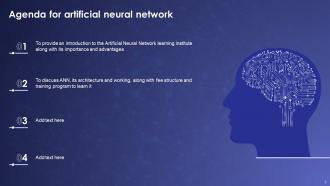
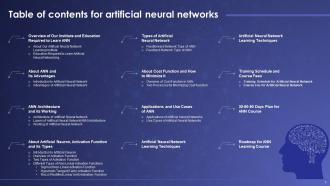
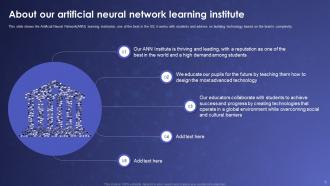
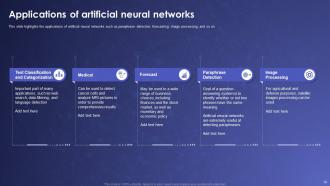
Artificial Neural Networks are advanced computer programs inspired by the biological systems of humans. Their main function is to recognize business patterns, work with the teams and learn, and predict future data. Here is a professionally designed Artificial Neural Networks IT template that introduces the ANN learning institute, its importance, and its advantages. The PowerPoint PPT displays the overview of the institute and the education required to learn ANN. Moreover, the ANN Architecture template presents details regarding ANN and its advantages. Also, this competent presentation exhibits the architecture of Artificial Neural Networks, their layers, and working patterns. Furthermore, one can learn about Artificial Neural Network Learning Techniques from this insightful template, Artificial Neural, activation function, types, cost functions, etc. This efficient template also illustrates details for the two processes to minimize the cost function, application and use case of ANN, learning techniques of ANN, etc. Additionally, the powerful PPT highlights the disadvantages of ANN, training schedule and course fees for ANN, 30-60-90 days plan for ANN course, the roadmap for ANN learning case, etc. Get access now.
People who downloaded this PowerPoint presentation also viewed the following :
Content of this Powerpoint Presentation
How does an image get recognized while using Google Lens? How does Siri reply to the best answer when a question is asked? How does Instagram recognize it as a human and suggest tagging it from a simple photo?
Artificial Neural Networks (ANNs) are a new technology revolutionizing the entire Information Technology (IT) market.
These new systems show how human brains operate and input the same data into the machines. ANNs are becoming popular in several industries, such as healthcare, financial services, IT, and many more. However, how can we tackle the challenges of this technology? No need to worry! SlideTeam has invented the best PowerPoint templates, which can help you show challenges, training material, and a roadmap for this technology.
Prepare a back propagation neural network in AI with our PowerPoint frameworks.
Benefits of Using Our PowerPoint Templates
Our PowerPoint slides offer great customization capabilities so that you can tailor your content, color, logo, branding, and images according to your training and course requirements. Additionally, this PowerPoint deck includes several technical diagrams related to ANN technology, which our professionals developed.
Template 1: Introduction to Artificial Neural Network
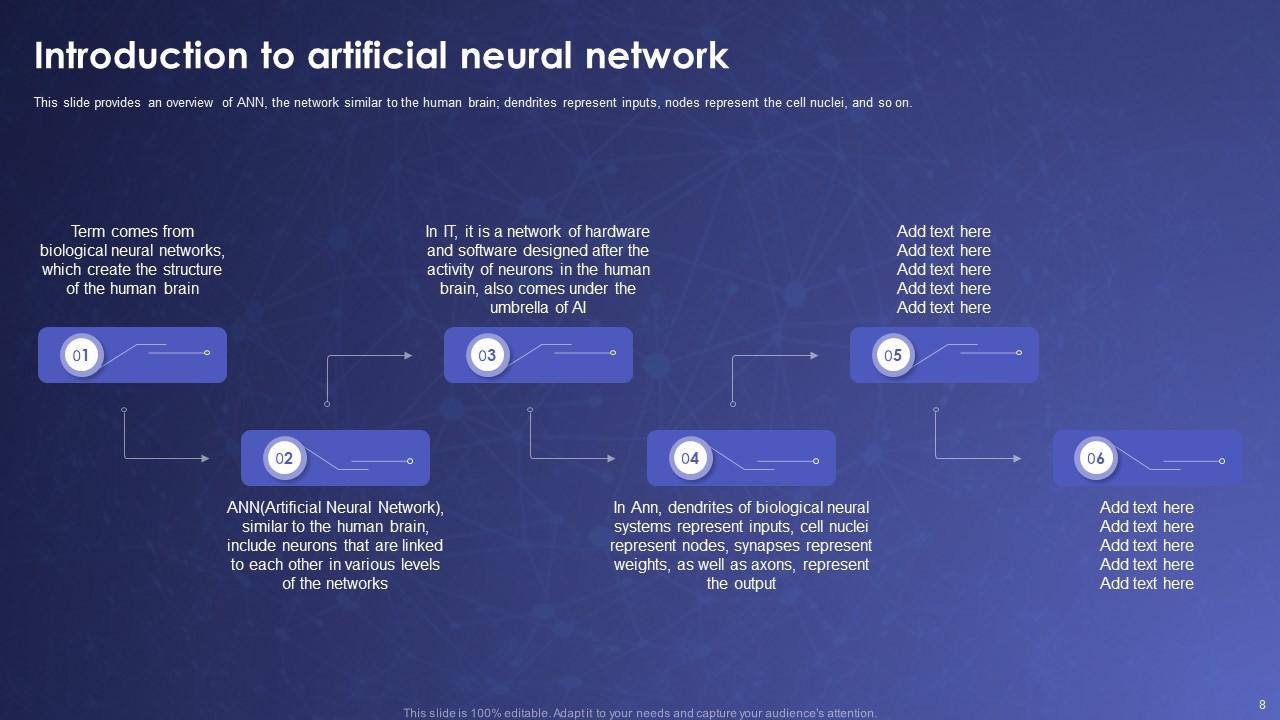
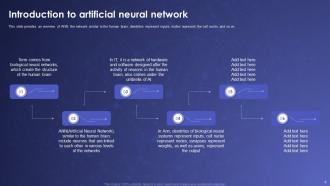
It is difficult to explain the concepts of Artificial Neural Networks (ANN) without a proper tool. Therefore, explore our PowerPoint Framework, which provides a complete platform to offer knowledge on ANN. It is easy to describe scientific terms, such as biological neural networks, which create the structure of the human brain; ANN is similar to the human brain and includes neurons linked to each other in various levels of the networks. Furthermore, you can show a network of hardware and software designed after the activity of neurons in the human brain; dendrites of biological neural systems represent inputs, cell nuclei represent nodes, synapses represent weights, and axons represent the output.
Template 2: Architecture of Artificial Neural Network
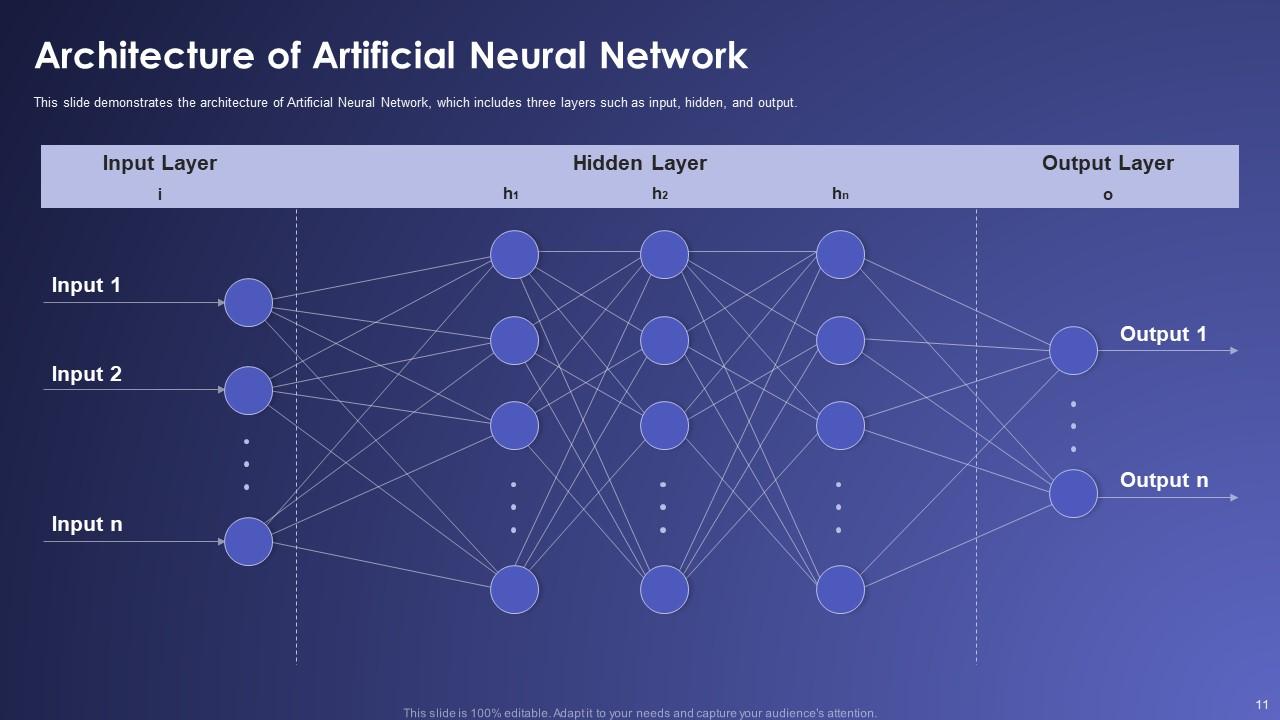
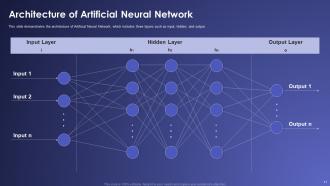
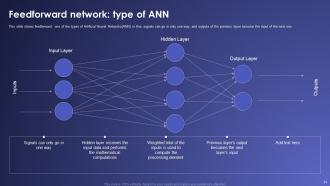
Do you want a solution that can help you better explain the complete architecture of an Artificial Neural Network? Explore our PowerPoint Layout to present the challenging layers of ANN, such as input layers, hidden layers, and output layers, in a simpler format, which a non-specialist can also understand. It is best suited to educators, researchers, and professionals who want to take their research further.
Template 3: Layers of Artificial Neural Network (ANN) Architecture
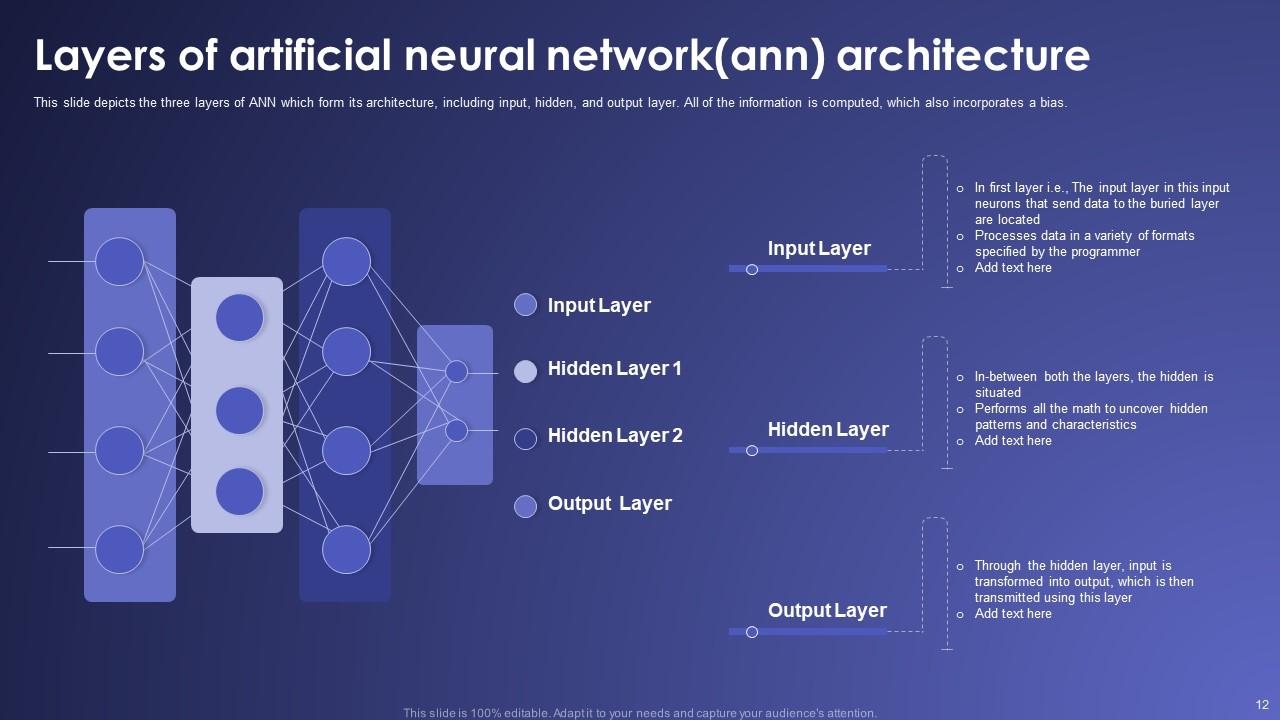
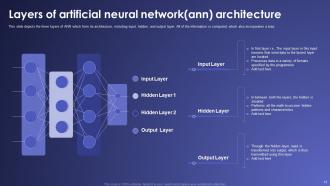
Show the complete Artificial Neural Network (ANN) architectures in your presentations with our PowerPoint Layout. It shows multiple layers of ANN, such as the input layer, two hidden layers, and the output layer. Furthermore, you can explain about each layer in the provided space. This presentation will help your audience to understand each layer easily.
Template 4: Introduction to Artificial Neuron

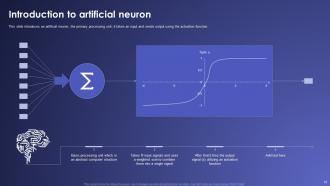
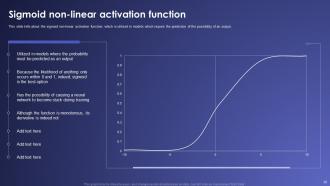
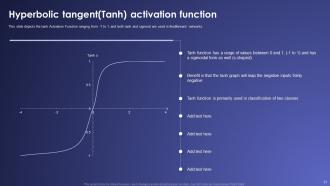
Our PowerPoint Slide works on how an artificial neuron operates within neural networks. It shows the neuron's process of receiving multiple input signals. Then, it integrates them through a weighted sum and outputs a single signal via a sigmoid activation function by the hyperbolic tangent (tanh) function graph. You can use it for teaching, presentations, and expanding your understanding of neural networks.
Template 5: Overview of Activation Function
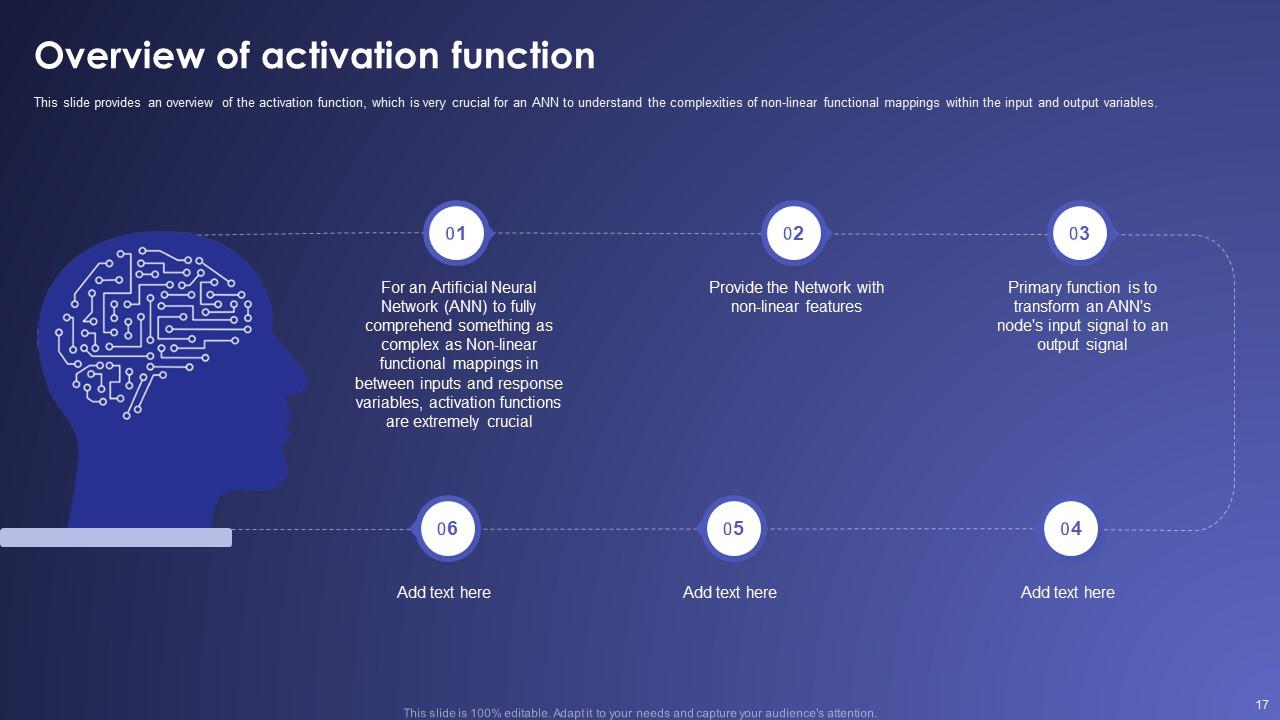
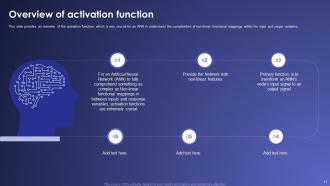
Streamline the activation functions in Artificial Neural Networks (ANNs) with our PowerPoint Framework. You can explain in an easy format how ANNs tackle non-linear functional mappings between inputs and response variables. Furthermore, you can display the network's non-linearity functioning mode. Finally, describe the input signals at each node and the output signals for your audience.
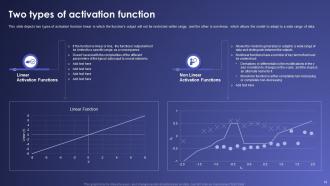
Template 6: Two Types of Activation Function
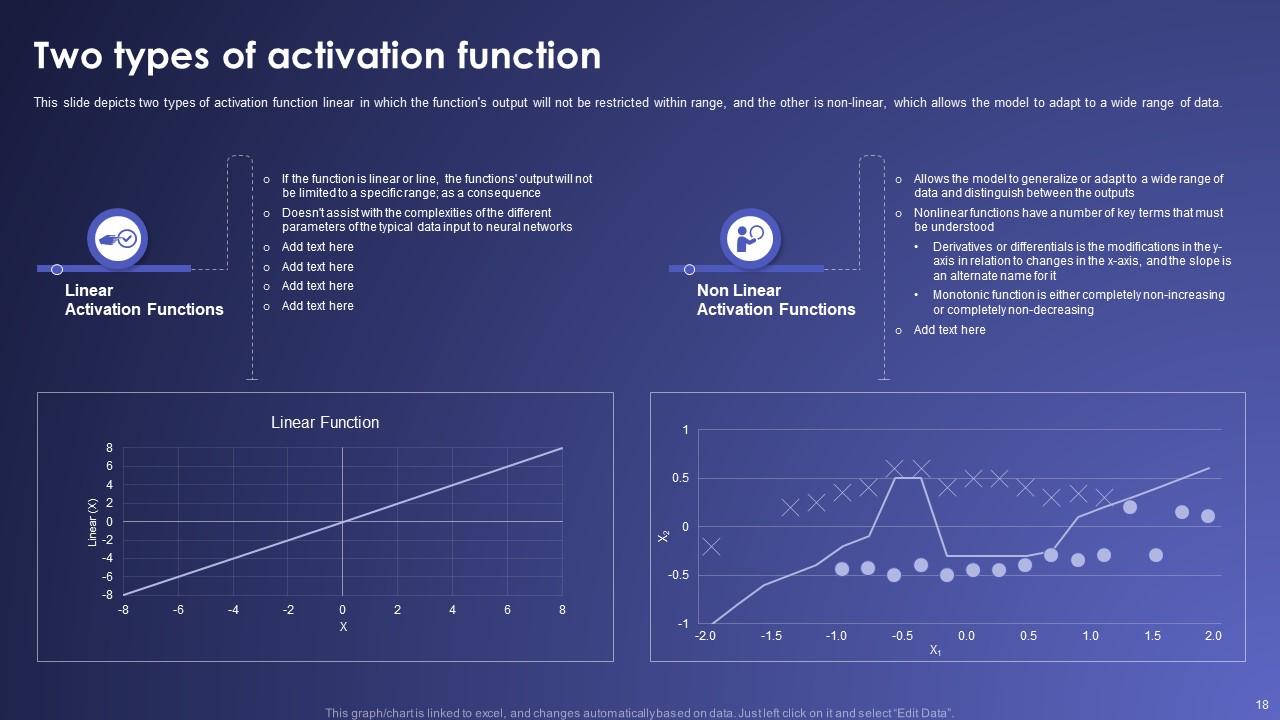
Our PowerPoint Slide shows two activation functions in neural networks: linear and non-linear.
The slide's left side describes a linear activation function, which produces a straightforward graph. The right side denotes non-linear activation functions. It is shown in a graph with varied output responses. You can input bullet points for detailed explanations for your audience to understand.
Template 7: Use Cases of Artificial Neural Network
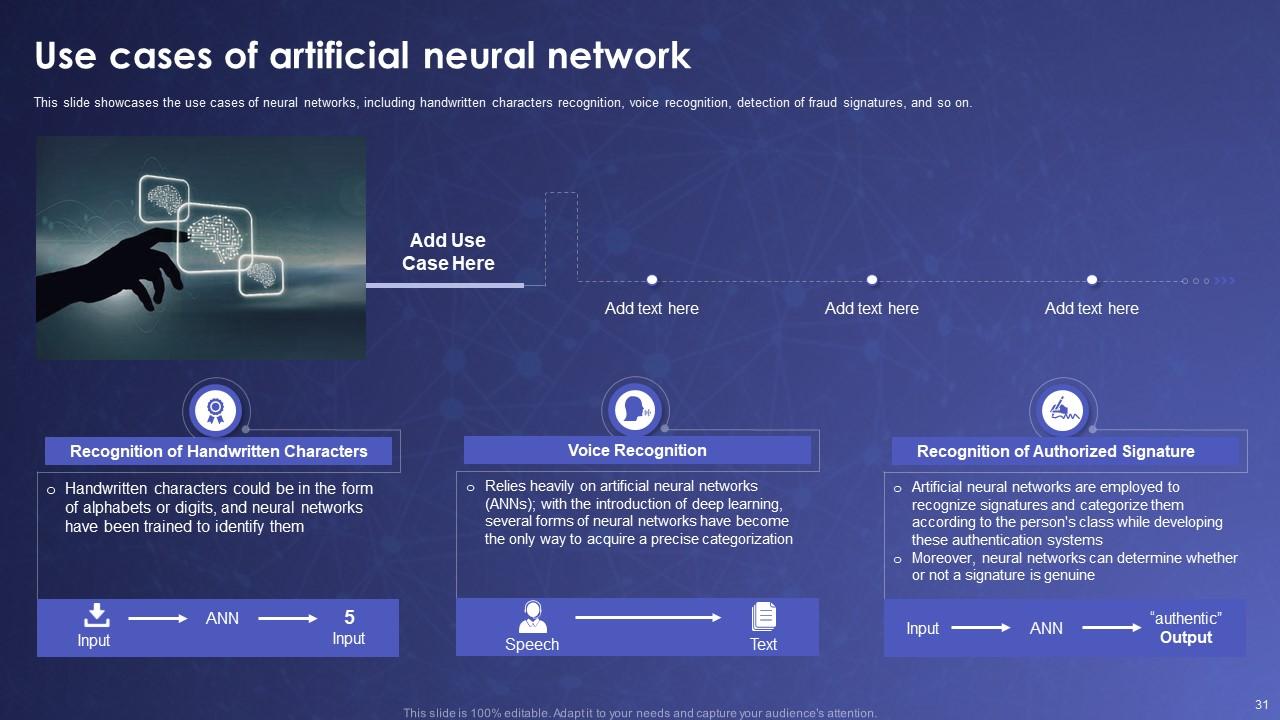
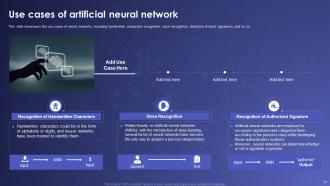
Our PowerPoint Template is for professionals who want to make their audience understand the use cases of artificial neural networks. You can show various use cases in the presentation. Some are handwritten character recognition, voice recognition, or authorized signature verification. Communicate your information to your audience with the right tool by your side.
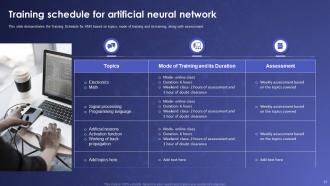
Template 8: Training Schedule for Artificial Neural Network
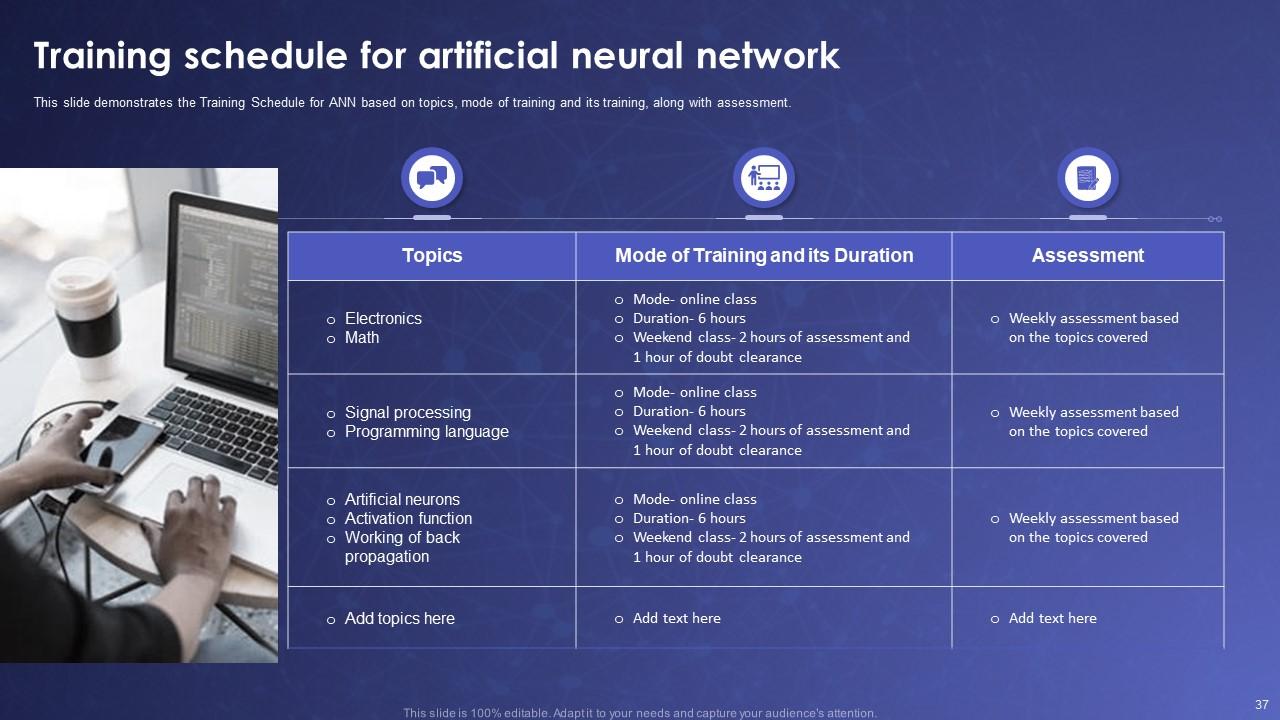
Our PowerPoint Layout is for professionals who want to educate their students about ANN.
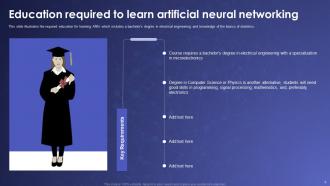
It offers a structured curriculum containing subjects like Electronics and Math. At the advanced level, you can include Signal Processing and Programming Languages for your students. Finally, you can include core topics such as Artificial Neurons and Activation Functions. Each topic has a dedicated mode of training and assessment, which teachers can input as required.
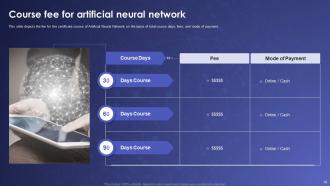
Template 9: 30-60-90 Days Plan
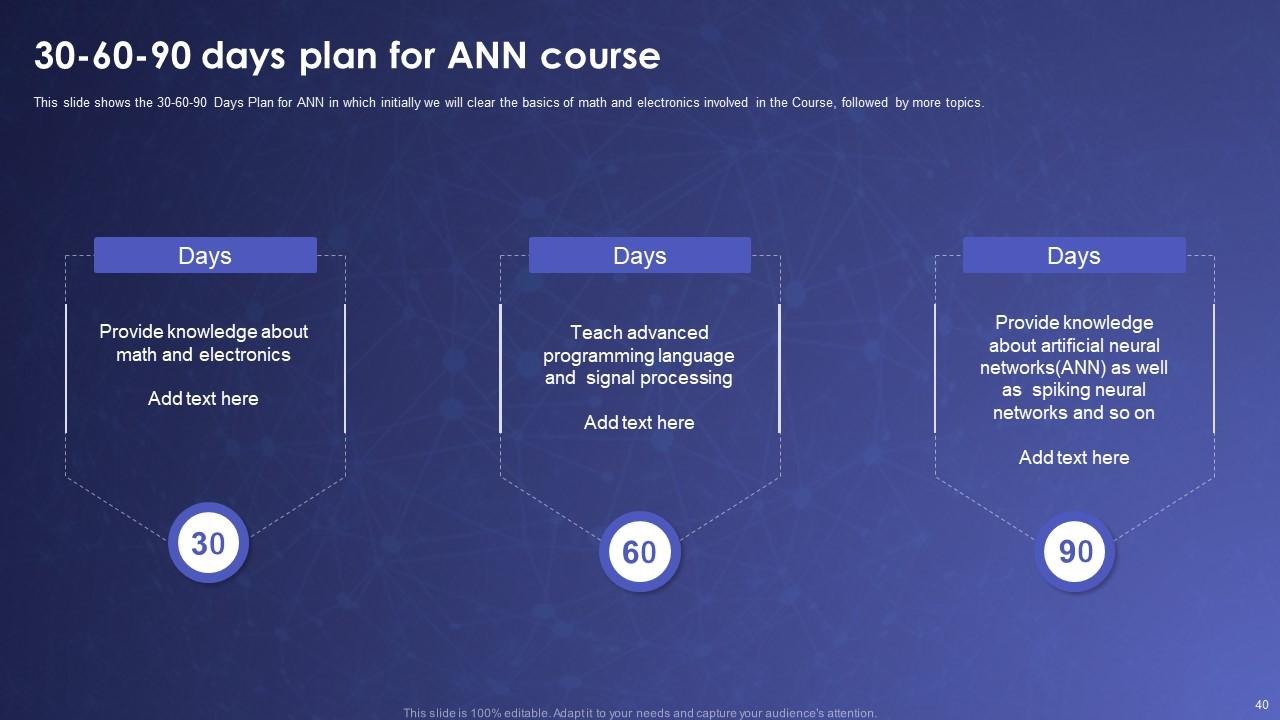
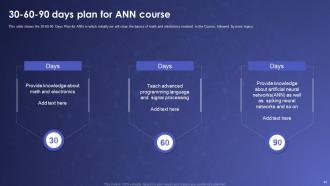
Develop a professional Artificial Neural Network (ANN) course using our PowerPoint Template. You can expand your course according to the study material. It can be for 30 days (1 month), 60 days (2 months), and 90 days (3 months). You can set clear goals for your course and define the target market. Furthermore, there is ample space to note down the syllabus in a concise manner.
Template 10: Roadmap for ANN Learning Course
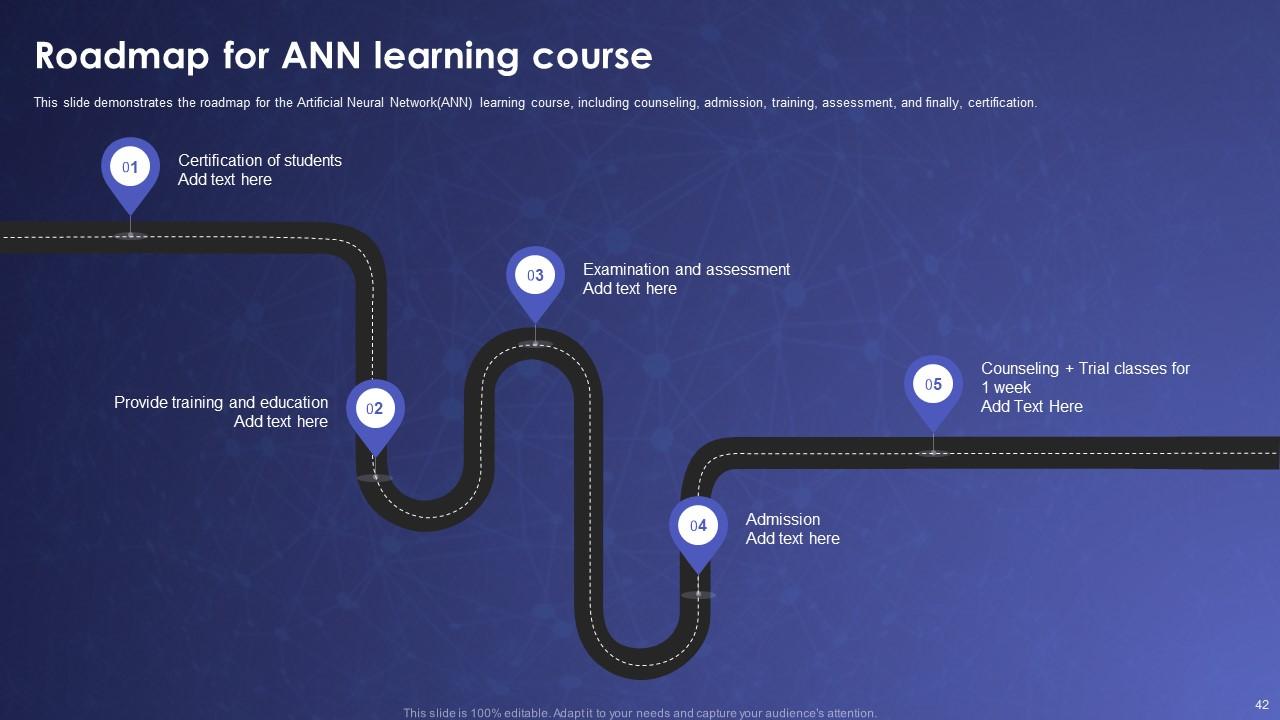
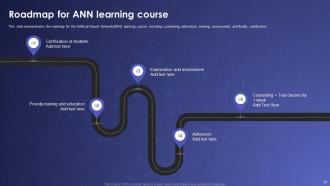
Develop a training program for Artificial Neural Networks (ANN) with our PowerPoint Slide. It is a perfect tool for educators and trainers and covers vital learning material required for the learning. You can show student certification, training and education, examination and assessment, admission, counseling, and trial classes. Prepare your students in the field of ANN with our PowerPoint Template and witness the positive change.
Educate the Audience About New Technology with Our Templates
In conclusion, our PowerPoint templates are directly linked to Artificial Neural Networks. Furthermore, they help improve the knowledge of the audience. Communicate the most challenging information in the most accessible format with our presentations.
Artificial Neural Networks IT Powerpoint Presentation Slides with all 58 slides:
Use our Artificial Neural Networks IT Powerpoint Presentation Slides to effectively help you save your valuable time. They are readymade to fit into any presentation structure.














FAQs for Artificial Neural Networks IT
Look, there are four main things you gotta understand: neurons (basically nodes), layers, weights, and activation functions. So you've got an input layer where data comes in, hidden layers doing all the heavy lifting, and an output layer spitting out results. Weights are attached to each connection between neurons - training adjusts these weights so the network actually learns stuff. Activation functions are what decide if a neuron should activate based on what it's getting. It's kinda like a voting system where some votes matter way more than others. Honestly once you get these four concepts down, everything else clicks.
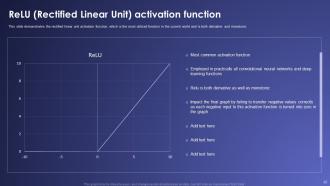
So activation functions are what decide if neurons "fire" and how hard - pretty crucial for learning complex stuff. Without them you're stuck with linear regression, doesn't matter how many layers you stack. ReLU works great most of the time since it keeps gradients from disappearing (unlike sigmoid/tanh which get weaker in deep networks). Honestly I'd just go with ReLU first - it's reliable and trains faster. Your choice here affects how stable training is and what problems you can tackle. If ReLU isn't cutting it, then mess around with others.
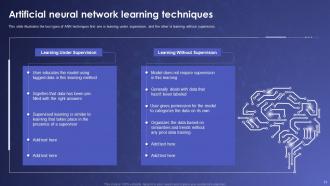
So basically supervised learning means you're spoon-feeding the network examples with answers - like "here's 1000 cat pics, they're all cats." Unsupervised is way cooler though, you just throw raw data at it and see what patterns it discovers. No labels, no training wheels. Honestly I'd start with supervised if you're new to this stuff. Way easier to tell if your model is garbage when you can actually check its answers against reality. Unsupervised is fascinating but you'll spend forever wondering if it's finding real insights or just making stuff up.
Honestly, dropout is probably your best bet - it just randomly shuts off neurons during training so your model can't memorize stuff. Early stopping works great too, basically you watch your validation loss and quit when it starts going up again. L1/L2 regularization adds penalties to keep weights from getting crazy. Data augmentation is solid if you have images - rotating, cropping, all that. Batch normalization helps but that's more of a bonus. I'd start with dropout and early stopping first since they're super straightforward to code up.
So optimizers are what actually make your neural network learn - they're the thing updating all those weights after each batch of training data. Without one, your network just sits there like a brick wall doing absolutely nothing. Each optimizer has its own strategy for adjusting weights. SGD is simple but can be slow. RMSprop adapts the learning rate. Adam combines the best of both worlds and honestly, I'd just go with Adam unless you have a specific reason not to. It's forgiving and handles most problems pretty well without much tweaking. The choice definitely affects how fast you'll train and your final results.
So basically, CNNs have these convolutional layers that slide filters across your data instead of just connecting everything to everything like regular neural networks do. Way more efficient for images since they actually pick up on spatial stuff - edges, shapes, all that. Regular networks treat each pixel like it's completely separate, which is kinda dumb when you think about it. CNNs also do this pooling thing to shrink dimensions and share parameters around the network. Honestly, if you're doing anything with images, just use CNNs. Don't even bother with standard networks for visual stuff.
RNNs work great for time series stuff because they actually remember previous data points. Regular neural networks just look at each piece of data separately, but RNNs keep an internal state that updates as they go through your sequence. Pretty smart design honestly. They're solid for stock prices, weather data, anything where order matters. Oh - one thing though, basic RNNs kinda suck with really long sequences. You'll probably want LSTMs or GRUs instead if you're dealing with tons of historical data. Way better performance.
So basically backprop figures out how badly your network messed up, then traces backward through each layer to see which weights caused the damage. Start at the output, calculate your loss gradient, then work backwards using chain rule - honestly took me forever to get this part. Each weight gets tweaked based on how much it contributed to the screw-up. The cool thing is you can compute all gradients in one pass going backward. Super efficient. Draw it out on paper with a tiny network first, that's what finally made it click for me.
Oh man, hyperparameters are like the settings that control how your neural network actually learns - learning rate, batch size, layers, all that stuff. Mess them up and your model will either refuse to train or just completely overfit. I've wasted so many hours on this! But when you find the sweet spot? Your accuracy shoots up and everything just clicks. Honestly, I'd start with whatever worked for similar problems, then tweak one thing at a time. Don't try changing everything at once or you'll go insane.
Honestly, transfer learning is perfect when you don't have tons of data or want to save time. Like, why start from scratch when someone already built ResNet or BERT? Just grab one of those pre-trained models and fine-tune it for your specific problem. Works best if your task is somewhat similar to what the original model learned on. I always check what's already out there first - you'd be surprised how much time it saves. Super useful for image stuff or NLP tasks. Way better than training everything from zero, trust me.
TensorFlow and PyTorch are your best bets - they're the big players for neural networks. Google's TensorFlow has amazing deployment tools for production stuff. PyTorch is from Meta and researchers love it because it just feels more natural to write. I actually dumped TensorFlow early on since it was such a pain to learn. PyTorch's syntax clicks way better. Oh, and there's Keras too, but it runs on TensorFlow now so... kinda the same thing? Start with PyTorch if you're new - way less headache and their docs don't suck.
Dude, your dataset is literally make-or-break for neural networks. Get enough diverse, quality examples that match your actual problem. Small datasets? Your model won't generalize worth shit. Biased data means it learns completely wrong patterns. Honestly, clean and well-labeled data beats fancy architectures every single time - I've watched basic models destroy complex ones just because the training data was solid. Oh and pro tip: audit your dataset thoroughly before you even think about messing with hyperparameters. Trust me on this one.
Dude, first thing - check your training data for bias or you'll just amplify existing discrimination. Privacy matters too, so don't be shady about collecting user info. Black box models are honestly kind of problematic when they're making decisions about people's lives - users deserve explanations. Job displacement is another thing to think about if you're automating someone's work away. I know it sounds like a lot, but build these ethical checks into your whole process from the start. Way easier than trying to fix everything after you've already deployed.
Honestly, neural networks crush traditional ML on complex stuff like images or text recognition. But they're such resource hogs - you need way more data and computing power. Random forests or SVMs? Way faster to train and they're actually perfect for structured data. I probably use them more than I should lol. Thing is, neural networks catch those weird intricate patterns that simpler algorithms totally miss. My take: always start with traditional methods as your baseline first. Then figure out if going neural is worth the extra computational headache for what you're trying to do.
Honestly, the next few years are gonna be pretty crazy for neural networks. Multimodal AI is blowing up - stuff that handles text, images, and audio all at once. Way more efficient architectures too, which is huge since they don't need insane computational power anymore. There's this neuromorphic computing thing that's actually getting somewhere - chips that work like your brain does. Pretty trippy concept. Self-supervised learning means we're not as dependent on those massive labeled datasets anymore, thank god. I'd mess around with transformer variants if I were you. Also watch edge AI developments - that's where you'll see real practical stuff you can actually use in projects soon.
-
“I always have a wonderful experience with SlideTeam. It's my ""go to"" when I need a template.”
-
The slides come with appealing color schemes and relevant content that helped me deliver a stunning presentation without any hassle!