0 Comment
 Customer Reviews

In the dynamic arena of project management, where the landscape is in a perpetual state of flux, maintaining proper communication with stakeholders is a cornerstone. Picture, if you will, the classic "Chinese Whispers" game—a simple yet illustrative analogy. In this game, a message is conveyed from one individual to another, often resulting in significant distortion by the time it reaches the final recipient.
Transplant this analogy into the context of project management, and one is compelled to confront a paramount query: How can one ensure that the message, vision, and essence of a project remain unadulterated as it traverses this intricate game of whispers? Here, the disconcerting revelation gleaned from a PMI report comes to the fore—almost sixty percent 60% of projects falter due to inadequate communication.
The solution, you ask? SlideTeam presents you with the top seven project status report templates with samples and examples to facilitate your reporting process. The 100% customizable nature of the templates provides you with the desired flexibility to edit your presentations. The content-ready slides give you the much-needed structure.
Let’s explore the templates on offer!
Template 1: Project Activity Update PPT Template
This expertly developed PPT Preset offers visuals and graphics perfect for topics like project completion reports, critical issues, risks, update reports, activity monitoring, and analytics dashboards. It explains the eight-step process of writing a project activity update report in an easy-to-understand manner.
Template 2: Project Activity Real-Time Update and Monitoring PPT Slide
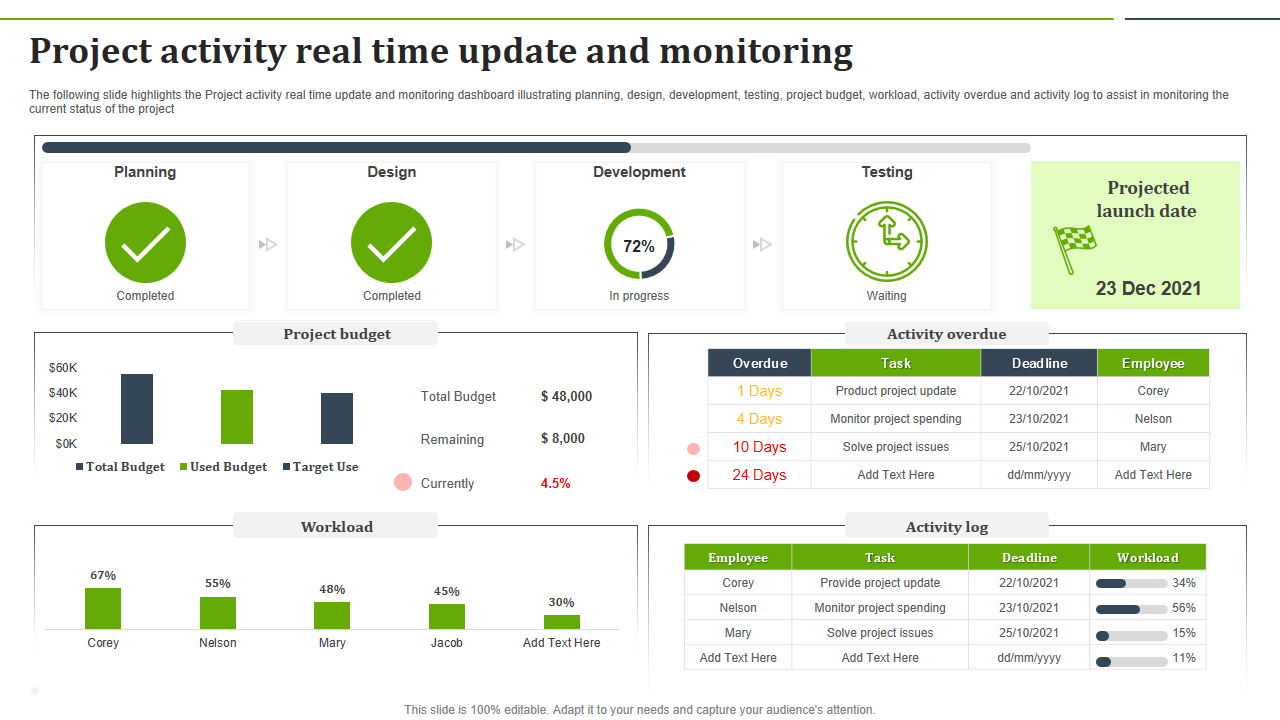
The next PowerPoint Theme displays a dashboard for real-time project activity updates and monitoring. This PPT Set emphasizes stages like planning, design, development, and testing while illustrating aspects such as project budget, workload, overdue activities, and activity logs. It helps ensure real-time status tracking and streamline project monitoring.
Template 3: Weekly Project Status Updates PowerPoint Template
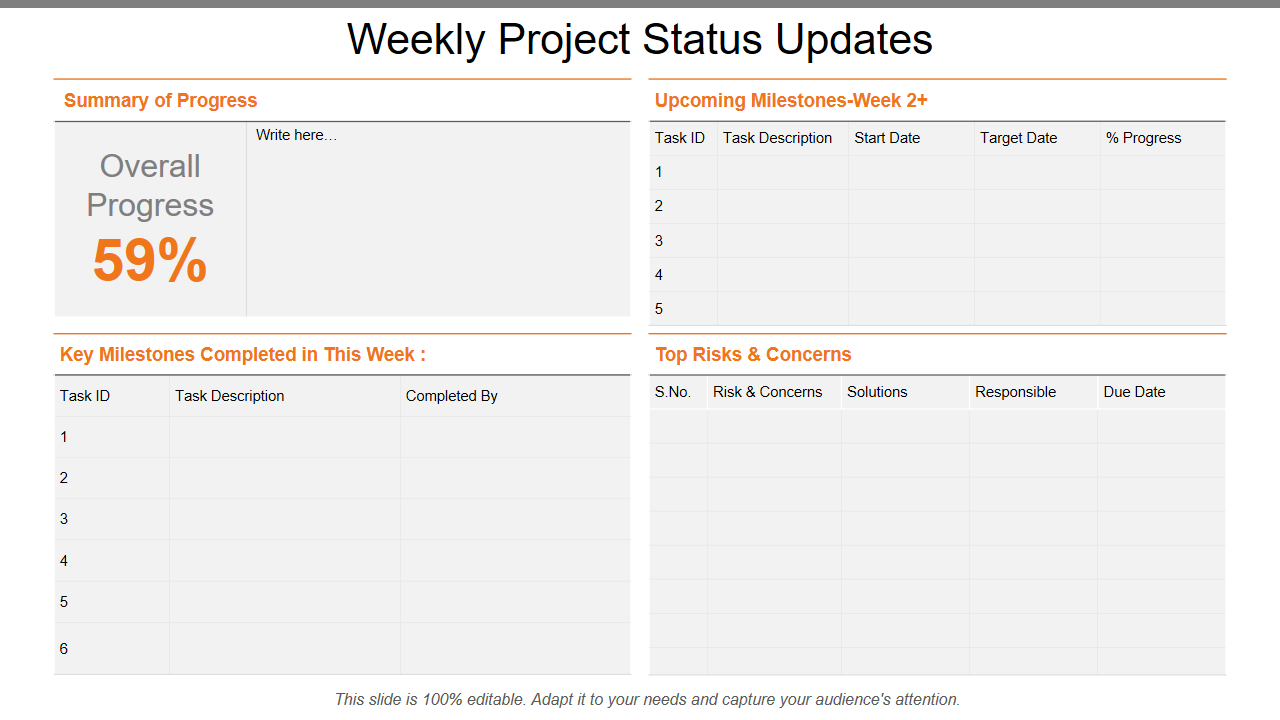
Stay on top of your projects with the weekly project status updates PPT Slide. This powerful PPT Design ensures comprehensive monitoring of milestones and deliverables by covering essential topics such as weekly progress reports, performance reports, and progress tracking. Get it today for a structured project overview and captivate your audience.
Template 4: Project Updates PPT Visual Aids Layouts
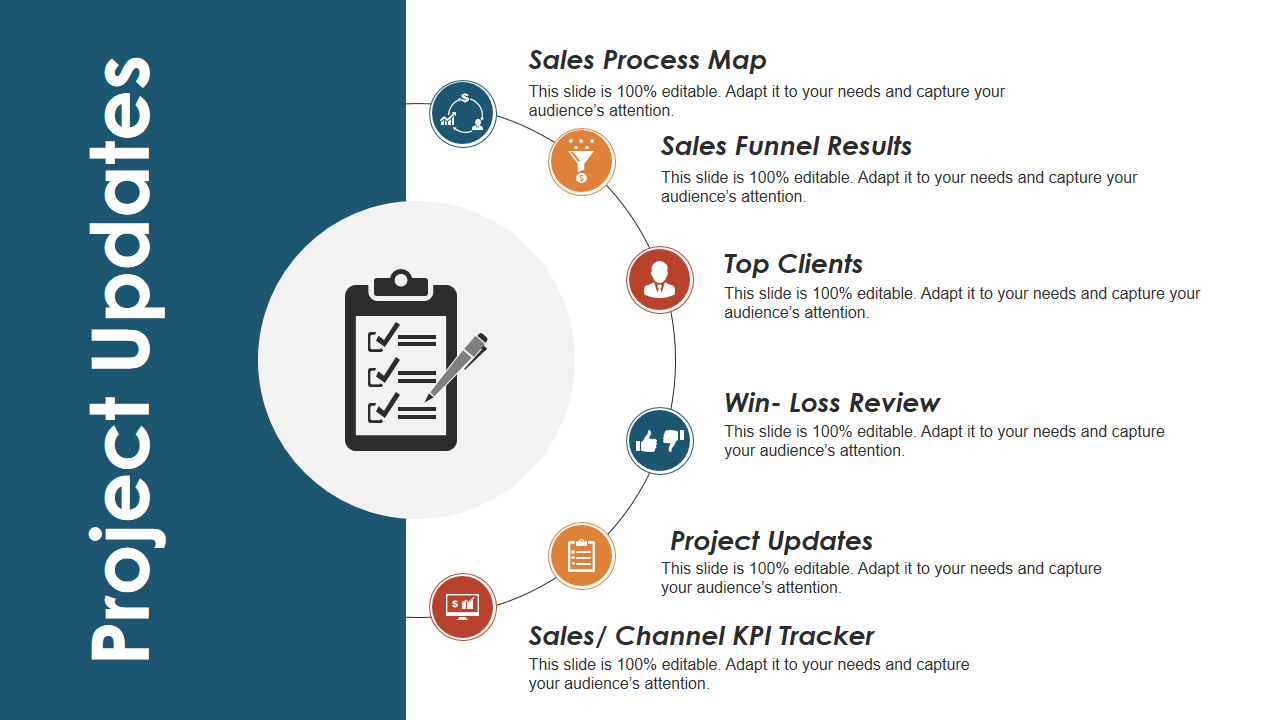
This PPT Layout covers critical stages of project updates, including sales process map, sales funnel results, top clients, and sales channel KPI tracker. This structured six-stage process ensures comprehensive project tracking milestones and deliverables.
Template 5: Project Status Updates with Key Milestones Achieved
Our project status updates slide highlights significant project milestones. This organized PowerPoint Presentation focuses on essential topics such as project objectives, risks, critical issues, and financial systems. Get it today to present a complete project development and key outcome summary.

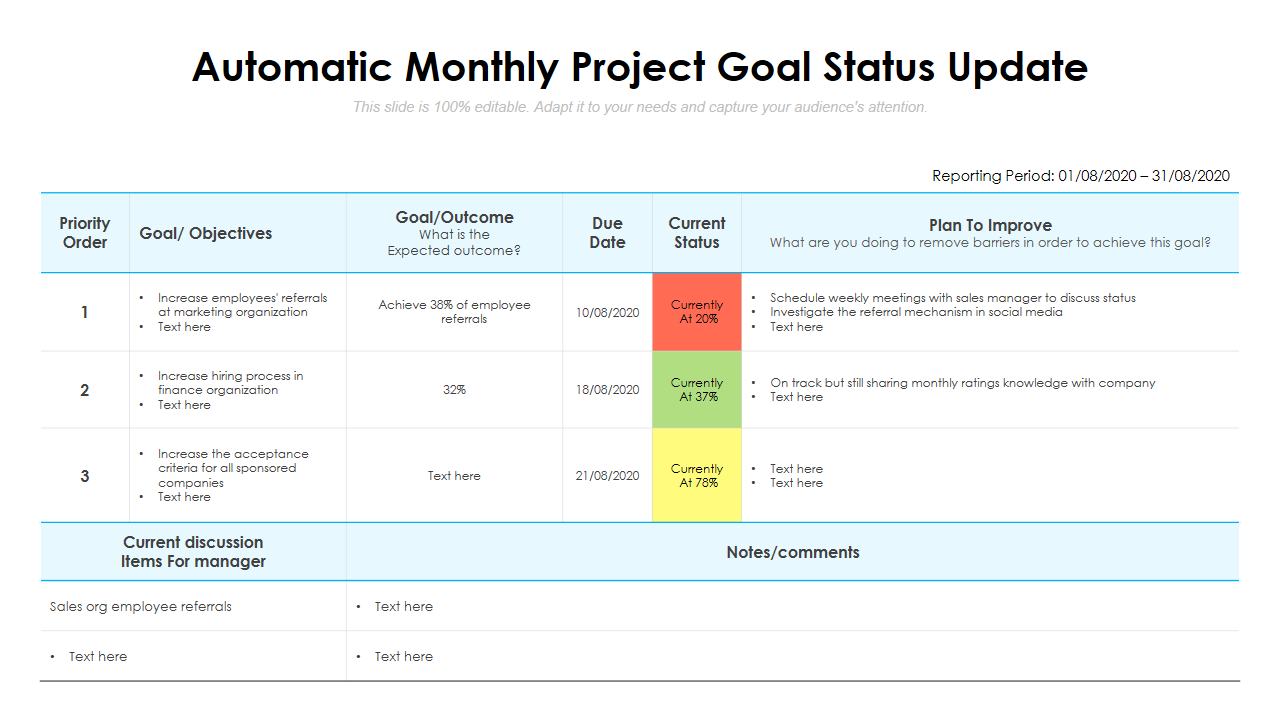
Template 6: Automatic Monthly Project Goal Status Update
This PPT Framework highlights important details, including priority order, purpose, objectives, outcome, deadline, plan to improve, and current situation. You can use the ‘plan to improve’ section to communicate important points to stakeholders.
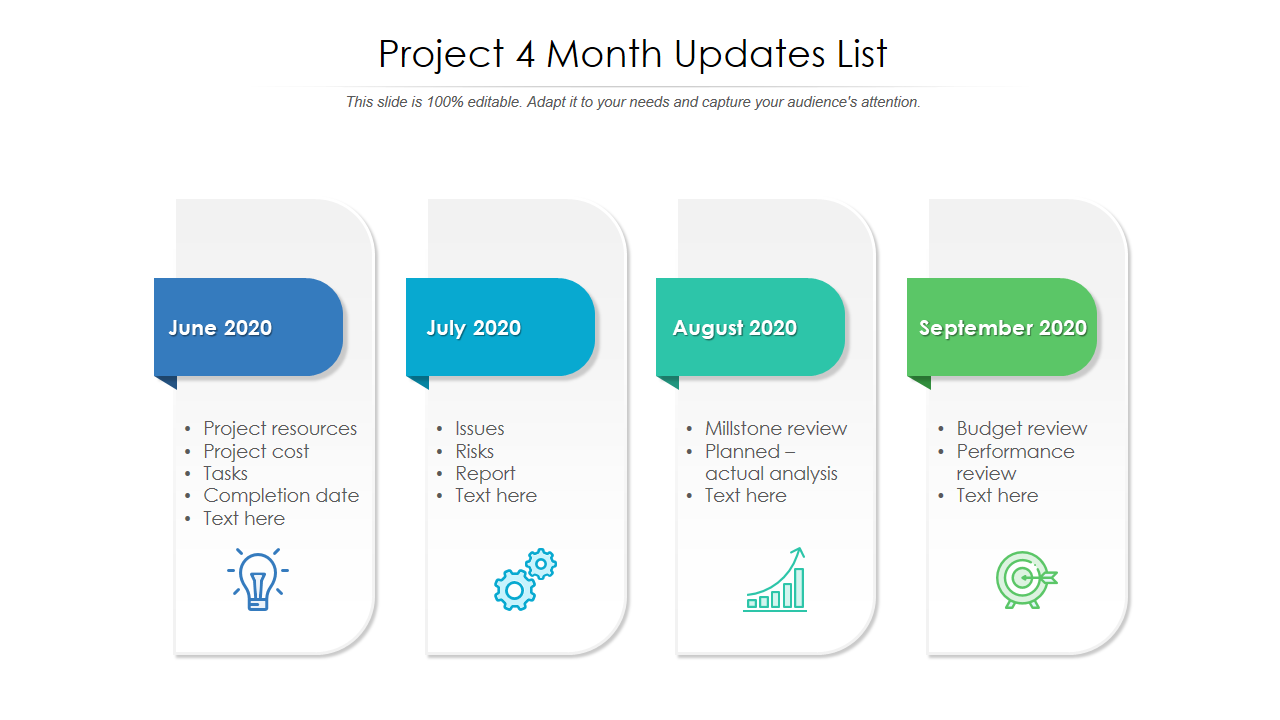
Template 7: Project 4-Month Updates list PPT Layout
With this PPT Presentation, you can ensure optimum presentation efficacy. This four-stage method emphasizes crucial areas such as resources, analysis, and performance. You can curate this PPT Slide to develop engaging project stories to captivate your audience at each meeting.
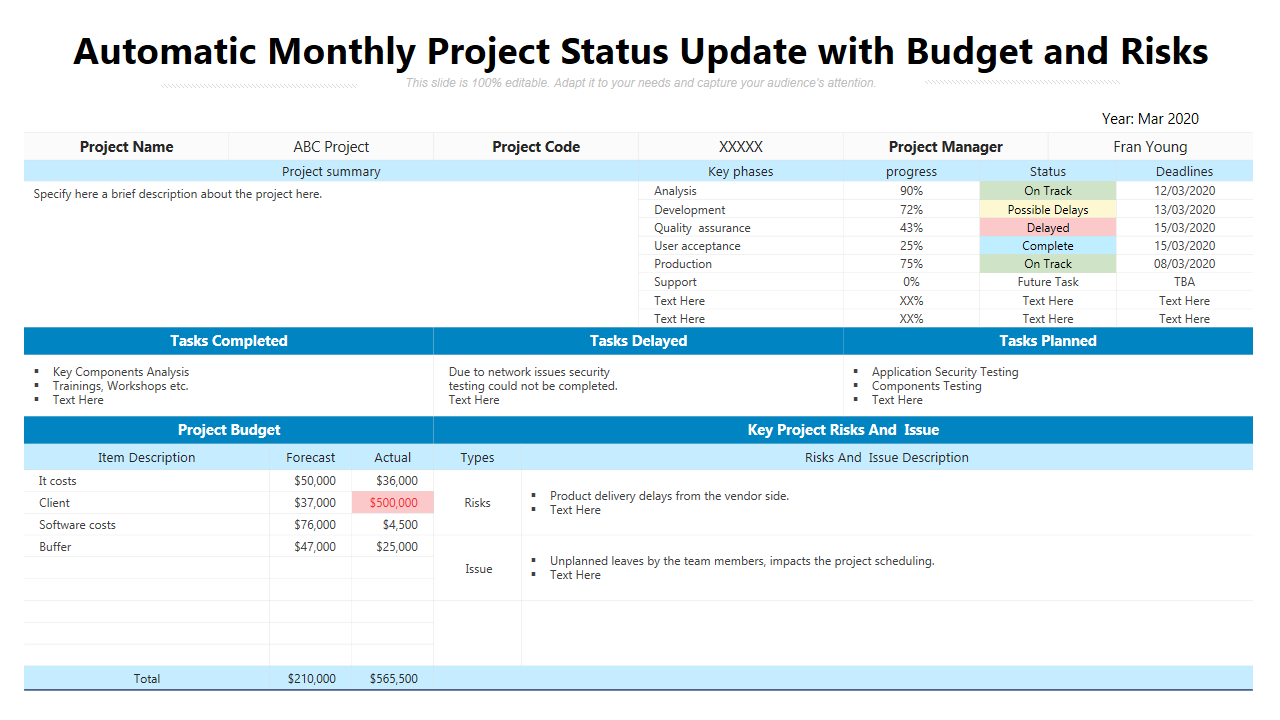
Template 8: Automatic Monthly Project Status Update with Budget and Risks
You can quickly eliminate doubts with the automatic monthly project status update with budget and risks PPT Slide. It is a clarity booster for your project status. This PPT Theme showcases key topics such as tasks completed, tasks delayed, tasks planned, and project budget. Get it today to analyze key project risks and lead your business communications in the right direction.
Final Word
Project update PPT Templates from SlideTeam give a streamlined approach to productive communication and engaging presentations. With these carefully-developed designs, you can direct your initiatives to success, catching attention and pushing your point home with clarity and conviction while monitoring key project risks. Upgrade your presentations now and leave a lasting impression.
Are you looking for more? Our weekly project status report is key to keeping projects on schedule and stakeholders in the loop. Check out these project status PPT Templates to simplify and improve your status reports. Streamline your IT project reporting with IT project status report PowerPoint Layouts.
FAQs on Project Update
What is a project update?
A project status report is a document that informs stakeholders of the current status of a project. Typically, it describes the progress made, the tasks completed, any delays or problems encountered, major milestones, and frequently includes financial information. This communication tool promotes openness, keeps stakeholders informed, and enables prompt decision-making.
How do you write a project update?
A project update begins by summarizing the overall progress. Describe accomplished tasks, major milestones attained, and any difficulties encountered. Highlight impending tasks or deliverables, offer a financial summary if needed, and note any help or choices that may be required. Reiterate key points and outline expectations for the next update before concluding.
What should be included in a project update?
A project update should include the overall project status, tasks completed, milestones reached, challenges or issues encountered, upcoming tasks or deliverables, financial overview or budget status, any decisions or inputs required from stakeholders, and a forecast or prediction for the project's next phase or period. It guarantees that decisions are made in an educated and timely manner.