


Project management steps powerpoint presentation slides






Try Before you Buy Download Free Sample Product
 Impress Your
 Audience
 100%
100% Editable
 Save Hours
 of Time


Project management is the key to success for any organization. Our content-ready project management ppt slides will guide you to achieve your organizational goals with ease. The project phases PPT covers many topics, including project brief, management team, progress summary, milestones achieved, execution plan, budget report, risk management report, project health, and issues report. Moreover, you will also get enlightened with related topics such as project governance model, project management life cycle, project management process, portfolio management, work breakdown structure, and project planning. It provides various methods and strategies so you can handle the company resources effectively. Beforehand planning reduces uncertainty and prepares you for the execution, so it is essential to plan your project well. Download project management steps presentation in order to execute the task successfully. All the steps and phases are based on the established methods in the market. Get them to put their differences aside with our Project Management Steps Powerpoint Presentation Slides. They will agree to disagree.
People who downloaded this PowerPoint presentation also viewed the following :
Content of this Powerpoint Presentation
Slide 1: This slide introduces Project Management Steps. State your company name and get started.
Slide 2: This is an Agenda Slide. State your agendas here.
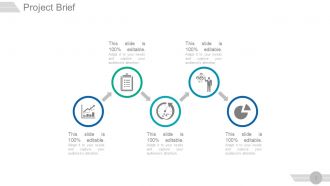
Slide 3: This slide presents Project brief with text boxes.
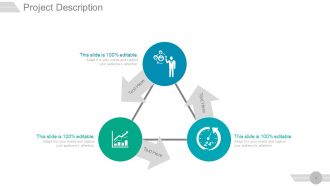
Slide 4: This slide showcases Project Description. Describe project nuances here.
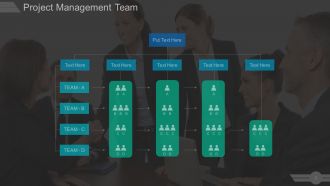
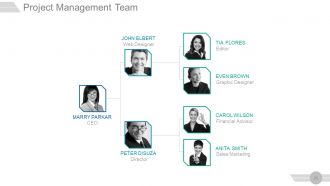
Slide 5: This slide presents Project Management Team in Hierarchy form. Present team specifications, information etc. here.
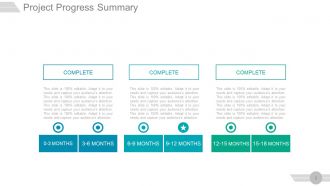
Slide 6: This slide presents Project Progress Summary in terms of months.
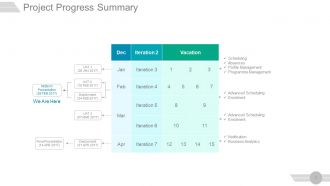
Slide 7: This slide displays Project Progress Summary in terms of Iteration and months. The iteration processes include- Scheduling, Absences, Profile Management, Programme Management, Advanced Scheduling, Enrolment, Notification, Business Analytics, Midterm Presentation.
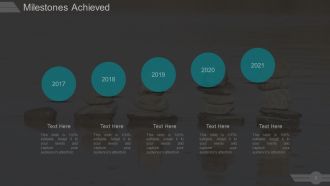
Slide 8: This slide shows Milestones achieved. State various milestones achieved by your company here.
Slide 9: This slide shows Milestones For The Next Reporting Period. State your milestones with tasks here.
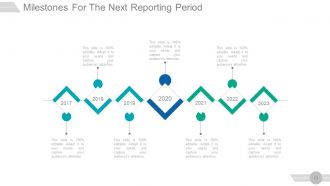
Slide 10: This slide also shows Milestones For The Next Reporting Period presented in a timeline form.
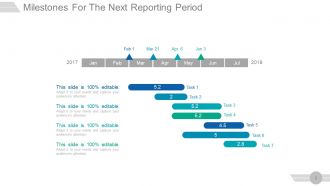
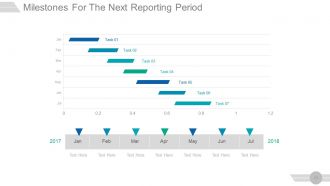
Slide 11: This is another side showing Milestones for the next reporting period in Gantt chart form.
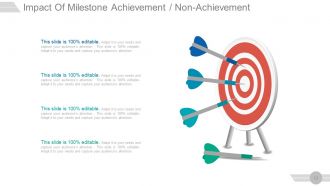
Slide 12: This slide showcases the Impact Of Milestone Achievement / Non-Achievement with arrow and target imagery.
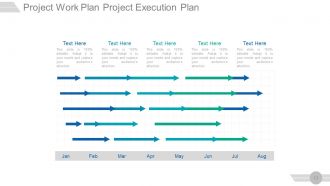
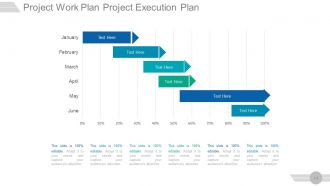
Slide 13: This slide presents Project Work Plan Project Execution Plan in a Gantt Chart form.
Slide 14: This slide shows another variation of Project Work Plan Project Execution Plan.
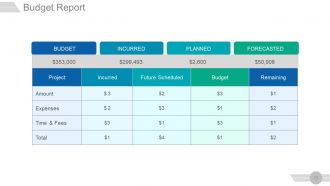
Slide 15: This slide presents the Budget Report in a tabular form with- INCURRED, PLANNED, FORECASTED.
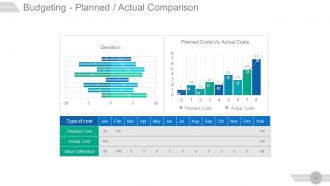
Slide 16: This is Budgeting - Planned / Actual Comparison slide showing- Planned Costs Vs. Actual Costs, Deviation.
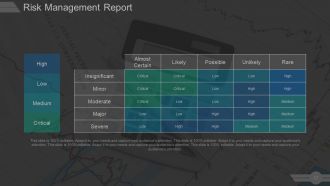
Slide 17: This slide presents Risk Management Report with four parameters- High, Low, Medium, Critical.
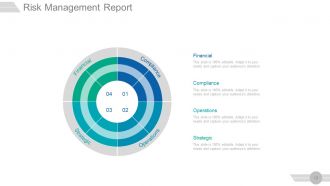
Slide 18: This slide also shows a Risk Management Report categorized into - Financial, Compliance, Operations, Strategic.
Slide 19: This slide shows Project Health Card. This card consists of the following aspects- SCHEDULE, RESOURCING, BUDGED, RISKS, ISSUES, BENEFITS. All of these aspects are further denoted by either Green, Yellow or Red dots. Since most of the aspects are marked with Green dots, the overall status of the project is GREEN.
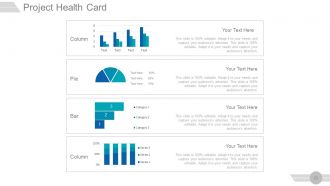
Slide 20: This slide also shows Project Health Card in a pie chart, column chart and bar graph form.
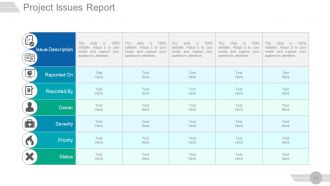
Slide 21: This slide presents Project Issues Report with issue description and status.
Slide 22: This slide is titled Additional Slides to move forward. You may change the slide content as per need.
Slide 23: This is Our Vision slide with text boxes. State your vision here.
Slide 24: This is Our Team slide. Mention name, designation etc. here.
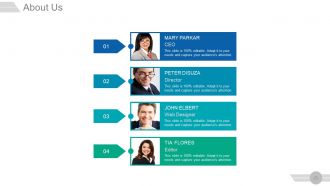
Slide 25: This is an About Us slide. Provide a brief introduction about company/ team here.
Slide 26: This slide shows Project Management Team flow chart.
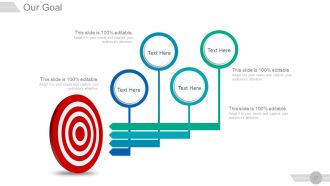
Slide 27: This is Our Goal slide to state company goals, aspirations etc.
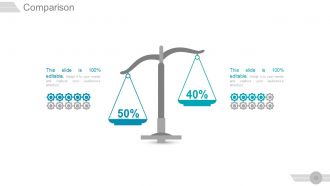
Slide 28: This is a Comparison slide to compare two products/ entities etc.
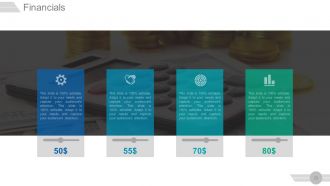
Slide 29: This is a Financial stats slide to state financial aspects etc.
Slide 30: This slide presents Quotes. Sate your inspirational quotes here. You may change the slide content as per need.
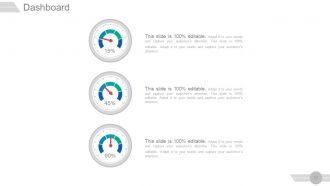
Slide 31: This is Dashboard slide to show information in percentages etc.
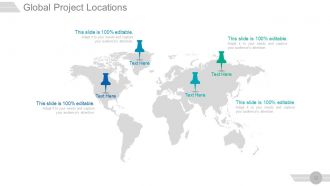
Slide 32: This slide showcases Global Project Locations with a World map and text boxes to make it explicit.
Slide 33: This slide displays Critical Notes to mark important events, information etc.
Slide 34: This slide shows Project Events Timeline with icons and text boxes.
Slide 35: This is a News Paper slide to show news, events, etc. You can change the slide contents as deemed fit.
Slide 36: This is Puzzle Pieces slide to show information, specifications etc.
Slide 37: This is Venn diagram image slide to show information, specifications etc.
Slide 38: This is a Circular image slide to show information, specifications etc.
Slide 39: This is a Matrix slide. Put relevant comparing data in it.
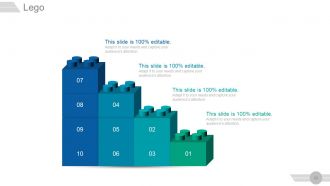
Slide 40: This is a Lego blocks image slide to present information, specifications etc.
Slide 41: This is Silhouettes slide to present people specific information, specifications etc.
Slide 42: This is a Bulb or Idea slide to state a new idea or highlight specifications/ information etc.
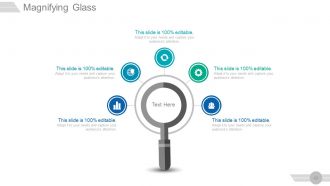
Slide 43: This is a Magnifying glass image slide to show information, scoping aspects etc.
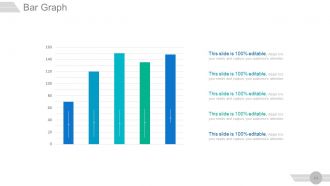
Slide 44: This is a Bar Graph slide to show product comparison, growth etc.
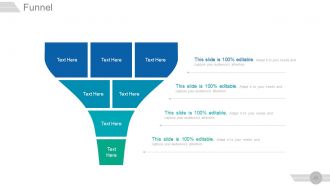
Slide 45: This is a Funnel image slide to show information, funneling aspects, specifications etc.
Slide 46: This is a Thank You slide with Address# street number, city, state, Contact Numbers, Email Address.
Project management steps powerpoint presentation slides with all 46 slides:
Get a grip over injuries with our Project Management Steps Powerpoint Presentation Slides. Initiate action to halt further harm.







FAQs for Project management steps
So there's five main phases - initiation, planning, execution, monitoring, and closure. Think of it like a relay race where each hands off to the next. First you figure out what you're actually trying to build (initiation), then map out your approach (planning). Execution is the fun part - you're actually building stuff. Monitoring keeps you honest about staying on track or totally derailing. Closure wraps it up and grabs lessons learned. Here's what's tricky though - you'll bounce between phases constantly, especially planning and execution when requirements inevitably change. Don't get too rigid about it.
Dude, scope definition is seriously your lifeline on any project. Without it, you'll get scope creep up the wazoo and stakeholders throwing random "quick wins" at you left and right. I learned this the hard way on my last gig - spent way too much time chasing moving targets. Get your deliverables, boundaries, and success metrics crystal clear from day one. Your team won't be confused about priorities, and estimation becomes way less of a guessing game. Honestly? The upfront work feels tedious but it's so worth it. You'll have something concrete to wave around when things inevitably get messy.
Think of stakeholder management as damage control before the damage happens. You want everyone pulling in the same direction, right? So map out who actually calls the shots on your project first. Then set up regular check-ins with those people. Trust me, I've watched too many projects implode because the CEO and dev team had completely different ideas of what "success" looked like. Nobody bothered checking until it was too late. These touchpoints help you catch when priorities shift or when groups start having totally different visions. It's way easier than cleaning up the mess later.
Start with a basic risk matrix - just plot how likely something is vs how bad it'd be. Gets you focused on the stuff that actually matters. SWOT analysis is solid too, plus brainstorming with your team and looking at what went sideways on similar projects before. Then tackle each risk: avoid it, pass it off to someone else, reduce it, or just accept it. Honestly the "accept it" option gets overlooked but sometimes it's the smartest move. Set up backup plans for anything that could really hurt you. Oh and keep a risk register - sounds boring but you'll be glad you did when things get crazy later.
So basically, Waterfall makes you plan everything upfront before you even start building - kinda like mapping out a road trip down to every gas station. Agile's totally different. You plan in short bursts, maybe 1-2 weeks at a time, then adjust based on what you learn. Honestly? I've seen Waterfall work great when requirements are super clear and won't change. But if there's any chance things might shift (which, let's be real, happens constantly), Agile's your friend. You can pivot without scrapping months of work.
So break everything into bite-sized tasks first - makes it way less overwhelming. Work backwards from your deadline and add buffer time because stuff ALWAYS goes wrong (learned this the hard way lol). List out all your resources: people, tools, materials, plus those annoying hidden costs like software subscriptions. Your team knows the real work better than you do, so get their input. I always pad both time and budget by 15-20%. Oh, and track everything as you go - your perfect plan will meet reality pretty quickly and you'll need to pivot.
Honestly, good communication fixes like 90% of project disasters. You've gotta be upfront about deadlines and who's doing what - otherwise people just guess and mess things up. I always do weekly check-ins now because catching problems early saves so much headache later. Trust builds when you're consistent with updates, and then people actually tell you when stuff goes wrong instead of hiding it. Oh, and make sure everyone gets to talk during meetings - nobody likes feeling ignored. Start simple with a weekly sync where people share what they're working on and what's blocking them. Game changer.
Honestly, start with a good project management tool - Asana or Trello work great. Gantt charts are a lifesaver for seeing how everything connects timeline-wise. I swear by them, maybe too much lol. You'll want dashboards showing budget vs what you're actually spending, plus how well you're sticking to deadlines. Slack keeps everyone in the loop without constant emails. Time tracking helps too, though some people hate it. Pick one main PM tool your team won't ignore, then add the reporting stuff later. Otherwise you'll end up with tool overload and nothing gets used properly.
So here's the thing - don't just roll with scope changes, that's where projects go to die. First, stop everything and figure out what's actually shifting and why. Then map out how it'll mess with your timeline, budget, all that stuff. Get stakeholder buy-in before you do anything else (learned this the hard way). Once you've got approval, update your project plan and loop in the team. Honestly, I treat each scope change like it's own little project - same planning rigor, just smaller scale. The documentation part is boring but you'll thank yourself later when things get chaotic.
Honestly, I'd start with one simple thing - maybe weekly check-ins where everyone just says what they're working on. Shared dashboards are great if your team's into that. Peer pressure works way better than having a manager breathing down everyone's neck, trust me. Celebrate the small stuff too - even just calling someone out in Slack makes a difference. Connect their daily work to the big picture so they actually care. Oh, and retrospectives catch problems before they blow up. Don't go crazy with tracking systems though - you'll just annoy people. Build up slowly.
Honestly, I'd start with the basics - did you hit budget, timeline, and quality? But here's the thing nobody talks about enough: stakeholder happiness is huge. Like, did you actually solve their problem or just check boxes? Survey everyone while it's fresh. Timeline stuff is obvious to track, but I've seen "successful" projects that totally missed the mark on what people needed. Set up a debrief meeting maybe 2-3 weeks after - any longer and people forget the details. Oh, and don't just look at what you built on paper. Did it fix the actual business issue?
Scope creep will absolutely kill you - seriously, it's the worst. Stakeholders keep piling on "quick additions" that aren't quick at all. Get everything in writing upfront and make them sign off before you start. Communication breakdowns are brutal too, especially with remote teams. I've found regular check-ins help catch problems early, plus shared dashboards keep everyone on the same page. Oh, and unrealistic deadlines? Don't just accept them. Push back when timelines don't make sense - you'll thank yourself later. Good planning saves so much drama down the road.
Oh man, cultural differences make project management so much trickier than people think. Some team members want super direct feedback, others get offended by anything that isn't wrapped in like three layers of politeness. Plus everyone has different ideas about hierarchy and who gets to make decisions. Time zones are obviously a pain too, but honestly the communication styles thing trips me up way more. You've gotta be really explicit about deadlines since what feels urgent to you might not translate. Set up your team norms right at the start and actually check if people understand - don't just assume they do.
Look, lessons learned docs are just about not making the same dumb mistakes twice. Write down what worked and what totally bombed during your project. Future teams can actually learn from your pain instead of face-planting the same way. I've watched teams save literally months by checking old project notes (though half the time people ignore them anyway). Don't write generic fluff - get specific about what went wrong and why. Keep notes as you go, then do a real debrief when you're done. Oh, and make it searchable so people can actually find the thing later.
Dude, visual stuff like Gantt charts and project dashboards are game-changers. Stakeholders actually *get* what's happening instead of glazing over some boring spreadsheet. You can spot bottlenecks right away and see where resources are stretched thin. Plus during planning, those visual gaps jump out at you - like when you've given someone three days to do a two-week task (been there). Even something basic like Trello works wonders. I swear, once you start mapping things out visually, you'll wonder how you ever managed projects any other way. Makes everything so much clearer.
-
Awesomely designed templates, Easy to understand.
-
Illustrative design with editable content. Exceptional value for money. Highly pleased with the product.