


Project scope overview powerpoint presentation slides





Try Before you Buy Download Free Sample Product
 Impress Your
 Audience
 100%
100% Editable
 Save Hours
 of Time


Our Project Scope Overview Powerpoint Presentation Slides are topically designed to provide an attractive backdrop to any subject. Use them to look like a presentation pro.
People who downloaded this PowerPoint presentation also viewed the following :
Content of this Powerpoint Presentation
Slide 1: This slide introduces Project Scope Overview. State your Company name and begin.
Slide 2: This slide displays Agenda
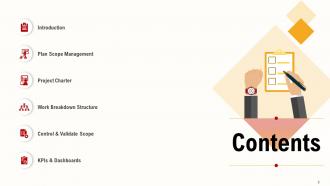
Slide 3: This slide displays Contents
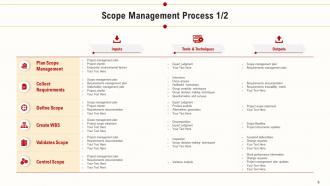
Slide 4: This slide shows Scope Management Process.
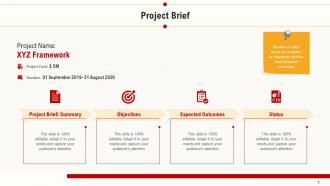
Slide 5: This slide showcases Project Brief. Mention in brief about the projects, its objectives and the final expected outcomes
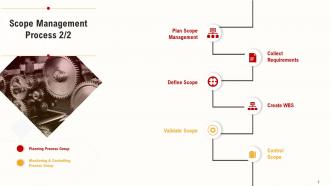
Slide 6: This slide shows Scope Management Process.
Slide 7: This slide displays Scope Management Process.
Slide 8: This slide show Scope Statement
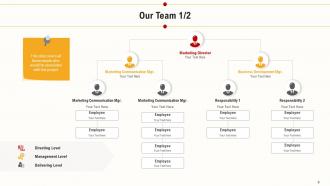
Slide 9: This is Our team slide with Names and Designations.
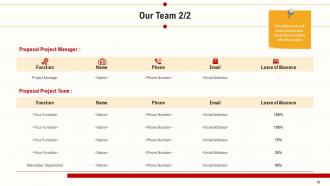
Slide 10: This slide covers all those people who would be associated with this project
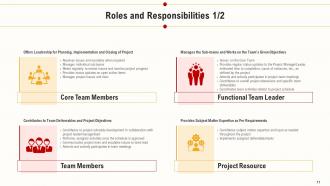
Slide 11: This slide shows Roles and Responsibilities.
Slide 12: This slide shows Roles and Responsibilities.
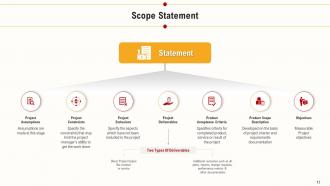
Slide 13: This slide showcases Scope Statement.
Slide 14: This slide showcases Project Charter
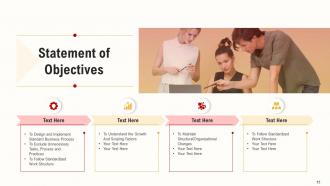
Slide 15: This slide showcases Statement of Objectives
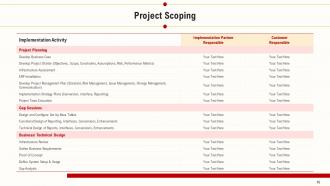
Slide 16: This slide represents Project Scoping
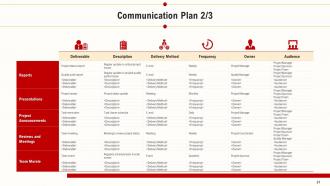
Slide 17: This slide displays Communication plan
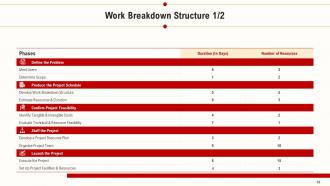
Slide 18: This slide showcases Work Breakdown Structure.
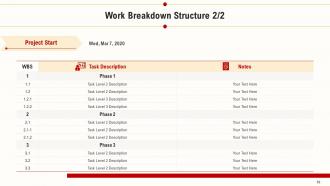
Slide 19: This slide displays Project Start.
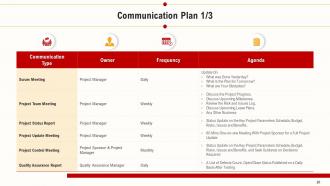
Slide 20: This slide displays Communication Plan.
Slide 21: This slide shows Communication Plan.
Slide 22: This slide shows Communication Plan
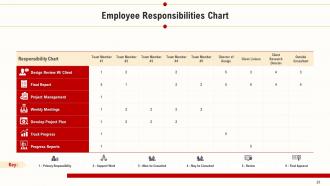
Slide 23: This slide highlights Employee Responsibilities Chart.
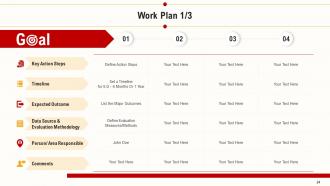
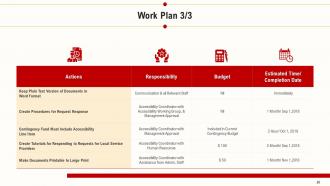
Slide 24: This slide displays Work Plan.
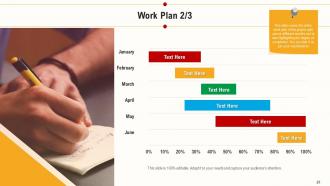
Slide 25: This slide covers the entire work plan of the project split across different months and is also highlighting the degree of completion. You can alter it as per your requirements
Slide 26: This slide represents Work Plan
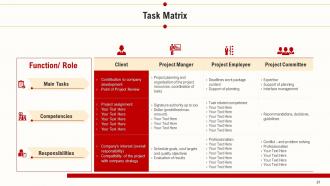
Slide 27: This slide shows Task matrix.
Slide 28: This slide includes Progress Summary.
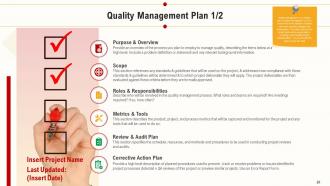
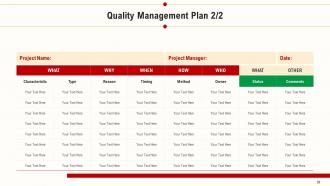
Slide 29: This slide include Quality Management Plan.
Slide 30: This slide displays Quality Management Plan.
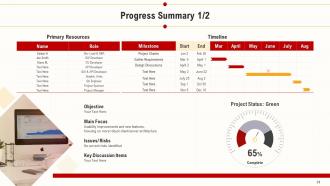
Slide 31: This slide shows Progress Summary.
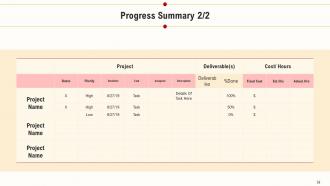
Slide 32: This slide highlights Progress Summary.
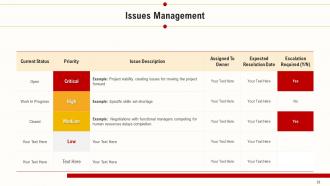
Slide 33: This slide shows Issues Management
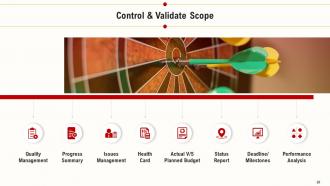
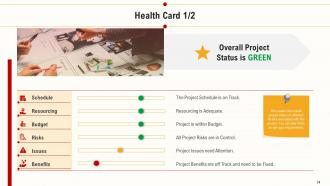
Slide 34: This covers the overall project status of different factors associated with the project. You can alter them as per your requirements
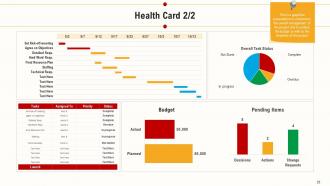
Slide 35: This is a graphical presentation to understand the overall management of the project and to analyze the budget as well as the timelines of the project
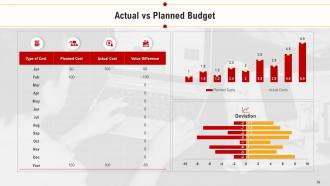
Slide 36: This slide displays Actual vs Planned Budget.
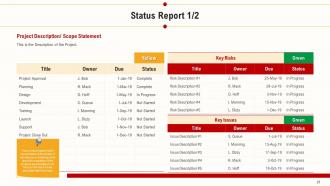
Slide 37: This slide shows Project Description/ Scope Statement
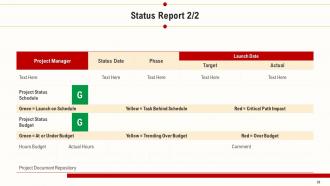
Slide 38: This slide shows Status Report
Slide 39: This slide shows analysis carried out to capture the milestones of the project and the deviation between the planned & actual dates of achieving the same
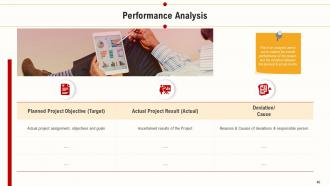
Slide 40: This is an analysis carried out to capture the overall performance of the project and the deviation between the planned & actual results
Slide 41: This slide presents KPIs and Dashboards
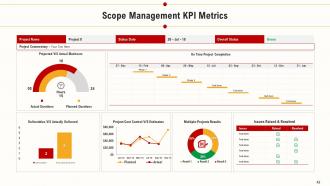
Slide 42: This slide displays Scope Management KPI Metrics.
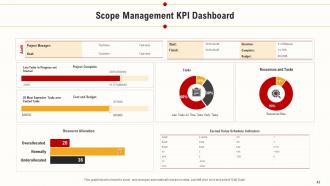
Slide 43: This slide showcases Scope Management KPI Dashboard
Slide 44: This is Project Scope Overview - Icons Slide
Slide 45: This slide is titled as Additional Slides for moving forward.
Slide 46: This slide displays Mission, Vision and Goals.
Slide 47: This is Our team slide with Names and Designations.
Slide 48: This is About Us slide to showcase Company specifications.
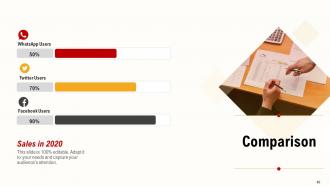
Slide 49: This slide displays Comparison between different social media users.
Slide 50: This slide is titled as Post it Notes for posting important notes.
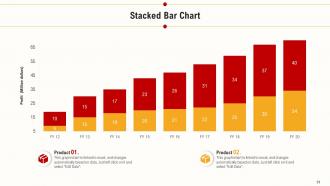
Slide 51: This slide displays Stacked bar chart for comparison of product.
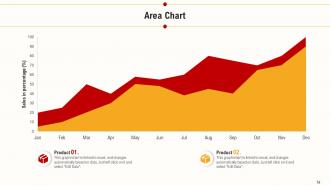
Slide 52: This slide displays area chart for comparison of product.
Slide 53: This is Quotes slides.
Slide 54: This slide shows Timeline process.
Slide 55: This is Thank You slide with Contact details.
Project scope overview powerpoint presentation slides with all 55 slides:
Use our Project Scope Overview Powerpoint Presentation Slides to effectively help you save your valuable time. They are readymade to fit into any presentation structure.













FAQs for Project scope overview
Your project scope needs five things: clear objectives, boundaries (what's in/out), stakeholders and their roles, timeline with milestones, and success criteria. Honestly, I used to skip the boundaries part because it felt obvious. Big mistake. You've got to spell out what you're NOT doing - saves you from scope creep headaches later. Trust me on this one. Also throw in your major assumptions upfront. Start with a one-pager hitting all these points, then expand each section. Way easier than trying to write everything at once.
Okay so think of scope like putting up a fence around your project. Document everything that's included AND what's definitely out. Stakeholders will 100% try to sneak in extra stuff later - it's like they can't help themselves lol. But when you've got that signed-off scope doc, you can just point to it and say "yeah that's cool but let's save it for round two." Gets you out of those awkward pushback conversations. The trick is making sure everyone agrees upfront, then you're golden when the inevitable "oh but can we also..." requests start rolling in.
So I'd definitely mix up your approach here. Start with one-on-ones for your key people - you get way more detail that way. Then do some group workshops because honestly, conflicting priorities always come up and it's better to hash that out early. Surveys work well when you've got a ton of stakeholders to wrangle. Here's the thing though - try to actually watch people work if you can. What they tell you they need versus what they actually do? Usually pretty different. Oh, and prioritize your most critical stakeholders first, then expand from there.
Your project scope overview is basically like having GPS for your work - it stops you from wandering into random tasks that look cool but don't actually matter. It takes your big goals and breaks them down into specific stuff you need to deliver, plus when and where you'll stop. Honestly, I've seen so many projects go sideways because people skip this step. You'll end up building something that seems impressive but totally misses the point. Short version: always double-check that what you're planning actually connects back to what you originally wanted to solve. Otherwise you're just spinning your wheels.
Honestly, scope docs are lifesavers because they stop those awkward "wait, what are we actually building?" moments in meetings. Your team can make calls without bugging you constantly when everything's written down clearly. The best part? When someone tries to sneak in extra features later (and they always do), you just point to the document instead of having some messy debate about what was supposedly agreed on weeks ago. I learned this the hard way on my last project lol. Just make sure you actually keep it updated - nothing worse than a scope doc that's totally outdated and useless.
Look, think of your project scope as insurance against future headaches. You'll catch potential problems early when you clearly map out what's included (and what's NOT). Resource allocation becomes way easier too. Honestly, I've seen too many projects crash because someone assumed feature X was included when it wasn't. Clear scope docs prevent those awkward "wait, I thought you were handling that" conversations with stakeholders. Short version: detailed scope = fewer surprises. It's basically your roadmap so you don't end up wandering around lost halfway through the project timeline.
Dude, visuals are honestly a lifesaver for scope presentations. Charts make timelines and budgets super clear instead of boring people with endless bullet points. When you show workflows or dependencies in a diagram, stakeholders actually understand what you're talking about - I've literally watched people's faces light up when they finally see how everything connects. People remember pictures way better than walls of text anyway. Oh, and keep your visuals clean and simple. Don't cram too much detail or you'll lose them again. Trust me on this one.
Honestly, workshops are your best bet here - way better than endless email chains that go nowhere. Get everyone in a room (or Zoom) to walk through the scope together. People catch stuff they'd never think to mention otherwise. Write up clear docs beforehand showing what's included and what's definitely NOT included - that's where things usually blow up later. Document everything they say and make changes as needed. Then get written sign-off once it's all settled. I know it sounds like overkill, but trust me on this one. Formal review meetings help too for the final approval stuff.
Look, document EVERYTHING with proper change requests - no shortcuts. Make stakeholders write down what they want changed and why. Before saying yes to anything, figure out how it'll mess with your timeline and budget. Trust me, I've watched projects completely blow up because someone agreed to "just one tiny tweak" without thinking it through. Keep a change log for all the approved stuff and update your project charter. Oh, and always loop in the whole team right after you approve changes - communication gaps are the worst. Get those key stakeholders to sign off before you actually do anything too.
Honestly, the worst thing you can do is be super vague or try cramming everything in. I learned this the hard way - scope creep will kill you if you don't set clear boundaries upfront. Like, literally write down what's IN and what's OUT. Don't forget to actually talk to stakeholders early on either. I've watched projects completely implode because someone important got left out of the conversation. Oh, and don't oversimplify complex stuff just to make it sound clean. Be specific about timelines and what success looks like. Start with the exact problem you're solving, then work backwards.
Honestly, Agile is so much better for scope management than those old waterfall methods. You don't have to nail down every single detail upfront - thank god. Instead, you work in sprints and can actually adjust things based on what stakeholders tell you. Your scope becomes this living thing that changes through user stories and backlog sessions. I mean, you still plan ahead, but just for the next sprint really. Keep future stuff flexible. Start with your MVP and see where it goes from there. Way less stressful than those massive scope docs that never work out anyway.
Look, scope creep is your biggest enemy - count how many changes people ask for after you've locked things down. I always check deliverables against the original plan too. Missing milestones? That's a red flag. Budget variance will tell you everything since scope changes = money flying out the window (learned this the hard way). Stakeholder surveys are actually clutch for knowing if you delivered what they really wanted. Track planned vs unplanned work hours - that ratio gets ugly fast when scope goes sideways. Set up some basic tracking weekly. Trust me, it beats scrambling later trying to figure out where everything went wrong.
Ditch the jargon completely - talk like a normal person. I always use the house analogy because it actually works (foundation = requirements, rooms = features, you get it). One-page summaries with bullet points are your friend here. Dense documents will just confuse everyone more. Check in regularly instead of doing those marathon presentation sessions that nobody wants to sit through. Focus on what they actually care about: their goals, timeline, and budget. Here's the thing though - you've got to ask "does this make sense?" and then actually pause for an answer. Don't just keep bulldozing through your explanation.
Dude, think of project scope like your GPS before a road trip. You need it to figure out what resources to grab and how long everything's gonna take. Skip this step and you're basically throwing darts at a budget board - which is how you end up in those hellish projects where costs explode and deadlines become a joke. Good scope work helps you see what depends on what, get the right people involved, and catch problems early. I've learned this the hard way, honestly. Spend time getting those details right upfront or you'll be explaining to your boss why everything's late and over budget.
Yeah, scope docs totally change depending on what industry you're in. IT projects are all about features, tech stacks, and how systems connect - pretty modular stuff. But construction? You're talking physical deliverables, materials, timelines, plus tons of regulatory stuff since buildings can't just get patched later like software. Healthcare gets even trickier with patient safety requirements and coordinating between like a million different departments. Honestly, the biggest thing is just matching your scope format to what people in that industry actually understand and care about. Each field has its own language and priorities that'll shape how you write everything up.
-
Very unique and reliable designs.
-
Colors used are bright and distinctive.
-
Informative design.
-
The content is very helpful from business point of view.
-
Informative presentations that are easily editable.
-
Professional and unique presentations.