


Annual Operating Plan PowerPoint Presentation Slides






Try Before you Buy Download Free Sample Product
 Impress Your
 Audience
 100%
100% Editable
 Save Hours
 of Time


Our Annual Operating Plan PowerPoint Presentation Slides are topically designed to provide an attractive backdrop to any subject. Use them to look like a presentation pro.
People who downloaded this PowerPoint presentation also viewed the following :
Content of this Powerpoint Presentation
Slide 1: This slide introduces Annual operating plan. State Your Company Name and begin.
Slide 2: This slide presents Agenda. Add your agenda and use it.
Slide 3: This slide presents Content which further showcases Executive Summary, Vision & Mission, Goals & Objectives, Operational Highlights, Milestone Achieved, Key Performance Indicator, Financial Summary, Operational Challenges, Operating Plan Initiatives, Business Operating Plan, Team, Goals, Hiring, Plan, Success of Revenue, Product Roadmap, Risk & Migration Plan.
Slide 4: This slide presents Executive Summary describing- Background, capabilities, Accreditation, promoters and shareholders.
Slide 5: This slide displays Our Vision and Mission with related imagery and text.
Slide 6: This slide presents Our Goals and Objectives with these of the following stages- Business Plan, System and Solutions, Programmers for Strategic Objectives, Business Plan, Operation of Solution.
Slide 7: This slide represents Operational Highlights in a timeline form.
Slide 8: This slide showcases Milestones Achieved with text boxes.
Slide 9: This slide presents Key Performance Indicators which further showcases- Cost of Goods Sold, Net Promoter Score, % Sales Lost to Active Customers, Customer Retention Rate, Day Sales Outstanding.
Slide 10: This slide shows Financials Summary: Base vs. Stretch Plan.
Slide 11: This slide presents Financials Summary: Base Plan.
Slide 12: This slide represents Financials Summary: Stretch Plan.
Slide 13: This slide displays Business Operational Plan with categories as- Strategic intent, Objective, performance indicator, Budget, Timeline etc.
Slide 14: This slide showcases Operating Plan Initiatives in a tabular form with categories, Key initiatives, Prioritization and project leads.
Slide 15: This slide is titled as Operational Challenges which further showcases- Customer Facing, Back-Office, Operations, Entering the Market, Sales / Marketing / PR, Customer Care / CRM, Partners & Alliances, Organizational / Operations Setup, Optimize Revenue Sources.
Slide 16: This slide shows Team Goals with a table for different areas.
Slide 17: This slide presents Hiring Plan: Positions by Quarter in a graph form with categories as- Finance, support, product and marketing.
Slide 18: This slide shows Current Sources of Revenue with additional text boxes.
Slide 19: This slide presents Potential Sources of Revenue with the help of pie chart.
Slide 20: This slide displays Product Roadmap with text boxes to show information.
Slide 21: This slide represents Risk Mitigation Plan with Category, Identified risk and mitigation plan.
Slide 22: This slide showcases Risk Response Matrix with categories as- Risk event, response, trigger etc.
Slide 23: This slide shows Annual operating plan icons.
Slide 24: This slide is titled as Additional Slides for moving forward.
Slide 25: This is Our Team slide with names and designation.
Slide 26: This is About Us slide to show company specifications etc.
Slide 27: This is a Comparison slide to state comparison between commodities, entities etc.
Slide 28: This is a Timeline slide. Show information related time period here.
Slide 29: This slide reminds about 10 minutes coffee break.
Slide 30: This is a Location slide with maps to show data related with different locations.
Slide 31: This slide displays Creative Idea to state a new idea and creative idea.
Slide 32: This is a Puzzle slide with text boxes to show information.
Slide 33: This is a Venn slide with text boxes.
Slide 34: This is a Financial slide. Show your finance related stuff here.
Slide 35: This slide shows Mind Map for representing entities.
Slide 36: This slide displays Post it notes. Post your important notes here.
Slide 37: This is a Quotes slide to highlight or state anything specific.
Slide 38: This slide shows Pie Chart with four products comparison.
Slide 39: This slide presents Clustered Bar chart with four products comparison.
Slide 40: This slide displays Area chart with four products comparison.
Slide 41: This is a Thank You slide with address, contact numbers and email address.
Annual Operating Plan PowerPoint Presentation Slides with all 41 slides:
Use our Annual Operating Plan PowerPoint Presentation Slides to effectively help you save your valuable time. They are readymade to fit into any presentation structure.
-

Annual Operating Plan
-
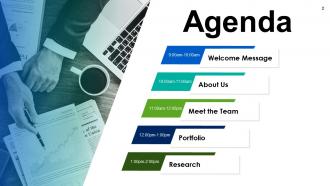
Agenda Slide
-
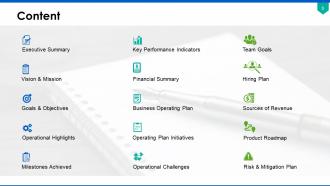
Content
-
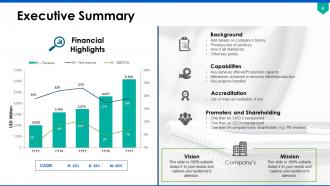
Executive Summary
-
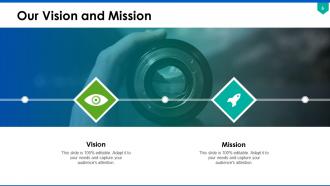
Our Vision and Mission
-
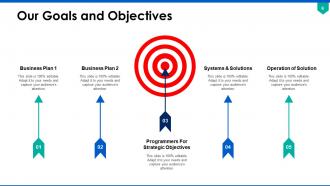
Our Goals and Objectives
-
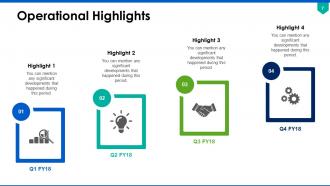
Operational Highlights
-

Milestones Achieved
-
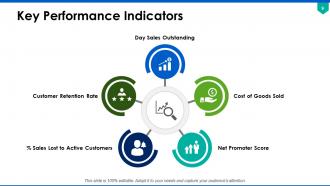
Key Performance Indicators
-
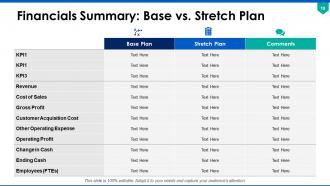
Financials Summary Base vs Stretch Plan
-
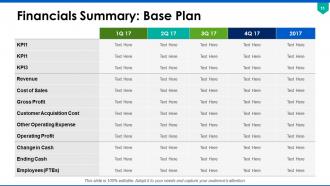
Financials Summary Base Plan
-
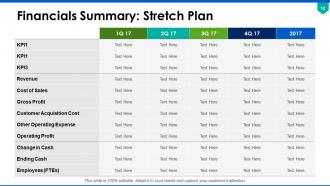
Financials Summary Stretch Plan
-
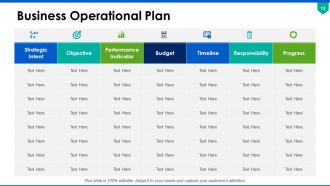
Business Operational Plan
-
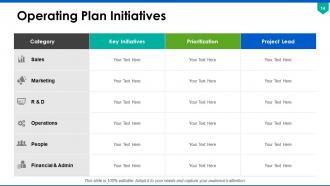
Operating Plan Initiatives
-
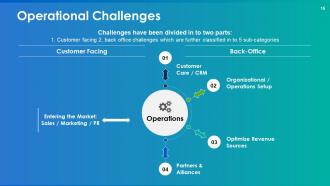
Operational Challenges
-
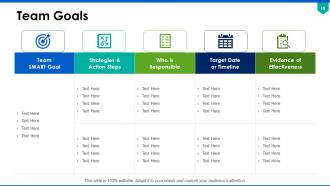
Team Goals
-

Hiring Plan Positions by Quarter
-
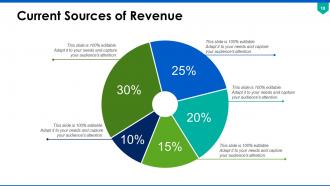
Current Sources of Revenue
-
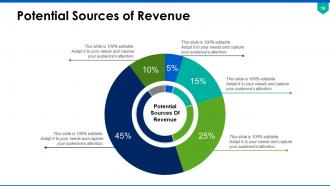
Potential Sources of Revenue
-
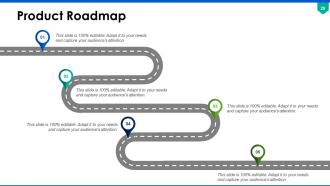
Product Roadmap
-
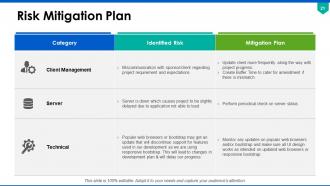
Risk Mitigation Plan
-
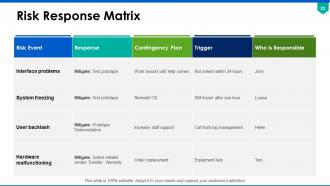
Risk Response Matrix
-
Annual Operating Plan Icons Slide
-

Additional Slides
-
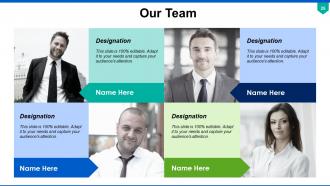
Our Team
-
About Us
-

Comparison Between Men and Women s Habits
-
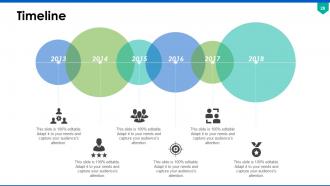
Timeline
-

Coffee Time Break
-
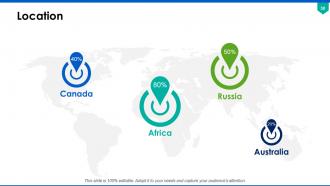
Location
-

Creative Idea
-
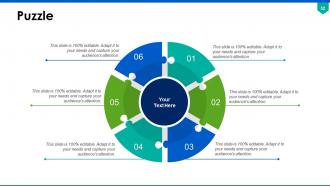
Puzzle
-
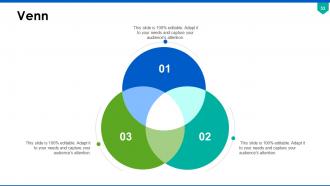
Venn
-

Financial
-
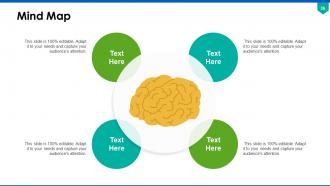
Mind Map
-
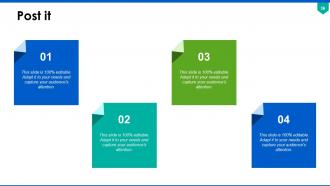
Post it
-

Annual Operating Plan
-
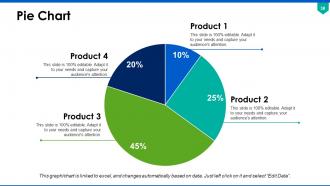
Pie Chart
-
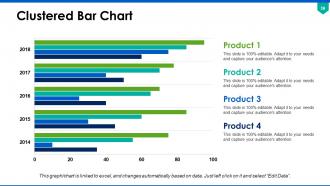
Clustered Bar Chart
-
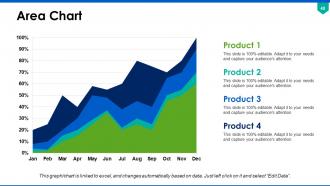
Area Chart
-

Thank You
FAQs for Annual Operating Plan
Start with revenue goals and expense budgets - that's your foundation. You'll also need headcount plans and specific projects that tie back to company objectives. Honestly, most people mess up on timelines though. Set quarterly milestones and do monthly check-ins or you'll drift off course fast. Resource allocation is huge too. Get input from department heads early in the process, then build around what's actually realistic given your capacity and market conditions. Don't skip the operational metrics and KPIs - you need ways to track progress all year long.
So the AOP is basically how you turn those big 3-5 year strategic goals into stuff your team can actually do this year. Break everything down into specific projects, budgets, timelines - whatever makes it real instead of just wishful thinking. Here's the thing though: every single AOP priority needs to connect back to at least one strategic goal. Otherwise you're just creating busy work for everyone (been there, done that). I always map each initiative back to our main strategic pillars. Keeps things focused and honestly saves you from those "why are we doing this again?" moments six months later.
Look, budgeting is literally how you turn your AOP from wishful thinking into something real. Without knowing your numbers, you're just making pretty PowerPoints that nobody can actually execute. I learned this the hard way at my last company - we had these amazing strategic goals but zero clue what we could afford. The budget forces you to get honest about priorities. Can't fund everything, so what matters most? Plus it gives you a way to track if you're actually hitting targets throughout the year. Pro tip: match your budget categories directly to your main AOP objectives. Makes tracking progress way easier later.
Look, metrics are what stop your AOP from being total fantasy. Pick 3-5 that actually matter - revenue, customer growth, whatever keeps you up at night. Don't be like my last company drowning in 20 different spreadsheets nobody touched. Monthly reviews are where the real work happens - catch problems early instead of panic-scrambling in Q3. Honestly, the best setup I've seen is just a clean dashboard with clear ownership. Someone's gotta own each number or it'll just sit there looking pretty. Course-correct as you go and you'll actually hit your targets.
Honestly, the biggest mistake I see is people being way too rosy with revenue projections while totally lowballing their costs. It kills plans left and right. Also don't make your plan so rigid that you can't pivot when things go sideways - which they always do, let's be real. Copy-pasting last year's numbers with some random percentage increase? Yeah, that's lazy and pointless. Your plan needs to actually tie back to what you're trying to accomplish strategically. Build in realistic assumptions and some cushion so you're not frantically rewriting everything by spring.
Dude, stakeholder engagement is huge for your AOP. Get people involved early - finance, ops, sales, leadership - and you'll actually get realistic numbers instead of pie-in-the-sky projections. The difference is night and day when people feel like they helped build the plan versus having it dropped on their desk. I learned this the hard way after way too many "wait, did anyone ask marketing about this?" moments. Map out who you need when, but honestly don't overthink it. Just start conversations early and you won't be scrambling through endless revisions later.
Okay so first thing - pull your historical data from the last 2-3 years. Revenue trends, costs, all that operational stuff. Market analysis is huge too, like what competitors are doing and where the industry's headed. Customer metrics matter a ton - retention rates, how much you're spending to get new customers, which segments actually make money. Oh and definitely look at your internal capacity. Headcount, utilization rates, resource limits. Financial modeling goes without saying. I'd run some scenarios too - best case, worst case, probably-gonna-happen case. Honestly the key is gathering all this first, then building your plan around what the data tells you.
Quarterly reviews are a must, but I'd also throw in monthly check-ins if you can swing it. Those bigger quarterly sessions are where you'll shift budgets around and update forecasts based on what's actually happening. Monthly ones help you spot problems before they blow up your whole plan. Honestly, I've watched teams cling to their January goals in freaking October when everything's changed - it's painful to see. Just block out those review dates right now and don't let anyone move them. Otherwise they'll never happen and you'll be flying blind.
Honestly, just start with Excel or Google Sheets for your AOP - most finance teams still swear by them for modeling and scenarios. Your company might have budget for fancier stuff like Anaplan or Adaptive Insights, which definitely makes collaboration easier. But here's the thing - I've seen amazing AOPs built in basic spreadsheets and complete disasters in expensive software. Weird, right? Pick whatever your team can actually handle and plays nice with your current systems. You can always upgrade once you figure out what's missing. Don't overthink the tool choice.
So basically, create 2-3 versions of your AOP - best case, worst case, realistic case. Each one should have different revenue numbers and cost assumptions. Yeah, it's a pain to build initially but trust me, you'll thank yourself later when the market goes sideways. The key thing is setting up trigger points so you know when to switch between scenarios. Like if Q1 revenue drops 15%, boom - you're now operating under worst case mode. My old boss used to call it "planned paranoia" which sounds dramatic but honestly made sense. Review quarterly to see which track you're actually on.
Honestly, I'd go with a cascading approach - hit the department heads first, then let them roll it out to their teams. That way they actually own the message instead of just passing along corporate speak. Keep your visuals and key points consistent though, because mixed messages will absolutely kill you. Connect each department's stuff directly to the big picture so people actually see why they should care. Oh, and definitely plan follow-up Q&As - trust me, the real questions always come after people have time to think. You want multiple touchpoints, not just some one-and-done presentation where everyone zones out.
Don't make risk assessment something you tack on later - weave it right into your AOP from the start. List out your major risks first: operational stuff, financial hits, strategic threats. Supply chain issues, losing key people, market changes, you know the drill. Give each risk a probability and impact score. Then create actual action plans with owners and deadlines for mitigation. Build some contingency money into your budget too - honestly, this part saves you so much stress later. Review everything quarterly and update as new risks pop up. The whole point is having concrete steps ready, not just a fancy risk document sitting in a drawer somewhere.
OK so basically your strategic plan is the big picture stuff - like 3-5 years out, pretty high-level. Your AOP? That's just the next 12 months broken down into actual things you can do. I always think of it like this: strategy is "we want to grow" and AOP is "hire 3 salespeople by March, spend $50K on ads in Q2." Way more specific. Strategic plans can be kinda vague honestly - lots of vision statements and aspirational goals. But AOPs get into real numbers, budgets, who's responsible for what. If your strategy says "expand into new markets," your AOP literally lists which cities, how much money, deadlines, the whole thing.
Okay so regulatory stuff basically sets the boundaries for your whole AOP. Map out all your compliance touchpoints first - trust me on this one. You'll need to budget for compliance costs and factor in reporting deadlines. Also watch for any caps on pricing or expansion plans. The boring part? Yeah, but skip it and you're screwed later. Don't just look at current rules either - upcoming changes can totally mess with your resource planning mid-year. I learned this the hard way when new regs hit our department last spring and we had to scramble. Build those constraints right into your plan from the start.
Look, your frontline people see stuff executives totally miss - bottlenecks, customer issues, resource problems. I've watched so many plans crash because leadership didn't listen to the people actually doing the work. Get their input early or you're basically just guessing. Ask specific questions about workload and what's blocking them, not some generic "thoughts?" Your AOP needs to be grounded in reality, and honestly? The folks in the trenches know what that reality looks like way better than the C-suite does from their corner offices.
-
Good research work and creative work done on every template.
-
Attractive design and informative presentation.
-
Illustrative design with editable content. Exceptional value for money. Highly pleased with the product.
-
Great product with effective design. Helped a lot in our corporate presentations. Easy to edit and stunning visuals.
-
Really like the color and design of the presentation.