


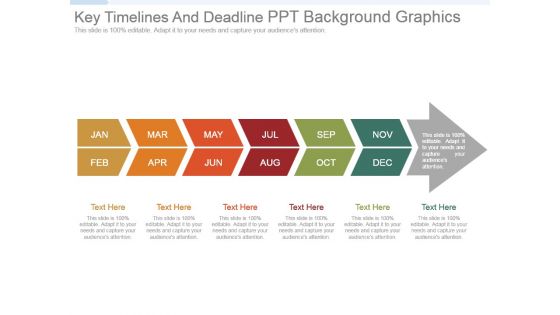
Wichtige Zeitleisten und Fristen Ppt-Hintergrundgrafiken




Try Before you Buy Download Free Sample Product
 Impress Your
 Audience
 100%
100% Editable
 Save Hours
 of Time


Sorgen Sie mit unseren Key Timelines and Deadline Ppt Background Graphics für intensive Konzentration während der Anstrengung. Konzentrieren Sie sich auf die Arbeit.
People who downloaded this PowerPoint presentation also viewed the following :
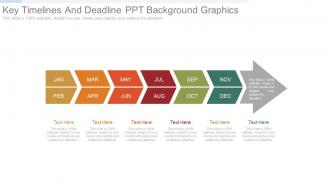
Key Timelines and Deadline Ppt-Hintergrundgrafiken mit allen 7 Folien:
Unsere wichtigsten Zeitleisten und Ppt-Hintergrundgrafiken für Fristen fügen das lustige Element hinzu. Sie lassen all das Stöhnen verschwinden.
FAQs for Key timelines and deadline
Honestly? Give yourself at least 2-3 weeks, but it really depends on how crazy your topic is. I'd do research and outline stuff first week. Second week is when you actually build the slides and content. Then week three - this is where the magic happens - just practice like crazy. You'll find all these weird transitions that made sense in your head but sound terrible out loud lol. High-stakes presentation? Maybe tack on another week for people to tear it apart and give feedback. Trust me, cramming everything last minute always shows, and not in a good way.
Honestly, deadlines are your friend here. They stop you from overthinking every single slide (we both know you'll fidget with fonts for hours otherwise). You're forced to focus on what actually matters to your audience instead of getting lost in tiny details. Break it into chunks - research first, then draft, then practice. I always set mini-deadlines for each section so I'm not panicking the night before. There's something about that time crunch that cuts right through perfectionism. You end up making way better decisions about your presentation when you can't second-guess everything.
Here's what works for me - start with your presentation date and work backwards. Give yourself at least 2-3 days for revisions after your first draft is done. You'll want milestones like: outline finished, first draft complete, initial review, revisions wrapped up, final rehearsal scheduled. Honestly, I always build in buffer time between each step because something ALWAYS goes sideways. Also don't underestimate how long slide formatting takes - that stuff eats up way more time than it should. Try to do a practice run with someone at least 24 hours before the real thing. Oh, and factor in time for tech setup too.
So it really comes down to who you're presenting to. Executives? Good luck getting on their calendar without at least a month's notice - those people are booked solid. Team meetings are way more flexible though. You can usually squeeze those in with a week or two heads up. Geographic stuff matters too - if people are flying in, obviously you need more time. I'd say just think about how important your topic is to them personally. The more it affects their day-to-day work, the easier it'll be to get them there on shorter notice.
Honestly, I'd just pick one app and stick with it - that's where most people mess up. Asana or Trello are solid for breaking everything into smaller tasks with deadlines. I'm weirdly obsessed with Notion though, you can see your whole timeline in one view which is satisfying. Google Calendar works too if you're not trying to get fancy with it. Start by figuring out your big milestones first. Then work backwards to see what you need to do each day. The whole system falls apart if you keep switching between different apps every week.
Oh man, the review cycle thing will get you every single time! You're thinking "okay, two days for the deck" but then your manager needs a day to look at it, you spend half a day fixing their notes, and boom - suddenly you're presenting tomorrow with zero buffer. Been there way too many times lol. Technical stuff always breaks at the worst moment too. PowerPoint decides to corrupt your file or the formatting goes completely haywire. Honestly? Work backwards from your deadline and tack on like 2-3 extra days minimum. Trust me on this one.
Honestly, just think of it as making a roadmap everyone can see. That way nobody's stepping on each other's toes or duplicating work on the same slides. Break everything down into specific tasks with clear owners and deadlines - works way better than vague assignments. I always map out the big milestones first, then fill in backwards from there. Oh and definitely build in extra time for reviews! You think you need two days? Make it four. Seriously, revisions always take longer than expected. It prevents that last-minute scramble where someone's still waiting for content that should've been done yesterday.
Dude, revision timelines literally saved my presentation game. I used to pull so many all-nighters thinking I could nail it in one go - spoiler alert, I couldn't. Now I build in like 2-3 rounds with at least a day between each draft. Sounds excessive but hear me out. Those gaps let you actually see what's working vs what just sounded clever at 2am. You'll catch yourself rambling about stuff nobody cares about. Plus you can test if your main points actually hit or if they're just... there. It stops you from getting trapped in that perfectionist spiral where you're tweaking fonts instead of fixing actual content issues.
Adding feedback timelines to your presentation is honestly a game-changer - makes you look super organized and shows you actually care about improving. Your audience gets clear expectations about when they'll see changes happen. I always include specific dates for collecting input, reviewing suggestions, and rolling out updates. Creates accountability, you know? Stakeholders love knowing exactly when their voices get heard and when results are coming. Oh, and throw in a simple timeline slide at the end with key milestones. Trust me, it's one of those small touches that makes a huge difference.
Honestly, break your timeline into chunks with buffer time - total game changer. I'd set deadlines for research, outline, first draft, rehearsals instead of just staring at that final due date. Trust me, learned this after way too many 3am panic sessions lol. Block time in your calendar and don't you dare skip those blocks. Tackle your worst section first when you're not already fried. Oh and find someone to bug you about deadlines - coworker, manager, whoever. They'll keep you honest when you start procrastinating.
Always do your must-have slides first - opening, main points, wrap-up. Don't get sucked into making animations perfect right away (trust me on this one). After that, hit anything your audience might actually ask about or need to interact with. Extra visuals and appendix stuff? Save those for the end. Honestly, I'd rather see a super clean presentation with great content than something flashy but incomplete. Time crunch is real, so focus on what'll actually matter to whoever you're presenting to. The fancy stuff can wait.
For academic stuff, you're looking at 2-3 weeks minimum because of all the research and citations. Business presentations? Usually a week if you know your material, though anything board-level obviously takes longer. Sales decks are weird - they're shorter but you'll constantly tweak them for different audiences. Give yourself 3-5 days for those. Here's what always gets people though: stakeholders will say they want "one tiny change" that completely derails everything. My advice? Start way earlier than feels necessary. Trust me on this one - you'll thank yourself later when someone inevitably wants to restructure the whole thing two days before.
Dude, this is huge for timelines. Asian and European teams usually want multiple review rounds and everyone's sign-off - you'll need way more lead time. Quick turnarounds? That's more of an American thing honestly. Latin American and Middle Eastern clients expect you to build the relationship first before diving into business (which actually works better anyway). Ask your local teammates upfront what's normal there. I learned this the hard way once in Germany - thought I had plenty of time but didn't account for their process. Add at least 25% buffer to whatever you're thinking for cross-cultural stuff.
Work backwards from your deadline and tack on extra time - trust me on this one. I'd split it roughly 40% research, 40% creating slides, 20% revisions. That revision chunk matters because someone's definitely gonna want changes at the last minute. Technical stuff always breaks when you need it most, especially if you're trying new software. Oh, and if other people are involved? Double the headache time. Whatever feels like enough time, add 25% more. Sounds excessive but you'll be way less stressed than scrambling to fix everything the night before.
Honestly, templates are lifesavers when you're staring at that blank PowerPoint with a deadline breathing down your neck. Just grab one and boom - you can focus on writing actual content instead of messing around with fonts for an hour (which I always do, don't judge). They keep your slides looking consistent too, so the whole thing flows better. Your brain stays focused on the important stuff rather than getting distracted by design choices. Pro tip: find one good template, customize it once, then reuse it for similar presentations. Future you will thank present you.
-
Understandable and informative presentation.
-
Use of different colors is good. It's simple and attractive.