


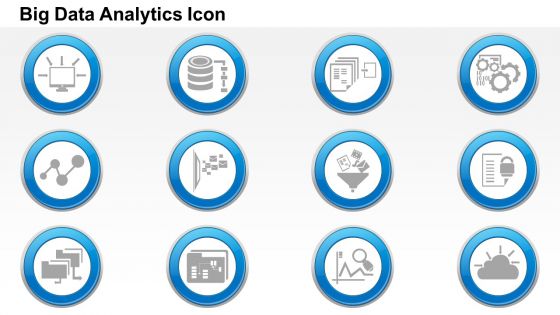
0115 big data icon set data analytics icon set cloud computing networking funnel ppt slide




Try Before you Buy Download Free Sample Product
 Impress Your
 Audience
 100%
100% Editable
 Save Hours
 of Time


Share the concept of protecting the corporate documents with our big data icons set data analytics icon set cloud computing networking funnel PPT slide. The presentation template can be used to show the concept of network security in the organized manner. Every commerce unit implement certain policies in order to ensure that their data is fully secured. This cloud computing PowerPoint design visually highlights the data protection concept that you can present among your stakeholders, business partners, colleagues etc. The concept of data analysis and networking over the cloud computing can be easily portray with this PowerPoint design. The development of technology has made it quite essential to ensure the security and privacy of your valuable assets. Desktops, laptops, routers, HDMI cables are prime example of IT hardware that needs complete care. Besides this, the personnel security is also important that conducting training programs, security awareness campaigns to let the professionals aware of the networking and security related aspects. So don’t wait much and just download the presentation design. Bring fights to an end with our 0115 Big Data Icon Set Data Analytics Icon Set Cloud Computing Networking Funnel Ppt Slide. Get them all to bury the hatchet.
People who downloaded this PowerPoint presentation also viewed the following :
0115 big data icon set data analytics icon set cloud computing networking funnel ppt slide with all 5 slides:
Express at your best with our 0115 Big Data Icon Set Data Analytics Icon Set Cloud Computing Networking Funnel Ppt Slide. The audience will experience genius.
FAQs for 0115 big data icon set data analytics icon set cloud computing networking
Okay so most big data icons have these super recognizable elements - you know, server stacks, those database cylinders (seriously they're everywhere), cloud symbols, connected nodes. Flow arrows and network connections show the data moving around. Color-wise it's mostly blues, greens, grays... pretty standard tech stuff. The "big" part usually comes from layered elements - like multiple servers stacked up or complex network diagrams. Oh and gears pop up a lot for the analytics side. When you're picking icons, just go for ones that scream "massive scale" and connectivity. That's basically what big data's all about anyway.
Big data icons work because people instantly get what a database cylinder or network nodes mean - it's like visual shorthand. You want to match your audience though. Don't throw super technical symbols at a CEO or they'll be lost. Same goes the other way - developers will roll their eyes at overly basic stuff. I'd honestly start small. Build a little icon library for your go-to concepts first, then maybe run them by a couple teammates before using them in big presentations. Consistency is huge too - once you pick a visual style, stick with it across everything.
Dude, colors make or break those data icons - seriously. Your audience needs to get the hierarchy right away, so stay consistent. I always do blues for raw data, greens for processed stuff, reds for alerts. Don't go crazy though! Three colors tops, maybe four if you're feeling bold. I swear, some presentations look like someone threw Skittles at a screen. Pick your palette early and stick with it - has to match your brand story too. Trust me, less is definitely more here.
Honestly, tech and finance companies get the biggest wins from using data icons - like, it actually makes a difference. Healthcare too since they're drowning in complex stuff that's hard to explain. E-commerce and consulting aren't far behind. The thing is, icons just cut through all that confusing jargon way better than paragraphs of explanation. Your non-tech people will actually get what you're saying instead of zoning out. Pretty much any industry dealing with analytics should be doing this. Oh and presentations become way less scary for everyone involved. Just throw some into your next deck and watch people's faces - you'll see what I mean.
Match your icons to what you're actually talking about - data processing needs servers and pipelines, not just random database stuff. Your audience matters too. Executives love dashboards and trend charts, but tech people want to see those Hadoop elephants and cloud symbols. Honestly, I've seen too many presentations ruined by icon overload. Pick one clear icon per main concept you're covering (storage, processing, visualization, whatever). Three to five solid ones work way better than cramming every possible symbol onto your slides. Less is definitely more here.
Don't go overboard with the icons - I learned this the hard way after making a dashboard that looked like a sticker bomb. Simple is better. Match your chart's style and colors so everything flows together. Icons work great for legends or headers, but honestly? Skip putting them directly on the data points. That gets messy fast. Make sure they actually make sense too - random icons just confuse people. Size matters - too big and they steal focus from your actual data. I usually start with maybe one or two icons max per chart, then see if I need more.
Dude, animated big data icons are seriously game-changers for presentations. People actually pay attention when they see network connections pulsing or databases filling up in real-time instead of just staring at boring static charts. The movement breaks up all that dense info and stops people from completely zoning out. Honestly, there's something weirdly satisfying about watching data move around - maybe it's just me? But animations show processes and relationships that regular images can't. Use them when you're transitioning between sections or introducing new concepts. Your audience will definitely stay more engaged.
Adobe Illustrator or Figma are your best bets for custom big data icons. Both handle vector graphics really well, so everything stays sharp when you resize. Sketch works great too if you're already on Mac. I know some designers who swear by Canva for quick icon work - not exactly professional grade, but gets the job done. Inkscape's solid if you don't want to spend money. Just stick with vectors instead of regular image files or you'll hate yourself later when things look pixelated. Start simple with basic shapes like servers and cloud symbols, then build from there. Way easier than trying to get fancy right off the bat.
Honestly, icons are like cheat codes for presentations. They turn complicated data stuff into something people actually get without you having to explain every detail. Database symbols, clouds, chart graphics - whatever fits your story. I usually pick maybe 3 or 4 and stick with them the whole time so it doesn't look random. They're perfect for breaking up those walls of text that make everyone's eyes glaze over. Plus you can use them to pace things out, build up to your main point. It's way more engaging than just talking at people for 20 minutes straight.
Color contrast matters a ton for your big data icons. Don't just rely on color alone - colorblind users won't be able to tell the difference. Add shapes or patterns too. Simple designs work best since people zoom in and out constantly on different screens. Seriously, I've seen some data icons that look like microscopic hieroglyphics - nobody can figure out what they mean! Test different sizes to make sure they're still readable. Oh, and don't forget alt text for screen readers. Best advice? Get real users to test them first, especially folks with accessibility needs.
Don't mix different icon styles - it looks super messy. Pick one set and stick with it, whether outlined or filled. Make them big enough that people can actually see what they are (learned this the hard way lol). Skip the generic database icons for everything - use specific ones like sensors or dashboards that match your actual data. Oh, and test on the real screen beforehand! Simple color palette works best. Just make sure there's good contrast so icons don't disappear into your background.
Dude, this stuff is trickier than you'd think. Red screams "danger" to Americans but means good luck in China - totally different vibes. Cloud icons? They'll confuse people in places where everyone's still on local servers. Even reading direction screws things up since some cultures go right-to-left. I've watched perfectly good dashboards crash and burn overseas because nobody thought about this. Honestly, the visual metaphors we take for granted just don't translate. Test your icons with different user groups before you launch, and maybe create separate versions for major regions. It's extra work but beats having your data viz completely miss the mark.
Honestly, everyone's ditching those awful server stack icons now. Way too clunky. Instead you're seeing fluid stuff - data streams, connected nodes, cloud symbols that actually make sense. Minimalist designs are huge too, especially with animated particles or gradients that show movement. Those old cylinder database icons? Finally dead, thank god. Modern icons focus on how data flows and connects in real-time rather than just sitting there. Oh, and if you're updating your interface - go for anything that shows data moving around rather than being stored. Way more intuitive.
Big data icons are perfect for showing people you actually know your stuff—charts, graphs, those connected dot things, dashboard visuals. They work amazing in social posts and email headers because nobody wants to read paragraphs about your analytics process. It's like instant credibility without the boring explanation. Just don't go crazy and throw random pie charts everywhere (I've seen people do this and it looks desperate). The real trick is backing them up with actual numbers or results. Use the icons to pull people into your data stories, not replace them entirely.
The Noun Project is my go-to - they've got a crazy amount of data viz and analytics icons in every style you can think of. Flaticon and Icons8 are solid too, especially when you need everything to match. I always end up going down rabbit holes on these sites lol. Feather Icons and Heroicons are decent free alternatives, but honestly their big data stuff is pretty limited. Oh, and definitely grab SVGs if you can - they won't get pixelated when you resize them in your deck.
-
Appreciate the research and its presentable format.
-
Presentation Design is very nice, good work with the content as well.