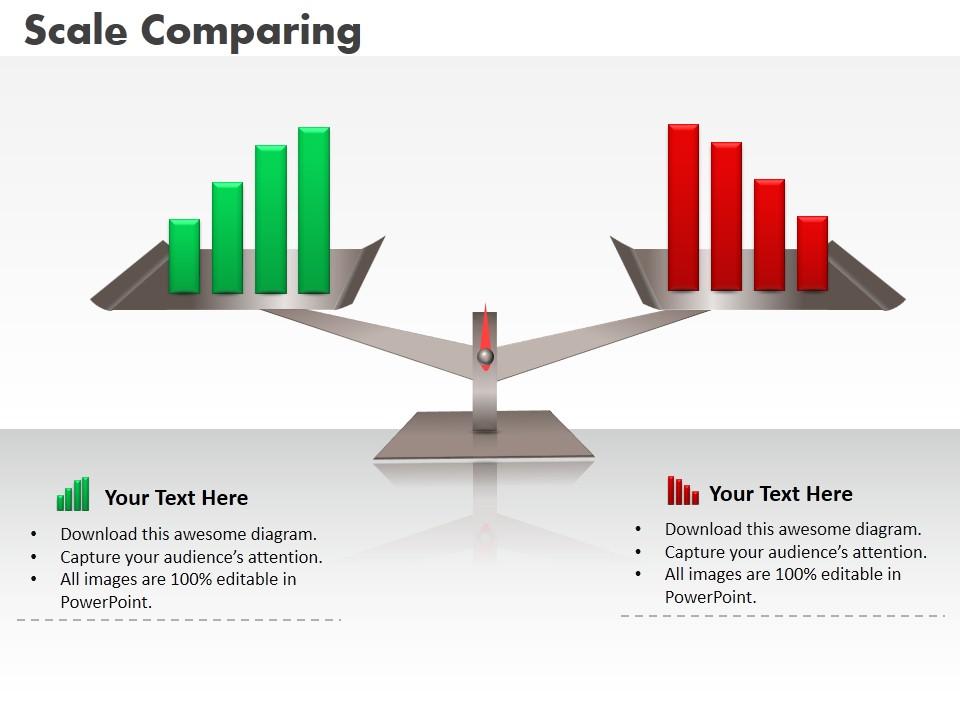
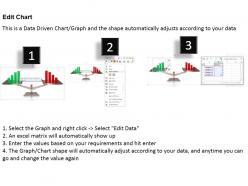
0414 business scale comparing column chart powerpoint graph

Rating:
100%
0414 business scale comparing column chart powerpoint graph
Slide 1 of 3
Favourites Favourites

Try Before you Buy Download Free Sample Product

Audience Impress Your
Audience
Editable 100%
Editable
Time Save Hours
of Time
The Biggest Sale is ending soon in
0
0
:
0
0
:
0
0
Rating:
100%
Equipped with numerous beneficial qualities required for a successful presentation. These can be easily tailored without putting much effort. Presentation slide comes in standard and widescreen view. Easily transformable into JPEG and PDF document. Creative and Innovative PowerPoint presentation design. Various other designs available with different charts. The quality is well appreciated by the high-profile businesses.

People who downloaded this PowerPoint presentation also viewed the following :

FAQs for 0414 business scale comparing column

Start with revenue growth, employee headcount, and customer acquisition - those three tell the real story. Market share and geographic expansion work too if they actually apply to your business. Don't be like everyone else cramming 20 metrics into one slide, it's just confusing. Maybe throw in operational stuff like office locations or product lines if they show real scale changes. The key is picking numbers that actually track with how you're growing, not just whatever looks flashy. Four or five max, seriously. Those first three are your bread and butter though.

So basically these charts show you ROI patterns across different company sizes - pretty handy actually. You can see if small startups in your sector usually beat out mid-cap companies or if it's the other way around. Think of it as your risk-reward cheat sheet. What's cool is you'll start noticing trends - some industries love scale, others reward the scrappy little guys. Perfect for checking if your portfolio has any glaring gaps. Oh and it helps you find those sweet spots where good growth potential doesn't come with crazy risk levels. Honestly saved me from a few questionable picks last year.

Honestly, visual hierarchy is everything - different bar heights or bubble sizes instantly show who's big vs small. I'd go with color coding too, like a gradient from light to dark. Icons beat boring text blocks every time, trust me on that one. Just don't cram your labels everywhere or it'll look messy. White space actually helps a ton here. Oh, and definitely sketch out a few layouts first before you open any design software. Test it from across the room too - if you can't read it from there, nobody else will be able to either.

Okay so here's the thing - your business size totally changes how you should market. Small businesses? You're probably doing local stuff, building relationships, maybe just social media because that's what you can actually afford. Big companies throw money at TV ads and have whole analytics teams (must be nice, right?). Most mid-sized places do a mix - some digital targeting plus maybe a few traditional ads here and there. Don't try copying what huge brands do when you're still figuring out your local market. Match your marketing to where you're actually at.

Honestly, you're trying to compare things that don't really go together. Tech companies track users, manufacturers count units produced - totally different worlds. Plus revenue numbers are basically meaningless when software companies have crazy high margins and grocery stores make like 2% profit. Seasonal stuff throws everything off too. I'd probably just stick to comparing companies in the same industry, or maybe make separate categories based on how they actually make money? Otherwise you're just gonna end up with a messy chart that doesn't tell you much.

So you'd basically set up charts comparing your different departments using stuff like revenue per employee or growth rates. Makes it like an internal competition - people get weirdly into that. Monthly or quarterly updates work best, then share with managers so they can see how they're doing. The visual aspect is clutch because you can instantly spot who's killing it vs who needs help. Plus top performers love showing off their numbers, so it's easier to get them sharing what actually works with the struggling teams.

Set up quarterly reviews - that timing works for most companies. Pull from actual financial reports and employee counts, not random estimates. I made that mistake once and our whole chart was like 6 months behind! Someone specific needs to own this process or it'll just sit there forever. Keep your criteria consistent when you're comparing different companies. Document any changes you make to the methodology too. Honestly, the calendar reminder thing is clutch - treat it like any other business review that actually matters.

Oh man, this is such a good question! Bigger companies definitely win on economies of scale - they spread those fixed costs across way more revenue, so their per-unit expenses are usually way lower. Don't compare absolute dollar amounts though, that's useless. A $100K hit means nothing to a massive company but could crush a small one. Focus on ratios instead - cost per employee, overhead as percentage of revenue, stuff like that. The procurement power thing is honestly crazy when you see it in action. Start simple with maybe 3-4 main cost buckets and expand from there.

So basically, a Business Scale Comparison Chart lets you see what other startups looked like at your stage - their revenue, team size, all that stuff. Way better than just guessing what your targets should be. You can actually set realistic quarterly goals instead of those crazy "we'll 10x in six months" dreams that just stress everyone out. Honestly, most founders have no clue what normal growth actually looks like. The chart shows you companies that started exactly where you are now. Pretty helpful for keeping your budget in check too - you won't hire 20 people when you only need 5.

Market share is your slice of the total industry pie - shows where you stand against competitors. For comparing, percentage-based visuals work best. Pie charts are obvious but honestly? Horizontal bar charts are way easier to read when you've got multiple companies. Just make sure you're defining your market the same way across everything - don't mix different geographies or product categories unless that's the point. Oh, and always throw in the total market size somewhere. People need context or the percentages don't mean much. Time periods matter too depending on what you're trying to show.

Honestly, outside stuff messes with your comparison charts way more than you'd think. Recessions hit small companies hardest - big players just swoop in and grab market share. Your mid-size competitor? Suddenly they look pathetic. New tech companies are even worse because they totally ignore normal scaling rules and just... appear out of nowhere. I learned this the hard way last year when a startup completely changed our industry rankings in like 3 months. You've gotta update these quarterly now, not yearly. Internal changes are slow and predictable, but external forces? They'll flip your whole chart overnight.

Yeah so bigger companies usually have way lower customer acquisition costs - they can spread marketing budgets around more and just get better deals on everything. Put company size on the x-axis, CAC as percentage of revenue on the y-axis. You'll see that downward curve every time. Startups burn like 20-30% of revenue on getting customers while big players only need 5-10%. Honestly the most underrated advantage of being huge. Oh and throw absolute CAC numbers on a second axis too - sometimes small companies spend less actual dollars but get killed proportionally. That combo really shows why VCs are so obsessed with unit economics.

So basically you plot your company against competitors on a chart - revenue, market share, employee count, whatever matters. It's like getting a bird's eye view of who's winning where. Perfect for spotting gaps you can jump into or seeing where you're getting crushed (honestly, sometimes the truth hurts but it's better to know). Your team will actually understand what's happening instead of getting lost in spreadsheets during those marathon planning meetings. I'd update it every quarter since things move fast. Makes strategic decisions way less of a guessing game.

Honestly, **Tableau** and **Power BI** are your best bet if you want interactive stuff - they're actually incredible for business charts. **Excel** is clutch for basic ones since everyone knows it already. **Canva** makes everything look professional even if you suck at design (which I definitely do). Google Charts works well for web stuff too. I'd probably just stick with whatever your team's already using first. Then maybe jump to Tableau later if you're making tons of these charts. The learning curve's a bit annoying but worth it.

Honestly, those comparison charts are super useful for M&A hunting. Map out companies by revenue, market share, growth rates - whatever matters most. You'll spot undervalued targets pretty fast, plus see which businesses might actually complement yours. Way better than drowning in spreadsheets, trust me. The visual makes it obvious where you've got market gaps that acquisitions could fill. Similar-sized companies jump out as potential merger buddies too. I'd refresh it every quarter though, and definitely check their financials aren't total garbage before you get excited about any deals.

Ratings and Reviews

100% of 100
Write a review
Most Relevant Reviews
  1. 100%

    by Cletus Ross

    The content is very helpful from business point of view.
  2. 100%

    by Denver Fox

    Unique research projects to present in meeting.

2 Item(s)

per page: