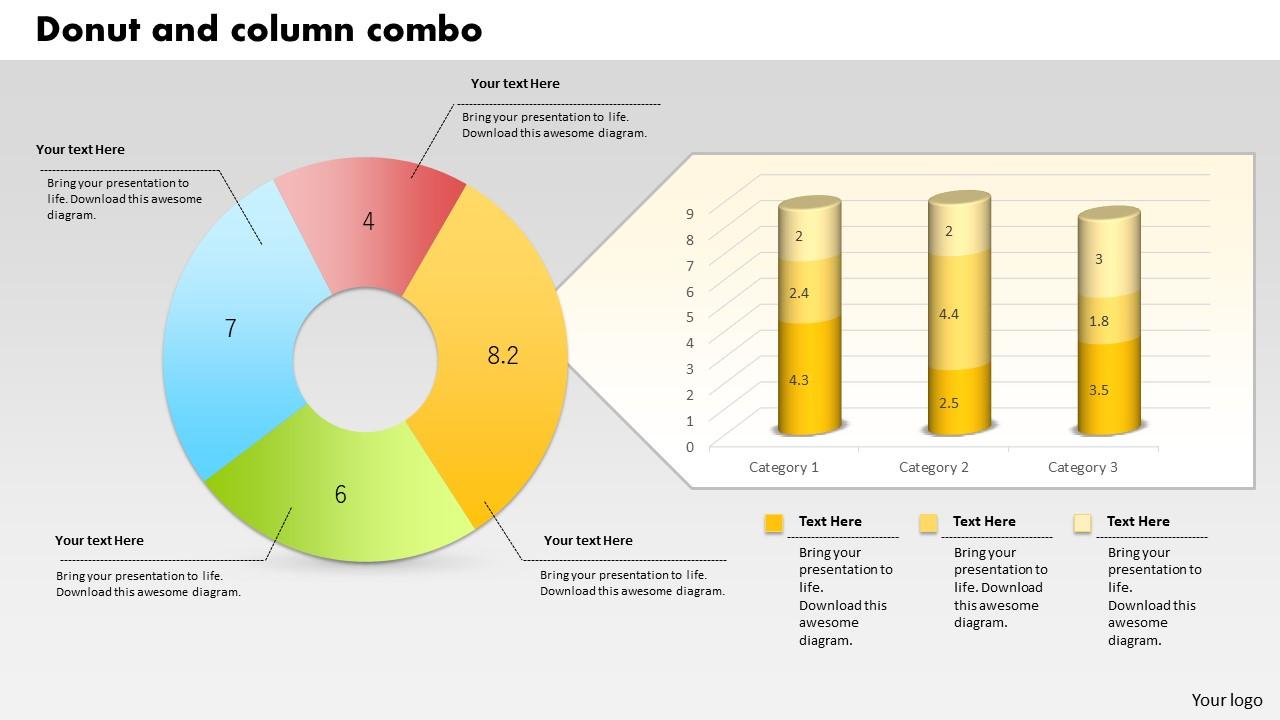
0414 Gráficos comerciais de rosca e coluna em PowerPoint Gráfico
Try Before you Buy Download Free Sample Product
Audience
Editable
of Time
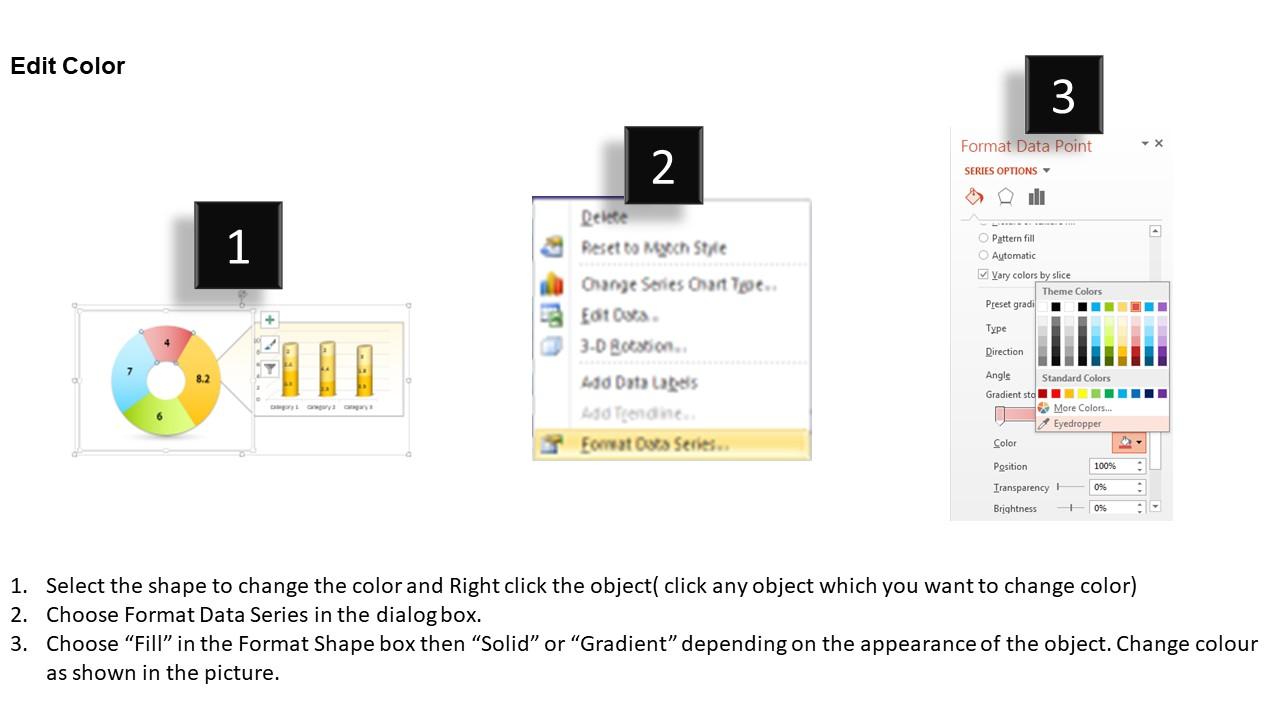
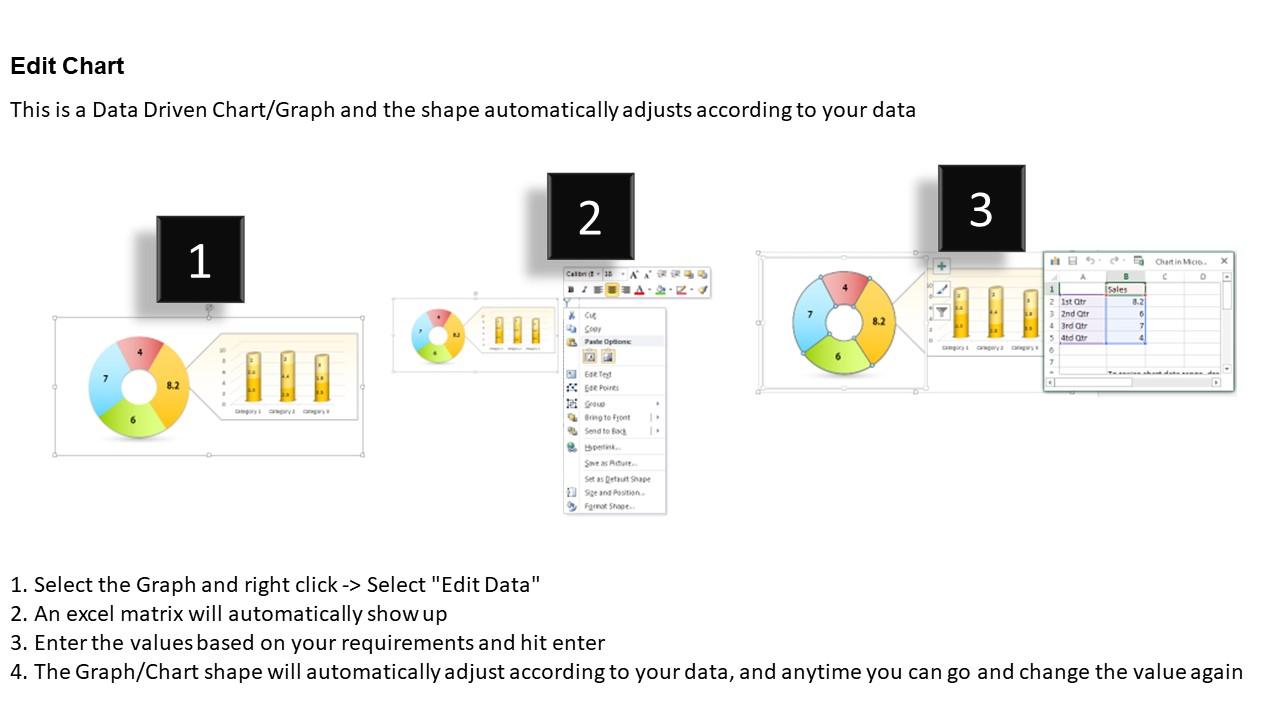
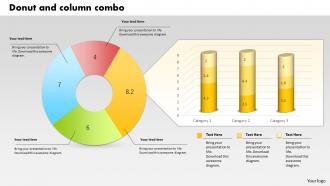
Escolha gráficos comerciais de rosca e coluna em PowerPoint para destacar as principais estatísticas do seu comércio. O design de amostra PPT permite que você compartilhe os detalhes com o público. Os gráficos são sempre úteis quando se trata de apresentar os dados de negócios. Nosso gráfico de rosca e coluna dá a você acesso não apenas para compartilhar os fatos importantes com a equipe, mas também para compartilhá-los de maneira profissional. A combinação correta de cores com as figuras foi usada na concepção deste modelo de apresentação. A coisa mais incrível sobre esse layout de slide PPT é que ele pode ser baixado no formato vinculado ao Excel, o que permite editar os dados e apresentá-los de acordo. A qualidade dos dados e a forma como são apresentados influenciam a atitude do respondente. Portanto, usando uma ferramenta adequada e eficaz, como porca de massa e slide de PowerPoint de gráfico de negócios de coluna, você pode envolvê-los na apresentação. Derive com precisão com nosso gráfico de PowerPoint de gráficos de rosca e coluna 0414. Seu experimento será convincente.
Recursos desses slides de apresentação do PowerPoint:
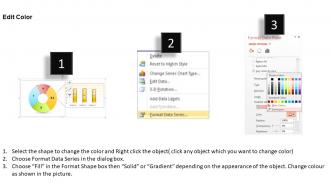
Slide de apresentação do PowerPoint totalmente editável. Adaptável a vários programas de software como JPEG e PDF. Preferência para incluir e remover conteúdo de acordo com a necessidade de comércio. Disponível em slides padrão e widescreen. Oferece uma perspectiva profissional ao slide do PowerPoint. A personalização do modelo PPT é possível de acordo com sua necessidade. Amostras semelhantes disponíveis com diferentes nós e estágios.
People who downloaded this PowerPoint presentation also viewed the following :
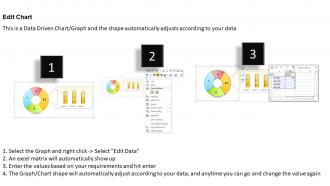
0414 Gráfico de PowerPoint de gráficos de rosca e coluna comercial com todos os 3 slides:
Seu tempo é valioso. Gaste-o com sabedoria usando nosso gráfico do PowerPoint de gráficos de rosca e coluna 0414 para agilizar o design de sua apresentação.
FAQs for 0414 Donut And Column Business
Honestly, donut charts are way better because you get that center space to throw in your key numbers - like "Total: $50K" or whatever's most important. Regular pie charts can't do that. The hollow middle also cuts down on visual mess, which makes comparing the segments way easier. I mean, they just look cleaner and more modern too. If your total number matters as much as the breakdown, definitely go donut over pie. It's perfect when you need both the big picture and the details in one spot.
Honestly, donut charts are basically pie charts trying to look fancy, but that center space is actually pretty handy for showing totals or key numbers. Use them when you've got 3-5 categories tops - like budget breakdowns or survey results. Market share stuff works well too. Don't go crazy with tons of tiny slices though, it just gets messy. They're perfect when you want the overall story rather than super precise comparisons. I always make sure to label everything clearly since people can't really eyeball the exact percentages. Great for big picture stuff, not so much when details matter more.
Honestly, bold colors make all the difference - just skip that awful Excel rainbow thing. Put your labels right on the segments instead of squishing them into some tiny legend nobody reads. If you're presenting live, try building it segment by segment with animation. The center space is perfect for your main number or key point, don't waste it. Oh and seriously, stick to 5 segments max. People's attention spans are terrible and they'll check out if it looks too busy. Contrasting colors that match your brand work best.
Honestly, the biggest thing is keeping it simple - max 5-6 slices or it gets messy. Sort your data first, biggest to smallest usually works. Similar colors are the worst because everything just blends together. Also, don't make those slices super thin since people can't read tiny slivers anyway. Labels are crucial too since the hole in the middle makes it way harder to judge sizes compared to regular pie charts. Oh and this drives me nuts - only use donut charts when your data actually adds up to something meaningful! I see people throw random categories together all the time.
Honestly, donut charts are way better than regular pie charts for presentations. That empty center space? Perfect spot to drop your total number or main metric. You can pull out the important segments slightly or use bold colors to make key points stand out. Each slice helps you tell your story piece by piece - way easier for people to follow along. I always use contrasting colors for the segments that matter most. Makes complex data actually digestible instead of overwhelming everyone. Plus stakeholders can see how all the pieces fit together without getting lost in the weeds.
Honestly, donut charts are tricky but here's what works: stick labels right on the segments if there's room, otherwise use those connecting lines. Short labels are your friend - long text looks awful wrapped around curves. When segments are tiny, just throw in a legend nearby. Always add the percentages too since that's what people actually want to see. Oh and if you've got like 8+ segments? Your chart's probably a mess - bunch the small stuff into an "Other" category. Trust me on that one, I've seen some truly chaotic donuts that made zero sense.
Bar charts win most of the time, honestly. Way easier to compare lengths than trying to figure out if one donut slice is bigger than another. Like, good luck guessing 23% vs 27% just by looking at angles - I sure can't. Plus bar charts don't waste all that space in the middle for no reason. Donut charts aren't totally useless though. They're decent when you've got maybe 3-4 categories and really want that "parts of a whole" thing. But yeah, I'd just stick with bars unless you specifically need the pie metaphor.
Hover tooltips are your best bet - super easy to add and they make such a difference. Most people expect them now anyway. Chart.js and PowerBI make this stuff pretty straightforward, though D3's a pain if you're not used to it. Clickable segments are cool too - let users drill into subcategories. You can throw in some smooth animations when the data changes. Toggle buttons work great for switching between different time periods or datasets. Honestly, I'd just start with the hover thing first since it's low-hanging fruit, then build from there once you see what users actually interact with.
Depends what you're working with honestly. Excel or Google Sheets work great for quick stuff - Excel's chart options have actually gotten way better recently. Tableau and Power BI let you get fancy with colors and interactive features if you need that. Oh, and if you code at all, D3.js or Python tools like Matplotlib make really nice custom ones. I'd just start with whatever you already know how to use. You can always switch later if you need something more polished or on-brand. Most people overthink this part tbh.
Oh man, color choices totally make or break donut charts! Similar colors next to each other? Your audience won't be able to tell segments apart - I've watched so many presentations fall flat because of this. Go for high contrast between sections. Also heads up about red/green combos since some people can't distinguish those. Honestly, I always test mine by showing someone else first and asking what jumps out. You'll save yourself from that awkward moment when nobody can read your data. Consistent palette is key too.
Nested donut charts are perfect for this! Inner ring shows your main categories, then outer rings break them down further. Just don't go crazy - 2-3 levels tops or you'll hate yourself later. The color scheme needs to stay consistent so people can actually follow the connections between rings. Honestly, hover tooltips are a lifesaver here - they'll show exact values and the full hierarchy path. Your quarterly sales data would work great: regions on the outside, product lines inside. It's one of those things that clicks once you see it working.
Okay so here's the thing - donut charts are super convincing because they look so clean and official. People glance at those colorful segments and immediately trust what they're seeing. But if your data is sketchy or outdated, you're basically wrapping garbage in pretty packaging. I've seen this happen way too often honestly. The chart looks so professional that nobody questions whether the numbers are actually legit. Double-check your sources first! Include where the data came from somewhere people can see it. Your audience will make quick judgments based on those visuals, so you want those judgments based on solid info.
Oh totally! Finance teams are obsessed with them for portfolio breakdowns and budget stuff. Marketing uses them all the time too - campaign spending, audience segments, you know the drill. Healthcare's big on them for patient demographics. Really, any time you need that "parts of a whole" thing, they work great. Retail does sales by category with them constantly. Honestly though, don't just throw one in because it looks cool - your audience actually has to care about seeing those proportions. Otherwise you're better off with a regular bar chart. I learned that the hard way once, haha.
Put your donuts in a grid or line them up side by side. Each one shows a different dataset - quarterly sales, regions, whatever you're comparing. Here's the thing though: keep your colors and sizes consistent or people won't be able to compare anything properly. I've watched so many presentations fall apart because someone used random scales for each chart. Don't be that person! Same value ranges across all of them if you can swing it. Label what each chart represents clearly. Oh, and arrange them logically - chronological order or biggest to smallest works well. Makes the whole thing flow better for whoever's looking at it.
Honestly, donut charts are kinda tricky because your brain can't judge angles well - makes comparing values really hard. Plus they turn into a mess with too many categories (like 6+). Here's what actually works: throw data labels right on the segments so people don't have to guess. Bar charts are way better if you need precise comparisons though. If you're stuck using donuts, sort the pieces biggest to smallest and maybe put your total in that empty center space. Oh and they only really make sense when you're showing parts of something whole, not just random data points.
-
I discovered this website through a google search, the services matched my needs perfectly and the pricing was very reasonable. I was thrilled with the product and the customer service. I will definitely use their slides again for my presentations and recommend them to other colleagues.
-
Great designs, Easily Editable.