12 Layouts für stündliche Agenda-Präsentationen

Rating:
90%
12 hourly agenda presentation layouts
Slide 1 of 5
Favourites Favourites

Try Before you Buy Download Free Sample Product

Audience Impress Your
Audience
Editable 100%
Editable
Time Save Hours
of Time
The Biggest Sale is ending soon in
0
0
:
0
0
:
0
0
Rating:
90%

Merkmale dieser PowerPoint-Präsentationsfolien:

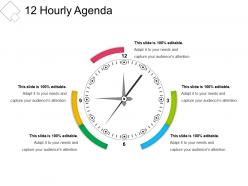
Präsentieren von 12 stündlichen Agenda-Präsentationslayouts. Dies ist eine vollständig anpassbare Vorlage, die nach Ihren Bedürfnissen geändert werden kann. Sie können Änderungen an dieser Folie vornehmen, um sie an Ihr Präsentationsthema anzupassen. Es besteht aus hochauflösenden Grafiken und bietet Ihnen die Sichtbarkeit von Standardbildschirm und Breitbild. Laden Sie diese Vorlage im JPG- und PDF-Format herunter. Ändern Sie die Farben dieses Trichters, ändern Sie die Schriftgröße und den Schriftarttyp nach Ihren Bedürfnissen.

FAQs for 12 hourly

Get a clear title and time estimates for each section - that's your foundation. Put the heavy hitters up front while people are actually listening (trust me on this). Build in Q&A time and breaks if you're going over an hour. The format should be super scannable so folks can follow without squinting at tiny text. Oh, and definitely send it out ahead of time - gives people a chance to think of good questions. One thing I always do now is pad everything with extra minutes because meetings are basically allergic to ending on time. Short sentences mixed with longer ones keep it readable.

Honestly, agendas are like giving your audience a roadmap - they know what's coming so they can actually focus on what you're saying instead of checking their phone every two minutes. People hate sitting there wondering "how much longer is this gonna be?" When you break things into clear sections, it's way easier for them to follow along and remember stuff later. Oh, and definitely throw in time estimates next to each part. Trust me, everyone silently loves you for that transparency. You can even use it as a progress tracker - those little "okay we're halfway done" moments keep people engaged way better than just rambling on.

So white space is your best friend here - don't cram everything together. Make those time blocks super obvious since that's what everyone's hunting for first anyway. Stick with one font (maybe two max) and use clear headings so people can actually scan it quickly. Group similar stuff together and throw in some bullet points to break up walls of text. Honestly, I'd keep colors simple - just pick one accent color and call it good. Flow should match the actual meeting order, obviously. Oh and definitely print a test copy! If you can't spot the important bits in like 5 seconds, you need to simplify more.

Honestly, color choice can make a huge difference in how people actually use your agenda. I'd go with darker colors for main topics, then lighter shades for the smaller stuff underneath - makes it way easier to scan through quickly. High contrast is your friend too (nobody's got time to squint at pale gray text). Blues and greens give off that professional vibe, while red works great for anything urgent or high-priority. Oh, and stick to maybe 2-3 colors max. More than that and it just looks chaotic.

Dude, templates are a game changer! I used to waste so much time making agendas from scratch - what a nightmare. Now I just drop in my content and boom, done. Your whole team will look way more put-together when everything matches too. Oh, and you won't accidentally skip stuff like action items or timing (been there). Honestly, the consistency thing alone makes such a difference. Just grab a few good ones and tweak them for different meeting types. Trust me on this one - you'll wonder why you waited so long!

Oh man, tiny fonts are the WORST for agendas! People end up squinting while you're already three topics ahead. Use something basic like Arial, at least 12pt - trust me on this. Bold headers help break things up so it doesn't look like a wall of text. Also weirdly important: print it out first and see if you can skim the whole thing in 10 seconds. If you can't find stuff quickly, neither will anyone else. Clean and simple beats fancy every time when people need to actually follow along during the meeting.

Think of visuals as your meeting's GPS - they show everyone where you're heading. Bullet points and numbering work great for organizing stuff. Color coding helps too, or just throw in some simple dividers between sections. I swear, nothing's worse than those dense text blocks that make your eyes glaze over! Icons are clutch - clock symbols for timing, chat bubbles for discussions. People should be able to glance at it and instantly know what's happening when. Just don't go overboard with fancy elements. Pick maybe 2-3 visual tricks and stick with them throughout.

Honestly, just ditch Word for this stuff - it's such a pain. Canva has sick templates that'll make your agendas look actually professional in like 2 minutes. Google Docs is probably your best starting point though, super basic but gets the job done. If you're working with a team, Notion or Monday.com are clutch for real-time editing. Everything auto-saves too so you won't lose your work when your laptop inevitably crashes. Miro's pretty cool for mapping out complicated meetings visually, but that might be overkill depending on what you're doing. Start simple, then you can always get fancier once you figure out what works.

Oh man, don't cram everything into each bullet point - that's the worst. Be super specific instead of writing vague stuff like "project updates." What updates exactly? I learned this the hard way lol. Give yourself time buffers between topics too, and never put the heavy stuff at the end when people are brain-dead. Clean layout with white space is clutch - nobody wants to squint at a wall of text. Honestly, just grab a simple template and focus on clear timing plus what you actually want to accomplish.

Match your agenda to who's actually sitting in that room. Business folks want time blocks, action items, clear decisions - like "Q3 review, budget talk, what's next." Academic crowds care about discussion topics and research stuff. Creative sessions? Forget rigid timing - those always run over anyway, so focus on concepts instead. Really depends what each group wants out of it. Business people need ROI and deliverables. Academics want methodology and evidence. Creative types are there for inspiration and brainstorming. Just think about what outcome they're expecting when they walk in.

Honestly, stick to 5-7 main points max. More than that and people's brains just check out - I've watched it happen in so many meetings where we hit item 9 and everyone's glazed over. Group similar stuff together if you can, or just split things into two separate meetings. Nobody wants to sit through a marathon agenda anyway. Put your biggest priorities first since you'll probably run over time (don't we always?). Give each topic enough space for real discussion instead of just blasting through everything. Test it out and see how it feels with your team's vibe.

Getting feedback after meetings is seriously a game-changer for your agendas. Send out quick surveys asking about pacing and topic order – people will straight up tell you if things felt rushed or if you should've covered X before Y. I've been caught off guard before when stuff I thought went great was actually confusing to half the room. Ask specific questions like "Did the flow make sense?" instead of generic "how'd it go?" stuff. Oh, and don't forget about break timing – that comes up more than you'd think. Use what they tell you to adjust your template next time.

Honestly, just keep your agenda visible the whole time - like a sidebar or something you can flip back to. People get lost otherwise. Make each section clickable so if someone asks a random question (which they will), you can jump around without losing everyone. I always highlight where we are currently because otherwise half the room zones out. Oh, and pause after each big section. Don't just barrel through everything. Ask if there are questions before moving on. Your agenda should feel like a GPS that actually works, not one of those lists you show once then forget about.

Oh man, virtual meetings are brutal if you don't plan them right. Break everything into 20-30 minute chunks max - people's attention spans are shot online. I learned this the hard way after watching half my team zone out during a 2-hour Zoom call. Throw in breaks every hour and add polls or breakouts so it's not just you talking at screens. Tech checks upfront are clutch too. In-person meetings? Way more forgiving. You can read the room and adjust on the fly. But virtual audiences check out fast, so your agenda better be tight. Interactive stuff every 15-20 minutes keeps everyone awake.

Honestly, people are getting way more creative with agendas these days. Instead of those boring bullet point lists, I'm seeing timeline layouts and card-based designs that look like app interfaces – which is kinda cool actually. Icons and color coding help distinguish different session types at a glance. Some folks are doing vertical "roadmap" agendas now too. The whole point is making things scannable instead of dense text blocks that nobody wants to read. Interactive stuff like clickable sections are pretty much expected now. You should play around with white space and visual hierarchy in your next one – makes a huge difference.

Ratings and Reviews

90% of 100
Review Form
Write a review
Most Relevant Reviews
  1. 80%

    by Doug Carroll

    Easily Understandable slides.
  2. 100%

    by Dalton Aguilar

    Great designs, Easily Editable.

2 Item(s)

per page: