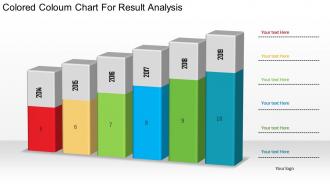
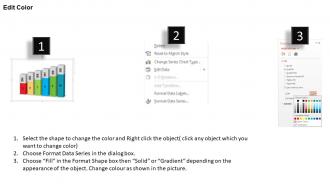
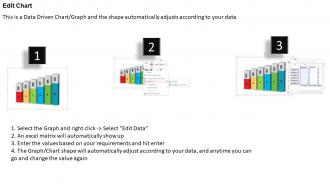
1214 farbiges Säulendiagramm für die Ergebnisanalyse Powerpoint-Folie
Try Before you Buy Download Free Sample Product
Audience
Editable
of Time
Unsere 1214 farbige Säulendiagramm für die Ergebnisanalyse Powerpoint-Folie eignet sich für verschiedene Anwendungen. Sie können für eine Reihe von Funktionen verwendet werden.
Eigenschaften dieser PowerPoint-Präsentationsfolien:
Wir sind stolz, Ihnen unsere 1214 farbige Farbtafel zur Ergebnisanalyse Powerpoint-Folie präsentieren zu können. Ein farbiges Säulendiagramm wurde verwendet, um diese PowerPoint-Vorlage zu erstellen. Diese PPT-Folie enthält das Konzept der Ergebnisanalyse. Verwenden Sie diese PPT-Folie für Ihre Präsentationen zu Finanzen und Marketing.
People who downloaded this PowerPoint presentation also viewed the following :
1214 Farbiges Säulendiagramm für die Ergebnisanalyse Powerpoint-Folie mit allen 3 Folien:
Zweifel verblassen schnell mit unserem 1214 farbigen Kolumnendiagramm zur Ergebnisanalyse Powerpoint-Folie. Sie gehen auf die tiefsten Bedenken ein.
FAQs for 1214 colored coloum chart for result
Colored column charts enhance data visualization by improving pattern recognition, enabling category differentiation, highlighting key insights, facilitating quick comparisons, and increasing audience engagement. These visual elements streamline data interpretation by making trends immediately apparent, supporting faster decision-making across departments, and ultimately delivering more impactful presentations that drive strategic business outcomes.
Color choices in column charts significantly impact comprehension by creating visual hierarchy, emphasizing key data points, and guiding audience attention to critical insights. Strategic color selection enhances pattern recognition, reduces cognitive load, and ensures accessibility across diverse audiences, with many organizations finding that consistent, purposeful color schemes ultimately deliver clearer communication and faster decision-making in presentations.
**INPUT**: What are some best practices for selecting a color palette for column charts? **OUTPUT**: Best practices include using high contrast colors for accessibility, maintaining brand consistency, applying sequential colors for data progression, limiting palettes to 5-7 distinct hues, and ensuring colorblind-friendly combinations. These approaches enhance data comprehension by improving visual hierarchy, reducing cognitive load, and enabling clearer comparisons, with many organizations finding that strategic color choices significantly increase audience engagement and decision-making speed. [Word count: 60 words]
Colored column charts excel in clarity through immediate visual differentiation and intuitive data comparison, outperforming line charts for categorical data and pie charts for multiple series analysis. Their effectiveness stems from leveraging color psychology and spatial recognition, with financial services and retail analytics finding that colored columns reduce interpretation time by 40% while enhancing audience comprehension across diverse datasets.
Color accessibility plays a crucial role by ensuring charts remain readable for users with color vision deficiencies, visual impairments, and different viewing conditions through high contrast ratios, colorblind-friendly palettes, and alternative encoding methods. Organizations increasingly combine strategic color choices with patterns, textures, and direct labeling, ultimately delivering inclusive data visualizations that enhance comprehension across diverse audiences while maintaining professional visual impact.
Colored column charts are particularly effective when comparing multiple categories across different groups, tracking performance metrics over time periods, or highlighting specific data segments that require immediate attention. They excel in business presentations where stakeholders need to quickly identify trends, outliers, or performance gaps, with many organizations finding that color-coding enables faster decision-making and clearer communication of complex datasets.
Popular tools for creating customized colored column charts include Microsoft Excel, Google Sheets, Tableau, Power BI, and specialized design platforms like Canva. These applications streamline chart customization by offering extensive color palettes, formatting options, and template libraries, with many organizations finding that advanced tools like Tableau and Power BI deliver enhanced analytics capabilities and professional presentation quality.
Color coding in column charts streamlines data comparisons by creating instant visual distinctions between categories, enabling viewers to quickly identify patterns, trends, and outliers across different data sets. Through strategic color application, analysts can group related categories, highlight performance differences, and communicate key insights more effectively, with many organizations finding that well-designed color schemes significantly reduce interpretation time while enhancing decision-making accuracy.
Common mistakes include using too many colors that overwhelm viewers, choosing colors without considering accessibility for colorblind users, applying inconsistent color schemes across related charts, and selecting colors that don't align with data meaning or brand guidelines. These design oversights can confuse audiences and reduce chart effectiveness, with many organizations finding that strategic color choices enhance data comprehension, improve visual consistency, and ultimately deliver clearer insights for better decision-making.
Animated colored column charts enhance presentations by capturing audience attention, simplifying complex data interpretation, and creating memorable visual narratives through progressive data revelation. These dynamic visualizations enable presenters to guide viewers through key insights systematically, highlight trends and comparisons more effectively, and maintain engagement throughout data-heavy sections, ultimately delivering more impactful storytelling and improved audience retention.
Different colors in column charts trigger distinct psychological responses that significantly impact data interpretation, with red conveying urgency or decline, blue suggesting stability and trust, green indicating growth or positive performance, and yellow drawing attention to key metrics. These color associations enable organizations to guide viewer focus and emotional response strategically, with many financial services and healthcare institutions finding that thoughtful color selection enhances data comprehension and decision-making speed.
Cultural differences significantly influence column chart interpretation, as colors carry distinct meanings across societies—red signifies danger in Western cultures but prosperity in China, while white represents purity in the West but mourning in some Asian cultures. Organizations creating global presentations increasingly use culturally neutral color schemes or provide localized versions, ensuring their data visualizations communicate effectively across diverse audiences and avoid misinterpretation that could undermine business objectives.
Colored column charts can be adapted through strategic color selection, data complexity levels, visual emphasis techniques, and contextual formatting approaches. In business presentations, charts prioritize brand colors, simplified datasets, and ROI-focused metrics, while academic settings favor neutral palettes, comprehensive data ranges, and detailed statistical representations, with both ultimately delivering clearer audience engagement.
Interactive colored column charts improve audience engagement by enabling real-time data exploration, allowing viewers to click, hover, and filter information dynamically rather than passively consuming static visuals. These interactive elements transform presentations into collaborative experiences, with many organizations finding that audiences retain information better, ask more targeted questions, and participate actively in data-driven discussions, ultimately delivering more productive meetings and stronger stakeholder buy-in.
Modern colored column chart trends include gradient fills, monochromatic color schemes, interactive hover effects, minimalist styling, and accessibility-focused palettes. These design approaches enhance data comprehension by reducing visual clutter, improving color contrast for diverse audiences, and enabling dynamic presentations, with many organizations finding that strategic color choices significantly streamline decision-making processes.
-
Nice and innovative design.
-
Best way of representation of the topic.