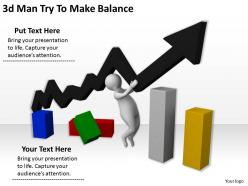
3d man try to make balance ppt graphics icons powerpoint

Rating:
90%
3d man try to make balance ppt graphics icons powerpoint
Slide 1 of 4
Favourites Favourites

Try Before you Buy Download Free Sample Product

Audience Impress Your
Audience
Editable 100%
Editable
Time Save Hours
of Time
The Biggest Sale is ending soon in
0
0
:
0
0
:
0
0
Rating:
90%
We are proud to present our 3d man try to make balance ppt graphics icons powerpoint. Words like arrows fly straight and true. Use our 3d Man Try To Make Balance Ppt Graphics Icons Powerpoint to make them hit bullseye everytime.

People who downloaded this PowerPoint presentation also viewed the following :

FAQs for 3d man try to make balance ppt

Effective 3D balance icons incorporate dimensional depth through shadows and gradients, symmetrical visual weight distribution, contrasting colors for enhanced readability, clean geometric shapes, and strategic lighting effects. These design elements work together by creating visual hierarchy, improving audience comprehension, and reinforcing key messaging, with many presenters finding that well-designed 3D balance icons significantly enhance stakeholder engagement and message retention.

3D balance icons enhance audience engagement by creating visual depth, improving information retention, and making abstract concepts more tangible and memorable. These dimensional graphics help presenters illustrate equilibrium concepts, comparative data, and strategic trade-offs more effectively than flat designs, while capturing attention through their realistic appearance, ultimately delivering clearer communication and stronger audience connection.

3D balance icons help convey complex data by providing visual metaphors for equilibrium, proportional relationships, comparative analysis, and weighted distributions across multiple variables. These dimensional representations enable audiences to quickly grasp data hierarchies, trade-offs, and interdependencies, with many organizations finding that 3D balance visuals enhance comprehension in financial reports, performance dashboards, and strategic presentations, ultimately delivering clearer insights and more effective decision-making.

**INPUT**: What software tools are best for creating custom 3D balance icons? **OUTPUT**: Leading software tools for custom 3D balance icons include Blender, Cinema 4D, Maya, 3ds Max, and Adobe Dimension, each offering specialized modeling and rendering capabilities. These platforms streamline icon creation by providing intuitive interfaces, extensive libraries, and advanced lighting controls, with many design teams finding that combining multiple tools ultimately delivers professional-quality assets while maintaining scalability across various business applications and brand requirements. **Word count: 59 words**

Color choices in 3D balance icons significantly impact viewer perception by influencing emotional responses, conveying symbolic meanings, and enhancing visual hierarchy through contrast and saturation. Strategic color combinations enable designers to communicate stability through blues and greens, urgency through reds and oranges, and growth through vibrant tones, ultimately delivering clearer messaging and stronger audience engagement across presentations.

Best practices for integrating 3D balance icons into slideshows include maintaining consistent sizing and spacing, using complementary color schemes, positioning icons strategically for visual flow, and ensuring high resolution for clarity. These design elements enhance audience engagement by creating visual hierarchy, supporting key messaging, and delivering professional presentations that communicate complex balance concepts effectively, with many corporate presenters finding that well-integrated 3D icons significantly improve audience retention and comprehension.

3D balance icons excel at representing abstract concepts like justice, fairness, decision-making, work-life balance, and risk management through their inherent symbolism of equilibrium and comparison. These visual elements enable organizations, especially in legal services, financial consulting, and corporate training, to communicate complex ideas more effectively, ultimately enhancing audience understanding and engagement.

Scalability ensures 3D balance icons maintain visual clarity, proportional relationships, and symbolic meaning across different presentation formats, from mobile screens to large conference displays. This design principle enables presenters to seamlessly adapt their visual content for various audiences and platforms, while preserving the icons' effectiveness in conveying equilibrium concepts, ultimately delivering consistent messaging and professional credibility.

3D balance icons create significantly stronger visual impact than traditional 2D icons by adding depth, dimensionality, and realistic lighting effects that naturally draw viewer attention and enhance comprehension. These enhanced visuals improve audience engagement in presentations, dashboards, and reports across sectors like financial services, consulting, and corporate communications, ultimately delivering more memorable messaging and professional credibility than flat alternatives.

Current trends in 3D balance icons include minimalist geometric forms, subtle gradient applications, enhanced depth through strategic shadowing, dynamic equilibrium poses, and refined metallic finishes. These design approaches enhance visual communication by creating more intuitive representations of stability and fairness, while maintaining professional aesthetics, with many organizations finding that modern 3D balance icons significantly improve document clarity and audience engagement.

Cultural differences can significantly affect 3D balance icon interpretation through varying color associations, directional reading patterns, and symbolic meanings across regions. While red signifies prosperity in Chinese culture but danger in Western contexts, directional preferences like left-to-right versus right-to-left reading habits influence visual hierarchy, with many global organizations finding that culturally-adapted iconography enhances user engagement and reduces misinterpretation.

3D balance icons enhance financial presentations by providing visual metaphors for equilibrium, stability, and proportional relationships between financial elements like assets, liabilities, revenues, and expenses. These dimensional graphics help audiences quickly grasp complex balance concepts, improve data retention through visual storytelling, and create more engaging presentations, with many financial professionals finding that 3D elements significantly enhance stakeholder comprehension and decision-making processes.

Audience demographics significantly influence 3D balance icon selection through age preferences, cultural interpretations, and professional contexts that shape visual perception and comprehension. Younger audiences typically respond to dynamic, colorful balance representations, while corporate sectors like banking and consulting prefer minimalist, professional designs, with healthcare and education industries finding that symbolic balance icons enhance trust and clarity in presentations.

Common mistakes include using overly complex designs that distract from content, choosing icons with poor contrast against backgrounds, inconsistent styling across slides, and selecting 3D effects that don't align with presentation themes. These visual missteps can overwhelm audiences and reduce message clarity, with many presenters finding that simpler, well-contrasted 3D balance icons enhance comprehension while maintaining professional credibility and visual engagement.

Corporate environments use 3D balance icons to represent financial equilibrium, risk management, strategic decision-making, and operational efficiency in presentations to stakeholders and clients. Educational settings leverage these icons for teaching concepts like work-life balance, ethical decision-making, and scientific principles, with many institutions finding that three-dimensional visuals enhance student comprehension and engagement more effectively than traditional flat graphics.

Ratings and Reviews

90% of 100
Write a review
Most Relevant Reviews
  1. 100%

    by Cornelius Alexander

    Commendable slides with attractive designs. Extremely pleased with the fact that they are easy to modify. Great work!
  2. 80%

    by Darron Hunter

    Design layout is very impressive.

2 Item(s)

per page: