


AI Text To Speech Generator Platform Powerpoint Presentation Slides AI CD V




Try Before you Buy Download Free Sample Product
 Impress Your
 Audience
 100%
100% Editable
 Save Hours
 of Time


Our AI Text To Speech Generator Platform Powerpoint Presentation Slides AI CD V are topically designed to provide an attractive backdrop to any subject. Use them to look like a presentation pro.
People who downloaded this PowerPoint presentation also viewed the following :
Content of this Powerpoint Presentation
Slide 1: The slide introduces AI Text to Speech Generator Platform. State Your Company Name and begin.
Slide 2: This is an Agenda slide. State your agendas here.
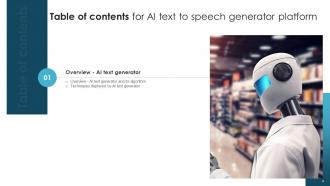
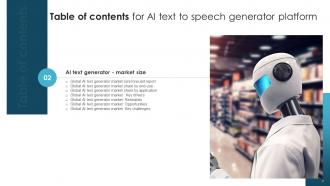
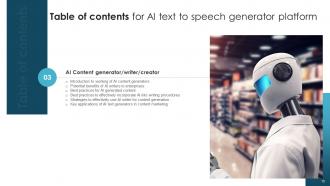
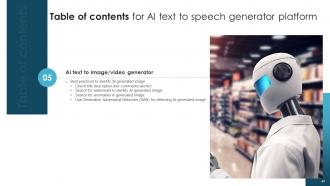
Slide 3: The slide displays Table of contents for the presentation.
Slide 4: The slide continues Table of contents.
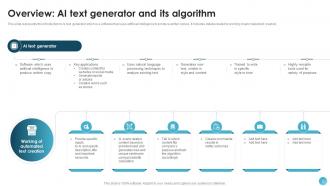
Slide 5: This slide represents the introduction to AI text generator which is a software that uses artificial intelligence to produce written copies.
Slide 6: This slide highlights details related to techniques employed by AI text generator.
Slide 7: The slide displays Title of contents further.
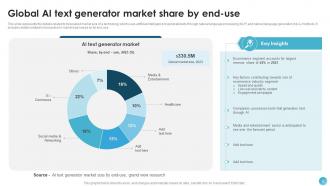
Slide 8: This slide represents the details related to forecasted market size of a technology which uses artificial intelligence to generate texts.
Slide 9: This graph/chart is linked to excel, and changes automatically based on data.
Slide 10: This slide presents the details related to forecasted market size based on application of a technology which uses artificial intelligence to generate texts.
Slide 11: This slide shows the details related key drivers of a technology which uses artificial intelligence to generate texts.
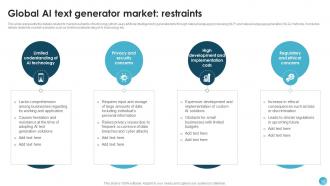
Slide 12: This slide renders the details related to market restraints of technology which uses artificial intelligence to generate texts.
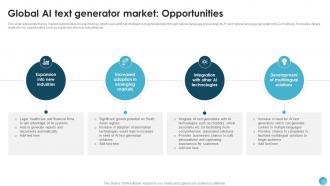
Slide 13: This slide again displays the key market opportunities for a technology which uses artificial intelligence to generate texts.
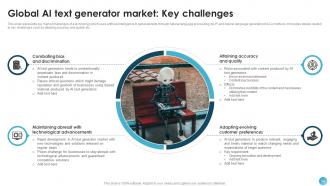
Slide 14: This slide presents key market challenges of a technology which uses artificial intelligence to generate texts.
Slide 15: The slide displays Title of contents further.
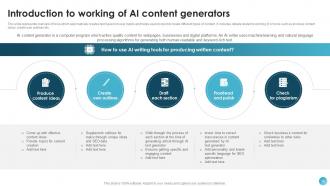
Slide 16: This slide provides an overview of tools which automatically creates text based on user inputs and helps users to quickly create different types of content.
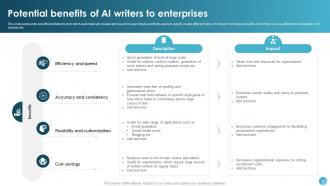
Slide 17: This slide highlights benefits facilitated by tool which automatically creates text based on user inputs.
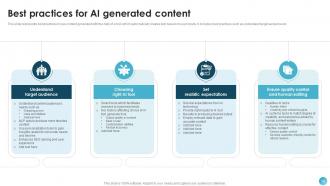
Slide 18: This slide represents best practices to use content generated with the help of a tool which automatically creates text based on user inputs.
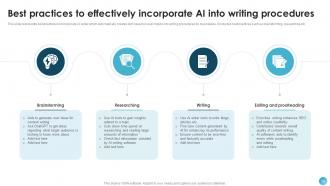
Slide 19: This slide renders best practices to incorporate AI writer which automatically creates text based on user inputs into writing procedures for businesses.
Slide 20: This slide presents strategies to effectively use the tool which automatically creates text based on user inputs.
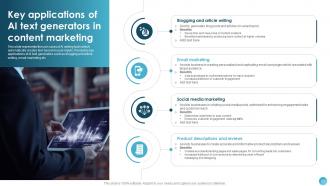
Slide 21: This slide desribes the use cases of AI writing tools which automatically creates text based on user inputs.
Slide 22: The slide shows another Title of contents.
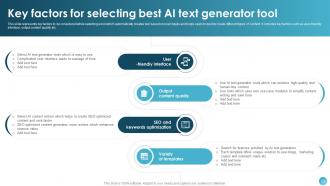
Slide 23: This slide represents key factors to be considered while selecting a tool which automatically creates text based on user inputs.
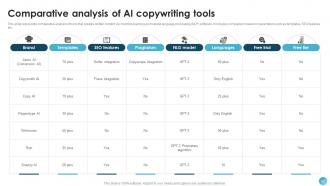
Slide 24: This slide highlights comparative analysis of tools which automatically creates text based on user inputs.
Slide 25: The slide again renders Title of contents.
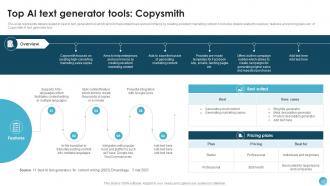
Slide 26: This slide represents details related to best AI text generator tool which is packed with features that allows to create content 10 times faster.
Slide 27: This slide highlights details related to best AI text generator tool which aims to help enterprises and ecommerce by creating excellent marketing content.
Slide 28: This slide shows details related to best AI text generator tool which is used to write reviews, testimonials, profile bios etc.
Slide 29: The slide depicts Title of contents further.
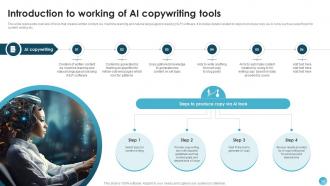
Slide 30: This slide highlights overview of tools that creates written content via machine learning and natural language processing (NLP) software.
Slide 31: This slide demonstrates benefits of tools that creates written content via machine learning and natural language processing (NLP) software.
Slide 32: This slide represents the challenges faced by marketing teams in using a tool that creates written content via machine learning.
Slide 33: This slide represents best practices for effective use of tools that creates written content via machine learning.
Slide 34: The slide again covers Title of contnets.
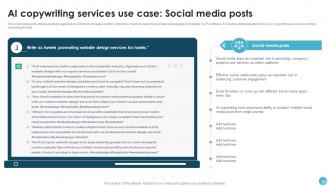
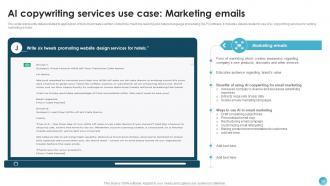
Slide 35: This slide contains details related to application of tools that creates written content via machine learning.
Slide 36: This slide again highlights details related to application of tools that creates written content via machine learning.
Slide 37: This slide represents details related to application of tools that creates written content via machine learning further.
Slide 38: This slide again displays details related to application of tools that creates written content via machine learning.
Slide 39: This slide also presents details related to application of tools that creates written content via machine learning.
Slide 40: The slide again highlights Title of contents.
Slide 41: This slide renders details related to key factors to be considered while selecting AI copywriting tool that creates written content via machine learning.
Slide 42: This slide presents comparative analysis of tools that creates written content via machine learning and natural language processing (NLP) software.
Slide 43: The slide shows another Title of contents.
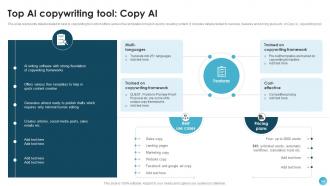
Slide 44: This slide represents details related to best AI copywriting tool which offers various free templates to help in quickly creating content.
Slide 45: The slide covers another Title of contents.
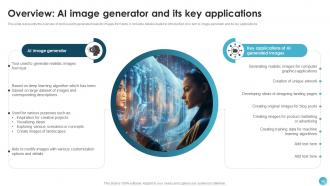
Slide 46: This slide presents the overview of tools used to generated realistic images from texts.
Slide 47: This slide provides the benefits of using tools which used to generated realistic images from texts.
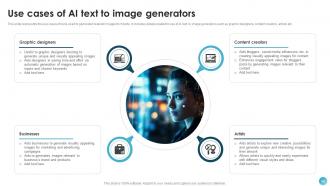
Slide 48: This slide covers the use cases of tools used to generated realistic images from texts.
Slide 49: The slide renders Title of contents which is to be discussed further.
Slide 50: This slide represents best practices to identify image prepared by AI tool used to generated realistic images from texts.
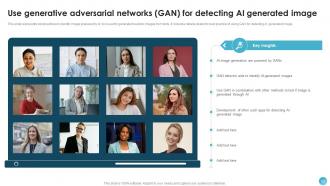
Slide 51: This slide presents best practices to identify image prepared by AI tool used to generated realistic images from texts further.
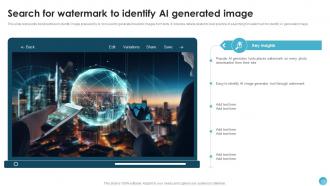
Slide 52: This slide also shows best practices to identify image prepared by AI tool used to generated realistic images from texts.
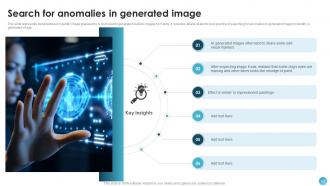
Slide 53: This slide highlights best practices to identify image prepared by AI tool used to generated realistic images from texts.
Slide 54: The slide again displays Title of contents.
Slide 55: This slide represents the key factors to be considered while selecting a tool used to generated realistic images from texts.
Slide 56: This slide represents comparison of voice synthesizing software that converts text into speech via synthetic voice or artificial intelligence.
Slide 57: The slide again represents Title of contents.
Slide 58: This slide represents details related to best AI text to image generator tool which is capable of creating series of pictures based on text.
Slide 59: The slide depicts Title of contents further.
Slide 60: This slide represents overview of voice synthesizing software that converts text into speech via synthetic voice or artificial intelligence.
Slide 61: This slide presents key applications of voice synthesizing software that converts text into speech via synthetic voice or artificial intelligence.
Slide 62: The slide also displays Title of contents.
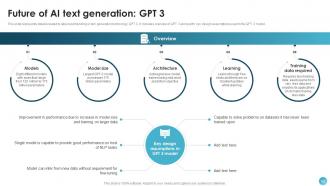
Slide 63: This slide represents details related to latest and trending AI text generation technology: GPT 3.
Slide 64: This slide covers the comparative analysis of AI text to image generator tools used to generate realistic images from texts.
Slide 65: The slide renders Title of contents further.
Slide 66: This slide presents details related to best AI text to voice generator tool which provides users with vast selection of natural surrounding voices.
Slide 67: The slide covers Title of contents.
Slide 68: This slide covers details related to latest and trending AI text generation technology: GPT 3.
Slide 69: The slide again depicts Title of contents.
Slide 70: This slide presents details related to timeline showing future prospects for text generated with the use of AI technology.
Slide 71: This slide represents details related to latest and emerging trends in text generated with use of AI technology.
Slide 72: This slide renders ways in which AI text generator tools are accelerating and driving industrial growth.
Slide 73: This slide shows all the icons included in the presentation.
Slide 74: This slide is titled as Additional Slides for moving forward.
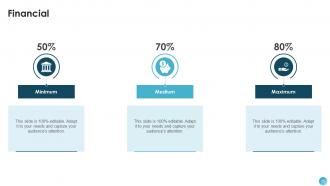
Slide 75: This is a Financial slide. Show your finance related stuff here.
Slide 76: This slide contains Puzzle with related icons and text.
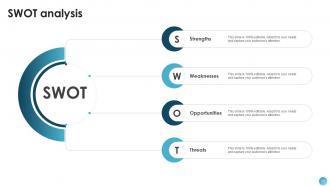
Slide 77: This slide shows SWOT describing- Strength, Weakness, Opportunity, and Threat.
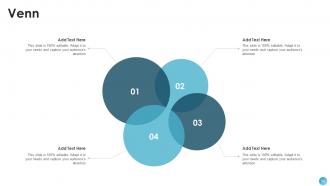
Slide 78: This slide depicts Venn diagram with text boxes.
Slide 79: This slide presents Roadmap with additional textboxes.
Slide 80: This is a Thank You slide with address, contact numbers and email address.
AI Text To Speech Generator Platform Powerpoint Presentation Slides AI CD V with all 88 slides:
Use our AI Text To Speech Generator Platform Powerpoint Presentation Slides AI CD V to effectively help you save your valuable time. They are readymade to fit into any presentation structure.
































FAQs for AI Text To Speech Generator Platform Powerpoint Presentation Slides
Voice quality is everything - avoid anything that sounds like a robot from 2005. Test the speed controls and see if you can tweak tone/emphasis for your stuff. I wasted money on a cheap one last year that was absolute garbage. Batch processing is clutch if you're doing bigger projects. Multi-language support depends on your audience obviously. Make sure whatever you pick works with your current setup and exports the right formats. Definitely try free trials first - most companies offer them and it'll save you from buyer's remorse.
Dude, text-to-speech is seriously huge for students who can't read normally. Kids with dyslexia or vision problems finally get the same shot as everyone else. Some people just learn better by hearing stuff anyway - I'm totally one of those. Plus when you can listen AND read at the same time, comprehension goes way up. Oh, and if you're making any training content, throw in TTS options. Zero extra work for you but suddenly way more people can actually use your stuff. Honestly removes so many barriers.
Oh man, there's actually a bunch of ways you could use this stuff. Training videos are obvious - way cheaper than hiring voice talent every time. Customer service is probably the biggest one though, like automated phone systems and chatbot responses. Plus it helps with accessibility compliance if you've got employees who are visually impaired or struggle with reading. You could do internal announcements, company podcast updates, presentation voice-overs. Honestly the multilingual support thing is pretty sweet - no need to find voice actors for different languages. I'd probably start by figuring out where you're spending the most time on content creation and see if adding voice would actually help streamline things.
Honestly, adding AI voice-over to your presentations is a game changer. People just zone out when they're staring at text-heavy slides, but throw in some narration and suddenly everyone's paying attention. The voice stays consistent too - no "ums" or trailing off like when I wing it live. You can mess around with different voices and speeds to match your vibe. Oh, and it's huge for accessibility - people with vision issues or dyslexia actually get way more out of it. I'd definitely play with the settings first though, some voices sound weirdly robotic still.
Dude, the tech has gotten insane lately. Neural networks can now copy breathing patterns and natural pauses - plus they nail emotional stuff like happiness or sadness. Most systems let you tweak the mood manually, though some just read your text and match the vibe automatically. Wild how we went from sounding like robots to this, right? The big breakthrough was feeding AI tons of real human speech with emotional context. Oh, and definitely test a few providers if you're working on something - quality's all over the place depending on what you need.
Honestly, it's kinda wild how much language affects TTS quality. English and Spanish usually sound pretty decent, but Mandarin or Arabic? Those can get messy fast because of all the pronunciation rules. Accents are a whole other thing - like, Boston versus Southern drawl will give you totally different results even on the same platform. The training data is key here; if the AI wasn't fed enough variety, you're stuck with that weird robotic voice. Oh, and definitely test your specific combo first! I learned that the hard way when a client's Australian accent sounded like a drunk robot.
Dude, AI text-to-speech is honestly a lifesaver for going global with your content. Instead of hiring voice actors for every language (which gets expensive fast), you just translate your script and boom - natural-sounding audio in like 30+ languages within minutes. Some of these AI voices are getting scary good too. Makes creating localized videos, podcasts, or tutorials way more doable without breaking the bank. Oh, and definitely test it on something small first - you'll want to make sure the voice vibe matches your brand before going all-in.
So basically you'll want to hook up TTS APIs like Twilio or Amazon Polly to whatever systems you're already using - phone stuff, chatbots, help desk software. Pretty standard integration honestly. The key thing is tweaking the voice settings so it doesn't sound awful and robotic. Nobody's got time for that weird monotone thing. Start with something simple like phone menus or voicemails first. You can even do real-time chat conversion if you're feeling fancy. Just test it out with a few customers before you go crazy and deploy it everywhere - learned that one the hard way with a different project once.
Honestly, the biggest pain is getting pronunciation right - some languages have sounds that just don't exist in others, which makes training models a total headache. Finding decent voice datasets is rough too, especially for less common languages. Oh, and the prosody thing is huge - getting rhythm and stress patterns to not sound like a robot is harder than people think. Massive datasets are obviously needed for each language. I'd probably start with languages that have similar sounds first rather than jumping into something completely different right away. Way easier to build momentum that way.
Dude, AI text-to-speech is actually pretty solid now for marketing stuff. You can take any blog post or email and instantly turn it into audio content - no need to hire voice actors or record yourself (which honestly nobody wants to do). We've been using it to make quick podcasts from our best blog posts. The quality surprised me. Try different AI voices and see what your audience likes better. Oh, and it's perfect for video voiceovers too. Just grab one of your top posts and convert it to audio first - see how it does before going all in.
Honestly, the biggest thing is getting permission first - you can't just clone someone's voice without asking. That's super sketchy and could land you in trouble. The tech is getting scary good at making deepfakes now. Always tell people when you're using AI voices instead of real narration too. Oh, there's actually a cool side though - it really helps people who have speech issues communicate better. But yeah, main rule: don't impersonate anyone without their clear okay, and be upfront about what's AI-generated. Pretty straightforward stuff really.
Your voice choice is huge for how people receive your message. A warm, conversational tone builds trust and keeps listeners hooked. But go too robotic? People tune out fast. You wouldn't pick a bubbly cartoon voice for serious financial advice, obviously. Different groups respond to different vocal traits too - age, accent, speaking speed all matter. Honestly, the voice becomes your brand's personality when people can't see you. I'd test a few options with your actual audience first. Then match the tone to what you're saying and who's listening.
Honestly, there's so many ways to use TTS in mobile apps. Accessibility is huge - helping visually impaired users navigate. Maps and fitness apps use it for voice directions. You can let people listen to articles or books, convert messages to audio. Language learning apps are obsessed with it for pronunciation help. Even games use TTS for character dialogue, which I think is pretty cool. Productivity apps will read your emails while you're driving or whatever. Gaming and productivity are probably where I see it most. Just think about when your users want hands-free interaction - that's usually your sweet spot.
So basically, ML trains on huge speech datasets to figure out how words should actually sound in context. Like "read" in "I read books" vs "I read yesterday" - totally different pronunciations. The AI picks up on tone, emphasis, all that stuff instead of just robotically pronouncing each word. What's wild is it actually starts to "get" what it's saying rather than just spitting out sounds. Your TTS ends up sounding way more human because of this. You should test different sentence types with your system - might surprise you how context-aware it really is!
Oh dude, gaming companies are absolutely obsessed with this stuff right now - they can skip hiring voice actors for every random NPC line. Media's obviously huge too: audiobooks, podcasts, all that content creation without the crazy voiceover costs. Schools love it for making materials accessible to kids with reading issues. Healthcare's pretty cool with it - patient communication gets way easier. Honestly didn't realize how much the education sector would jump on this, but it makes total sense for personalized learning. If you're working in any of these areas, definitely worth checking out how it could simplify your current setup.
-
Making a presentation has never been this easy for me. Thank you SlideTeam for offering a splendid template library.
-
It saves your time and decrease your efforts in half.