Modèle PowerPoint de diagramme de processus circulaire en trois étapes
Try Before you Buy Download Free Sample Product
Audience
Editable
of Time
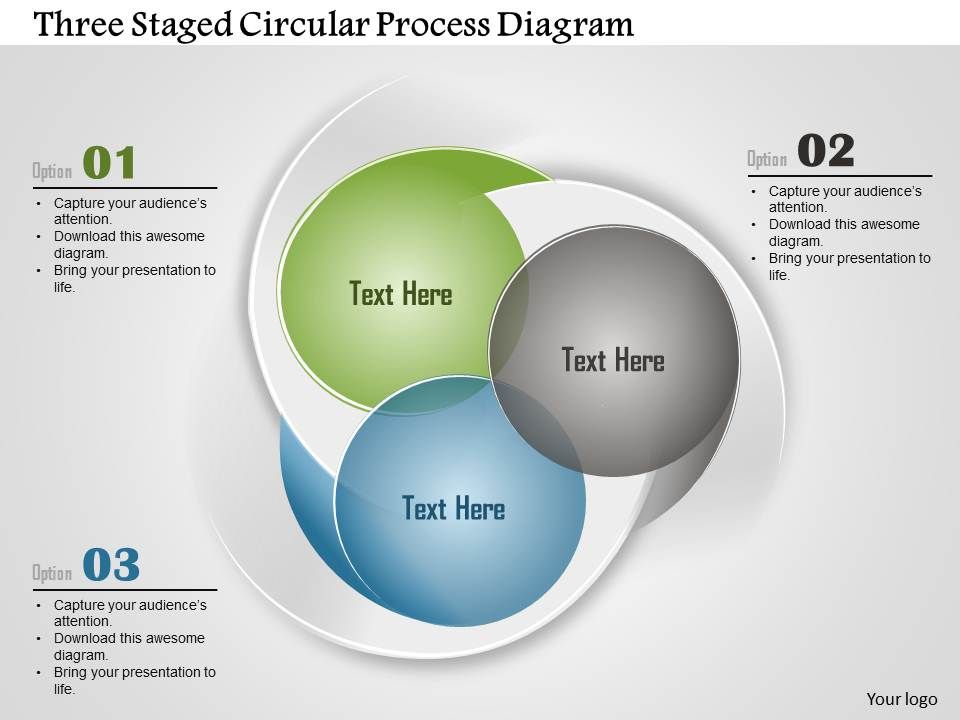
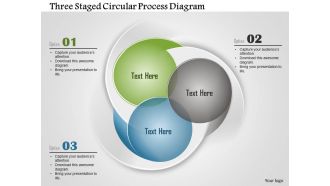
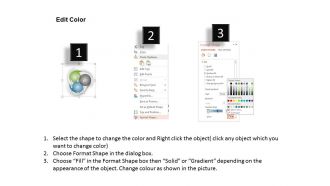
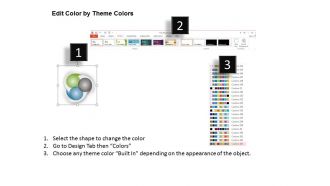
Expliquer un processus avec un modèle PowerPoint de diagramme de processus circulaire en trois étapes est vraiment facile. La raison en est, la présentation PowerPoint a été conçue avec soin par nos développeurs habiles qui comprennent la situation du marché et les besoins des professionnels. Les processus peuvent être difficiles à expliquer si vous ne disposez pas des bons outils pour le faire. C'est là que notre modèle PPT vient à la rescousse de tous les professionnels qui s'efforcent de créer une marque dans les entreprises basées sur le marketing. Le diagramme PowerPoint contient trois cercles dont chacun dénote un aspect spécifique du processus global. Ces cercles montrent sont interconnectés dans le diagramme PPT qui peut être utilisé pour la dépendance entre différents processus. La palette de couleurs est agréable à regarder et avec l'ajout de texte, le public peut rester assis et apprendre efficacement. Utilisez notre mise en page PPT de processus circulaire pour expliquer les processus avec plus de confiance et augmenter les niveaux de productivité pour de bon. Choisissez parmi une large base avec notre modèle Powerpoint de diagramme de processus circulaire en trois étapes Ao. Ils permettent un affichage personnalisé.
Caractéristiques de ces diapositives de présentation PowerPoint:
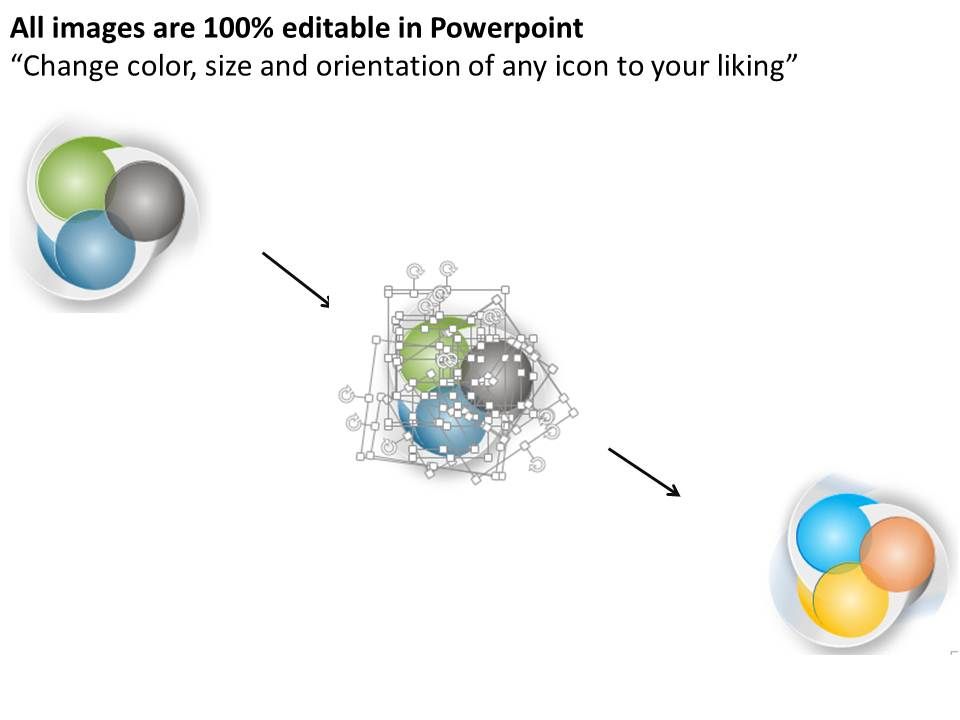
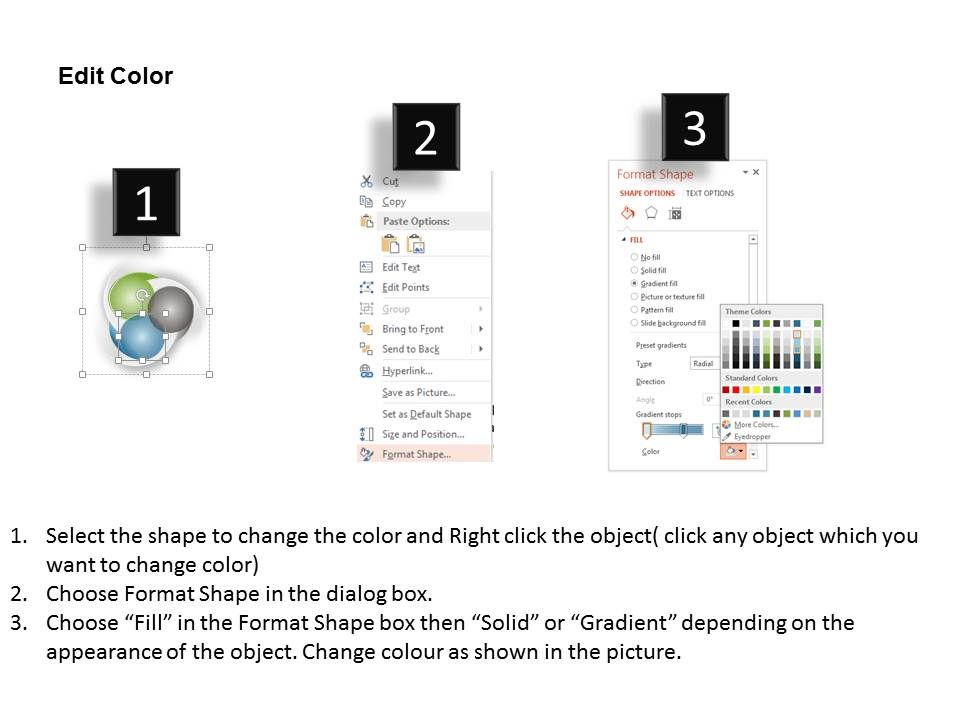
Les graphiques de haute qualité ne se pixellisent pas lorsqu'ils sont essayés sur des écrans plus grands ou plus larges. Jeu de couleurs modifiable et avec différentes options de taille, l'utilisateur obtient ainsi un contrôle précis. Très utile pour les entreprises qui proposent des présentations commerciales ou marketing. Possibilité d'inclure le nom ou le logo de l'entreprise pour améliorer la personnalisation. Conversion facile dans des formats courants tels que PDF ou JPEG. Compatible avec les diapositives Google.
People who downloaded this PowerPoint presentation also viewed the following :
Ao Modèle PowerPoint de diagramme de processus circulaire en trois étapes avec les 5 diapositives :
La concurrence s'estompe avec notre modèle PowerPoint de diagramme de processus circulaire en trois étapes Ao. Vous gagnerez certainement haut la main.
FAQs for Ao three staged circular process
So basically, these circular diagrams are perfect when you need to show that your process doesn't just end - it keeps going round and round. Like step 3 flows right back into step 1. Way better than boring bullet points, honestly. They're clutch for stuff like product development cycles or customer journeys where things repeat. The whole point is showing it's ongoing, not just a one-time thing. Pro tip: use arrows and stick with the same colors so people can actually follow what's happening. I've seen too many confusing ones where you can't tell which direction you're supposed to go!
Circular shows stuff that keeps repeating, while linear has a clear start and finish. Like if you're doing plan-execute-review cycles, circular makes way more sense because it loops back to planning again. Linear's good for step-by-step instructions, but honestly? It makes people think everything just ends there. Which is kinda unrealistic most of the time. Your stakeholders will get that it's ongoing when they see the circular version - each round feeds into the next one. Go circular if you want to show continuous improvement or anything that repeats regularly.
Honestly, three-staged circular processes are perfect for stuff that keeps building on itself - like when you're constantly improving something or developing products. Each stage feeds into the next one, so your results become the starting point for the next round. Works great in agile teams too (I've used it a bunch there). The circular thing helps people see it's not just a one-time deal - it's ongoing. Perfect when you want to show progress but also that you'll circle back to refine and start over. It's way better than linear processes for iterative work.
For a three-stage process, start with clear labels and arrows showing the flow direction. Add a central piece that connects everything - this part's crucial but people often skip it. Icons help tons since most folks just scan these things anyway. Short descriptions work better than long explanations. The arrows matter way more than you'd think - they show if it loops back or has clear start/finish points. I always mess up the color contrast on my first try, so double-check that. Honestly, just grab someone nearby and see if they understand it right away. If they're confused, simplify it more.
Yeah, totally! Those three-stage circular diagrams work great for business stuff that repeats. Product development, customer journeys, improvement processes - basically anything that cycles back on itself. Way better than those boring linear flowcharts, honestly. The circle format makes it super obvious that you're dealing with ongoing loops, not just one-time things. I've seen marketing teams map out their funnels this way, and quality control people love them too. Pick one of your recurring processes and try sketching it out. You'll probably spot places to improve things you never noticed before.
Definitely use different colors for each stage - blue for planning, orange for execution, green for review or whatever works. Makes it super easy to follow the flow. Icons are clutch too, like gears for processing or checkmarks when something's done. I swear, most diagrams are boring as hell and people just tune out. Visual cues mean your audience won't have to read every tiny label to get it. Oh, and stick with your color scheme throughout - don't go crazy with like 47 different colors that'll just distract everyone.
Honestly, I'd go with Draw.io or Lucidchart - both have solid circle diagram templates and won't make you want to throw your laptop. Draw.io's completely free which is nice. PowerPoint works too if you don't mind doing more manual tweaking to make the circles look decent. Canva's okay for quick stuff but their free templates are pretty meh. Oh, and there's Visio if you want to get fancy, though it's kind of overkill unless you're doing this professionally. Start with Draw.io and see how it goes!
Circular formats are perfect for breaking down complex stuff without frying people's brains. Start with one piece, explain it clearly, then show how it connects to the next stage. Way better than dumping everything on them at once. The cool thing is your audience sees both the individual parts AND how they all fit together - which honestly beats those boring linear presentations every time. People stay way more engaged when they can follow the flow between stages. I mean, we've all sat through those overwhelming info dumps, right? This approach actually guides them through step-by-step instead.
Make the three sections the same size - looks way cleaner that way. Stick to maybe three colors tops, and pick ones that actually make sense for what you're showing. Bold arrows are your friend here, trust me. Nothing worse than people squinting trying to figure out which direction things go. Same font throughout, obviously. Space everything evenly so it doesn't look lopsided. Oh, and don't cram too much text in there. Honestly though? Just show it to someone first. If they can't get it in like 10 seconds, you need to simplify more.
Use action verbs instead of boring stuff like "Phase 1" - go with "Analyze," "Design," "Implement." Way better. Keep each label short, maybe 2-3 words tops, so they don't get crushed when someone shrinks your diagram for slides. I hate seeing "Planning" slapped on everything! Each step should feel different and build toward what's next. Here's what I do: read the whole sequence out loud. If it sounds choppy or doesn't flow naturally, you'll catch it right away. The labels should tell a story that pulls people through the process without you having to explain it.
So these three-stage circular diagrams are super common in manufacturing - chemical plants, pharma companies, that kind of stuff. Consulting firms love them too when they're mapping out business strategy or improvement cycles. Quality management uses them all the time, especially Six Sigma people (they're obsessed with process loops). The circular format just makes sense when you've got a process that feeds back into itself instead of having a clear beginning and end. Way better than trying to draw it in a straight line - trust me on that one. If you're documenting cyclical workflows or presenting to higher-ups, this'll save you a headache.
Oh, just add some curved arrows that loop back from your later stages to the earlier ones! Your main flow still goes clockwise through the three stages, but these extra arrows show how stuff from one stage affects the previous ones. I always use dotted lines or a different color for the feedback arrows - makes it way less confusing visually. Honestly, the iterative look is what really sells the whole "cycle" concept. Each time you complete the loop, it feeds into the next round. Sketch out a couple versions first though, see what clicks for your specific setup.
Oh totally! Toyota's the classic example - their whole plan-do-check-act thing with those circular diagrams basically changed manufacturing forever. McKinsey wrote up how 3M does their three-stage innovation cycles too. Even smaller retail companies use circular processes for inventory stuff, which honestly makes way more sense than linear planning. Healthcare's obsessed with them for patient workflows. Harvard Business Review has a bunch of case studies where companies saw 20-40% efficiency gains after switching to circular frameworks. Worth checking out their database if you're serious about this - they cover everything from project management to customer service loops.
Honestly, animations totally transform circular diagrams - way better than dumping everything on screen at once. I'd go with fade-ins or gentle rotations for each stage. Give people time to actually read each part before moving on, you know? Those directional arrows that trace the circle work great too. PowerPoint's basic transitions are perfect to start with - don't overthink it. Static diagrams just make people's eyes glaze over (learned that the hard way). The timing's everything though. Too fast and you'll lose them.
Honestly, the biggest mistake I see is making stages way too vague or having them overlap weirdly. Each step needs to be super clear and distinct. Don't cram a ton of text everywhere either - it'll look messy as hell. You'd be surprised how many people forget the arrows showing direction! Also, try to balance the visual weight of each stage. I learned this the hard way on my last project. Keep colors consistent and make sure walking through the actual process makes sense logically. Test it step-by-step before you call it done.
-
Excellent Designs.
-
Very unique and reliable designs.