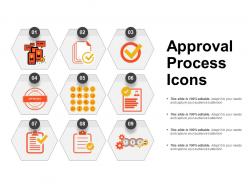
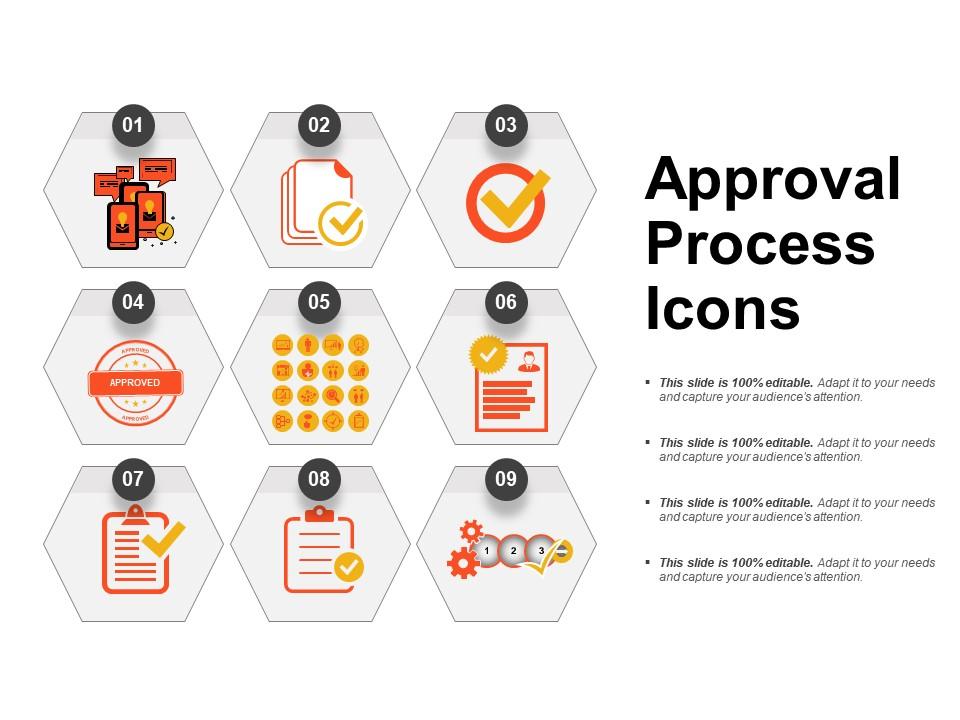
Ícones do processo de aprovação Modelos de PowerPoint
Try Before you Buy Download Free Sample Product
Audience
Editable
of Time
Para medir sua capacidade de negócios, tudo o que você precisa é uma estrutura de gerenciamento de negócios eficaz. Assim, use nosso modelo de PPT de processo de aprovação para projetar uma gestão empresarial competente para sua entidade. Isso ajudará na estruturação de todas as funções do seu negócio de tal forma que ajude na redução dos custos do seu negócio. Definir como um gráfico de aprovação de negócios apropriado ajuda na avaliação de todas as funções de negócios? Como isso ajudaria na autenticação de todas as funções operacionais da sua empresa? Bem, você pode descrever seus benefícios também com esta imagem do PowerPoint de processo de planejamento, pois ajuda a melhorar a produtividade do seu negócio. Também ajuda na autenticação de suas funções. Também ajuda a reduzir o desperdício de negócios. Explique como uma lista ou estrutura aprovada ajuda a utilizar seus recursos de negócios de forma eficaz com esta imagem de apresentação. Fora isso, ajuda a sua gestão a assumir o controle de todas as funções também. Então, simplesmente comece a mergulhar neste modelo PPT único e notável agora. Clique no link de download fornecido abaixo. Chegue a uma avaliação inteligente do estoque com nossos modelos de PowerPoint de ícones do processo de aprovação. Estime com precisão as demandas futuras.
Recursos desses slides de apresentação do PowerPoint:
Apresentando o modelo de PPT do processo de aprovação. Temas de PowerPoint magnificamente fabricados são oportunos para diferentes profissionais de negócios, executivos, gerentes, etc. 100% ajustável em formas, assuntos, cores, tamanhos, imagens PPT, etc. Flexibilidade para substituir dados fictícios e pode inserir o logotipo da empresa, marca registrada e nome conforme a necessidade. Downloads práticos e elegantes, executados sem problemas com todos os slides do Google e outros sistemas operacionais disponíveis. Gráficos de apresentação de alta qualidade para fornecer uma experiência visual frutífera aos seus visualizadores.
People who downloaded this PowerPoint presentation also viewed the following :
Ícones do processo de aprovação Modelos do PowerPoint com todos os 5 slides:
Envolva-se com nossos modelos de PowerPoint de ícones de processo de aprovação e sinta a diferença. Eles vão gerar confiança.
FAQs for Approval process
Dude, approval icons are game-changers for workflow presentations. Your audience gets it instantly instead of reading through boring text blocks. Honestly, anything beats death by bullet points. Colors work great too - like green for final approval, yellow for pending, whatever makes sense. People absorb visuals way faster than paragraphs of explanation. You can actually show bottlenecks and those messy parallel approval paths that are impossible to explain otherwise. Makes the whole thing look professional without trying too hard. Plus complex processes suddenly seem manageable when people can just follow the visual flow.
Dude, those approval icons are honestly a game changer for workflow slides. People can instantly spot what's happening - like "oh this needs review" or "this one's good to go" - without reading paragraphs of boring text. It's basically traffic lights for business stuff. Plus they break up those wall-of-text slides that make everyone zone out (we've all been there). Stick with consistent colors though - green for approved, yellow for pending, whatever works. Your audience will follow along way faster, and honestly, anything that keeps people awake during presentations is worth it.
Honestly, go super minimal for corporate stuff. Clean lines, same thickness throughout, stick to black/white/gray mostly. Simple arrows, checkmarks, basic document icons - nothing fancy. Flat design is your friend since it looks current and won't pixelate on those ancient conference room projectors. I've watched so many people tank their presentations with weird decorative icons that made everyone focus on the graphics instead of the actual workflow. Geometric shapes only. Skip gradients and 3D effects - they scream 2010. Keep everything the same size and maybe use your brand colors for one or two key elements max.
For sure, stick with colors that make sense emotionally - green for approved stuff, red/orange for problems, blue or gray when things are pending. Yellow's tricky though, can be super hard to read depending on your background. I usually cap it at 3-4 colors max or everything looks like a rainbow threw up on your slide. Make sure there's enough contrast so people in the back row can actually see what you're talking about. Pro tip: flip your slides to grayscale mode real quick to test if the flow still works without color.
So basically, every industry does their own thing with these icons. Healthcare goes heavy on compliance stuff and patient safety checks. Finance is all about audit trails and regulatory approvals - makes sense. Tech companies? They get super creative with modern, streamlined designs that match their agile workflows. Sometimes a little too creative if you ask me. Manufacturing shows those multi-stage quality processes with clear handoffs between teams. The trick is picking icons your people will actually recognize right away. Don't just grab generic templates - choose ones that actually match how your workflow works.
Pick icons that actually fit your company's vibe and how formal your audience is. Simple stuff works best - trust me on this. I've sat through way too many presentations where people got obsessed with fancy icons that nobody could figure out! Just go with the obvious ones: checkmarks for approved, clocks for waiting, X's for rejected. Keep them the same size and style so it doesn't look messy. Oh, and definitely test it on a coworker first. If they get the flow right away without you explaining anything, you're good to go.
Honestly, PowerPoint's drawing tools are pretty solid for this. Go to Insert > Icons first - gives you decent templates to start with. Then hit Format > Graphics Tools to mess with colors and effects. Circles, arrows, rectangles - basic shapes work great for approval stamps and workflow stuff. I usually just combine a few elements and group them together. Pro tip: save your favorites as custom icons so you don't have to rebuild them every time. Start simple with checkmarks and X's, then get fancy later. Way easier than you'd think!
Dude, icons are perfect for this stuff. People's brains just process visuals faster than reading through boring bullet points. You can use simple symbols everyone already knows - checkmarks for approved, clocks for pending, X's for rejected. Makes total sense, right? Your slides will look way cleaner too instead of having those massive text blocks that honestly nobody wants to read anyway. I always think of them as visual shortcuts that guide people through each step without the mental effort. Way better than drowning your audience in lengthy descriptions they'll probably skip over.
Just stick with checkmarks and thumbs up - seriously, don't overthink this one. Everyone knows what they mean instantly. Checkmarks are perfect because we've been seeing them on homework and lists forever. Thumbs up works across cultures too, which is handy. Green circles with white checkmarks look clean on slides. I'd skip anything fancy or creative here (approval workflows are already dry enough). Those classic symbols will save your audience from playing guessing games with weird icons they've never seen before.
Dude, animated icons are a game changer for approval processes. Each step lights up in sequence so people actually follow along instead of getting lost. I swear, even the most boring compliance meetings get better when you're not just staring at a wall of text. You can pause at each stage to explain what's happening. Motion naturally breaks things up and keeps everyone awake – well, mostly awake anyway. Your stakeholders literally watch decisions flow through the system rather than trying to decode some confusing diagram. Just animate one entrance at a time so you control the pace.
Oh man, the worst thing you can do is cram like 10 icons on one slide - instant headache for everyone. I learned this the hard way lol. Keep your sizes the same throughout, and don't mix flat icons with 3D ones (looks super messy). You'll be tempted to use every cool icon you find, but resist! Stick to maybe 3-5 max per slide. Give them breathing room with white space so people can actually see what you're talking about. Test it from across the room - if you can't tell what the icons are from back there, your audience definitely can't.
Yeah, this stuff gets weird fast. A thumbs up? Totally offensive in some Middle Eastern countries. Checkmarks don't always mean "good" either - some places see them as marking errors instead of approval. Colors are another headache - red screams danger here but means luck in China. Plus if your audience reads right-to-left, even your arrows might confuse people. Honestly, I'd just play it safe with green circles or basic shapes. Or skip the fancy icons entirely and use plain text labels. Way less drama that way.
Honestly, PowerPoint's icon library is way better than it used to be - just hit Insert > Icons and search "approval" or "workflow." If you need more options, Flaticon and The Noun Project are my go-tos for this stuff. Icons8 is solid too. Canva's got some nice pre-made slide templates if you're feeling lazy about the whole design thing. Oh, and definitely stick with one icon style throughout your deck. Nothing screams "I grabbed random icons from five different sites" like mixing flat design with those weird 3D ones from 2005.
Yeah, definitely! Those workflow icons make presentations look way more put-together. Clean icons for "review," "approve," "reject" - that kind of stuff really helps people follow your process without getting lost in text blocks. Stakeholders eat that visual stuff up. Just don't mix icon styles or it'll look messy. Short sentences work too. I'd grab a matching template pack instead of hunting down random icons - learned that the hard way when my slides looked like a design disaster. Trust me, consistency is everything here.
Mixing icon styles in your approval process looks sloppy, trust me on this one. Your audience gets confused when they see flat icons randomly mixed with outlined ones - it's distracting. They should focus on understanding the steps, not figuring out why everything looks inconsistent halfway through. Keep the same style, weight, and colors throughout. Visual consistency helps people follow the flow way better. Plus it makes the whole thing feel like one connected process instead of random pieces thrown together. I learned this the hard way after creating a presentation that looked like a design disaster.
-
Use of icon with content is very relateable, informative and appealing.
-
Excellent design and quick turnaround.