


Cybersecurity incident management powerpoint presentation slides
Our Cybersecurity Incident Management Powerpoint Presentation Slides are topically designed to provide an attractive backdrop to any subject. Use them to look like a presentation pro.





















You must be logged in to download this presentation.


Do you want to remove this product from your favourites?
PowerPoint presentation slides
SlideTeam introduces Cybersecurity Incident Management Powerpoint Presentation Slides. Build a visually-stunning presentation by downloading this deck of 55 professionally-designed PPT slides. Each PowerPoint template features 100% customizability. Personalize text, font, orientation, colors, patterns, background, and shapes as desired. Convert the file format from PPT to PDF, PNG, or JPG as and when necessary. This presentation works well with widescreen and standard resolutions. Use Google Slides for easy access.

Content of this Powerpoint Presentation
Slide 1: This slide introduces Cybersecurity Incident Management. State your Company name and begin.
Slide 2: This slide displays Agenda for Cybersecurity Management
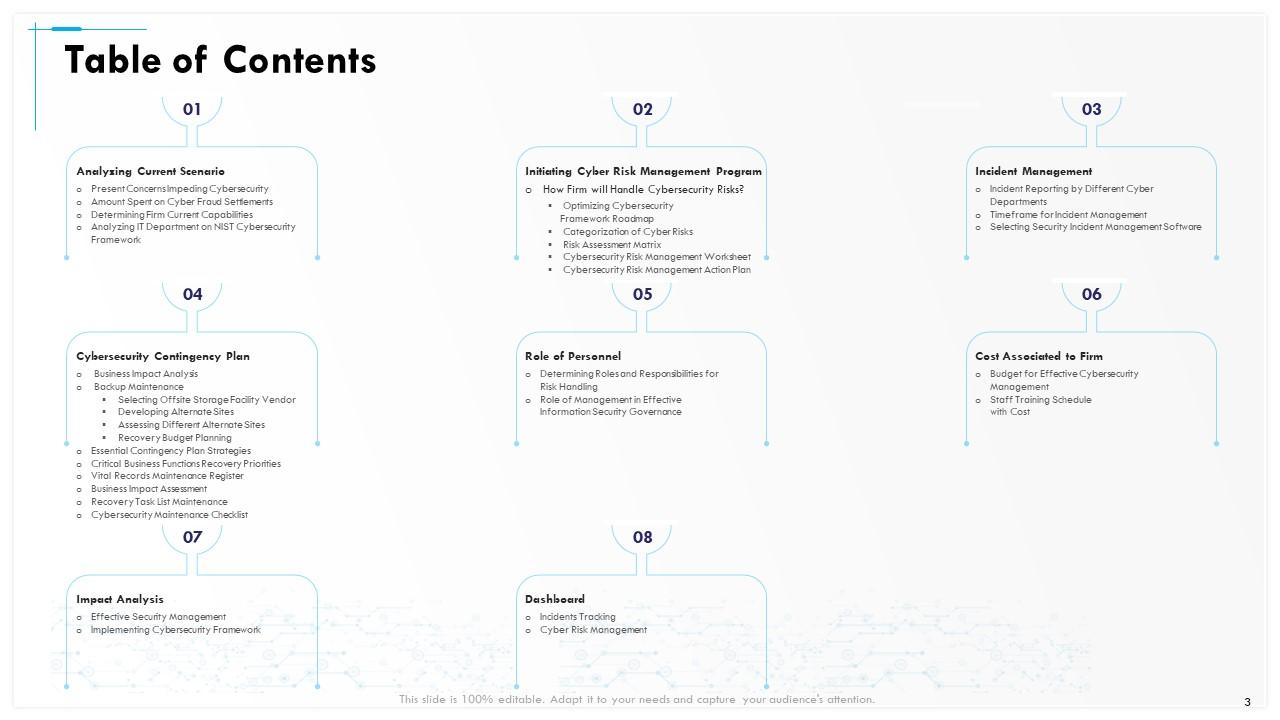
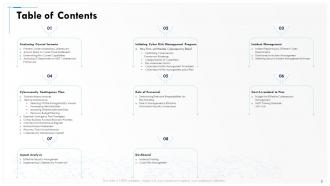
Slide 3: This slide shows Table of Contents of the presentation.
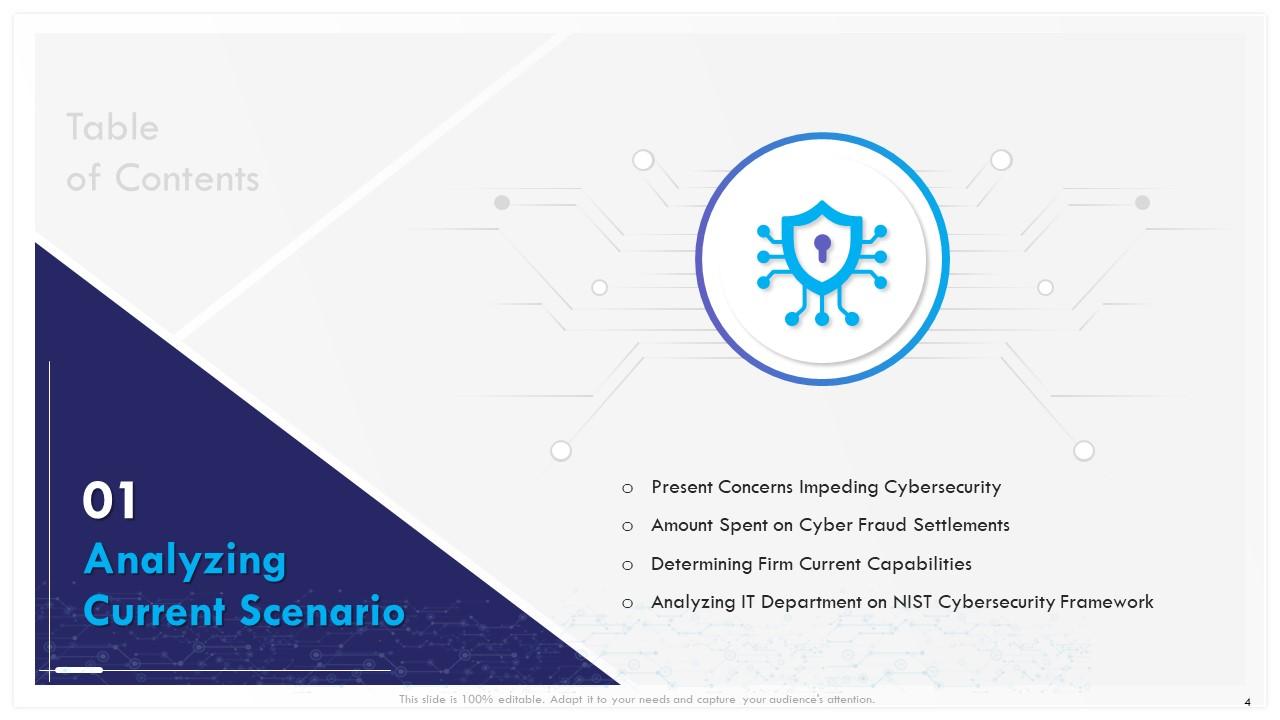
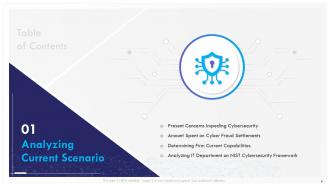
Slide 4: This slide displays Table of Contents.
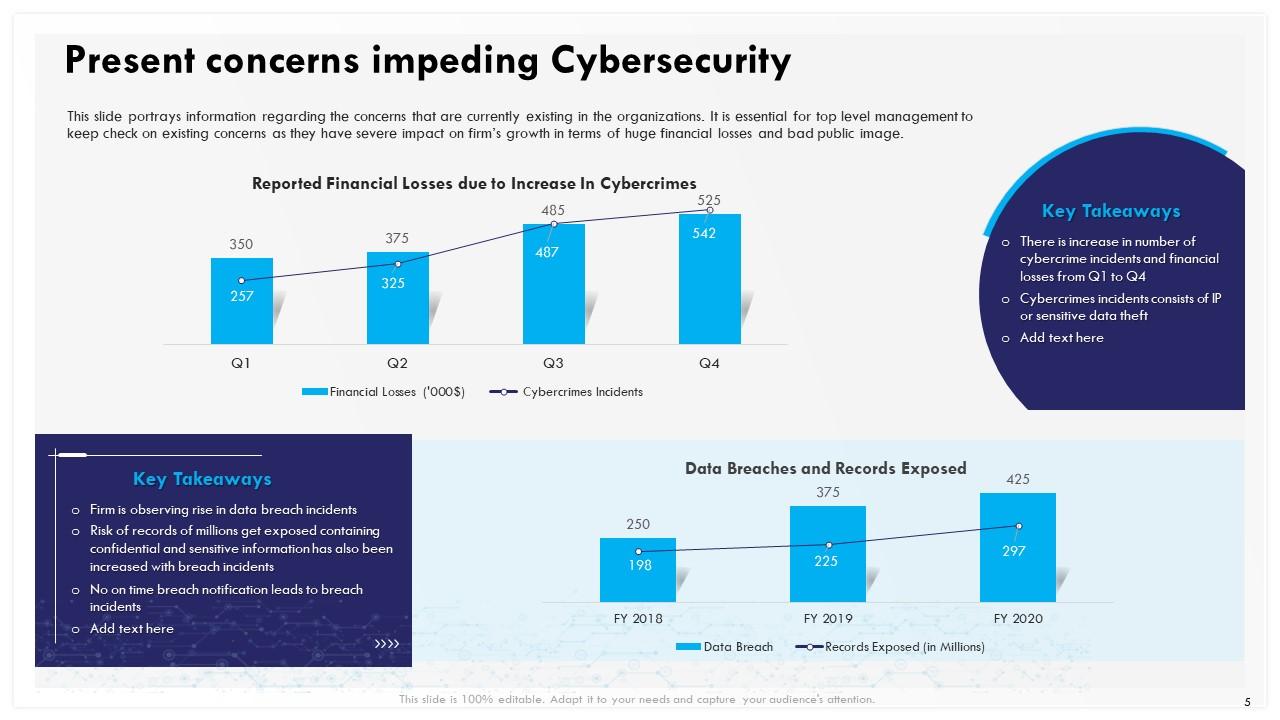
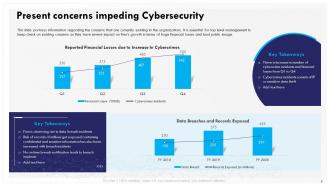
Slide 5: This slide portrays information regarding the concerns that are currently existing in the organizations. It is essential for top level management to keep check on existing concerns as they have severe impact on firm’s growth in terms of huge financial losses and bad public image.
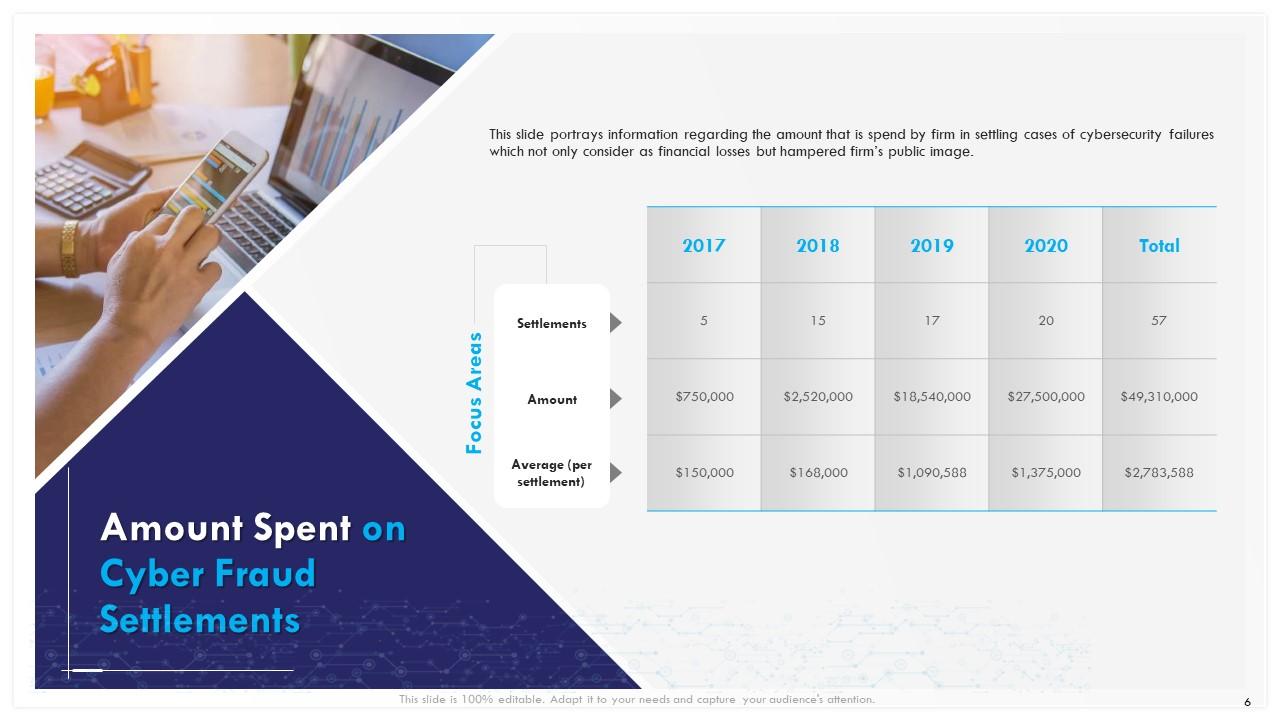
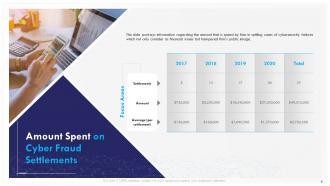
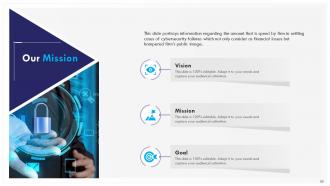
Slide 6: This slide portrays information regarding the amount that is spend by firm in settling cases of cybersecurity failures which not only consider as financial losses but hampered firm’s public image.
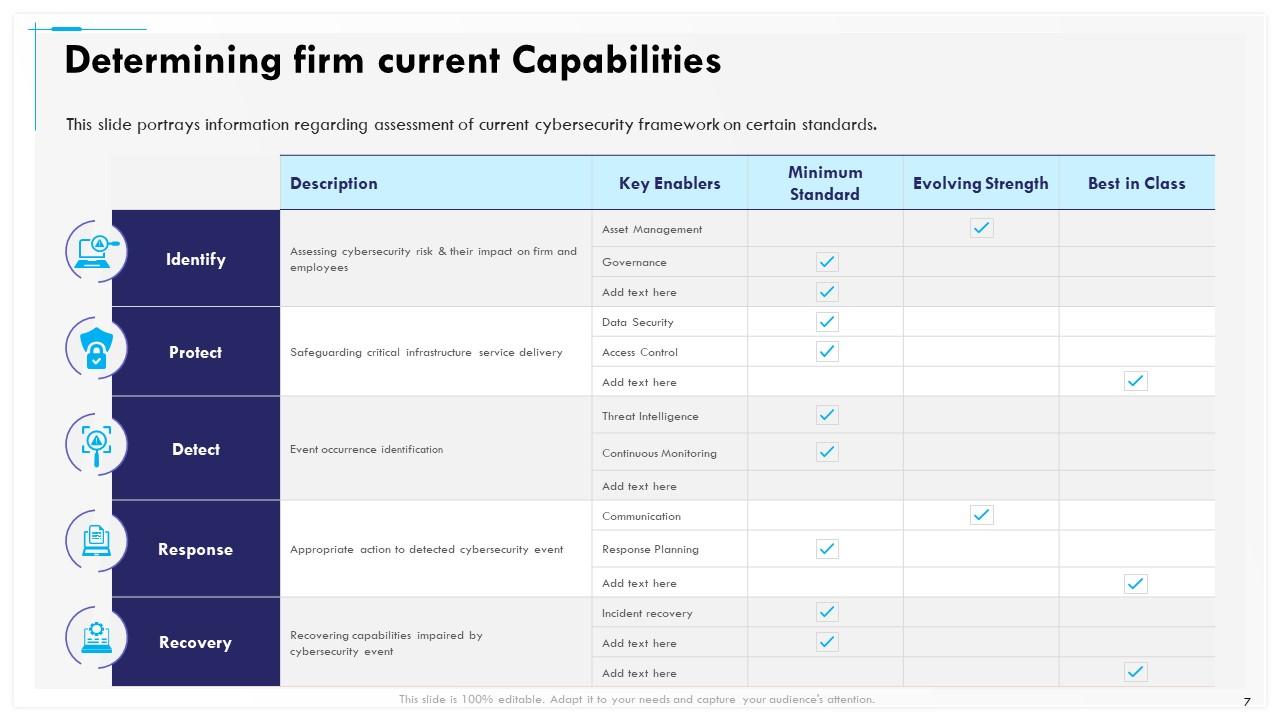
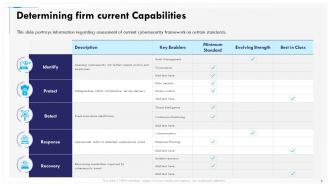
Slide 7: This slide portrays information regarding assessment of current cybersecurity framework on certain standards.
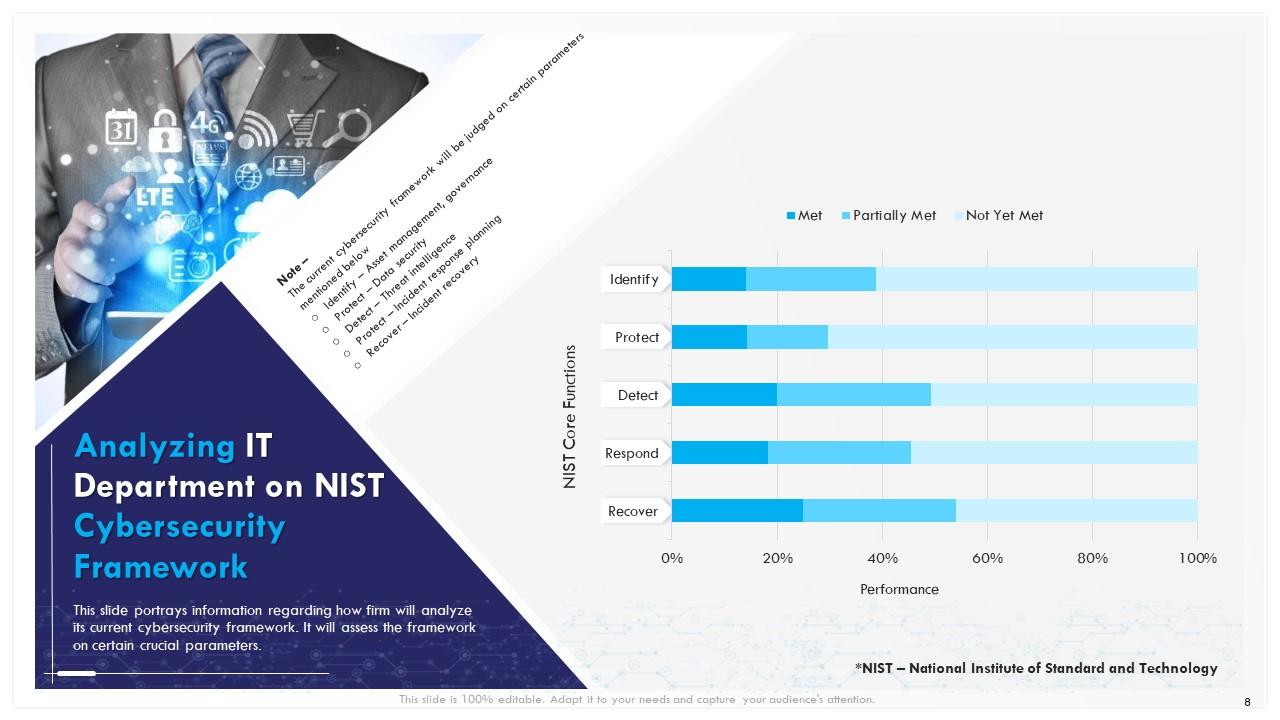
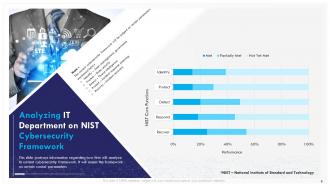
Slide 8: This slide depicts information regarding how firm will analyze its current cybersecurity framework. It will assess the framework on certain crucial parameters.
Slide 9: This slide displays Table of Contents.
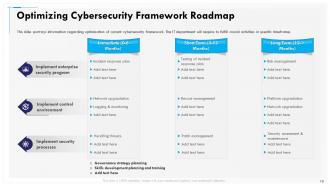
Slide 10: This slide portrays information regarding optimization of current cybersecurity framework. The IT department will require to fulfill crucial activities in specific timeframe.
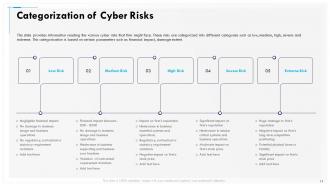
Slide 11: This cyber security slide provides information reading the various cyber risks that firm might face. These risks are categorized into different categories such as low, medium, high, severe and extreme. This categorization is based on certain parameters such as financial impact, damage extent.
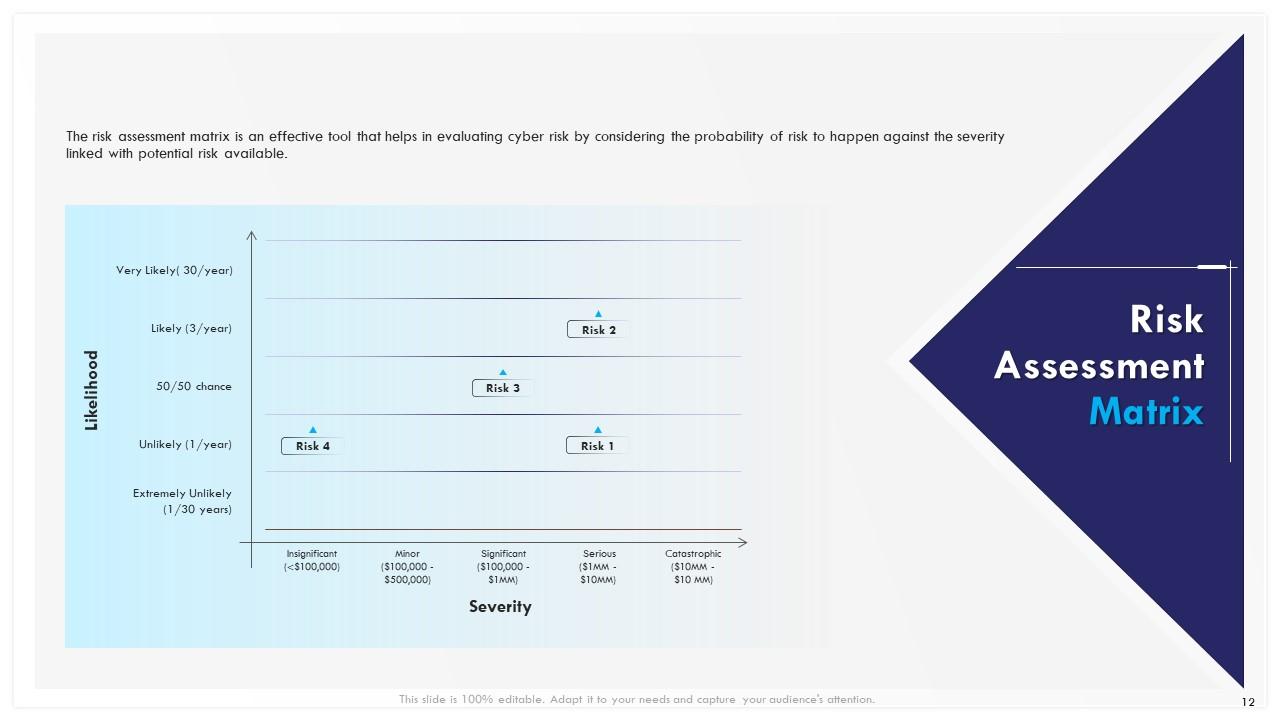
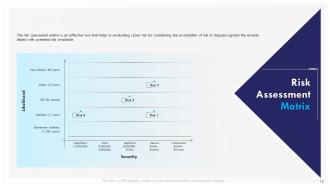
Slide 12: This slide showcases Risk Assessment Matrix.
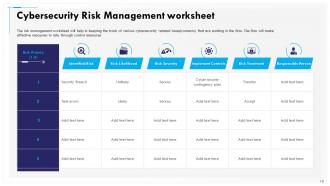
Slide 13: This slide displays Cybersecurity Risk Management worksheet.
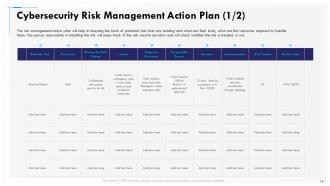
Slide 14: This slide displays Cybersecurity Risk Management Action Plan.
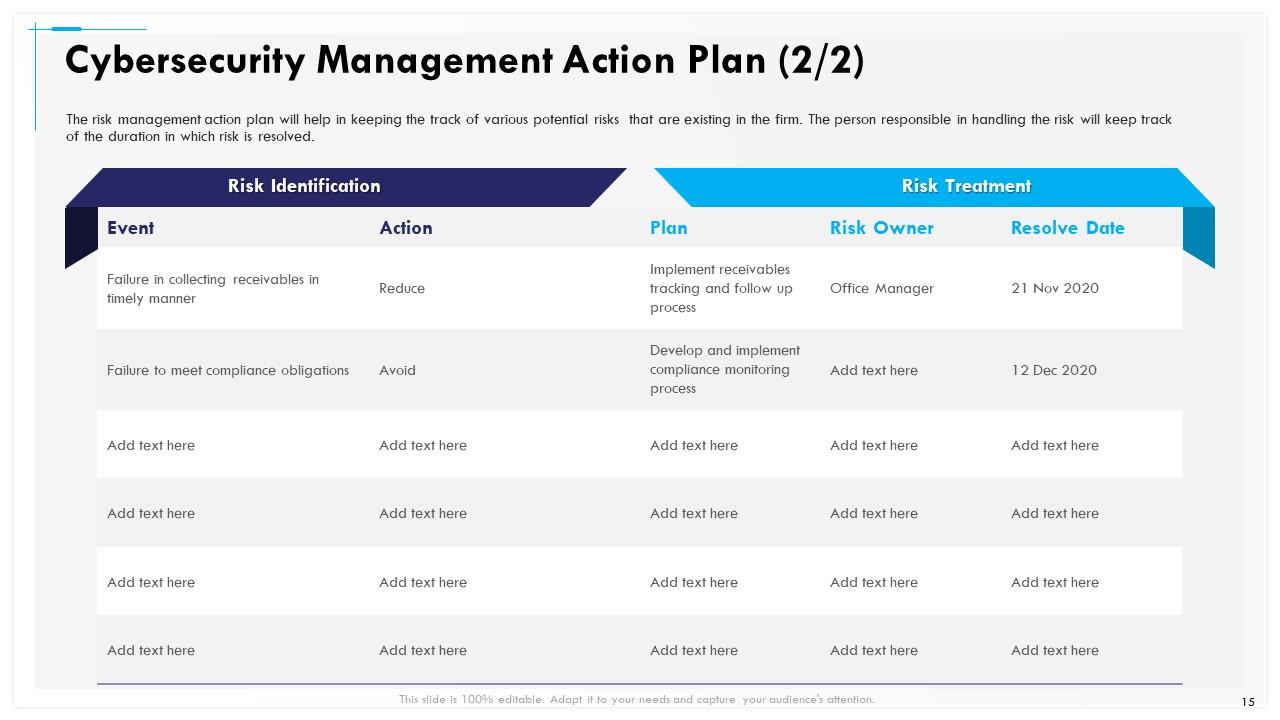
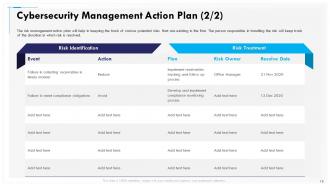
Slide 15: This slide shows Cybersecurity Management Action Plan.
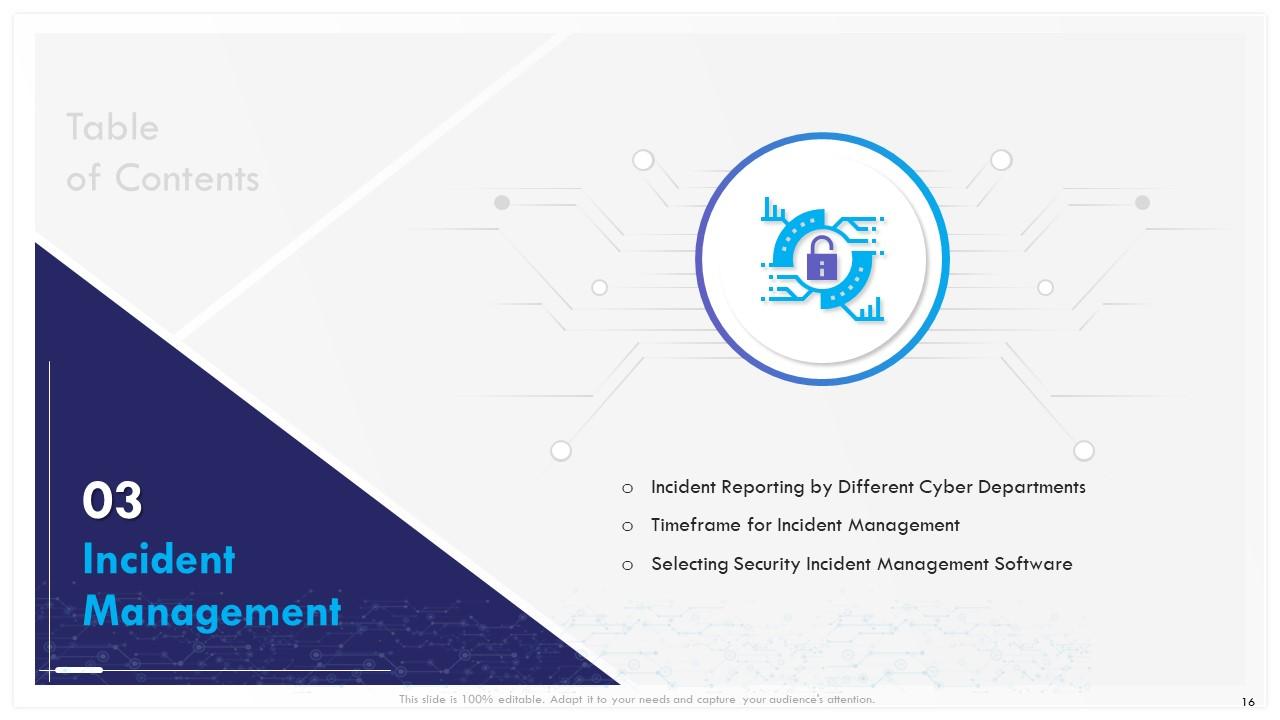
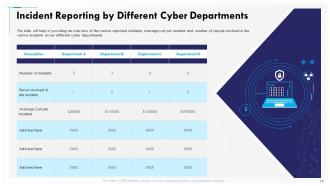
Slide 16: This slide shows Incident Reporting by Different Cyber Departments.
Slide 17: This slide will help in providing an overview of the various reported incidents, average cost per incident and number of people involved in the various incidents across different cyber departments.
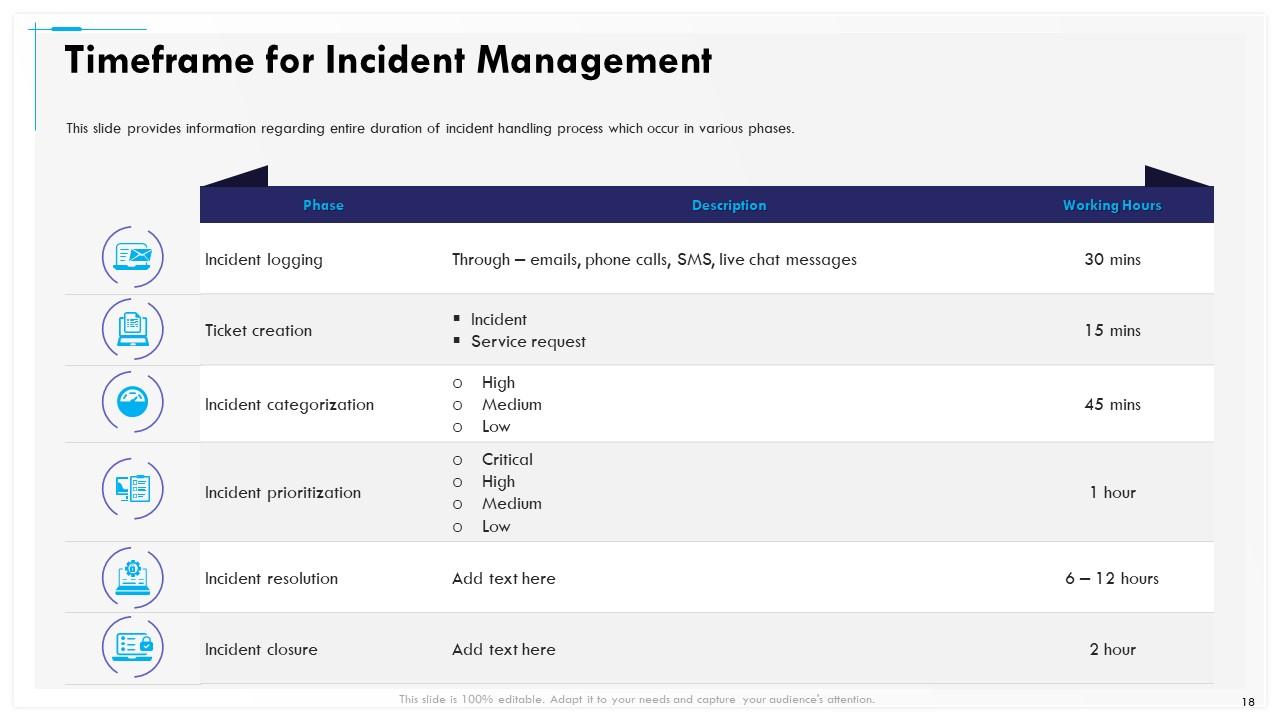
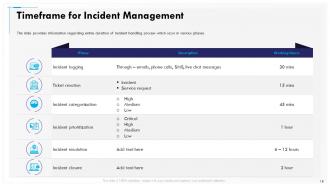
Slide 18: This slide provides information regarding entire duration of incident handling process which occur in various phases.
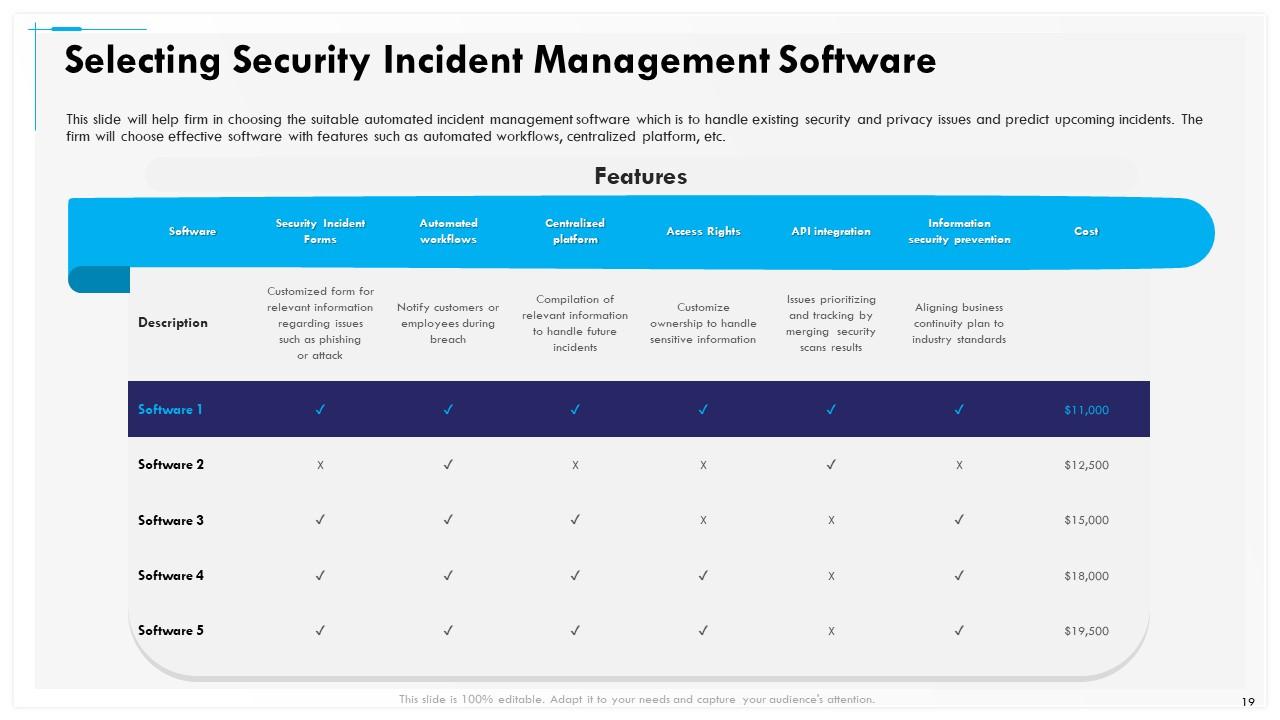
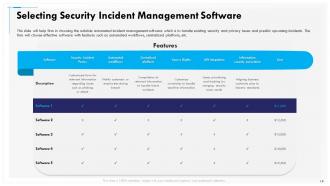
Slide 19: This slide will help firm in choosing the suitable automated incident management software which is to handle existing security and privacy issues and predict upcoming incidents. The firm will choose effective software with features such as automated workflows, centralized platform, etc.
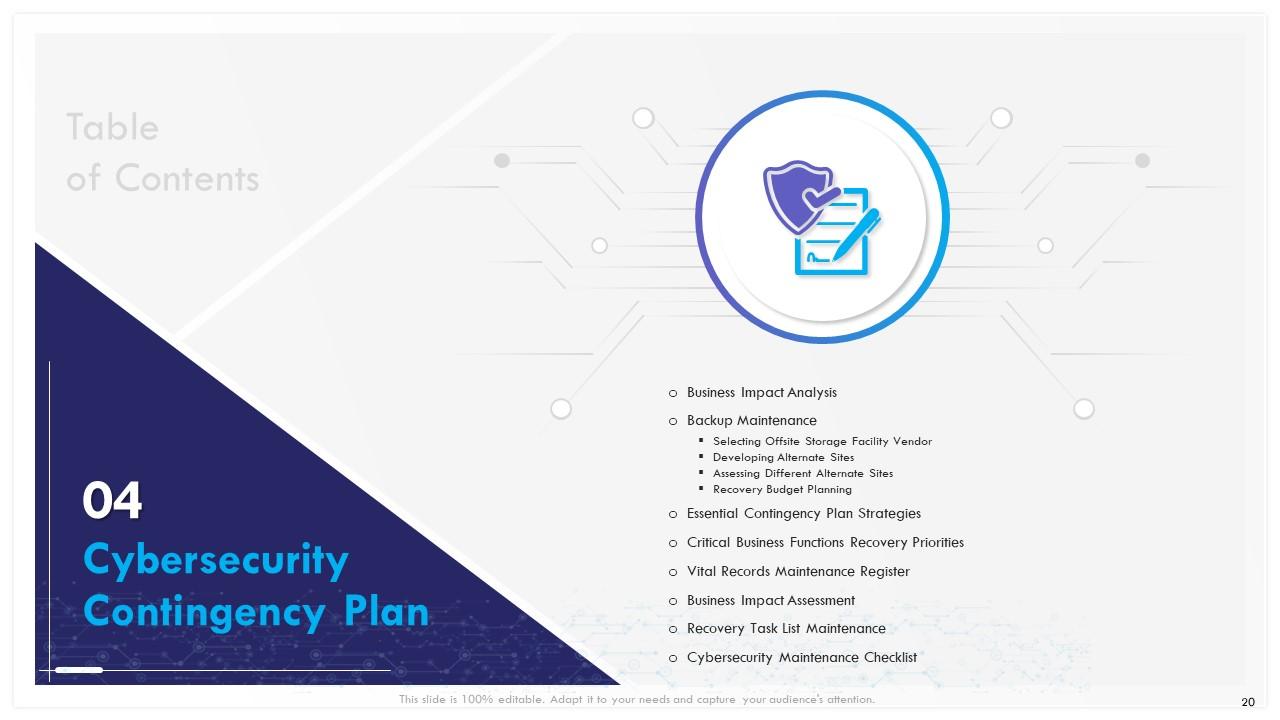
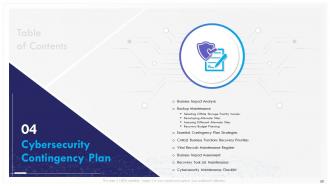
Slide 20: This slide shows Table of Contents.
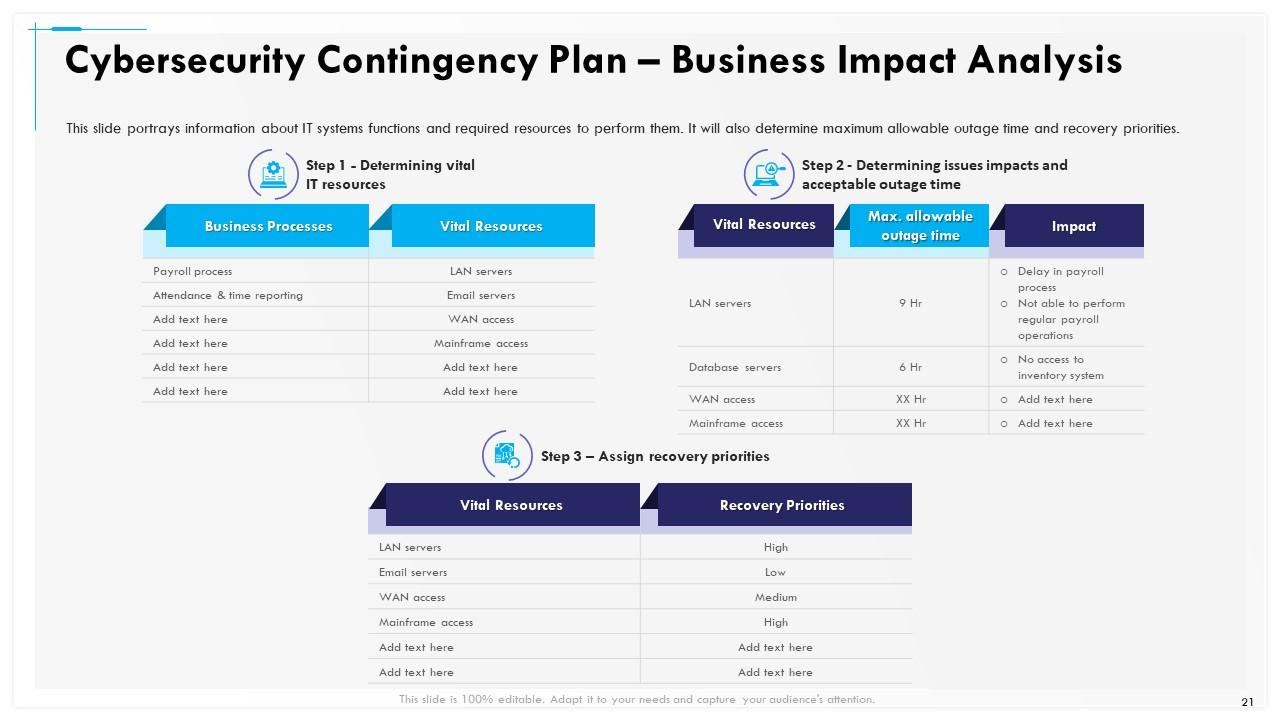
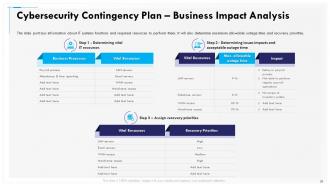
Slide 21: This slide portrays information about IT systems functions and required resources to perform them. It will also determine maximum allowable outage time and recovery priorities.
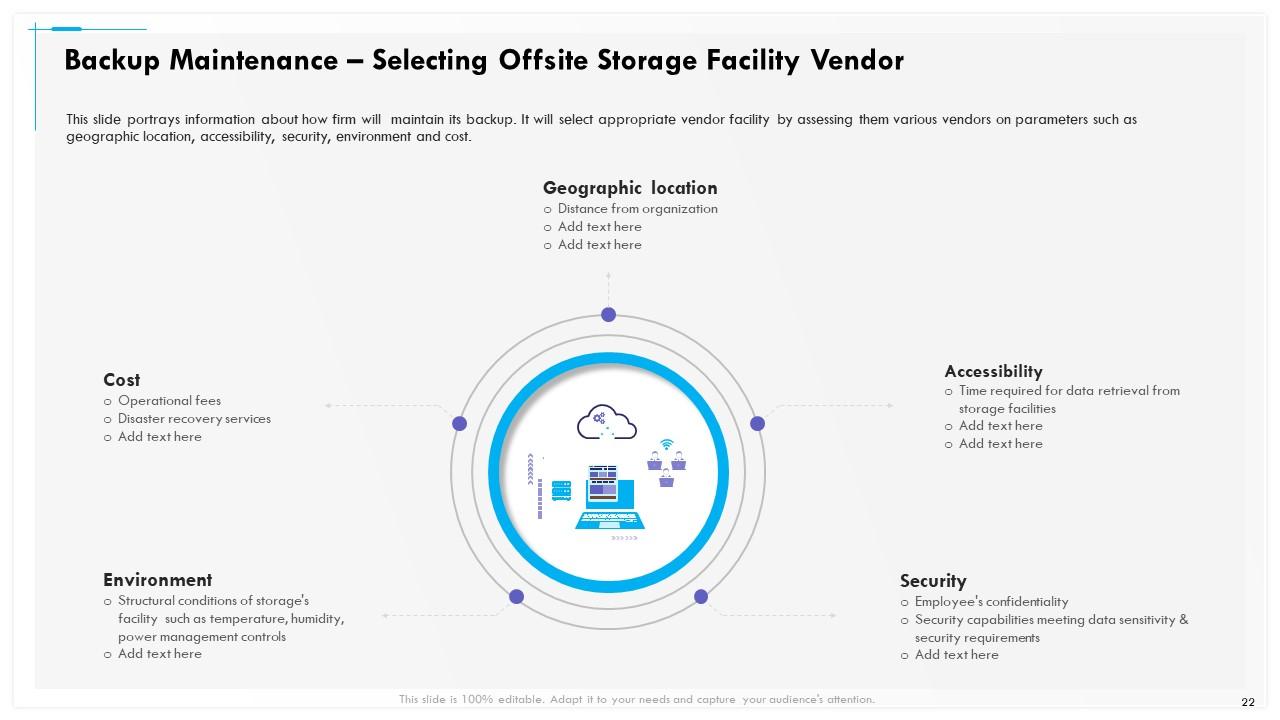
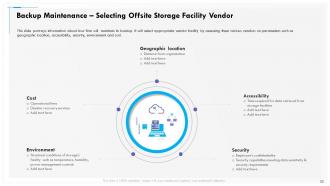
Slide 22: This slide highlights information about how firm will maintain its backup. It will select appropriate vendor facility by assessing them various vendors on parameters such as geographic location, accessibility, security, environment and cost.
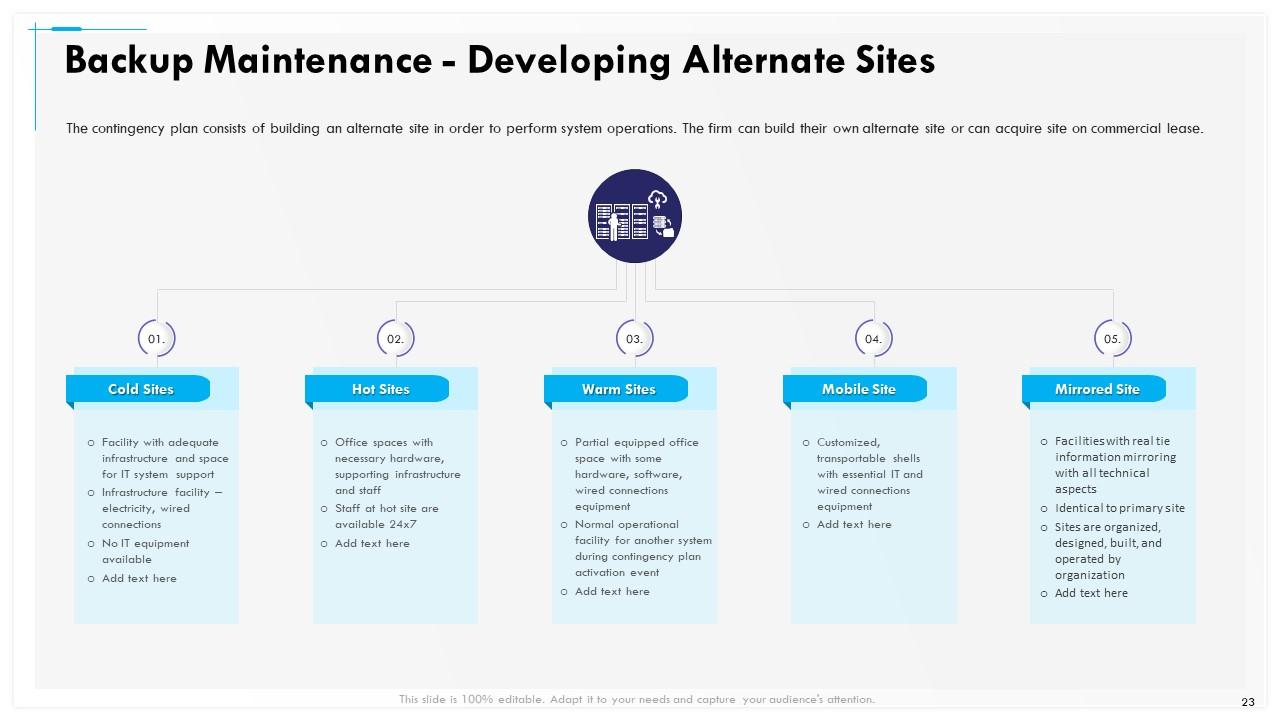
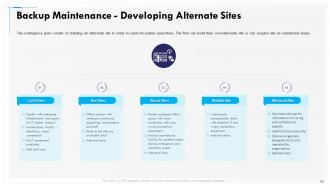
Slide 23: This slide shows Backup Maintenance - Developing Alternate Sites
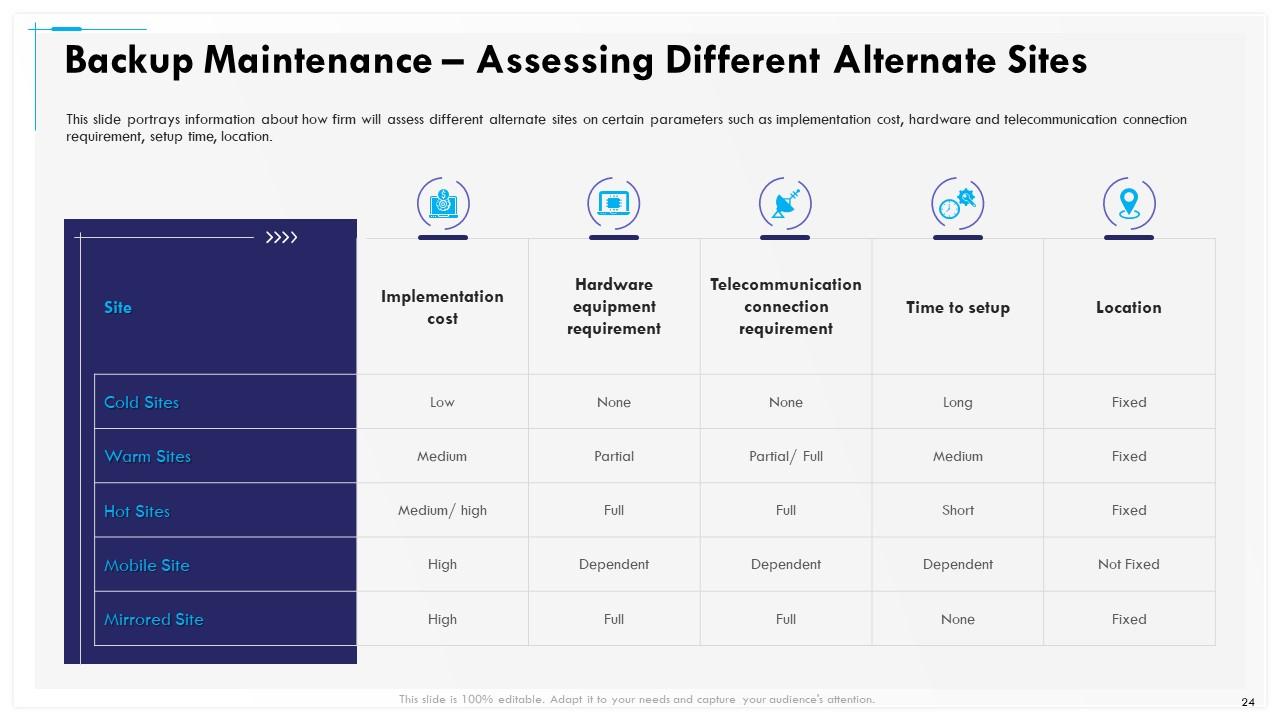
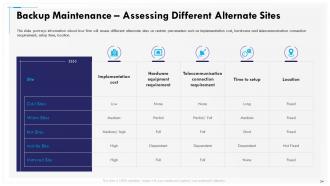
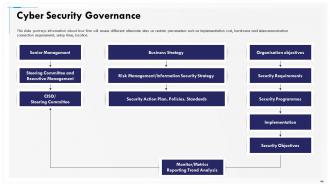
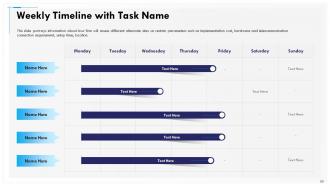
Slide 24: This slide portrays information about how firm will assess different alternate sites on certain parameters such as implementation cost, hardware and telecommunication connection requirement, setup time, location.
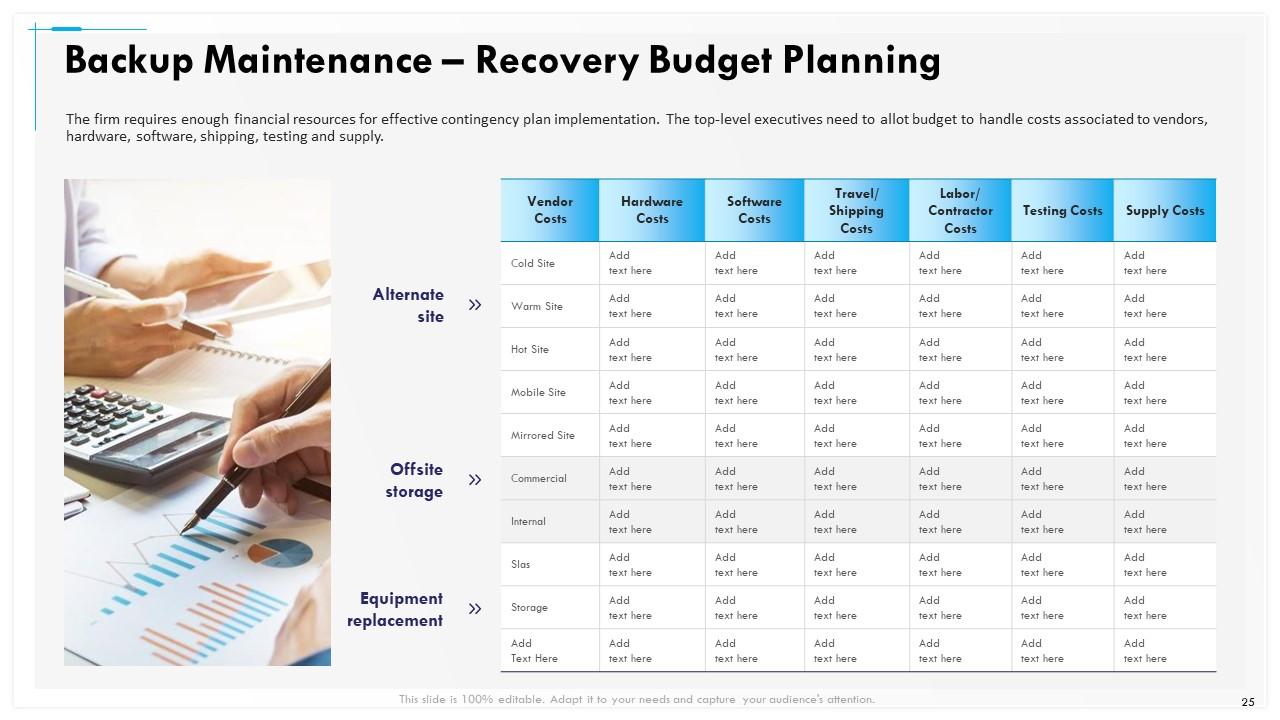
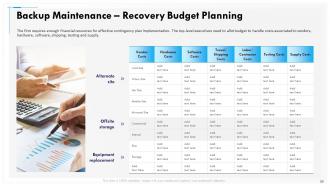
Slide 25: This slide depicts Backup Maintenance – Recovery Budget Planning.
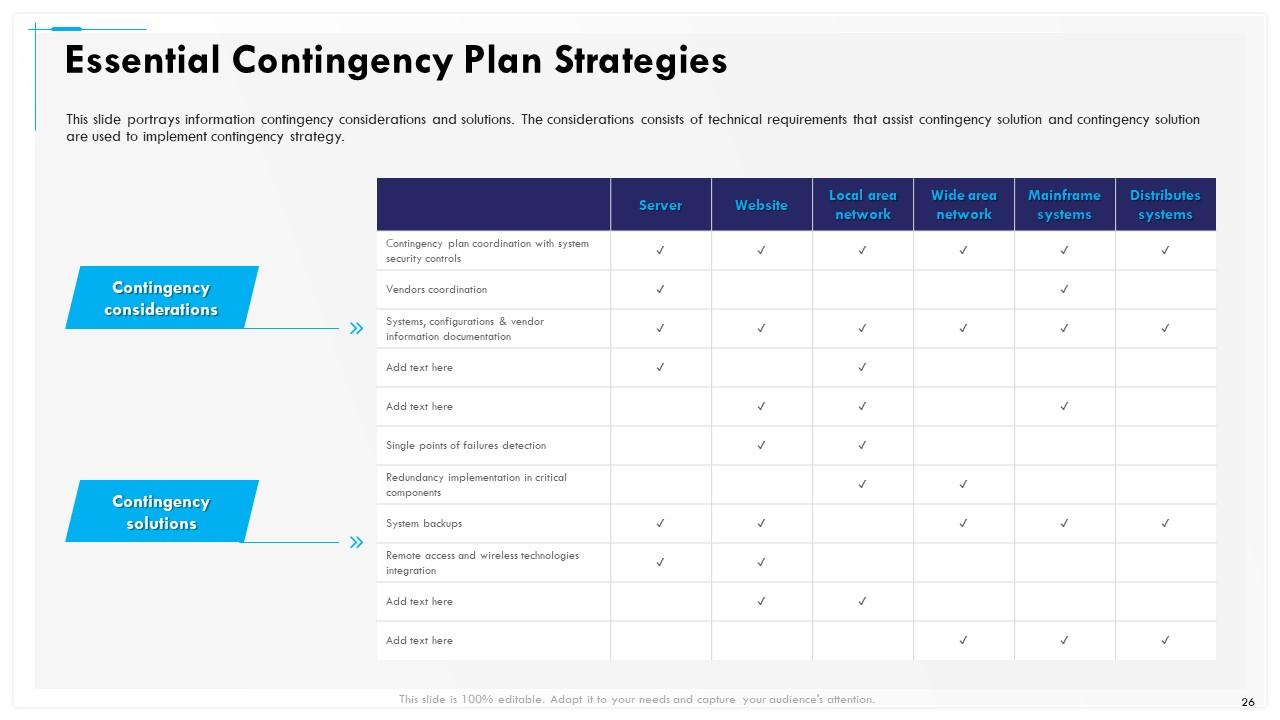
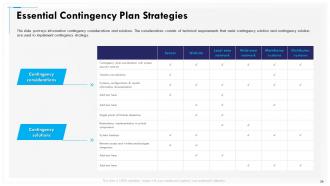
Slide 26: This slide portrays information contingency considerations and solutions. The considerations consists of technical requirements that assist contingency solution and contingency solution are used to implement contingency strategy.
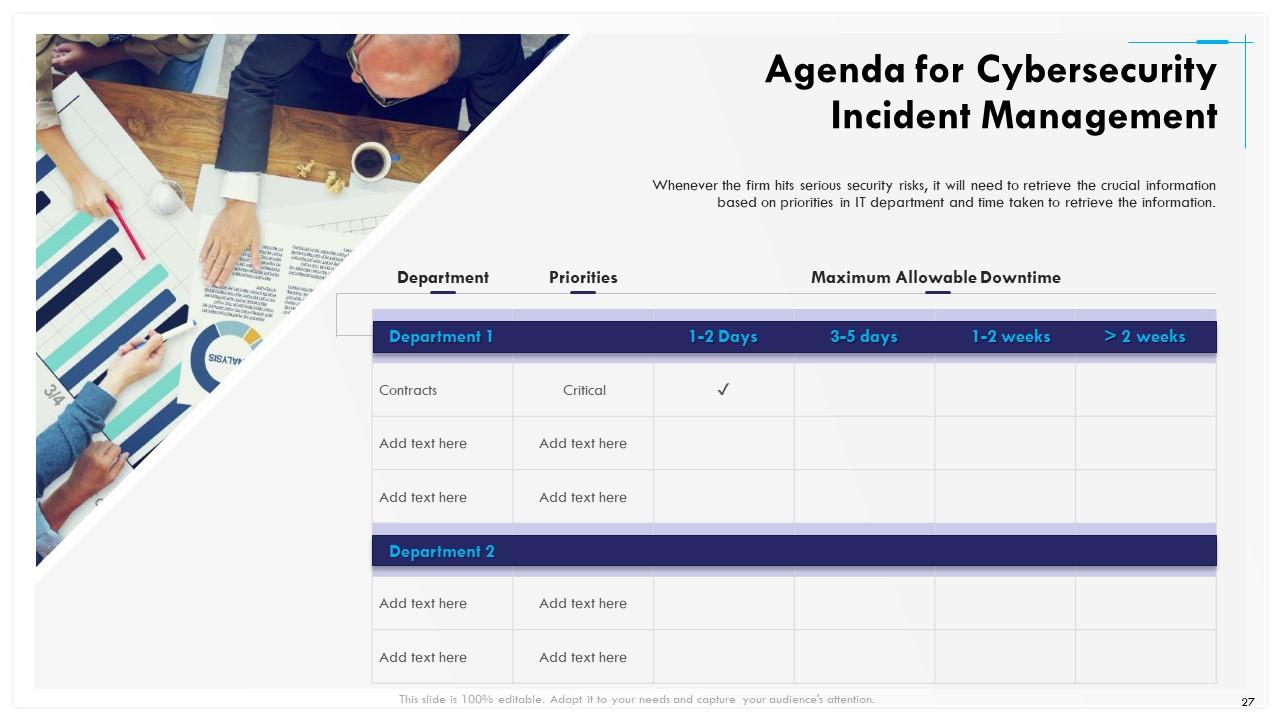
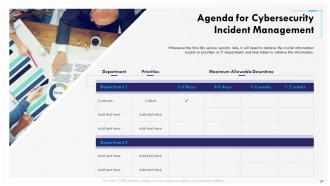
Slide 27: This slide presents Agenda for Cybersecurity Incident Management.
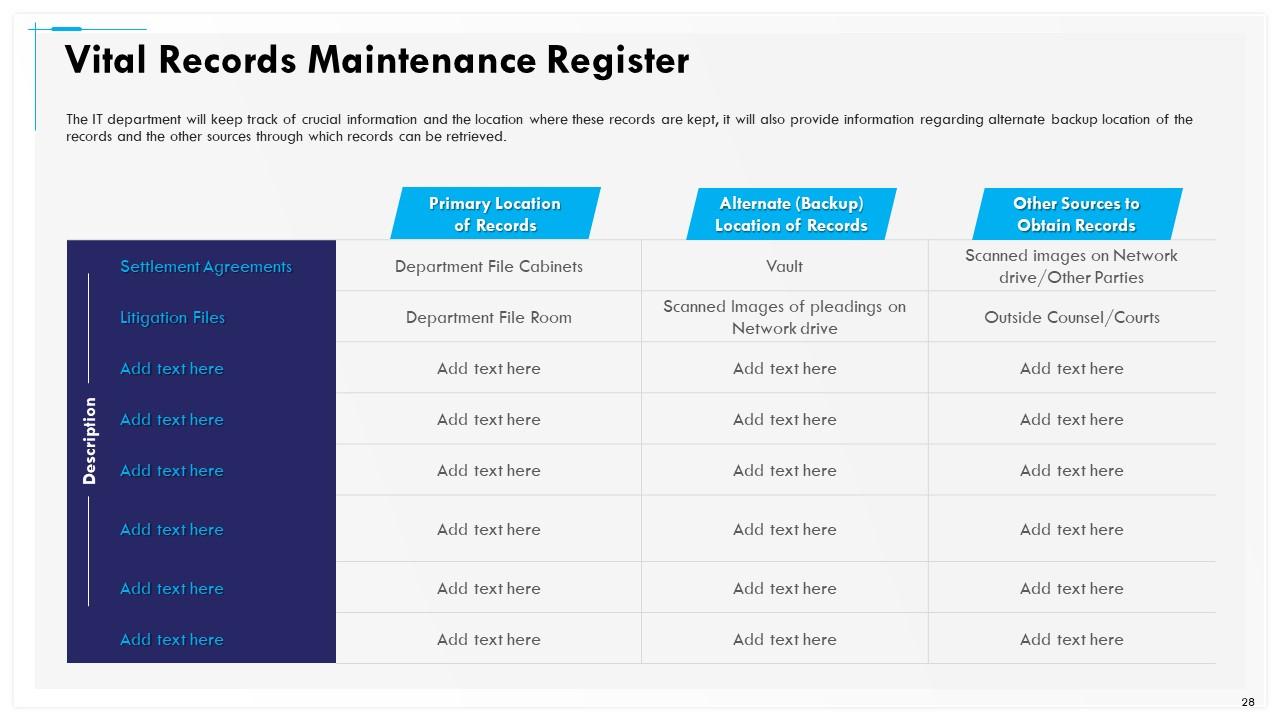
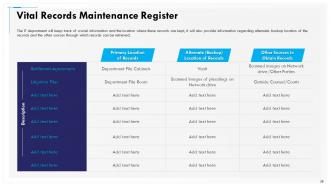
Slide 28: This slide shows Vital Records Maintenance Register
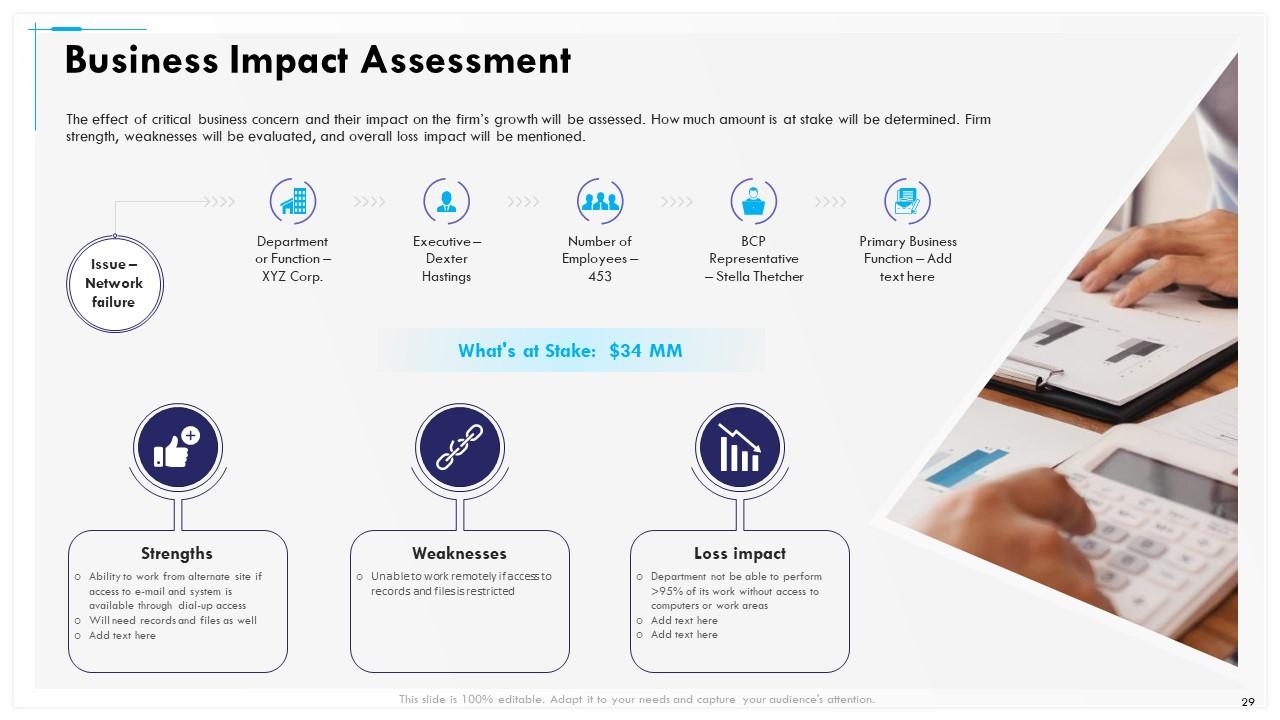
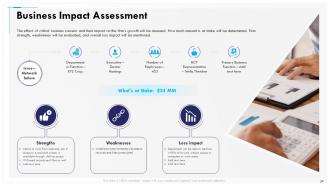
Slide 29: This slide shows Business Impact Assessment
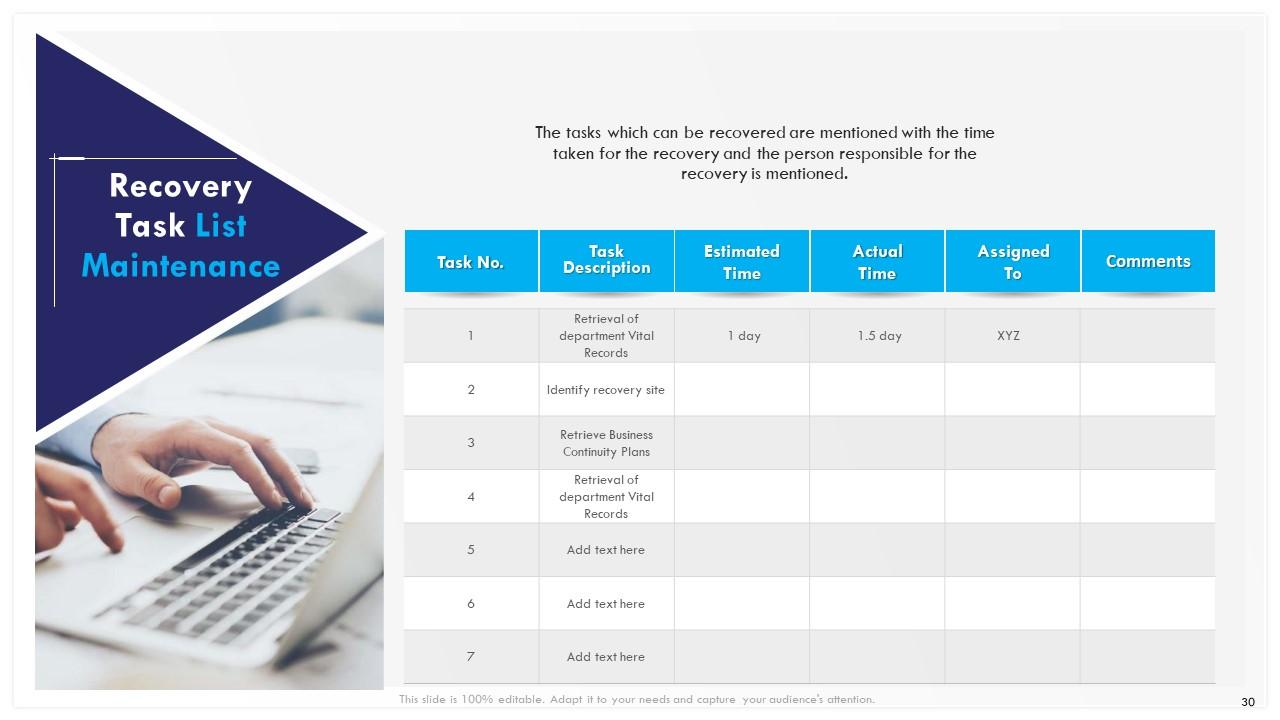
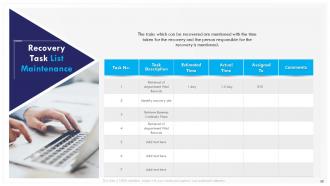
Slide 30: This slide shows Recovery Task List Maintenance. The tasks which can be recovered are mentioned with the time taken for the recovery and the person responsible for the recovery is mentioned.
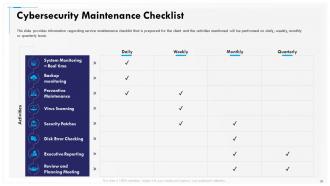
Slide 31: This slide provides information regarding service maintenance checklist that is prepared for the client and the activities mentioned will be performed on daily, weekly, monthly or quarterly basis.
Slide 32: This slide provides information regarding Determining Roles and Responsibilities for Risk Handling
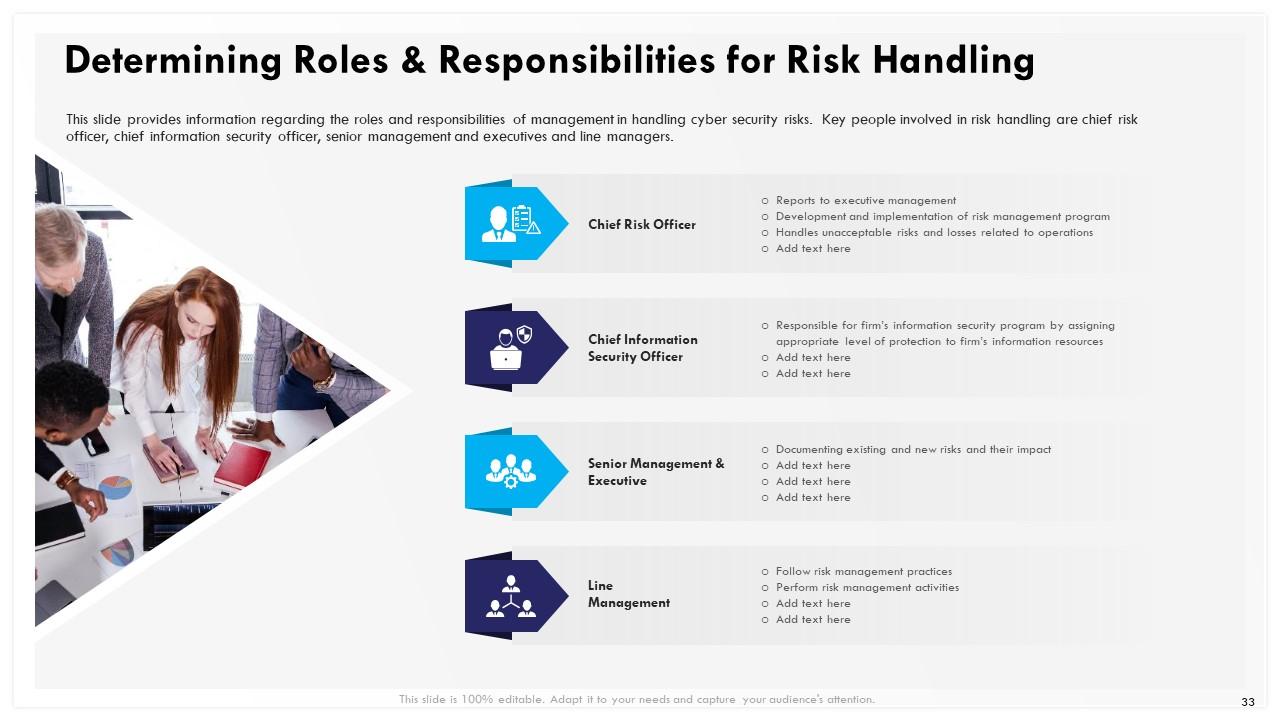
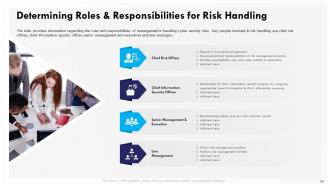
Slide 33: This slide provides information regarding the roles and responsibilities of management in handling cyber security risks. Key people involved in risk handling are chief risk officer, chief information security officer, senior management and executives and line managers.
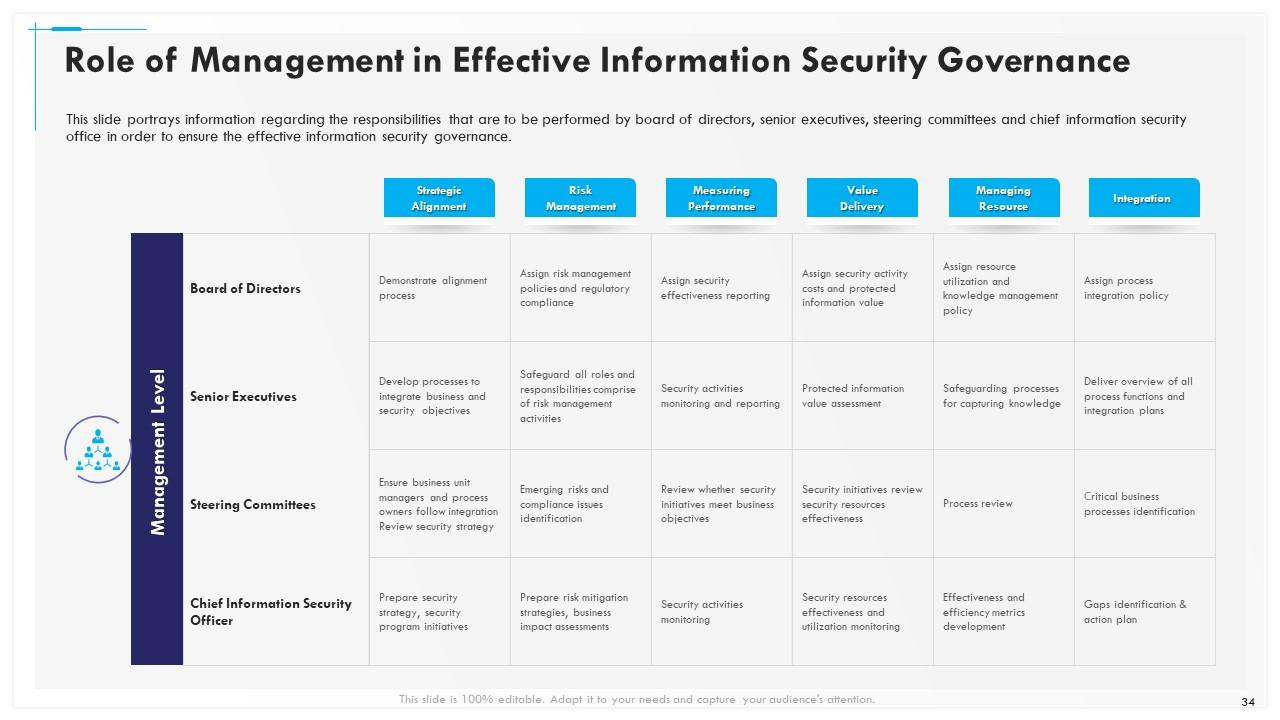
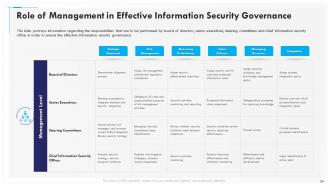
Slide 34: This slide portrays information regarding the responsibilities that are to be performed by board of directors, senior executives, steering committees and chief information security office in order to ensure the effective information security governance.
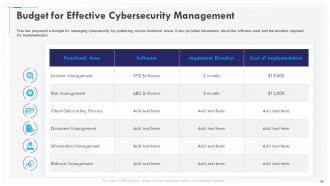
Slide 35: This slide shows Budget for Effective Cybersecurity Management
Slide 36: This slide presents Budget for Effective Cybersecurity Management
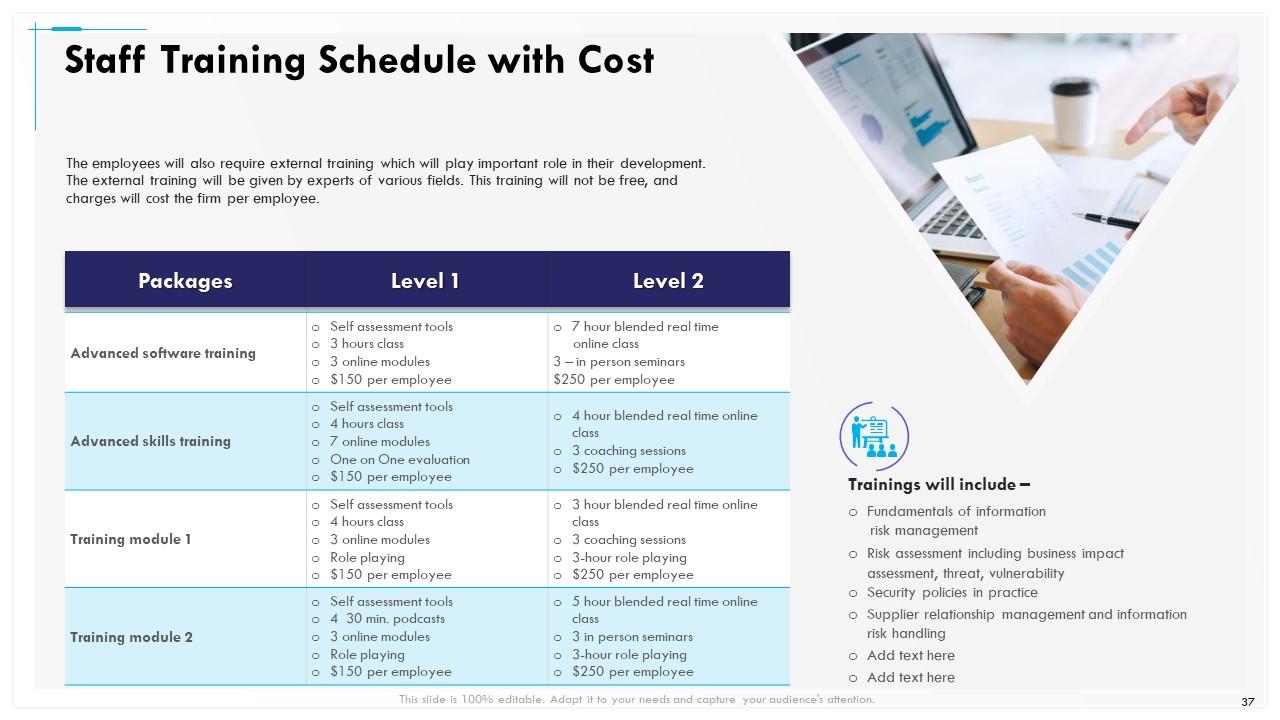
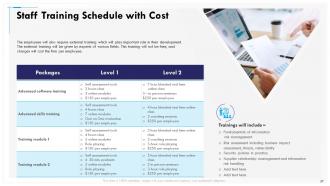
Slide 37: This slide depicts Staff Training Schedule with Cost.
Slide 38: This slide shows Table of Content.
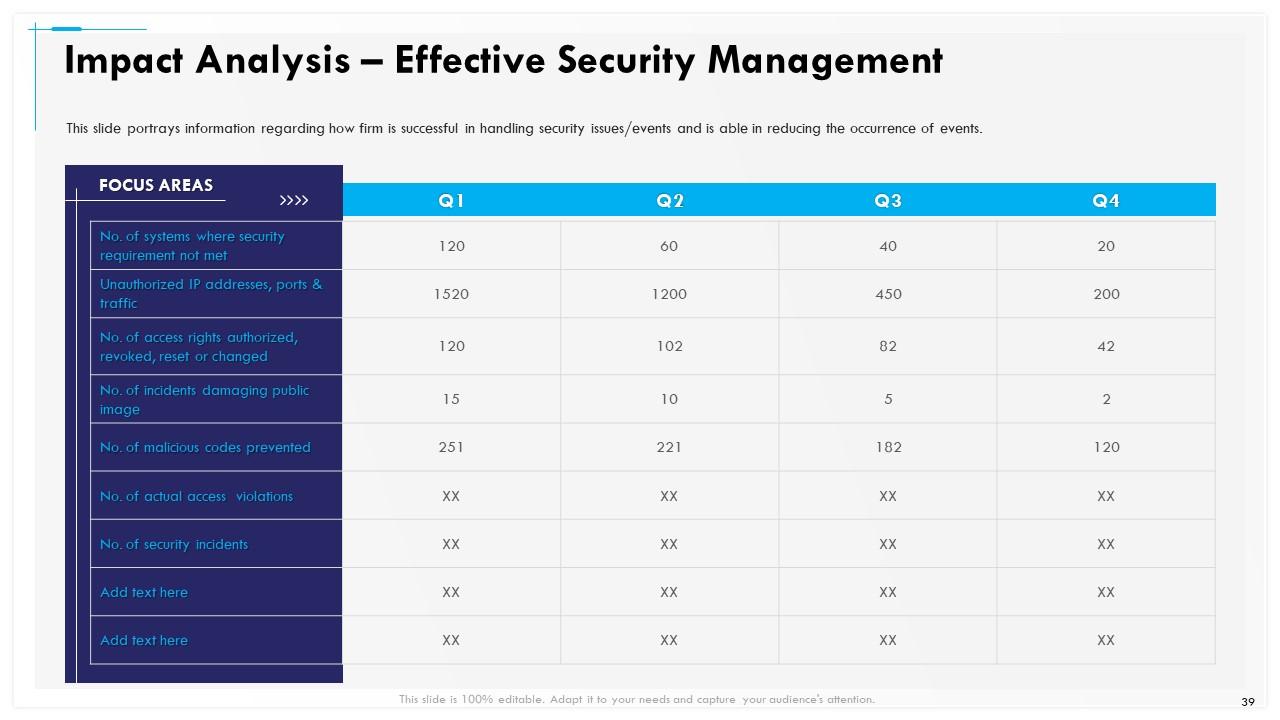
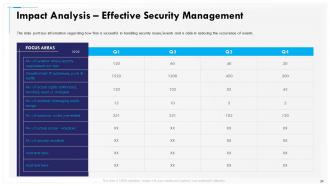
Slide 39: This slide portrays information regarding how firm is successful in handling security issues/events and is able in reducing the occurrence of events.
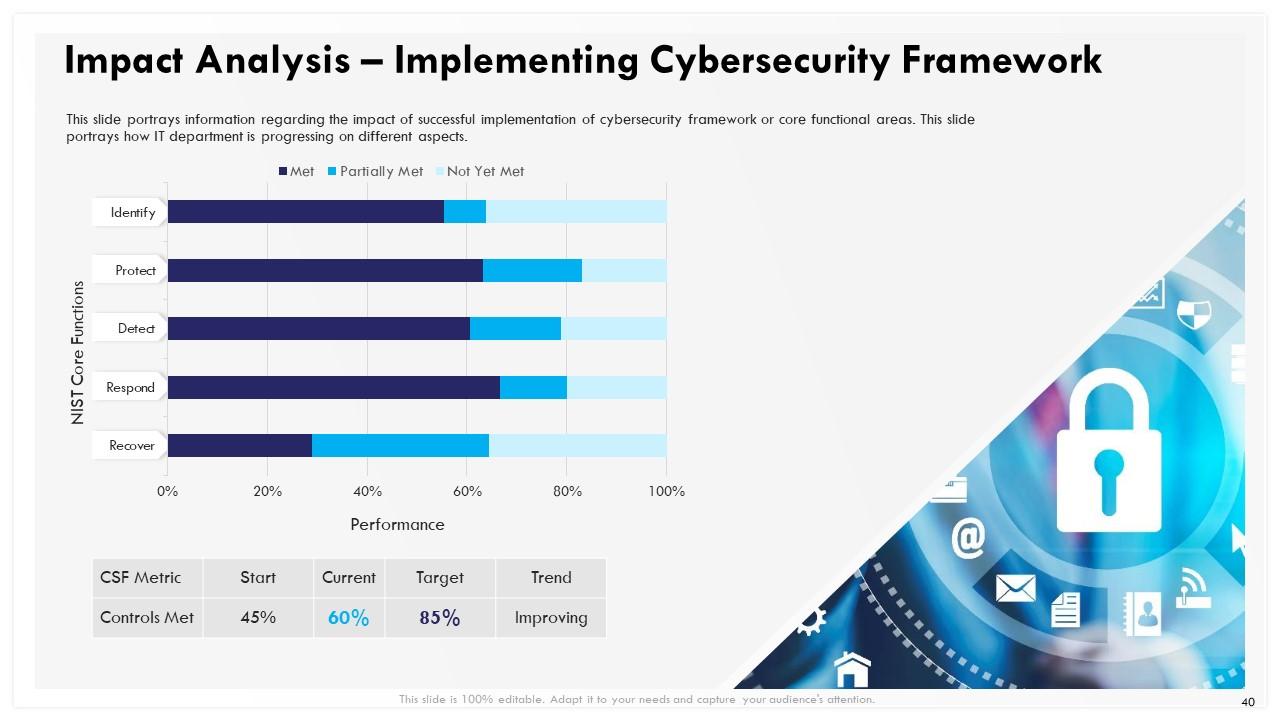
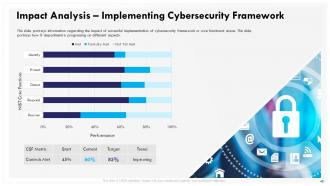
Slide 40: This slide depicts information regarding the impact of successful implementation of cybersecurity framework or core functional areas. This slide portrays how IT department is progressing on different aspects.
Slide 41: This slide displays Table of Contents
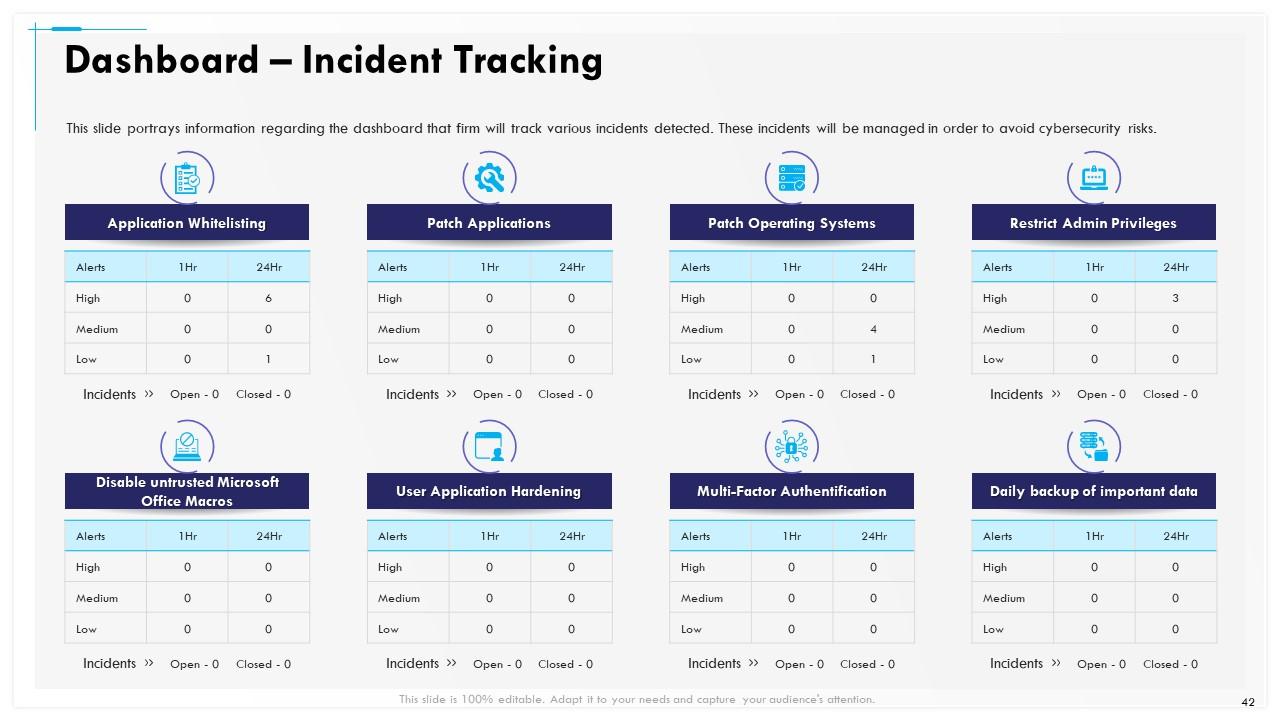
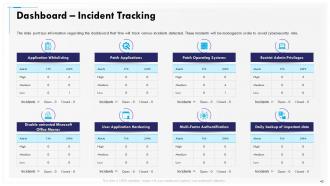
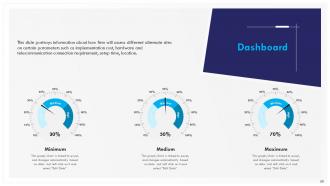
Slide 42: This slide portrays information regarding the dashboard that firm will track various incidents detected. These incidents will be managed in order to avoid cybersecurity risks.
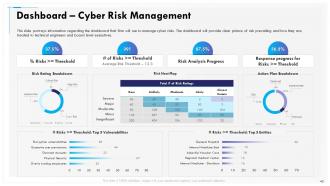
Slide 43: This slide portrays information regarding the dashboard that firm will use to manage cyber risks. The dashboard will provide clear picture of risk prevailing and how they are treated to technical engineers and board level executives.
Slide 44: This is Icons Slide Cybersecurity Incident Management.
Slide 45: This slide is titled as Additional Slides for moving forward.
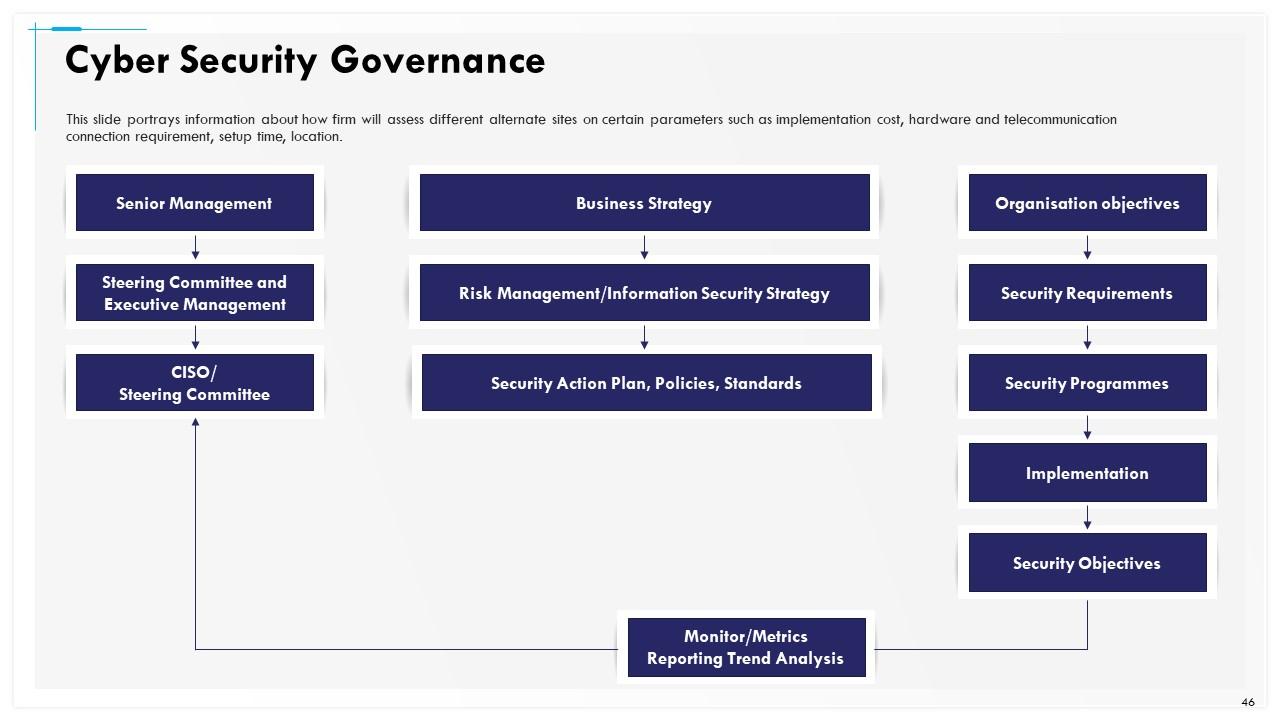
Slide 46: This slide portrays information about how firm will assess different alternate sites on certain parameters such as implementation cost, hardware and telecommunication connection requirement, setup time, location.
Slide 47: This slide portrays information about how firm will assess different alternate sites on certain parameters such as implementation cost, hardware and telecommunication connection requirement, setup time, location.
Slide 48: This slide shows information about how firm will assess different alternate sites on certain parameters such as implementation cost, hardware and telecommunication connection requirement, setup time, location.
Slide 49: This slide portrays information about how firm will assess different alternate sites on certain parameters such as implementation cost, hardware and telecommunication connection requirement, setup time, location.
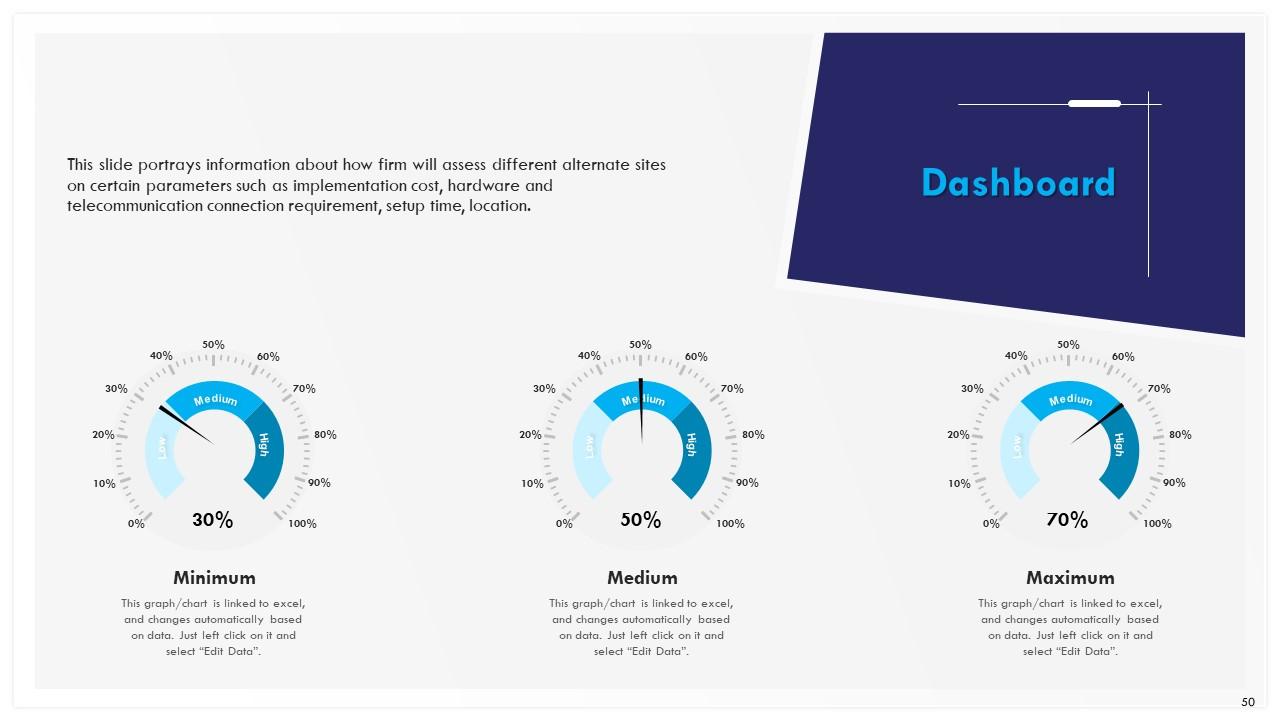
Slide 50: This slide highlights information about how firm will assess different alternate sites on certain parameters such as implementation cost, hardware and telecommunication connection requirement, setup time, location.
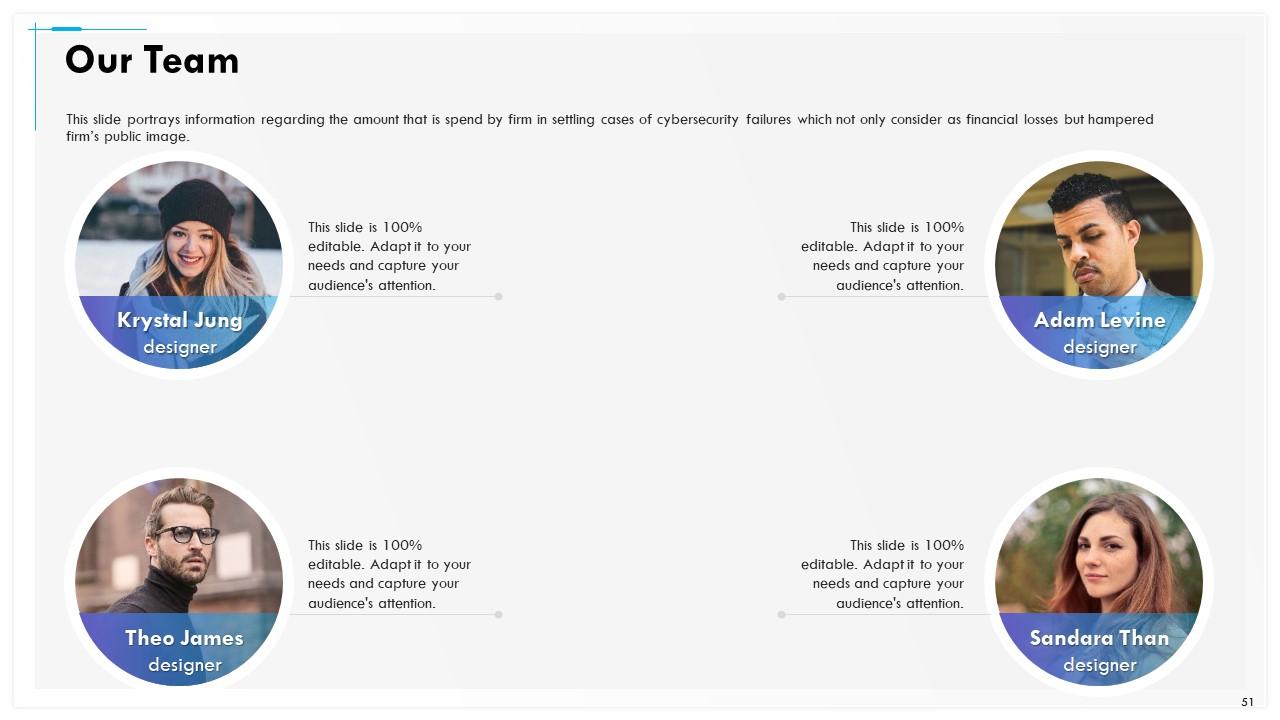
Slide 51: This slide portrays information regarding the amount that is spend by firm in settling cases of cybersecurity failures which not only consider as financial losses but hampered firm’s public image.
Slide 52: This slide portrays information regarding the amount that is spend by firm in settling cases of cybersecurity failures which not only consider as financial losses but hampered firm’s public image.
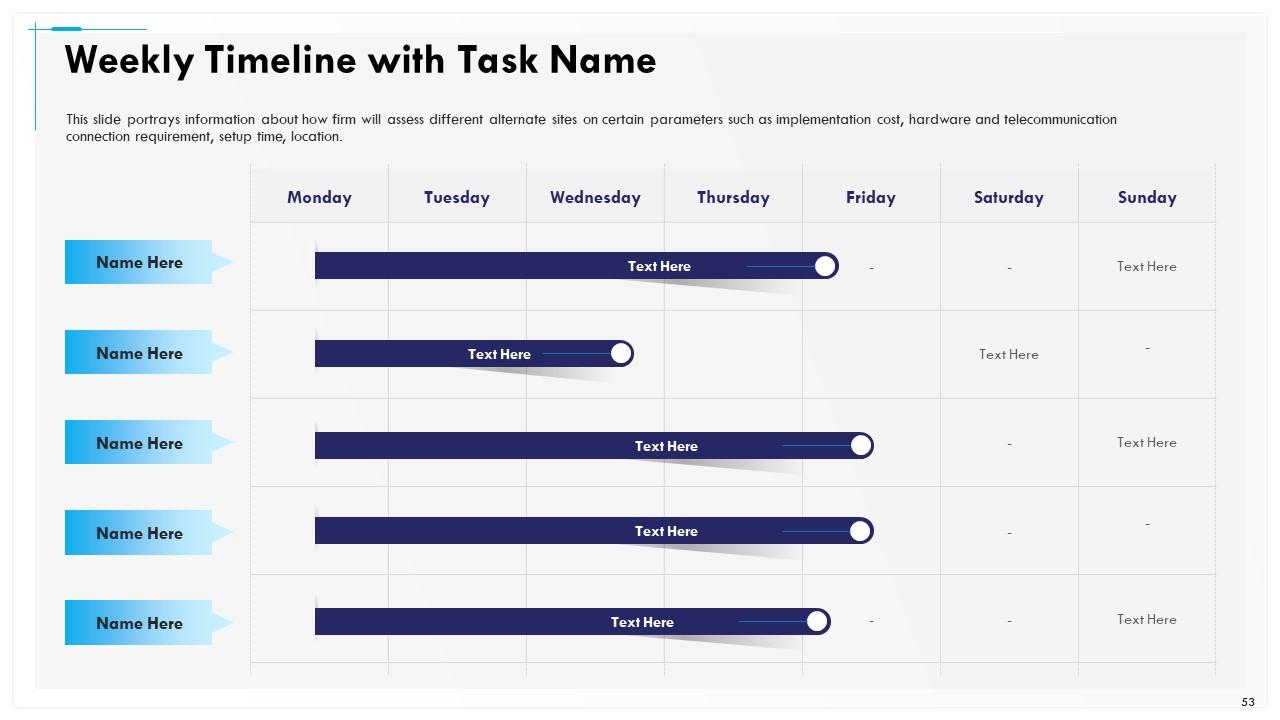
Slide 53: This slide shows information about how firm will assess different alternate sites on certain parameters such as implementation cost, hardware and telecommunication connection requirement, setup time, location.
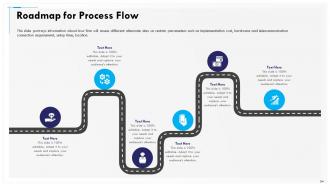
Slide 54: This slide presents Roadmap for Process Flow
Slide 55: This is Thank You slide with Contact details.
Cybersecurity incident management powerpoint presentation slides with all 55 slides:
Use our Cybersecurity Incident Management Powerpoint Presentation Slides to effectively help you save your valuable time. They are readymade to fit into any presentation structure.
No Reviews
