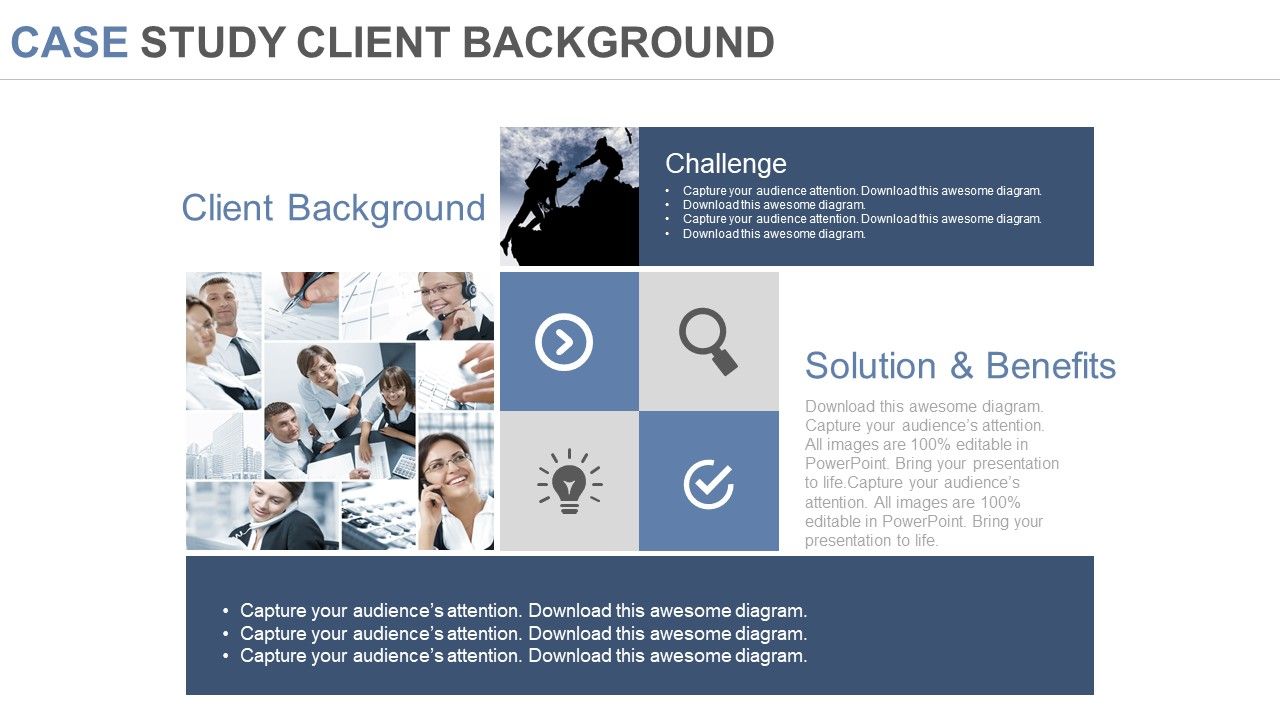
Diapositivas de PPT de antecedentes del cliente de caso de estudio

Rating:
100%
Case study client background ppt slides
Slide 1 of 4
Favourites Favourites

Try Before you Buy Download Free Sample Product

Audience Impress Your
Audience
Editable 100%
Editable
Time Save Hours
of Time
The Biggest Sale is ending soon in
0
0
:
0
0
:
0
0
Rating:
100%

Características de estas diapositivas de presentación de PowerPoint:

Diapositivas de presentación de PowerPoint profesionales e informativas. Da instrucciones para lograr el éxito y los objetivos comerciales. Proporciona un rendimiento sin errores. Actúa como una guía para planificar las tareas futuras. Completamente editable por cualquier usuario en cualquier momento. Crea transparencia de los objetivos comerciales y de presentación sin crear confusiones ni conceptos erróneos. Las etapas de este proceso son la gestión, el marketing, la comunicación, los negocios y la estrategia.

FAQs for Case study client

So your client's main objectives are usually about fixing a business problem or hitting growth goals - revenue bumps, cutting costs, expanding markets, that kind of thing. Look for their pain points first though. Operational mess-ups, competitive pressure, whatever's keeping them up at night. Half the time they don't even know what they actually need when they first call you, which honestly makes it way more fun. They want measurable results, realistic timelines, and stuff that won't blow their budget. Pro tip: dig for both what they're saying they want AND what's really bugging them underneath - that's where you'll add the most value.

You've gotta research their industry first because each one has totally different expectations. Tech companies want flashy data viz and interactive stuff. Healthcare? Super compliance-focused with tons of documentation. Financial services are obsessed with risk metrics - honestly they're pretty intense about regulatory stuff. Manufacturing loves their process flows and ROI calculators (spreadsheet nerds lol). Retail cares about customer journeys and market trends. Once you know their decision-making style, you can match their vibe from the first slide. It's like code-switching for business presentations.

So this client had these absolutely brutal slides - like, wall-to-wall text that would knock anyone out. Their CEO kept bombing these investor pitches even though the actual business numbers were solid. Picture bullet points everywhere and zero storytelling, you know? Investors were literally glazing over mid-presentation, which obviously tanked their deal flow. The weird thing is they really knew their stuff, but somehow couldn't translate that knowledge into anything remotely compelling. It's such a common problem honestly. If your clients are struggling with similar issues, just focus on that disconnect between what they know and how they're actually communicating it.

You're presenting to C-suite execs and senior decision-makers, so think clean and data-heavy with barely any text. These people are slammed for time - they want the big picture immediately, not tiny details. Go for that sleek, modern look with tons of white space and bold visuals. Honestly, bullet points everywhere just make slides look messy. Make your key metrics jump off the page right away. Lead with bottom-line impact first. Keep slides sparse but punchy, and focus on visual hierarchy that actually works.

Honestly, they weren't starting from zero which was nice. Product spec sheets were done, customer testimonials looked solid, plus they had some slide templates from old pitches. Problem was their sales team used everything inconsistently - total mess. Those testimonials though? Gold. All from big-name brands their prospects would recognize. We just had to pull it together into something that actually tells a story and converts. My advice? Audit what your client's got first. Way easier than building from scratch, and you might be surprised what's already sitting there.

Honestly, their brand identity is like the DNA of everything you'll design. Don't just throw their logo on slides - that's amateur hour. Colors, fonts, how formal your writing is, what photos you pick... all of that should scream "them." I grab their brand guidelines first thing and keep them open while I work - sounds nerdy but trust me. Think of it as wearing their brand glasses, you know? When someone sees the presentation, they should instantly know whose it is without even looking at the logo. Their personality needs to shine through every single slide.

Okay so here's what I'd set up. Right after your presentation, send out quick surveys within 24 hours - just basic stuff about clarity and engagement. The real gold though? Follow-up interviews with key people around 2 weeks later. That's when you find out what actually stuck with them (way more useful than the immediate feedback, trust me). Then quarterly reviews let you connect your presentation topics back to real business changes. Honestly the stakeholder interviews are where I'd spend most of my energy since they'll tell you exactly what's hitting and what isn't.

Dude, your client is obsessed with storytelling for good reason. Instead of boring people with feature lists, they turn everything into actual narratives. Like they'll take a case study and make it feel like a mini movie - problem happens, things get messy, then boom, solution saves the day. Honestly works way better than I expected it would. Every single presentation follows that same arc because people remember stories, not spreadsheets. Oh and when you're putting together their materials? Always start with the human angle first, then back it up with numbers.

Okay so basically you want to highlight what actually sets your client apart - not the boring stuff everyone says. Look for their specific wins or weird methods that work. Like maybe they cut project time by 50% or they're literally the only company doing X approach. Skip all that corporate fluff nobody cares about. Pull out real examples instead. When you're writing those outcome sections, think about what would make someone go "oh damn, these guys are different." Honestly, most templates sound exactly the same, so if you can make theirs feel genuine and specific, you're already ahead. Just focus on the stuff that makes prospects think "yeah, this is obviously the right choice."

So they're pretty much married to PowerPoint for their main stuff, but honestly some of their Prezi experiments look really good - way more engaging than typical slide decks. Canva's their go-to for quick graphics and social posts. Virtual meetings? Zoom obviously, though they keep talking about trying something more interactive. Here's the thing though - don't try to completely replace their PowerPoint setup. They've got templates they actually like and know how to use. Work around that instead of fighting it.

Your client's market scope totally changes what they want to hear. Global companies need big-picture strategy stuff with cultural awareness - they're dealing with tons of different regions. Regional folks want data that's more targeted to their specific area, examples they actually recognize. Local clients though? That's where you go super granular. Community impact stories, hyperlocal case studies - honestly they love that nitty-gritty detail way more than broad trends. Before your next pitch, figure out their scope first then tailor everything to match. Makes a huge difference.

So they track audience engagement through live polling, plus conversion rates to follow-up meetings or demos. Also whether people actually complete the next steps within 30 days. Engagement scores matter most since those apparently predict real business results better. Oh, and presenters rate their own confidence levels too - more for coaching purposes though. Honestly their whole tracking system is way more detailed than I expected. You should totally ask to see their dashboard setup, it breaks down everything by presentation type and audience. Pretty cool stuff if you're into that data analysis thing.

Your client should definitely try interactive stuff - clickable elements, polls, animations that actually do something when people engage. Data storytelling is where you turn boring charts into actual narratives instead of just throwing numbers at people. Honestly works so much better than traditional slides. Bold typography with minimalist designs are everywhere right now, and you can get creative with brand colors too. Oh, and maybe start with their highest-stakes presentations first? Test out a couple approaches to see what clicks with their audience before going all-in.

Here's what I'd do - pick maybe 3-4 customer pain points and walk through real scenarios showing how your client fixes each one. Map out where people actually get stuck or frustrated, then show the solution step by step. Way more effective than just talking about features, you know? Get specific with the outcomes too - actual numbers if possible. Oh, and definitely try to snag some real customer quotes if you can. Those always hit different than generic testimonials. Just don't overload them with too many problems or everyone's eyes will glaze over.

Look, you want to help them tell a story that actually gets results. Skip the boring PowerPoint nightmare - nobody wants that. Focus on making their value super clear to whoever they're presenting to. Could be executives, potential clients, their own team, whatever. The key is hitting pain points their audience actually cares about while backing it up with solid data. Make it conversational so they don't sound like a robot reading slides. Honestly, the best presentations feel more like having a chat than being sold to. Help them position themselves as the obvious choice without being pushy about it.

Ratings and Reviews

100% of 100
Review Form
Write a review
Most Relevant Reviews
  1. 100%

    by Curtis Herrera

    Presentation Design is very nice, good work with the content as well.
  2. 100%

    by Deandre Munoz

    Great experience, I would definitely use your services further.

2 Item(s)

per page: