


Change Administration Training Program Outline Powerpoint Presentation Slides




Try Before you Buy Download Free Sample Product
 Impress Your
 Audience
 100%
100% Editable
 Save Hours
 of Time


Discover the power of change management, a systematic approach that applies knowledge, skills, tools, and resources to navigate organizational transitions effectively. Dont miss out on our meticulously crafted Change administration training program outline. This professional resource provides a comprehensive guide for developing training plans that equip employees to implement organizational changes successfully. Our Change Management Training Program deck features seven change management models and outlines five changes tailored for enterprise implementation. Gain insights into various organizational changes, their associated training plans, and strategies to address implementation challenges through our Strategic Change Management PPT. Uncover the benefits of implementing these changes and overcome gaps with our comprehensive gap analysis. Explore our Change Implementation Training Plan module, which outlines the roles and responsibilities of stakeholders and provides crucial details on training costs. Witness the transformative impact of change management training on enterprises and employees through our insightful performance tracking dashboard. Dont miss this opportunity to access these valuable resources. Get access to this powerful template now.
People who downloaded this PowerPoint presentation also viewed the following :
Content of this Powerpoint Presentation
Slide 1: This slide introduces Change Administration Training Program Outline. Commence by stating Your Company Name.
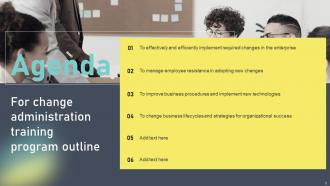
Slide 2: This slide depicts the Agenda of the presentation.
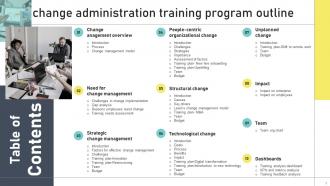
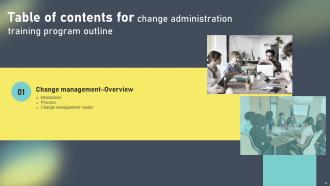
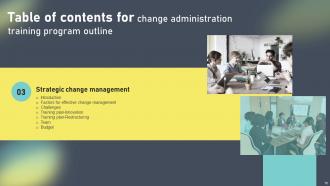
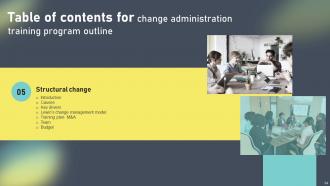
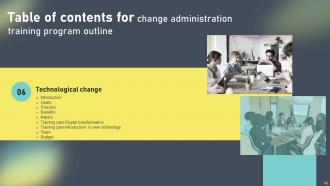
Slide 3: This slide includes the Table of Contents.
Slide 4: This slide highlights the Title for the Topics to be discussed further.
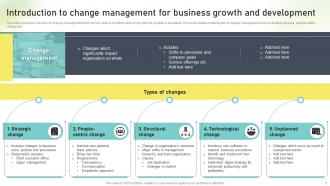
Slide 5: This slide reveals the Introduction to change management for business growth and development.
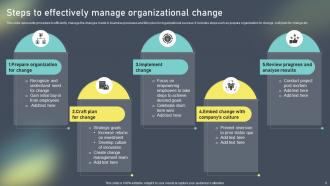
Slide 6: This slide states the Steps to effectively manage organizational change.
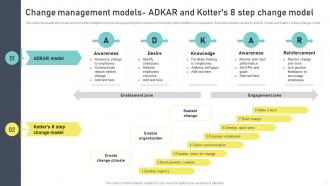
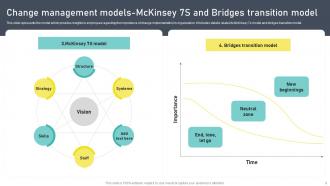
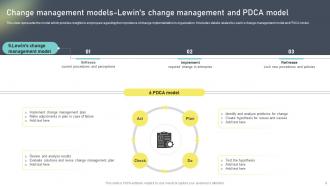
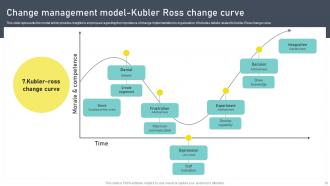
Slide 7: This slide represents the model which provides insights to employees regarding the importance of change implementation in organization.
Slide 8: This slide shows the Change management models-McKinsey 7S and Bridges transition model.
Slide 9: This slide reveals the Change management models-Lewin's change management and PDCA model.
Slide 10: This slide exhibits the Change management model-Kubler Ross change curve.
Slide 11: This slide presents the Heading for the Contents to be covered next.
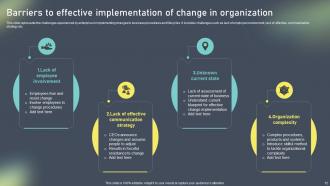
Slide 12: This slide portrays the Barriers to effective implementation of change in organization.
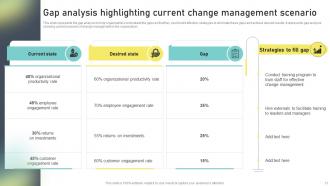
Slide 13: This slide states the Gap analysis highlighting current change management scenario.
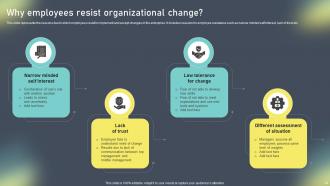
Slide 14: This slide presents the reasons due to which employees resist to implement and accept changes in the enterprise.
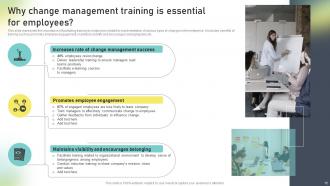
Slide 15: This slide shows the importance of facilitating training to employees related to implementation of various types of changes in the enterprise.
Slide 16: This slide indicates the Title for the Ideas to be discussed further.
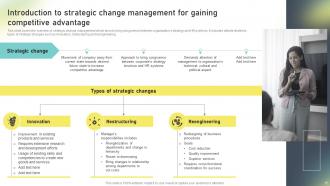
Slide 17: This slide covers the overview of strategic change management which aims to bring congruence between organization’s strategy and HR systems.
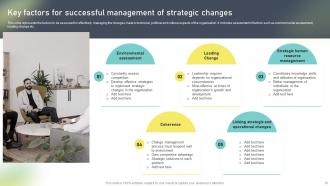
Slide 18: This slide states the Key factors for successful management of strategic changes.
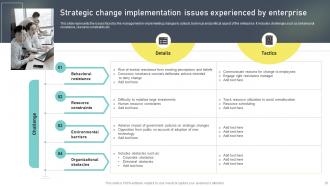
Slide 19: This slide represents the issues faced by the management in implementing changes to cultural, technical and political aspect of the enterprise.
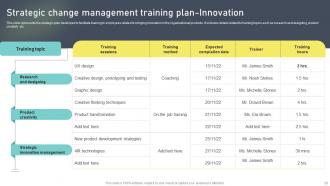
Slide 20: This slide portrays the Strategic change management training plan-Innovation.
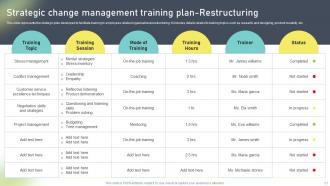
Slide 21: This slide represents the strategic plan developed to facilitate training to employees related organizational restructuring.
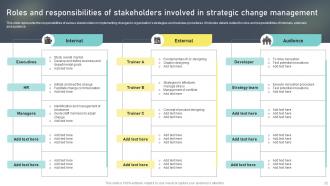
Slide 22: This slide exhibits the Roles and responsibilities of stakeholders involved in strategic change management.
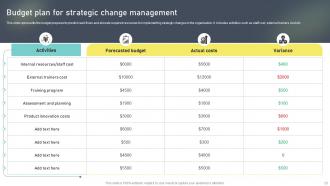
Slide 23: This slide reveals the Budget plan for strategic change management.
Slide 24: This slide presents the Heading for the Ideas to be covered next.
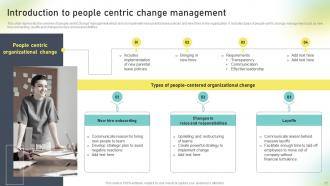
Slide 25: This slide states the Types of people-centered organizational change.
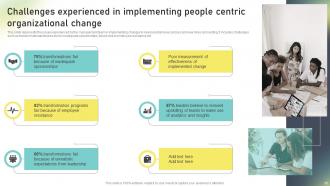
Slide 26: This slide exhibits the Challenges experienced in implementing people centric organizational change.
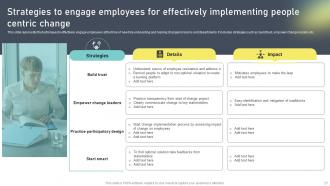
Slide 27: This slide displays the Strategies to engage employees for effectively implementing people centric change.
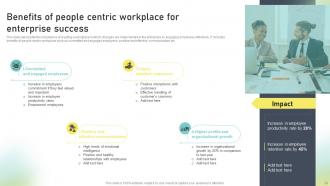
Slide 28: This slide states the Benefits of people centric workplace for enterprise success.
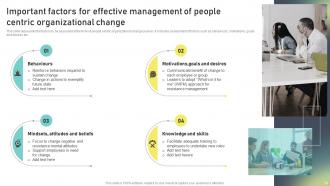
Slide 29: This slide highlights the Important factors for effective management of people centric organizational change.
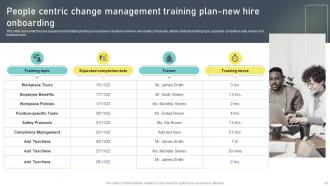
Slide 30: This slide represents the plan prepared for facilitating training to employees related to new hire onboarding.
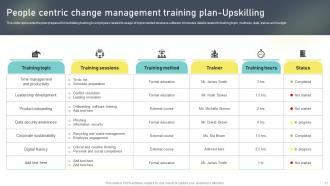
Slide 31: This slide reveals the People centric change management training plan-Upskilling.
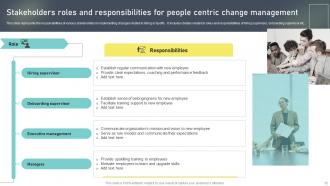
Slide 32: This slide portrays the Stakeholders roles and responsibilities for people centric change management.
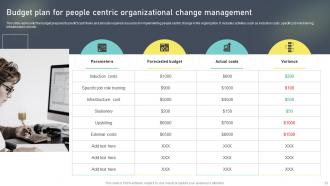
Slide 33: This slide displays the Budget plan for people centric organizational change management.
Slide 34: This slide shows the Title for the Contents to be covered next.
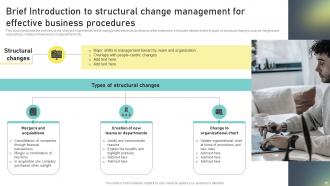
Slide 35: This slide represents the overview of the changes implemented in the management hierarchy and teams of the enterprise.
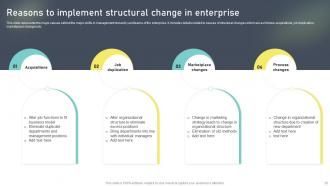
Slide 36: This slide highlights the Reasons to implement structural change in enterprise.
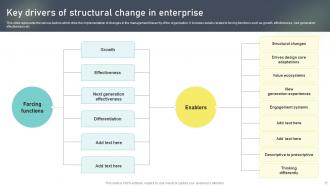
Slide 37: This slide presents the Key drivers of structural change in enterprise.
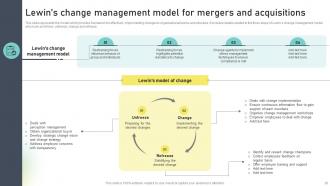
Slide 38: This slide highlights the model which provides framework for effectively implementing changes to organizational teams and structure.
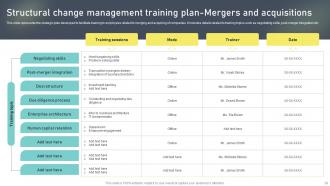
Slide 39: This slide reveals the Structural change management training plan-Mergers and acquisitions.
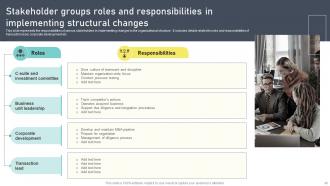
Slide 40: This slide represents the responsibilities of various stakeholders in implementing changes to the organizational structure.
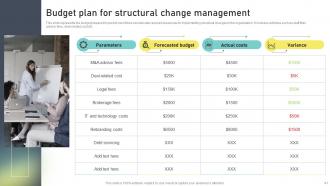
Slide 41: This slide highlights the budget prepared to predict cash flows and allocate required resources for implementing structural changes.
Slide 42: This slide depicts the Heading for the Topics to be discussed further.
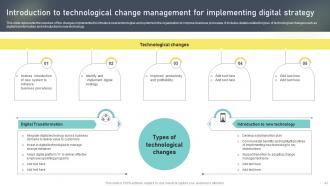
Slide 43: This slide portrays the Introduction to technological change management for implementing digital strategy.
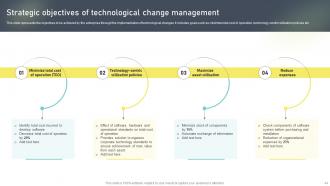
Slide 44: This slide shows the Strategic objectives of technological change management.
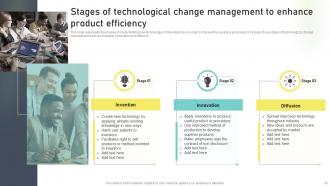
Slide 45: This slide represents the phases of implementing new technologies in the enterprise in order to improve the business processes.
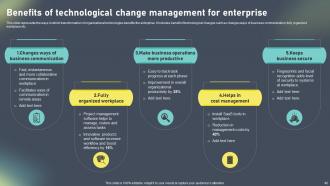
Slide 46: This slide exhibits the Benefits of technological change management for enterprise.
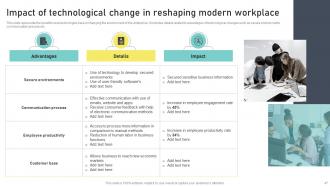
Slide 47: This slide indicates the Impact of technological change in reshaping modern workplace.
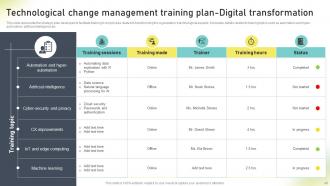
Slide 48: This slide shows the strategic plan developed to facilitate training to employees related to transforming the organization’s technological aspects.
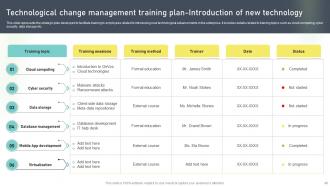
Slide 49: This slide mentions about the Technological change management training plan-Introduction of new technology.
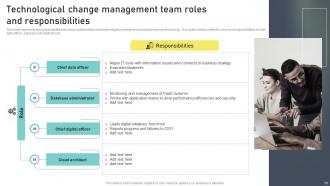
Slide 50: This slide highlights the Technological change management team roles and responsibilities.
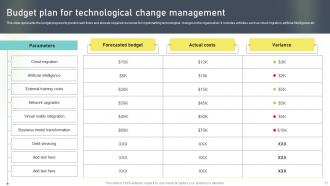
Slide 51: This slide represents the budget prepared to predict cash flows and allocate required resources for implementing technological changes.
Slide 52: This slide portrays the Title for the Topics to be covered next.
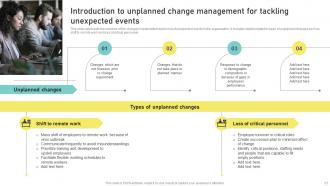
Slide 53: This slide reveals the Introduction to unplanned change management for tackling unexpected events.
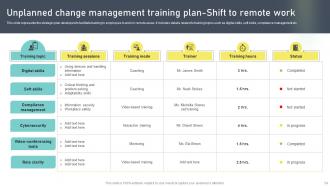
Slide 54: This slide represents the strategic plan developed to facilitate training to employees to work in remote areas.
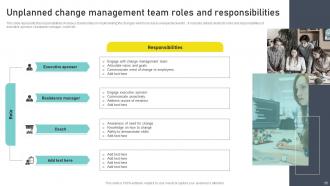
Slide 55: This slide shows the Unplanned change management team roles and responsibilities.
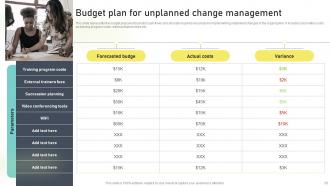
Slide 56: This slide exhibits the Budget plan for unplanned change management.
Slide 57: This slide indicates the Heading for the Contents to be discussed in the following template.
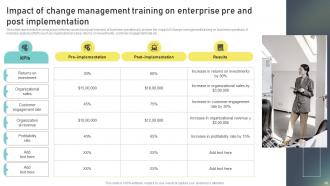
Slide 58: This slide presents the comparison between current and past scenario of business operations to analyze the impact of change management training on business operations.
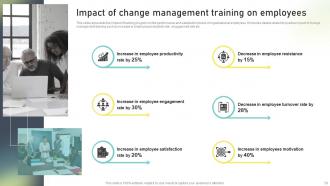
Slide 59: This slide shows the Impact of change management training on employees.
Slide 60: This slide highlights the Title for the Ideas to be covered in the upcoming template.
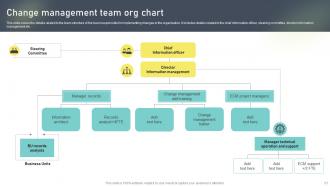
Slide 61: This slide covers the details related to the team structure of the team responsible for implementing changes in the organization.
Slide 62: This slide states the Heading for the Ideas to be discussed further.
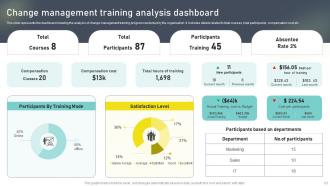
Slide 63: This slide represents the dashboard showing the analysis of change management training program conducted by the organization.
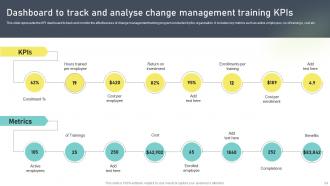
Slide 64: This slide displays the Dashboard to track and analyse change management training KPIs.
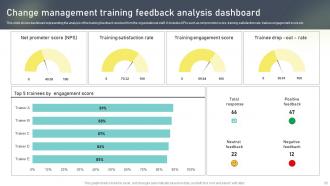
Slide 65: This slide shows dashboard representing the analysis of the training feedback received from the organizational staff.
Slide 66: This is the Icons slide containing all the Icons used in the plan.
Slide 67: This sldie is used for depicting some Additional information.
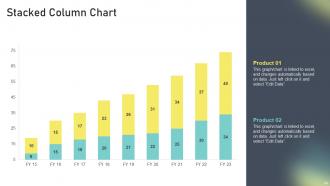
Slide 68: This is the Stacked Column Chart slide.
Slide 69: This slide incorporates the organization's Timeline.
Slide 70: This slide displays the organization's company's timeline.
Slide 71: This is the Puzzle slide with related imaegry.
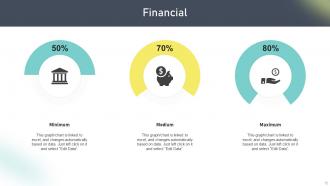
Slide 72: This slide elucidates information related to the Financial topic.
Slide 73: This slide contains the Post it notes for reminders and deadlines.
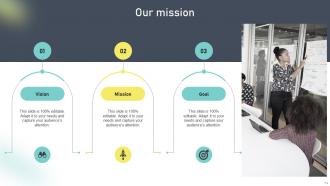
Slide 74: This slide exhibits organization's mission, vision, and goals.
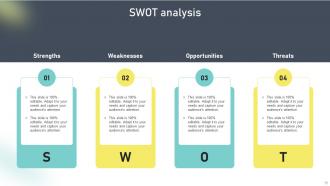
Slide 75: This slide reveals the SWOT analysis.
Slide 76: This is the Magnifying glass slide for minute details.
Slide 77: This is the Thank You slide for acknowledgement.
Change Administration Training Program Outline Powerpoint Presentation Slides with all 82 slides:
Use our Change Administration Training Program Outline Powerpoint Presentation Slides to effectively help you save your valuable time. They are readymade to fit into any presentation structure.





FAQs for Change Administration Training Program Outline
So there's three main parts - prep, actually doing it, and making it stick. Like planning a move, moving, then settling in. First you need people on board and gotta explain why this matters. Implementation means training everyone and dealing with pushback (spoiler: there's always pushback). Here's where most companies screw up though - the reinforcement stage. Changes just die here if you don't celebrate wins and build new habits into daily stuff. Honestly? Take your time in prep even when everyone's rushing you. I know it's boring but skipping it bites you later.
Honestly, I'd check three main things before diving in. First - how's your team feeling about change? Some people love it, others run screaming. Survey them to get a real sense of the vibe. Then look at your resources - got the budget, time, and right skills? Leadership support is huge too (I've seen so many projects die because executives weren't really committed). Check what happened with past changes - what bombed and what actually worked? Oh, and see if people are already burned out from other initiatives. Maybe create a quick scorecard rating each area 1-10, then fix the weak spots first.
Dude, communication really can make or break these things. People hate being left in the dark - I've watched so many changes crash just because nobody explained what was happening or why. You'll want to hit multiple channels and actually listen, not just talk at people. Different teams care about totally different stuff too. Finance wants numbers, operations wants logistics, whatever. Oh and start way earlier than you think you need to. Better to overcommunicate at first. Use everything - emails, meetings, even those random hallway conversations. They add up more than you'd expect.
Honestly, culture is everything when it comes to change. If you're in a top-heavy company, get the bosses on board first. More collaborative places? You'll need everyone bought in from the start. Risk-averse cultures are the worst - like convincing your grandpa to try TikTok. Fast-moving companies jump on change but then mess up the details, while slow and steady ones overthink everything. Here's what actually works: figure out if your culture fights change or rolls with it, then plan around that reality instead of against it.
Honestly, the biggest pain points are usually scared employees who think they'll lose their jobs or get shuffled around. Leadership often sucks at explaining what's actually happening too. Plus there's never enough training or resources - story of every workplace, right? Combat this by being super transparent about the "why" behind changes. Get people involved in planning so they feel like they have some control. Training helps tons, obviously. Oh and don't try changing everything at once - that's a recipe for disaster. Start with small pilot programs if you can. Bottom line: make people feel supported, not bulldozed.
Honestly, you've gotta communicate like 3x more than you think you need to. Tell people WHY you're making changes - uncertainty is the worst part for most folks. Be upfront about what you don't know yet too. Set up different ways for people to give feedback without seeming like they're just whining. Town halls are good, skip-level meetings, maybe anonymous surveys. But here's the thing - actually involve them in planning the change instead of just dropping news on them. People hate feeling powerless. Weekly check-ins help tons if you're not doing those already.
So Kotter's 8-Step Process and ADKAR are the big ones - literally every consultant I've met swears by them. ADKAR breaks down individual change into Awareness, Desire, Knowledge, Ability, and Reinforcement, which is pretty straightforward. Kotter's all about creating urgency first and getting the right people on board. There's also Lewin's old-school Unfreeze-Change-Refreeze model, though that one feels a bit dated now. Oh, and Agile change management is getting popular too. Honestly? I'd go with ADKAR if you're dealing with people stuff. It's really good at showing you exactly where someone's getting stuck in the whole process.
Honestly, start tracking your metrics before you even launch anything - that's your baseline. Pick maybe 3-5 things that actually matter: productivity, engagement scores, customer satisfaction, whatever fits your situation. Real-time dashboards are clutch for monitoring progress. I swear, half the teams I know just go with their gut and wonder why things fall flat later. Compare your before and after data to see what's genuinely moving the needle. Don't get buried in spreadsheets though - focus on the metrics that'll actually tell you if people are buying into the change.
Honestly, the biggest mistake is springing changes on people without warning. Start involving them from the beginning - like, actually ask for their input before decisions get set in stone. Be super clear about why this change is happening because people freak out when they're left guessing. Listen when they push back too. Sometimes they'll catch problems you missed (though not always, let's be real). Give folks training if they need it, don't rush the timeline, and make a big deal out of small wins early on. People hate feeling like victims of corporate decisions. Make them partners instead and you'll get way less drama.
Honestly, figure out who all your stakeholders are right from the start - saves tons of drama down the road. Always explain WHY you're making changes, not just what's changing. People hate being left in the dark. Get some allies on different teams who can help sell the idea for you. Oh, and definitely expect pushback instead of crossing your fingers it won't happen. Set up ways for people to give feedback so they don't feel steamrolled. Maybe try sketching out where you think people might resist during your kickoff? Trust me, a little prep goes a long way.
Dude, training is make-or-break for any big change at work. People can't just figure out new systems or processes on their own - that's a recipe for disaster. You'll get pushback, mistakes everywhere, and honestly? Your best employees might just bail. I've seen it happen too many times. Don't wait until the last minute either. Map out your training plan early, like when you're still planning the change itself. Give people the actual skills they need upfront. Otherwise you're basically throwing them into chaos and hoping for the best.
Honestly, it's all about being straight with people - tell them what's happening and why. Don't do those fake "listening sessions" where you've already decided everything. I've watched too many leaders just steamroll through changes without thinking about who gets hurt. Make sure you're not dumping all the problems on the same people who always get screwed over. Try to keep jobs safe when you can. Oh, and actually support people through the mess - like, real support, not just an email saying "we're here for you." Basically just don't be a jerk about it.
Honestly, you've gotta create feedback loops everywhere - surveys after big milestones, quick pulse checks with teams, exit interviews. Anonymous suggestion boxes work great too since people will actually tell you the truth when they're not worried about politics. Track everything in a simple dashboard so you can spot patterns and pushback points. Here's the thing though - you absolutely have to show people how you're using their input for the next change project, otherwise they'll stop caring. Oh, and don't try to do everything at once. Pick one feedback method this week and build from there. Trust me on this one.
So digital transformation basically flips change management on its head. Everything moves way faster and you're constantly dealing with new tech stuff. Those old-school waterfall processes? Yeah, forget about it - we tried that at my last job and it was a disaster. You gotta go agile instead. Break training into smaller pieces, communicate nonstop, and be ready to switch directions when things don't work. Oh, and people get seriously anxious about new technology, so find your tech-savvy team members first. They'll help you sell everyone else on the changes. It's honestly more about psychology than process.
Honestly, track the soft stuff more than the hard numbers - employee surveys and adoption rates tell you way more than productivity metrics ever will. Sure, you need those KPIs and cost savings data, but I've seen too many "successful" changes that totally failed because nobody actually wanted to use the new system. Set up regular check-ins throughout the process instead of waiting until the end. Ask your team how they're really feeling about it. Are they comfortable? Pushing back? The whole thing only works if people actually stick with the new way of doing things.
-
The templates are handy and I can personalize them as per my needs. Glad to be your subscriber!
-
Been using SlideTeam for some time now…can’t imagine why I wasted all that time in front of the screen trying to make the perfect presentation.