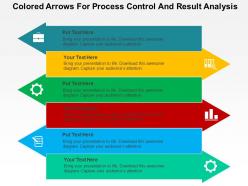
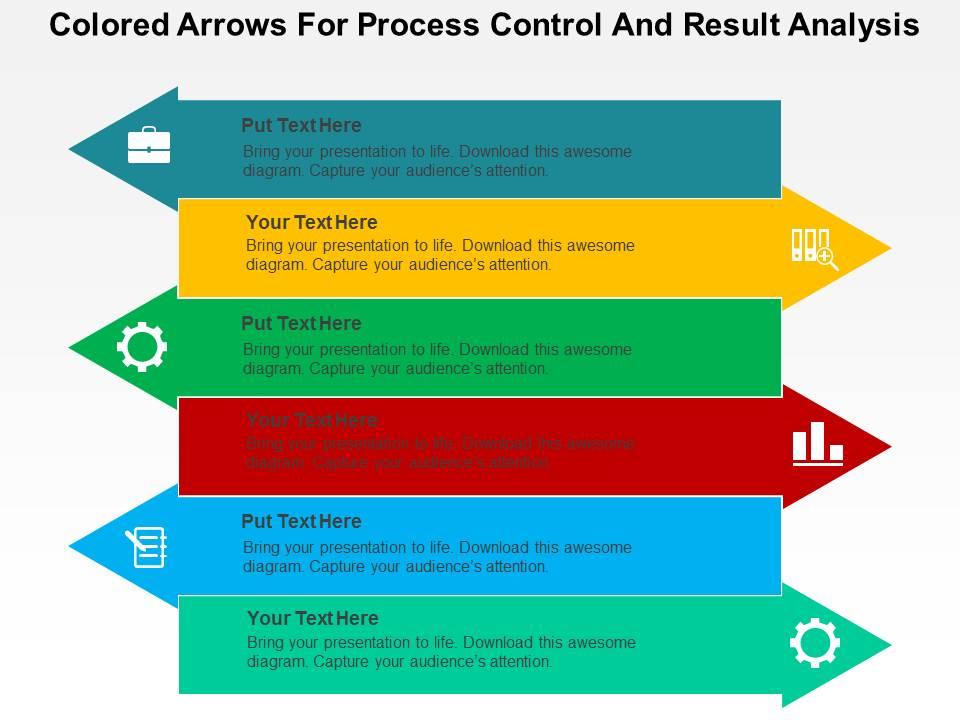
Colored arrows for process control and result analysis flat powerpoint design
Try Before you Buy Download Free Sample Product
Audience
Editable
of Time
Cover the distance between with our Colored Arrows For Process Control And Result Analysis Flat Powerpoint Design. They allow you to get up close and friendly.
People who downloaded this PowerPoint presentation also viewed the following :
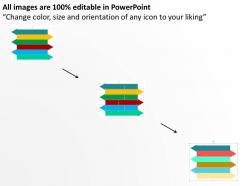
Colored arrows for process control and result analysis flat powerpoint design with all 4 slides:
Every time you need to make your message clear look to clear compelling design. Our Colored Arrows For Process Control And Result Analysis Flat Powerpoint Design have been carefully crafted to suit your business needs.
FAQs for Colored arrows for process control and result analysis
Colored arrows in process control visualizations enhance clarity, streamline decision-making, and accelerate problem identification by providing instant visual cues for process flow direction, status indicators, and priority levels. These visual elements enable operators in manufacturing, logistics, and healthcare facilities to quickly identify bottlenecks, track workflow efficiency, and respond to critical alerts, ultimately delivering faster response times and improved operational control.
Color selection for arrows significantly influences audience comprehension by leveraging psychological associations, creating visual hierarchy, and reducing cognitive load during information processing. Strategic use of colors like red for alerts, green for positive outcomes, and blue for processes helps audiences quickly categorize information, while consistent color coding across slides enables faster pattern recognition and improves retention, ultimately delivering clearer communication and more engaging presentations.
Different colors trigger distinct psychological responses that significantly impact process control effectiveness, with red creating urgency and immediate attention, green signaling safety and progress, yellow indicating caution and review points, and blue promoting calm analytical thinking. These color associations help operators make faster decisions during critical processes, reduce cognitive load in complex systems, and enhance overall situational awareness, with many manufacturing and control room environments finding that strategic color coding improves response times and reduces operational errors.
Colored arrows enhance data interpretation by creating visual hierarchies, indicating directional trends, distinguishing between different data categories, and highlighting performance metrics through intuitive color coding. Through strategic color application, analysts can immediately communicate positive growth, negative declines, and neutral patterns, while enabling audiences to quickly identify critical insights, track sequential processes, and understand complex relationships, ultimately delivering faster comprehension and more effective decision-making across organizations.
Best practices for incorporating colored arrows in complex workflows include establishing consistent color coding, limiting color palettes to 3-5 distinct hues, using directional weight variations, implementing logical flow hierarchies, and maintaining accessibility standards. These visual strategies streamline process comprehension by reducing cognitive load, enhancing decision-making clarity, and enabling faster stakeholder alignment, with many organizations finding that standardized arrow systems ultimately deliver improved operational efficiency and reduced training time.
Colored arrows help identify bottlenecks by using distinct colors to represent different flow rates, processing times, and capacity levels throughout each process stage. Red arrows typically highlight congested areas, yellow indicates moderate delays, and green shows optimal flow, enabling managers in manufacturing, logistics, and service industries to quickly pinpoint inefficiencies and prioritize improvements for enhanced operational performance.
**INPUT**: What tools or software are most effective for creating visually appealing colored arrow graphics? **OUTPUT**: Effective tools for creating colored arrow graphics include Adobe Illustrator, Canva, PowerPoint, Lucidchart, and specialized presentation platforms like SlideTeam. These applications streamline design workflows through pre-built templates, customizable color schemes, and vector-based editing capabilities, with many organizations finding that professional presentation tools ultimately deliver consistent branding and enhanced visual communication across teams. **Word count: 56 words**
Color-blind friendly designs integrate accessible color palettes, pattern variations, texture differences, high contrast combinations, and clear labeling systems when using colored arrows. These approaches enhance process control visualizations by incorporating distinct shapes, directional patterns, and supplementary text indicators alongside color coding, with many organizations finding that inclusive design ultimately delivers broader audience comprehension and improved analytical accuracy.
Colored arrows in Lean and Six Sigma methodologies serve as visual indicators for process flow mapping, waste identification, value stream analysis, and performance tracking throughout improvement initiatives. These visual tools enhance team communication by highlighting bottlenecks, inefficiencies, and improvement opportunities, with many manufacturing and service organizations finding that color-coded process maps accelerate problem-solving and deliver measurable operational improvements.
Different industries utilize colored arrows strategically, with manufacturing using red for quality alerts and green for optimal flow, healthcare employing color coding for patient safety protocols and emergency response, and financial services implementing arrows for risk assessment and transaction monitoring. These visual systems streamline decision-making by enabling instant status recognition, reducing response times, and enhancing operational efficiency, with many organizations finding that standardized color coding significantly improves cross-departmental communication and process optimization.
Colored arrows effectively represent performance metrics like revenue growth, customer satisfaction scores, operational efficiency rates, quality control measurements, and project milestone progress. These visual indicators enable teams across manufacturing, healthcare, and financial services to quickly identify trends, bottlenecks, and improvement opportunities, ultimately streamlining decision-making processes and enhancing organizational responsiveness to critical performance changes.
Colored arrows can be customized through strategic color palette alignment, consistent styling with brand fonts and design elements, and incorporating company-specific visual themes like gradients or textures. Through PowerPoint's advanced formatting tools, organizations streamline brand consistency across process flows, decision trees, and analytical frameworks, while maintaining professional aesthetics that enhance stakeholder engagement, ultimately delivering cohesive presentations that reinforce corporate identity and improve communication effectiveness.
Common pitfalls include using too many colors creating visual chaos, inconsistent color meanings across diagrams, poor color contrast reducing readability, and neglecting colorblind accessibility considerations. These design mistakes can confuse stakeholders during process reviews, misalign cross-functional teams on workflow interpretations, and ultimately compromise decision-making effectiveness, with many organizations finding that standardized color protocols significantly enhance process communication clarity.
Animated colored arrows enhance engagement by creating visual movement that guides audience attention, while colors differentiate between process stages, outcomes, and critical decision points. Through strategic animation timing and color coding, presenters can control information flow, highlight key transitions, and maintain audience focus, with many finding that dynamic visual elements increase comprehension rates and retention compared to static diagrams.
Healthcare systems demonstrate colored arrows' effectiveness through patient flow tracking, where red arrows indicate bottlenecks in emergency departments, yellow shows moderate delays, and green represents optimal flow rates. Manufacturing companies use similar color-coded arrow systems for quality control dashboards, enabling managers to quickly identify production inefficiencies and resource allocation issues, ultimately delivering faster decision-making and improved operational performance.
-
Great product with effective design. Helped a lot in our corporate presentations. Easy to edit and stunning visuals.
-
Easy to edit slides with easy to understand instructions.