


Comprehensive Guide To Google Ads Planning MKT CD





Try Before you Buy Download Free Sample Product
 Impress Your
 Audience
 100%
100% Editable
 Save Hours
 of Time


Google Ads is an advertising service by Google that allows businesses to display ads on Google search results and its advertising network. Our insightfully developed PowerPoint presentation titled, Comprehensive Guide to Google Ads Planning covers strategies to optimize business needs to generate leads and increase engagement through Google ads. Additionally, the Google Advertising PPT slides provide steps to create a successful Google ad strategy for business along with strategies to optimize and evaluate the effectiveness of Google ads. Moreover, the Google Advertising PowerPoint presentation also contains different ad categories such as text, video, display, and shopping showcase ads. Also, it encompasses tips to improve their performances to generate the best results. Lastly, our Google carousel ads module contains an overview of the Google keyword planner along with ad campaign cost structure with budget allocations and spending, the impact of Google ad campaigns, and dashboards. Get access now.
People who downloaded this PowerPoint presentation also viewed the following :
Content of this Powerpoint Presentation
Slide 1: This slide introduces Comprehensive Guide to Google Ads Planning. State Your Company Name and begin.
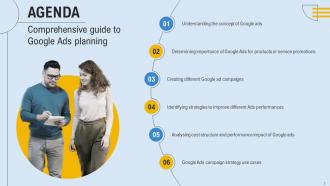
Slide 2: This slide is an Agenda slide. State your agendas here.
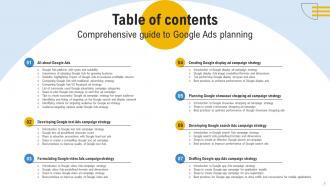
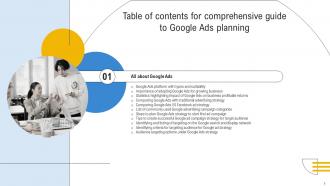
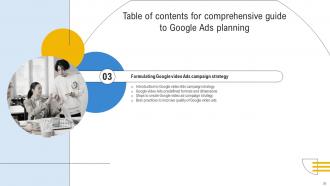
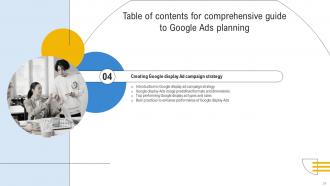
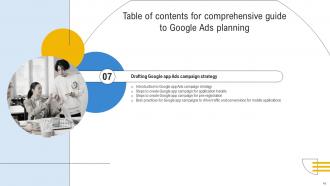
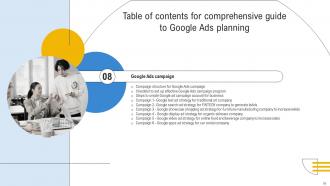
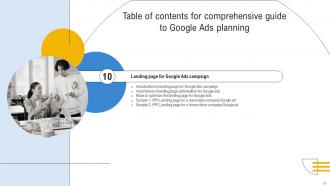
Slide 3: This slide shows a Table of Contents for the presentation.
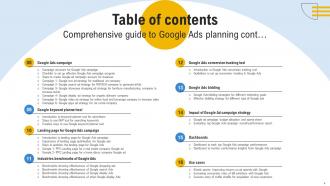
Slide 4: This slide is in continuation with the previous slide.
Slide 5: This slide is an introductory slide.
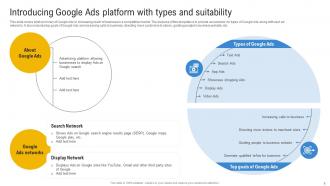
Slide 6: This slide covers brief summary of Google Ads in increasing reach of business in a competitive market.
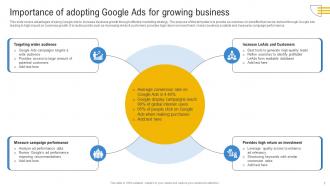
Slide 7: This slide marks advantages of using Google Ads to increase business growth through effective marketing strategy.
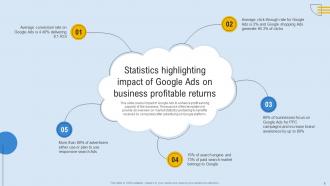
Slide 8: This slide entails impact of Google Ads to enhance profit earning capacity of the business.
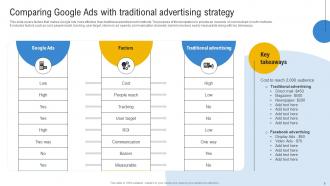
Slide 9: This slide presents factors that makes Google Ads more effective than traditional advertisement methods.
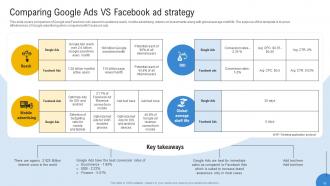
Slide 10: This slide showcases comparison of Google and Facebook Ads based on audience reach, etc.
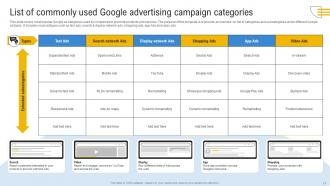
Slide 11: This slide depicts most popular Google ad categories used by companies to promote products and services.
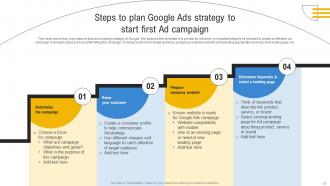
Slide 12: This slide describes four main steps to plan ad campaign strategy on Google.
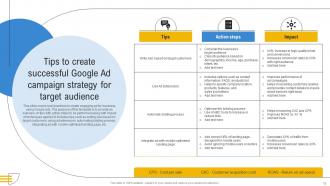
Slide 13: This slide demonstrates best practices to create engaging ad for business using Google ads.
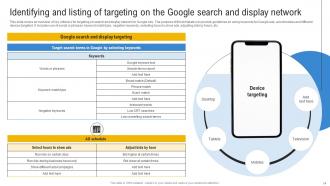
Slide 14: This slide focuses on the overview of key criteria’s for targeting on search and display network for Google Ads.
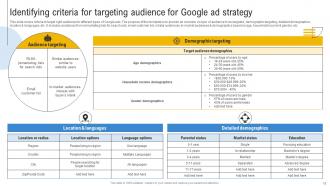
Slide 15: This slide covers criteria to target right audience for different types of Google ads.
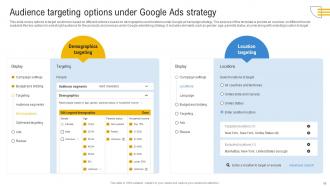
Slide 16: This slide highlights options to target customers based on different criteria's based on demographics and locations under Google ad campaign strategy.
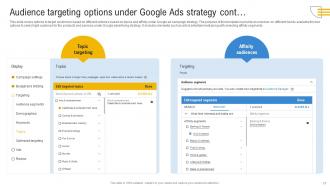
Slide 17: This slide illustrates options to target customers based on different criteria's based on topics and affinity under Google ad campaign strategy.
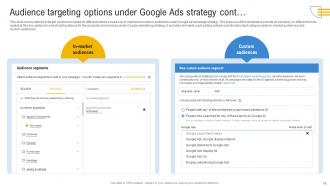
Slide 18: This slide portrays options to target customers based on different criteria's based on in market and custom audiences.
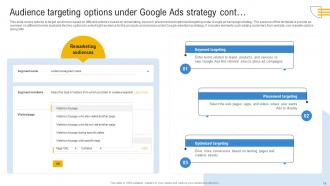
Slide 19: This slide is in continuation with the previous slide.
Slide 20: This slide is an introductory slide.
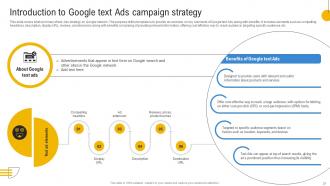
Slide 21: This slide shows brief summary of text Ads strategy on Google network.
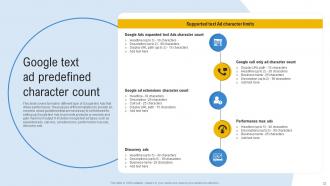
Slide 22: This slide showcases format for different type of Google text Ads that drives performance.
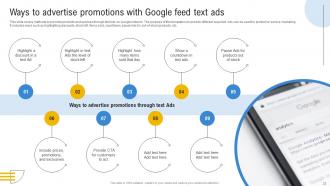
Slide 23: This slide demarcates methods to promote products and services through text Ads on Google network.
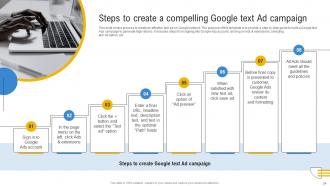
Slide 24: This slide represents process to create an effective text ad on Google network.
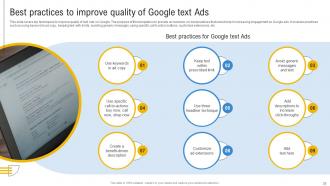
Slide 25: This slide presents top techniques to improve quality of text Ads on Google.
Slide 26: This slide is an introductory slide.
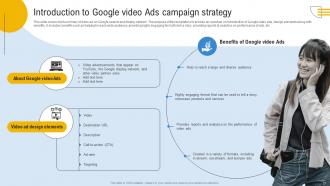
Slide 27: This slide covers brief summary of video ad on Google search and display network.
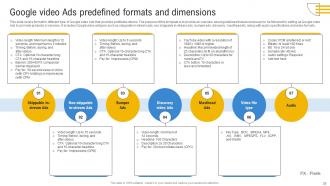
Slide 28: This slide puts format for different type of Google video Ads that provides profitable returns.
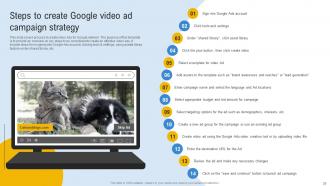
Slide 29: This slide outlines process to create video Ads for Google network.
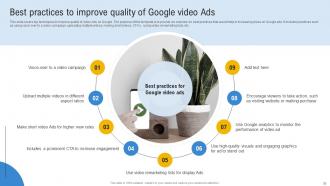
Slide 30: This slide details top techniques to improve quality of video Ads on Google.
Slide 31: This slide is an introductory slide.
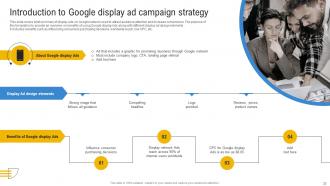
Slide 32: This slide entails brief summary of display Ads on Google network used to attract audience attention and increase conversions.
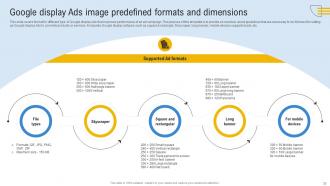
Slide 33: This slide portrays format for different type of Google display Ads that improves performance of an ad campaign.
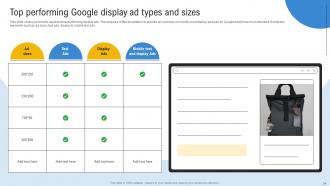
Slide 34: This slide covers commonly used and top performing display ads.
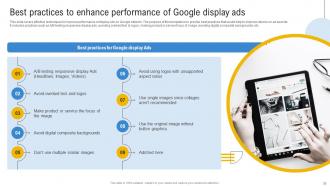
Slide 35: This slide highlights effective techniques to improve performance of display Ads on Google network.
Slide 36: This slide is an introductory slide.
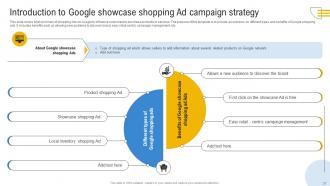
Slide 37: This slide illustrates brief summary of shopping Ads on Google to influence customers to purchase products or services.
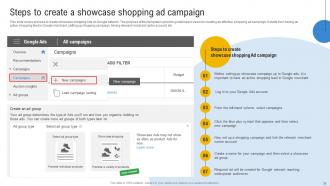
Slide 38: This slide describes process to create showcase shopping Ads on Google network.
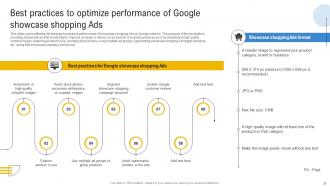
Slide 39: This slide entails effective techniques to enhance performance of showcase shopping Ads on Google network.
Slide 40: This slide is an introductory slide.
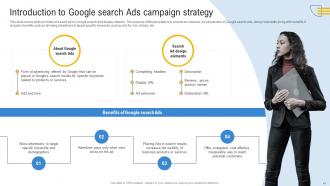
Slide 41: This slide represents brief summary of search ad on Google search and display network.
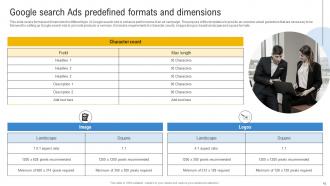
Slide 42: This slide presents format and dimensions for different type of Google search Ads to enhance performance of an ad campaign.
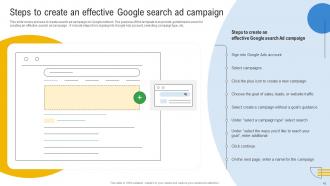
Slide 43: This slide covers process to create search ad campaign on Google network.
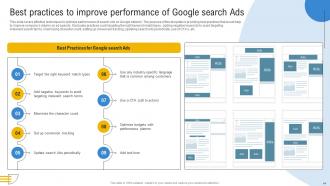
Slide 44: This slide puts effective techniques to optimize performance of search Ads on Google network.
Slide 45: This slide is an introductory slide.
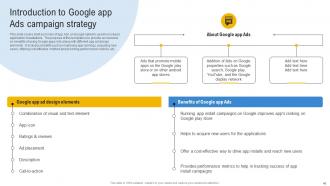
Slide 46: This slide aligns brief summary of app Ads on Google network used to increase application installations.
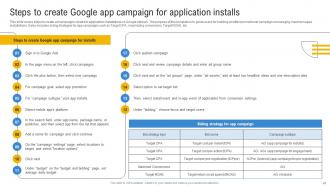
Slide 47: This slide portrays steps to create ad campaigns related to application installations on Google network.
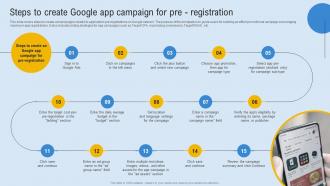
Slide 48: This slide outlines steps to create ad campaigns related to application pre registrations on Google network.
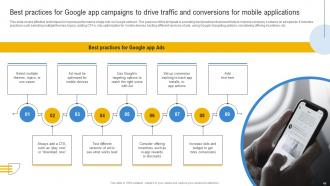
Slide 49: This slide overviews the effective techniques to improve performance of app Ads on Google network.
Slide 50: This slide is an introductory slide.
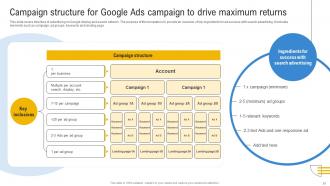
Slide 51: This slide covers structure of advertising on Google display and search network.
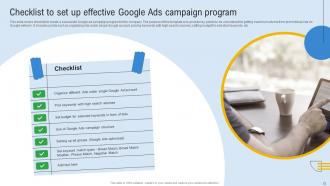
Slide 52: This slide pertains to checklist to create a successful Google ad campaign program for the company.
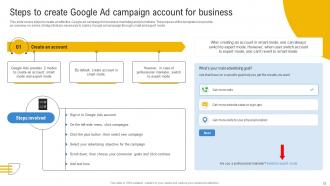
Slide 53: This slide functions to the steps to create an effective Google ad campaign for business marketing and promotions.
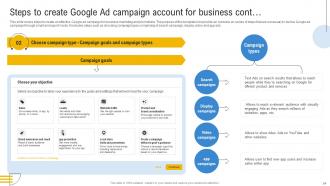
Slide 54: This slide highlights steps to create an effective Google ad campaign for business marketing and promotions.
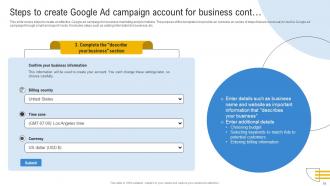
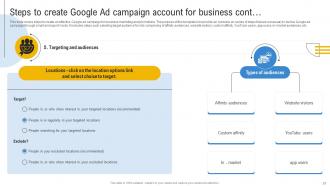
Slide 55: This slide illustrates steps to create an effective Google ad campaign for business marketing and promotions.
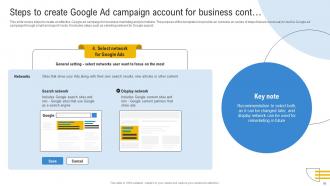
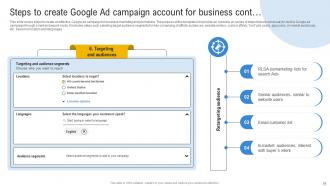
Slide 56: This slide demarcates steps to create an effective Google ad campaign for business marketing and promotions.
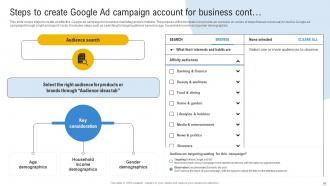
Slide 57: This slide puts steps to create an effective Google ad campaign for business marketing and promotions.
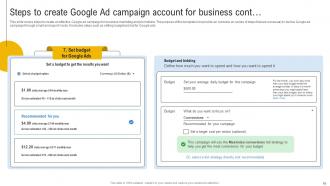
Slide 58: This slide covers steps to create an effective Google ad campaign for business marketing and promotions.
Slide 59: This slide pertains to the steps to create an effective Google ad campaign for business marketing and promotions.
Slide 60: This slide covers steps to create an effective Google ad campaign for business marketing and promotions.
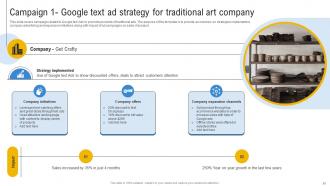
Slide 61: This slide entails campaign related to Google text Ads to promote products of traditional arts.
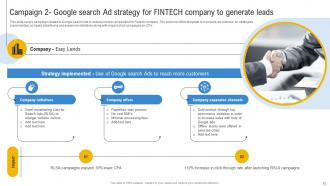
Slide 62: This slide puts campaign related to Google search Ads to reduce cost per acquisition for Fintech company.
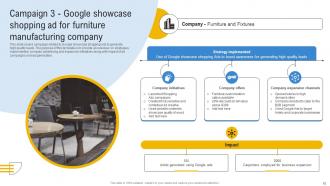
Slide 63: This slide illustrates campaign related to Google showcase shopping Ads to generate high quality leads.
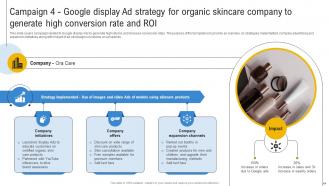
Slide 64: This slide shows campaign related to Google display Ads to generate high returns and increase conversion rates.
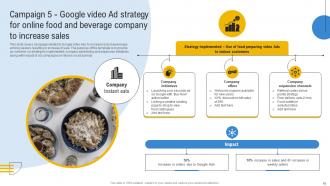
Slide 65: This slide showcases campaign related to Google video Ads to increase brand awareness.
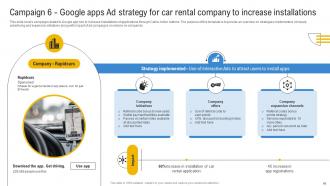
Slide 66: This slide depicts campaign related to Google app Ads to increase installations of applications through Call to Action buttons.
Slide 67: This slide is an introductory slide.
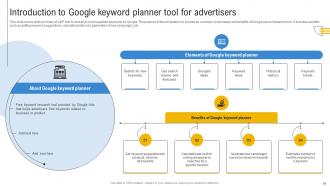
Slide 68: This slide demarcates brief summary of GKP tool to research most searched keywords on Google.
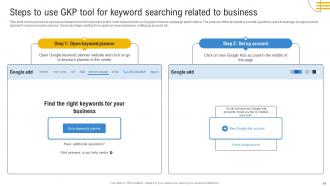
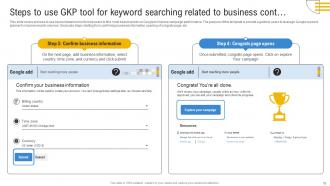
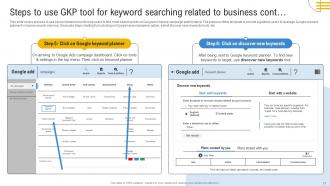
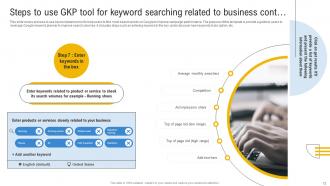
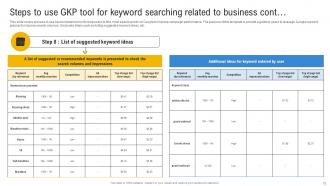
Slide 69: This slide entails process to use keyword planner tool to help users to find most search words on Google to improve campaign performance.
Slide 70: This slide is in continuation with the previous slide.
Slide 71: This slide is in continuation with the previous slide.
Slide 72: This slide is in continuation with the previous slide.
Slide 73: This slide is in continuation with the previous slide.
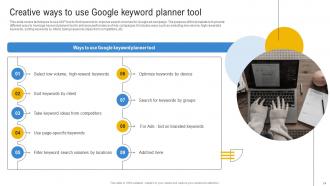
Slide 74: This slide highlights techniques to use GKP tool to find keywords to improve search volumes for Google ad campaign.
Slide 75: This slide is an introductory slide.
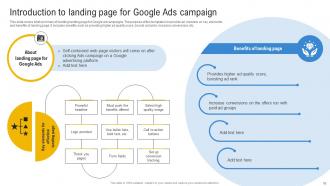
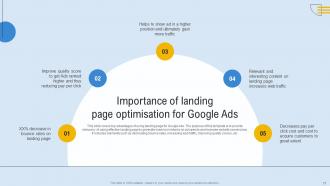
Slide 76: This slide covers brief summary of building landing page for Google ad campaigns.
Slide 77: This slide consists top advantages of using landing page for Google Ads.
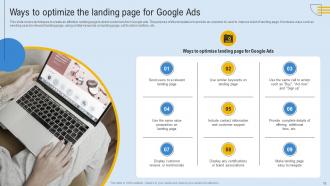
Slide 78: This slide illustrates techniques to create an effective landing page to direct customers from Google ads.
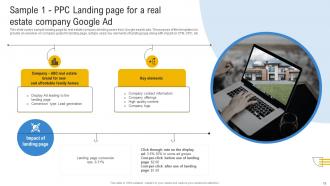
Slide 79: This slide shows sample landing page for real estate company directing users from Google search ads.
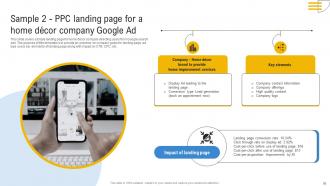
Slide 80: This slide presents sample landing page for home décor company directing users from Google search ads.
Slide 81: This slide is an introductory slide.
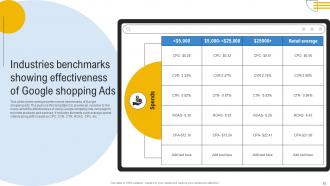
Slide 82: This slide represents average performance benchmarks of Google shopping ads.
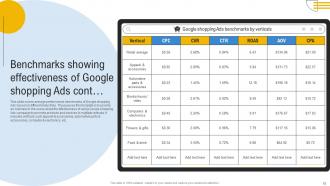
Slide 83: This slide marks average performance benchmarks of Google shopping Ads based on different industries.
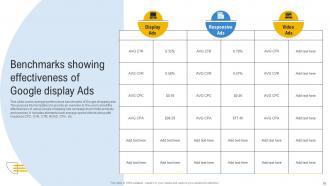
Slide 84: This slide pertains to average performance benchmarks of Google shopping ads.
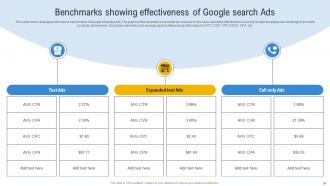
Slide 85: This slide highlights average performance benchmarks of Google shopping ads.
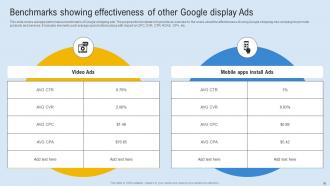
Slide 86: This slide illustrates average performance benchmarks of Google shopping ads.
Slide 87: This slide is an introductory slide.
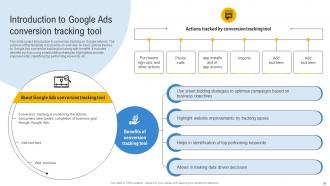
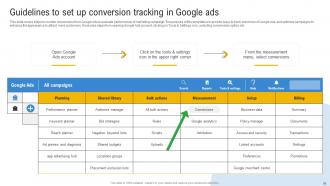
Slide 88: This slide includes introduction to conversion tracking on Google network.
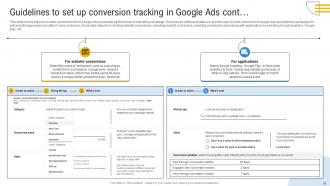
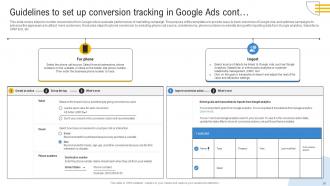
Slide 89: This slide covers steps to monitor conversions from Google Ads to evaluate performance of marketing campaign.
Slide 90: This slide is in continuation with the previous slide.
Slide 91: This slide is in continuation with the previous slide.
Slide 92: This slide is an introductory slide.
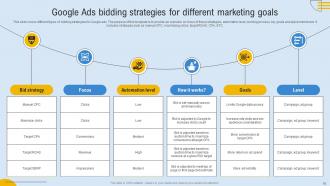
Slide 93: This slide outlines different types of bidding strategies for Google ads.
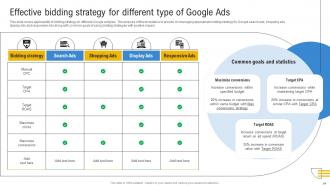
Slide 94: This slide consists applicability of bidding strategy on different Google ad types.
Slide 95: This slide is an introductory slide.
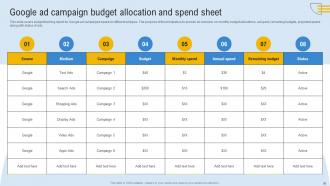
Slide 96: This slide entails budget tracking report for Google ad campaigns based on different ad types.
Slide 97: This slide is an introductory slide.
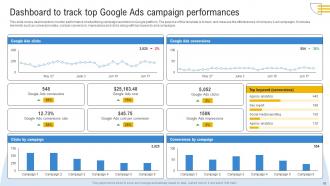
Slide 98: This slide highlights dashboards to monitor performance of advertising campaign launched on Google platform.
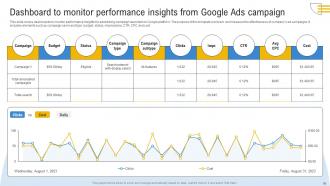
Slide 99: This slide illustrates dashboards to monitor performance insights for advertising campaign launched on Google platform.
Slide 100: This slide is an introductory slide.
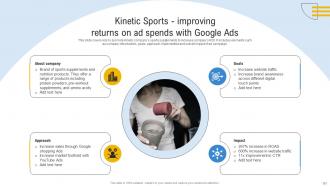
Slide 101: This slide puts Ads to promote Kinetic company’s sports supplements to increase company’s ROI.
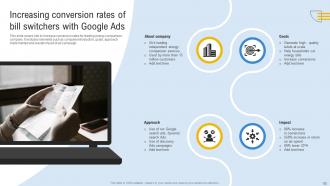
Slide 102: This slide channelises Ads to increase conversion rates for leading energy comparison company.
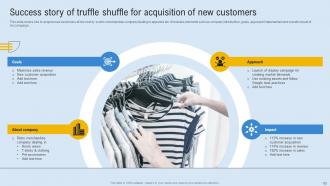
Slide 103: This slide includes Ads to acquire new customers at low cost by a retro merchandise company dealing in apparels etc.
Slide 104: This slide shows all the icons included in the presentation.
Slide 105: This slide is a thank-you slide with address, contact numbers, and email address.
Comprehensive Guide To Google Ads Planning MKT CD with all 113 slides:
Use our Comprehensive Guide To Google Ads Planning MKT CD to effectively help you save your valuable time. They are readymade to fit into any presentation structure.









FAQs for Comprehensive Guide To Google Ads
An effective Google Ads strategy includes comprehensive keyword research, targeted audience segmentation, compelling ad copy, optimized landing pages, and strategic bid management. These components work together by maximizing relevance, improving Quality Scores, and driving conversions, with many businesses finding that this integrated approach delivers lower costs per acquisition and higher ROI.
Businesses determine their target audience through customer data analysis, competitor research, Google Analytics insights, demographic studies, and keyword research. These methods enable precise audience segmentation by identifying customer behaviors, preferences, and search patterns, with many companies finding that combining multiple data sources ultimately delivers higher conversion rates and improved campaign ROI.
**INPUT**: What are the best practices for keyword research in Google Ads? **OUTPUT**: Best practices for Google Ads keyword research include using Google Keyword Planner, analyzing competitor keywords, focusing on long-tail variations, grouping by intent, and regularly reviewing search terms reports. These strategies enhance campaign performance by improving targeting precision, reducing costs, and increasing conversion rates, with many advertisers finding that strategic keyword optimization ultimately delivers higher ROI and competitive market positioning. [Word count: 60 words]
Ad copy should be tailored by incorporating targeted keywords, compelling value propositions, clear calls-to-action, emotional triggers, and audience-specific messaging that addresses pain points directly. Through A/B testing different headlines, descriptions, and offers, businesses enhance relevance and urgency, with many finding that personalized copy delivers significantly higher engagement and ultimately drives better conversion rates.
Landing page optimization significantly impacts Google Ads performance by improving Quality Score, reducing cost-per-click, and increasing conversion rates through faster load times, mobile responsiveness, and relevant content alignment. Well-optimized landing pages enhance user experience and ad relevance signals, with many e-commerce and service businesses finding that strategic page optimization delivers higher ROI and lower acquisition costs.
Businesses can set appropriate Google Ads budgets by analyzing historical performance data, defining clear campaign objectives, researching competitor spending levels, and calculating target cost-per-acquisition based on profit margins. Through strategic budget allocation across high-performing keywords and audiences, companies in retail, healthcare, and financial services streamline ad spending while maximizing ROI, ultimately delivering cost-effective customer acquisition and sustainable growth.
Key Google Ads metrics include click-through rate, conversion rate, cost-per-acquisition, quality score, and return on ad spend, alongside impression share and average position tracking. These metrics enable businesses to optimize budget allocation, refine targeting strategies, and enhance ad performance, with many organizations finding that comprehensive tracking ultimately delivers improved ROI and competitive market positioning.
A/B testing in Google Ads involves systematically comparing different ad elements like headlines, descriptions, landing pages, and bidding strategies to identify top performers. Through Google's built-in experiments feature, marketers can test variations simultaneously while maintaining statistical significance, with many campaigns finding that continuous testing of ad copy and audience segments delivers 15-30% improvement in conversion rates and cost efficiency.
Common Google Ads planning mistakes include inadequate keyword research, neglecting negative keywords, poor ad copy alignment, insufficient budget allocation, and ignoring mobile optimization. These oversights significantly impact campaign performance by reducing click-through rates, increasing costs per conversion, and limiting audience reach, with many businesses finding that strategic planning ultimately delivers higher ROI and competitive advantage.
Negative keywords enhance Google Ads efficiency by preventing ads from appearing for irrelevant searches, reducing wasted spend, and improving click-through rates. Through strategic exclusion of unqualified terms, advertisers streamline targeting, minimize budget drain from low-converting traffic, and concentrate resources on high-intent prospects, ultimately delivering better ROI and more qualified leads.
Ad scheduling maximizes Google Ads effectiveness by aligning campaigns with peak audience activity, optimizing budget allocation during high-converting hours, and reducing waste on low-performing time slots. Through strategic timing, businesses achieve higher click-through rates, improved conversion rates, and lower cost-per-acquisition, with many retailers and service providers finding significantly enhanced ROI.
Remarketing improves Google Ads conversion rates by targeting previous website visitors with personalized ads, segmenting audiences based on specific behaviors, and delivering tailored messaging that addresses their demonstrated interests. These strategic campaigns typically achieve higher engagement rates and lower acquisition costs, with many e-commerce and service businesses finding that remarketing delivers conversion rates 2-3 times higher than standard campaigns.
Google Ads performance analysis and optimization tools include Google Analytics, Google Ads Editor, SEMrush, Optmyzr, and WordStream Advisor. These platforms streamline campaign management by automating bid adjustments, identifying underperforming keywords, and providing comprehensive performance insights, with many advertisers finding that strategic tool combinations ultimately deliver improved ROI and enhanced targeting precision.
Competition significantly impacts bid strategy by driving up costs per click, requiring higher bids for top positions, and demanding strategic budget allocation across high and low-competition keywords. In competitive industries like insurance or finance, advertisers often shift toward long-tail keywords, automated bidding strategies, and enhanced ad quality to maintain cost efficiency while achieving visibility, ultimately balancing reach with profitability.
Seasonal trends can be integrated into Google Ads planning through historical performance analysis, strategic budget allocation during peak periods, seasonal keyword targeting, and promotional calendar alignment. Many retail and hospitality businesses leverage Google's seasonal insights and trend forecasting tools to adjust bidding strategies, enhance ad copy with timely messaging, and optimize campaign timing, ultimately delivering higher conversion rates and maximized ROI during critical selling periods.
-
Based on my personal experience, I would recommend other people to subscribe to SlideTeam. No one can be disappointed here!
-
If you are looking for satisfactory PowerPoint services, SlideTeam is your go-to place. I am fully contented with their research and development team.