


Comprehensive Guide To Linkedin Marketing Campaign Powerpoint Presentation Slides MKT CD
LinkedIn marketing campaign involves connecting with individuals, generating leads, increasing brand visibility, fostering business relationships, sharing content, and directing traffic to the companys website. Here is a competently designed presentation Comprehensive Guide to LinkedIn Marketing Campaign, providing practical strategies for optimizing LinkedIn profiles, generating leads, and enhancing audience engagement. These presentation slides provide different LinkedIn marketing strategies and include additional features. The PowerPoint presentation of the Linkedin content strategy also contains tools to create and optimize campaign performance through lead generation forms, matched audience, and demographic tools. It also covers the impact of LinkedIn marketing campaigns through ROI generation and campaign performance tracking reports. Furthermore, this deck provides dashboards to monitor LinkedIn performance pages, campaigns, and success stories of top companies that benefited from LinkedIn. Customize this 100 percentage editable template with our highly skilled research or design team. Get access now.
LinkedIn marketing campaign involves connecting with individuals, generating leads, increasing brand visibility, fostering ..
































































-

- Google Slides is a new FREE Presentation software from Google.
- All our content is 100% compatible with Google Slides.
- Just download our designs, and upload them to Google Slides and they will work automatically.
- Amaze your audience with SlideTeam and Google Slides.
-

Want Changes to This PPT Slide? Check out our Presentation Design Services
-

- WideScreen Aspect ratio is becoming a very popular format. When you download this product, the downloaded ZIP will contain this product in both standard and widescreen format.
-

- Some older products that we have may only be in standard format, but they can easily be converted to widescreen.
- To do this, please open the SlideTeam product in Powerpoint, and go to
- Design ( On the top bar) -> Page Setup -> and select "On-screen Show (16:9)” in the drop down for "Slides Sized for".
- The slide or theme will change to widescreen, and all graphics will adjust automatically. You can similarly convert our content to any other desired screen aspect ratio.
Compatible With Google Slides

Get This In WideScreen
You must be logged in to download this presentation.


Do you want to remove this product from your favourites?
PowerPoint presentation slides
Deliver this complete deck to your team members and other collaborators. Encompassed with stylized slides presenting various concepts, this Comprehensive Guide To Linkedin Marketing Campaign Powerpoint Presentation Slides MKT CD is the best tool you can utilize. Personalize its content and graphics to make it unique and thought-provoking. All the seventy eight slides are editable and modifiable, so feel free to adjust them to your business setting. The font, color, and other components also come in an editable format making this PPT design the best choice for your next presentation. So, download now.

People who downloaded this PowerPoint presentation also viewed the following :
Content of this Powerpoint Presentation
Slide 1: This slide introduces Comprehensive Guide to LinkedIn Marketing Campaign.
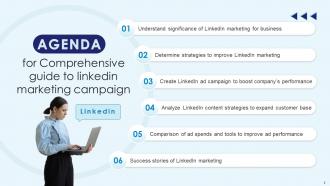
Slide 2: This is an Agenda slide. State your agendas here.
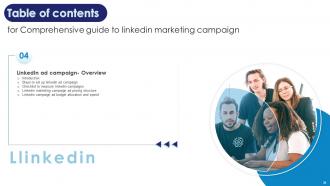
Slide 3: This slide displays Table of contents for presentation.
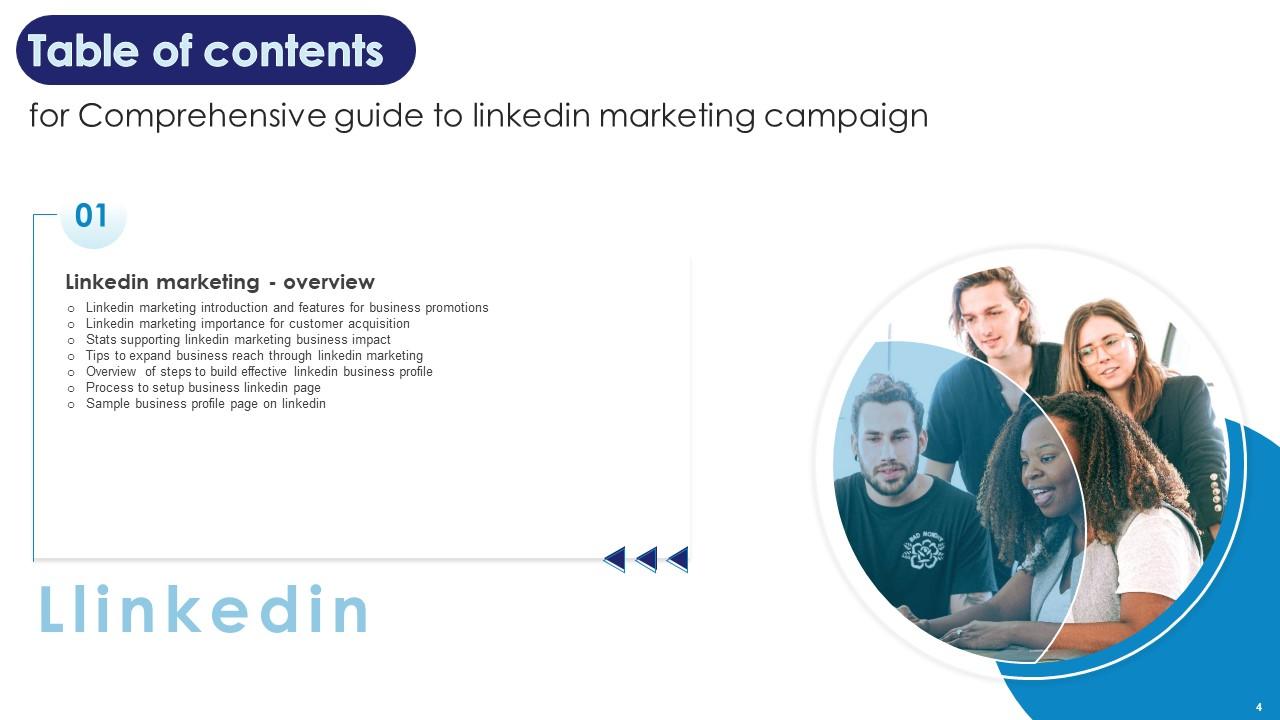
Slide 4: This slide continues Table of contents.
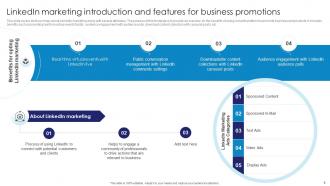
Slide 5: This slide covers brief summary about LinkedIn marketing along with several attributes.
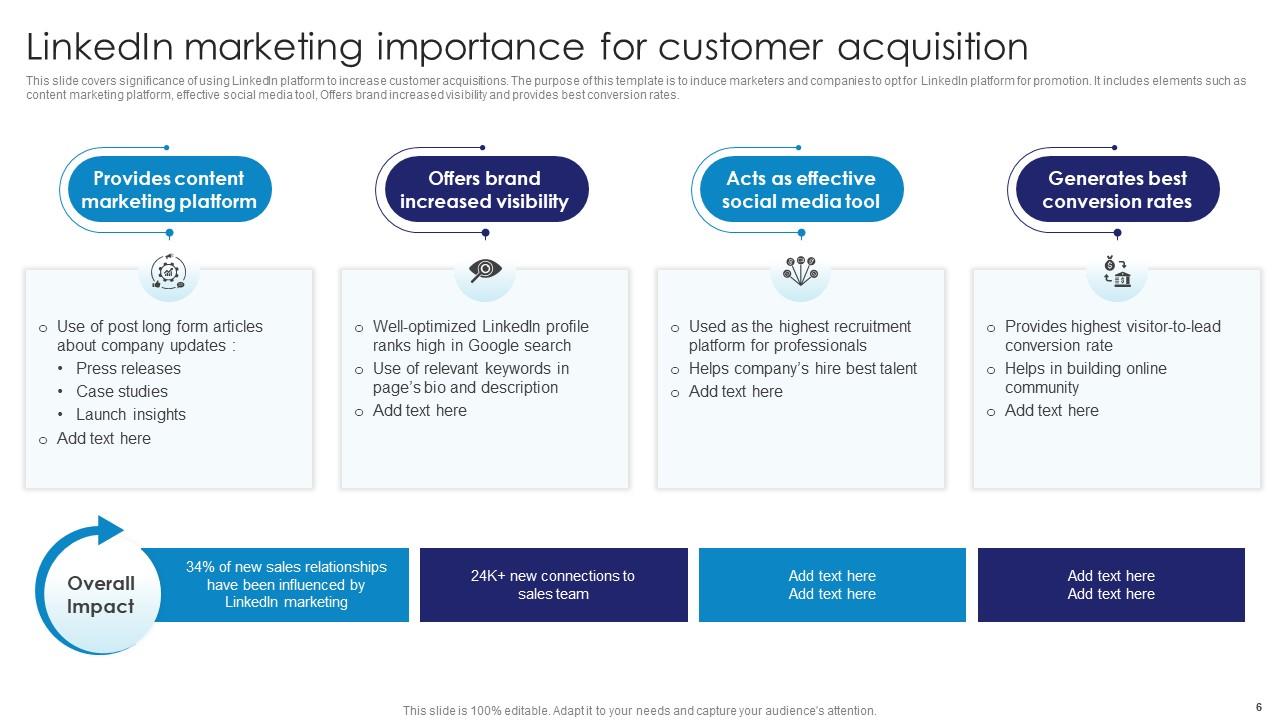
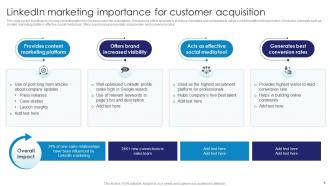
Slide 6: This slide renders significance of using LinkedIn platform to increase customer acquisitions.
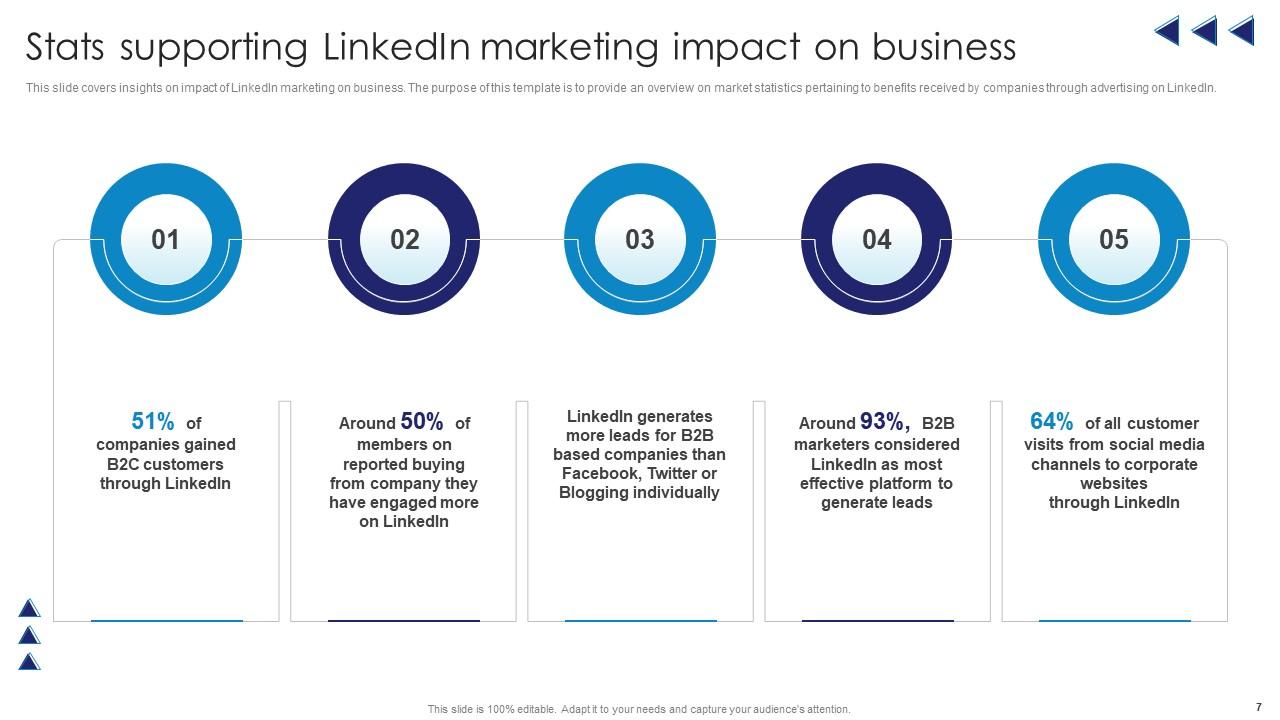
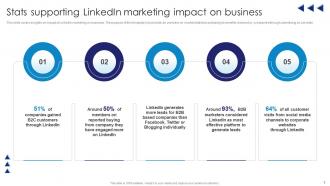
Slide 7: This slide covers insights on impact of LinkedIn marketing on business.
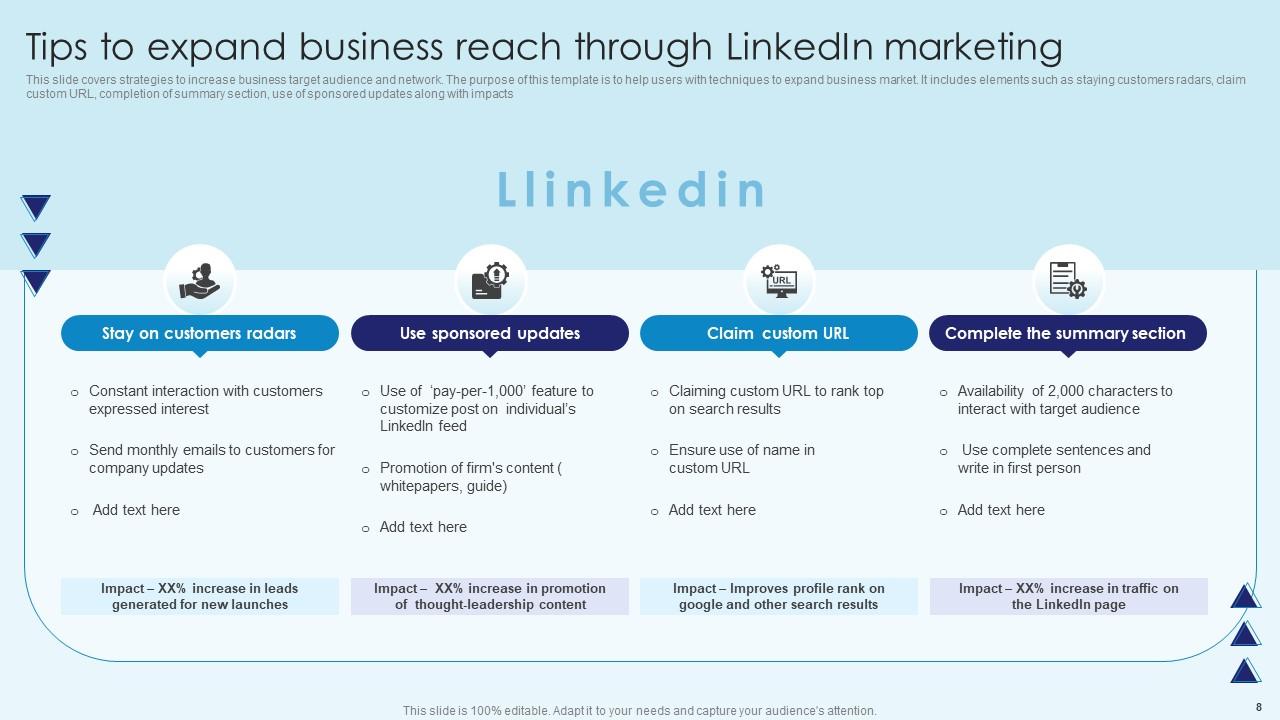
Slide 8: This slide describes strategies to increase business target audience and network.
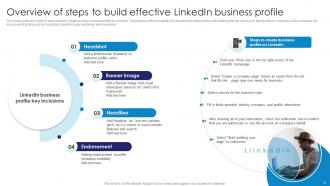
Slide 9: This slide shows summary of steps taken to create an ideal business profile on LinkedIn.
Slide 10: This slide highlights steps to build a business profile.
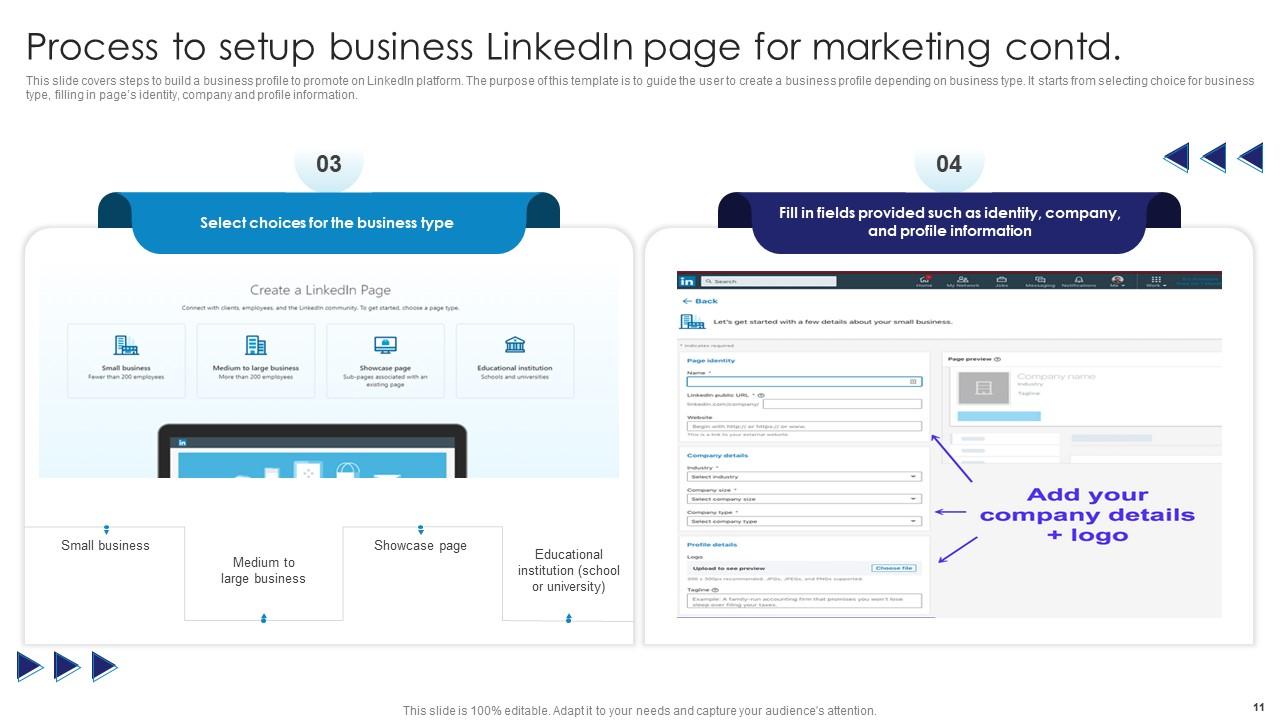
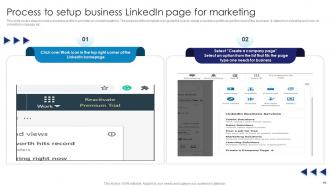
Slide 11: This slide again covers steps to build a business profile.
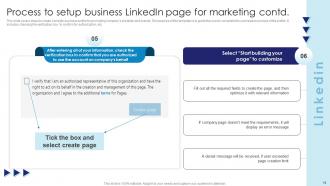
Slide 12: This slide showcases steps to create LinkedIn business profile.
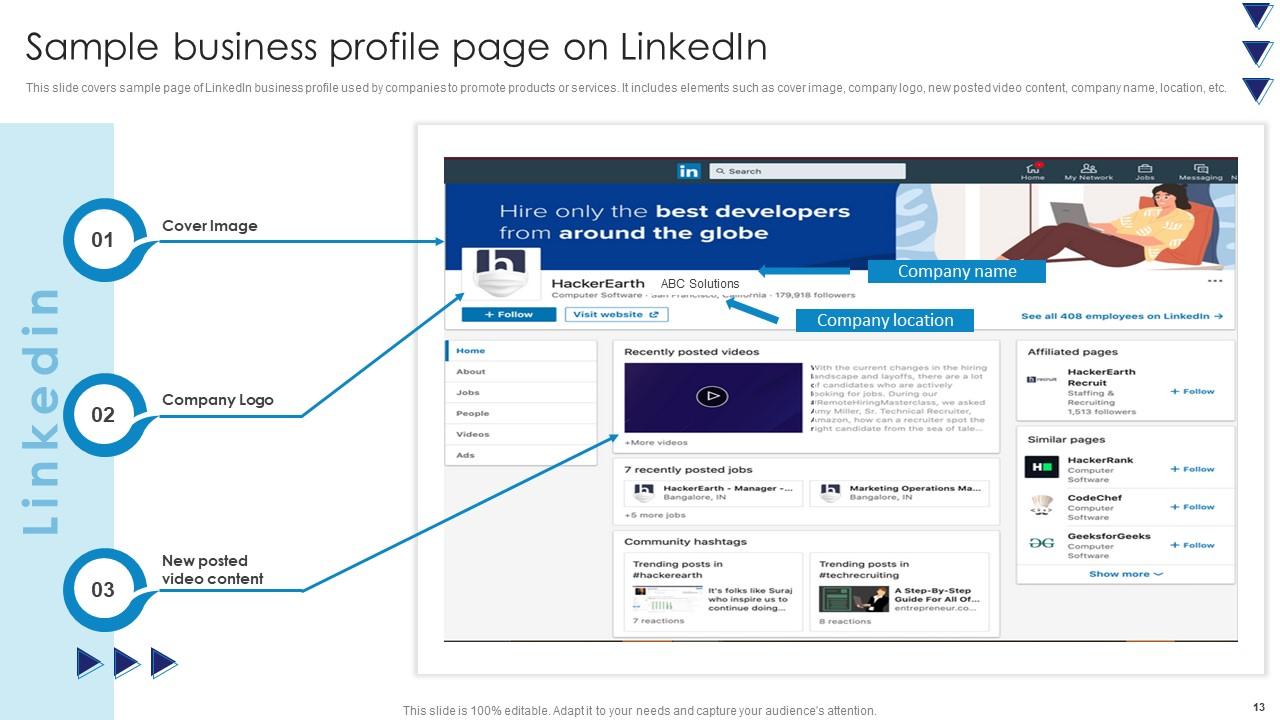
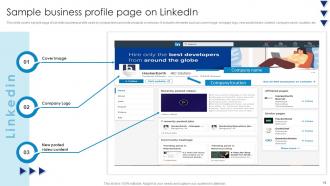
Slide 13: This slide covers sample page of LinkedIn business profile used by companies.
Slide 14: This slide further contains Table of contents.
Slide 15: This slide illustrates demographics of target audience on LinkedIn platform.
Slide 16: This slide covers ways to identify audience for LinkedIn marketing ad campaign.
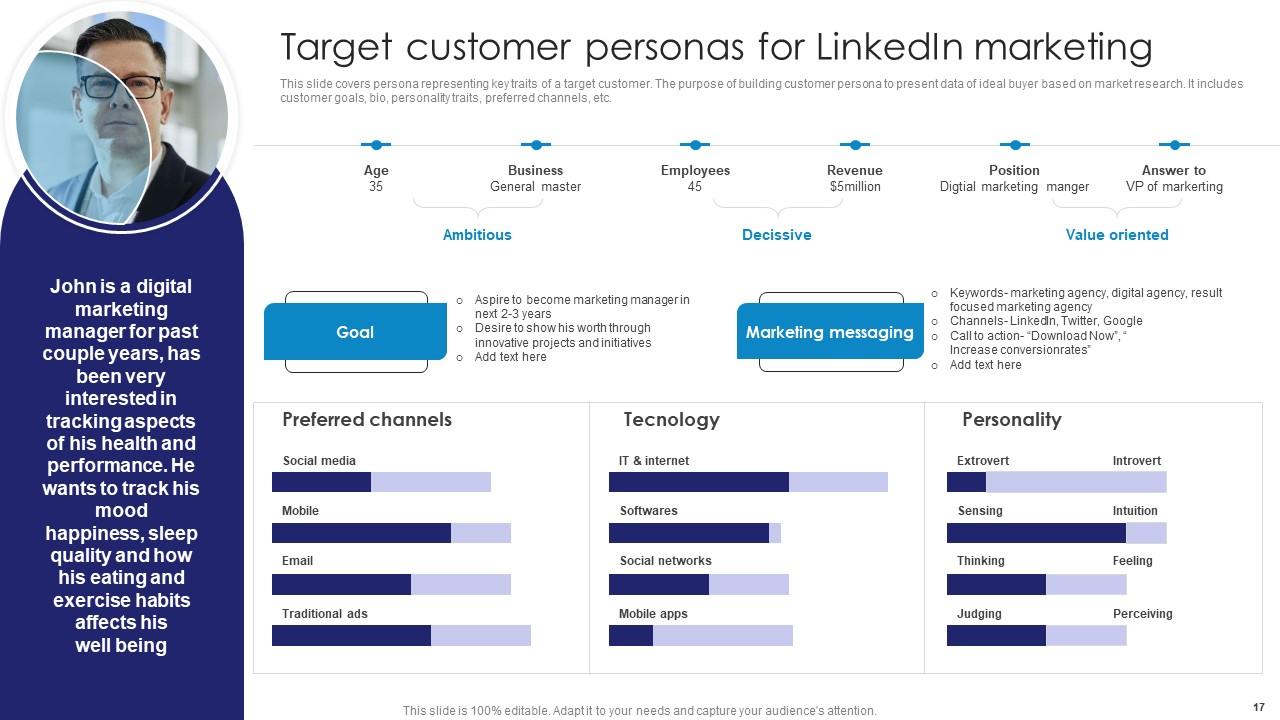
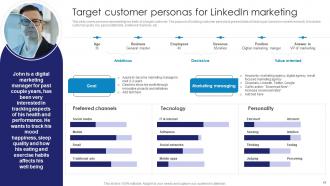
Slide 17: This slide covers persona representing key traits of a target customer.
Slide 18: This slide renders another Table of contents.
Slide 19: This slide exhibits brief summary of using influencer strategy for LinkedIn marketing.
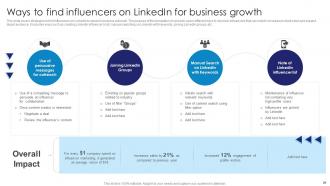
Slide 20: This slide presents strategies to find influencers on LinkedIn to expand business outreach.
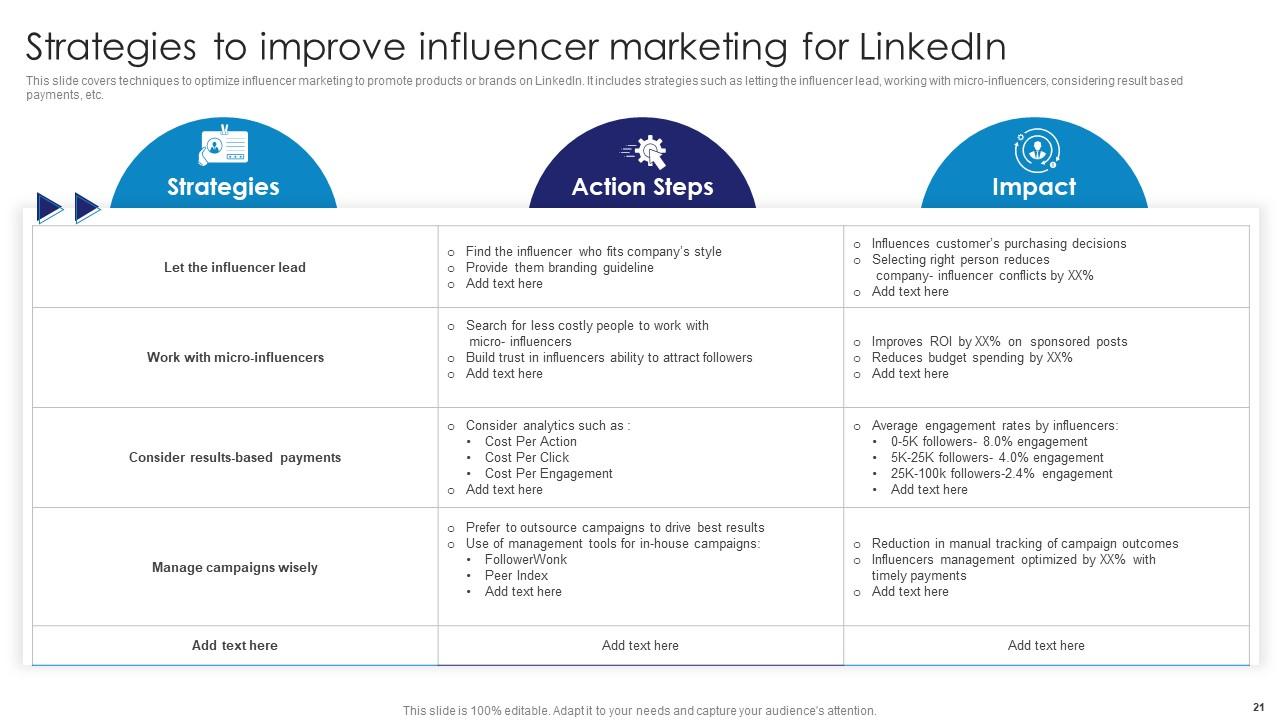
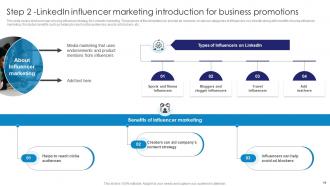
Slide 21: This slide covers techniques to optimize influencer marketing to promote products or brands.
Slide 22: This slide exhibits Table of contents further.
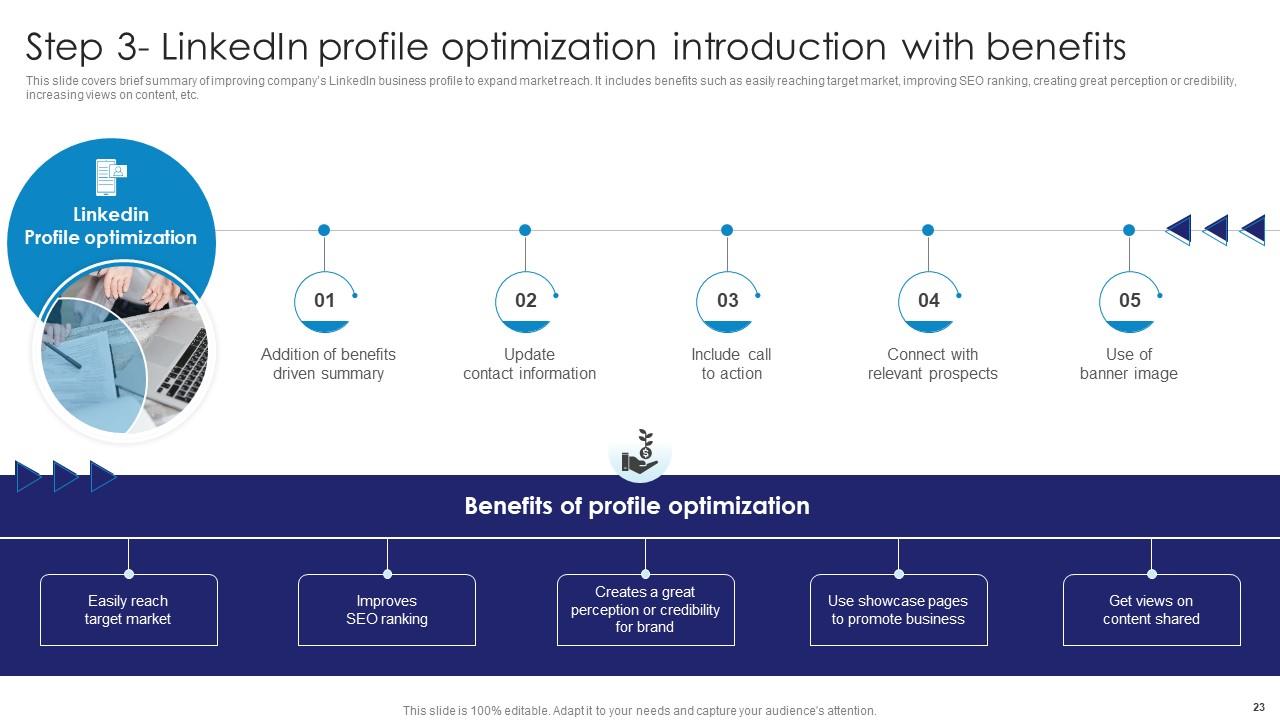
Slide 23: This slide shows brief summary of improving company’s LinkedIn business profile.
Slide 24: This slide covers key points that are required to improve engagement on LinkedIn business profile.
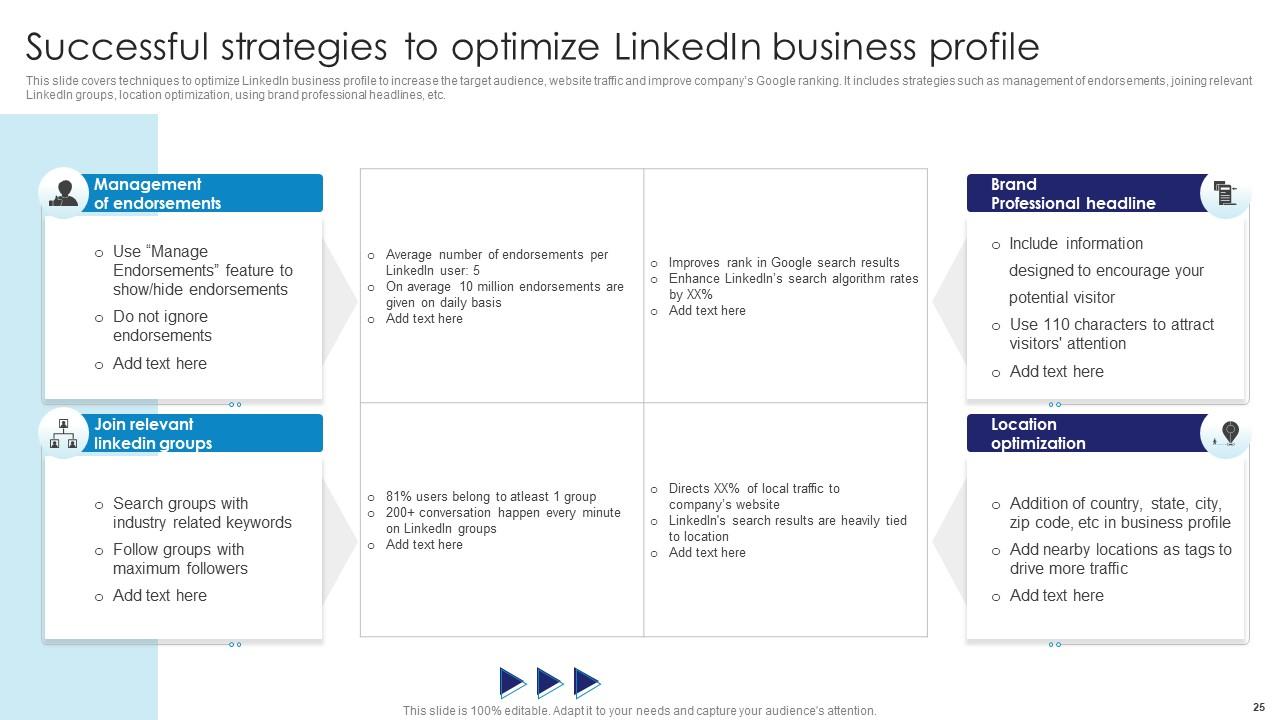
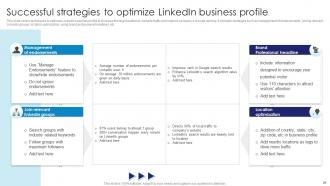
Slide 25: This slide covers techniques to optimize LinkedIn business profile.
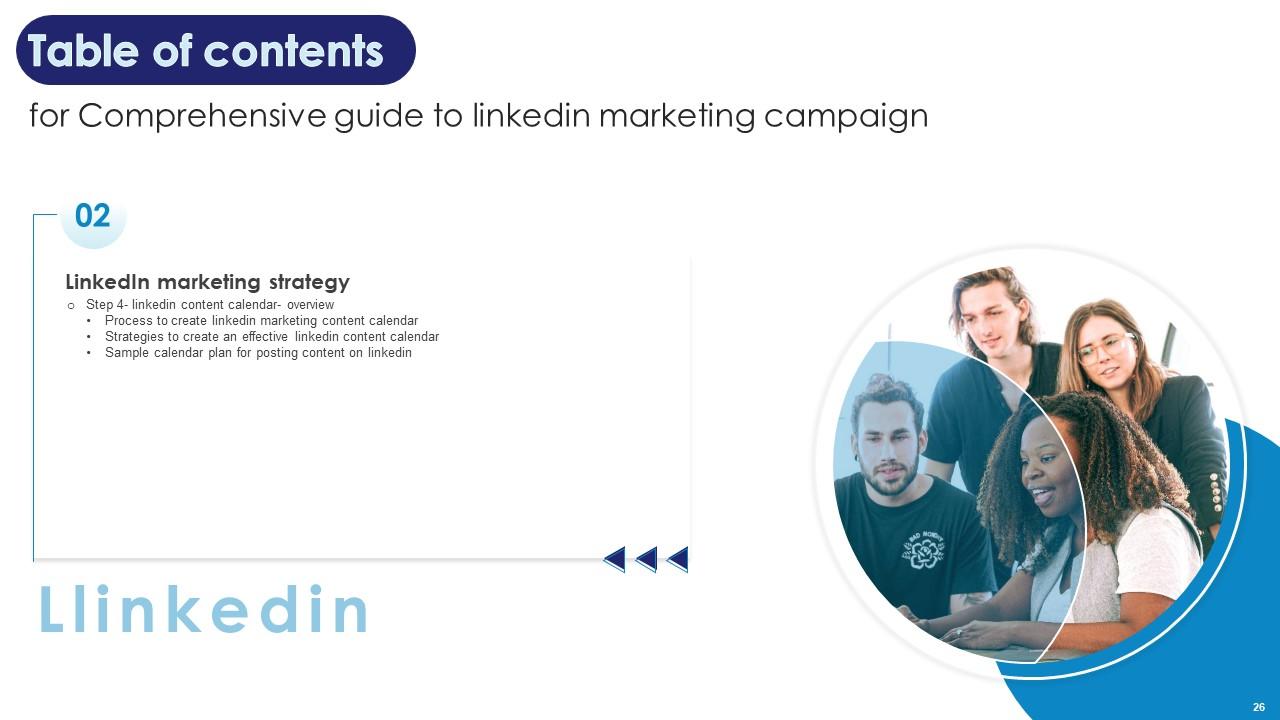
Slide 26: This slide also displays Table of contents.
Slide 27: This slide covers brief summary about using calendar for Linked marketing and promotional content.
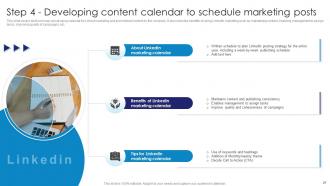
Slide 28: This slide covers steps to build calendar for LinkedIn marketing.
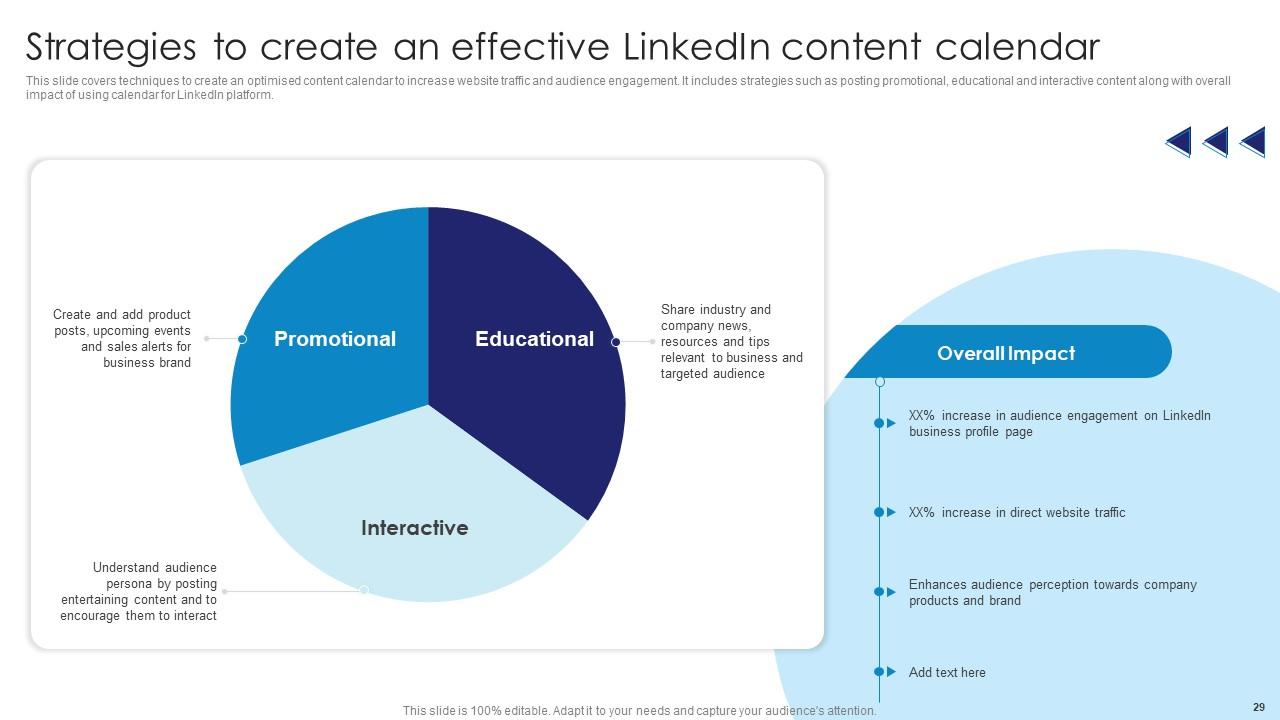
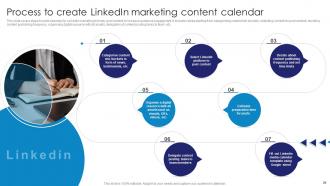
Slide 29: This slide displays techniques to create an optimised content calendar.
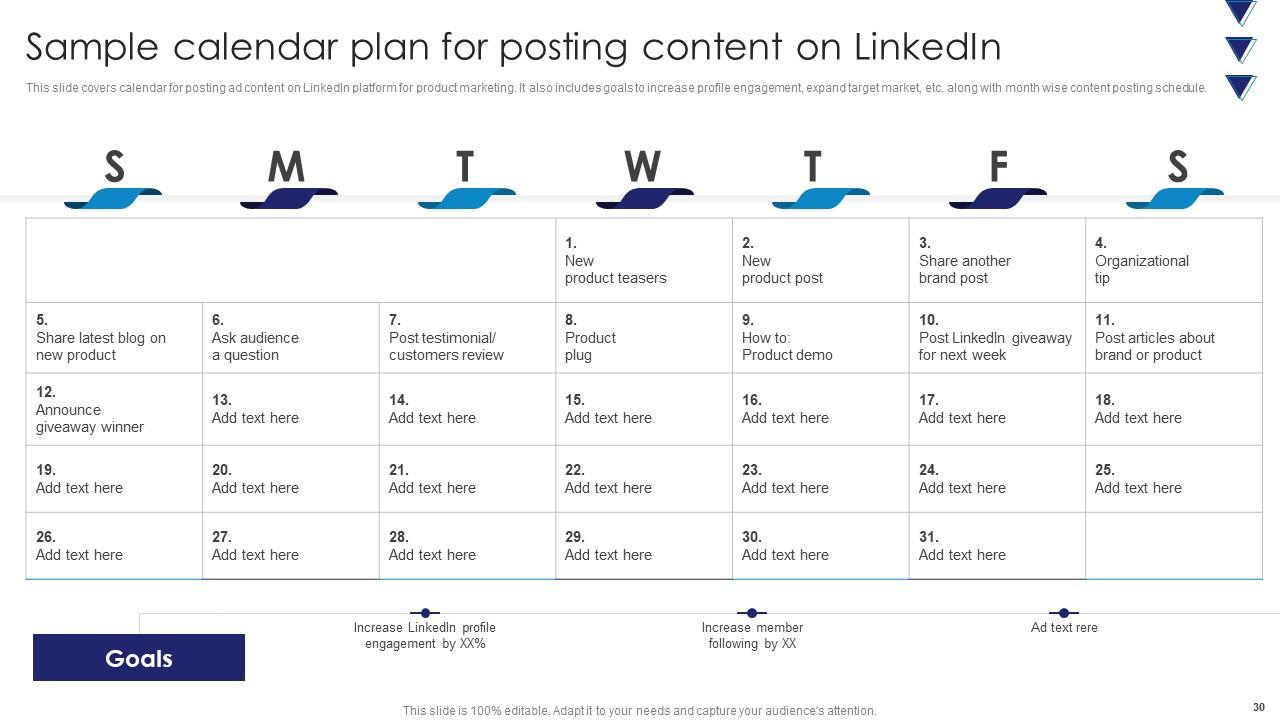
Slide 30: This slide depicts calendar for posting ad content on LinkedIn platform for product marketing.
Slide 31: This slide continues Table of contents.
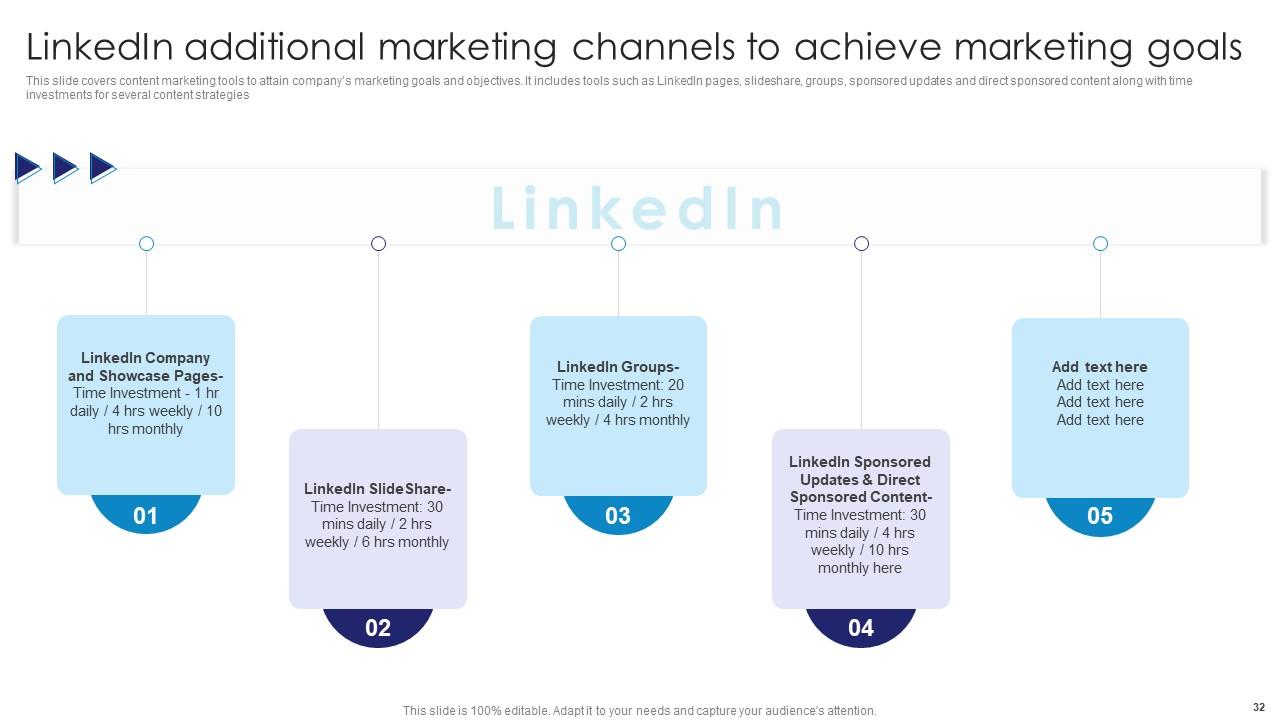
Slide 32: This slide shows content marketing tools to attain company’s marketing goals and objectives.
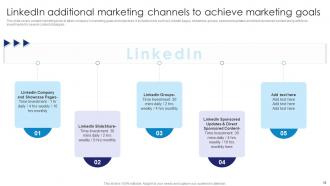
Slide 33: This slide renders feature of using LinkedIn company and showcase page to increase business profile engagement.
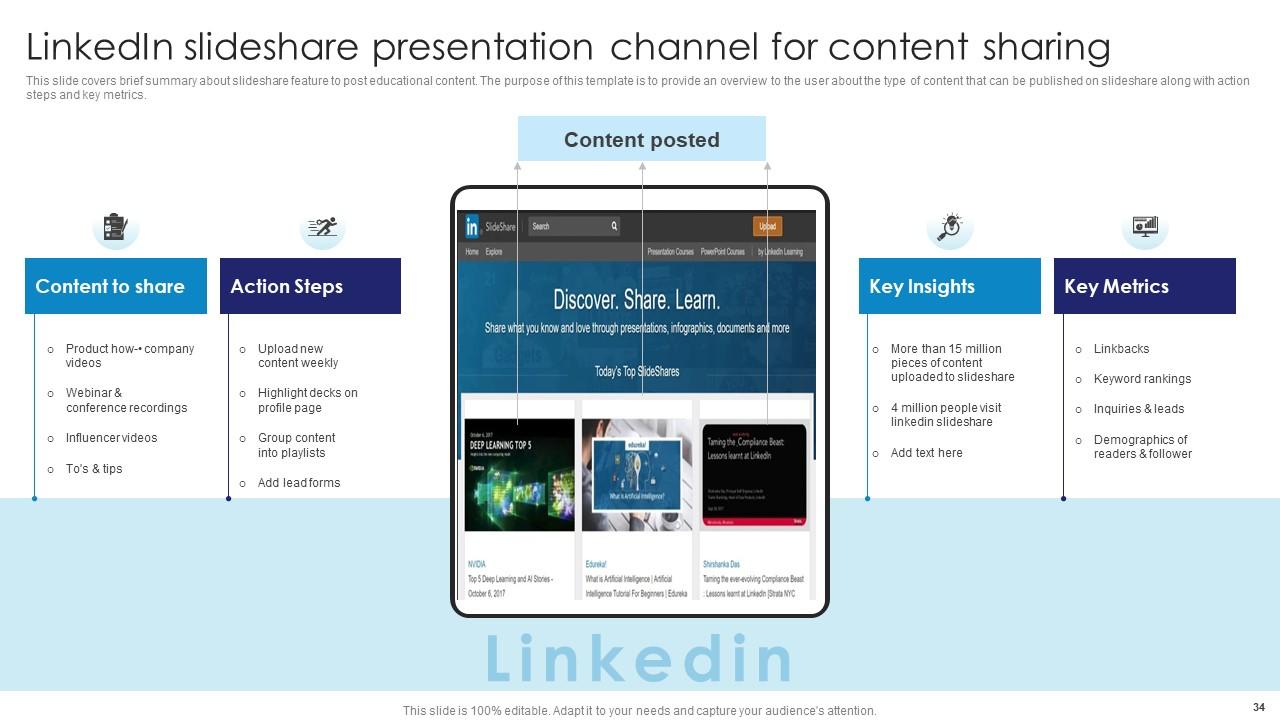
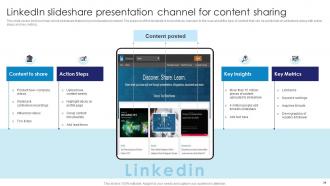
Slide 34: This slide covers brief summary about slideshare feature to post educational content.
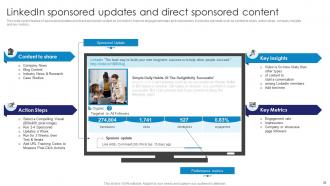
Slide 35: This slide exhibits feature of sponsored updates and direct sponsored content on LinkedIn.
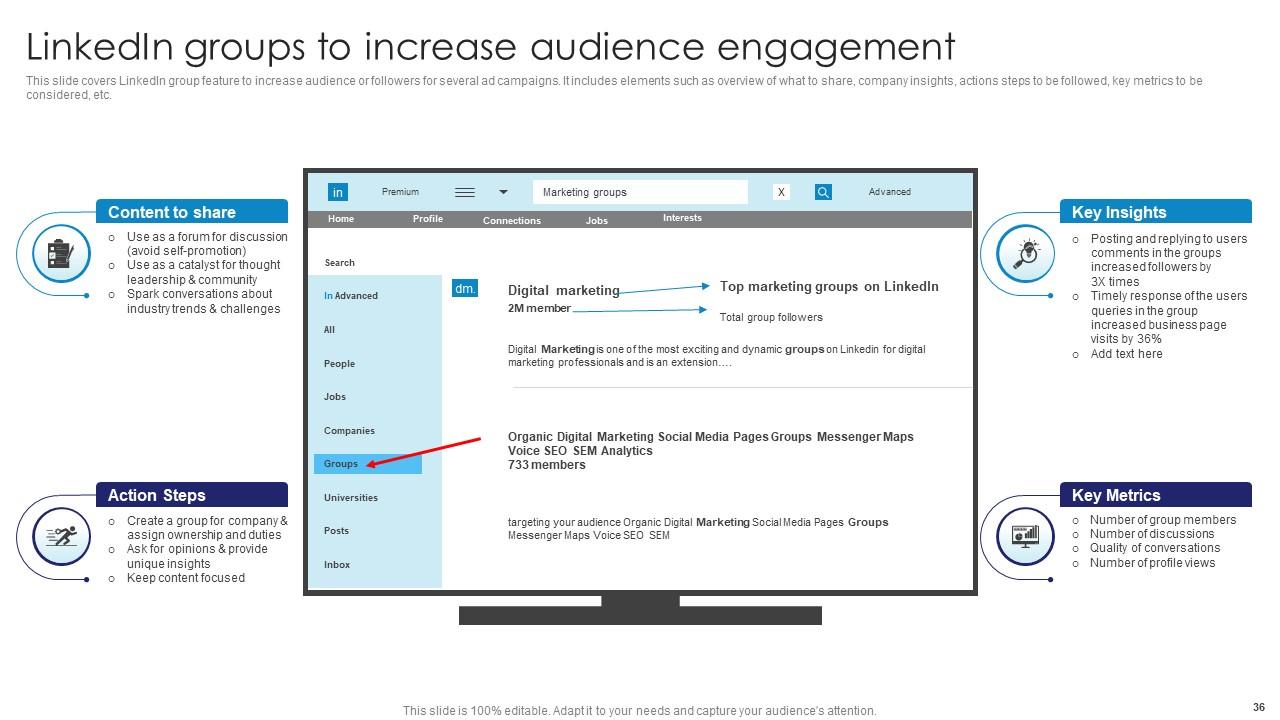
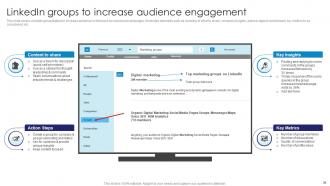
Slide 36: This slide showcases LinkedIn group feature to increase audience or followers for several ad campaigns.
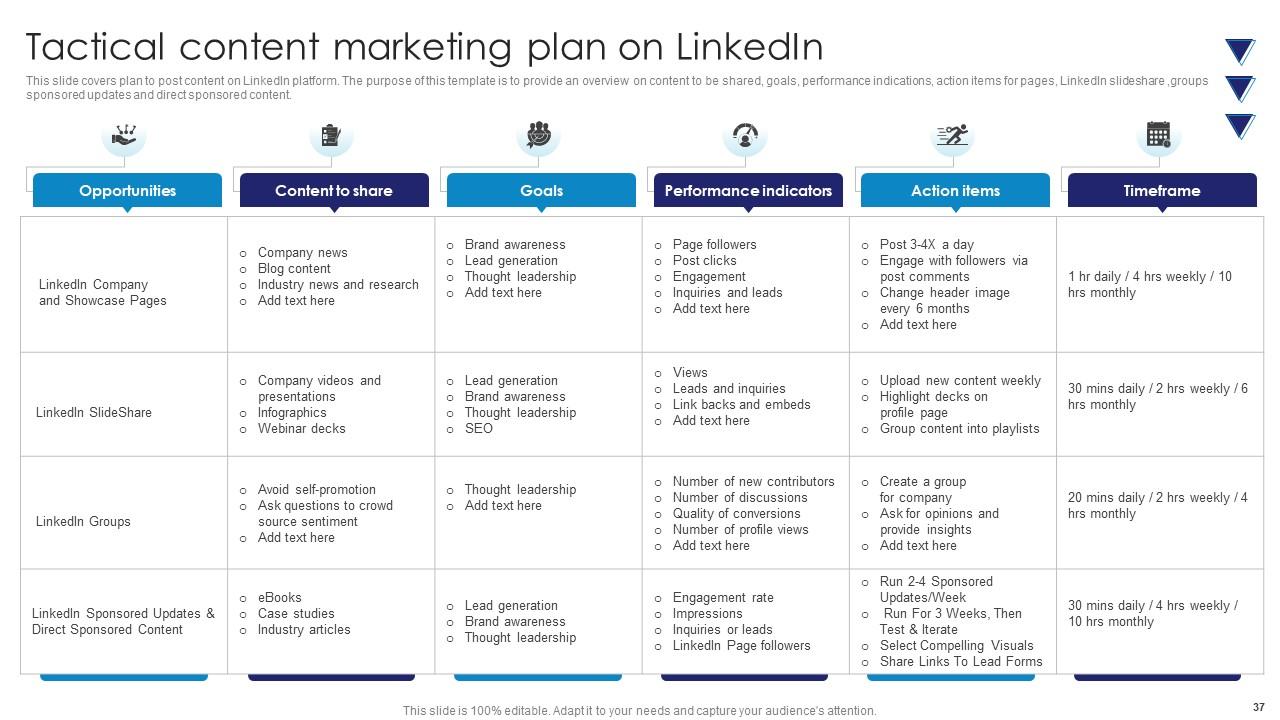
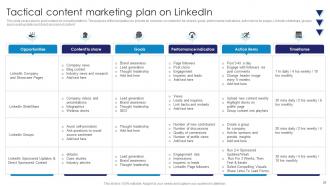
Slide 37: This slide demonstrates plan to post content on LinkedIn platform.
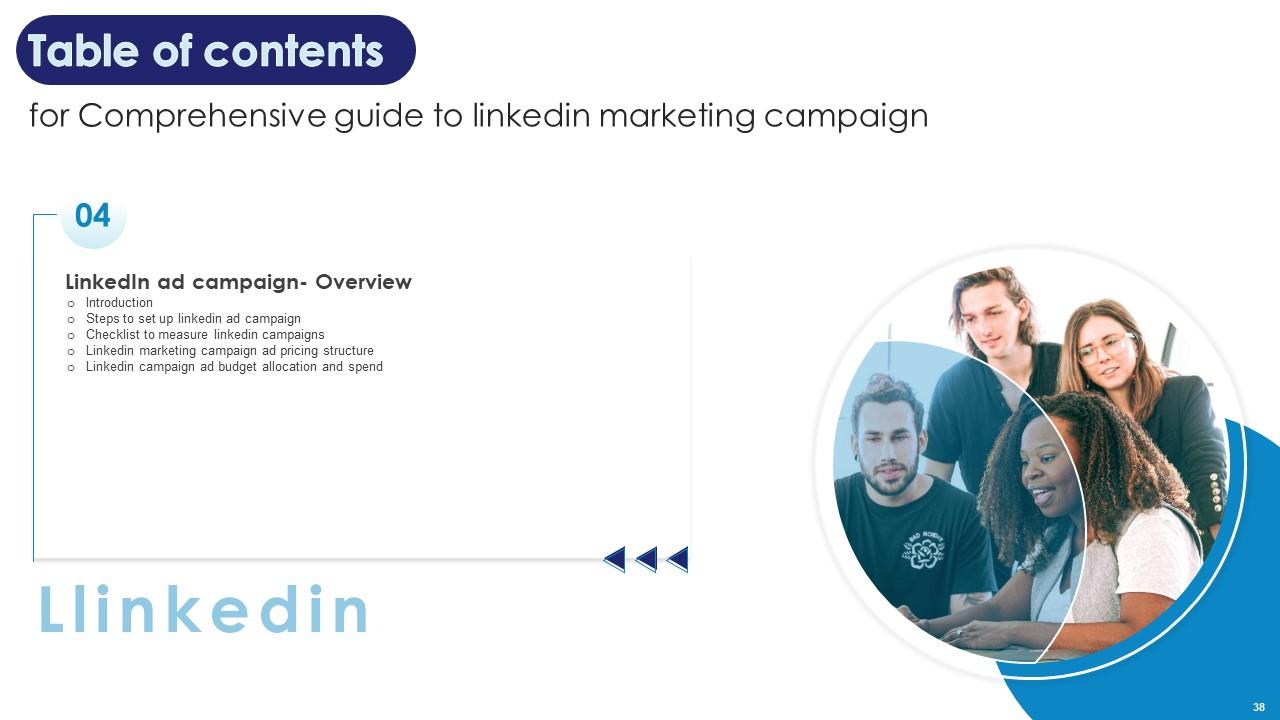
Slide 38: This slide shows the title of the topics to be discussed further.
Slide 39: This slide depicts brief summary about LinkedIn marketing feature to promote company products and brands.
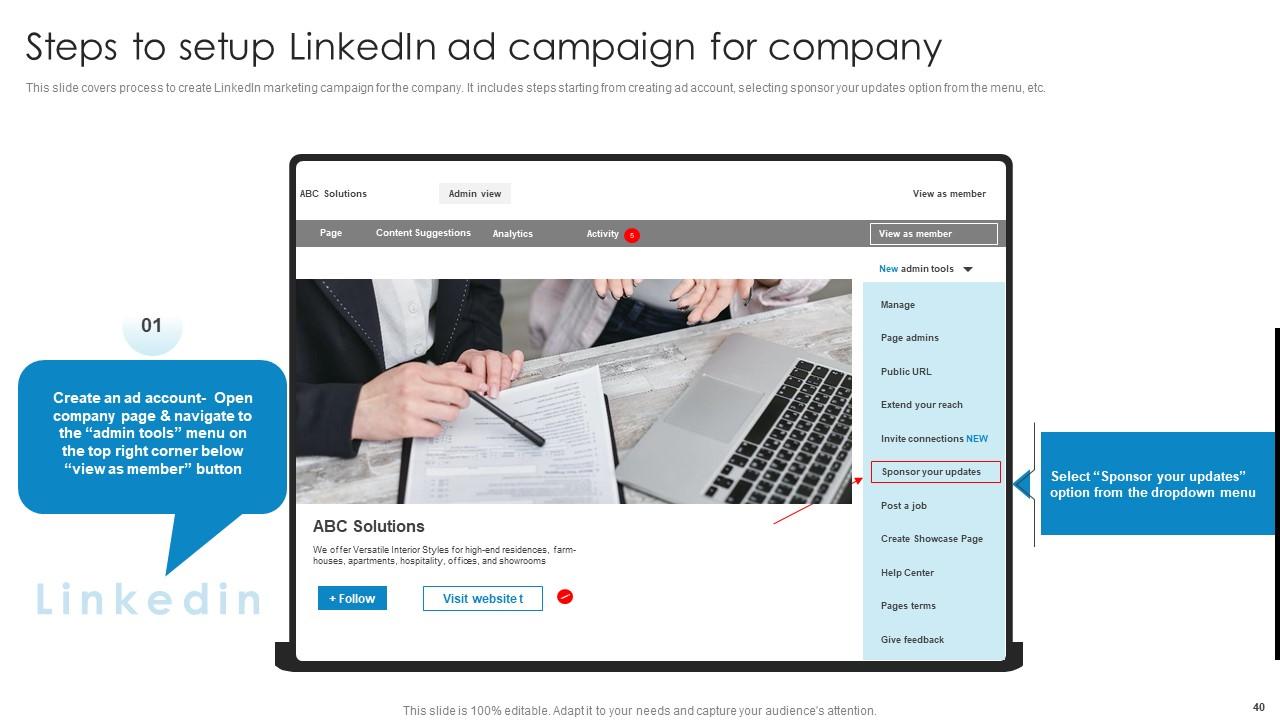
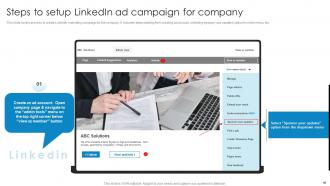
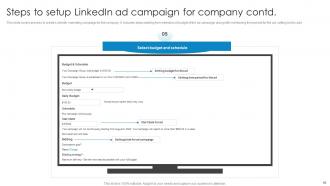
Slide 40: This slide displays process to create LinkedIn marketing campaign for the company.
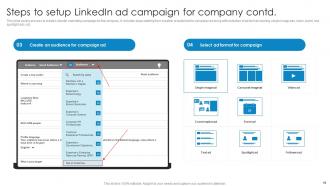
Slide 41: This slide highlights process to create LinkedIn marketing campaign for the company further.
Slide 42: This slide again covers process to create LinkedIn marketing campaign for the company.
Slide 43: This slide shows another process to create LinkedIn marketing campaign for the company.
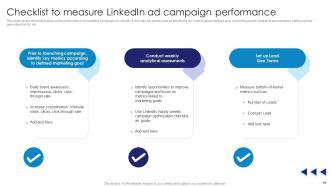
Slide 44: This slide covers checklist to analyse the performance of marketing campaign on LinkedIn.
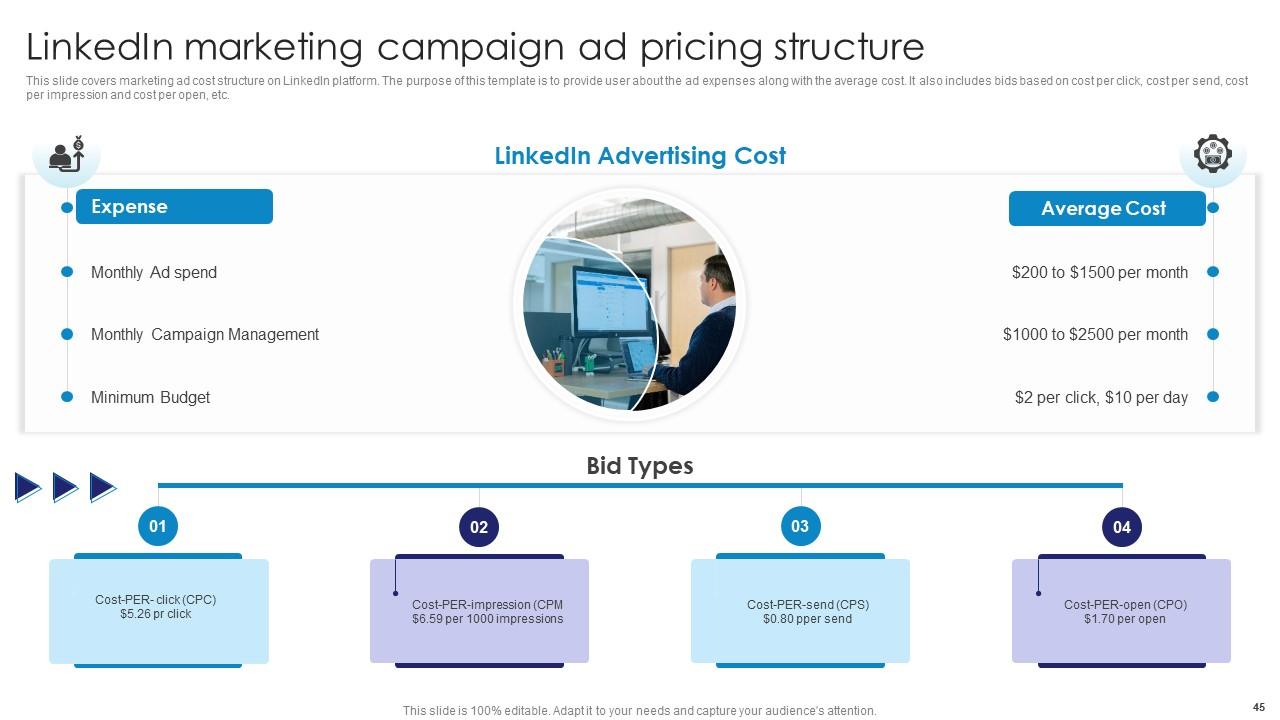
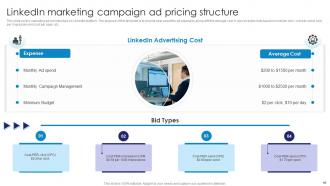
Slide 45: This slide illustrates marketing ad cost structure on LinkedIn platform.
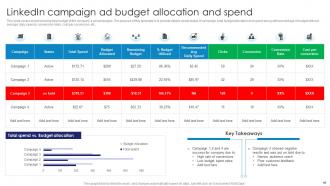
Slide 46: This slide exhibits sheet showing total budget of the company’s ad campaigns.
Slide 47: This slide continues Table of contents.
Slide 48: This slide covers tools to improve marketing campaign performance on LinkedIn.
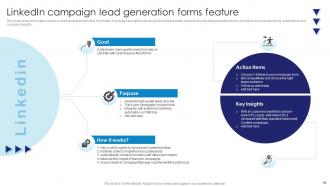
Slide 49: This slide highlights information based on lead generation form tool of LinkedIn.
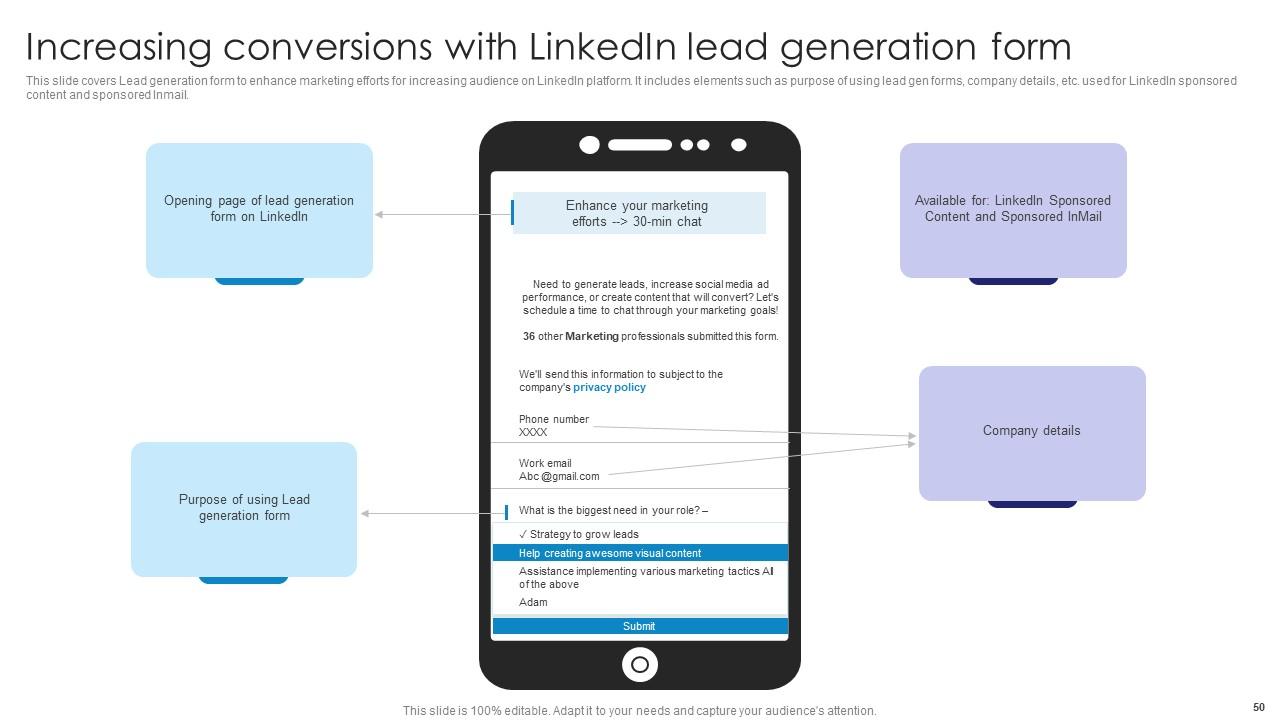
Slide 50: This slide render Lead generation form to enhance marketing efforts for increasing audience on LinkedIn platform.
Slide 51: This slide displays another Table of contents.
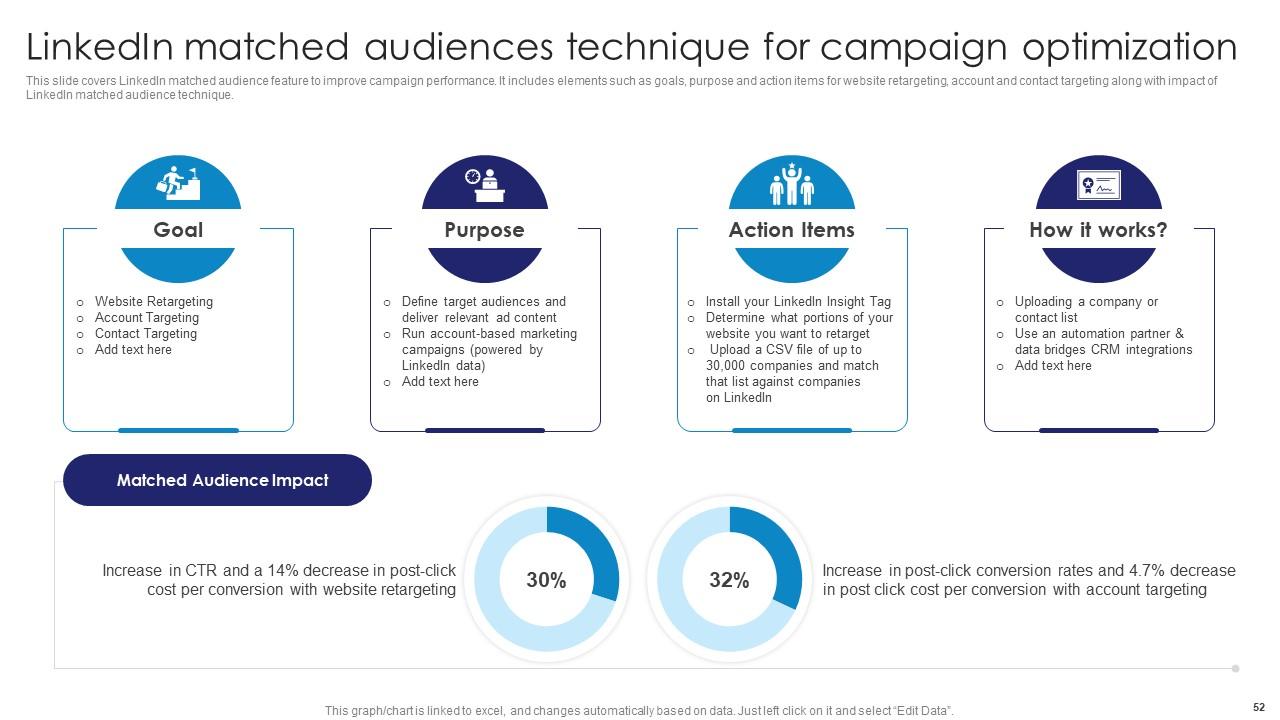
Slide 52: This slide presents LinkedIn matched audience feature to improve campaign performance.
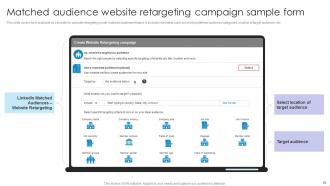
Slide 53: This slide describes form available on LinkedIn for website retargeting under matched audience feature.
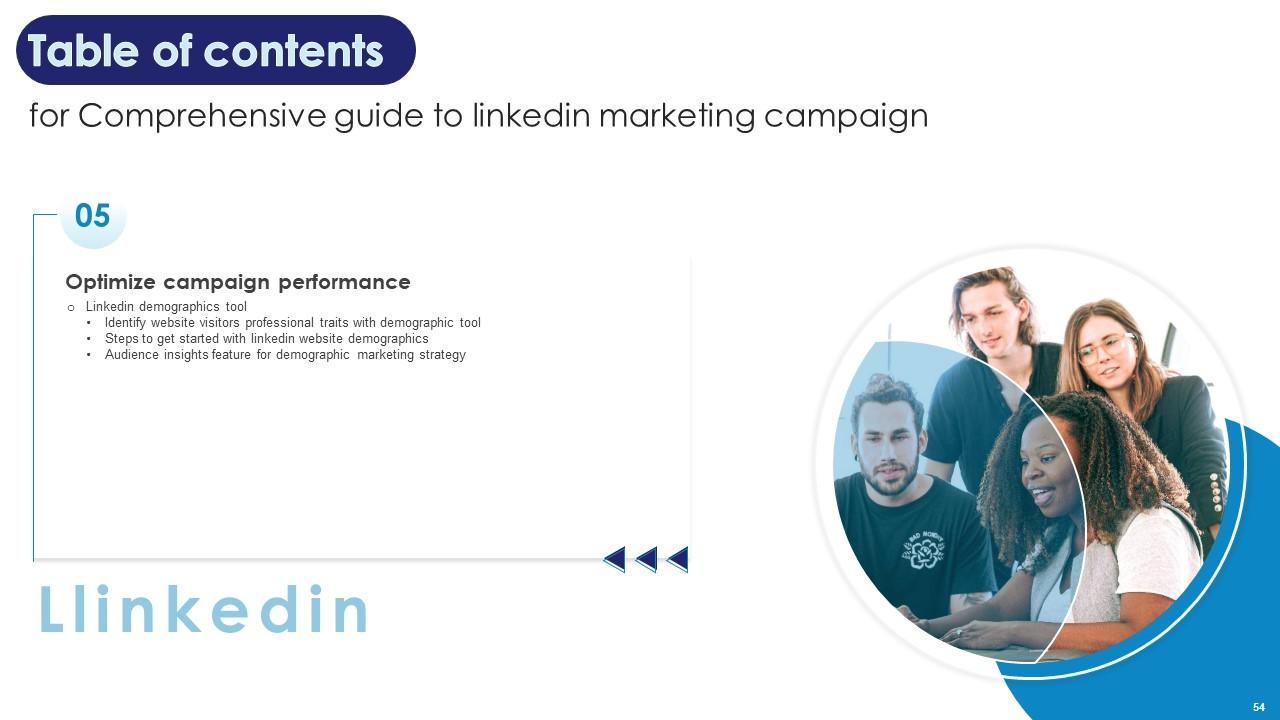
Slide 54: This slide also highlights Table of contents.
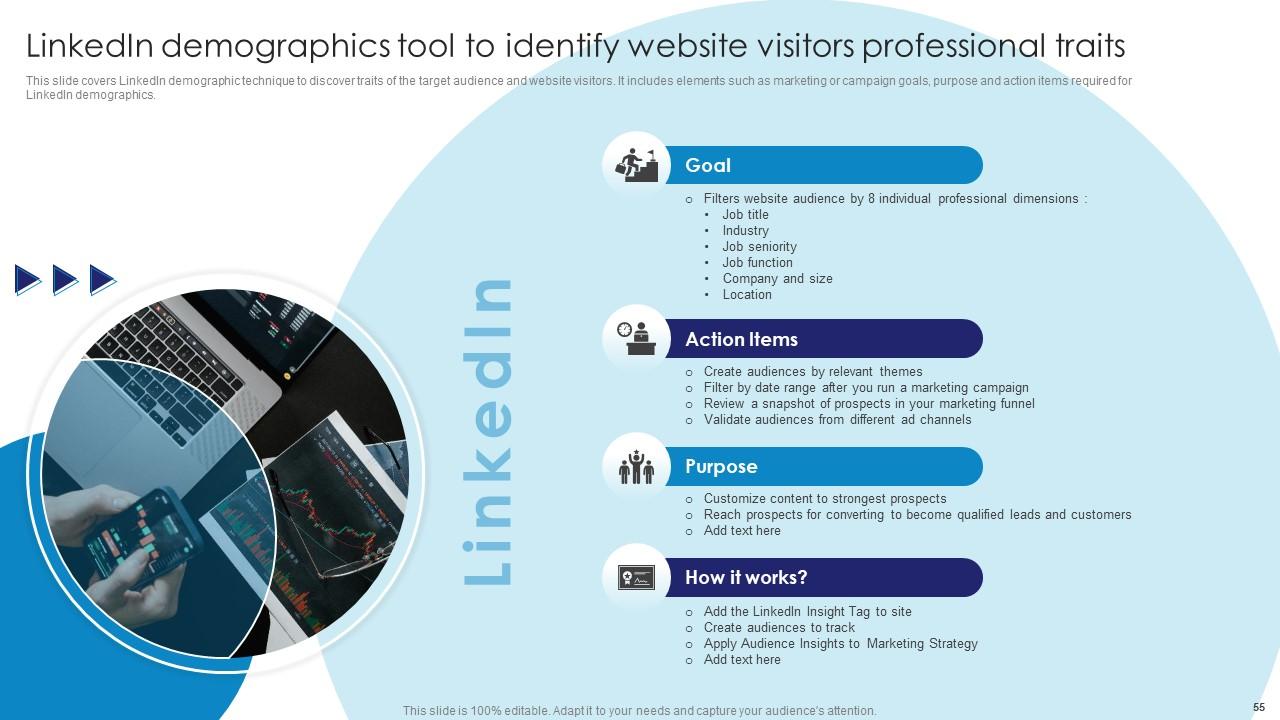
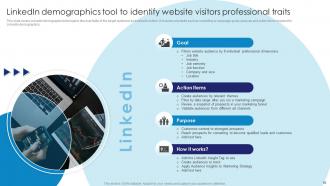
Slide 55: This slide covers LinkedIn demographic technique to discover traits of the target audience and website visitors.
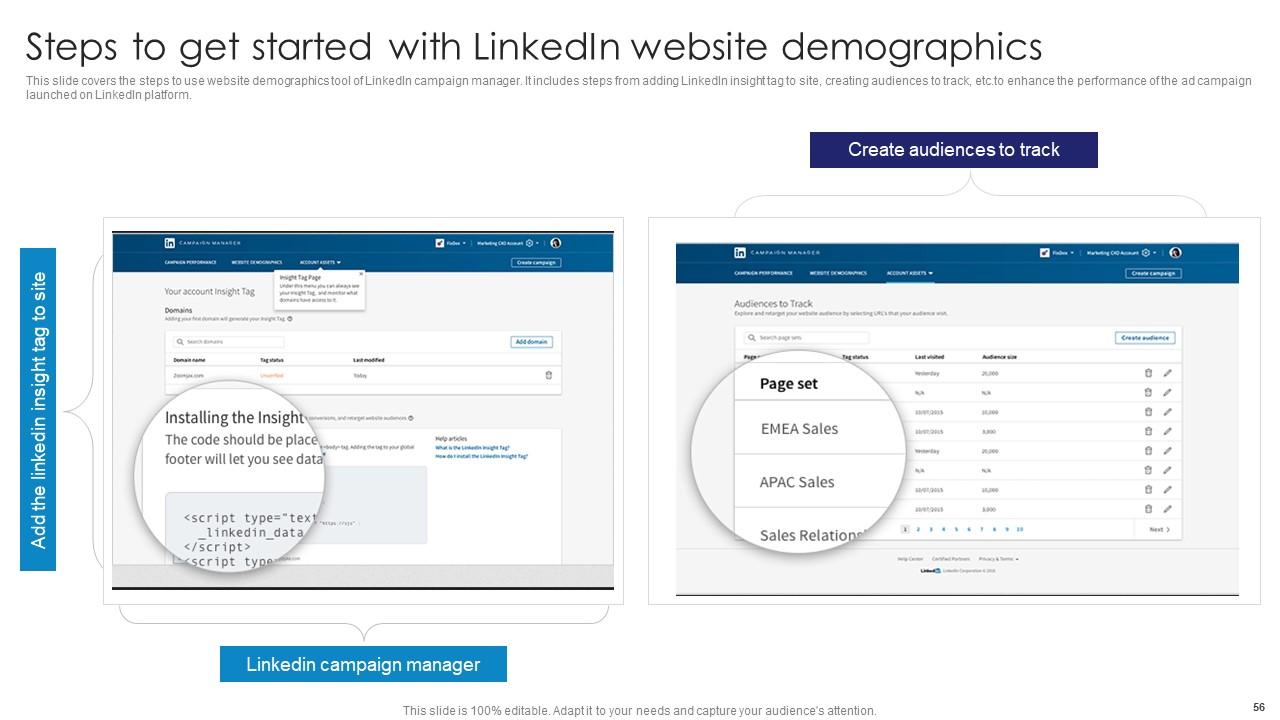
Slide 56: This slide represents the steps to use website demographics tool of LinkedIn campaign manager.
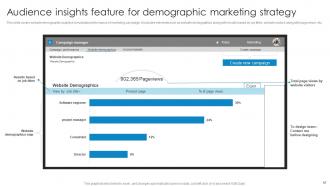
Slide 57: This slide illustrates website demographic analytics to evaluate performance of marketing campaign.
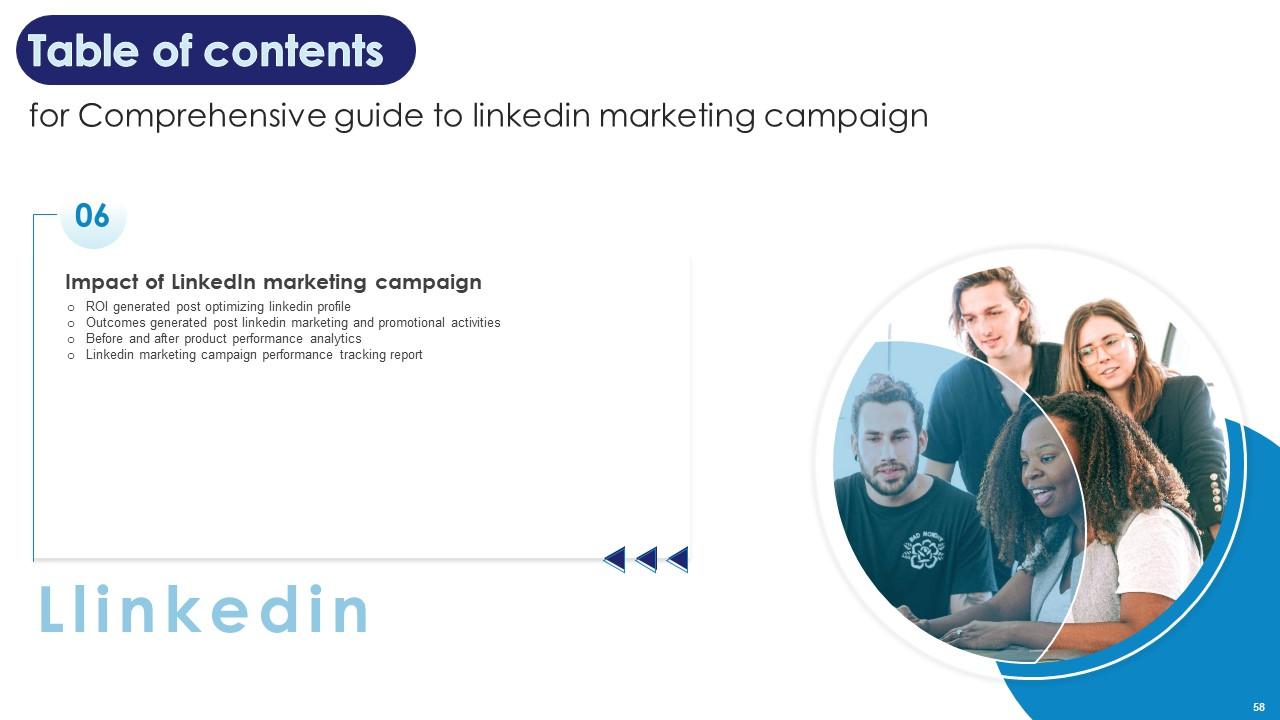
Slide 58: This slide again presents Table of contents.
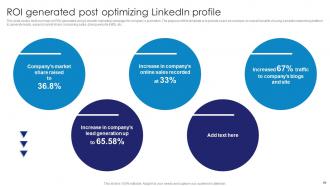
Slide 59: This slide covers brief summary on ROI generated using LinkedIn marketing campaign for company’s promotion.
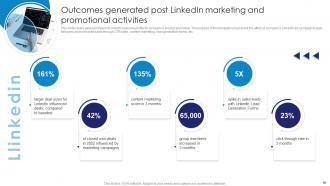
Slide 60: This slide shows general impact of LinkedIn business profile for company’s product promotion.
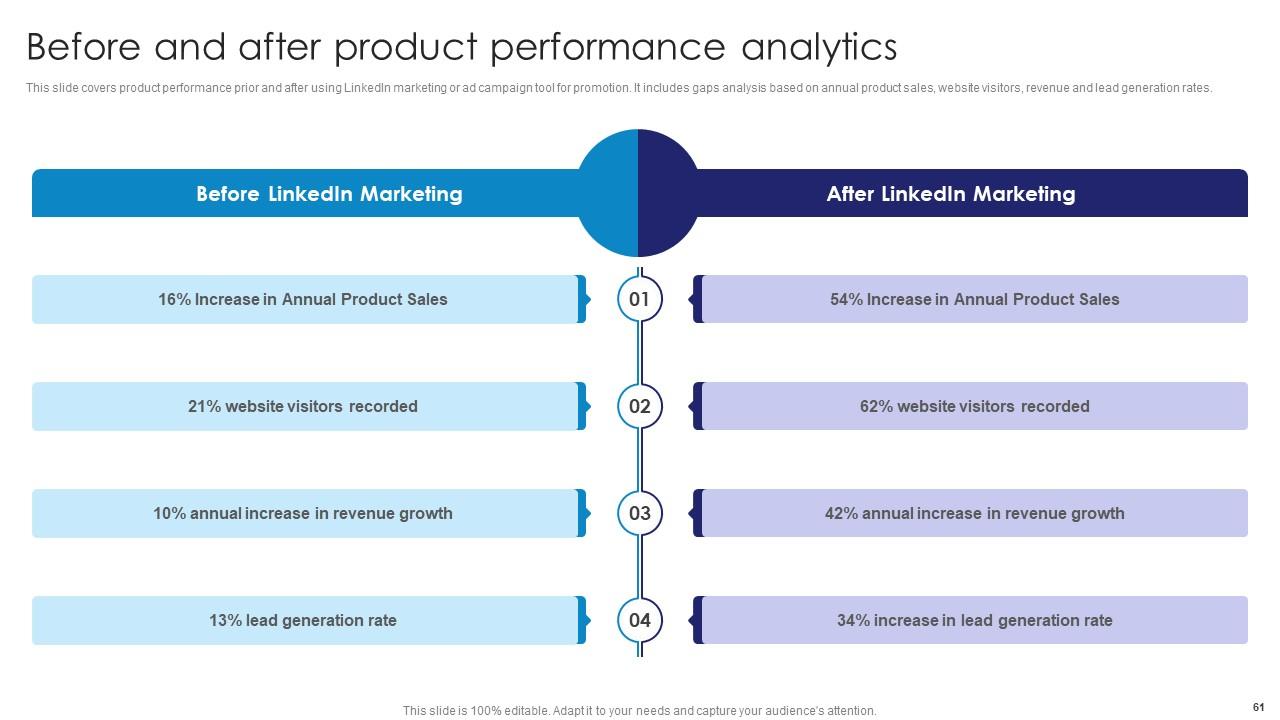
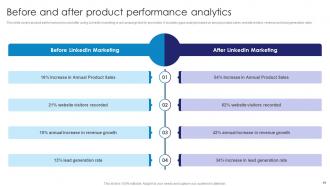
Slide 61: This slide displays product performance prior and after using LinkedIn marketing tool.
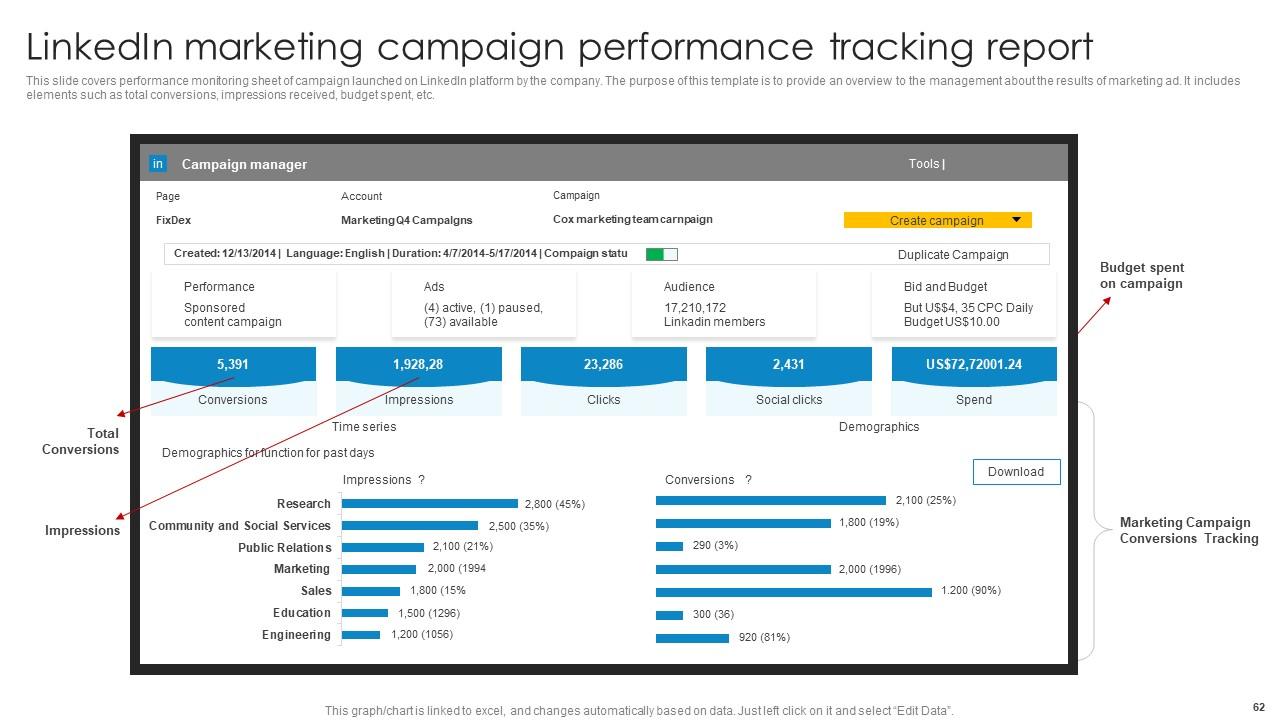
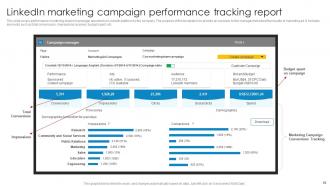
Slide 62: This slide exhibits performance monitoring sheet of campaign launched on LinkedIn platform by the company.
Slide 63: This slide represents Table of contents further.
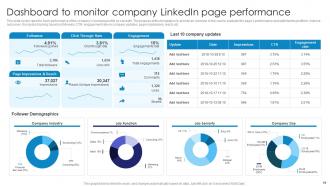
Slide 64: This slide covers report to track performance of the company’s business profile.
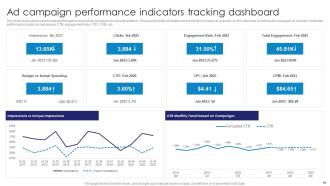
Slide 65: This slide covers dashboard to measure the performance of ad campaigns.
Slide 66: This slide shows another Table of contents.
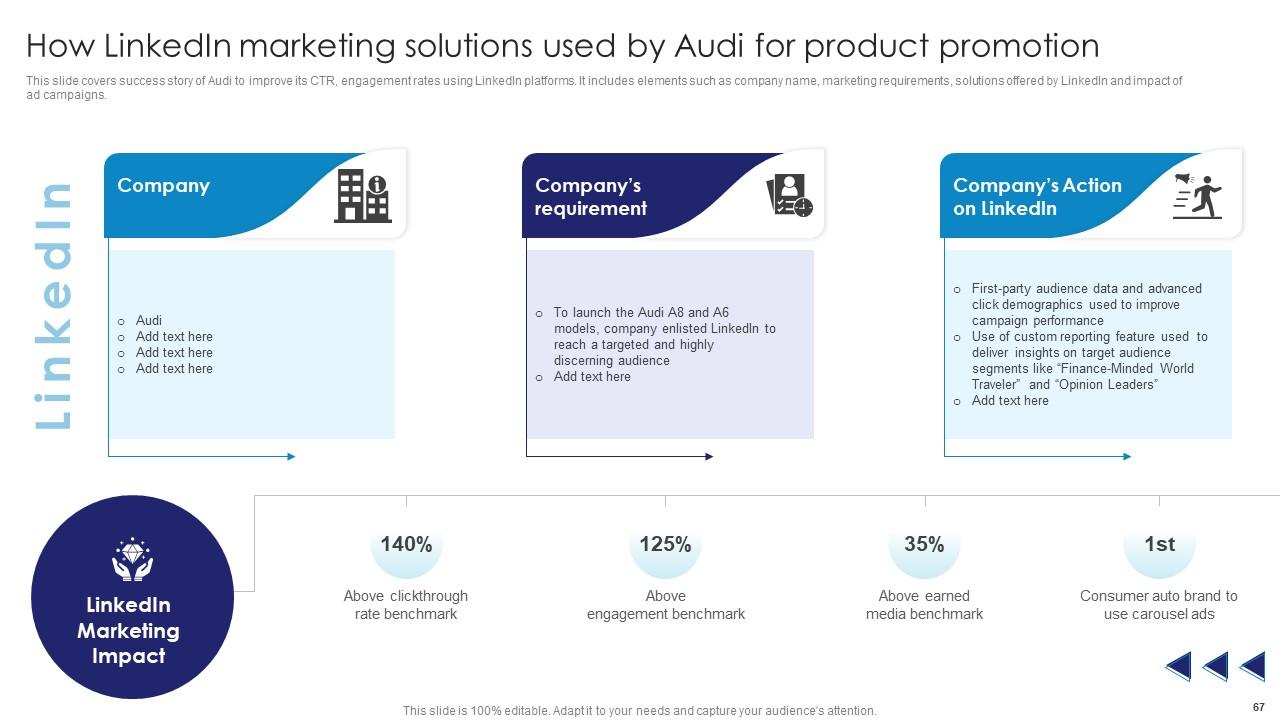
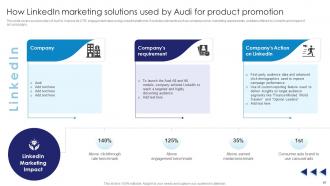
Slide 67: This slide covers success story of Audi to improve its CTR, engagement rates.
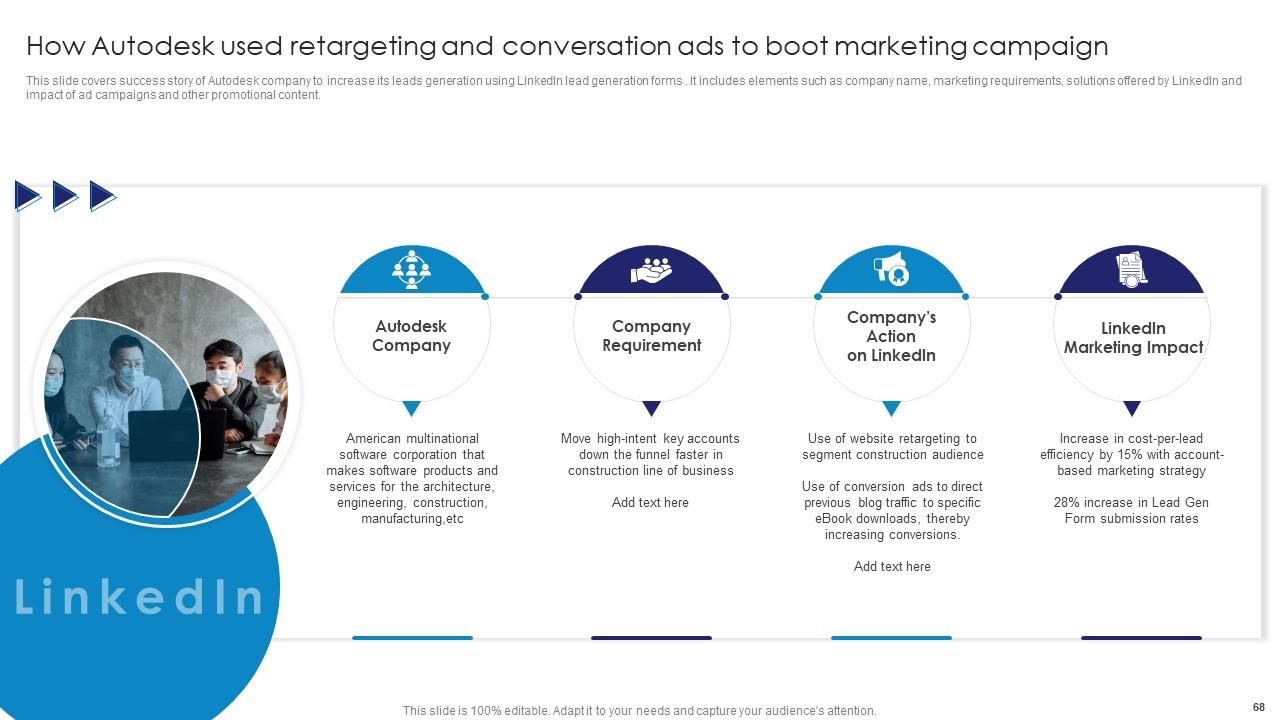
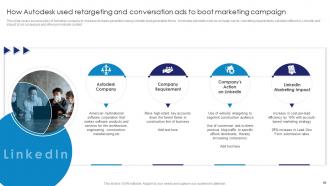
Slide 68: This slide covers success story of Autodesk company to increase its leads generation.
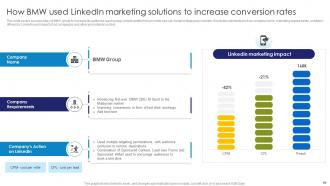
Slide 69: This slide covers success story of BMW group to increase its audience reach.
Slide 70: This slide shows all the icons included in the presentation.
Slide 71: This slide is titled as Additional Slides for moving forward.
Slide 72: This is Our Target slide. State your targets here.
Slide 73: This is Our Team slide with names and designation.
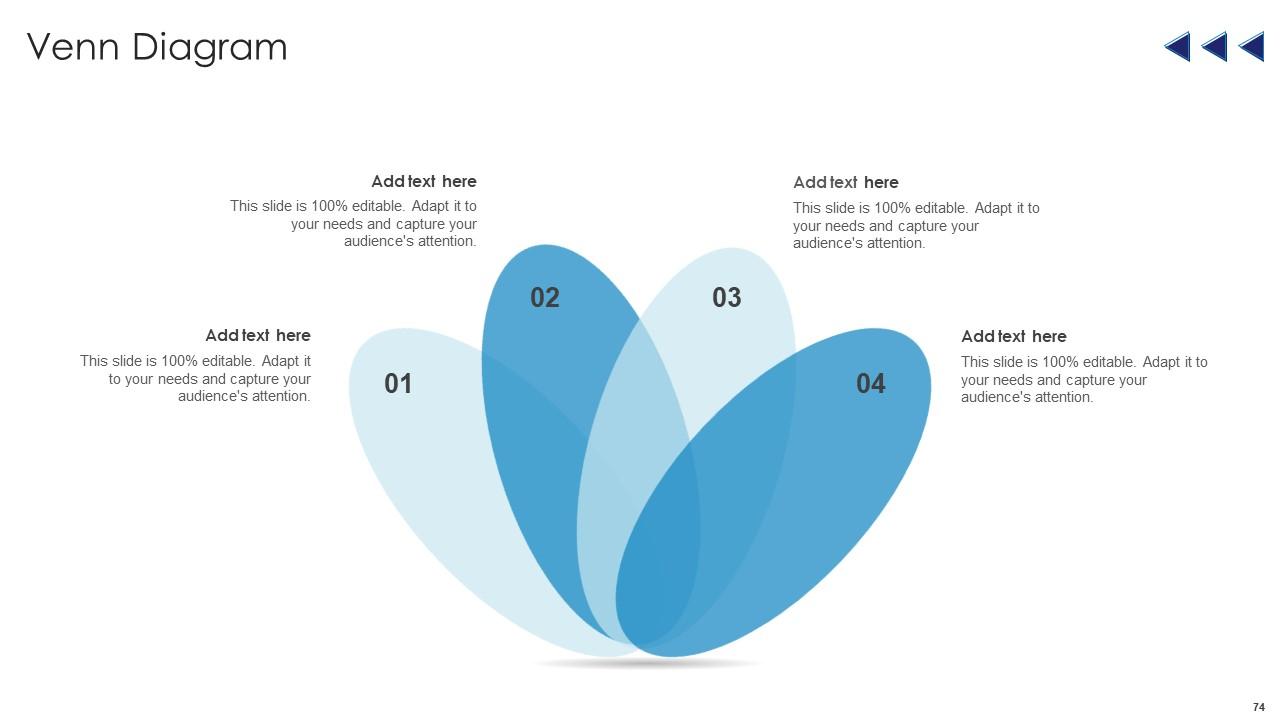
Slide 74: This slide depicts Venn diagram with text boxes.
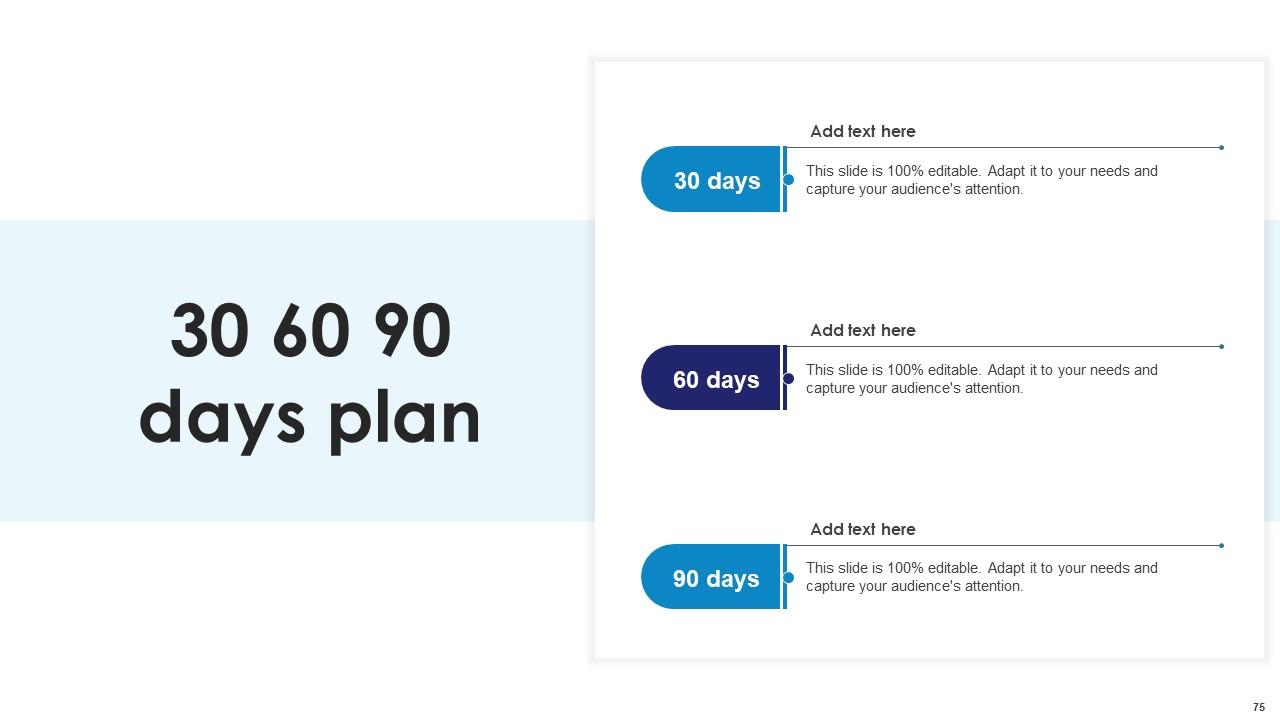
Slide 75: This slide provides 30 60 90 Days Plan with text boxes.
Slide 76: This is an Idea Generation slide to state a new idea or highlight information, specifications etc.
Slide 77: This is Our Target slide. State your targets here.
Slide 78: This is a Thank You slide with address, contact numbers and email address.
Comprehensive Guide To Linkedin Marketing Campaign Powerpoint Presentation Slides MKT CD with all 83 slides:
Use our Comprehensive Guide To Linkedin Marketing Campaign Powerpoint Presentation Slides MKT CD to effectively help you save your valuable time. They are readymade to fit into any presentation structure.
-
Superb! The innovative and inspiring template designs provide an edge to the presentation.
-
Innovative and creative templates with high-quality designs. Helped me with my presentation as the slides were easy to edit.
