


Data Modeling Techniques Powerpoint Presentation Slides
Data modeling is the core foundational work needed for data analytics and enables data to be easily stored in the database. Grab our professionally crafted Data Modeling Techniques template. It gives a brief overview of the data model in DBMS and provides conceptual tools for explaining database architecture at each level of data abstraction. Our Data Model in the DBMS deck demonstrates the database schema, illustrating the database items and their relationships. It contains tables, foreign keys, primary keys, views, columns, data types, stored procedures, etc. In addition, our Data Modeling Techniques PPT includes the different steps required for creating a data model using various techniques and tools. Further, it exhibits the conceptual, logical, and physical data model phases covering its characteristics and advantages. Lastly, our Data Model Architecture module showcases the Industry-specific data model of Healthcare, BFSI, Manufacturing, and Retail. Download our 100 percent editable and customizable template, also compatible with Google Slides.
Data modeling is the core foundational work needed for data analytics and enables data to be easily stored in the database...






























-

- Google Slides is a new FREE Presentation software from Google.
- All our content is 100% compatible with Google Slides.
- Just download our designs, and upload them to Google Slides and they will work automatically.
- Amaze your audience with SlideTeam and Google Slides.
-

Want Changes to This PPT Slide? Check out our Presentation Design Services
-

- WideScreen Aspect ratio is becoming a very popular format. When you download this product, the downloaded ZIP will contain this product in both standard and widescreen format.
-

- Some older products that we have may only be in standard format, but they can easily be converted to widescreen.
- To do this, please open the SlideTeam product in Powerpoint, and go to
- Design ( On the top bar) -> Page Setup -> and select "On-screen Show (16:9)” in the drop down for "Slides Sized for".
- The slide or theme will change to widescreen, and all graphics will adjust automatically. You can similarly convert our content to any other desired screen aspect ratio.
Compatible With Google Slides

Get This In WideScreen
You must be logged in to download this presentation.


Do you want to remove this product from your favourites?
PowerPoint presentation slides
Deliver this complete deck to your team members and other collaborators. Encompassed with stylized slides presenting various concepts, this Data Modeling Techniques Powerpoint Presentation Slides is the best tool you can utilize. Personalize its content and graphics to make it unique and thought-provoking. All the fifty eight slides are editable and modifiable, so feel free to adjust them to your business setting. The font, color, and other components also come in an editable format making this PPT design the best choice for your next presentation. So, download now.

People who downloaded this PowerPoint presentation also viewed the following :
Content of this Powerpoint Presentation
Slide 1: This slide introduces Data Modeling Techniques. Commence by stating Your Company Name.
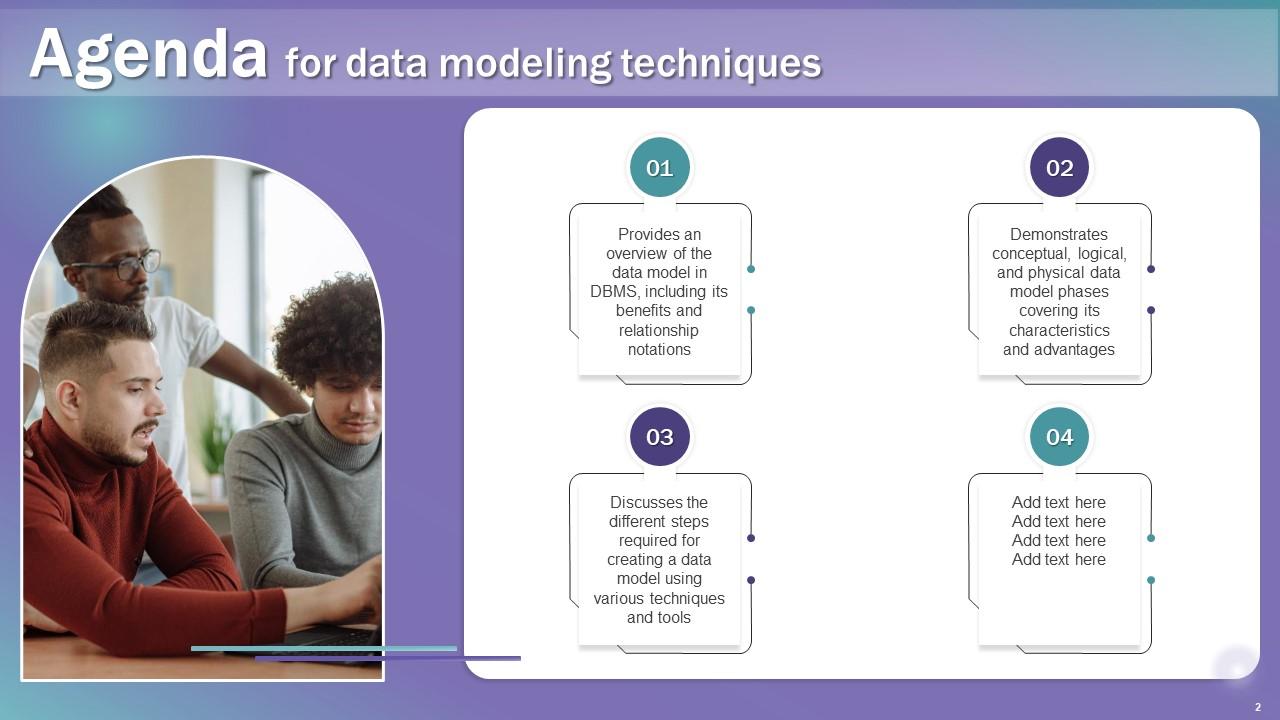
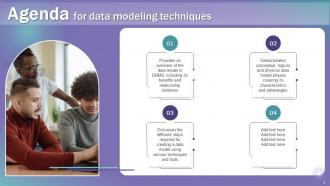
Slide 2: This slide depicts the Agenda of the presentation.
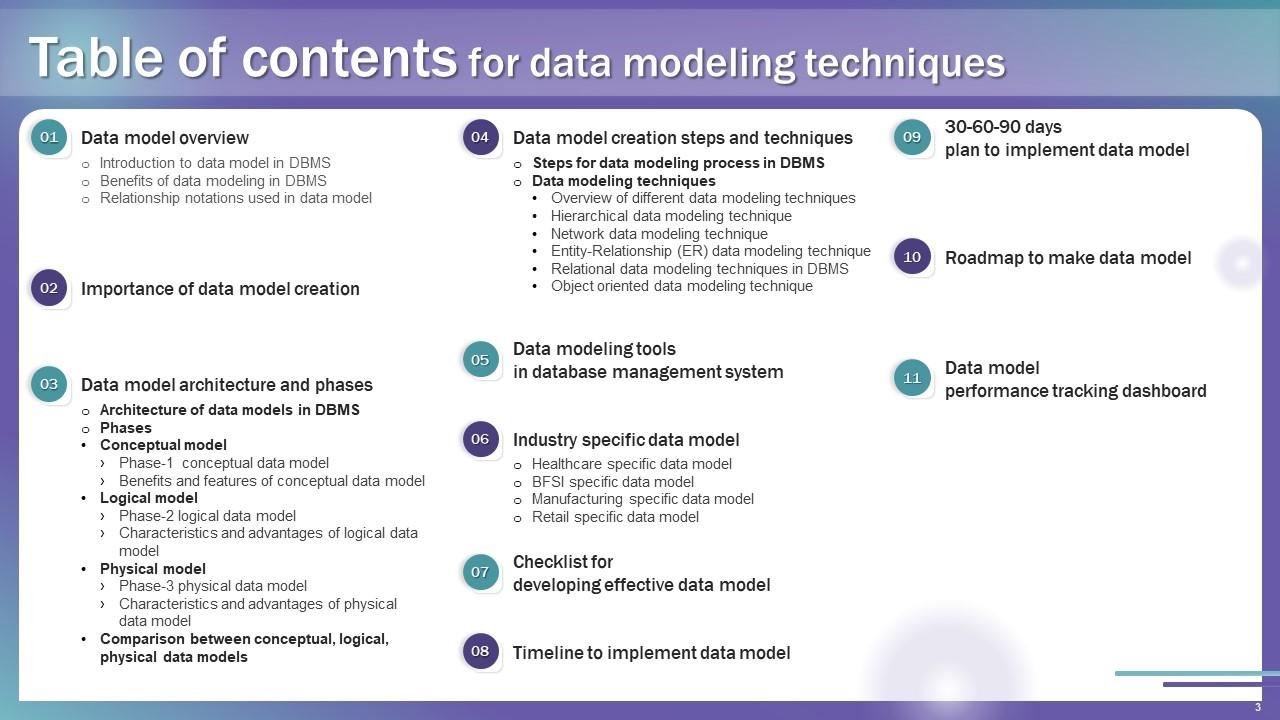
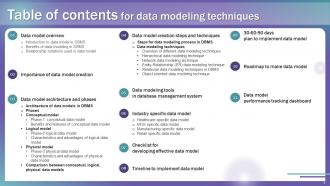
Slide 3: This slide incorporates the Table of contents.
Slide 4: This slide highlights the Title for the Topics to be discussed next.
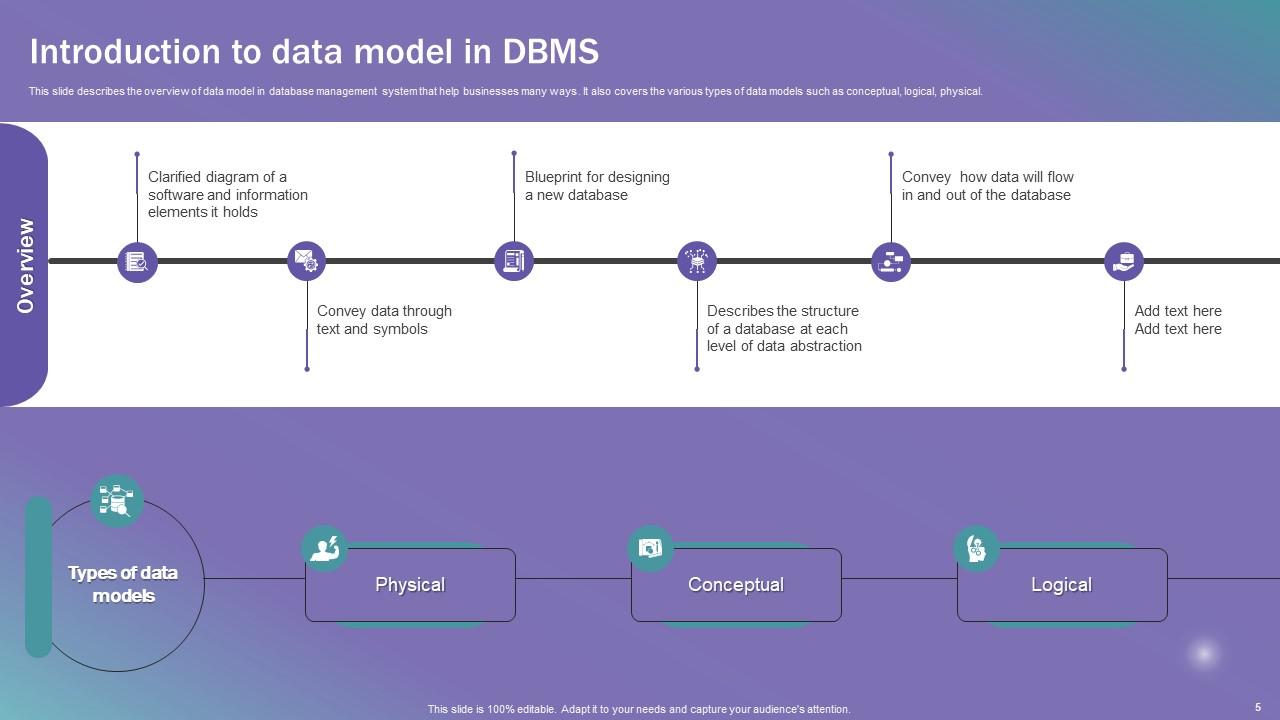
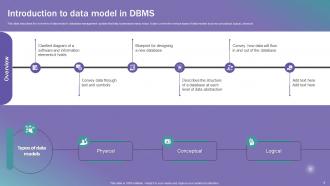
Slide 5: This slide describes the overview of data model in database management system that help businesses many ways.
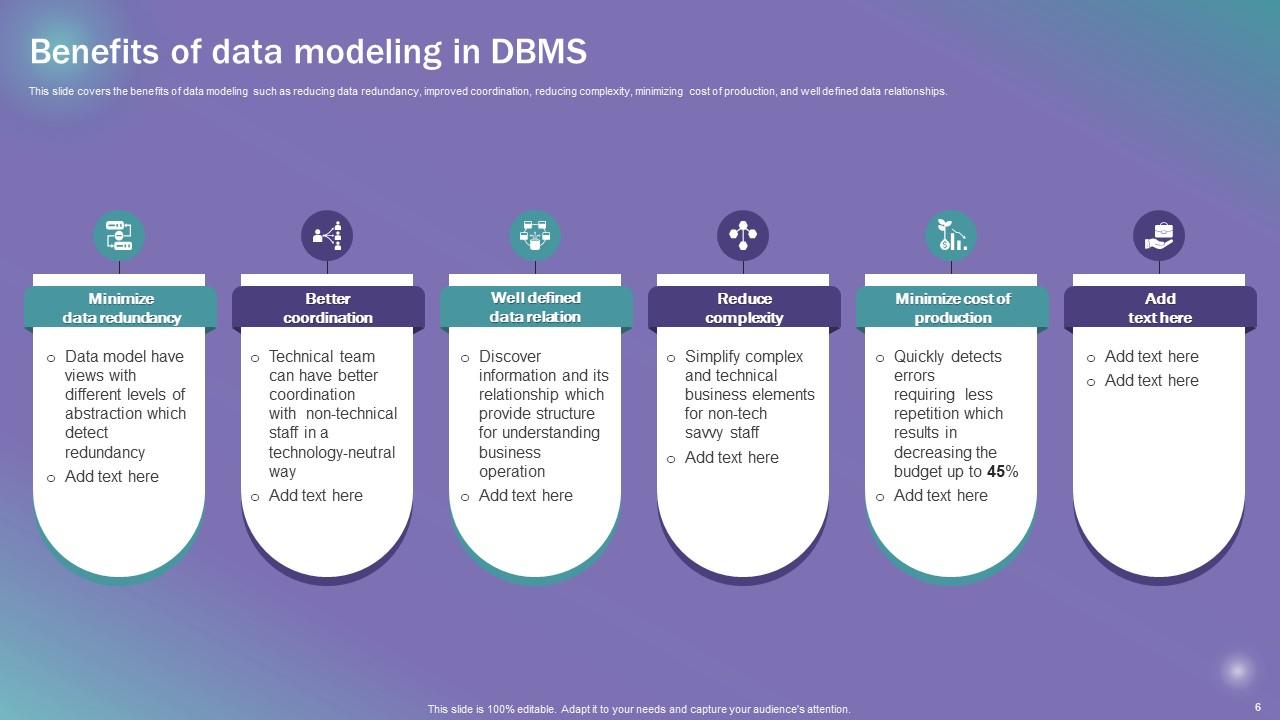
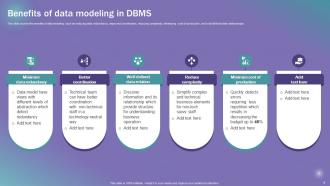
Slide 6: This slide covers the benefits of data modeling such as reducing data redundancy, improved coordination, etc.
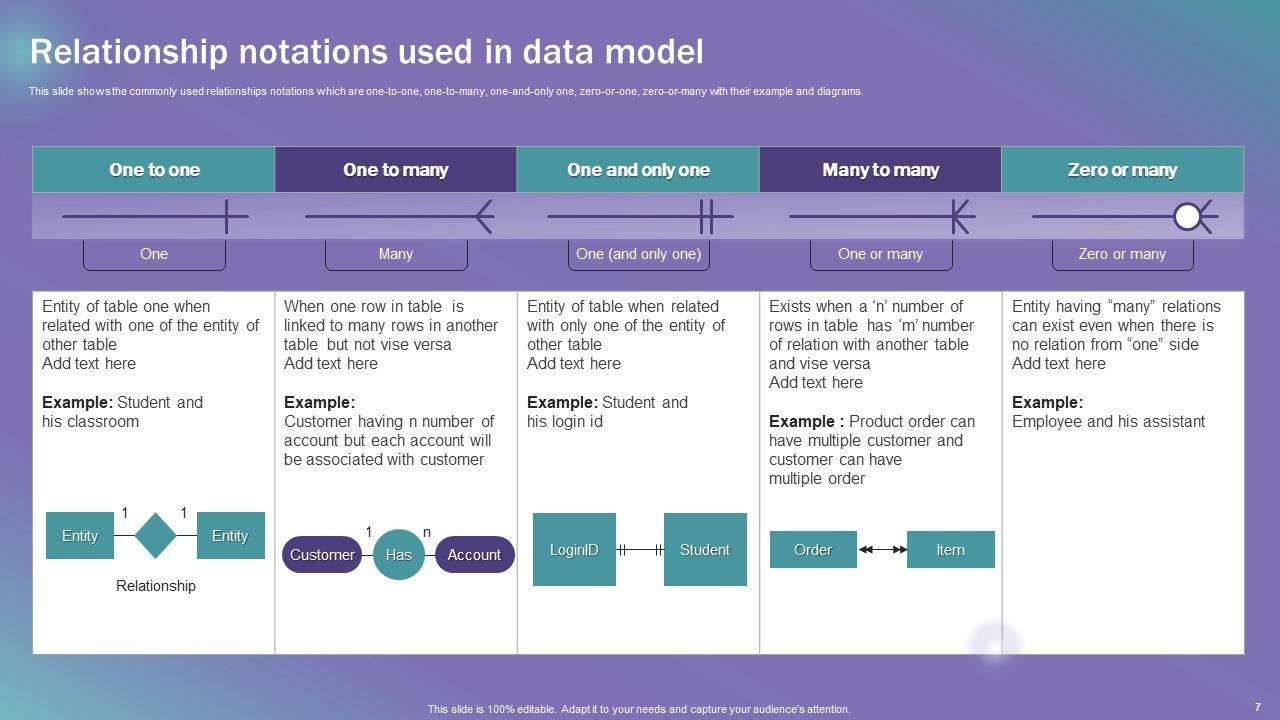
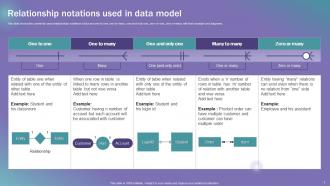
Slide 7: This slide shows the commonly used relationships notations.
Slide 8: This slide includes the Heading for the Components to be covered further.
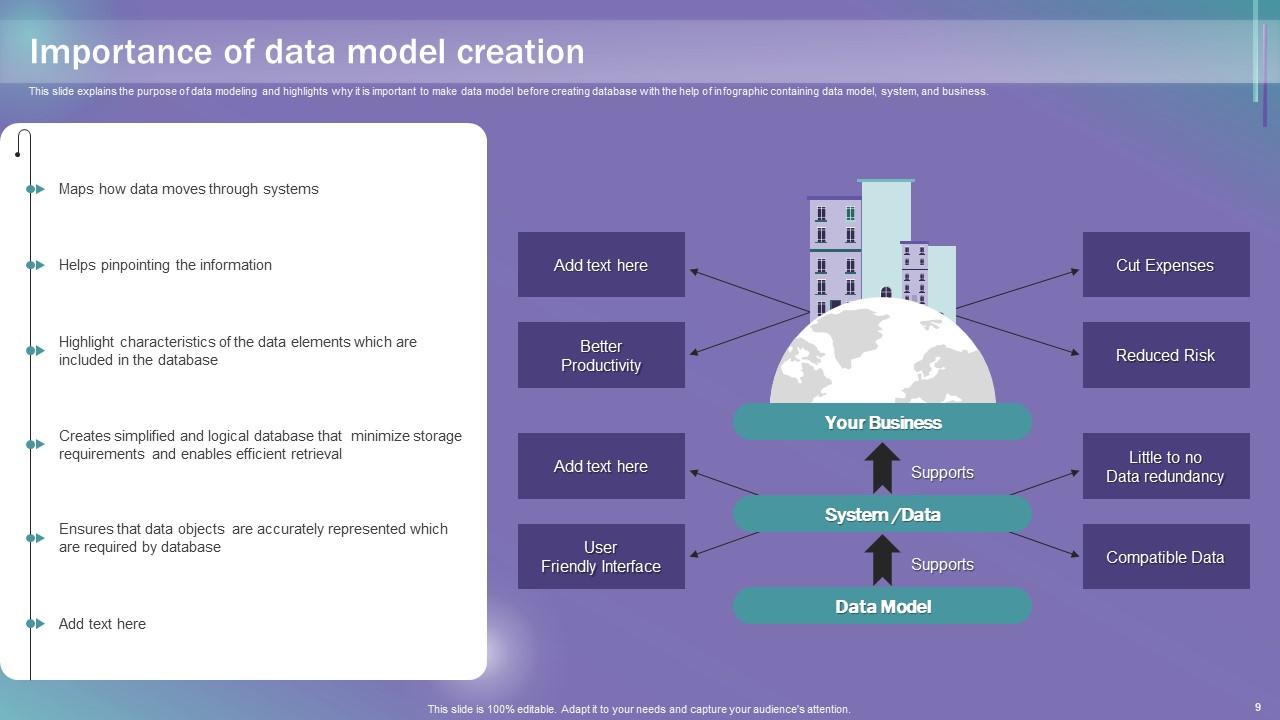
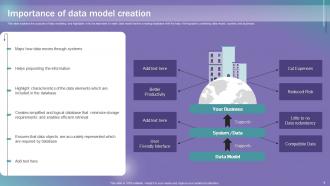
Slide 9: This slide explains the Importance of data model creation.
Slide 10: This slide reveals the Title for the Ideas to be covered in the following template.
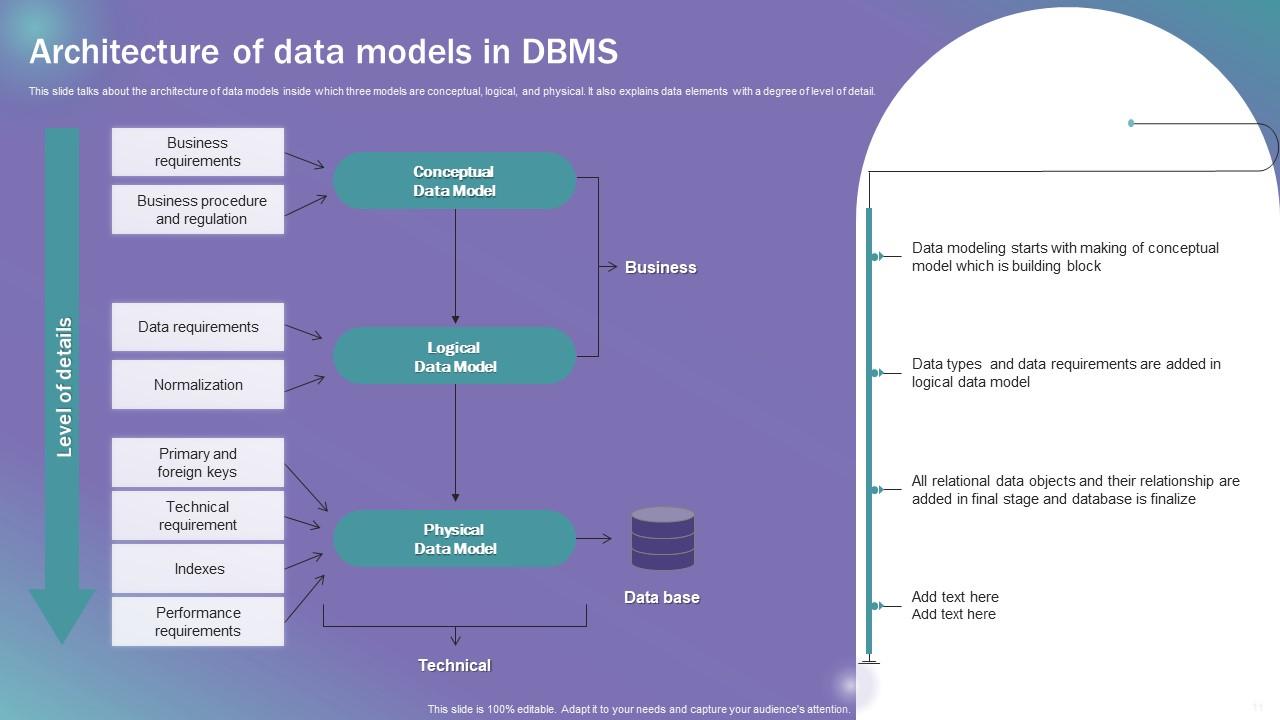
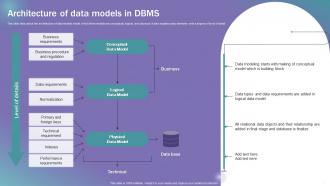
Slide 11: This slide talks about the architecture of data models inside which three models are conceptual, logical, and physical.
Slide 12: This slide displays the Heading for the Ideas to be discussed next.
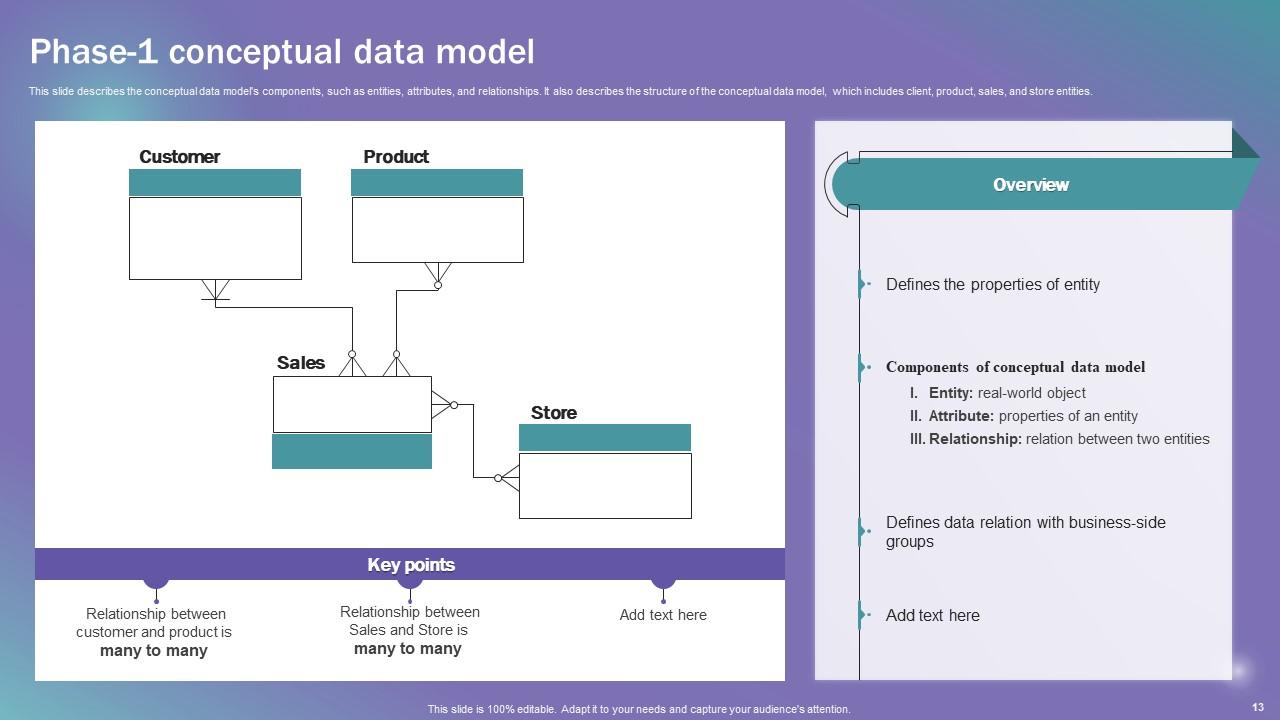
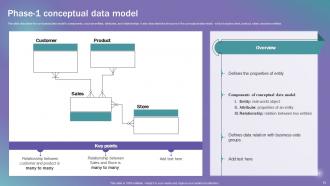
Slide 13: This slide describes the conceptual data model's components, such as entities, attributes, etc.
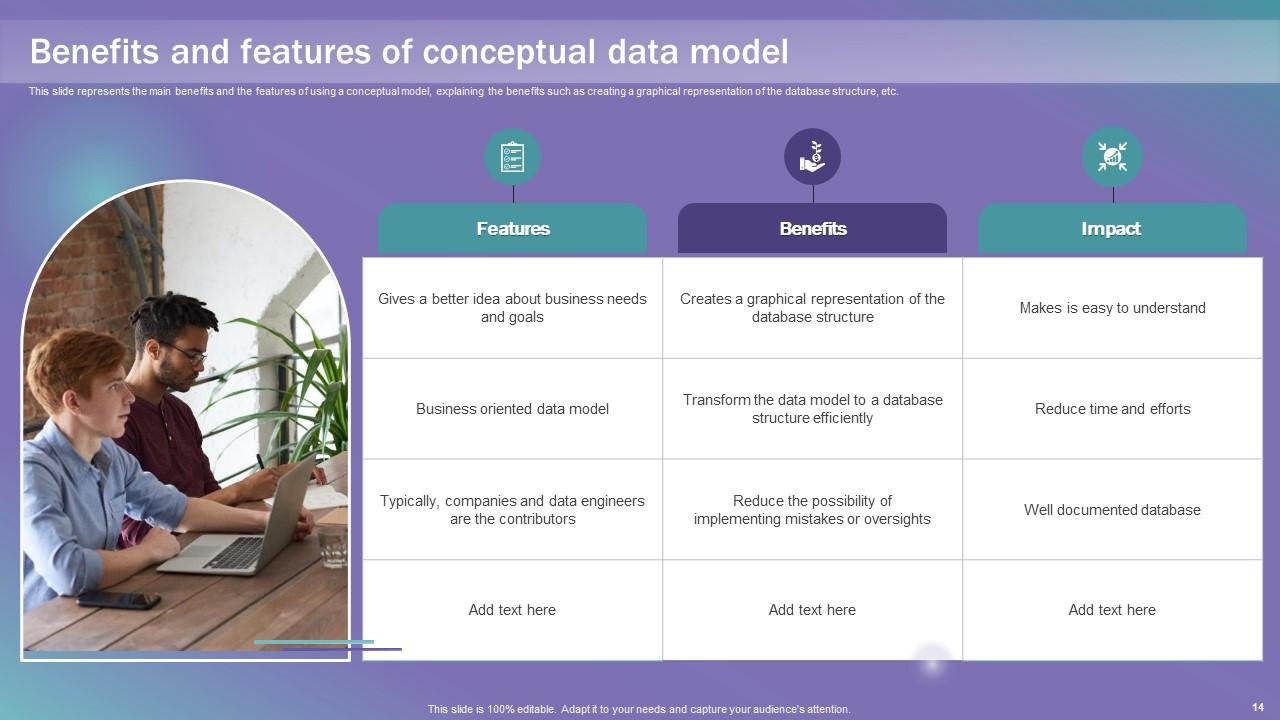
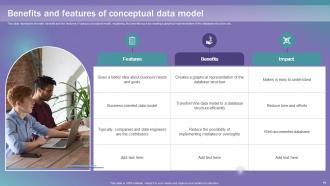
Slide 14: This slide represents the main benefits and the features of using a conceptual model.
Slide 15: This slide mentions the Title for the Topics to be covered further.
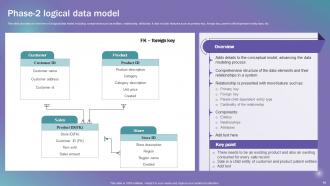
Slide 16: This slide provides an overview of a logical data model.
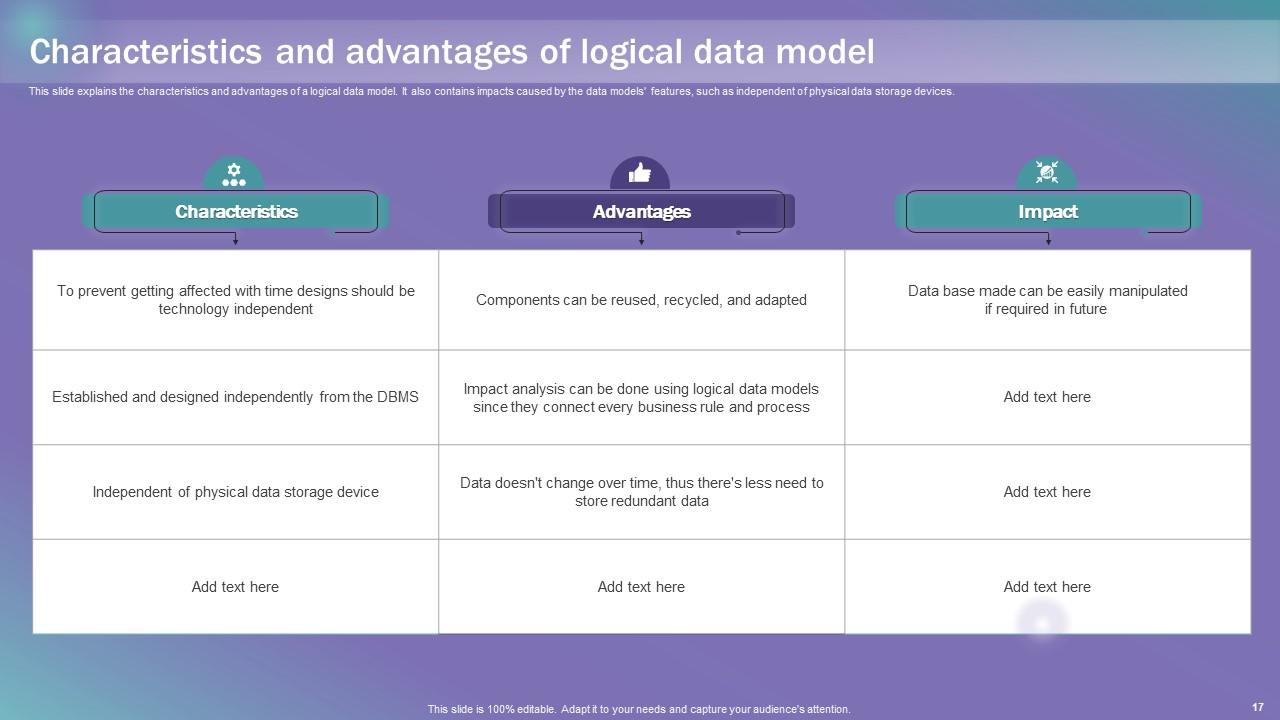
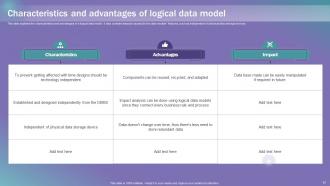
Slide 17: This slide explains the characteristics and advantages of a logical data model.
Slide 18: This slide elucidates the Heading for the Contents to be discussed in the next template.
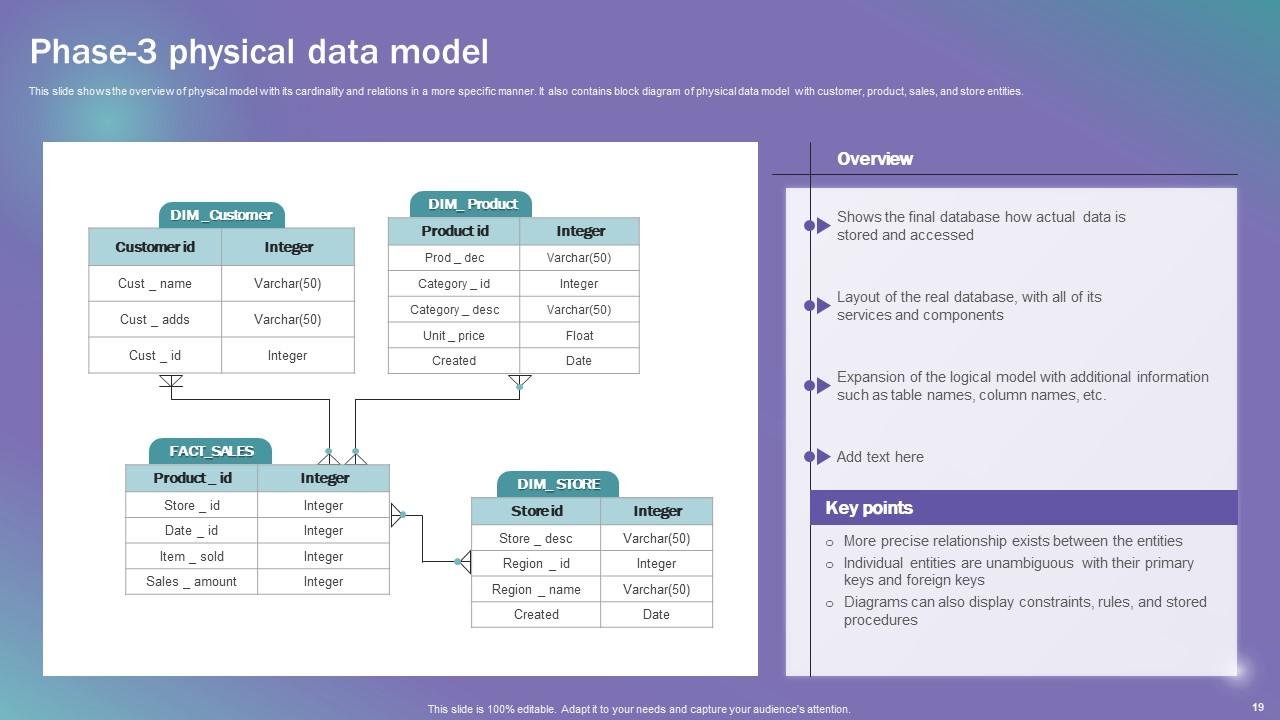
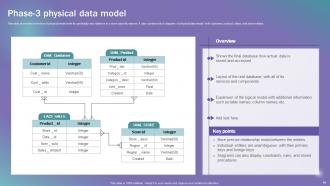
Slide 19: This slide shows the overview of physical model with its cardinality and relations in a more specific manner.
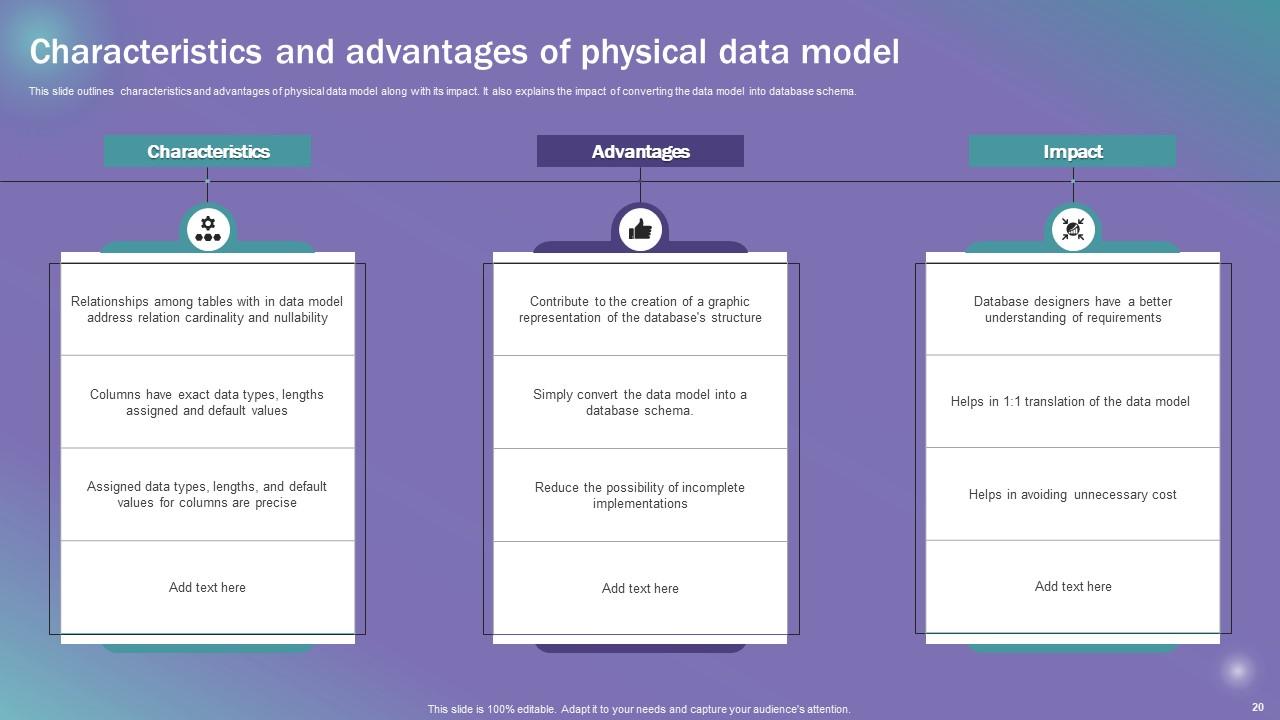
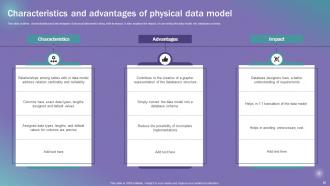
Slide 20: This slide outlines the characteristics and advantages of physical data model along with its impact.
Slide 21: This slide indicates the Title for the Ideas to be covered further.
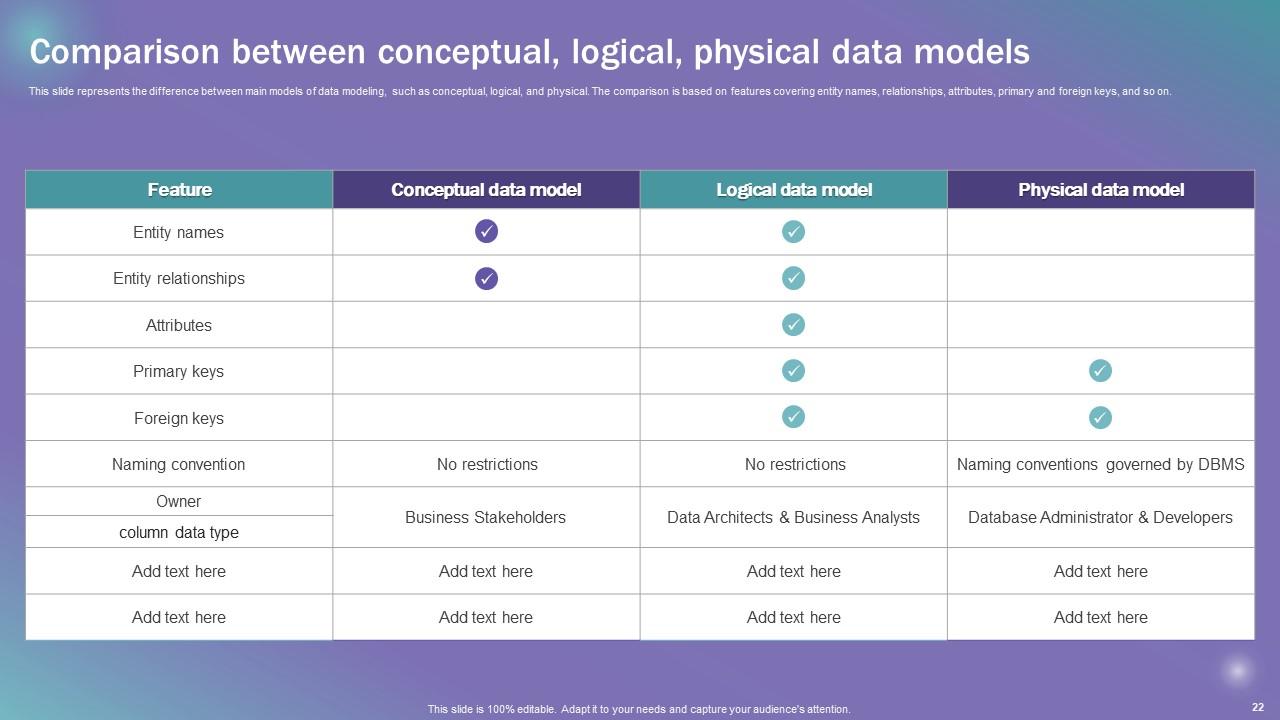
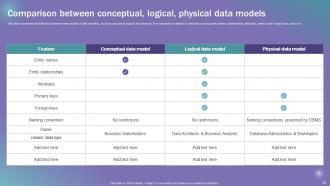
Slide 22: This slide represents the difference between main models of data modeling.
Slide 23: This slide portrays the Heading for the Ideas to be discussed in the following template.
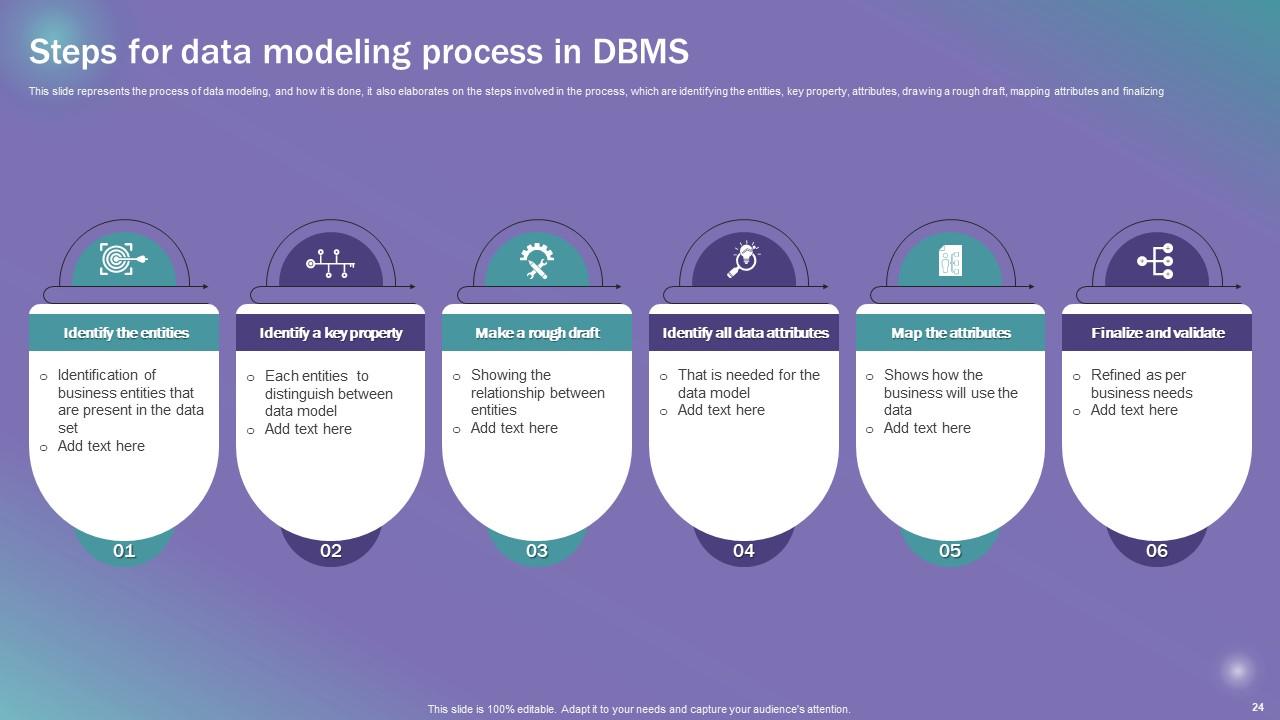
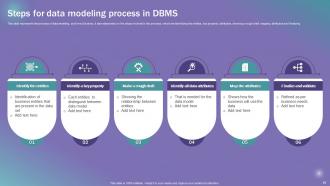
Slide 24: This slide states the process of Data modeling, and how it is done.
Slide 25: This slide shows the Title for the Contents to be covered further.
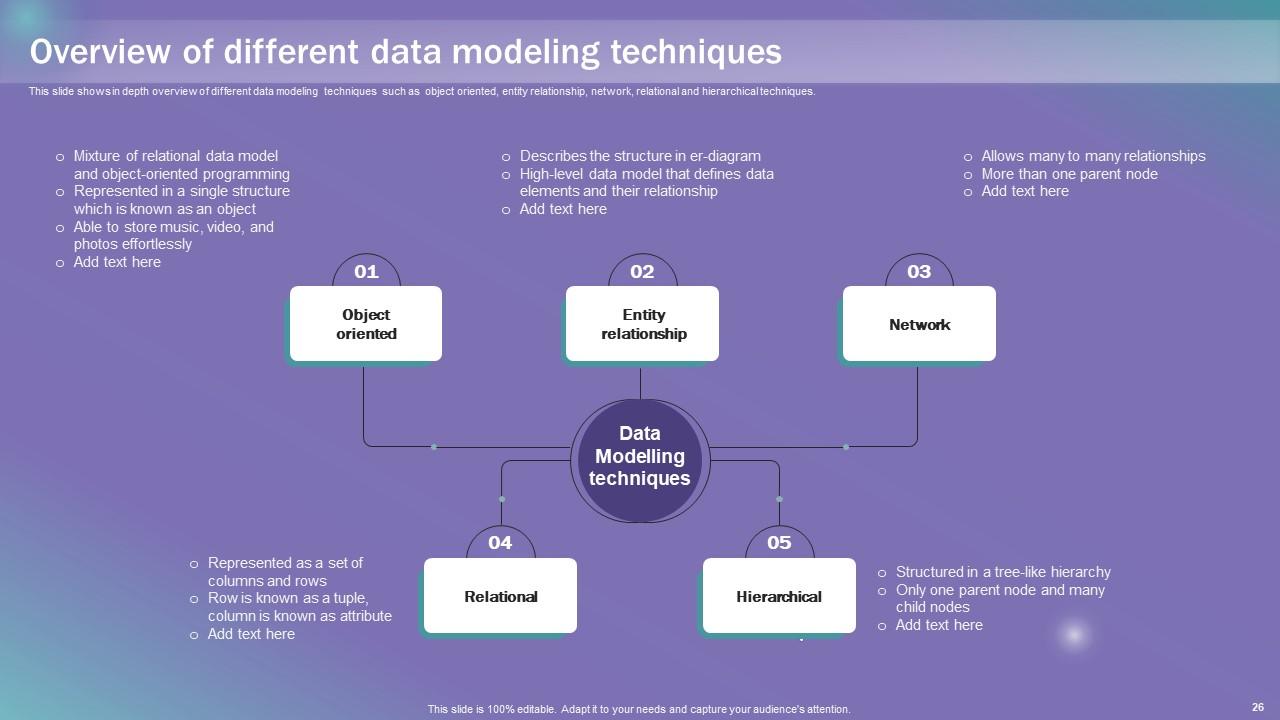
Slide 26: This slide shows in depth overview of different data modeling techniques.
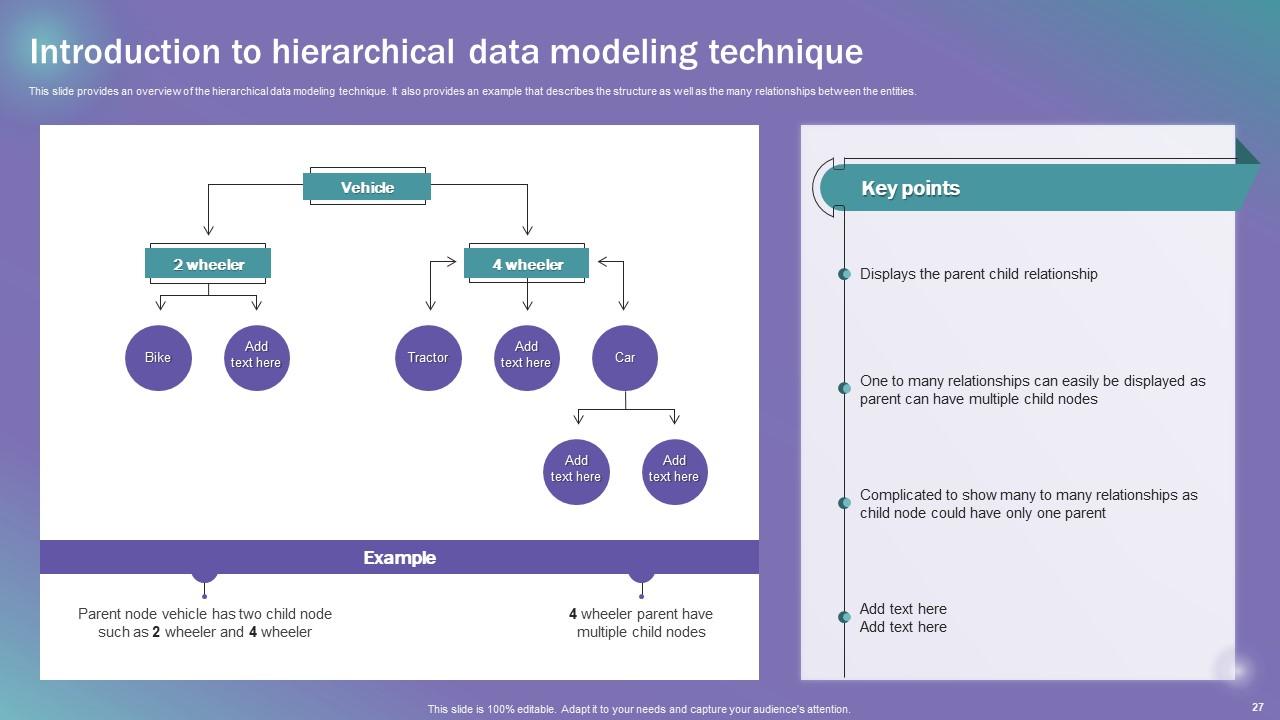
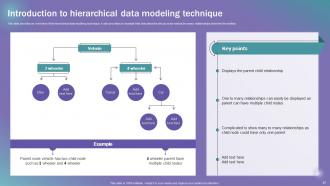
Slide 27: This slide provides an overview of the hierarchical data modeling technique.
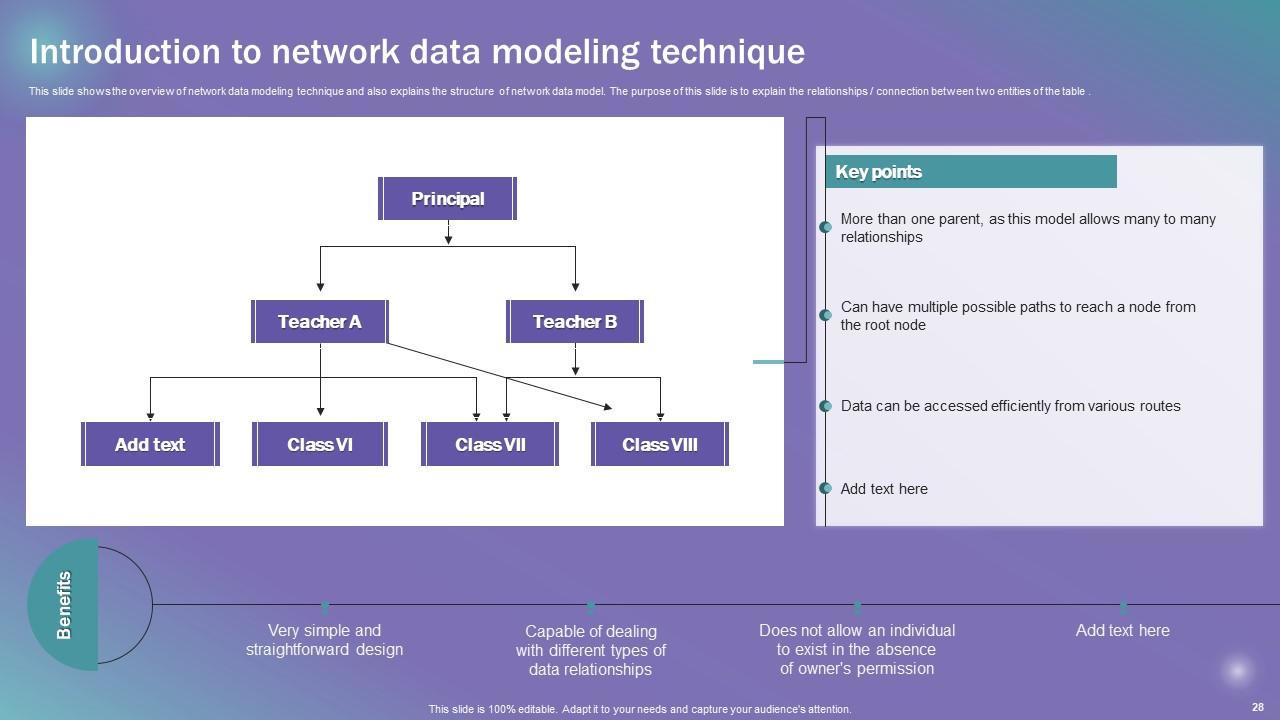
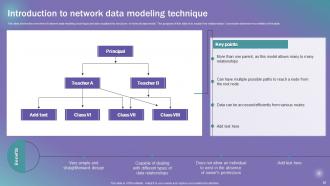
Slide 28: This slide shows the overview of network data modeling technique and also explains the structure of network data model.
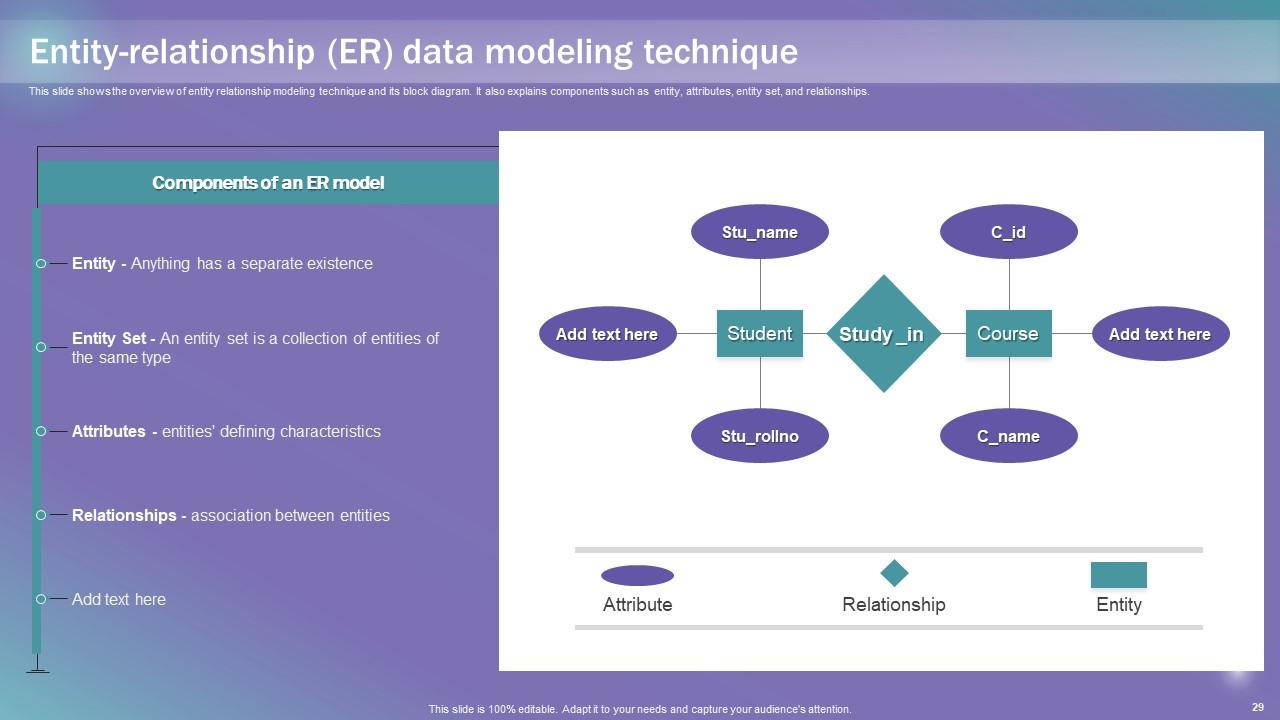
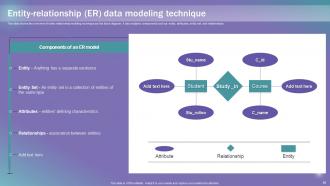
Slide 29: This slide presents the overview of entity relationship modeling technique and its block diagram.
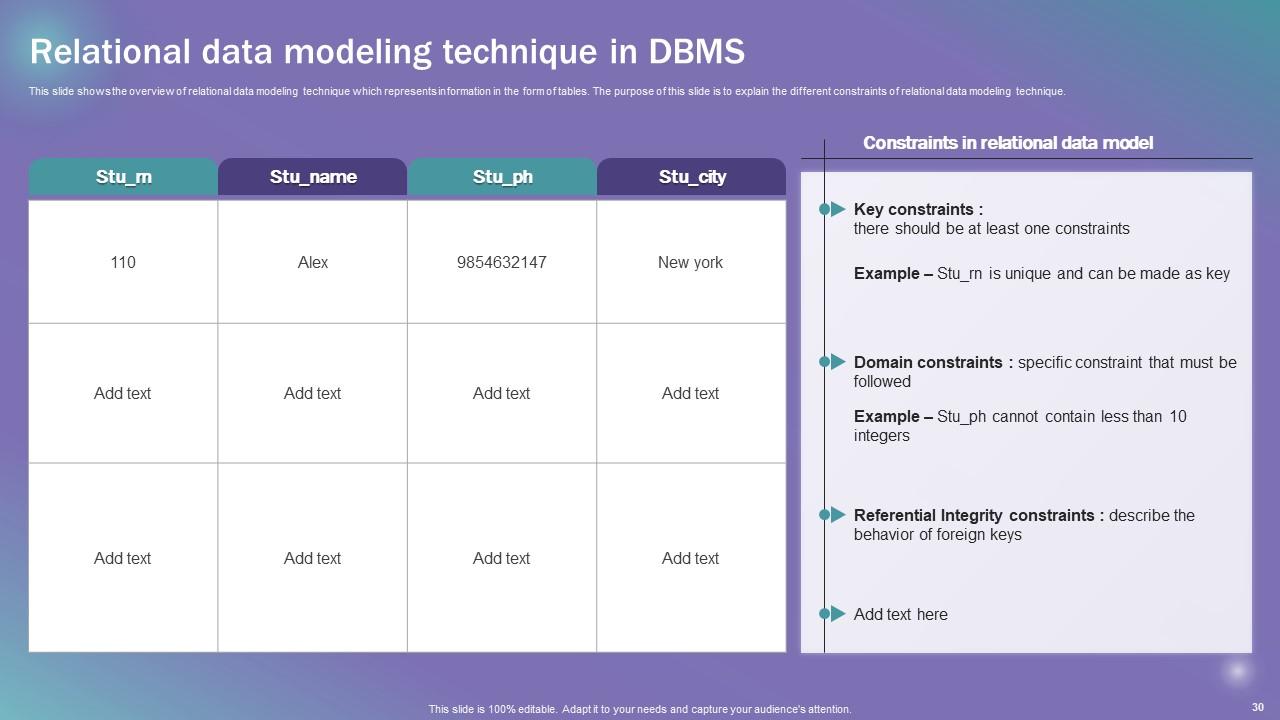
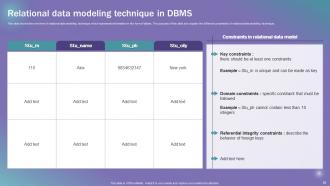
Slide 30: This slide depicts the Relational data modeling technique in DBMS.
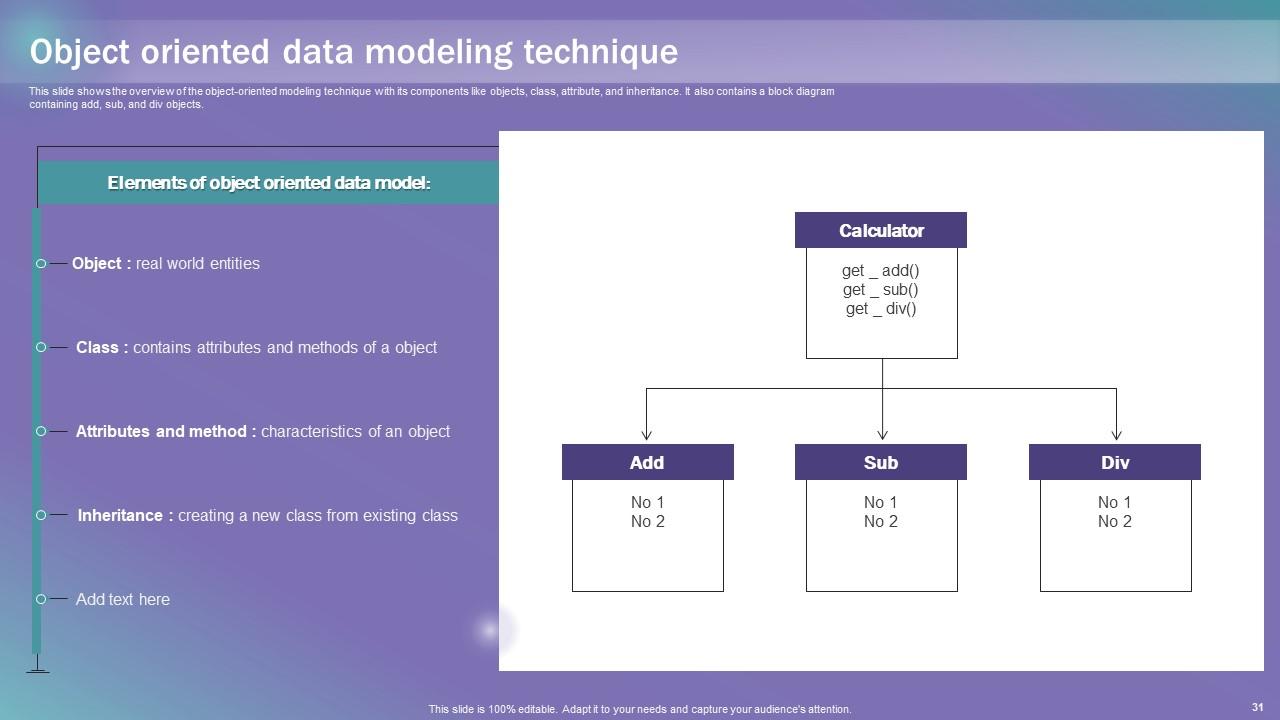
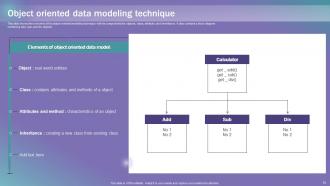
Slide 31: This slide exhibits the overview of the object-oriented modeling technique with its components.
Slide 32: This slide reveals the Heading for the Topics to be discussed next.
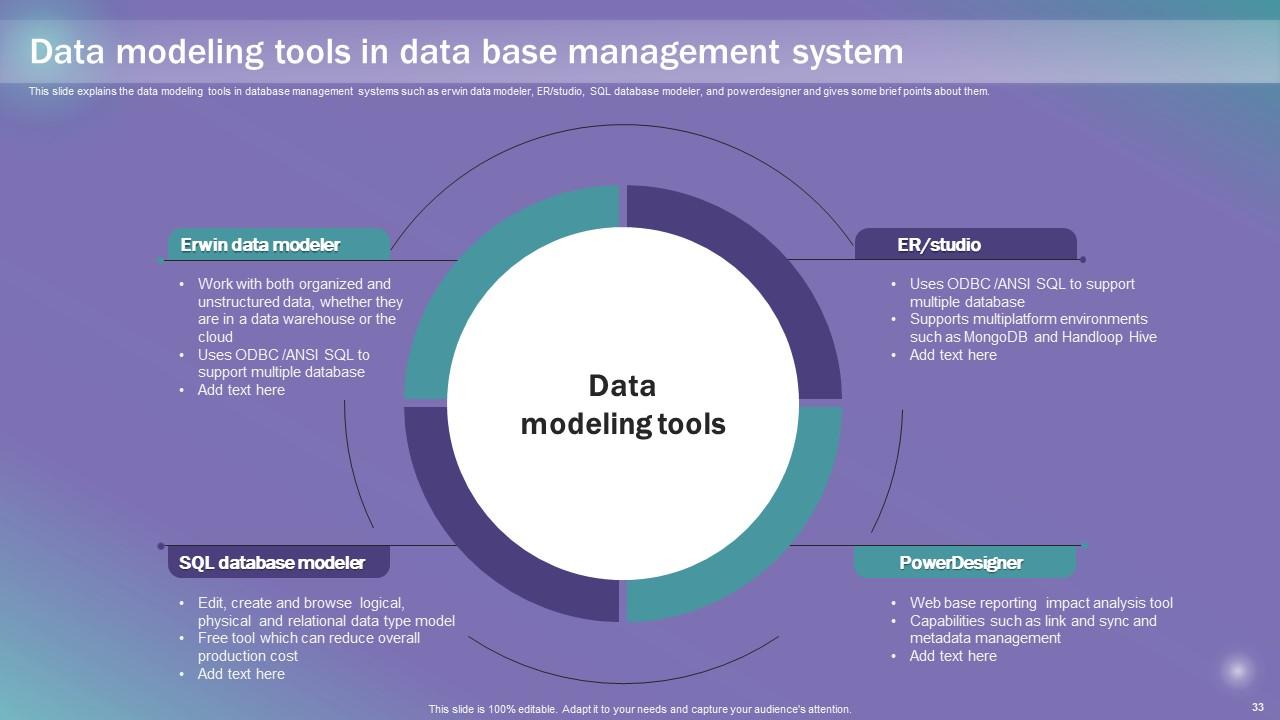
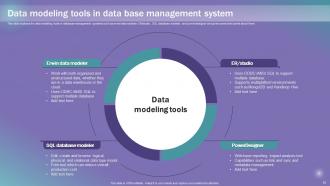
Slide 33: This slide explains the data modeling tools in database management systems.
Slide 34: This slide portrays the Title for the Ideas to be covered further.
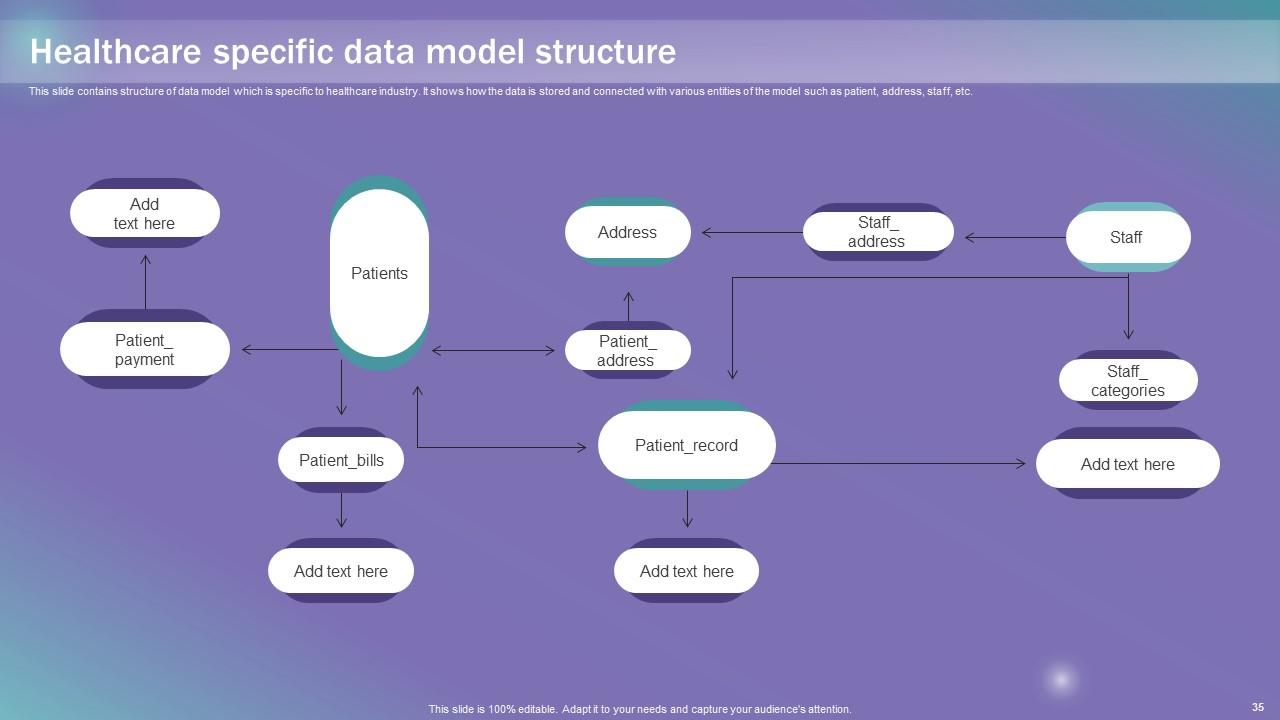
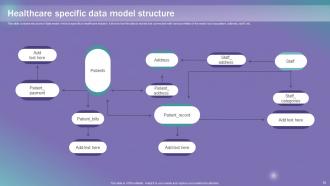
Slide 35: This slide contains structure of data model which is specific to healthcare industry.
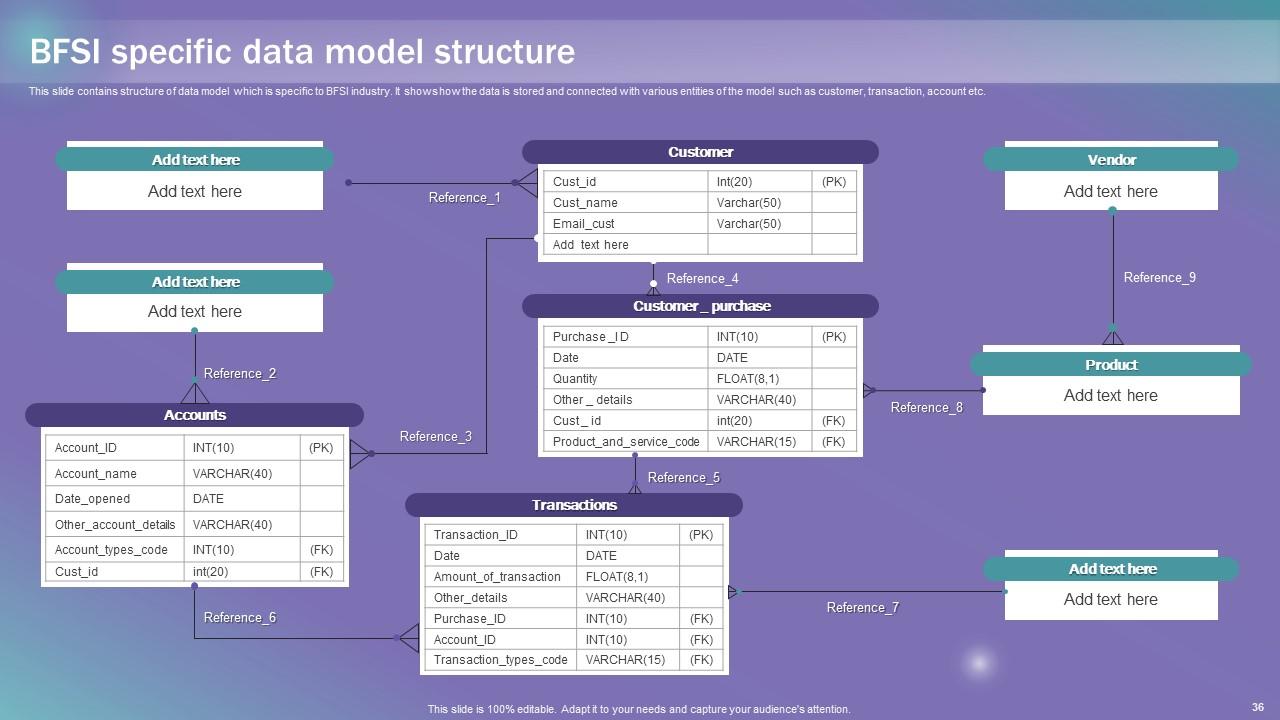
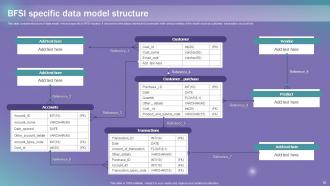
Slide 36: This slide deals with the BFSI specific data model structure.
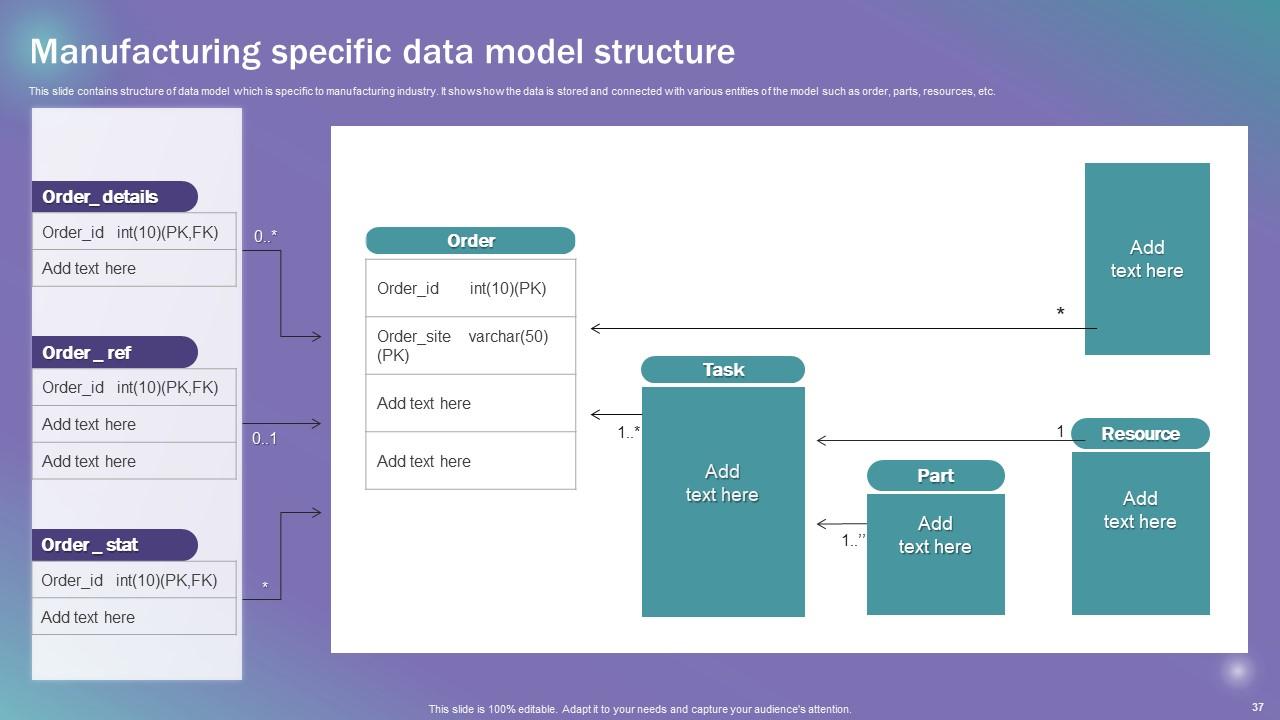
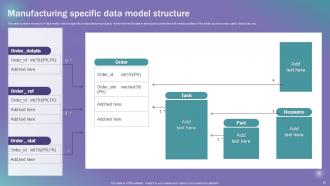
Slide 37: This slide includes the structure of data model which is specific to manufacturing industry.
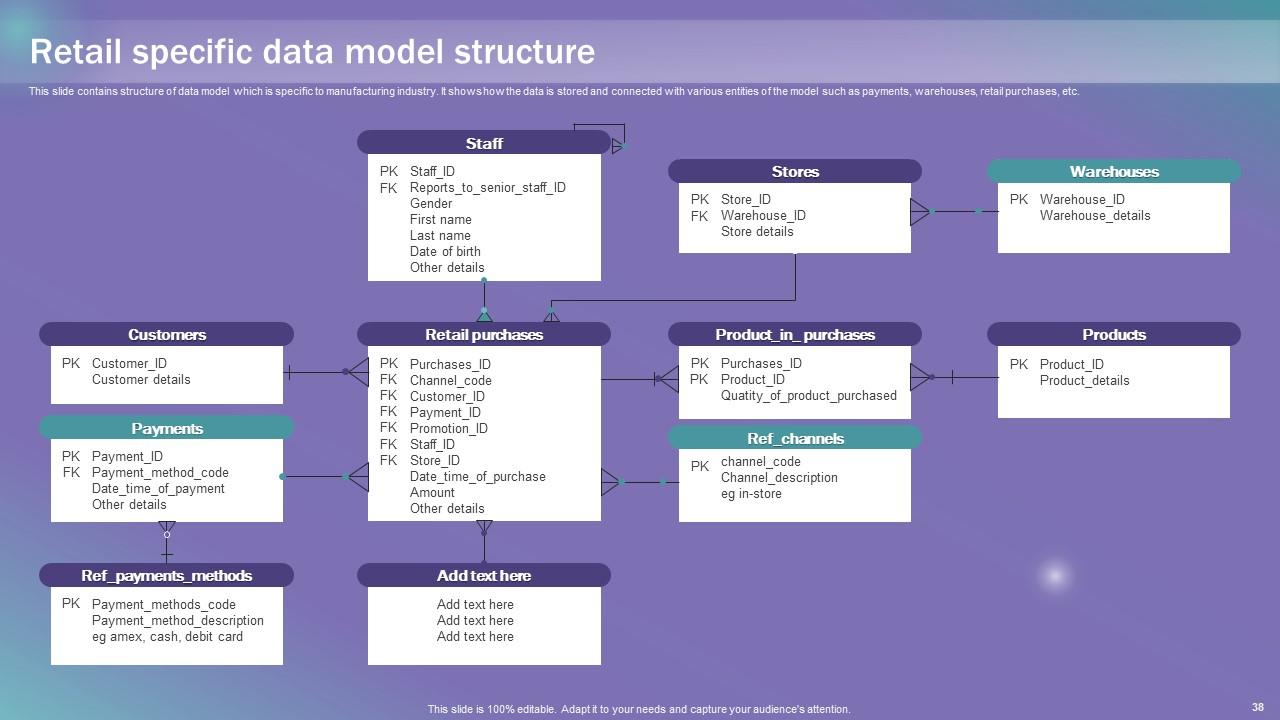
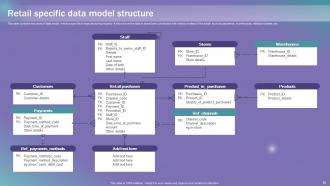
Slide 38: This slide showcases the structure of data model which is specific to manufacturing industry.
Slide 39: This slide displays the Heading for the Ideas to be discussed in the forth-coming template.
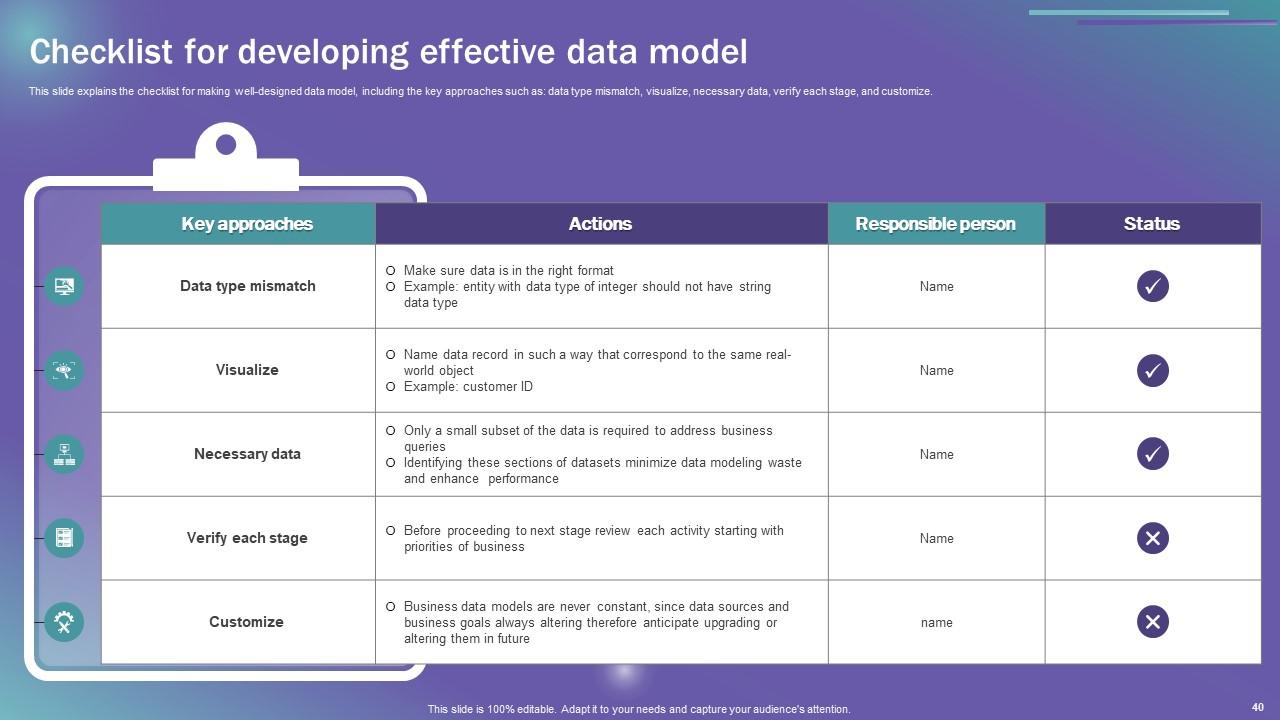
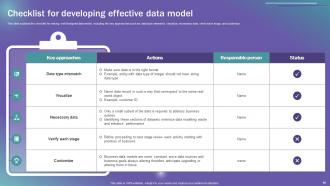
Slide 40: This slide explains the checklist for making well-designed data model.
Slide 41: This slide exhibits the Title for the Topics to be covered further.
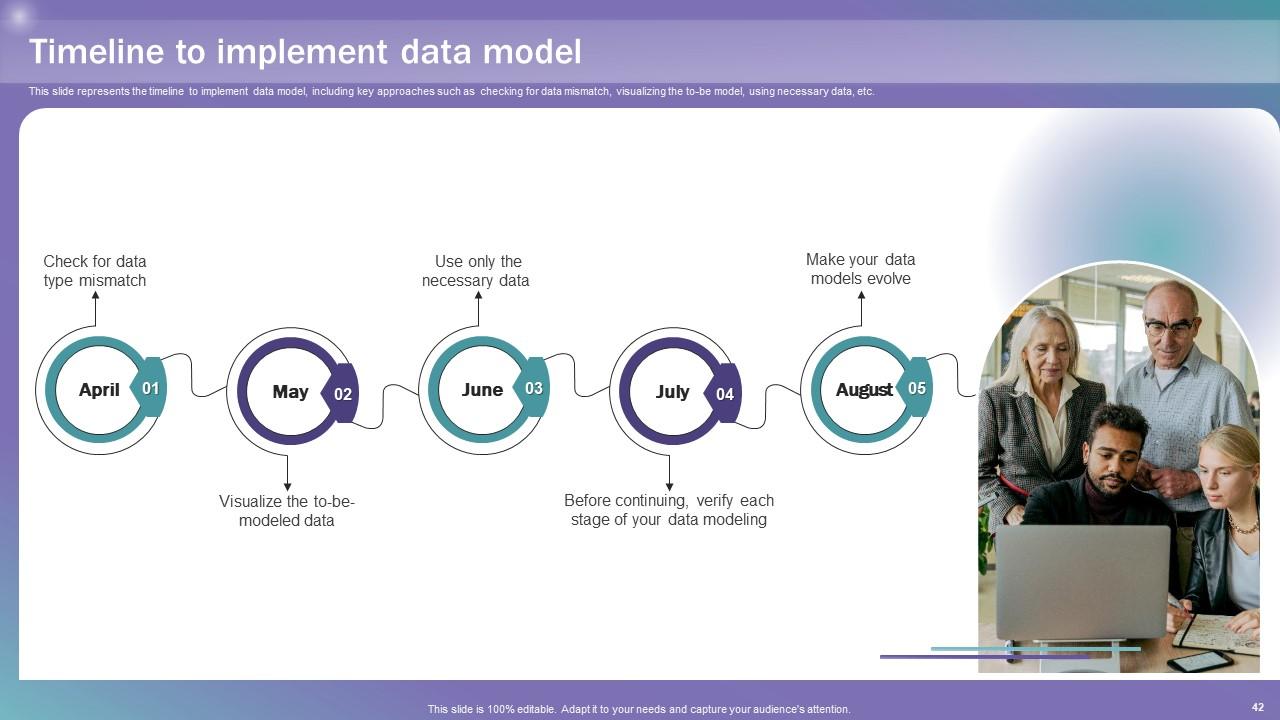
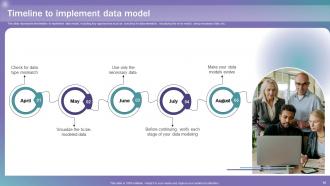
Slide 42: This slide represents the timeline to implement data model.
Slide 43: This slide elucidates the Heading for the Components to be discussed in the following template.
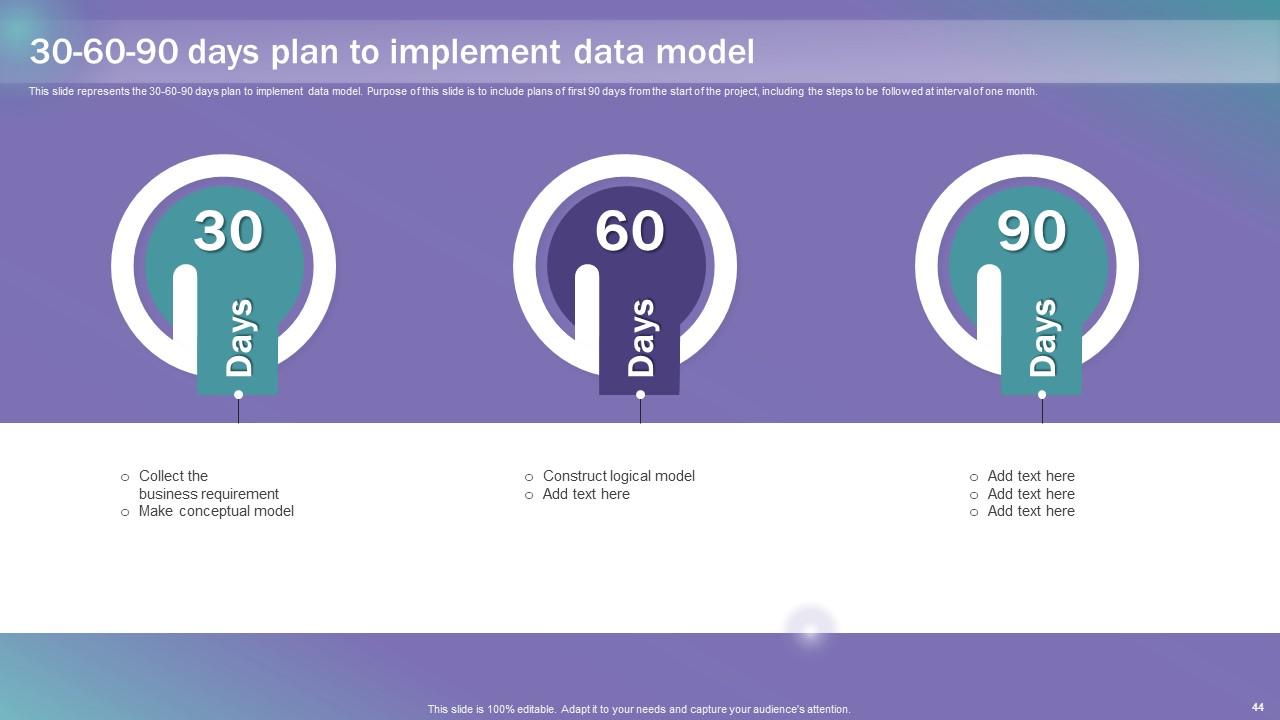
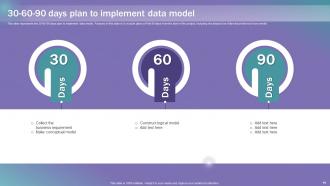
Slide 44: This slide represents the 30-60-90 days plan to implement data model.
Slide 45: This slide reveals the Title for the Ideas to be covered further.
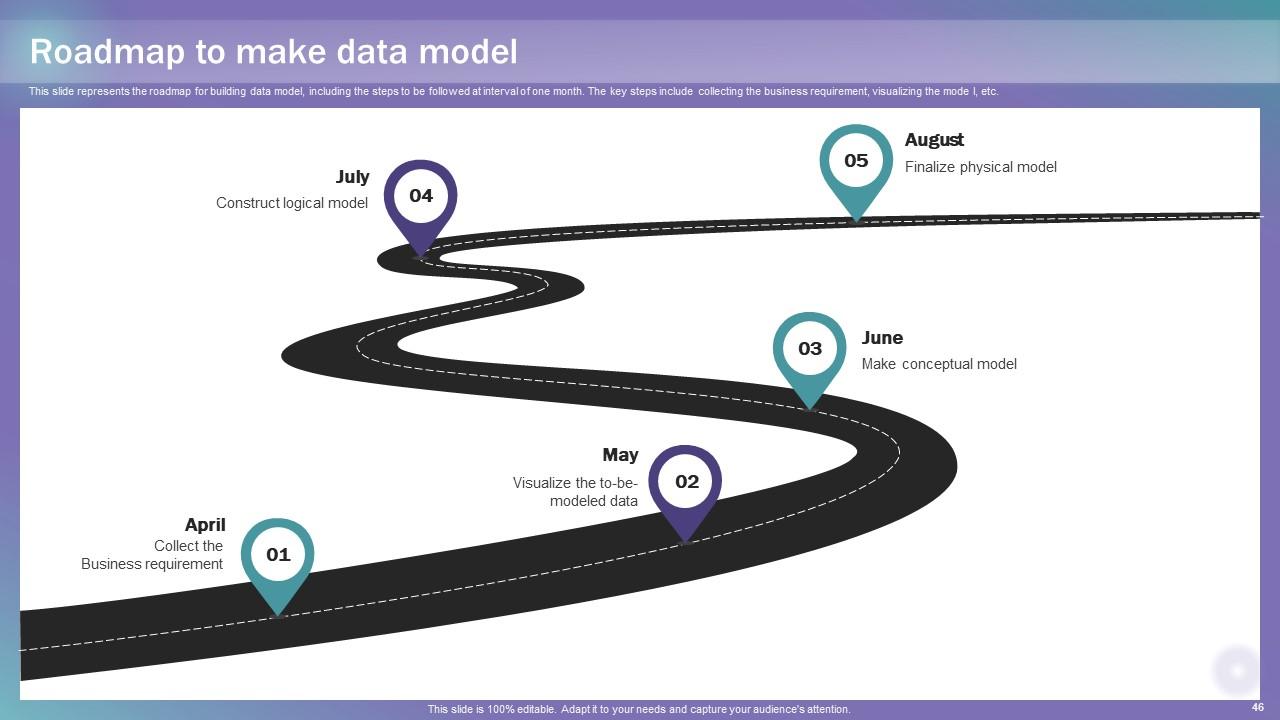
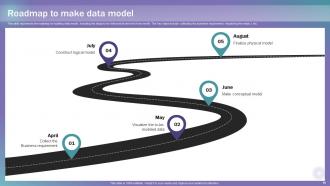
Slide 46: This slide represents the roadmap for building data model.
Slide 47: This slide showcases the Heading for the Ideas to be covered in the following template.
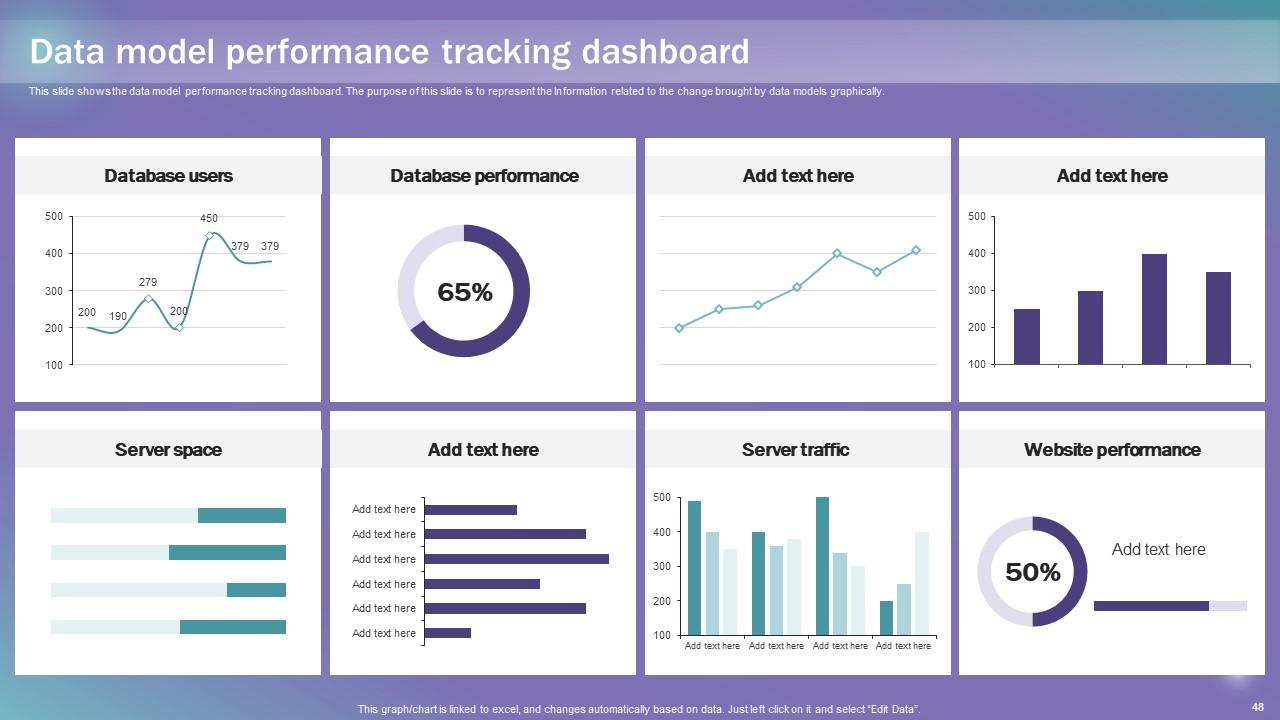
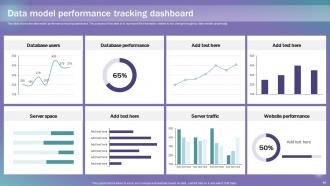
Slide 48: This slide shows the data model performance tracking dashboard.
Slide 49: This is the Icons slide containing all the Icons used in the plan.
Slide 50: This slide depicts some Additional information.
Slide 51: This slide elucidates the mission, vision, and goal of the organization.
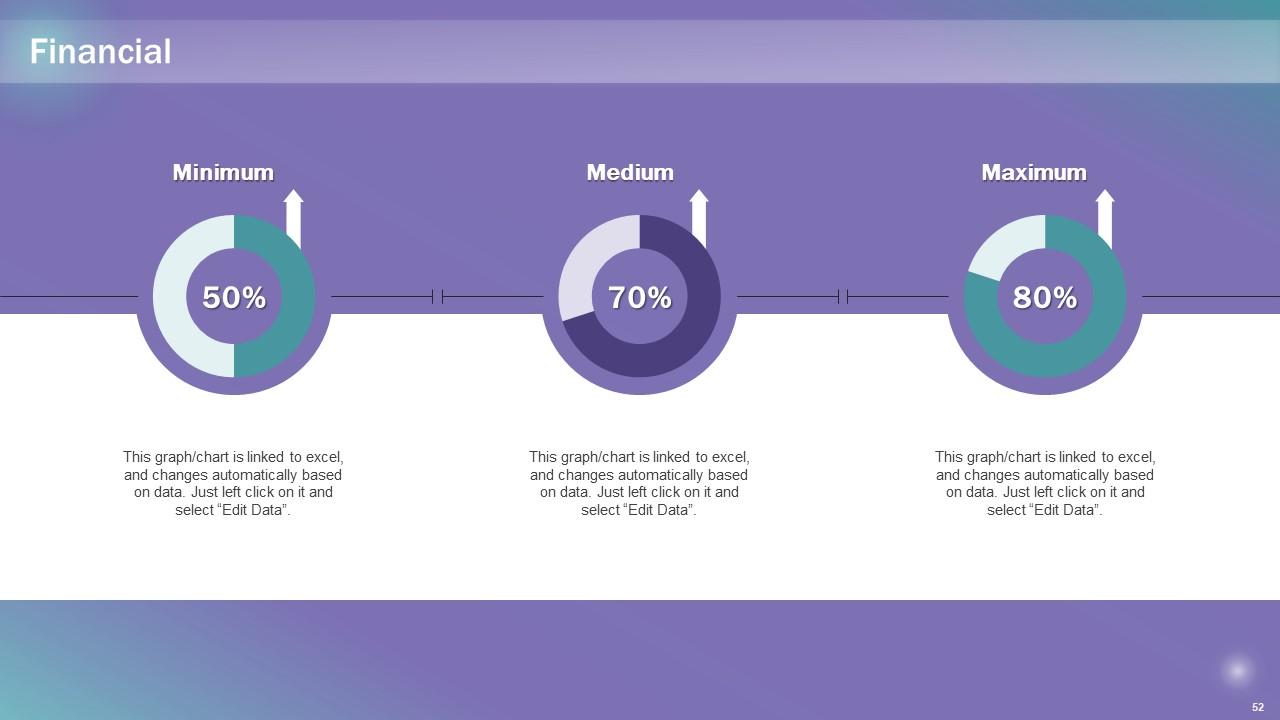
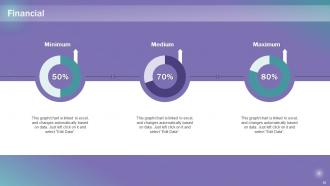
Slide 52: This slide showcases information related to the Financial topic.
Slide 53: This is the Venn diagram slide with related imagery.
Slide 54: This is the Idea generation slide for encouraging innovative ideas.
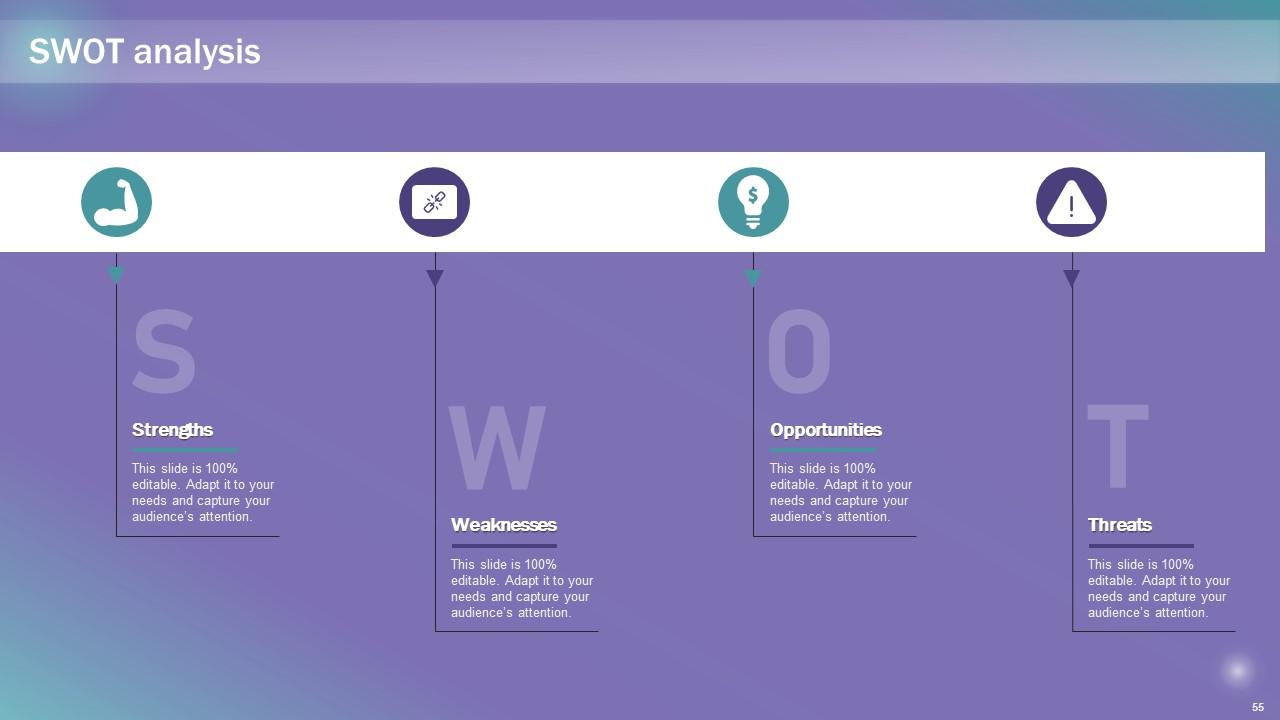
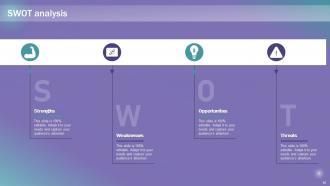
Slide 55: This slide displays the SWOT analysis.
Slide 56: This is Meet our team slide. State your team-related information here.
Slide 57: This is the Puzzle slide with related imagery.
Slide 58: This is the Thank You slide for acknowledgement.
Data Modeling Techniques Powerpoint Presentation Slides with all 63 slides:
Use our Data Modeling Techniques Powerpoint Presentation Slides to effectively help you save your valuable time. They are readymade to fit into any presentation structure.
FAQs
Data model creation provides a structured representation of data, enabling organizations to understand their data assets better. It helps in organizing, defining, and documenting data requirements, relationships, and constraints, which aids in developing efficient databases and information systems.
Data modeling is the process of creating a conceptual, logical, and physical representation of data to understand its structure, relationships, and constraints. It helps in designing efficient databases and information systems.
Data modeling offers several benefits, including improved data understanding, reduced data redundancy, enhanced data integration, easier database design, and alignment of data with business objectives.
The conceptual data model includes essential components such as entities (representing real-world objects), attributes (characteristics of entities), and relationships (connections between entities). It provides a bird's-eye view of the data without delving into implementation details.
The logical data model offers a detailed representation of data elements and their interrelationships. It abstracts the data from any specific database technology, making it independent of the physical implementation. The advantages include improved data understanding, easier database design, and facilitating seamless data integration.
-
No second thoughts when I’m looking for excellent templates. SlideTeam is definitely my go-to website for well-designed slides.
-
Spacious slides, just right to include text. SlideTeam has also helped us focus on the most important points that need to be highlighted for our clients.
