db Tree Style Infographics Icons Diagram Flat Powerpoint Design
Try Before you Buy Download Free Sample Product
Audience
Editable
of Time
Emplear nuestro db Tree Style Infographics Icons Diagram Flat Powerpoint Design es un excelente hábito. Se aseguran de que siempre entregue.
Características de estas diapositivas de presentación de PowerPoint:
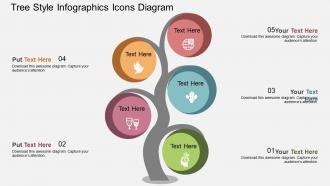
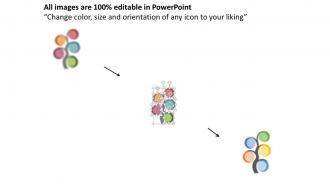
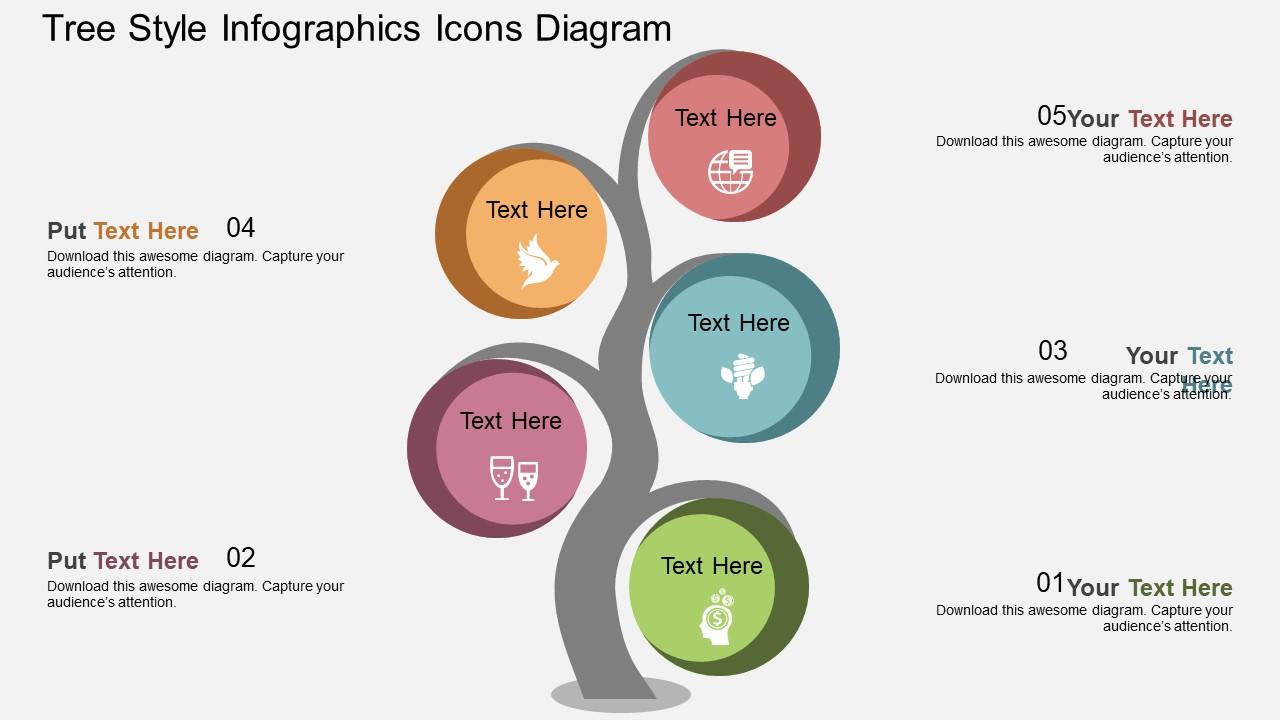
Presentación de iconos de infografías de estilo de árbol de db, diagrama de diseño plano de PowerPoint. Este diagrama de plantilla de Power Point se ha elaborado con un diagrama de gráficos de información de estilo de árbol. Este diagrama PPT contiene el concepto de redes sociales. Utilice este diagrama PPT para presentaciones relacionadas con negocios y finanzas.
People who downloaded this PowerPoint presentation also viewed the following :
Db Tree Style Infographics Diagrama de iconos Diseño de PowerPoint plano con las 4 diapositivas:
El crecimiento es absolutamente seguro con nuestro db Tree Style Infographics Icons Diagram Flat Powerpoint Design. Le dan una garantía firme.
FAQs for Db tree style infographics icons diagram
Effective DB tree style infographics include clear hierarchical structure, consistent visual styling, readable typography, strategic color coding, and logical data flow connections. These elements work together by simplifying complex database relationships, enhancing audience comprehension through visual hierarchy, and delivering professional presentations that transform technical information into accessible insights, ultimately enabling better decision-making across organizational levels.
DB tree style icons enhance visual appeal by creating clear hierarchical structures, improving information flow, and establishing professional design consistency throughout presentations. These database-inspired graphics streamline complex data relationships while adding modern aesthetic elements, with many organizations finding that structured visual frameworks increase audience engagement and comprehension rates significantly.
Flat design in infographic icons offers enhanced readability, faster loading times, universal scalability, timeless aesthetic appeal, and improved focus on content over decorative elements. These streamlined visuals work exceptionally well across digital platforms and print materials, with many organizations finding that flat icons reduce cognitive load, enhance professional presentation quality, and maintain clarity at any size, ultimately delivering more effective communication and broader audience engagement.
DB tree style diagrams simplify complex data by organizing information hierarchically, using visual branching structures, clear parent-child relationships, and intuitive flow patterns that audiences can follow naturally. These diagrams enable presenters to break down intricate databases, organizational structures, and decision processes into digestible visual segments, ultimately delivering enhanced comprehension and faster stakeholder buy-in across technical and non-technical audiences.
Current infographic icon trends for PowerPoint emphasize minimalist flat design, bold geometric shapes, consistent color palettes, and scalable vector graphics that maintain clarity across devices. These design approaches enhance visual storytelling by improving readability, creating professional cohesion, and ensuring seamless integration with corporate branding, with many organizations finding that streamlined iconography significantly boosts audience engagement and presentation effectiveness.
Color choice significantly enhances DB tree style infographics by improving visual hierarchy, facilitating data categorization, and increasing comprehension rates across complex database relationships. Strategic color schemes enable viewers to quickly distinguish between parent-child nodes, identify data clusters, and follow branching pathways more efficiently, while consistent palettes reduce cognitive load and enhance professional presentation quality, ultimately delivering clearer communication and faster decision-making in technical environments.
**INPUT**: What type of information is best represented through a DB tree structure? **OUTPUT**: DB tree structures excel at representing hierarchical data like organizational charts, file systems, taxonomies, decision workflows, and database relationships. These visual frameworks streamline complex information by showing parent-child connections, data dependencies, and systematic classifications, with many organizations finding that tree diagrams enhance understanding of multi-level processes and strategic relationships. [Word count: 53 words]
Animation in DB tree infographics works best through progressive revelation techniques, including sequential node appearances, smooth branch expansions, hover effects for data details, and cascading transitions that follow logical data flow patterns. These animated elements enhance audience comprehension by guiding viewers through complex database relationships step-by-step, while maintaining visual clarity and professional presentation standards that keep stakeholders engaged throughout technical demonstrations.
**INPUT**: What software tools are recommended for creating DB tree style diagrams and icons? **OUTPUT**: Recommended software tools include Microsoft Visio, Lucidchart, Draw.io, Adobe Illustrator, Canva Pro, and specialized database design platforms like MySQL Workbench. These applications streamline diagram creation by offering pre-built templates, drag-and-drop functionality, and collaborative features, with many organizations finding that cloud-based solutions like Lucidchart and Draw.io deliver enhanced team productivity and seamless integration capabilities.
Common infographic icon mistakes include using inconsistent visual styles, overcomplicated designs, poor color contrast, mismatched sizing, and icons that don't clearly represent their intended concepts. These design flaws can confuse audiences and undermine presentation effectiveness, with many organizations finding that streamlined, cohesive icon systems enhance audience comprehension, strengthen brand consistency, and ultimately deliver more impactful business communications.
Color accessibility in infographic icons requires high contrast ratios, colorblind-friendly palettes, and alternative text descriptions for screen readers. Strategic design choices like using patterns, textures, and clear typography alongside color coding enable broader audience engagement, while maintaining visual hierarchy through size and spacing ensures information remains comprehensible across diverse accessibility needs.
Typography in DB tree infographics serves as the primary navigation system, establishing clear hierarchies through font weights, sizes, and styles that guide viewers through complex database relationships and data flows. Strategic typography choices enhance readability at multiple zoom levels, ensure consistent labeling across nodes and branches, and create visual distinction between different data types or categories, ultimately delivering improved comprehension and faster decision-making for technical teams analyzing database structures.
User feedback shapes DB tree style infographic development by identifying clarity issues, visual preferences, and usability challenges across different audiences and contexts. Through surveys, A/B testing, and usage analytics, designers can refine icon symbolism, adjust hierarchical layouts, and optimize color schemes, ultimately delivering more intuitive database visualizations that enhance comprehension and streamline data presentation workflows.
Best practices for integrating DB tree infographics into corporate presentations include maintaining visual consistency with brand colors, using clear hierarchical structures, ensuring adequate white space, and selecting appropriate icon styles that match your company's design language. These infographics enhance data storytelling by simplifying complex database relationships, improving audience comprehension, and creating memorable visual anchors, with many organizations finding that well-designed tree structures significantly boost presentation engagement and information retention.
DB tree diagrams facilitate better understanding of hierarchical relationships by providing clear visual representation of parent-child connections, data dependencies, entity relationships, and structural pathways within complex databases. Through intuitive branching layouts, organizations streamline database design processes, enhance team collaboration during system planning, and accelerate troubleshooting efforts, with many IT departments finding that visual hierarchies ultimately deliver faster comprehension and more strategic data architecture decisions.
-
Helpful product design for delivering presentation.
-
Innovative and attractive designs.