


DocuSign Investor Funding Elevator Pitch Deck Ppt Template
DocuSign Investor Funding Elevator Pitch Deck PPT covers a comprehensive investor funding elevator pitch deck for DocuSign. It discusses the current challenges confronting customers during physical signatures, followed by DocuSign key solutions. This PPT deck also includes an introduction to the company, key insights on its product and service offerings, unique selling propositions, client testimonials, financial performance, and key milestones achieved to make the business appealing to investors. The PPT slides also include a market overview with insights on business potential reflecting favorable financial projections, and supporting slides on investment requests and allocation of funds. Lastly, this PPT includes information on the core team, a comprehensive organizational structure, shareholding pattern and an exit strategy with contact information. Download this PPT Now.
DocuSign Investor Funding Elevator Pitch Deck PPT covers a comprehensive investor funding elevator pitch deck for DocuSign...






































-

- Google Slides is a new FREE Presentation software from Google.
- All our content is 100% compatible with Google Slides.
- Just download our designs, and upload them to Google Slides and they will work automatically.
- Amaze your audience with SlideTeam and Google Slides.
-

Want Changes to This PPT Slide? Check out our Presentation Design Services
-

- WideScreen Aspect ratio is becoming a very popular format. When you download this product, the downloaded ZIP will contain this product in both standard and widescreen format.
-

- Some older products that we have may only be in standard format, but they can easily be converted to widescreen.
- To do this, please open the SlideTeam product in Powerpoint, and go to
- Design ( On the top bar) -> Page Setup -> and select "On-screen Show (16:9)” in the drop down for "Slides Sized for".
- The slide or theme will change to widescreen, and all graphics will adjust automatically. You can similarly convert our content to any other desired screen aspect ratio.
Compatible With Google Slides

Get This In WideScreen
You must be logged in to download this presentation.


Do you want to remove this product from your favourites?
PowerPoint presentation slides
This is a DocuSign Investor Funding Elevator Pitch Deck Ppt Template to present your business outlay. Utilize this complete deck to provide a corporate introduction of your business, product, or project. There are thirty five slides added in this template to help you visually communicate information. It also consists of a collection of data-driven information in the form of business models, charts, timelines, etc. that you can customize as per your needs and requirements. All the slides can be used to establish business objectives and marketing plans. Apart from this, the charts and graphs included in this template can be used to present analytical information such that it greatly impresses the investors. Since everything in this template features customizable objects, it is a great tool to acquire funds and impress your audience. It is also a useful tool to provide refined content in the format of your choice.

People who downloaded this PowerPoint presentation also viewed the following :
Content of this Powerpoint Presentation
Slide 1: This slide showcase title DocuSign Investor Funding Elevator Pitch Deck. State Your Company Name.
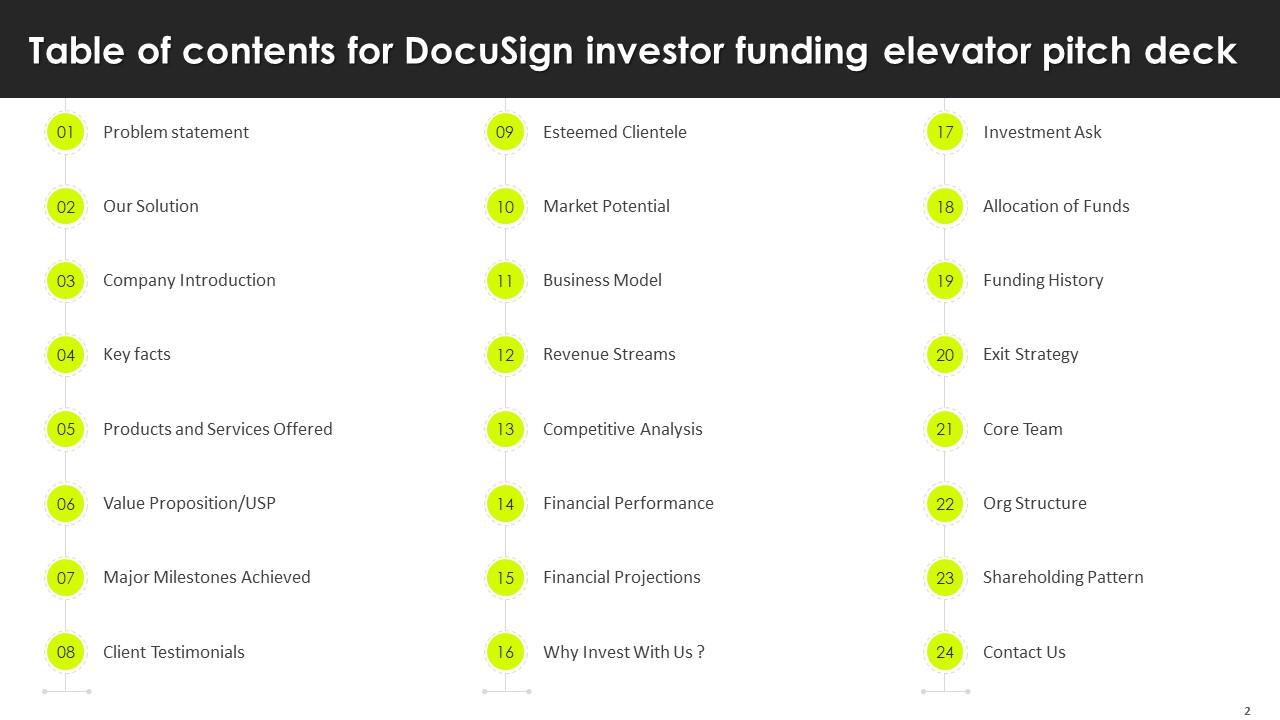
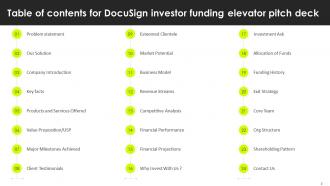
Slide 2: This slide exhibit Table of Content.
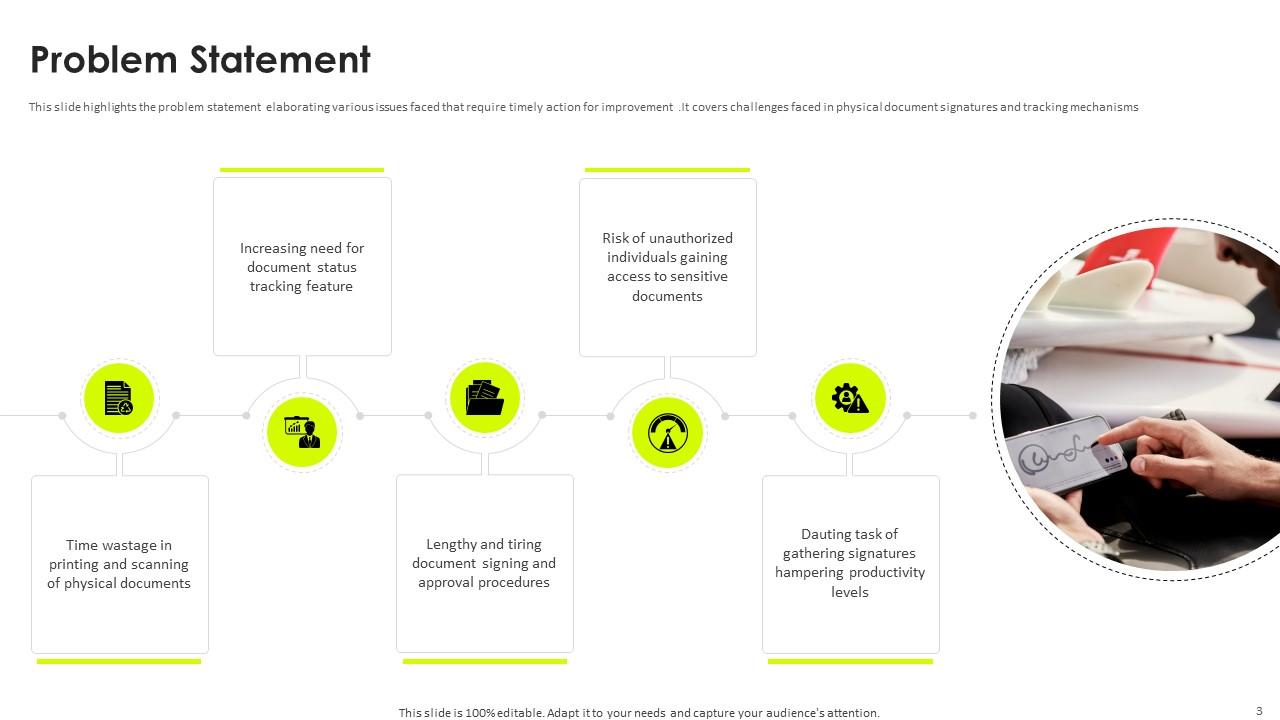
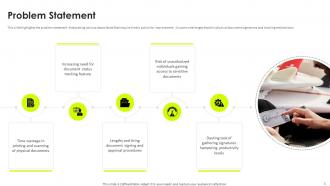
Slide 3: This slide highlights the problem statement elaborating various issues faced that require timely action for improvement.
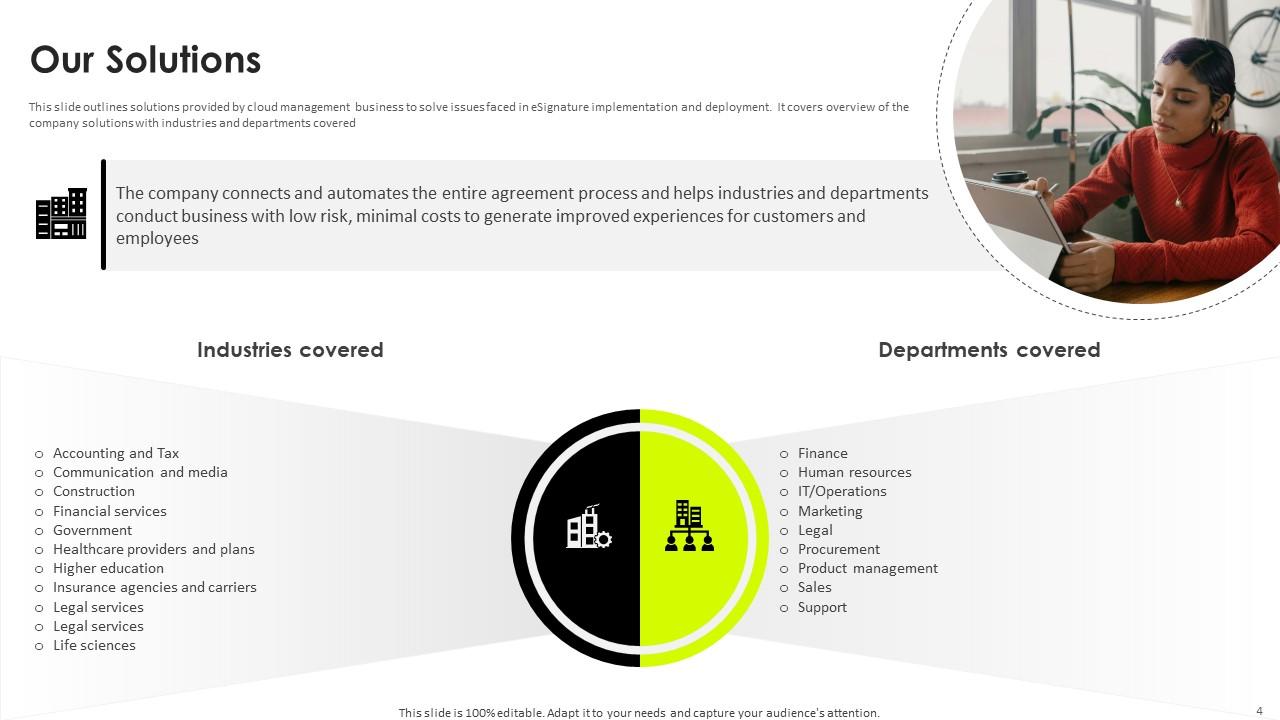
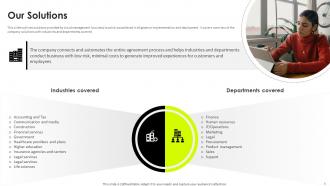
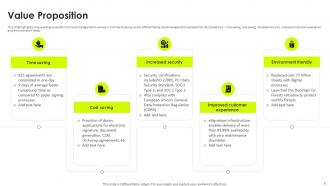
Slide 4: This slide outlines solutions provided by cloud management business to solve issues faced in eSignature implementation and deployment.
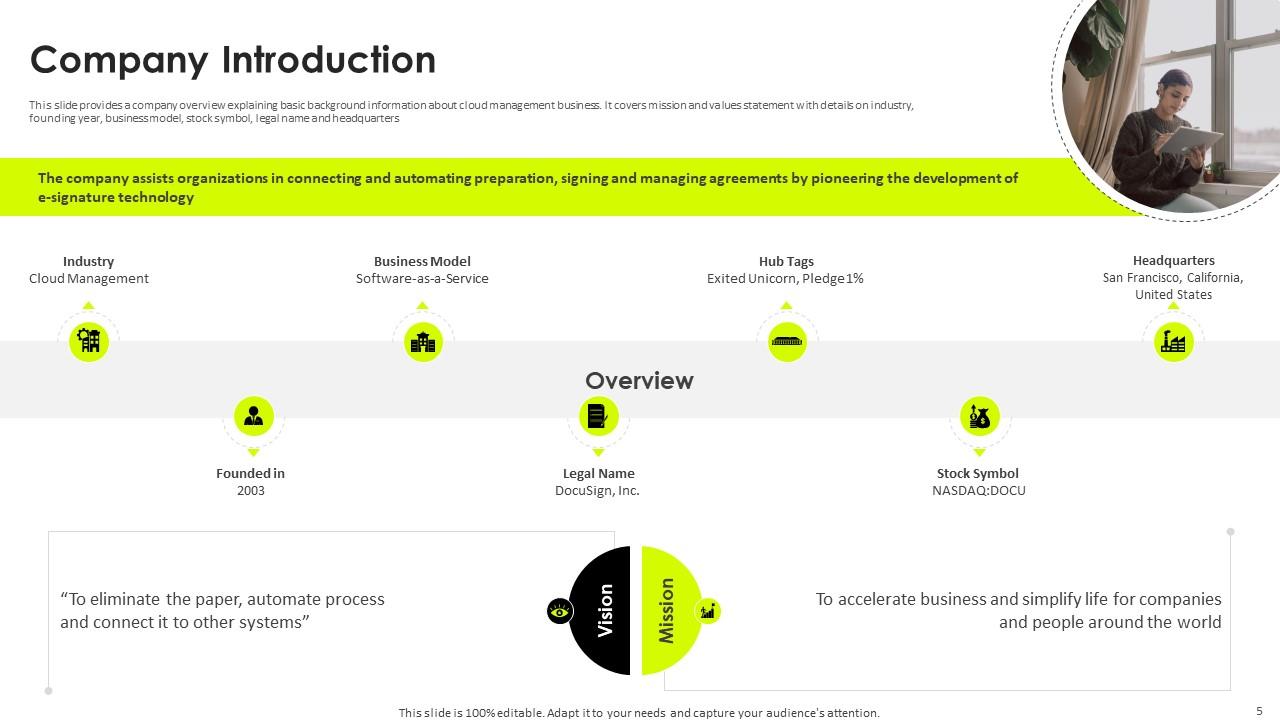
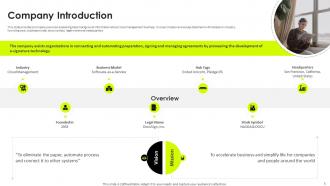
Slide 5: This slide provides a company overview explaining basic background information about cloud management business.
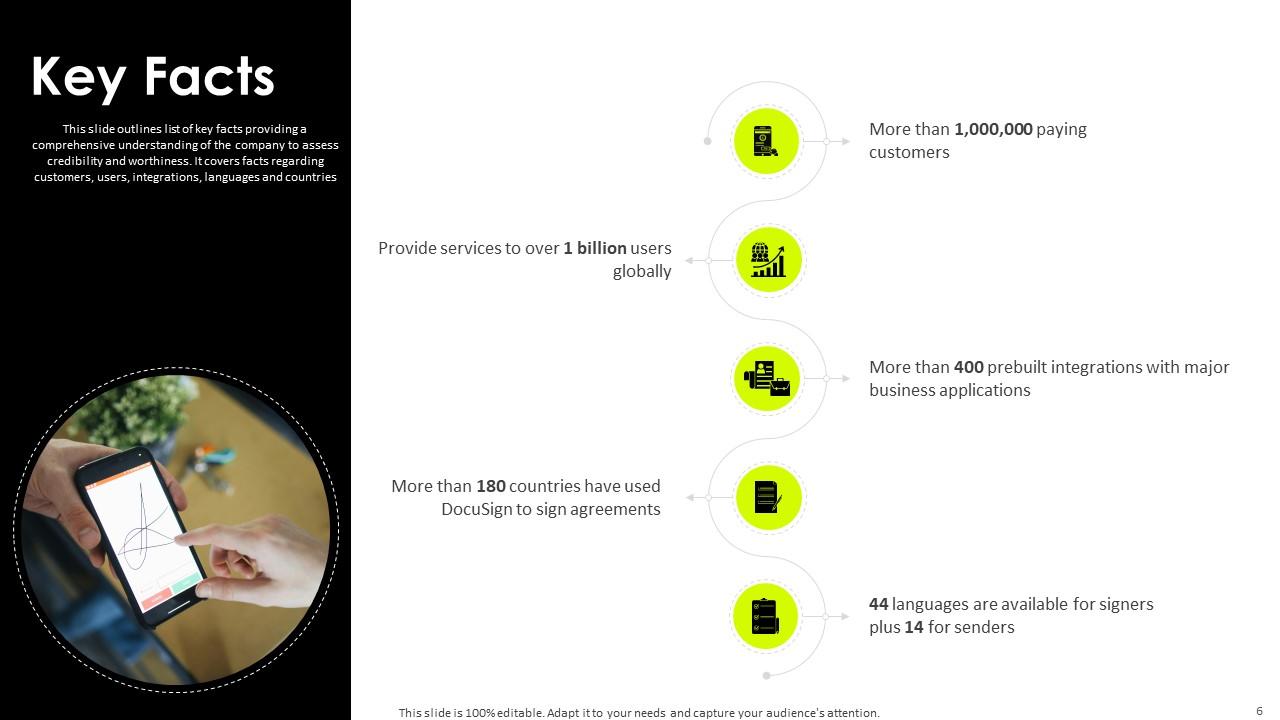
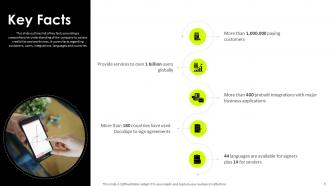
Slide 6: This slide outlines list of key facts providing a comprehensive understanding of the company to assess credibility and worthiness.
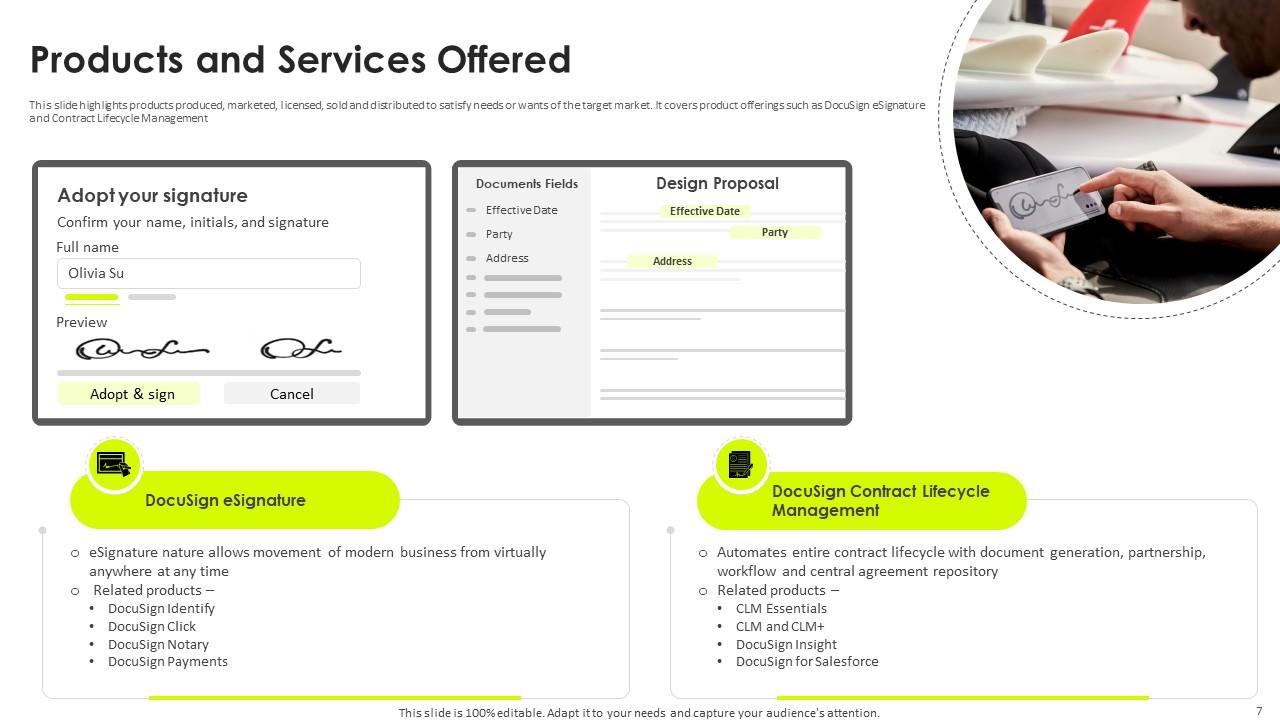
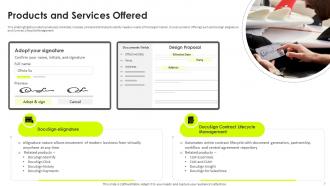
Slide 7: This slide highlights products produced, marketed, licensed, sold and distributed to satisfy needs or wants of the target market.
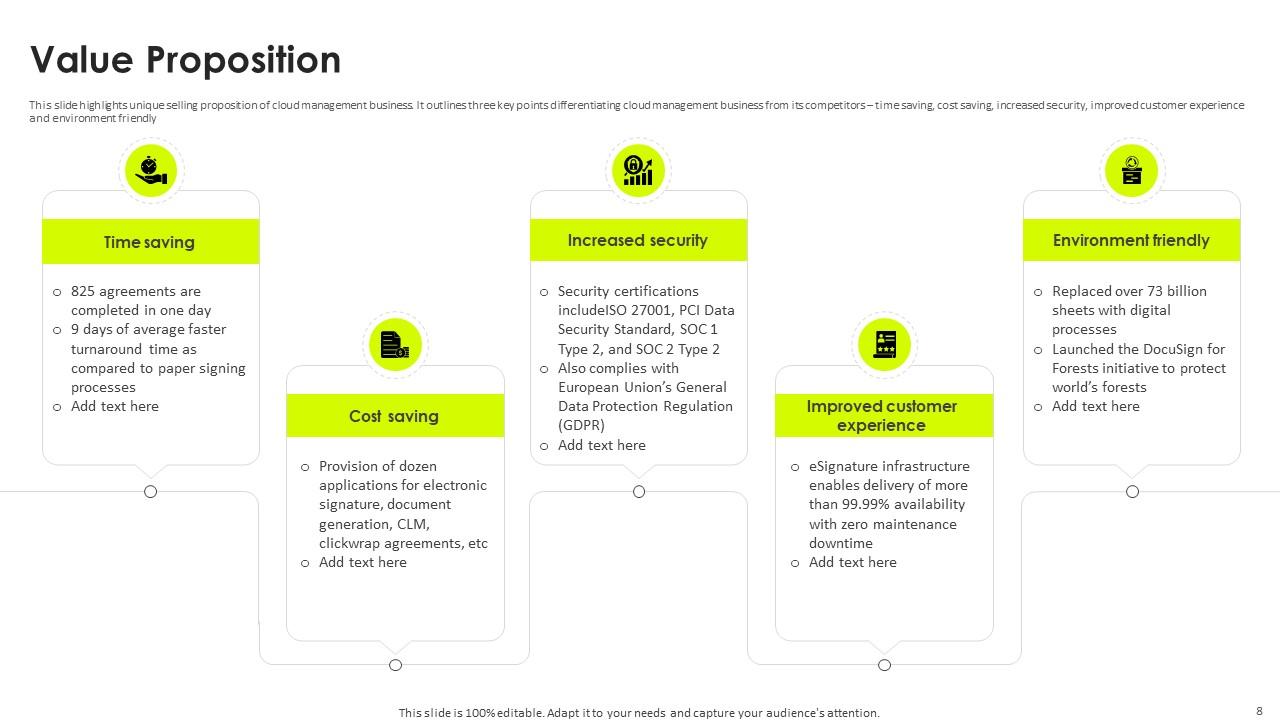
Slide 8: This slide highlights unique selling proposition of cloud management business.
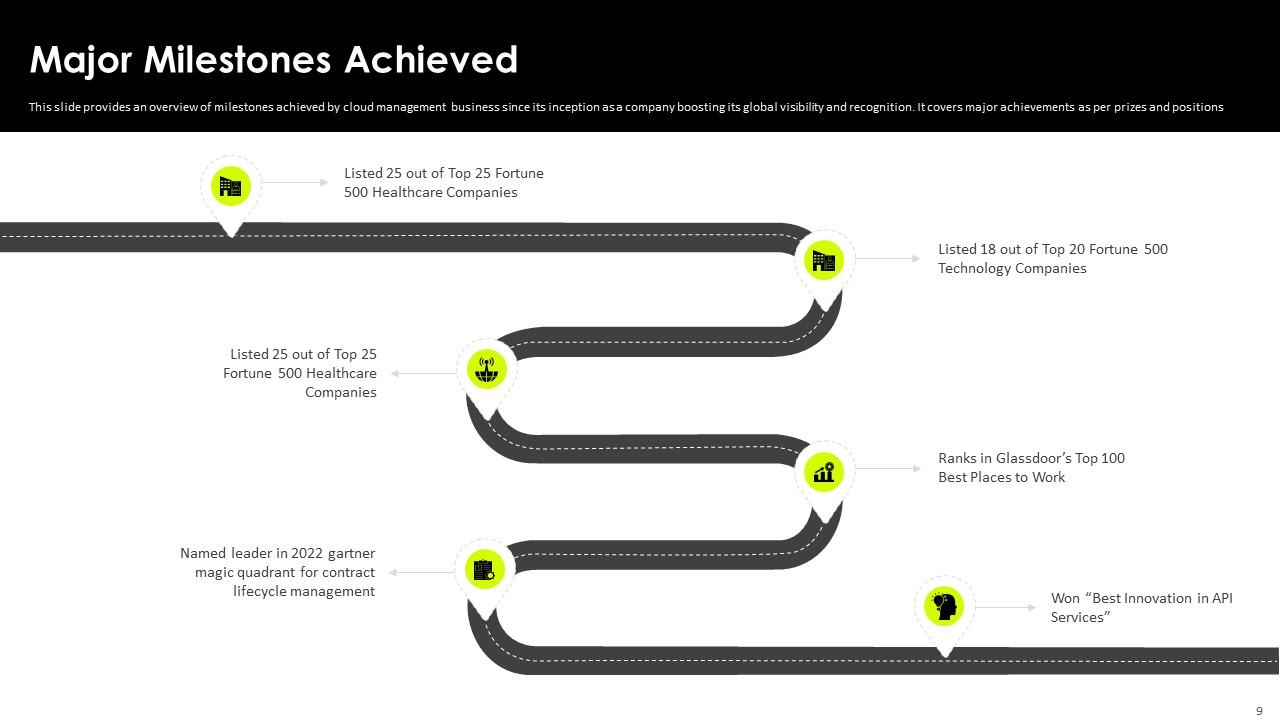
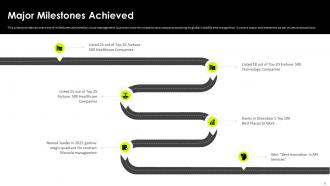
Slide 9: This slide provides an overview of milestones achieved by cloud management business since its inception as a company boosting its global visibility and recognition.
Slide 10: This slide provides an overview of customer reviews and testimonials for cloud management business.
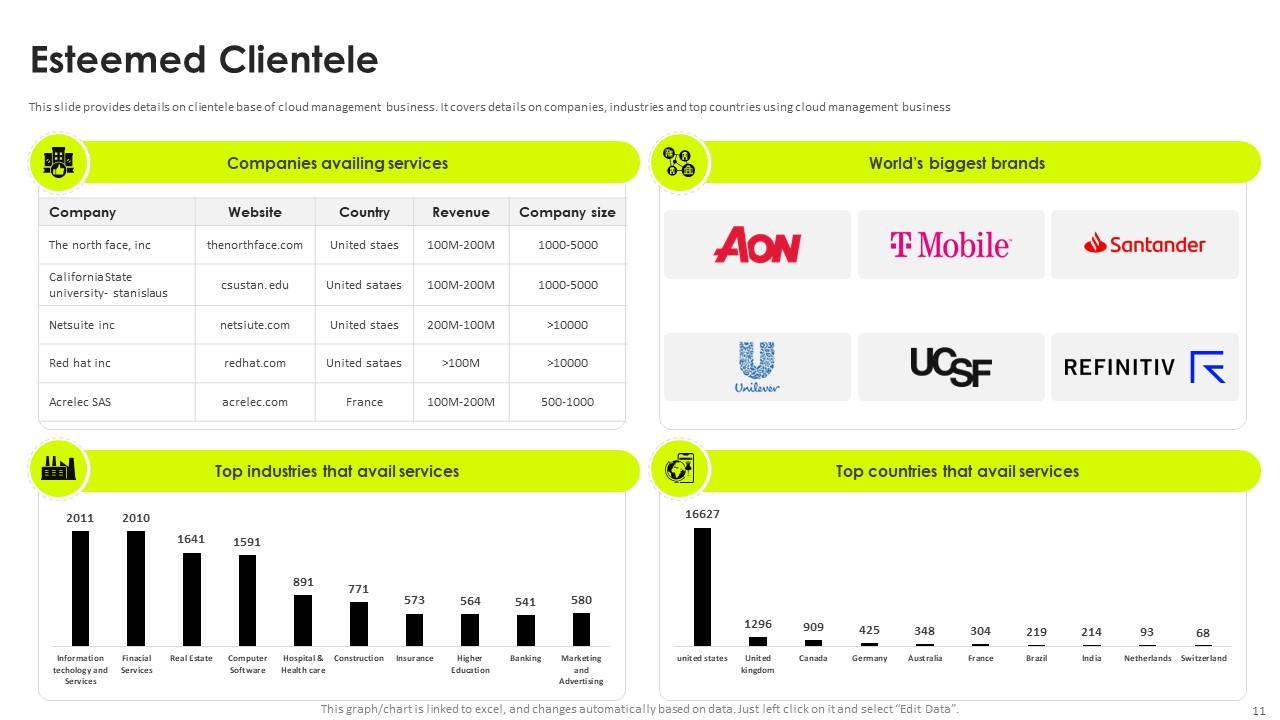
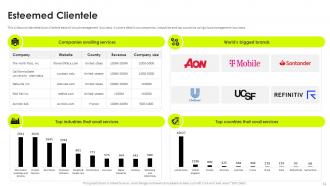
Slide 11: This slide provides details on clientele base of cloud management business.
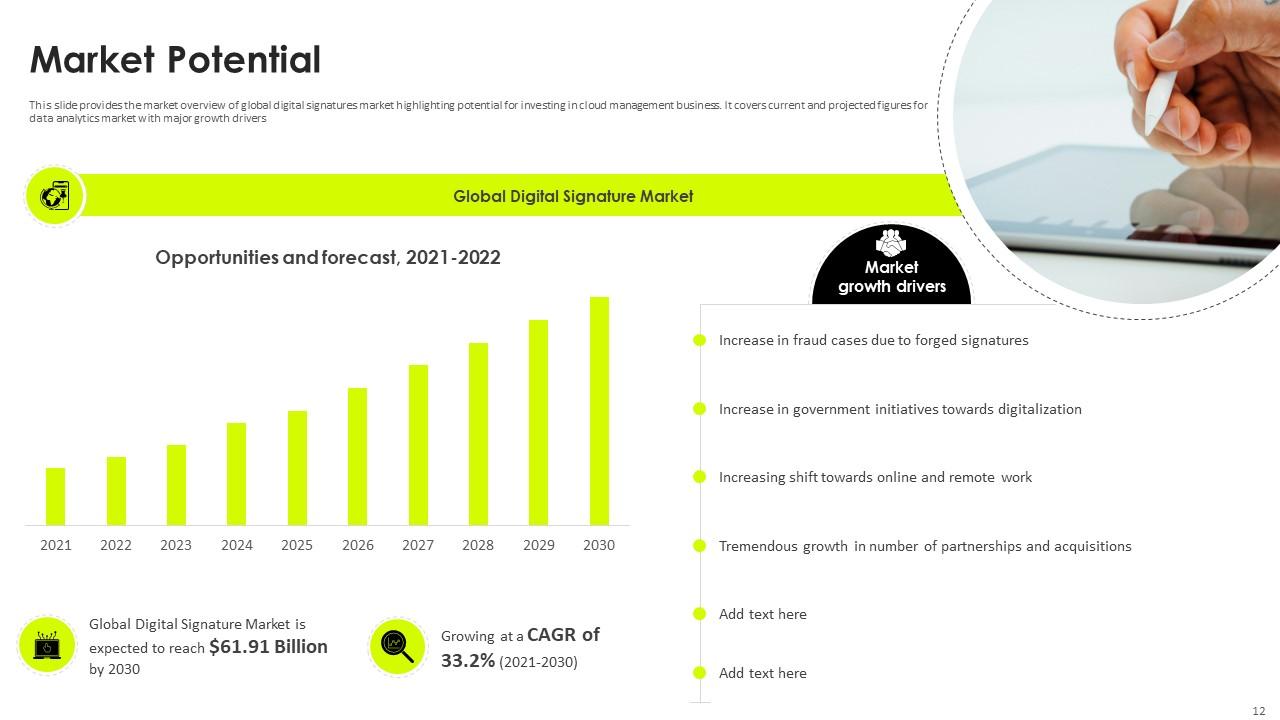
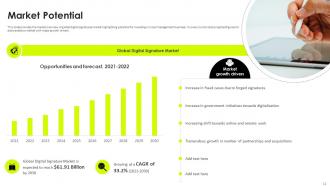
Slide 12: This slide provides the market overview of global digital signatures market highlighting potential for investing in cloud management business.
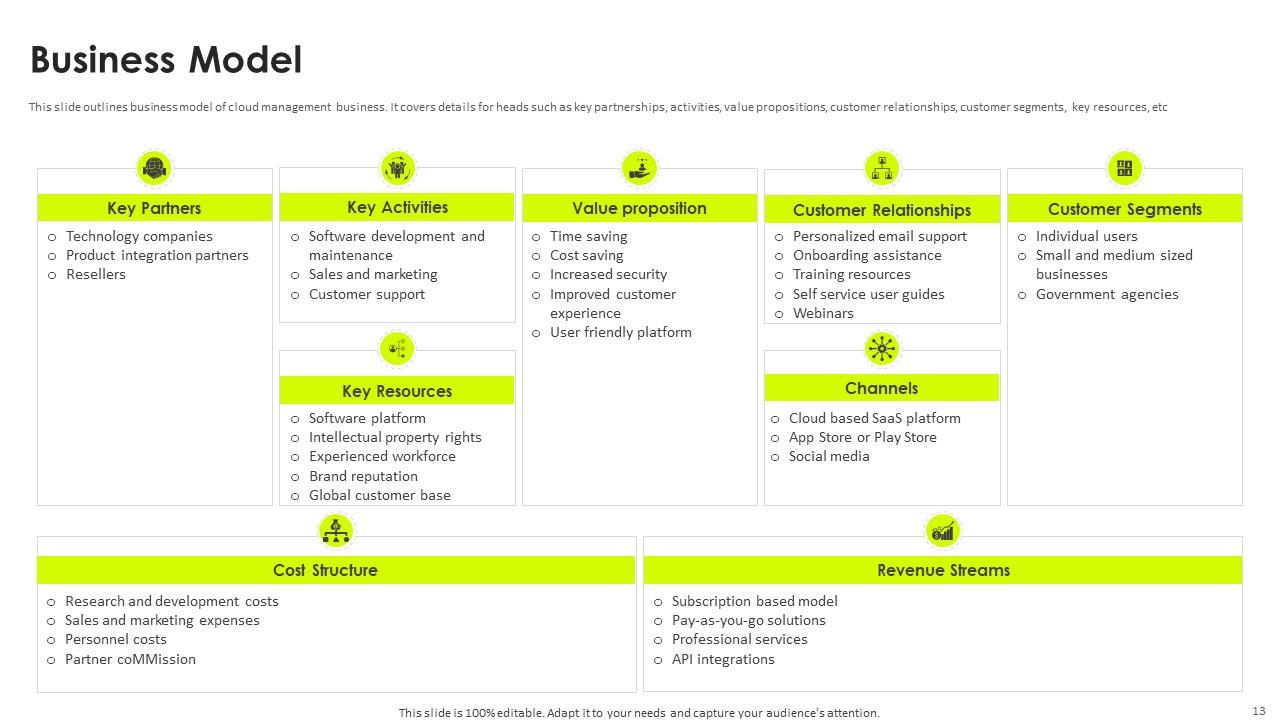
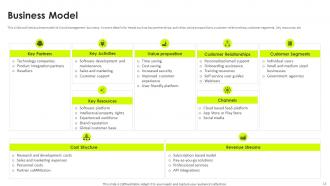
Slide 13: This slide outlines business model of cloud management business.
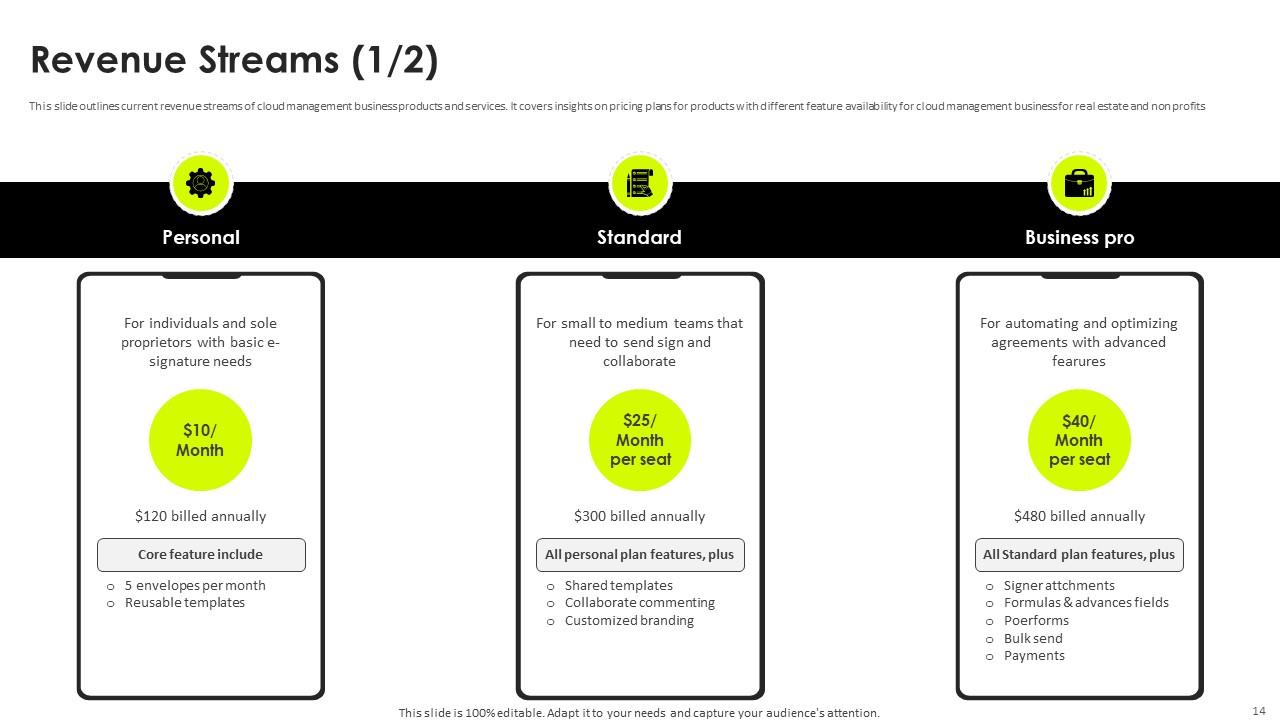
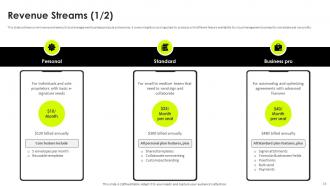
Slide 14: This slide outlines current revenue streams of cloud management business products and services.
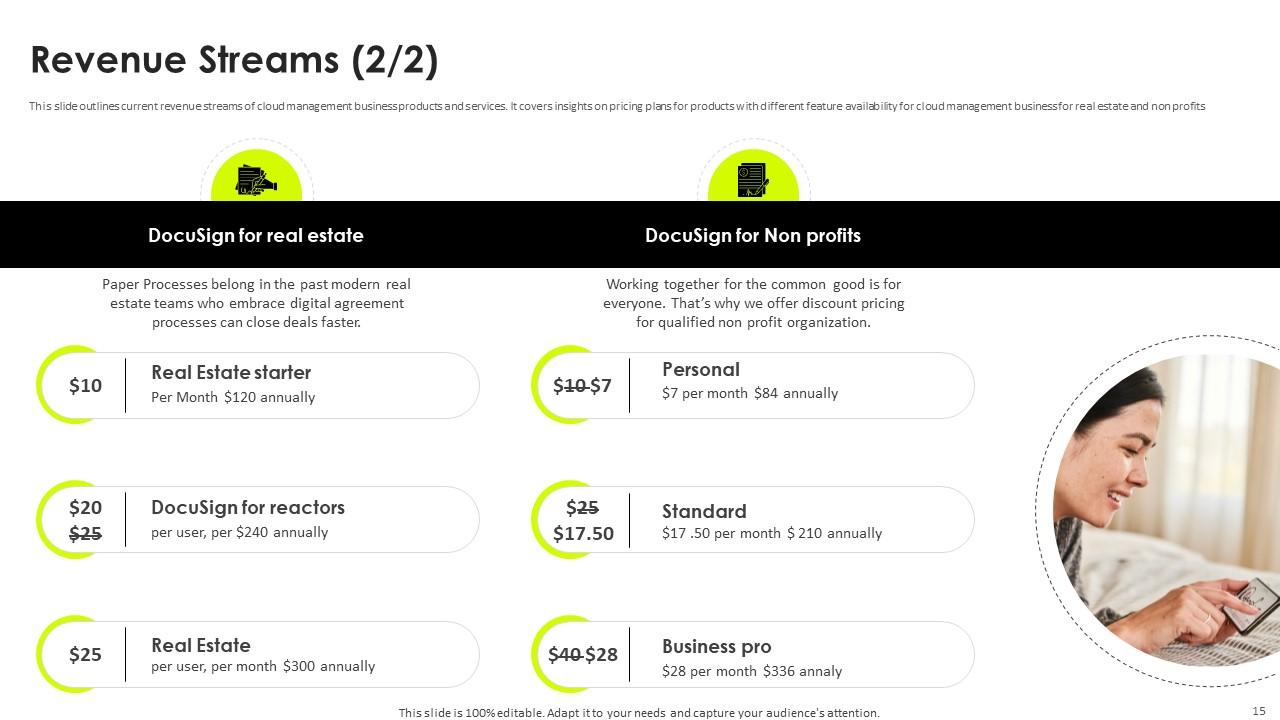
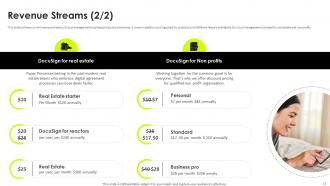
Slide 15: This slide outlines current revenue streams of cloud management business products and services.
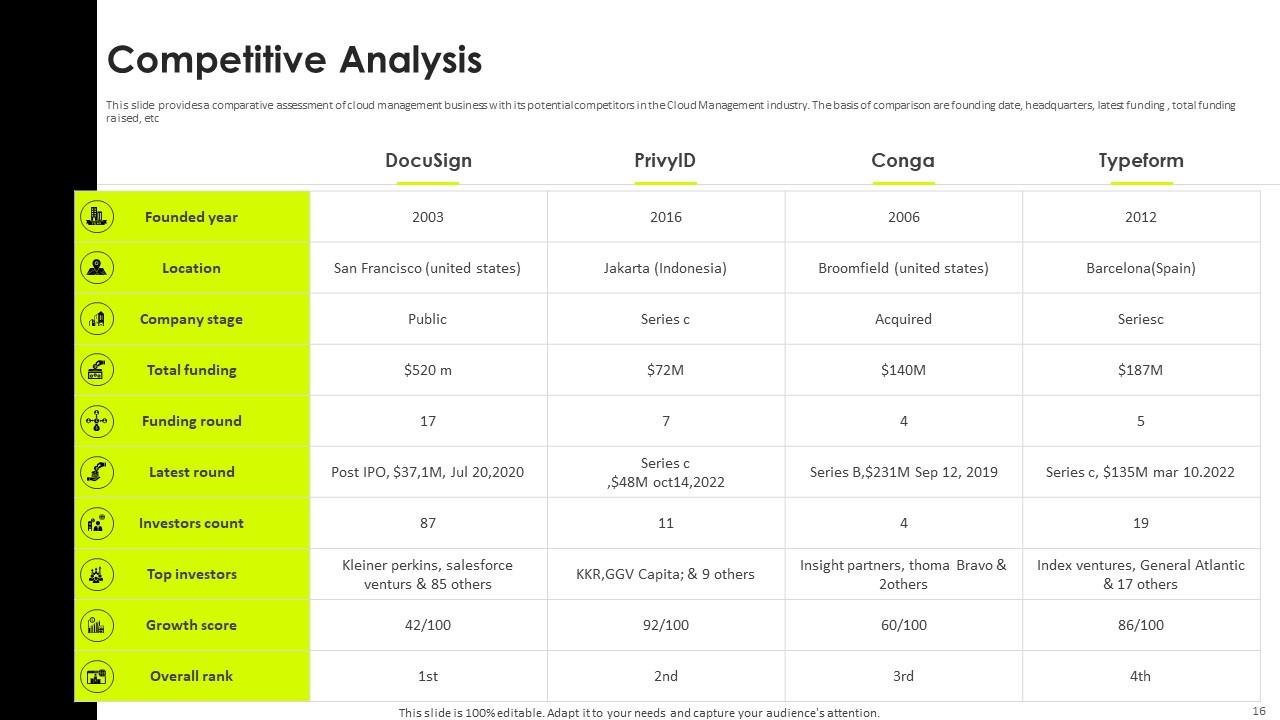
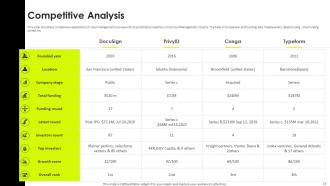
Slide 16: This slide provides a comparative assessment of cloud management business with its potential competitors in the Cloud Management industry.
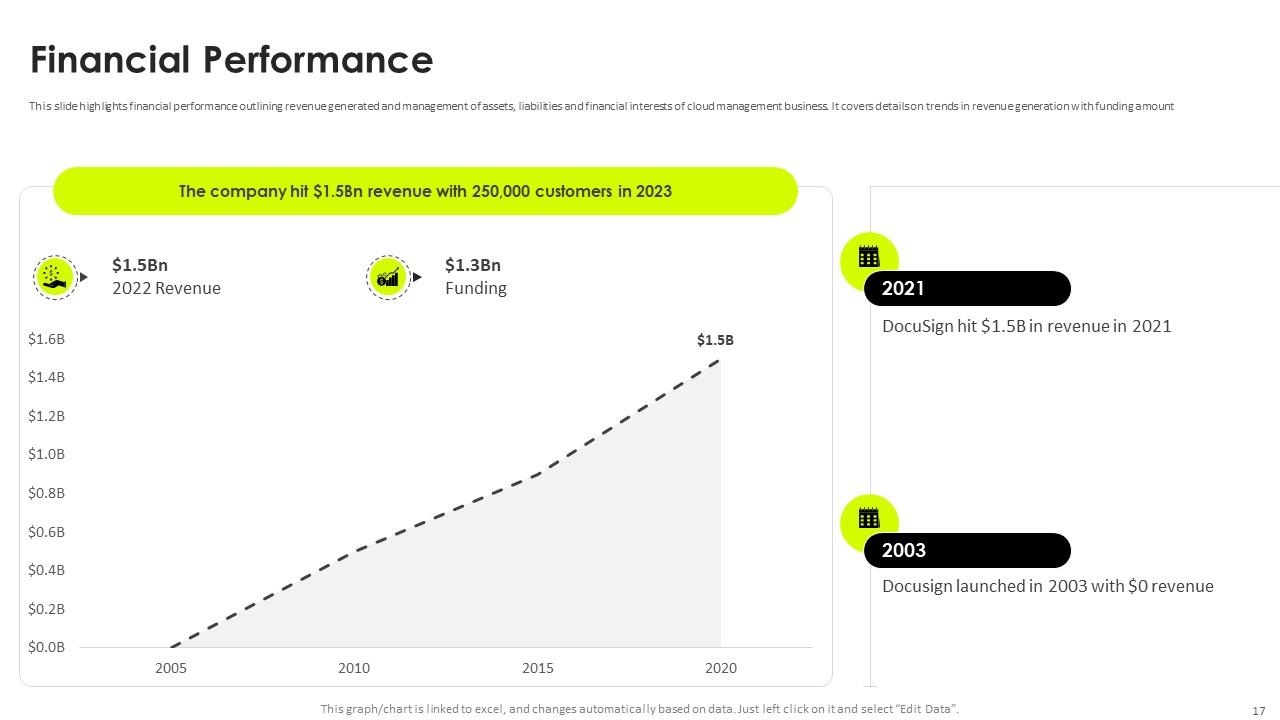
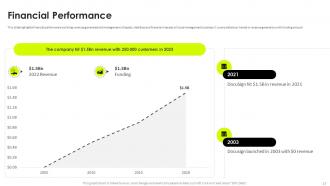
Slide 17: This slide highlights financial performance outlining revenue generated and management of assets, liabilities and financial interests of cloud management business.
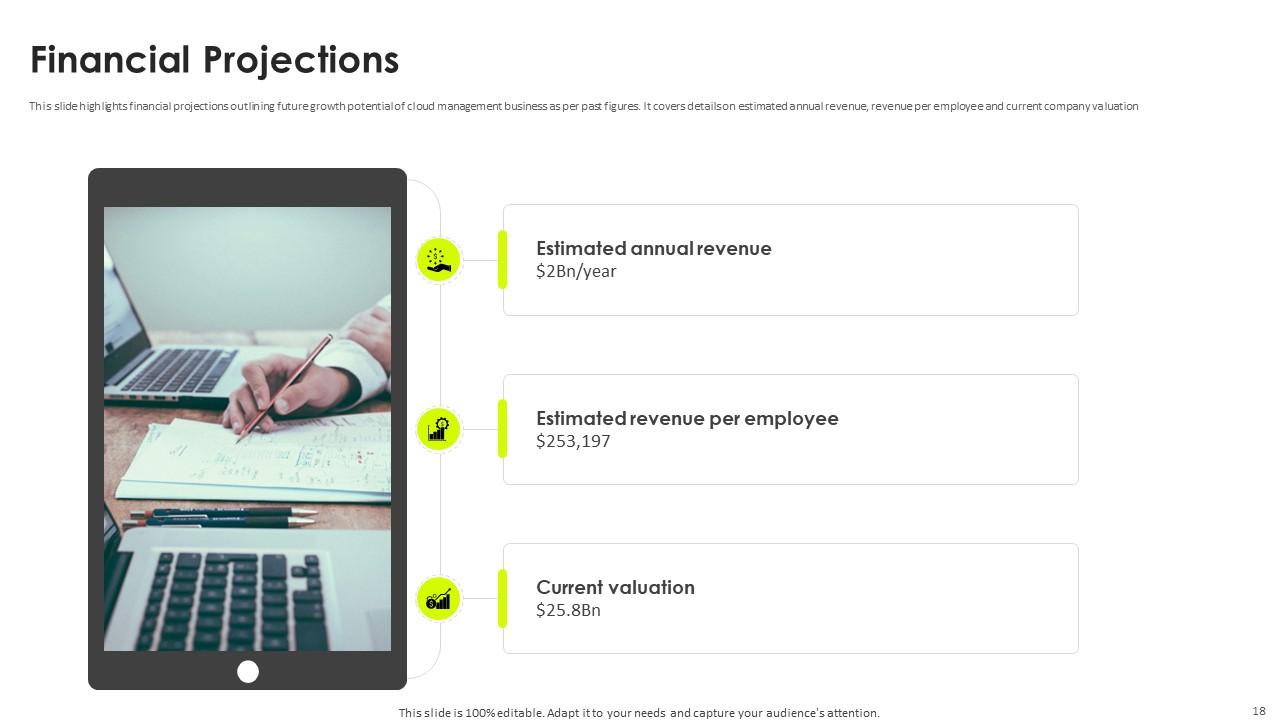
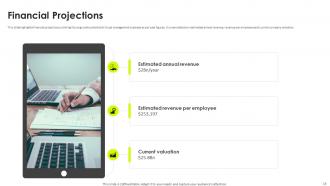
Slide 18: This slide highlights financial projections outlining future growth potential of cloud management business as per past figures.
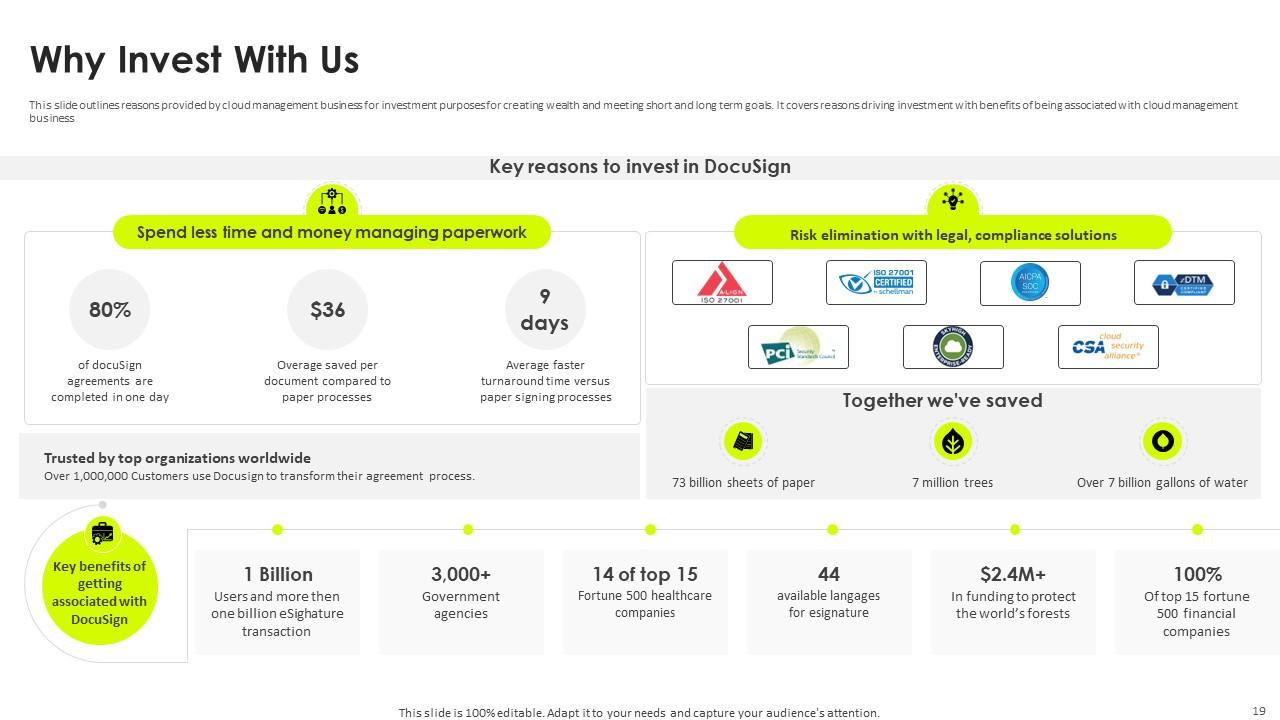
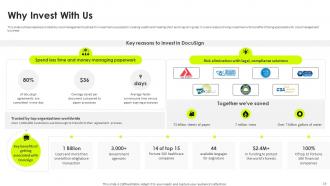
Slide 19: This slide outlines reasons provided by cloud management business for investment purposes for creating wealth and meeting short and long term goals.
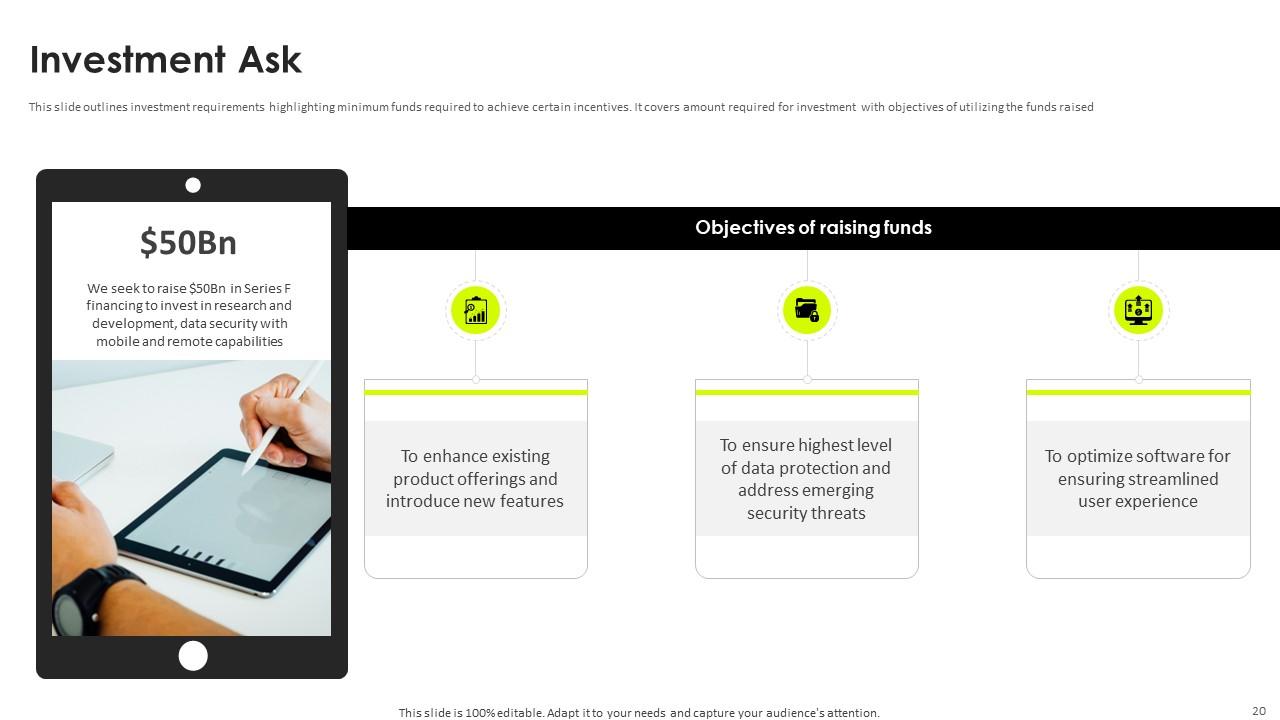
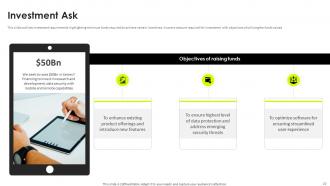
Slide 20: This slide outlines investment requirements highlighting minimum funds required to achieve certain incentives.
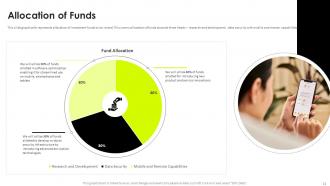
Slide 21: This slide graphically represents allocation of investment funds to be raised.
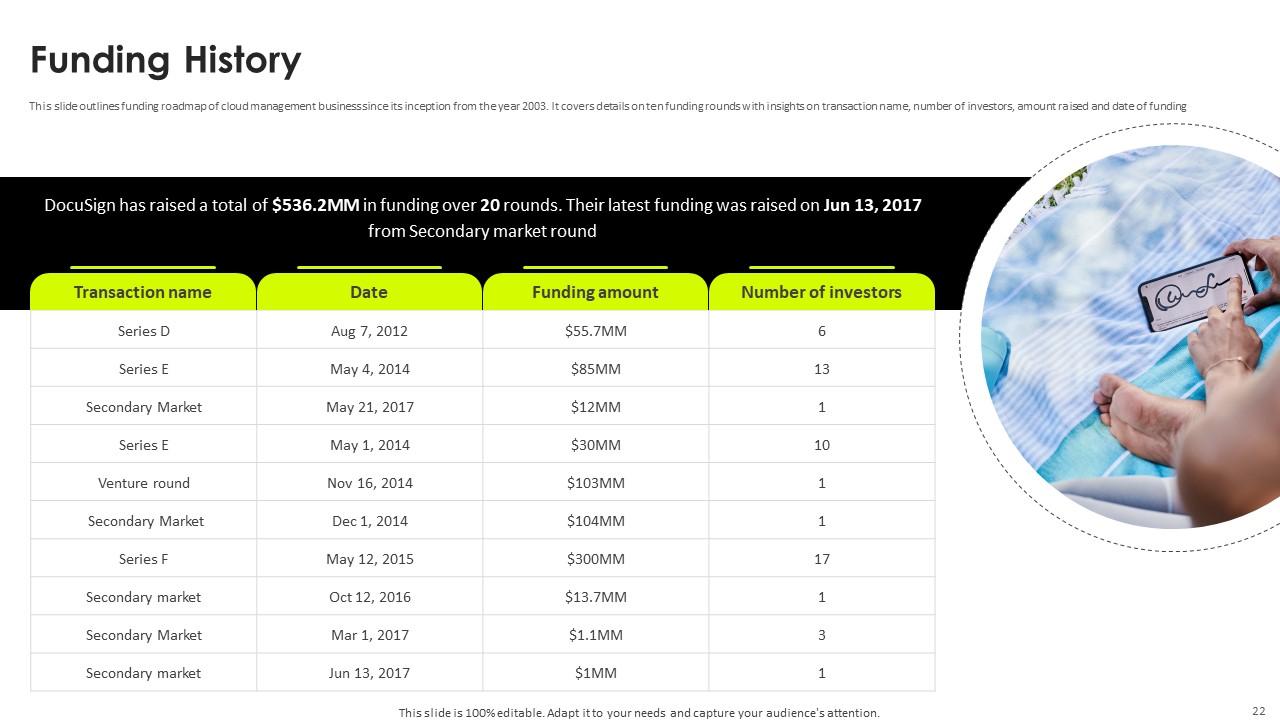
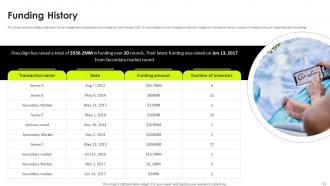
Slide 22: This slide outlines funding roadmap of cloud management business since its inception from the year 2003.
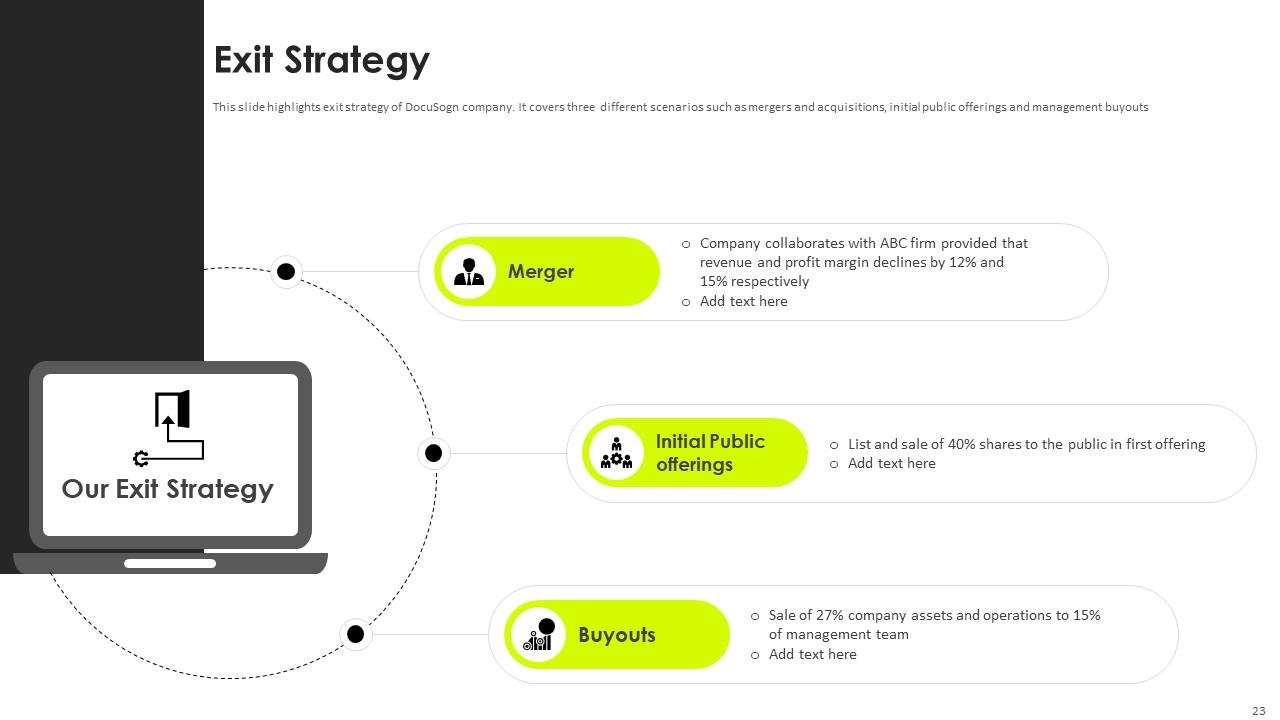
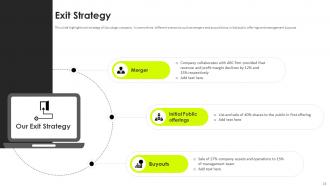
Slide 23: This slide highlights exit strategy of DocuSogn company.
Slide 24: This slide provides a glimpse of team members involved with working of cloud management business.
Slide 25: This slide highlights organisational structure of cloud management business explaining direction of certain activities to achieve organisational goals.
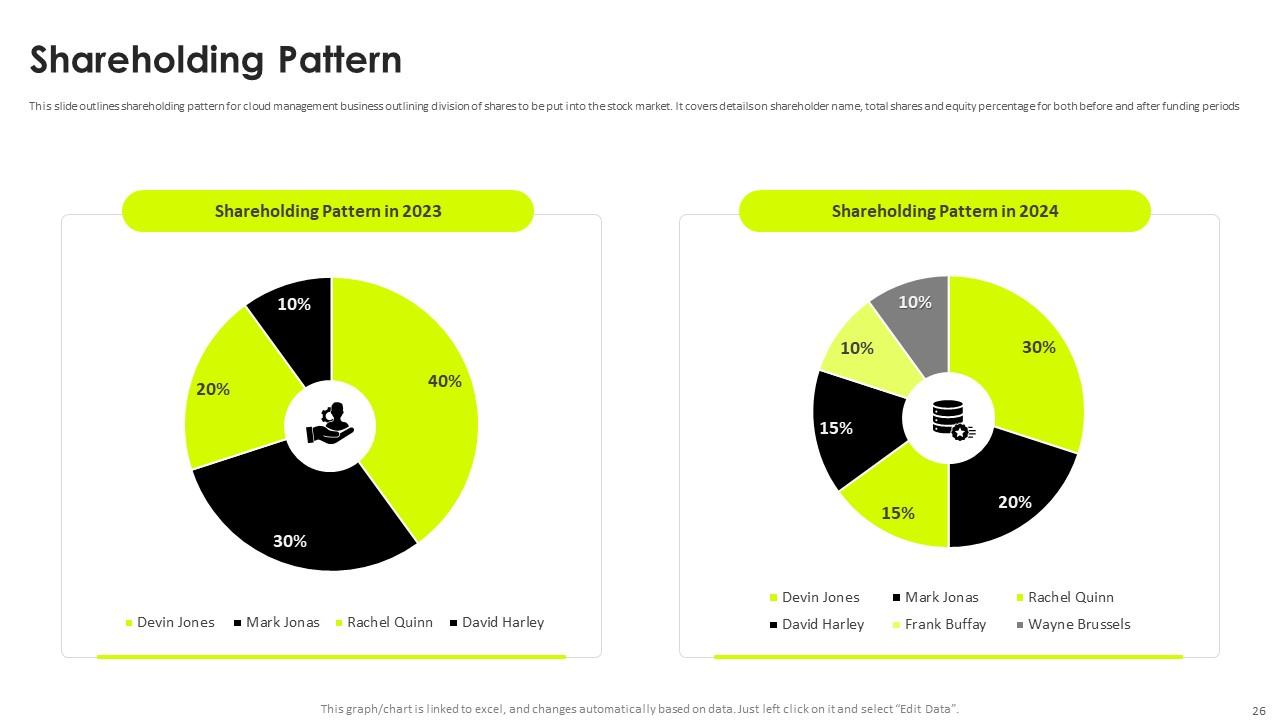
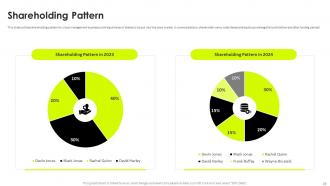
Slide 26: This slide outlines shareholding pattern for cloud management business outlining division of shares to be put into the stock market.
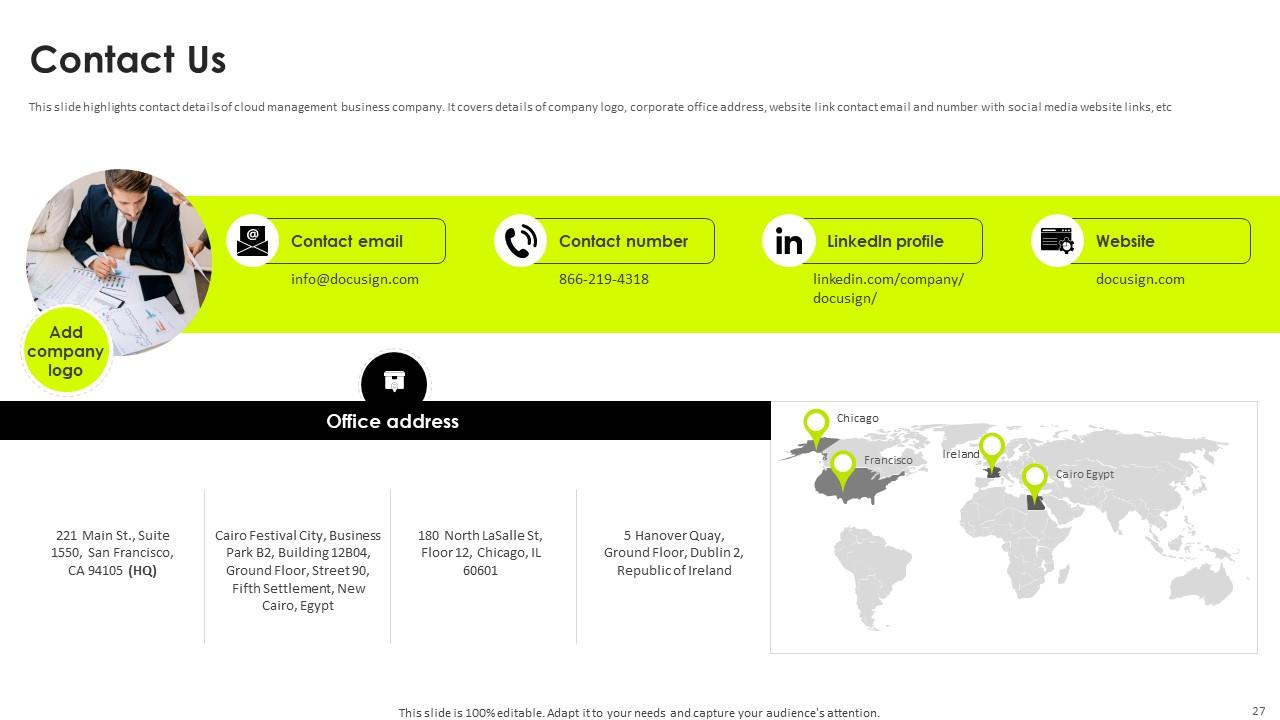
Slide 27: This slide highlights contact details of cloud management business company.
Slide 28: This slide shows all the icons included in the presentation.
Slide 29: This slide is titled as Additional Slides for moving forward.
Slide 30: This is Our Vision, Mission & Goal slide. Post your Visions, Missions, and Goals here.
Slide 31: This slide contains Puzzle with related icons and text.
Slide 32: This slide displays Mind Map with related imagery.
Slide 33: This slide shows Post It Notes for reminders and deadlines. Post your important notes here.
Slide 34: This slide presents Roadmap with additional textboxes. It can be used to present different series of events.
Slide 35: This is a Thank You slide with address, contact numbers and email address.
DocuSign Investor Funding Elevator Pitch Deck Ppt Template with all 44 slides:
Use our DocuSign Investor Funding Elevator Pitch Deck Ppt Template to effectively help you save your valuable time. They are readymade to fit into any presentation structure.
-
They had the topic I was looking for in a readymade presentation…helped me meet my deadline.
-
SlideTeam has helped me take my presentation to the next level. Everyone at the office is impressed! I’ll be using their designs for a long-long time.
