


EdTech Pitch Deck Financiamento para Investidores Elevator Pitch Deck Ppt Template
Recursos educacionais digitais criam um forte vínculo entre professores e alunos, facilitando o trânsito fora da sala de aula. Os pitch decks de educação demonstram a importância e a qualidade de sua tecnologia e a capacidade de conduzir a pesquisa proposta. É uma excelente maneira de lançar e declarar sua ideia e requisitos e agir sabendo todas as implicações da decisão. Aqui está um pitch deck projetado profissionalmente em EdTech para fornecer treinamento personalizado da melhor maneira possível. O objetivo disso é estudar o reforço contínuo, o aprendizado personalizado, os especialistas em qualidade e seu impacto. O template apresenta a necessidade de EdTech enfatizar as fases envolvidas no framework. As organizações podem exibir o escopo de áreas associadas ao setor de educação, como conteúdo, tecnologia, suporte ao ecossistema, etc. Você aprende o processo de utilização de propostas com base em diferentes serviços oferecidos, estratégia de entrada no mercado, plano de lançamento, custos , receita, etc. O prazo para os benefícios da tecnologia educacional apresenta o investimento do fundo semente exigido pela empresa. O modelo também menciona os detalhes de gestão de equipe, depoimentos de clientes, razões para nos escolher, etc. Tire todas as suas dúvidas conversando com nossos especialistas e pegue a melhor proposta editável do mercado. Baixe o modelo agora.









-

- Google Slides is a new FREE Presentation software from Google.
- All our content is 100% compatible with Google Slides.
- Just download our designs, and upload them to Google Slides and they will work automatically.
- Amaze your audience with SlideTeam and Google Slides.
-

Want Changes to This PPT Slide? Check out our Presentation Design Services
-

- WideScreen Aspect ratio is becoming a very popular format. When you download this product, the downloaded ZIP will contain this product in both standard and widescreen format.
-

- Some older products that we have may only be in standard format, but they can easily be converted to widescreen.
- To do this, please open the SlideTeam product in Powerpoint, and go to
- Design ( On the top bar) -> Page Setup -> and select "On-screen Show (16:9)” in the drop down for "Slides Sized for".
- The slide or theme will change to widescreen, and all graphics will adjust automatically. You can similarly convert our content to any other desired screen aspect ratio.
Compatible With Google Slides

Get This In WideScreen
You must be logged in to download this presentation.


Do you want to remove this product from your favourites?
Características destes slides de apresentação do PowerPoint:
Faça uma introdução do seu negócio para seus investidores em potencial e seja financiado com nosso modelo de PPT de plataforma de elevador de financiamento para investidores EdTech Pitch Deck. Esta é uma apresentação PPT do pitch deck que você pode usar para fornecer uma análise detalhada de vários aspectos. Isso envolve tópicos como resumo executivo, visão, modelos de negócios etc. Com trinta e dois slides, cada um com informações valiosas, esta é uma ferramenta engenhosa para usar em todas as suas apresentações. Use-o para destacar e fornecer uma visão ampla do seu produto, serviço, projeto ou negócio. Este deck completo está de acordo com as necessidades de todos os apresentadores e estilo de especialização, pois vem em um formato editável. Os gráficos visuais e o layout são estruturados de tal forma que oferecem amplo espaço para adicionar personalização e criar uma apresentação única toda vez que você a apresenta. Além de fornecer detalhes concisos sobre diferentes aspectos, induzindo o pensamento estratégico. Portanto, pegue este PPT agora.

People who downloaded this PowerPoint presentation also viewed the following :
Conteúdo desta apresentação em PowerPoint
Slide 1 : Este slide apresenta o Pitch Deck da EdTech para o Elevador de Financiamento do Investidor Pitch deck. Indique o nome da sua empresa e comece.
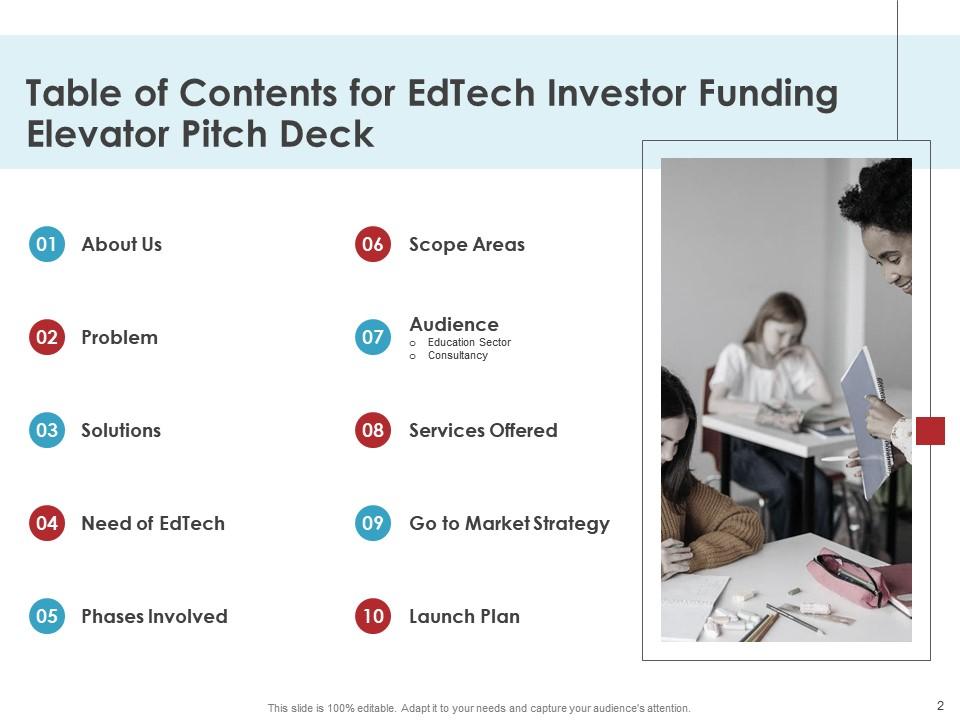
Slide 2 : Este slide mostra o Índice da apresentação.
Slide 3 : Este é outro slide que continua o Índice da apresentação.
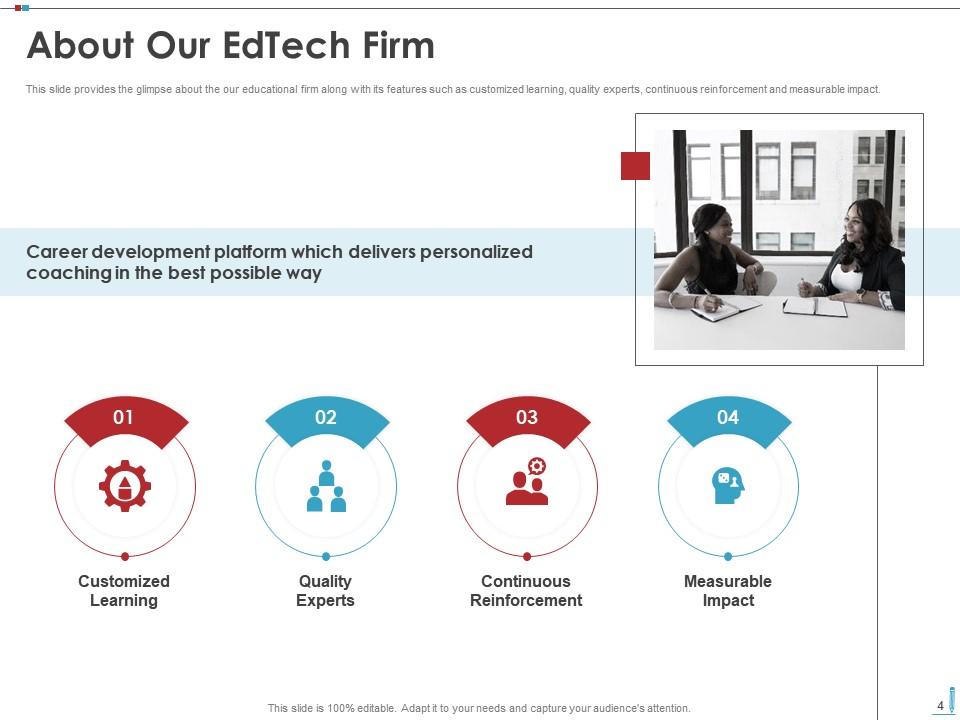
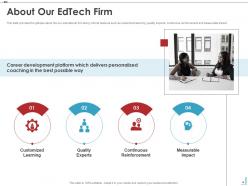
Slide 4 : Este slide fornece uma visão geral da nossa empresa educacional, juntamente com seus recursos, como aprendizado personalizado, especialistas em qualidade, reforço contínuo e impacto mensurável.
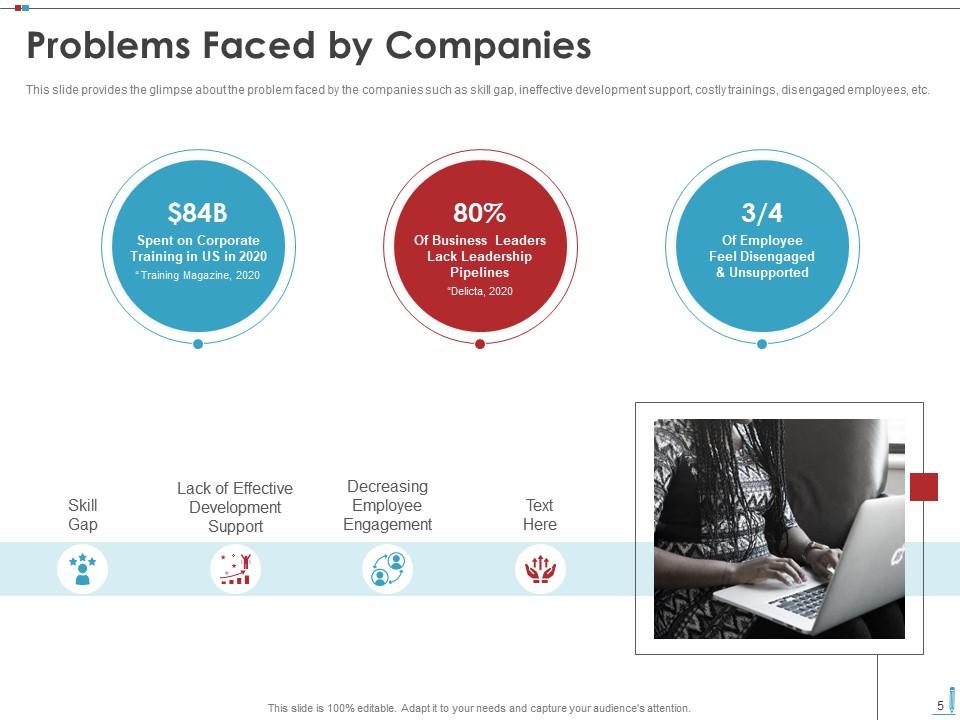
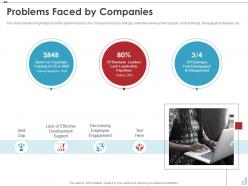
Slide 5 : Este slide mostra um vislumbre do problema enfrentado pelas empresas, como lacuna de habilidades, suporte ineficaz ao desenvolvimento, treinamentos caros, funcionários desengajados, etc.
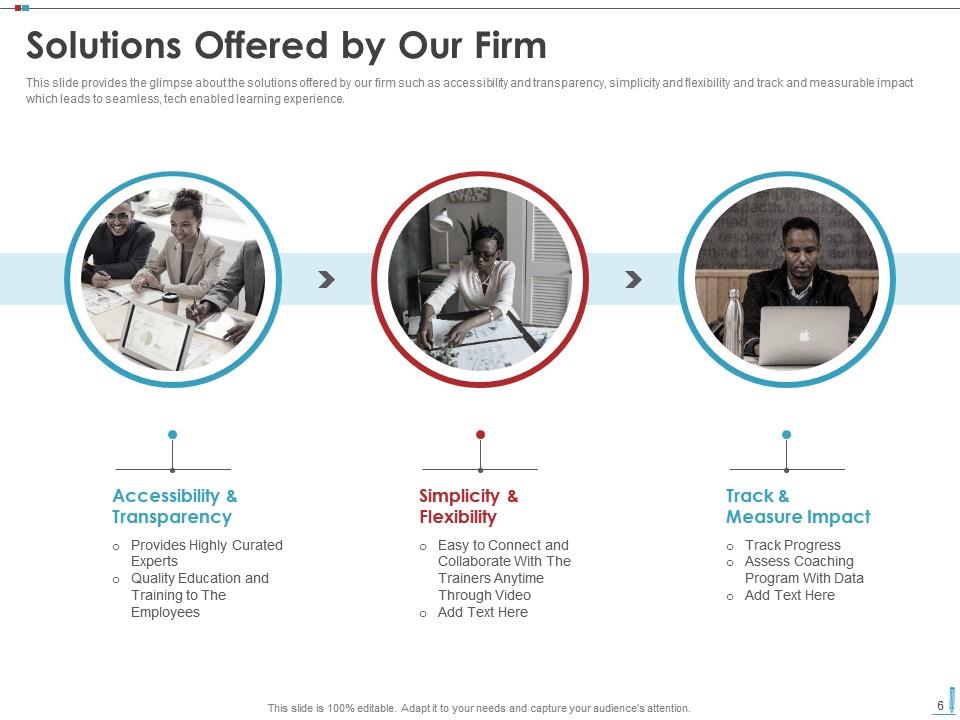
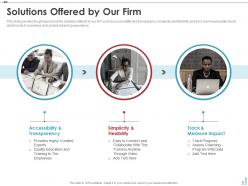
Slide 6 : Este slide apresenta um vislumbre das soluções oferecidas pelo nosso escritório.
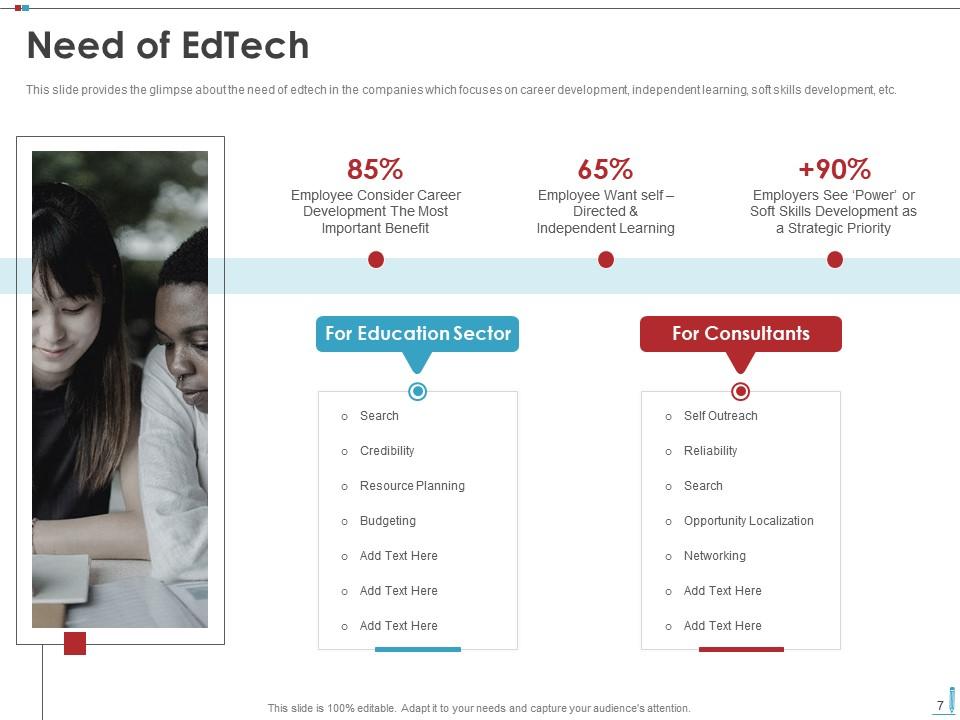
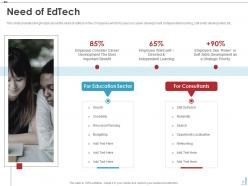
Slide 7 : Este slide mostra a necessidade de edtech nas empresas com foco no desenvolvimento de carreira, aprendizado independente, desenvolvimento de soft skills, etc.
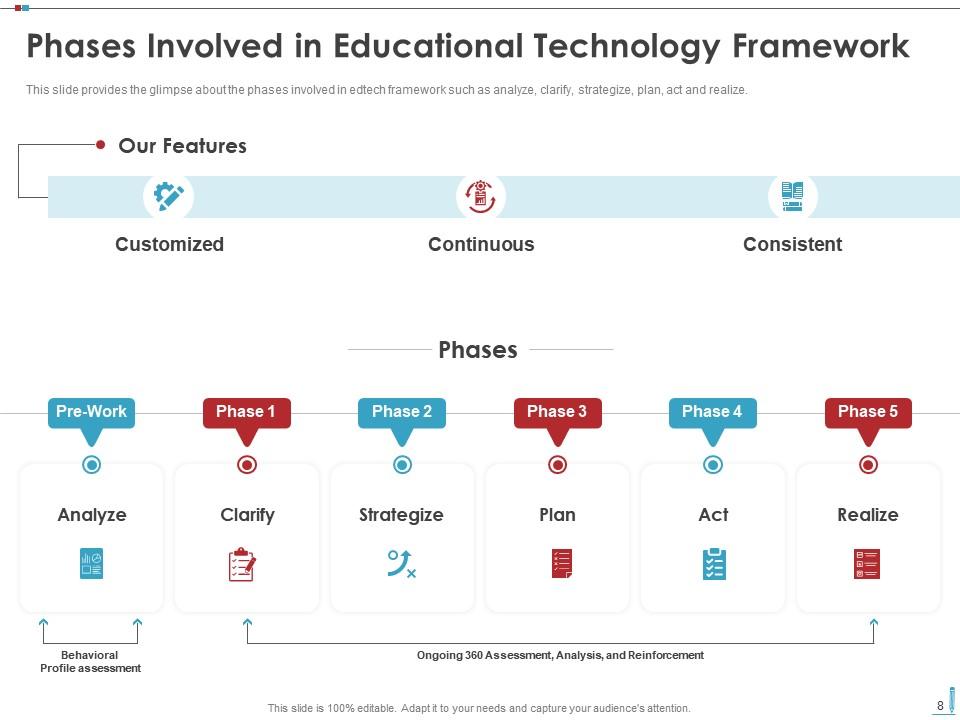
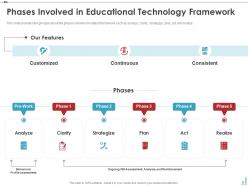
Slide 8 : Este slide fornece um vislumbre das fases envolvidas na estrutura de edtech, como analisar, esclarecer, traçar estratégias, planejar, agir e realizar.
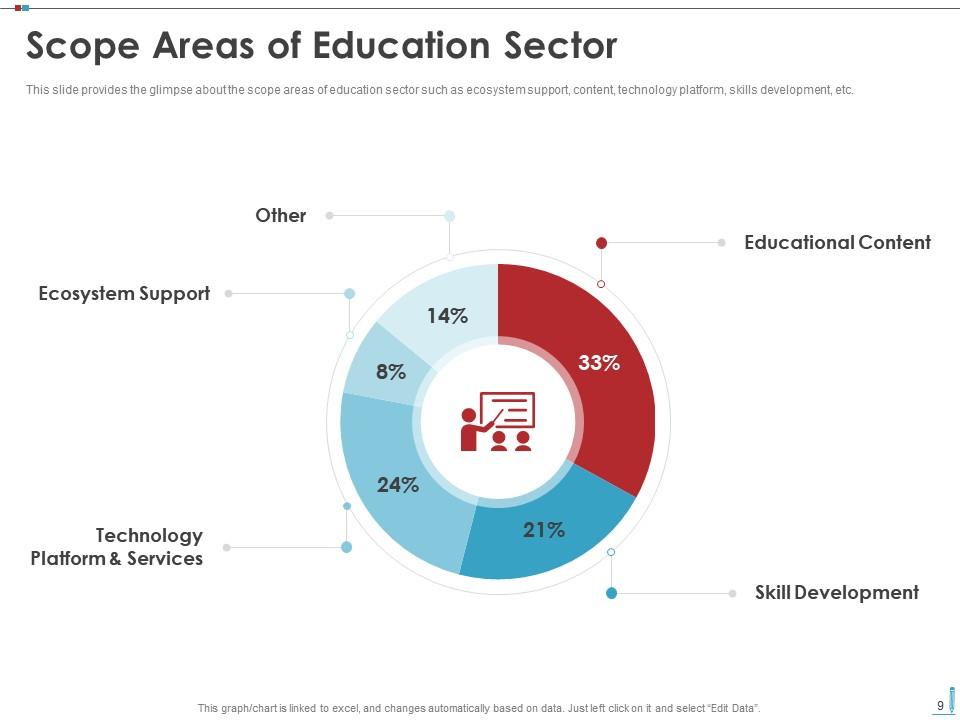
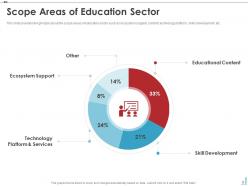
Slide 9 : Este slide representa o vislumbre das áreas de escopo do setor de educação, como suporte ao ecossistema, conteúdo, plataforma de tecnologia, desenvolvimento de habilidades, etc.
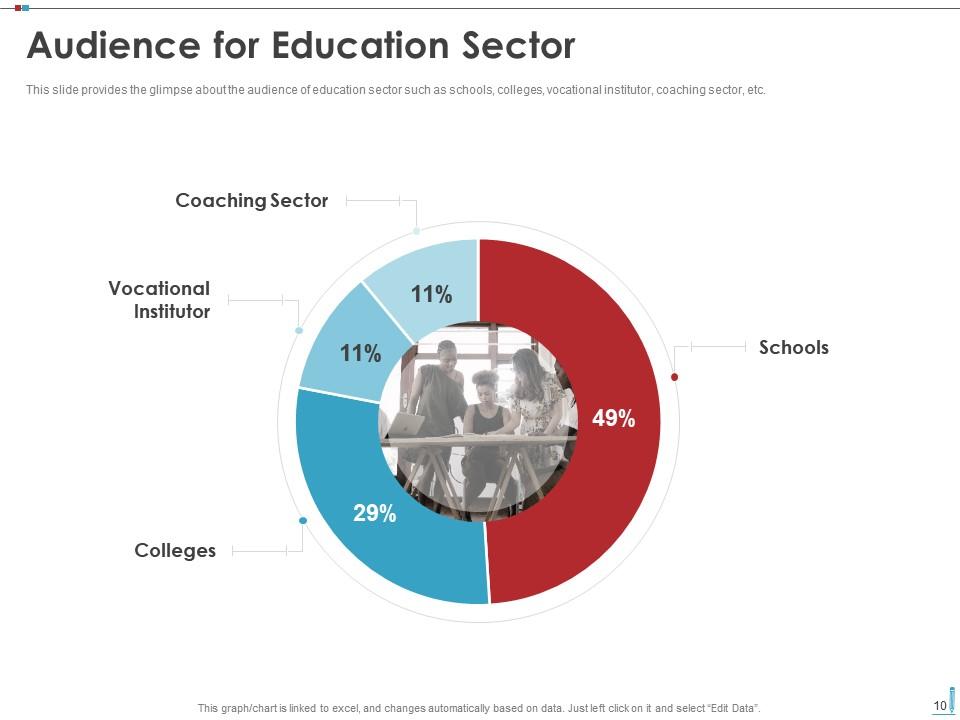
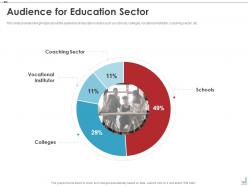
Slide 10 : Este slide mostra um vislumbre sobre o público do setor de educação, como escolas, faculdades, instituição profissional, setor de coaching, etc.
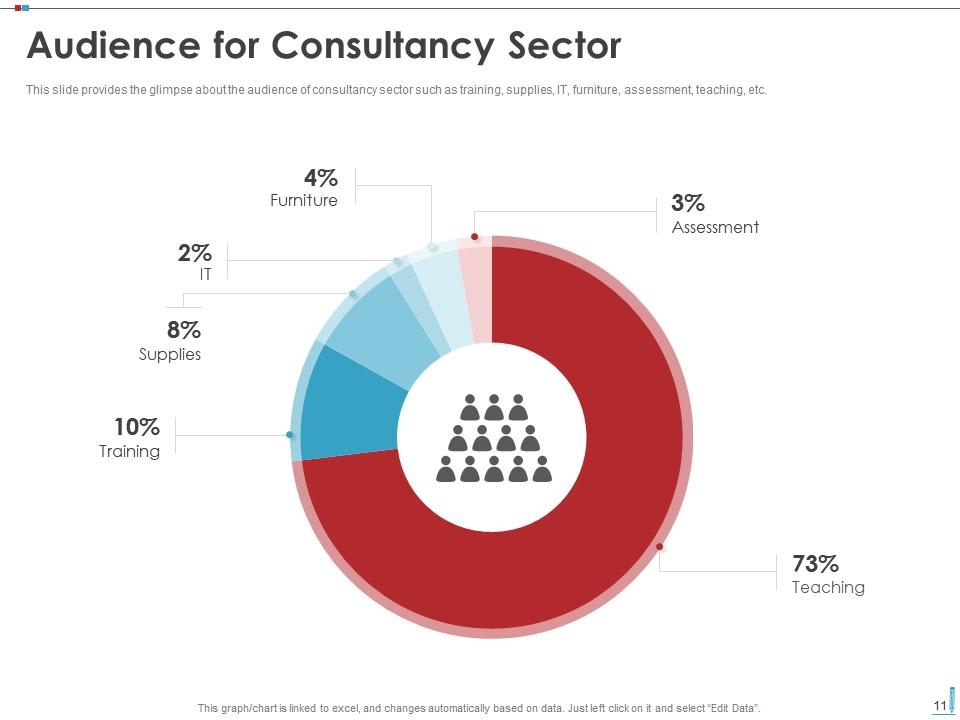
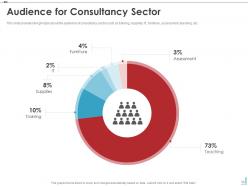
Slide 11 : Este slide apresenta um vislumbre sobre o público do setor de consultoria, como treinamento, suprimentos, TI, móveis, avaliação, ensino, etc.
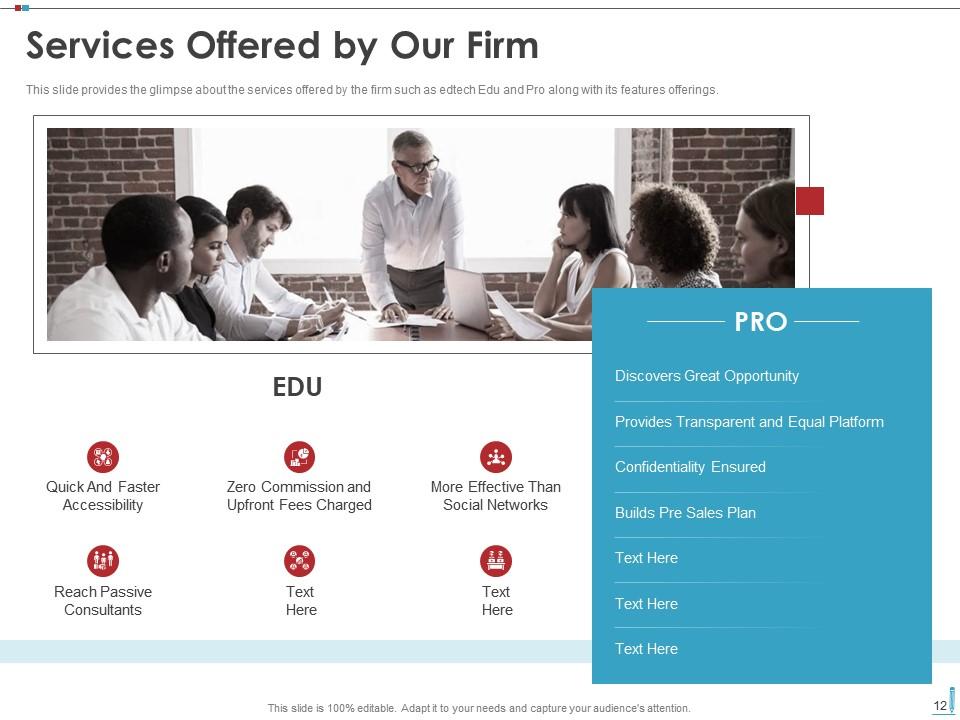
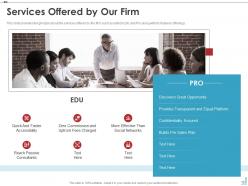
Slide 12 : Este slide mostra um vislumbre dos serviços oferecidos pela empresa, como edtech Edu e Pro, juntamente com suas ofertas de recursos.
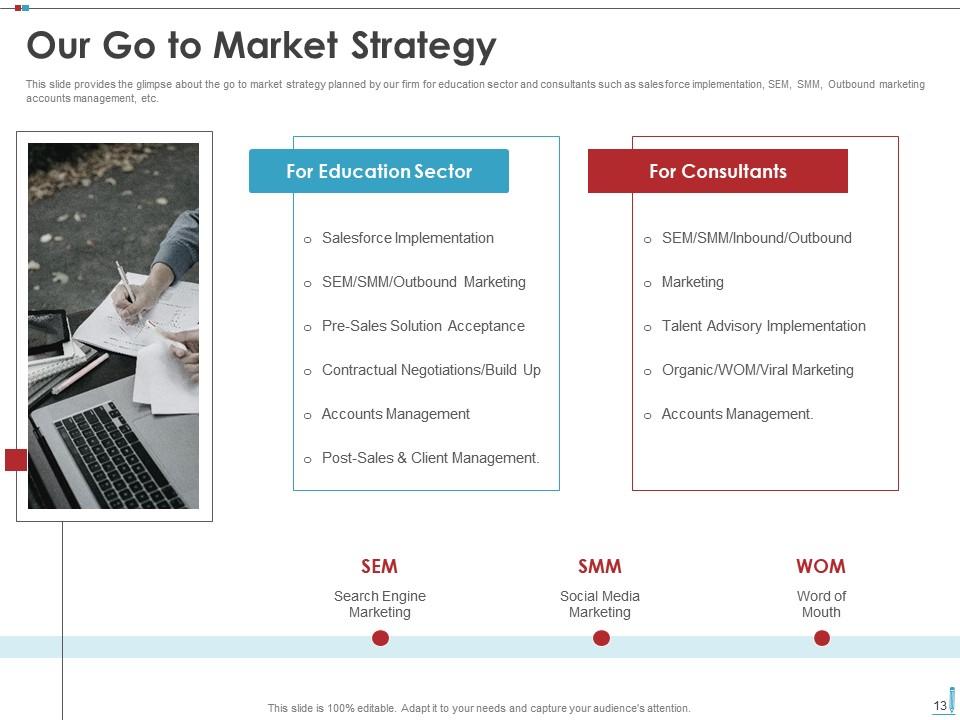
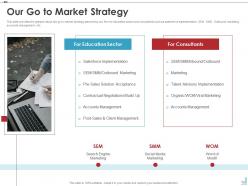
Slide 13 : Este slide fornece um vislumbre da estratégia de go to market planejada por nossa empresa para o setor de educação e consultores, como implementação de força de vendas, SEM, SMM, gerenciamento de contas de marketing de saída, etc.
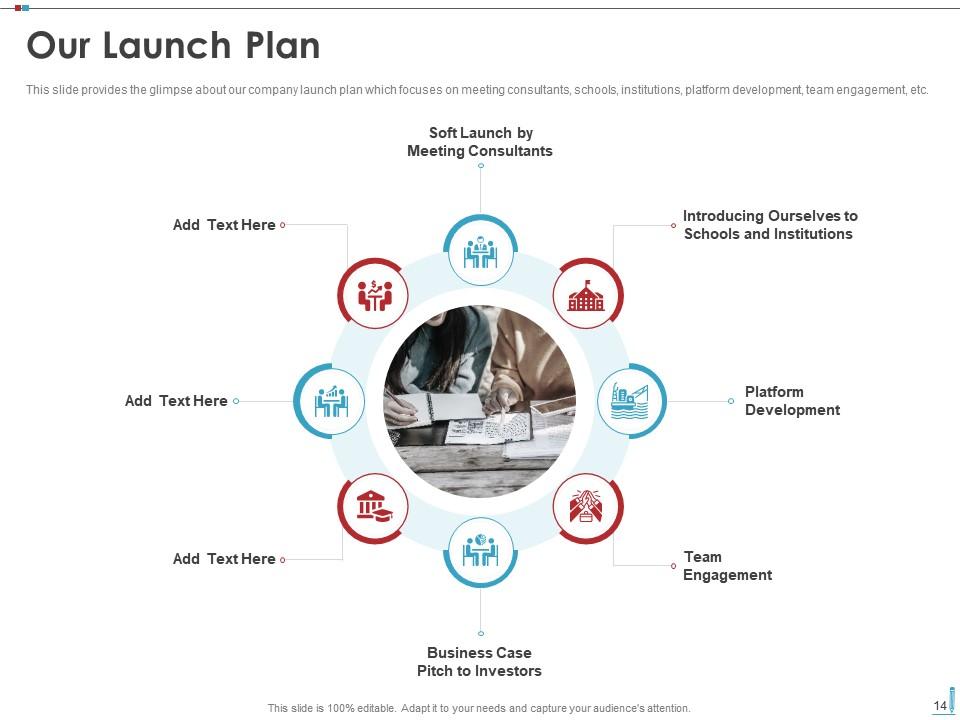
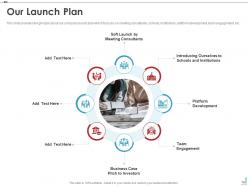
Slide 14 : Este slide representa o vislumbre do plano de lançamento da nossa empresa, que se concentra em conhecer consultores, escolas, instituições, desenvolvimento de plataformas, engajamento de equipes, etc.
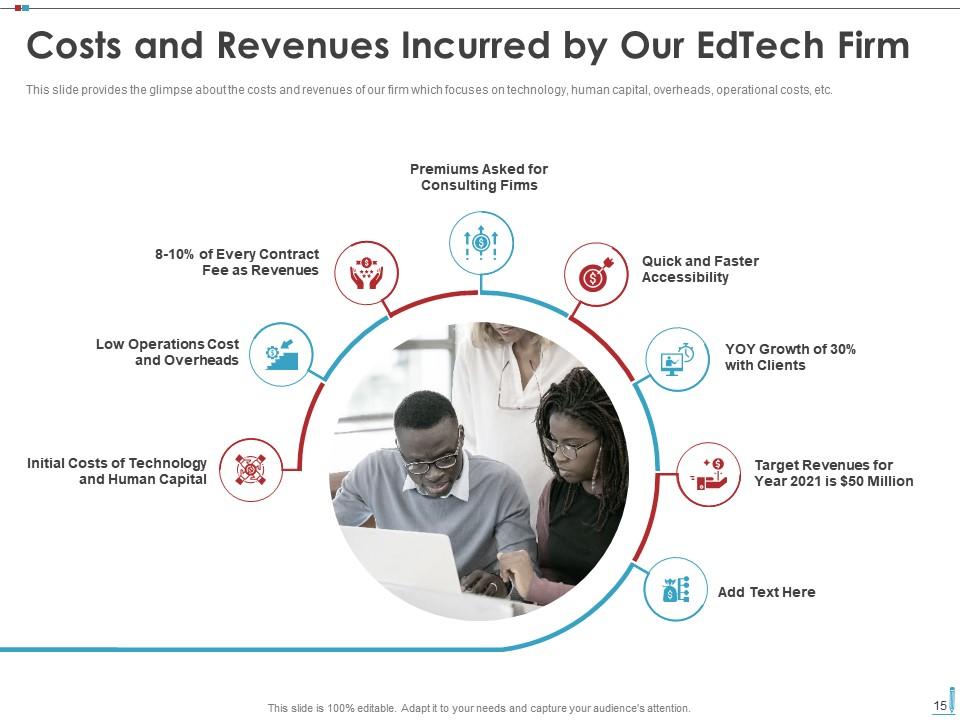
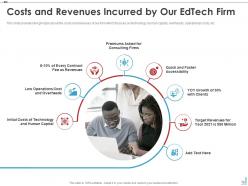
Slide 15 : Este slide mostra um vislumbre dos custos e receitas de nossa empresa que foca em tecnologia, capital humano, despesas gerais, custos operacionais, etc.
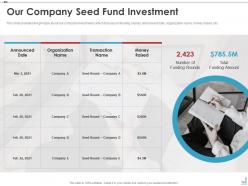
Slide 16 : Este slide apresenta um vislumbre dos investimentos da nossa empresa, com foco em rodadas de financiamento, data anunciada, nome da organização, dinheiro arrecadado, etc.
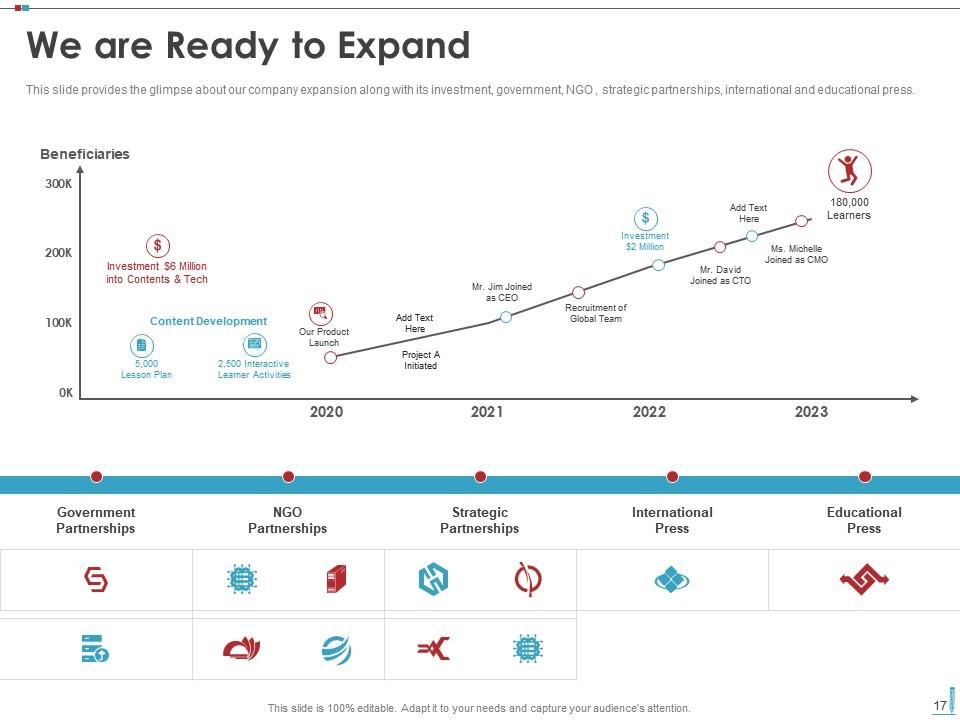
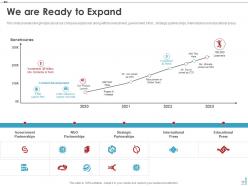
Slide 17 : Este slide mostra o vislumbre da expansão da nossa empresa junto com seus investimentos, governo, ONGs, parcerias estratégicas, imprensa internacional e educacional.
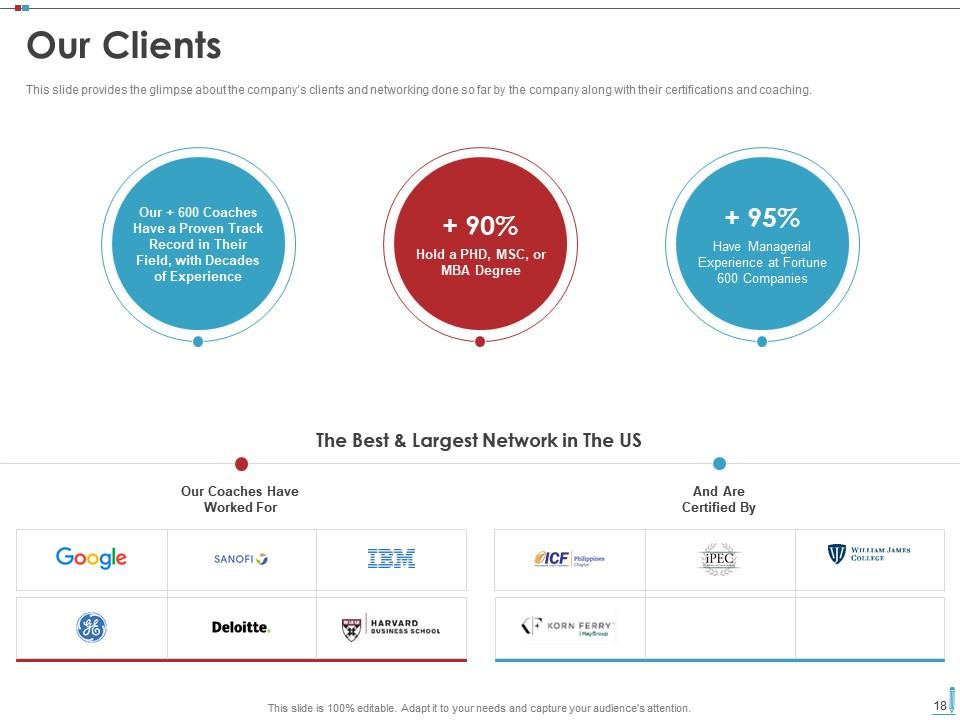
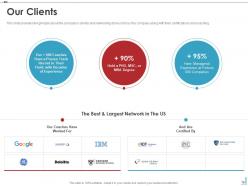
Slide 18 : Este slide fornece uma visão geral dos clientes da empresa e do networking feito até agora pela empresa, juntamente com suas certificações e coaching.
Slide 19 : Este slide representa um vislumbre dos depoimentos dos clientes da empresa junto com seus nomes e designações.
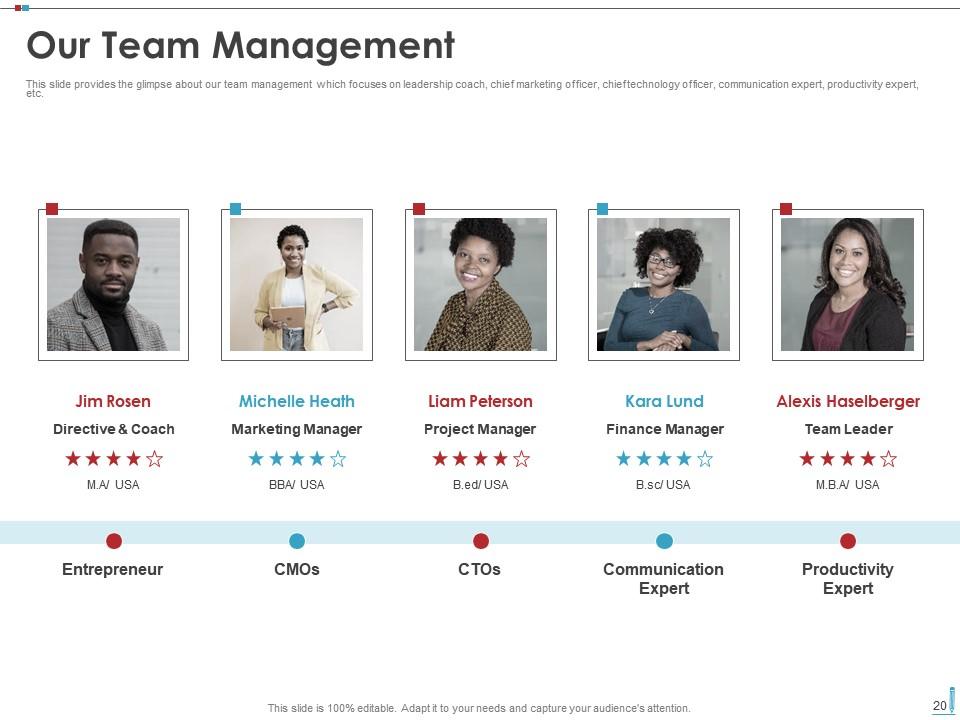
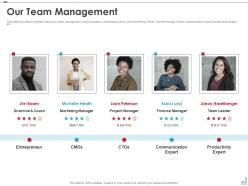
Slide 20 : Este slide mostra um vislumbre sobre nossa gestão de equipe, que se concentra em coach de liderança, diretor de marketing, diretor de tecnologia, etc.
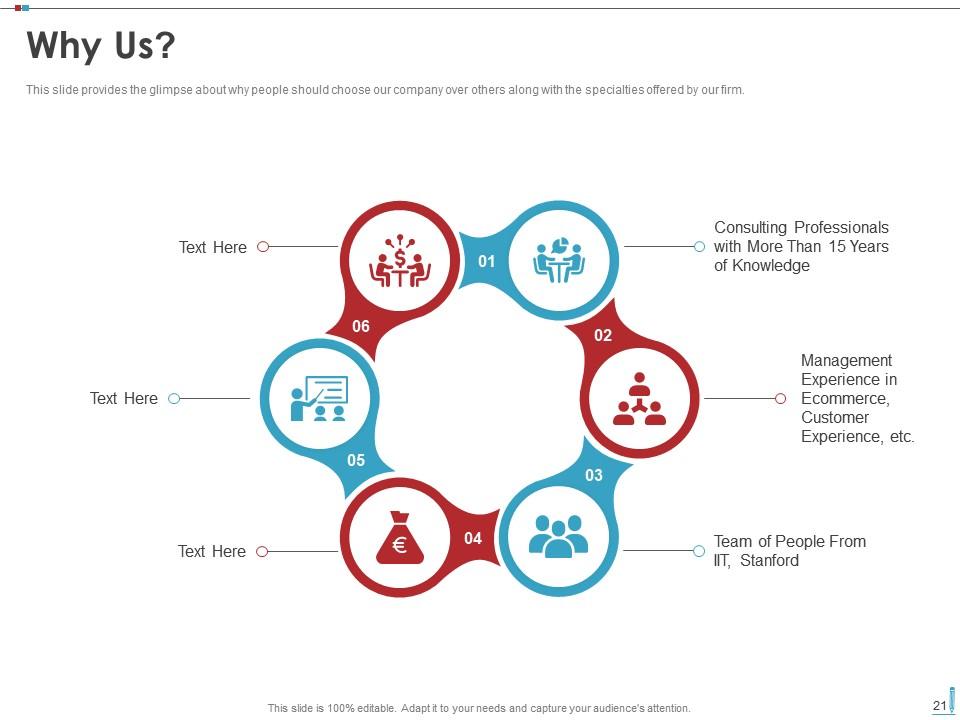
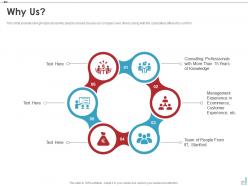
Slide 21 : Este slide apresenta um vislumbre sobre por que as pessoas devem escolher nossa empresa em detrimento de outras, juntamente com as especialidades oferecidas por nossa empresa.
Slide 22 : Este slide mostra os ícones do EdTech Pitch Deck Investor Funding Elevator.
Slide 23 : Este slide é intitulado como Slides Adicionais para avançar.
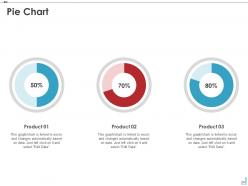
Slide 24 : Este slide mostra o gráfico de pizza com dados em porcentagem.
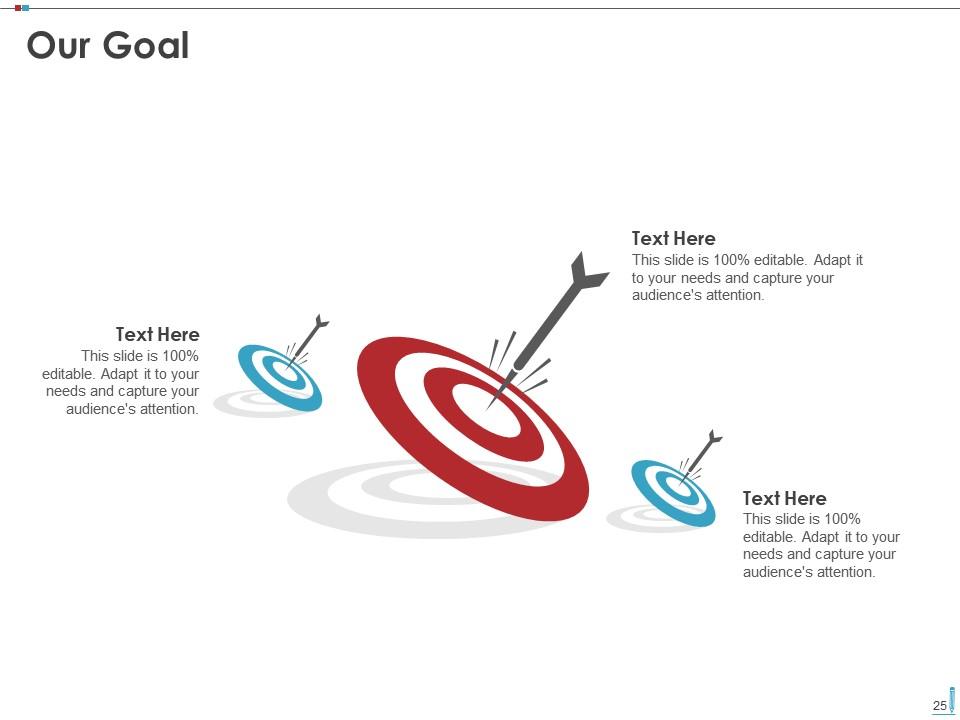
Slide 25 : Este é o slide Nossa Meta. Indique os objetivos da sua empresa aqui.
Slide 26 : Este slide mostra o diagrama de Venn com caixas de texto.
Slide 27 : Este slide mostra o Roteiro com caixas de texto.
Slide 28 : Este slide mostra Post It Notes. Poste suas notas importantes aqui.
Slide 29 : Este é um slide de linha do tempo. Mostrar dados relacionados a intervalos de tempo aqui.
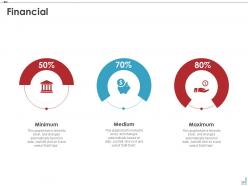
Slide 30 : Este é um slide financeiro. Mostre suas coisas relacionadas a finanças aqui.
Slide 31 : Este é um slide de geração de ideias para apresentar uma nova ideia ou destacar informações, especificações, etc.
Slide 32 : Este é um slide de agradecimento com endereço, números de contato e endereço de e-mail.
EdTech Pitch Deck Investor Funding Elevador Pitch Deck Ppt Template com todos os 32 slides:
Use nosso modelo de Pitch Deck de Elevador de Financiamento de Investidores EdTech Pitch Deck para ajudá-lo efetivamente a economizar seu valioso tempo. Eles estão prontos para caber em qualquer estrutura de apresentação.
-
I discovered this website through a google search, the services matched my needs perfectly and the pricing was very reasonable. I was thrilled with the product and the customer service. I will definitely use their slides again for my presentations and recommend them to other colleagues.
-
Content of slide is easy to understand and edit.
-
Content of slide is easy to understand and edit.
-
Unique research projects to present in meeting.
-
Design layout is very impressive.
