Employee Record Management Powerpoint Ppt Template Bundles
Try Before you Buy Download Free Sample Product
Audience
Editable
of Time
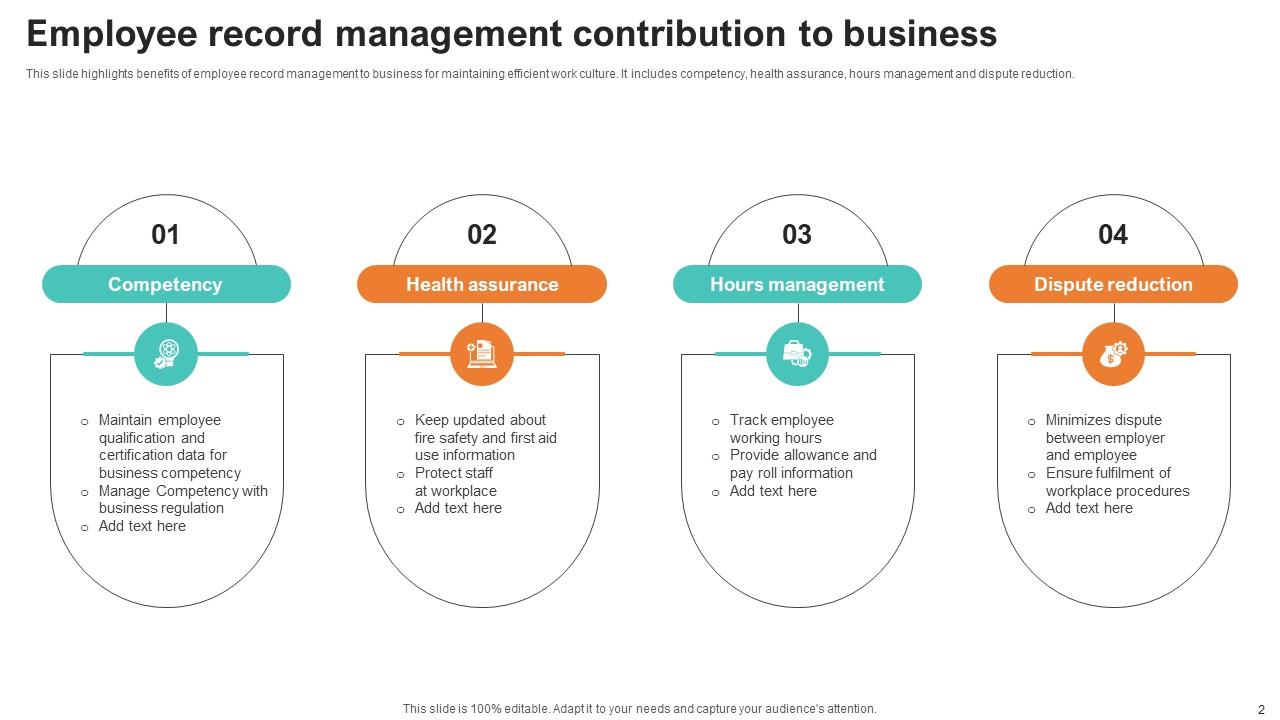
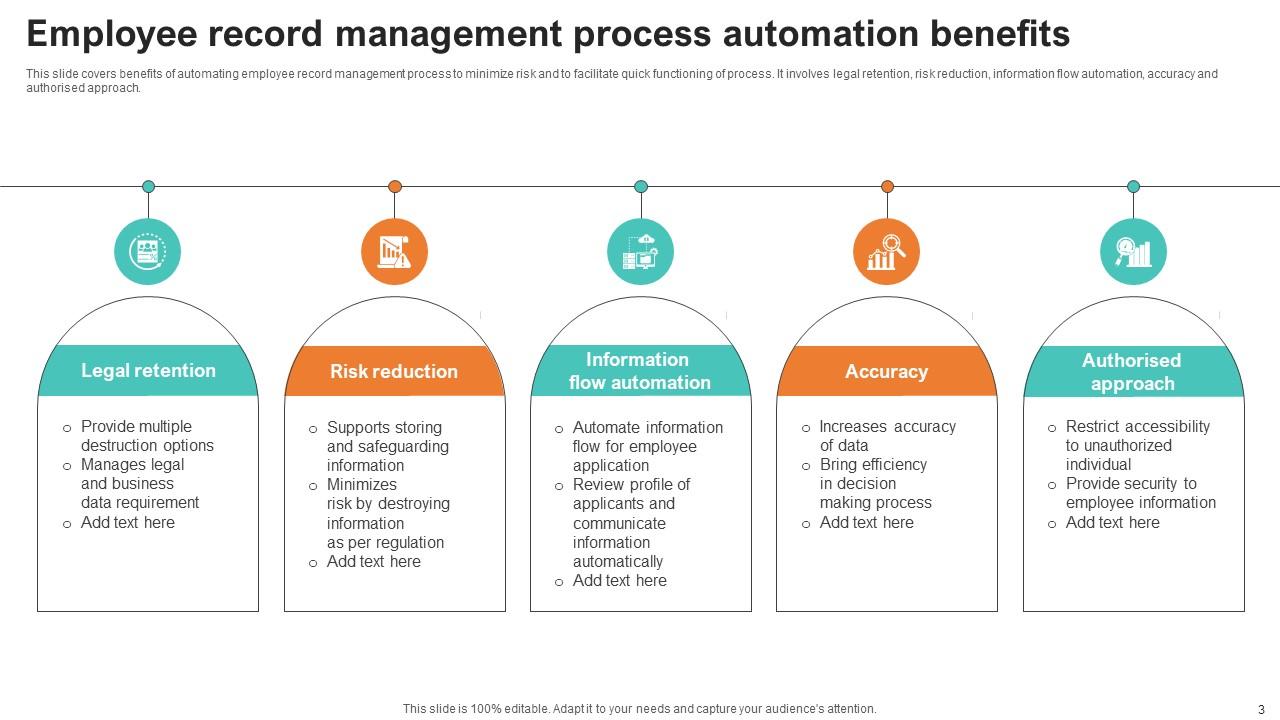
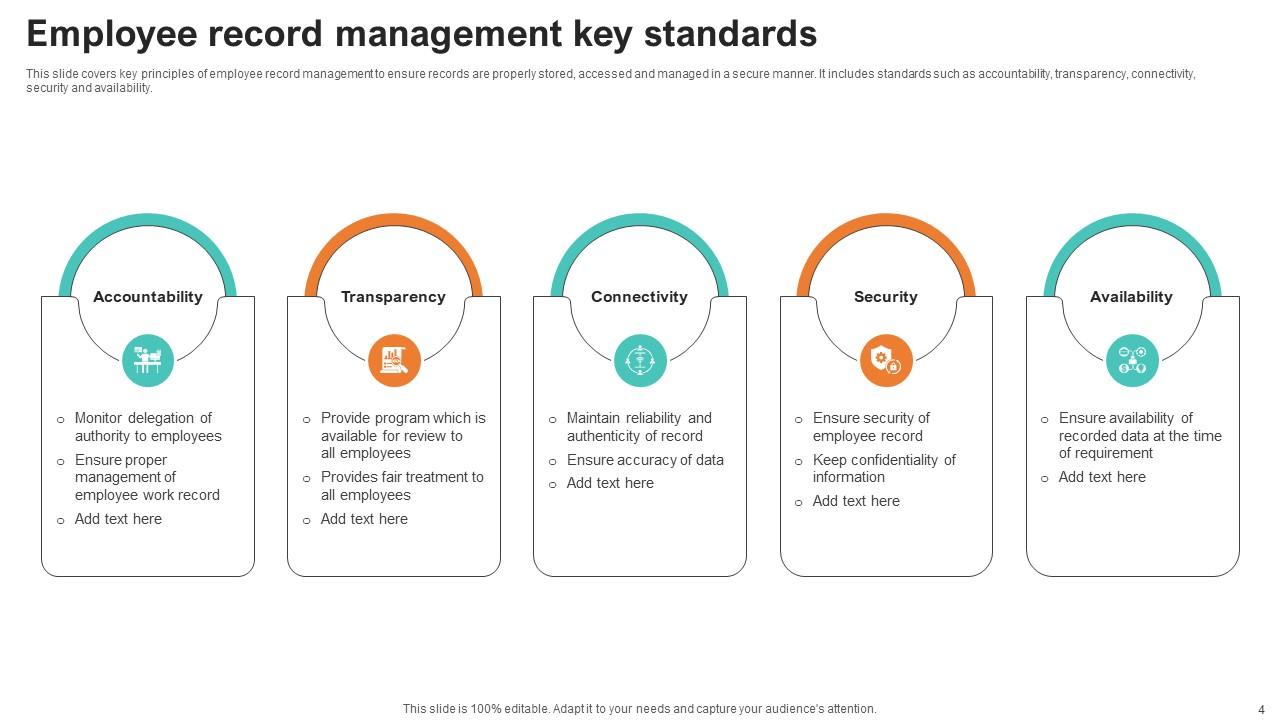
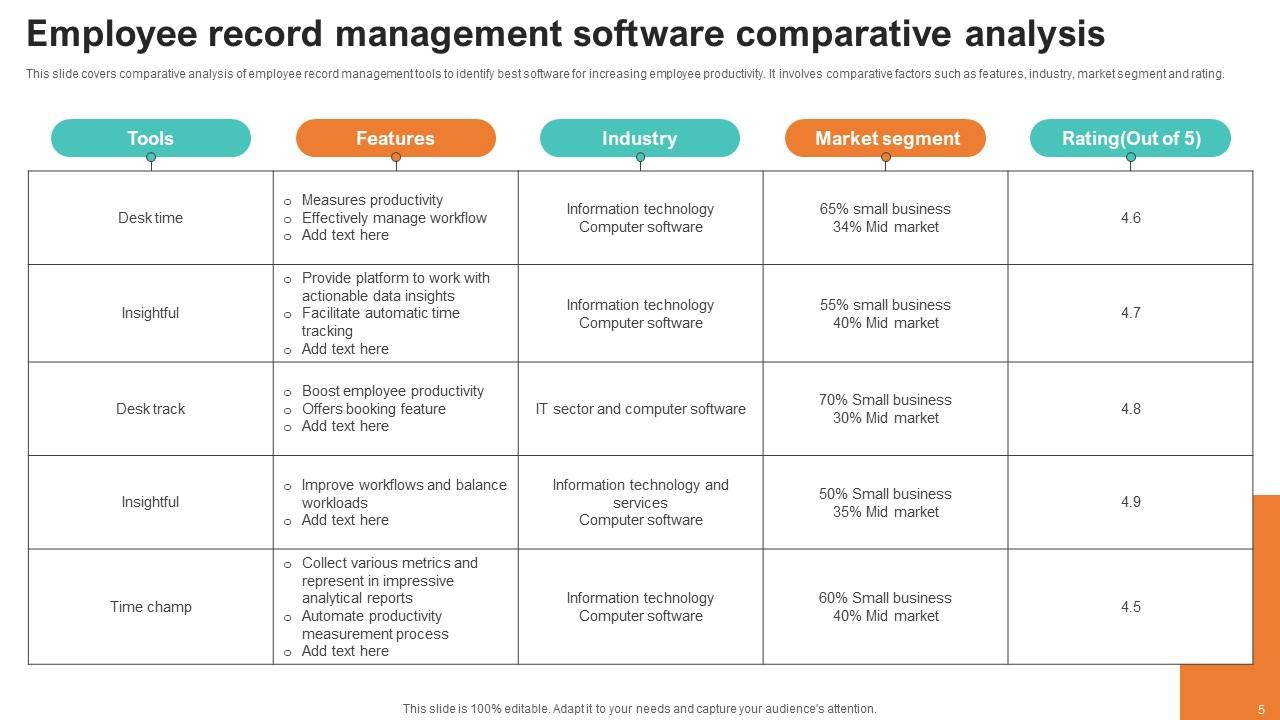
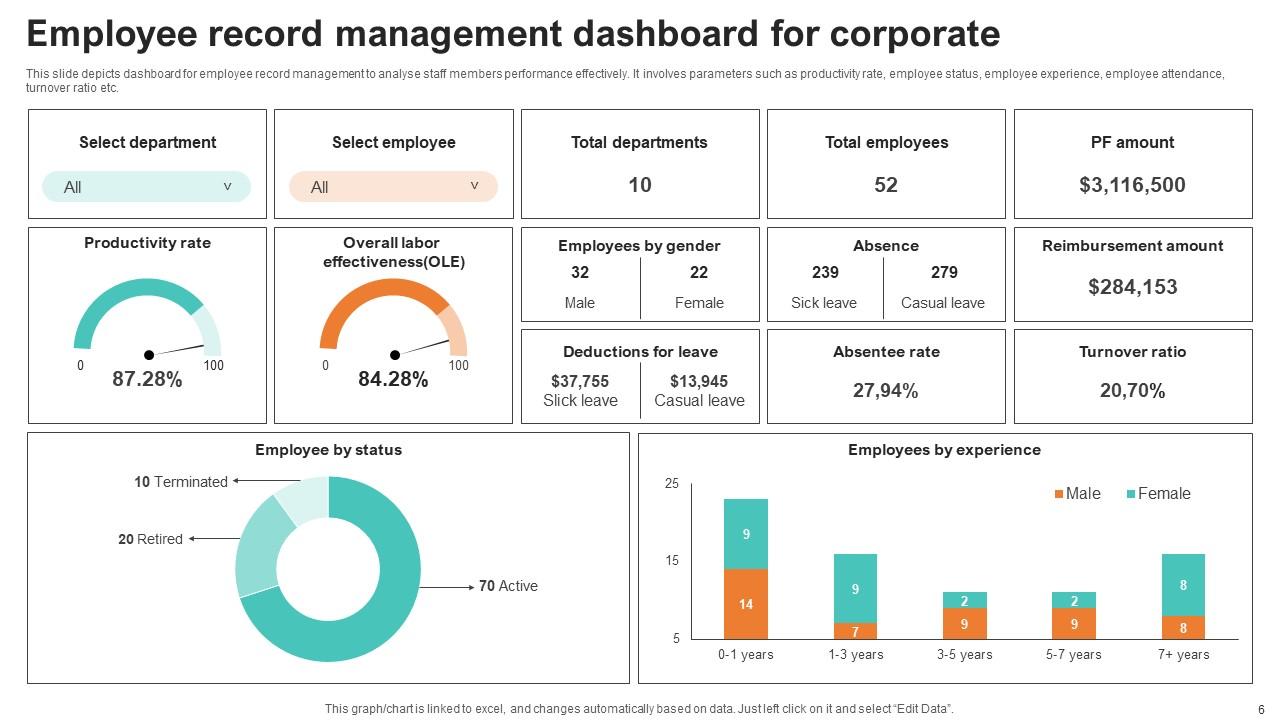
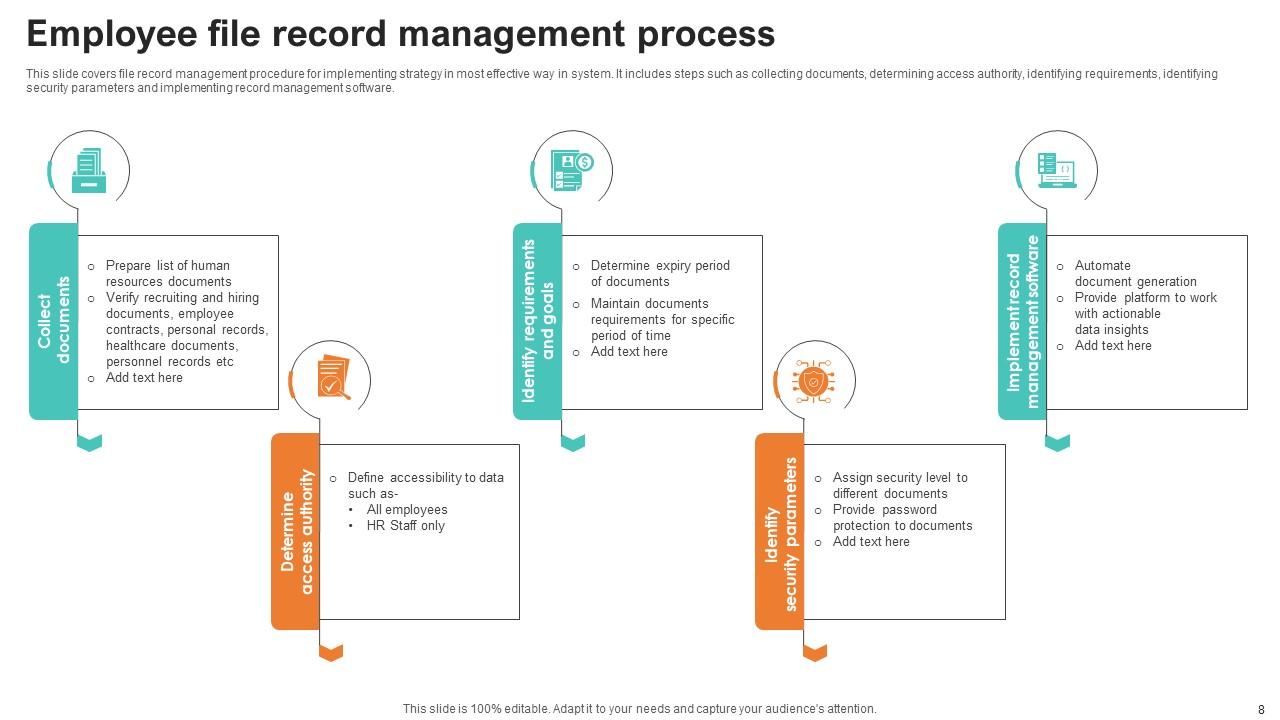
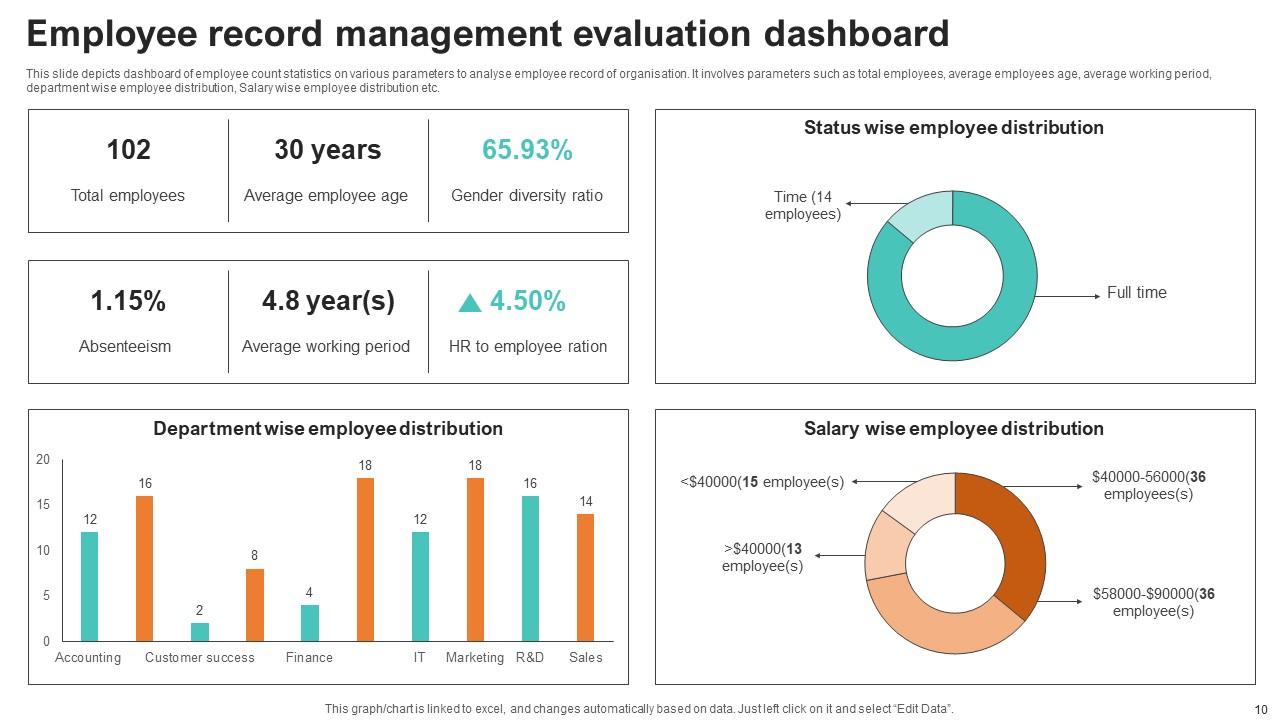
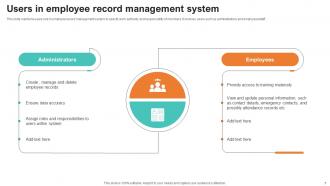
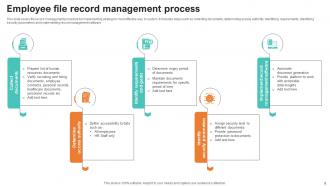
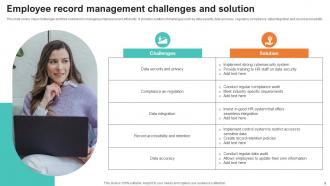
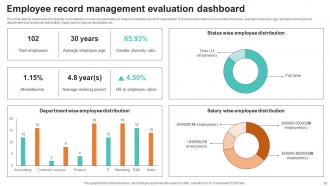
Introducing our comprehensive Employee Record Management PPT, a dynamic solution designed for seamless Human Resource Management. Elevate your workforce organization with an efficient Employee Information System, streamlining Employee File Management and ensuring precision in Personnel Records. Dive into the intricacies of Employee Data Management, where this presentation offers a strategic approach to data handling, access, and updates. Revolutionize your HR processes, fostering compliance and enhancing productivity. This PPT is a must have for businesses prioritizing accuracy and efficiency in managing their most valuable asset their people. Transform your HR practices with a tool that understands the nuances of modern Employee Record Management.
People who downloaded this PowerPoint presentation also viewed the following :
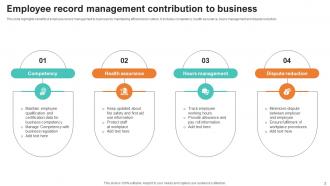
Employee Record Management Powerpoint Ppt Template Bundles with all 21 slides:
Use our Employee Record Management Powerpoint Ppt Template Bundles to effectively help you save your valuable time. They are readymade to fit into any presentation structure.
FAQs for Employee Record Management Powerpoint
Look, you'll want four key things: centralized digital storage, tight access controls, automated retention stuff, and regular backups. Access controls are honestly the biggest pain - trying to balance privacy with who actually needs what info is tricky. Your system should handle everything from basic contact details to performance reviews and compliance docs. Keep it simple though, or people just won't use it consistently. Oh, and definitely start by figuring out where all your employee data is currently scattered around - you'd be surprised how much random stuff is sitting in different places. Then get it all into one secure spot.
Honestly, going digital with employee records is a game changer. You can find any file in like 2 seconds instead of hunting through those awful filing cabinets. The automation handles all the boring stuff - data entry, filing, updates. Your HR team can actually work together on the same files without constantly emailing versions back and forth (which gets messy fast). I'd start with whatever records you touch most often. The compliance reporting alone will save you hours. Cloud systems keep everything synced automatically too, so no more wondering if you're looking at the latest version.
First thing - check who has access to what. I bet half your team can see stuff they don't need for their actual job. Strong encryption is a must for stored data, especially anything with SSNs or health records. Don't skip the regular audits (seriously, I've watched companies pay for this mistake). Train everyone on data handling properly. You'll need a retention policy too - stop keeping old files you don't need anymore. Privacy law compliance varies by location, so double-check your local requirements. Honestly? Start with an access review this week. You'll be shocked at what people can currently see.
Ugh, employee records are such a pain but yeah, legal stuff controls everything. Federal laws like FLSA want payroll records kept for 3 years minimum. Different types of records have totally different rules though - tax documents stick around for 7 years while other stuff can go after just 1. State laws might be stricter than federal too, which is annoying. If you've got EU employees, GDPR makes things way more complicated. Honestly I'd just do a quick audit of what you're actually keeping right now, then match it up against whatever rules apply to your industry and locations. It's tedious but beats getting in trouble later.
Ugh, data consistency is gonna be your worst nightmare. Half your team will have stuff in physical files, the other half in random cloud folders and Excel sheets everywhere. Security gets messy when people are accessing records from their kitchen table or coffee shops. Compliance audits become a headache too - you can't control where sensitive info gets viewed anymore. Honestly, just bite the bullet and go with one digital system for everything. Train everyone properly on it (even Karen from accounting who hates change). Trust me, it's worth the upfront pain.
Quarterly audits are your best bet - check records against actual tax forms and contracts. You'll find so much outdated garbage it's not even funny. Let employees update their own stuff through self-service portals instead of dumping everything on HR. Build in validation rules that catch blank fields or weird inconsistencies. Annual reminders work great for getting people to review their profiles. Oh, and always verify changes with documentation before touching anything important like salary info. Trust me, giving employees control over basic details like addresses saves everyone time.
So onboarding is where you build their entire record foundation - mess it up and you're playing catch-up forever. Get all the basics locked down first: tax forms, emergency contacts, compliance stuff. Set up their employee file properly from the start. This is also when you show them any record-keeping they'll need to handle themselves (which honestly, half of them will forget anyway). The key thing is establishing how records get maintained going forward. Don't skip steps here - it'll save you headaches later when you're not scrambling for missing paperwork.
Honestly, going digital is your best bet here - get a decent HRIS with solid search features. I'd set up consistent folder structures and naming across all departments (trust me, future you will thank you). Tag everything with employee IDs, department codes, document types, all that stuff. Oh and definitely track who's accessing what - audit trails save your butt when questions come up later. Train everyone on the system properly though, otherwise they'll just create workarounds that mess everything up. Run some practice searches every few months to make sure you can actually find what you need when crunch time hits.
Oh man, messy employee records will absolutely destroy you during compliance checks. You can't prove you followed labor laws or handled complaints properly when everything's scattered. I've watched companies get demolished in audits because they couldn't even find basic files - it's honestly painful to see. GDPR, FLSA, EEO requirements all have strict timelines for keeping specific documentation. Without that stuff organized, you're basically waiting for a lawsuit to happen. Do a quick check of what records you actually have versus what you're supposed to keep. That'll show you exactly where you're screwed.
Honestly, go with a cloud-based HRIS - total game changer when your team's scattered everywhere. Get everything digital: onboarding paperwork, performance reviews, the whole nine yards. Digital signatures will save your sanity, trust me. One thing that always bites people is remote employees forgetting to update their info when they move or change emergency contacts. So maybe set up monthly reminders or something? The goal is having one spot where everyone can grab what they need instead of playing email tag all day. Way less headache for you too.
First thing - encrypt everything digital and lock up physical files properly. Those busted filing cabinet locks are basically inviting trouble. Multi-factor authentication is a must for HR systems. I'd start by figuring out what sensitive stuff you actually have and who can get to it right now. Regular security audits help catch problems early. Don't forget about GDPR compliance if that applies to you. Automatic backups are great but encrypt those too. Honestly, the whole thing works best when you layer different protections instead of banking on just one method.
Honestly, good employee records are like the foundation of your whole performance management thing. You can't properly evaluate someone without knowing their history - past reviews, goals they hit, training they finished, all that stuff. Patterns become super obvious when you track everything over time. Without decent records? You're just winging it based on whatever you remember from last month (guilty as charged). Documentation also saves your butt legally if things go south with problem employees. My take: build solid tracking systems now so you're making decisions with actual data instead of just going with your gut every time.
Honestly, AI analytics are everywhere now - companies want those workforce insights. Blockchain's getting big for verifying credentials too. Mobile-first is basically mandatory since people expect to update stuff from their phones. Cloud systems? Yeah, that's just standard now - who wants to deal with servers? Self-service portals save HR from getting bombarded with tiny requests all day. Your HRIS has to play nice with payroll and benefits systems or you'll go crazy. Oh, and API connectivity is clutch. I'd probably start by checking how well your current system works on mobile first.
Honestly, data analytics is a game-changer for employee records. You'll spot turnover patterns and actually predict who might quit before it happens. Plus it catches data quality issues you'd totally miss otherwise. The automation piece is huge too - it flags incomplete records and expired certifications without you having to babysit everything. For compliance audits? Way better reports with like half the effort. Oh, and start with something simple first - maybe tracking who's finished their training. Once you see how much time it saves, you can branch out to the bigger stuff. Trust me on this one.
So you'll need to cover three main things: legal compliance (GDPR, FLSA, plus whatever your state requires), data security for both digital and physical files, and managing records from start to finish. The legal training is honestly pretty boring but super important - violations get expensive fast. Your team needs to know confidentiality rules, who can access what, and how to handle when employees want their records. Oh and definitely do yearly refreshers since laws change all the time. I'd start by figuring out what gaps you have now.
-
Professional and unique presentations.
-
Great designs, really helpful.