

Endpoint Security Powerpoint Presentation Slides




Try Before you Buy Download Free Sample Product
 Impress Your
 Audience
 100%
100% Editable
 Save Hours
 of Time


Check out our professionally designed Endpoint Security PowerPoint presentation. It briefly explains the overview of endpoint security, its components, common threats, and benefits. The deck also includes the various elements of endpoint security. In addition, this Fundamental Concepts of Endpoint Security PPT contains the components of endpoint security, which include antivirus software, firewall, Intrusion Detection and Prevention System, encryption, patch management, etc. Moreover, our Endpoint Security Deployment Template includes the working process, steps to implement, and market analysis of endpoint security. Lastly, this Endpoint Security Components PowerPoint Presentation outlines best practices, a checklist, a training budget, a timeline, a roadmap, and the impact of endpoint security. Download our 100 percent editable and customizable template, also compatible with Google Slides.
People who downloaded this PowerPoint presentation also viewed the following :
Content of this Powerpoint Presentation
Slide 1: The slide introduces Endpoint Security. State Your company name and begin.
Slide 2: This is an Agenda slide. State your agendas here.
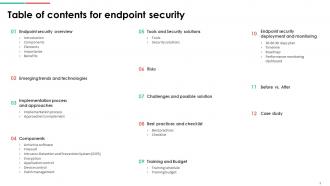
Slide 3: The slide displays Title of contents for the presentation.
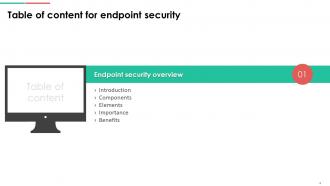
Slide 4: The slide continues Table of content.
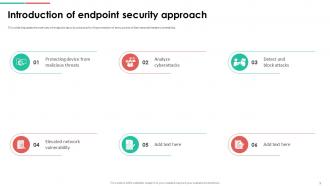
Slide 5: This slide discusses the overview of endpoint security solutions for the protection of entry points of devices and elevate vulnerability.
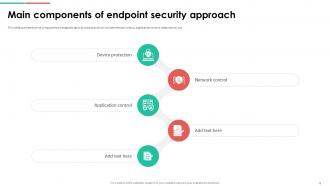
Slide 6: This slide outlines the five components of endpoint security solutions which include network control, application control, data control, etc.
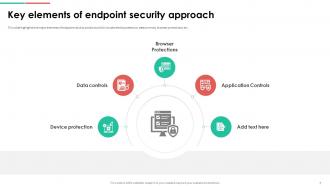
Slide 7: This slide highlights the major elements of endpoint security solutions which include device protection, data controls, browser protections, etc.
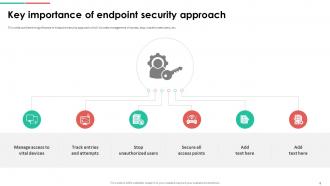
Slide 8: This slide outlines the significance of endpoint security approach which includes management of access, stop unauthorized users, etc.
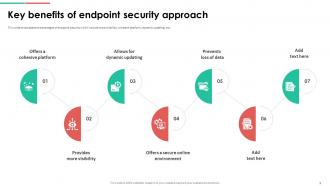
Slide 9: This slide showcases the advantages of endpoint security which include more visibility, cohesive platform, dynamic updating, etc.
Slide 10: The slide renders Title of content further.
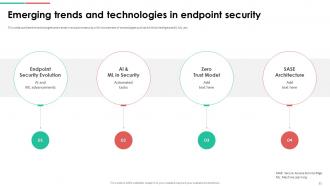
Slide 11: This slide outlines the technologies and trends in end point security with involvement of technologies such as Artificial Intelligence(AI), ML, etc.
Slide 12: The slide shows Title of content which is to be discussed further.
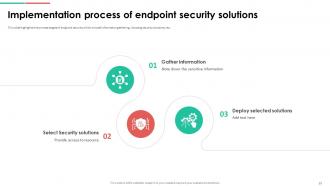
Slide 13: This slide highlights the process stages of endpoint security which include information gathering, choosing security solutions, etc.
Slide 14: This slide showcases the techniques of deploying effective endpoint security which include on-location, cloud, hybrid endpoint security, etc.
Slide 15: The slide renders Title of content further.
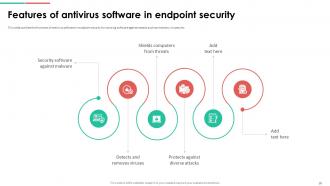
Slide 16: This slide outlines the functions of antivirus software in endpoint security for securing software against attacks such as malware, viruses, etc.
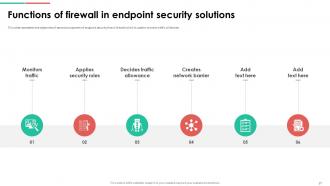
Slide 17: This slide represents the objectives of second component of endpoint security that is firewall which is used to monitor traffic of devices.
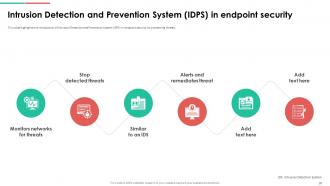
Slide 18: This slide highlights the introduction of Intrusion Detection and Prevention System (IDPS) in endpoint security for preventing threats.
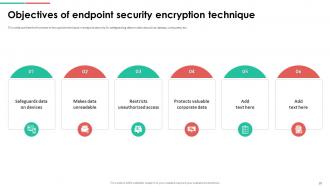
Slide 19: This slide outlines the functions of encryption technique in endpoint security for safeguarding data on devices such as laptops, computers, etc.
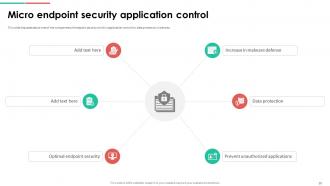
Slide 20: This slide discusses about one of the components of endpoint security which is application control for data protection in devices.
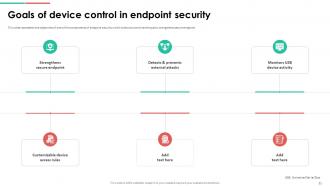
Slide 21: This slide represents the objectives of one of the components of endpoint security which is device control technique to strengthens secure endpoint.
Slide 22: This slide outlines the overview of patch management technique in endpoint security to scan, identify, download, and deploy patches.
Slide 23: The slide shows another Title of content.
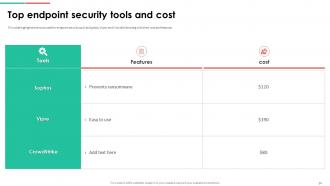
Slide 24: This slide highlights the tools used for endpoint security such as Sophos, Vipre, and CrowdStrike along with their cost and features.
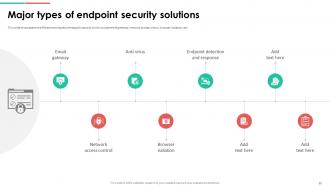
Slide 25: This slide showcases the different techniques of endpoint security which include email gateway, network access control, browser isolation, etc.
Slide 26: The slide displays another Title of content.
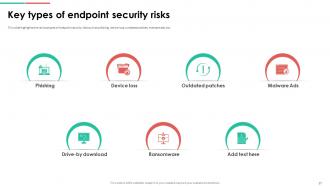
Slide 27: This slide highlights the various types of endpoint security risks such as phishing, device loss, outdated patches, malware ads, etc.
Slide 28: The slide also depicts Title of content.
Slide 29: This slide discusses the risks and relevant solutions of endpoint security which include human behavior, disjointed security solutions, etc.
Slide 30: The slide renders Title of content further.
Slide 31: This slide discusses the best approaches for endpoint security deployment which include anti-phishing deployment, ransomware protection, etc.
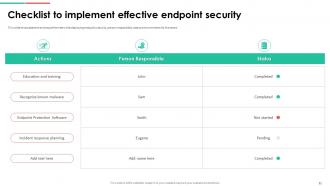
Slide 32: This slide showcases the actions performed while deploying endpoint security, person responsible, status and comments for the same.
Slide 33: The slide represents Title of content further.
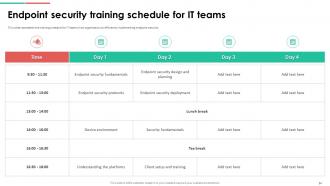
Slide 34: This slide represents the training schedule for IT teams in an organization to efficiently implementing endpoint security.
Slide 35: This slide showcases the technology cost breakdown for different components such as internet, software, IT staff, etc.
Slide 36: The slide highlights another Title of content further.
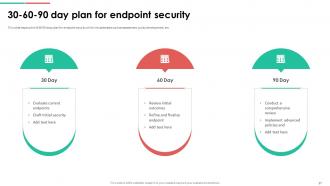
Slide 37: This slide depicts the 30 60 90 days plan for endpoint security which includes tasks such as assessment, policy development, etc.
Slide 38: This slide outlines the different steps performed while deploying endpoint security, including planning phase, solution selection, etc.
Slide 39: This slide shows the steps to deploy endpoint security which include recognizing known malware, reduce end user access, utilizing application control, etc.
Slide 40: This slide showcases the performance tracking dashboard for endpoint security to analyze and monitor security of devices such as laptops.
Slide 41: The slide depicts Title of content further.
Slide 42: This slide showcases the comparative analysis of the before versus after implementation of endpoint security situation of an organization.
Slide 43: The slide renders Title of content further.
Slide 44: This slide highlights the overview of the company, problems faced, and their related solutions in the case study.
Slide 45: This slide shows all the icons included in the presentation.
Slide 46: This slide is titled as Additional Slides for moving forward.
Slide 47: This is our Location slide with related icons and text.
Slide 48: This slide shows Post It Notes. Post your important notes here.
Slide 49: This is an Idea Generation slide to state a new idea or highlight information, specifications etc.
Slide 50: This slide shows SWOT describing- Strength, Weakness, Opportunity, and Threat.
Slide 51: This is Our Target slide. State your targets here.
Slide 52: This is a Timeline slide. Show data related to time intervals here.
Slide 53: This slide contains Puzzle with related icons and text.
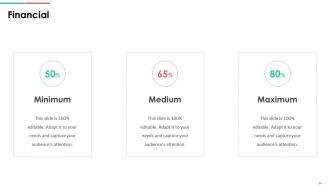
Slide 54: This is a Financial slide. Show your finance related stuff here.
Slide 55: This is a Thank You slide with address, contact numbers and email address.
Endpoint Security Powerpoint Presentation Slides with all 63 slides:
Use our Endpoint Security Powerpoint Presentation Slides to effectively help you save your valuable time. They are readymade to fit into any presentation structure.



























FAQs for Endpoint Security
Look, you need four things for decent endpoint security: antivirus/anti-malware, EDR tools, patch management, and access controls. Most places screw up the EDR part - they stick with basic antivirus thinking it'll do the job. It won't. Also throw in regular vulnerability checks and backup everything because ransomware will wreck your day. Oh, and layer this stuff so when one thing fails, something else catches it. I'd start by checking what you've got now and fixing the worst gaps first. Trust me on the backup thing though - seen too many companies get absolutely destroyed by ransomware.
So basically endpoint security protects your actual devices - laptops, phones, whatever - while network security is more about guarding the gates and monitoring traffic between systems. Picture locking your car vs having guards at the parking garage entrance. Network security used to work fine when everyone sat in offices behind corporate firewalls. But now? Your devices are literally everywhere - Starbucks, home, that sketchy airport wifi. Each device needs its own armor since it can't count on network protection anymore. Honestly, I'd start by checking what endpoint stuff you've even got running right now.
Look, you're mainly dealing with malware - ransomware, trojans, the usual suspects. Phishing attacks hit your users constantly, and credential theft is huge right now. Insider threats are tricky since they can be accidents or actual malicious stuff. Unpatched systems? Attackers absolutely love those. USB threats sound ancient but they're still around, weirdly enough. APTs are the worst because they lurk for months undetected. Honestly, just layer everything - get some solid EDR tools, stay on top of patches, train your people, and lock down access properly. That'll handle most scenarios.
Honestly, I'd start by making a list of every single device that touches your network - phones, laptops, even those random IoT things you forgot about. Run vulnerability scans on everything to catch outdated software and missing patches. Yeah, it's boring but whatever. Check your current security stuff too - antivirus, encryption, access controls - and see what's missing. Your users are probably the biggest risk though... they'll click anything. Document it all in some kind of risk matrix, then tackle the scariest stuff first. Way easier than trying to fix everything at once.
So threat intelligence basically gives your endpoint tools a heads up about what hackers are doing right now. Your systems can spot new attack patterns and sketchy behavior before it actually hits you. It's kinda like having someone text you "hey, break-ins happening on Oak Street" so you know to lock up. The feeds update your detection rules automatically - honestly way better than trying to keep up manually because that's exhausting. Just make sure you're getting decent quality feeds though, otherwise you're basically guessing what the bad guys will try next.
Ugh, mobile devices have totally blown up our attack surface - it's honestly a nightmare. Now we're juggling personal phones, BYOD chaos, sketchy apps from random stores, plus people working from literally everywhere. Coffee shops, sketchy WiFi, you know the drill. These devices don't have the same solid security controls as corporate laptops either. Remember when we had an actual network perimeter? Those days are dead. Sarah's probably pulling up sensitive files on her cracked iPhone screen right now from some random Starbucks. You'll need proper mobile device management and zero-trust architecture to not lose your mind over this stuff.
Oof, cost is brutal - these solutions get pricey quick when you're talking hundreds of devices. Users will absolutely hate you for it too, constant whining about slow laptops and blocked apps. Managing updates across different systems is a nightmare. Oh, and good luck getting consistent coverage on mixed environments. Honestly though, don't go full company rollout right away. Test it with like 20-30 people first so you can fix whatever breaks before everyone's screaming at IT.
So instead of just catching known threats, AI and ML make your endpoint security predictive - it learns patterns to spot sketchy behavior in real-time. Pretty neat stuff. The system analyzes file behavior, network traffic, user activities, all that. Even flags things it's never seen before if they look suspicious. Over time the algorithms get better at learning what's normal in your environment, so you get fewer false alarms but catch more actual threats. Oh and definitely look for solutions with behavioral analysis rather than the old signature-based detection - way more effective.
Phishing simulations are your best bet - way more effective than boring presentations nobody remembers. Do short monthly sessions instead of those painful quarterly workshops. Cover the obvious stuff like sketchy emails, strong passwords, software updates. Real examples from your field work great too. Here's the thing though - you need people to feel safe reporting weird stuff without getting yelled at. I've watched companies get totally wrecked because someone was too scared to speak up about a suspicious link. Set up an easy reporting system and actually make it interactive. People learn better when they're doing something, not just sitting there zoning out.
So basically, endpoint security hooks up to cloud services through APIs and integrations - gives you one dashboard to monitor all your devices. Pretty handy since everyone's working from random places now. The cloud handles threat updates and policy stuff automatically, which is nice because who has time for that? Most solutions play well with AWS or Azure too. Main thing is you don't need those bulky on-site servers anymore. Just heads up though - if your internet goes down, you're kinda screwed since everything runs through the cloud. But honestly, that's most tech these days anyway.
Track your incident response times and malware detection rates first - those are your bread and butter. MTTD and MTTR will show you how fast you're catching stuff and fixing it. Endpoint compliance is huge too (basically how many devices follow your security rules). False positives are annoying as hell, so definitely monitor those. Nobody wants constant alerts about nothing. User training completion matters since people click on literally everything. Oh, and set up a monthly dashboard so you can actually see trends and show your boss you're not just burning money on security tools.
So zero-trust basically throws out the whole "trust but verify" thing (which honestly never made sense to me either). Instead of assuming devices inside your network are safe, you treat everything like it's already compromised. Every endpoint gets constantly checked - device health, user identity, app behavior - before it can access anything. Your endpoint security agents have to get way smarter too. They're not just hunting for threats anymore; they're making real-time decisions about whether each connection should even happen. It's like having a bouncer at every digital door instead of just the front entrance.
Remote work completely blows up your security setup. Suddenly people are logging in from their kitchen table WiFi, random coffee shops, wherever. Gone are the days when everyone's safely behind your corporate firewall. Personal laptops start creeping into work tasks too - honestly drives IT teams nuts trying to track everything. Zero-trust becomes your new best friend since you can't assume anything's safe anymore. Every user, every device gets checked before they touch company stuff. You'll want solid endpoint protection, decent VPNs, and stricter device policies. It's way more work but that's the trade-off for flexibility.
Dude, IoT stuff is a security nightmare. Smart thermostats, cameras, even your printer - they all have garbage default passwords and basically never get updates. I mean, my router's been blinking at me for firmware updates for like 6 months now. These devices are invisible to most security tools too, which sucks. Best thing you can do is make a list of everything connected, throw them on a separate network if possible, and watch what they're actually talking to online. Otherwise you're giving hackers a bunch of easy backdoors into your network.
Dude, you HAVE to keep up with software updates. Hackers literally scan for devices running outdated software - it's like their favorite hobby or something. Those updates aren't just fixing random bugs, they're patching actual security holes that criminals use to break in. I get it, updates are super annoying when you're in the middle of something. But honestly? Skipping them is basically leaving your front door unlocked. Try setting up auto-updates if you can. Or at least don't wait more than a couple days to install the critical ones, especially security patches.
-
I discovered this website through a google search, the services matched my needs perfectly and the pricing was very reasonable. I was thrilled with the product and the customer service. I will definitely use their slides again for my presentations and recommend them to other colleagues.
-
Requested a complete pitch deck. Delivered immediately and with high quality well researched content.