Executive summary example of ppt presentation

Rating:
90%
Slide 1 of 5
Favourites Favourites

Try Before you Buy Download Free Sample Product

Audience Impress Your
Audience
Editable 100%
Editable
Time Save Hours
of Time
The Biggest Sale is ending soon in
0
0
:
0
0
:
0
0
Rating:
90%
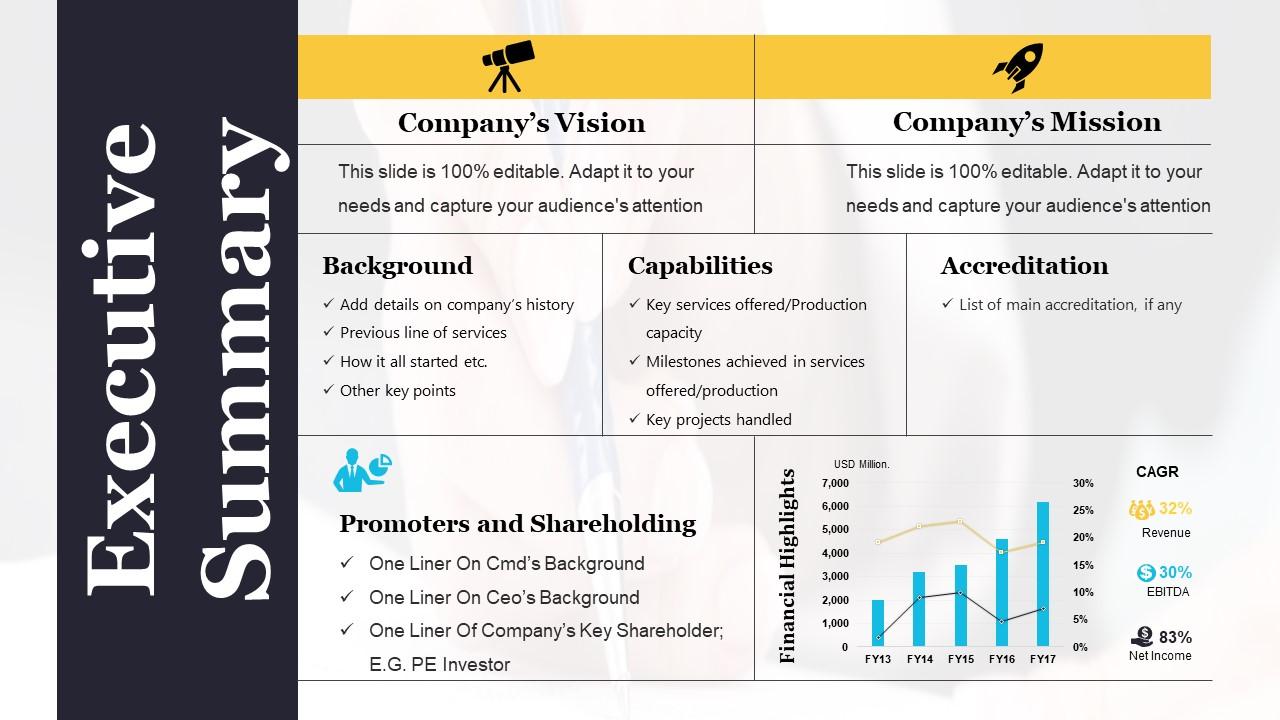
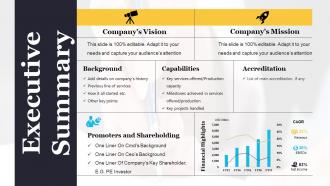
Presenting executive summary example PowerPoint Presentation. Elegant and simple visuals help you present your research in easy to understand, visual style. Presentation is downloaded in both widescreen (16:9) and standard screen (4:3) aspect ratio. Presentation template is compatible with Google slides. Fully editable in PowerPoint slideshow. Customize the font size, font color, graphic colors, and slide background without any hassle. The slides have text placeholders to enter your presentation content. PPT images with unaffected high resolution after editing any number of times.

FAQs for Executive summary example

So you need four main things: what problem you're tackling, your solution/findings, the expected results, and what to do next. I always write this part last even though it goes first - that way you can grab the best stuff from your full analysis. Most executives honestly just read this section anyway, so make it count. Keep it under one page and think "elevator pitch but written down." Has to be short but interesting enough that they'll actually want to read the rest. The whole thing's basically your hook to get them invested.

Dude, charts and graphs are game-changers for executive summaries. People get your data instantly instead of slogging through boring paragraphs. Nobody has time for that. Icons help break things up visually too - walls of text are death in presentations. Stick with consistent colors and fonts so it looks professional. Bold headers guide people to the important stuff. Oh, and don't go crazy with too many visuals - I've seen presentations that look like a kindergarten art project. One solid chart beats five messy ones any day. Keep it clean and you're golden.

Honestly, most people screw this up by making it way too long - stick to one page max. Lead with your main conclusions right away, not boring background stuff. The biggest trap? Just summarizing each report section. That's useless. Instead, focus on the insights executives actually give a damn about and what they should do next. Skip the jargon too since they might not know your technical stuff. Picture it like your elevator pitch in writing. Busy execs should scan it in two minutes and immediately know what action to take. Simple as that.

Your audience is literally everything when writing an exec summary. Tech people? Go ahead and use the jargon they love. C-suite folks want big picture stuff - ROI, strategic impact, that kind of thing. Board members are all about risk and governance. Honestly, it drives me nuts when people send identical summaries to different groups. Never works. Match their communication style too - some want data dumps, others prefer bullet points. Here's what I do: before I write anything, I picture them actually reading it. What would make them stop scrolling and pay attention? That's your hook right there.

Dude, executives have zero patience for dense data dumps. Start with the business impact - like "this'll save us $2M" - then throw in just the key numbers to back it up. Charts and bullet points are your best friends here. Skip all that methodology stuff (stick it in an appendix if you must). I learned this the hard way after watching too many eyes glaze over during presentations. Use analogies when you can - comparing budget variance to a leaky faucet works better than showing spreadsheet cells. Make them think "oh, I get it" instead of squinting at tiny fonts.

Look, storytelling completely changes how people read your exec summary. Nobody wants to slog through bullet points of data - but give them a story? Now you've got their attention. Frame it like you're telling your boss about this problem you discovered and how to fix it. Start with something concrete, like "Our customers are leaving after 3 months because..." then walk them through what you found and where you're headed. I always think of it as the "before and after" approach - paint the current mess, then show them what success looks like. Way more engaging than just dumping facts on them. Trust me, it works.

Use bullet points with clear owners and deadlines - don't hide them in paragraphs where people won't find them. Start each one with action words like "Implement" or "Review." Assign tasks to actual people, not some vague department (seriously, nobody knows who "Marketing" means). Keep the language direct and measurable. I've seen way too many meeting summaries where you can't figure out what anyone's supposed to do next. Put this section right after your key findings so executives can scan it quickly. They'll thank you for not making them hunt through dense text blocks.

Honestly, good formatting can make or break your exec summary. Clean headers and bullet points are your best friends here. White space matters too - cramped text is awful to read. Keep paragraphs short because nobody wants to slog through walls of text when they're in decision mode. Bold your key numbers so they pop. I probably obsess too much over consistent fonts and spacing, but whatever. Short sentences work great. Mix in some longer ones that flow naturally. If executives have to squint or hunt around for info, you've already lost the battle before they even start reading your content.

Start with your biggest wins - that's what execs actually want to hear about. Then explain the key decisions you made and why. I do this thing called the "elevator test" where I see if I can hit the main points in 2 minutes. Keeps me from rambling about stuff that's interesting but not crucial. Use bullets for complex data, skip background they already know. Honestly, executives are busy and just want enough info to make good decisions. They don't need your entire research journey - just the goods that'll help them move forward confidently.

Start with your biggest bombshell - whatever's gonna make jaws drop or prove what everyone already knew. Then order everything else by how much it matters, not when it happened. Actually use real numbers instead of saying things got "way better." I pretend the CEO's got 30 seconds in an elevator - what's the one thing you'd blurt out? Don't bog them down with how you did the research. Focus on what it means for actual decisions. After each point, ask yourself "so what?" - honestly, why should they care? Oh, and write your summary last but stick it right at the top.

Honestly, get someone else to read your stuff before you submit it. When you've been staring at something forever, you miss obvious problems. I've watched so many executives just zone out during presentations because the person was talking over their heads with fancy jargon. Your coworkers will catch logic holes you completely missed. They'll also tell you which insights actually matter vs. the ones you think are brilliant but nobody cares about. Don't wait until you think it's perfect - show drafts early. And ask real questions like "what's confusing here?" instead of just "any thoughts?"

I'd go with Canva first - super easy and looks professional without much effort. PowerPoint actually works really well too if you grab a decent template (people sleep on this option). Adobe Creative Suite is amazing but honestly might be overkill unless you're already familiar with it. Figma gives you more design freedom, and there are tools like Venngage specifically made for business docs. Really though, pick whatever won't frustrate you. Clean template that matches your brand, good charts, plenty of white space. That's pretty much it. Don't overthink the tool - focus on making your content clear and your data stand out.

So basically, your executive summary needs to work on its own - like someone could read just that and totally get what you're talking about. Pack all your big findings and recommendations right at the top. Busy people want the whole story in maybe 2-3 minutes, tops. It's kinda like writing a movie trailer, except you actually spoil the ending! I always think of it this way - if my boss only reads those few pages, can they still make a decent decision? Short sentences work great. Then mix in some longer ones that flow naturally. Don't leave out any critical stuff from your main report.

Look, executives are already drowning in spreadsheets, so keep it simple. Pick maybe 3-5 metrics that actually matter - revenue growth, profit margins, customer acquisition costs. Those usually tell the real story. Don't forget operational stuff like customer satisfaction if it's actually moving the needle. The key thing (and this might sound obvious) is connecting each metric to what you're trying to achieve strategically. Numbers without context are useless. Show the data, sure, but also explain what it means. Are you winning or losing? That's what they really want to know.

Honestly, just stick to the big stuff that actually matters for where you are right now. Ancient history? Skip it unless it's super relevant. I usually pick 2-3 major turning points max - the moments that really changed everything. Here's what works: start with your most recent situation and only go backwards if you need to. Connect the dots like "this happened, so then that happened, and now we're stuck dealing with X." Don't just list dates and events. People need to see how A led to B led to your current mess (or success, whatever). Give just enough context so readers get why things are the way they are.

Ratings and Reviews

90% of 100
Review Form
Write a review
Most Relevant Reviews
  1. 80%

    by Donn Hart

    Easy to edit slides with easy to understand instructions.
  2. 100%

    by John Walker

    Innovative and Colorful designs.

2 Item(s)

per page: