

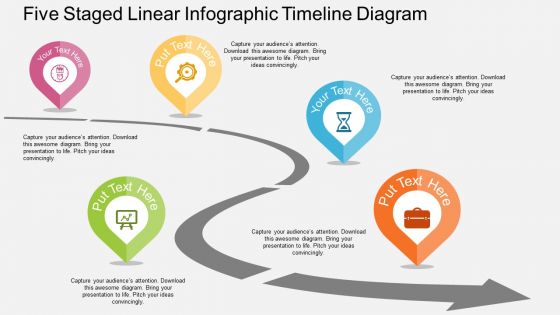
Five staged linear infographic timeline roadmap diagram flat powerpoint design





Try Before you Buy Download Free Sample Product
 Impress Your
 Audience
 100%
100% Editable
 Save Hours
 of Time


If you are planning to take your organization to a next level, then download our five staged linear infographic timeline roadmap diagram flat PowerPoint design. The presentation template has been crafted by our efficient designing team to meet the industry requirements. This timeline slideshow has been crafted with a graphic of road and location pointers at intervals of time which can be helpful in denoting the path to success. You can display various aspects of your business phases through these pointers and your audience can have a good idea about your business roadmap. Having an event timeline is an integral part of the event planning process which you can easily achieve through our PPT design. The PowerPoint slide is completely amendable, so you can even add or subtract the pointers depending upon the amount of information you would want to represent. The colors, fonts, location of the pointers, etc. anything can be changed as per your convenience. Our presentation gives you the perfect way to share your important aspects with your audience. So, don’t miss your important deadlines and make efficient use of our roadmap PPT Graphic. Download now. Our Five Staged Linear Infographic Timeline Diagram Flat Powerpoint Design ensure folks don't harry you. They will get all the answers they ask for.
People who downloaded this PowerPoint presentation also viewed the following :
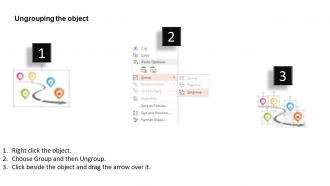
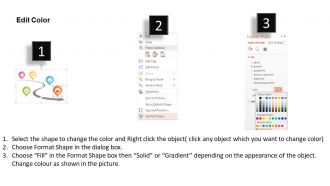
Five staged linear infographic timeline roadmap diagram flat powerpoint design with all 4 slides:
Our Five Staged Linear Infographic Timeline Diagram Flat Powerpoint Design are a definite guarantee. They fulfill on every account.

FAQs for Five staged linear infographic timeline roadmap diagram
Make sure people can follow your timeline left to right (or top to bottom) without getting confused. Space everything consistently and break info into bite-sized pieces. Icons and colors are your friend here - walls of text kill timelines instantly. Your dates need to pop so they're easy to spot. Brief but meaningful descriptions work best at each point. Honestly, if someone can skim it and still get the story, you've nailed it. The whole thing should flow like you're telling someone what happened. Oh, and definitely test it on a coworker first - you'll catch weird stuff you missed.
Colors are a total game-changer for timelines. Seriously makes everything so much clearer when you can visually separate different categories or highlight the big milestones. Without color coding multiple product launches? Good luck with that mess. Your audience will instantly spot patterns when you're consistent with your color choices. I'd stick to maybe 3-4 colors tops though - any more and it gets chaotic. Oh, and don't forget contrast for accessibility (learned that one the hard way). The whole point is supporting your story, not making people's eyes bleed.
Honestly, just start with Canva - it's free and has a bunch of timeline templates that look pretty professional. If you want more creative control later, Adobe Illustrator is amazing but kinda overwhelming at first. Venngage and Piktochart are solid middle options too. PowerPoint actually works better than you'd think for basic stuff if you're already familiar with it. Timeline JS is cool but maybe overkill? I'd mess around with Canva first since you can always upgrade if you need fancier features. Most people end up sticking with it anyway.
Honestly, visual storytelling is a game changer for timelines. Instead of boring date lists, you're creating something people actually want to read. Our brains love stories - we can't help wanting to know what happens next. It's like turning dry data into a mini-movie that unfolds as they scroll. Character icons work great, or try visual threads that connect events together. The key is showing why things matter, not just when they happened. Makes the whole timeline feel connected rather than random facts thrown together. Way more engaging than those corporate-looking timelines everyone's used to seeing.
Typography makes or breaks timeline readability, honestly. Start with font hierarchy - bigger sizes for main events, smaller for details. Sans-serif fonts are your friend since they stay crisp when tiny (though I've seen some gorgeous serif ones work too). Keep everything consistent but create contrast between different info levels. Your body text needs to be readable - sounds obvious but you'd be surprised how many people mess this up. Colors can help reinforce what's important vs. what's just supporting detail. Oh, and test it at actual print size first!
Start with your main timeline - just the key dates and milestones. Then layer on the data points using icons, mini-charts, or color coding that ties to specific moments. Honestly, timelines get messy really quick if you're not careful. Make the important stuff bigger and bolder while keeping supporting details small. I'd group related info together and maybe use callout boxes for detailed stats (works way better than cramming everything inline). The whole point is people can scan fast but still dig deeper if they want to. Less really is more with these things.
Start with whatever event hits hardest - don't worry about chronological order right away. Group similar stuff together and pick colors or icons that actually make sense. Honestly, most people go way overboard and cram everything in, but white space makes it so much easier to read. Your timeline should flow naturally, whether that's left-to-right or whatever feels right. Keep the text short and pick one date format - stick with it. Oh, and definitely have someone else look at it first. You'll be surprised what seems obvious to you but confuses everyone else.
Honestly, infographic timelines are game-changers for history class. Students actually remember stuff when you turn boring dates into visual stories. You can show how events connect and overlap - way better than burying everything in textbook paragraphs. I've watched teachers crush it with these for Civil Rights, ancient Rome, pretty much anything really. Pick a major event as your starting point, then work backwards and forwards to show the whole chain reaction. Students start seeing patterns they'd totally miss otherwise. Oh, and the visual format just clicks better than endless text walls.
Honestly, the easiest way is just switching up the visual flow first - ditch those boring straight lines for something like a zigzag or winding road thing. Colors should match your vibe or brand obviously. I'm always swapping out those generic icons for stuff that actually makes sense with my content. Puzzle pieces work great for project steps, or try speech bubbles if it's about communication events. Typography is huge too - mix up your font weights and sizes to make things pop. Oh, and shapes! Don't sleep on creative shapes. Start with one thing you hate about the template and fix that first.
Oh man, demographics are everything when you're building timelines. Older people need bigger fonts and straightforward layouts - none of that fancy interactive stuff. Younger audiences? They actually want all the bells and whistles. Education level matters too because you don't want to talk over people's heads with jargon. I made this super complex timeline once and totally bombed with a general audience lol. Industry makes a difference as well - B2B folks expect polished designs while consumer stuff can be more playful. Honestly, just figure out who you're designing for first and everything else falls into place.
Hover effects are a game changer - people can mouse over timeline points to see extra details without making everything look messy. Clickable nodes work well too, where each event expands with more context or videos. Animated transitions look pretty slick if you're feeling fancy. Filters are clutch so users can toggle between different categories. Oh, and definitely keep your base timeline clean while letting people dive deeper when they want to. Honestly, I'd start with hover states since they're super easy to code and instantly make things feel more interactive.
Don't cram everything in there - that's the
-
excellent
-
Much better than the original! Thanks for the quick turnaround.
-
Easily Understandable slides.
-
Lovely templates