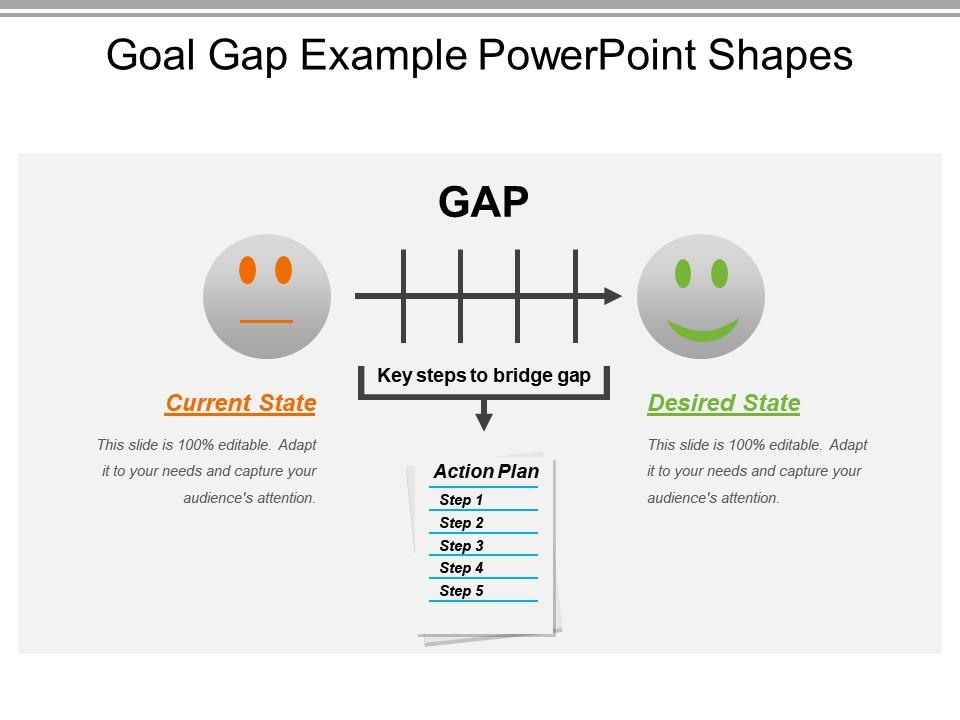
Formes PowerPoint d'exemple d'écart d'objectif

Rating:
80%
Goal gap example powerpoint shapes
Slide 1 of 5
Favourites Favourites

Try Before you Buy Download Free Sample Product

Audience Impress Your
Audience
Editable 100%
Editable
Time Save Hours
of Time
The Biggest Sale is ending soon in
0
0
:
0
0
:
0
0
Rating:
80%

Caractéristiques de ces diapositives de présentation PowerPoint :

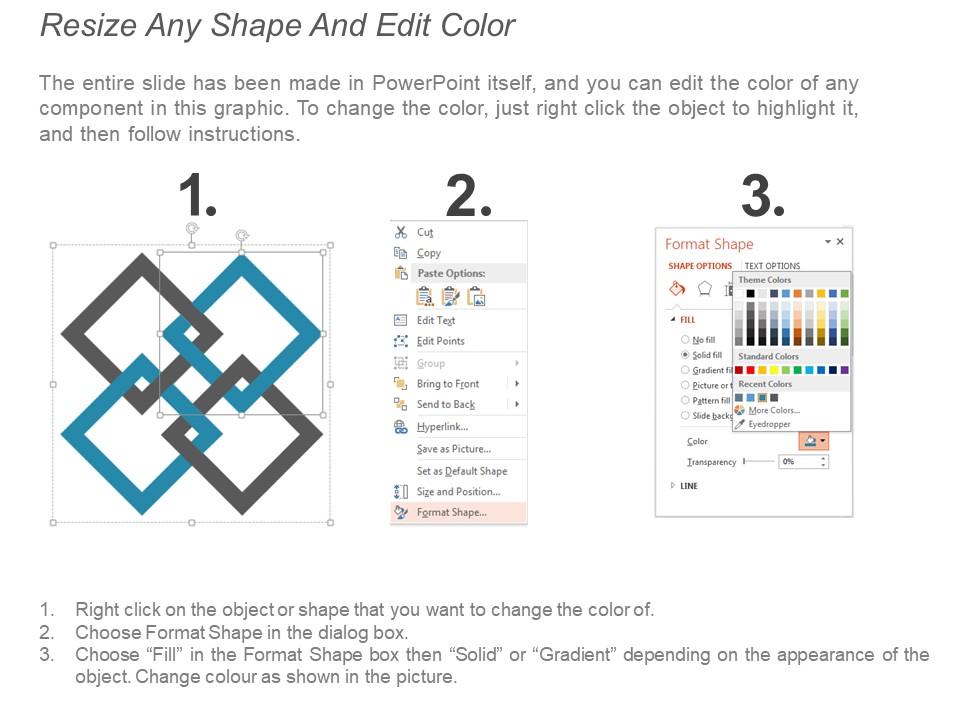
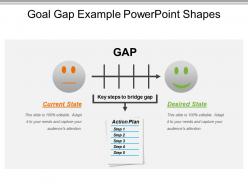
Présentation d'exemples de formes PowerPoint d'écart d'objectifs. Vous pouvez ouvrir et modifier la conception PPT avec Google Slides et PowerPoint. PPT est entièrement modifiable. Modifiez et modifiez le modèle de conception comme vous le souhaitez. Des icônes haute résolution sont utilisées pour expliquer le concept d'analyse des écarts d'objectifs. La qualité de conception restera inchangée lorsque PPT est ouvert en mode plein écran. PPT peut être téléchargé aux formats JPEG et PDF sans aucun problème.

Contenu de cette présentation Powerpoint

FAQs for Goal gap

Goal Gap PowerPoint shapes include clear visual contrast between current and desired states, progress indicators, timeline elements, milestone markers, and achievement metrics displays. These design features streamline complex goal communication by highlighting performance gaps, tracking advancement stages, and demonstrating strategic pathways, with many organizations finding that visual goal representation enhances stakeholder engagement and accelerates decision-making processes.

Goal Gap shapes can be customized through color modifications, font adjustments, icon replacements, and layout restructuring to align with specific branding guidelines and visual identity requirements. These PowerPoint elements enable organizations to maintain brand consistency while effectively communicating performance metrics, with many businesses finding that customized visualizations enhance audience engagement and reinforce corporate messaging across presentations.

Best practices for Goal Gap visuals include using clear, contrasting colors to distinguish current state from target goals, maintaining consistent scaling across all charts, and positioning key metrics prominently for immediate audience comprehension. These design principles enhance stakeholder understanding by streamlining complex performance data, facilitating strategic discussions, and ultimately delivering more impactful presentations that drive decision-making and organizational alignment.

Goal Gap PowerPoint shapes enhance audience engagement by creating visual contrast between current state and desired outcomes, simplifying complex strategic concepts, and providing clear focal points that guide attention throughout presentations. These visual elements help audiences quickly grasp performance disparities, retention gaps, or achievement targets, while transforming abstract business challenges into compelling, digestible graphics that maintain viewer interest and facilitate meaningful discussions.

Goal Gap PowerPoint shapes effectively represent performance metrics, sales targets, budget variances, project milestones, and customer satisfaction scores. These visual tools streamline complex data presentation by highlighting shortfalls, tracking progress against benchmarks, and comparing actual versus planned outcomes, with many organizations finding that clear gap visualization enhances strategic decision-making and accountability.

Goal Gap PowerPoint shapes help organizations visualize the distance between current performance and desired targets, enabling clear identification of specific actions, timelines, and metrics needed to bridge achievement gaps. These visual tools enhance strategic planning by making abstract objectives tangible and trackable, with many teams finding that structured gap analysis presentations improve accountability, facilitate resource allocation discussions, and ultimately deliver more focused execution strategies.

Industries with ambitious growth targets benefit most from Goal Gap PowerPoint shapes, including technology startups, consulting firms, financial services, healthcare organizations, and manufacturing companies. These sectors frequently present strategic plans, performance reviews, and transformation initiatives to stakeholders, with many finding that visual gap analysis enhances investor presentations, board meetings, and client proposals, ultimately delivering clearer communication and stronger buy-in.

Goal Gap shapes differ from traditional charts by visually representing the space between current performance and desired targets through intuitive graphics, arrows, and bridge metaphors rather than static bar or line graphs. These dynamic visual elements enable audiences to immediately grasp performance shortfalls and required improvements, with many organizations finding that Goal Gap presentations streamline strategic discussions and accelerate action planning compared to conventional analytical displays.

**INPUT**: What tips can you offer for integrating Goal Gap shapes seamlessly into existing slides? **OUTPUT**: Successful integration involves maintaining consistent color schemes, aligning shapes with existing visual elements, and ensuring proportional sizing throughout your presentation. Strategic placement enhances flow by positioning Goal Gap shapes at transition points between sections, while consistent formatting with fonts, spacing, and style elements creates cohesive visual storytelling that ultimately strengthens audience engagement and message clarity.

Common mistakes include overcomplicating visuals with excessive detail, using inconsistent formatting across slides, choosing colors that don't align with brand guidelines, and cramming too much text into shape elements. These presentation pitfalls can be avoided by maintaining visual consistency, selecting strategic color schemes, and focusing on clear messaging, with many organizations finding that streamlined Goal Gap shapes enhance audience comprehension and deliver more impactful business communications.

Animations and transitions enhance Goal Gap shapes by drawing attention to the gap itself, guiding viewers through problem identification, and emphasizing the journey from current state to desired outcome. Through strategic entrance effects, morphing transitions, and progressive reveals, presentations become more engaging and memorable, with many organizations finding that animated Goal Gap visuals significantly improve audience comprehension and retention of strategic initiatives.

Goal Gap PowerPoint shapes streamline strategic planning sessions by visually representing current performance versus desired objectives, enabling teams to identify implementation pathways, resource requirements, and timeline considerations more effectively. These visual tools enhance stakeholder alignment during planning discussions, with many organizations finding that clear gap visualization accelerates decision-making processes and ensures strategic initiatives remain focused on measurable outcomes.

Goal Gap shapes work exceptionally well in educational settings for illustrating learning objectives, skill development progressions, curriculum mapping, and student achievement tracking. Educational institutions, from K-12 schools to universities, utilize these visual frameworks to demonstrate competency gaps, design intervention strategies, and communicate progress to students, parents, and administrators, ultimately enhancing educational outcomes and institutional effectiveness.

Users should consider compatibility with Microsoft PowerPoint versions 2010 and later, Google Slides, Apple Keynote, and other presentation software that supports standard shape formats and vector graphics. While most Goal Gap shapes work seamlessly across platforms, organizations often find that maintaining consistent formatting, animations, and custom colors requires testing across different software versions, ultimately ensuring presentations deliver professional impact regardless of the viewing platform.

Presenters can effectively explain goal gaps using these PowerPoint shapes by visually representing the distance between current performance and desired outcomes through gap diagrams, before-and-after comparisons, and progress tracking charts. These visual aids enable audiences to immediately grasp performance shortfalls across departments like sales, marketing, or operations, while simultaneously illustrating actionable pathways for closing gaps and achieving strategic objectives.

Ratings and Reviews

80% of 100
Review Form
Write a review
Most Relevant Reviews
  1. 80%

    by Joe Thomas

    Colors used are bright and distinctive.
  2. 80%

    by Claudio Alvarez

    Great designs, really helpful.

2 Item(s)

per page: