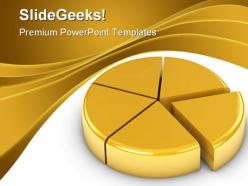
Golden pie chart business powerpoint backgrounds and templates 1210
Try Before you Buy Download Free Sample Product
Audience
Editable
of Time
Serve an ace with our Golden Pie Chart Business PowerPoint Backgrounds And Templates 1210. Game, set and Match are yours for the taking.
People who downloaded this PowerPoint presentation also viewed the following :
Golden pie chart business powerpoint backgrounds and templates 1210 with all 3 slides:
Let us help your next presentation succeed. Thousands of styles of Golden Pie Chart Business PowerPoint Backgrounds And Templates 1210 are waiting to be incorporated into your projects.
FAQs for Golden pie chart business powerpoint backgrounds
Golden pie chart PowerPoint templates offer professional visual appeal, enhanced data clarity, time-saving design efficiency, consistent brand presentation, and improved audience engagement through elegant aesthetics. These templates streamline presentation creation by providing pre-formatted layouts, sophisticated color schemes, and polished graphics, with many organizations finding that the premium golden styling enhances credibility while delivering faster preparation times and more impactful data storytelling.
Golden color schemes enhance audience engagement by creating visual warmth, conveying premium value, and improving information retention through psychological associations with success and prosperity. This strategic color choice helps presenters establish credibility and professionalism, while the warm tones maintain audience attention longer than cooler alternatives, ultimately delivering more impactful presentations and stronger audience connection.
When creating a golden pie chart for business reports, consider visual hierarchy through varying gold shades, clear data labeling with percentages, appropriate segment sizing that reflects actual data proportions, and sufficient contrast between adjacent sections. These design principles enhance readability by ensuring professional aesthetics, improving data comprehension, and maintaining brand consistency, with many organizations finding that well-designed charts significantly boost stakeholder engagement and decision-making effectiveness.
Financial services, healthcare, market research, and retail industries particularly benefit from pie charts, as these sectors frequently present budget allocations, market share data, demographic breakdowns, and sales distribution analysis. These industries find that pie charts streamline complex data visualization by instantly communicating proportional relationships, enhancing stakeholder understanding, and ultimately delivering clearer strategic insights during critical business presentations and decision-making processes.
Golden pie charts effectively display market share data by providing clear visual segmentation of competitive positioning, revenue distribution, and customer base allocation across different companies or product lines. The golden color scheme enhances professional presentations while enabling stakeholders to quickly identify dominant market players, emerging competitors, and growth opportunities, with many organizations finding that these visual representations streamline strategic discussions and accelerate decision-making processes.
**INPUT**: What tools or software are recommended for customized golden pie chart templates? **OUTPUT**: Recommended tools include Microsoft PowerPoint, Google Slides, Canva, Adobe Illustrator, and Tableau, each offering varying levels of customization capabilities and design flexibility. These platforms enable businesses to create professional golden pie charts by providing built-in templates, color customization options, and data integration features, with many organizations finding that PowerPoint delivers the optimal balance of accessibility and professional presentation quality. [Word count: 60]
Golden pie charts excel in business strategy presentations for market share analysis, budget allocation breakdowns, revenue distribution by product lines, customer segmentation demographics, and competitive positioning displays. These visual elements prove particularly effective in boardroom settings, quarterly reviews, and investor presentations, where executives need clear data visualization that commands attention while maintaining professional credibility and strategic focus.
Common mistakes include using too many slices, poor color choices, missing data labels, cluttered legends, and inappropriate 3D effects that distort proportions. These errors can confuse audiences and undermine data credibility, with many presenters finding that simplified designs, strategic color contrasts, and clear percentage labels ultimately deliver clearer insights and more persuasive business communications.
Golden pie chart templates excel in showing proportional relationships and part-to-whole comparisons, while bar charts better display precise values and line graphs reveal trends over time. Their visual impact stems from immediate comprehension and aesthetic appeal, with golden color schemes enhancing professional presentation quality, though organizations increasingly combine multiple visualization methods to deliver comprehensive data stories that maximize both clarity and audience engagement.
**INPUT**: What tips can help improve the readability of pie charts, especially when using ornate colors like gold? **OUTPUT**: Improving pie chart readability with ornate colors involves using high contrast labels, limiting segments to 5-7 pieces, and incorporating clear data callouts with percentage values. Strategic use of white space, complementary accent colors, and direct labeling rather than legends enhances comprehension, with many presentation designers finding that golden templates work best when paired with darker text and simplified color palettes for maximum visual impact.
Consistency in design is crucial when incorporating golden pie charts, as it maintains visual cohesion through uniform fonts, color schemes, spacing, and chart styling throughout the presentation. This strategic approach enhances professional credibility and audience comprehension, with many organizations finding that consistent design elements streamline message delivery and reinforce brand authority, ultimately delivering more impactful presentations.
Golden pie chart templates seamlessly adapt for digital marketing reports by visualizing campaign performance metrics, audience demographics, conversion funnel stages, and budget allocation across channels. Their professional golden aesthetic enhances client presentations while clearly displaying ROI data, social media engagement breakdowns, and traffic source distributions, ultimately delivering polished reports that strengthen client relationships and demonstrate marketing effectiveness.
Gold in visual presentations evokes feelings of prestige, success, and trustworthiness, while psychologically suggesting premium value, achievement, and reliability to audiences. These psychological associations enhance credibility and perceived importance of presented information, with many organizations finding that gold elements increase audience engagement, improve message retention, and create stronger emotional connections, ultimately delivering more persuasive and memorable business communications.
Businesses can ensure accurate pie chart representation by verifying data totals equal 100%, using proportional sizing, maintaining consistent color schemes, and including clear labels with percentages. Through strategic design choices like contrasting colors and readable fonts, organizations streamline data comprehension while enhancing visual appeal, ultimately delivering both analytical precision and professional presentation that supports effective decision-making across stakeholder communications.
Current PowerPoint design trends featuring golden graphics and pie charts include minimalist layouts with subtle gold accents, animated data visualizations, gradient overlays, interactive chart elements, and sophisticated color palettes combining gold with navy or charcoal. These design approaches enhance professional presentations by creating visual hierarchy, improving data comprehension, and delivering memorable brand experiences, with many organizations finding that strategic gold integration elevates their corporate communications.
-
Innovative and Colorful designs.
-
Colors used are bright and distinctive.