

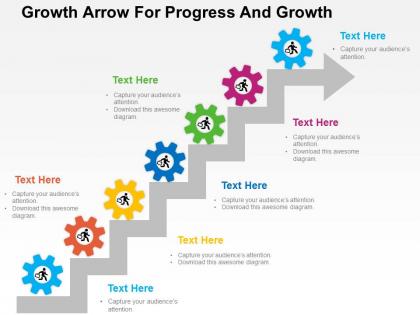
Growth arrow for progress and growth flat powerpoint design




Try Before you Buy Download Free Sample Product
 Impress Your
 Audience
 100%
100% Editable
 Save Hours
 of Time


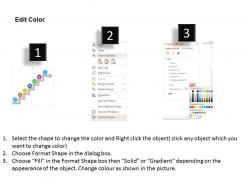
Select growth arrow for progress PowerPoint slide design to demonstrate the concept of business development. Today it is important for the organizations to plan their growth in the well-organized manner. This presentation visual assist you to make a layout of the development process and then execute it to accomplish your desired business objectives. The PPT graphic is also useful in showcasing the progress in the individual life. Every person wants to grow and need some sort of inspiration to work towards it. For them this PowerPoint illustration is perfect as it makes you motivated to work hard and achieve success. The PPT image is downloadable with professionally designed icons that meet the industry standards. You may include it in your presentation as it is accessible or can change it as per your requirement. This growth arrow with gears slide is the one that you need to make your people understand the development process. Thus, download and present it in front of your viewers whenever required. Our Growth Arrow For Progress And Growth Flat Powerpoint Design are full of freebies. Get a lot of facilities at no extra cost.
People who downloaded this PowerPoint presentation also viewed the following :
Growth arrow for progress and growth flat powerpoint design with all 4 slides:
Our Growth Arrow For Progress And Growth Flat Powerpoint Design are always a great help. They allow you to ease the burden.
FAQs for Growth arrow for progress and growth
Okay so three main things - start with a clean arrow pointing up as your main visual. Make sure the colors really contrast so the arrow stands out from whatever background you're using. Then add your key data points or milestones along the arrow's path. Honestly, I've seen so many people kill their slides with crazy animations when simple works way better. Use bold fonts that people can actually read and don't cram everything together - white space is your friend here. Oh, and put your biggest growth number right at the arrow's tip for maximum wow factor. Test it from the back of the room too!
Green's your best bet for growth stuff - screams money and "go ahead." Blue works too since it feels trustworthy, makes the growth seem legit instead of sketchy. Honestly, I'd skip red completely because people instantly think "danger" even if you're showing good numbers. Orange and yellow are solid for that innovative vibe, purple if you want to seem fancy or transformational. Oh, and stick with one color throughout - otherwise your slides look like a rainbow threw up on them. Trust me on this one.
Match your brand colors first - consistency looks way more professional. Gradients are honestly my go-to for making arrows pop without being too flashy. Make sure the direction actually shows what you're trying to say about growth, and don't make them so thick they steal attention from your actual data. Position them right next to the metrics that matter most. Oh, and always label what the growth means - like "30% increase over 6 months" or whatever. If you're doing this digitally, try animating them to appear after the numbers load. Adds a nice touch.
Honestly, less is more with these things. Stick to 3-5 key stages max - any more and people's eyes just glaze over. Pick colors that actually make sense together, not random pretty ones. Your arrow should flow left to right or bottom to top, whatever feels natural. One font only! And make that text big enough so the person in the back row isn't squinting. Don't cram everything together either - white space makes it look way cleaner. Pro tip: walk to the other side of the room and see if you get the main idea instantly. If you're confused, everyone else will be too.
Growth arrows are perfect for showing stuff that's trending up - revenue, user numbers, market share, whatever. I love using them because they make dry data actually look exciting. Just don't slap them on declining metrics, that looks ridiculous. Pair them with percentages or year-over-year stats to really sell your wins. They work best when you've got clear upward movement over time. Honestly, they're kind of addictive once you start using them - I probably overdo it sometimes but they just make everything look more successful than a boring old table.
Honestly, people notice this stuff even if they don't realize it. Straight arrows feel steady and predictable - perfect for boring quarterly reports or if you're in banking or whatever. But curved arrows? They scream "we're taking off!" Especially the ones that sweep upward. I've seen curved arrows get people way more pumped about possibilities. The downside is they can look kinda BS if your numbers are actually pretty flat. You don't want everyone thinking you're overselling it. Just pick whichever matches your real growth and how excited you want the room to get.
Honestly, there's so much you can do with these templates! Plant growth or mountain climbing gives that nice natural vibe. For tech stuff, rockets and circuit boards look pretty slick. Staircase designs are my go-to though - super clean and people get it immediately. Stock charts work well if it's business-heavy. Oh, and geometric shapes can look really modern if that's your thing. Timeline approaches are solid too. Really depends on who you're presenting to - like, a startup pitch needs way more energy than some boring quarterly meeting, you know?
Growth arrows that actually animate are way better than static ones - they force people to watch instead of just glancing past. There's something weirdly addictive about watching things build on screen, you know? Your audience stays engaged because the movement creates this visual momentum. Static data is boring, but when arrows grow or slide across, suddenly complex info feels easier to process. Perfect for showing quarterly results or goal tracking. The animation basically walks people through your story so they don't tune out halfway through your presentation.
Don't cram too much data on there - you'll just confuse everyone. Stick to 3-5 data points max and space them out evenly. The arrow shouldn't be crazy steep either, nobody buys those ridiculous hockey stick projections anymore. Keep it simple with flat design and skip all those cheesy 3D effects from like 2010. Make sure your colors pop so people can actually read it from the back row. Oh and throw your data source somewhere on the slide - always cover your ass on that stuff. Clean typography goes a long way too.
Honestly, growth arrows are clutch when you're showing momentum - like sales going up each quarter or user growth over time. Executives eat that stuff up because it screams "we're winning." Way more emotional punch than boring bar charts. Bar charts are fine for comparing exact numbers, but arrows tell the story of where you're headed. Perfect for presentations where you want that "up and to the right" vibe. Oh, and don't go crazy with them - one solid arrow hits harder than a bunch of messy ones scattered everywhere.
Honestly, just right-click on those growth arrows and start swapping colors first - that's where you'll see the biggest difference right away. Then tackle the fonts with your company's typeface. Most PowerPoint templates make this pretty straightforward. I'd throw your logo in there somewhere too, maybe tucked in a corner. But here's the thing - don't go crazy with changes or you'll kill the whole point of having a clean arrow design. Change one thing at a time so you can actually see what's working. Trust me, less is more with these graphics.
Dude, typography can totally make or break your growth presentation. Clean sans-serif fonts are your best bet - they scream "modern and confident" way better than anything fancy. Make your main growth numbers huge and bold. Supporting details? Keep those lighter. Oh man, I once saw someone use Comic Sans for quarterly results and it was painful. Two font weights max, otherwise it gets messy. Your audience should feel pumped about the numbers you're showing them. Also make sure people in cheap seats can actually read it - seems obvious but you'd be surprised how often that gets overlooked.
Put your case studies right next to the growth arrows - like in little text boxes that point to the exact spot where things took off. That's where the magic happens visually. Don't overthink it though, I've watched people make this way too complicated. Just use some contrasting colors or throw a border around the case study boxes so they stand out. Honestly, positioning matters more than fancy design here. When you connect the real examples directly to those growth moments, people get it instantly. Way better than just throwing numbers at them and hoping something sticks.
SlideModel's probably your best bet - their arrow templates actually look professional instead of like clipart from 2005. GraphicRiver and SlidesCarnival are solid too. PowerPoint's SmartArt is kinda meh but it'll work if you're rushed. Oh, and Canva has decent arrow graphics you can just drag into your slides. Honestly, I'd start with SlidesCarnival's free stuff first since why pay if you don't have to? Their business-focused designs won't make your boss cringe. If those don't cut it, then spring for the paid ones.
Dude, seriously get someone to look at your growth presentations before you show them. Fresh eyes will catch stuff you totally missed - like confusing data or arrows that make no sense. We all get way too close to our own work, you know? Your colleague might be like "wait, this jump from Q2 to Q4 is weird" or "nobody's gonna understand this chart without more context." They're good at spotting when your growth story doesn't actually flow. Plus they might have better ideas for visuals. Trust me, that quick review saves you from looking confused in front of stakeholders.
-
Professional and unique presentations.
-
Easily Understandable slides.