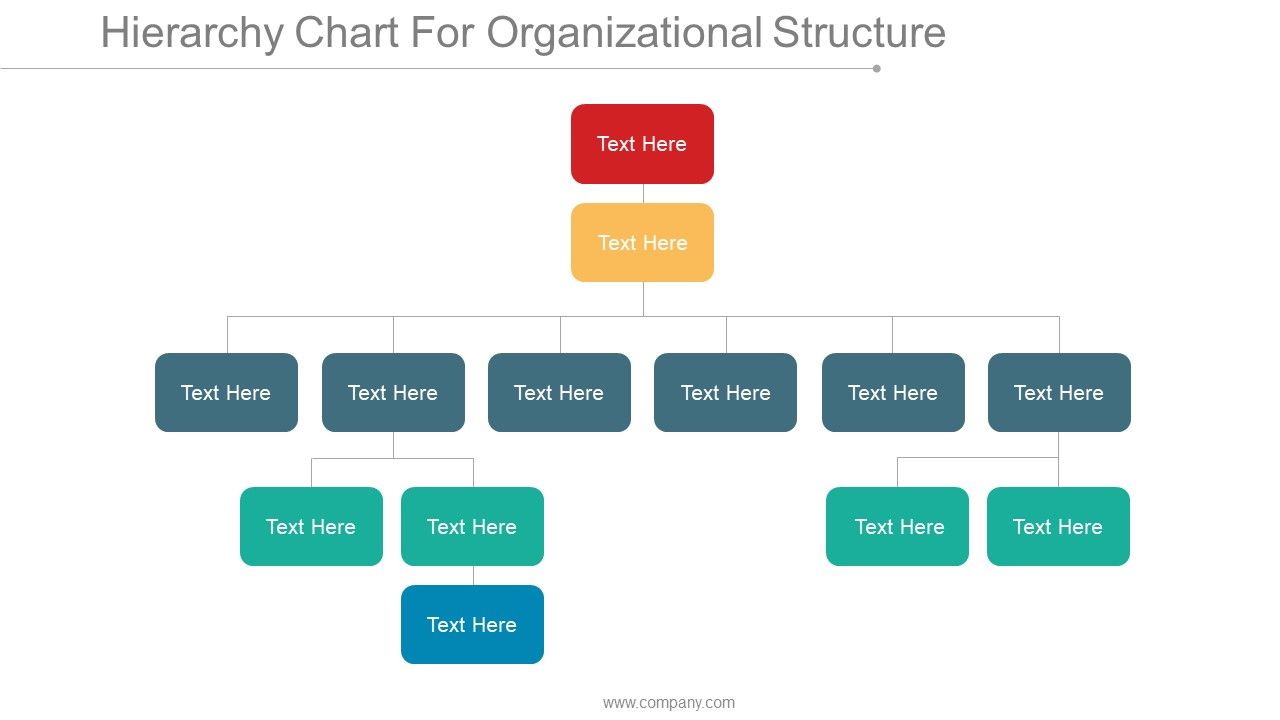
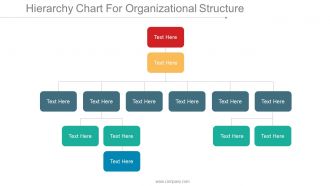
Hierarchy chart for organizational structure ppt inspiration

Rating:
90%
Slide 1 of 5
Favourites Favourites

Try Before you Buy Download Free Sample Product

Audience Impress Your
Audience
Editable 100%
Editable
Time Save Hours
of Time
The Biggest Sale is ending soon in
0
0
:
0
0
:
0
0
Rating:
90%
This presentation includes 5 slides. Appropriate for standard as well as widescreens. Can be used by businessmen, top management, HR department, organizations. Premium Customer Support service. Instantly downloadable with just a click. Compatible with Google Slides also. Fully editable design to match your requirement.The stages in this process are business, management, strategy, organizational, success.

People who downloaded this PowerPoint presentation also viewed the following :

FAQs for Hierarchy chart for organizational

You'll want clear reporting lines showing who reports to whom - honestly, so many companies mess this basic part up. Include job titles, names, and contact info for each person. Photos are nice if your team isn't massive. Organize it by departments or functional areas so people can see the bigger picture. Don't cram everything into tiny boxes that nobody can read. The whole point is someone should glance at it and instantly know their chain of command. Oh, and actually keep it updated - there's nothing worse than outdated org charts making the rounds when people have already moved roles.

So basically it maps out who reports to who and how info moves around the company. Super helpful for finding the right person to bug instead of sending emails in circles forever. You'll know if you need your boss's sign-off or can skip straight to the department head. Honestly, half the workplace drama I see comes from people accidentally going around their manager. Keep yours current and actually look at it when you're not sure who to contact - sounds obvious but you'd be surprised how many people forget it exists.

So there's a bunch of different ways to set these up. Most common ones are functional - that's where you group by departments like HR, finance, marketing, whatever. Then there's divisional which breaks things down by product lines or different regions. Matrix structures are where people report to multiple managers (honestly such a headache but some companies love them). Flat structures basically cut out most of the middle management layers. A lot of places end up mixing these approaches depending on how big they are. The trick is making sure your chart actually shows how things work in real life, not just what sounds good on paper.

Oh, an org chart is basically your company's family tree - shows who reports to who and all the management layers. You can quickly figure out who's in charge of what department, spot the VPs and C-suite people, that kind of thing. Really handy when you need to escalate something or figure out who actually makes decisions around here. Honestly, I'd bookmark the latest version because nothing's more awkward than having to ask "wait, who's your manager again?" mid-meeting. Trust me on that one - learned from experience!

Dude, org charts are lifesavers for new people. Think of it like a roadmap - shows who reports to who and how all the departments connect. I always walk new hires through it during their first week so they get where they fit in. Saves them from those super awkward moments where they're like "um, who's actually in charge here?" Plus they'll know exactly who to bug when they need approvals or have questions. Honestly, just having a digital copy they can pull up makes such a difference. Way better than watching them wander around looking lost their first month.

Honestly, just check if your HR system already does org charts before buying anything new. Most platforms like Workday sync automatically when people get hired or switch teams. No more PowerPoint hell! Lucidchart's pretty solid for interactive stuff - employees can click around to see contact info and photos. The best part? Real-time updates so you're not constantly fixing things manually. Microsoft Visio works too but feels kinda clunky compared to newer tools. OrgWeaver's another option if you want something simple. Just pull directly from your HR data and you're set.

Don't overcomplicate it - that's the biggest trap. Too many roles crammed on one chart and nobody can read the damn thing. Keep reporting lines crystal clear too, especially if someone has multiple managers (happens more than you'd think). Never just steal another company's template - your setup is different. Include real names, not just "Marketing Director" everywhere. Test it with a couple teammates first to see if they get confused. Oh, and update it regularly! I've seen so many outdated charts with people who left months ago still on there.

Honestly, org charts are lifesavers for succession planning. You can literally see where you're screwed if someone leaves - like when only Dave knows the vendor passwords (why do we do this to ourselves?). Career paths become super obvious when they're mapped out visually. Spotting your high performers gets easier too, and you can match them with roles opening up. Cross-training needs jump out at you. I'd definitely use it to build development plans for your key people - saves you from scrambling later when someone gives notice.

Your org chart's gonna get messy fast as you scale up. New management layers pop up between your front-line people and the C-suite. Those specialized departments you never needed before? They'll start appearing too. The flat structure from your scrappy days gets taller and way more complicated - honestly, kinda miss those simple times sometimes. Matrix reporting becomes a thing where people answer to multiple bosses for different projects. Just update the damn chart regularly because nothing's more annoying than trying to figure out who actually reports to who when everything's outdated.

Oh totally, culture makes a huge difference with org charts! Japan and Korea? You better show every single reporting line because hierarchy matters big time there. Denmark or most startups though - they'd probably roll their eyes at that. Focus more on teams working together instead. Some places care about showing who's been around longest, others just want to see who does what. Honestly, I learned this the hard way at my last job. Just ask people on your team what makes sense for your specific culture before you draw anything up.

Honestly, Lucidchart is probably your best bet - it syncs with HR systems which is pretty clutch if you need that. Visio's solid too but can be overkill sometimes. The templates on Lucidchart actually don't look terrible (shocking, I know). PowerPoint works fine for basic stuff though. Google Drawings too. Really depends what you're going for - if it's just a quick chart for one meeting, don't stress about getting fancy software. Start with whatever you've already got installed and see if that works first.

So the org chart basically shows who calls the shots and how fast stuff actually gets done. Flat structures? Decisions happen quick since you don't have like 5 people to run everything by. Tall hierarchies are the opposite - everything crawls up the chain, which honestly can be annoying but at least someone's checking the work. You'll know exactly who controls budgets and big strategic moves, plus daily stuff too. Super clutch when you're wondering whose approval you actually need. Oh, and definitely figure out the key decision-makers for your thing upfront. Trust me, saves you from wasting time later chasing the wrong people.

Honestly, visual org charts are so much better than those endless text documents nobody ever reads. You can spot who reports to who instantly, plus see gaps or weird reporting lines right away. I swear half the "organizational structure" docs I've seen just sit buried in some shared folder collecting digital dust. Charts make it obvious who the actual decision-makers are too. Grab any basic flowchart tool and map out your current setup - I bet you'll notice some weird team dynamics you hadn't thought about before. Way easier than trying to picture it all in your head.

Your org chart might show what leadership thinks the company looks like, but employees? They know how things actually work. Get them to review it first - seriously. People will catch weird reporting lines, point out the real influencers who aren't on paper, and flag outdated job titles. Nobody wants to see their role butchered in official docs (learned that the hard way). You'll spot missing positions too. Short version: employee input turns your theoretical chart into something that actually reflects reality. Way better than guessing.

Honestly, just start by timing how long decisions take - if approvals are crawling through your chain, that's a red flag. Ask around about communication flow too. How long does info take to bounce between departments? Employee surveys help, but the real test is whether people actually know who their boss's boss is (you'd be surprised how many don't). Oh, and check if anyone's drowning in direct reports - I've seen managers with like 15 people reporting to them, which is insane. Start small though. Pick one department to test this stuff before you go crazy company-wide.

Ratings and Reviews

90% of 100
Write a review
Most Relevant Reviews
  1. 100%

    by Dee Hicks

    Excellent work done on template design and graphics.
  2. 80%

    by Michael Allen

    Awesome use of colors and designs in product templates.

2 Item(s)

per page: