Startseite Sicherheitssysteme Firmenprofil Powerpoint-Präsentationsfolien

Rating:
100%
Home Security Systems Company Profile Powerpoint Presentation Slides
Slide 1 of 46
Favourites Favourites

Try Before you Buy Download Free Sample Product

Audience Impress Your
Audience
Editable 100%
Editable
Time Save Hours
of Time
The Biggest Sale is ending soon in
0
0
:
0
0
:
0
0
Rating:
100%

Merkmale dieser PowerPoint-Präsentationsfolien :

Stellen Sie dieses vollständige Deck Ihren Teammitgliedern und anderen Mitarbeitern zur Verfügung. Umgeben von stilisierten Folien, die verschiedene Konzepte präsentieren, ist diese Powerpoint-Präsentationsfolie mit dem Firmenprofil von Home Security Systems das beste Werkzeug, das Sie verwenden können. Personalisieren Sie den Inhalt und die Grafiken, um ihn einzigartig und zum Nachdenken anzuregen. Alle einundvierzig Folien können bearbeitet und geändert werden, Sie können sie also gerne an Ihre Geschäftsumgebung anpassen. Die Schriftart, Farbe und andere Komponenten sind ebenfalls in einem bearbeitbaren Format erhältlich, was dieses PPT-Design zur besten Wahl für Ihre nächste Präsentation macht. Also, jetzt herunterladen.
Inhalt dieser Powerpoint-Präsentation

Folie 1 : Diese Folie stellt das Firmenprofil von Home Security Systems vor. Geben Sie Ihren Firmennamen an und beginnen Sie.
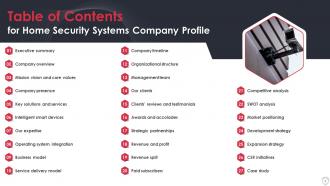
Folie 2 : Diese Folie zeigt das Inhaltsverzeichnis für die Präsentation.
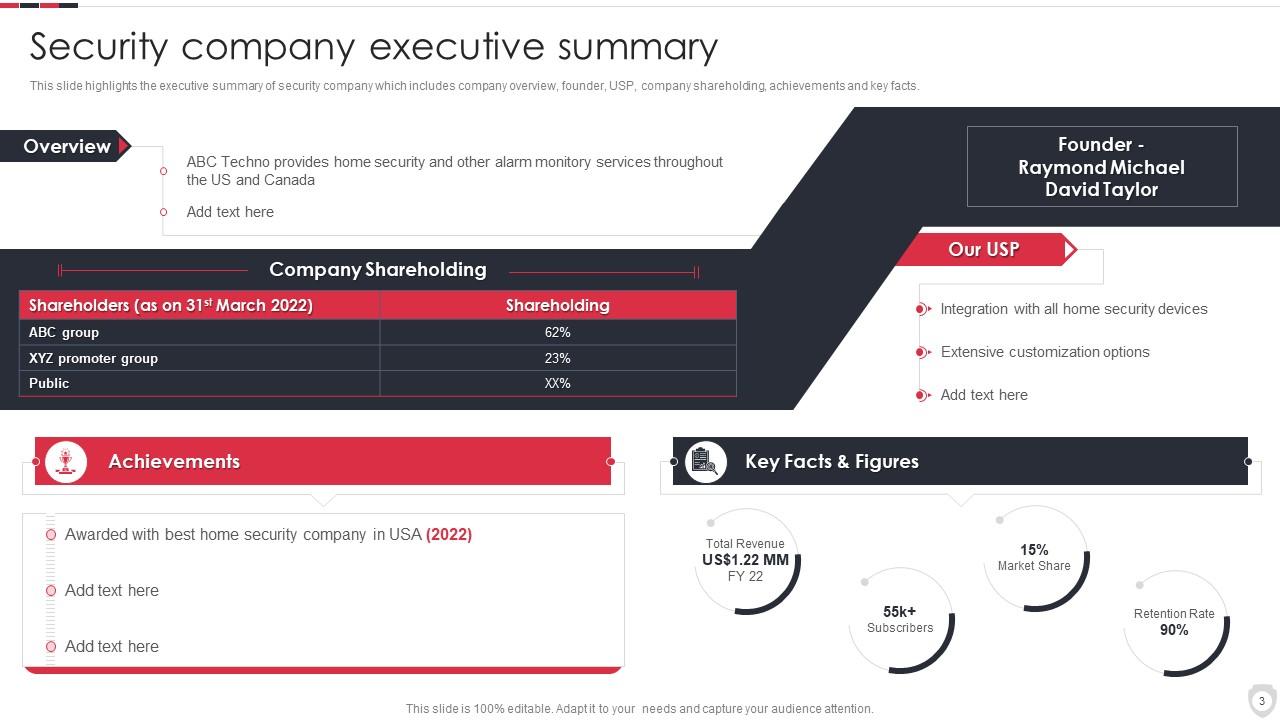
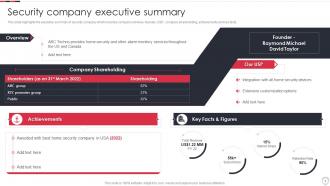
Folie 3 : Diese Folie zeigt die Zusammenfassung des Sicherheitsunternehmens.
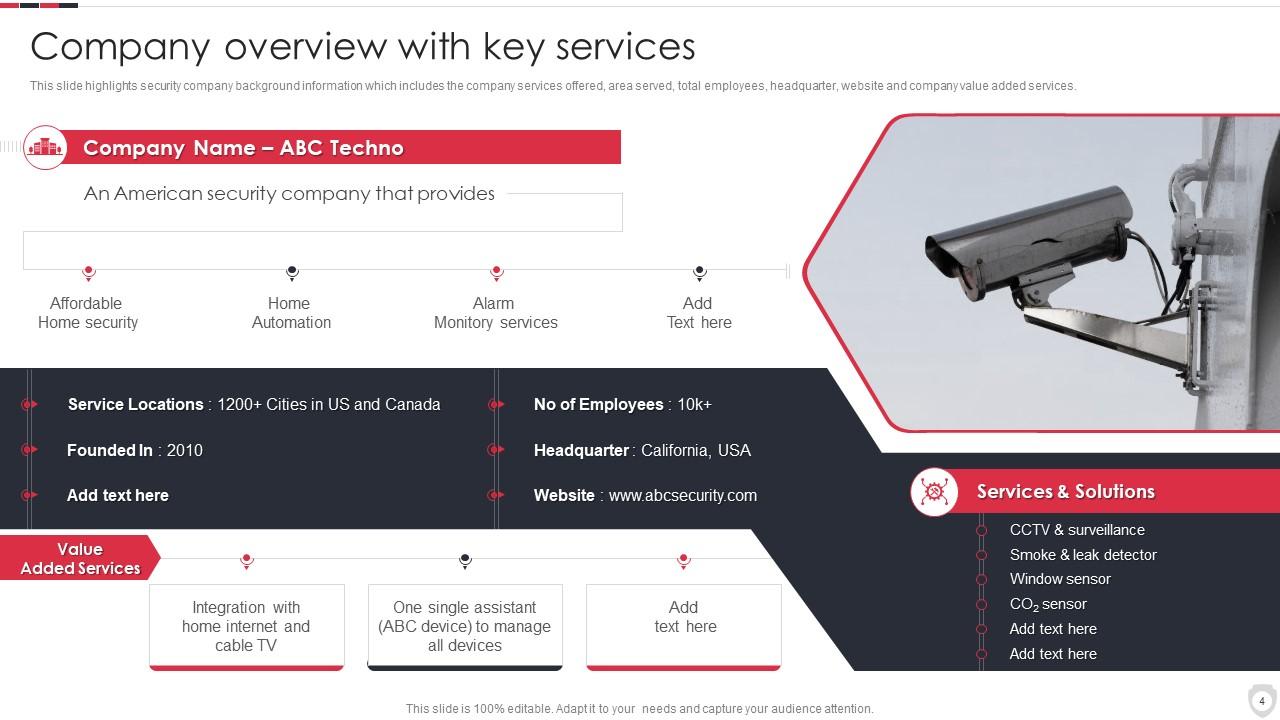
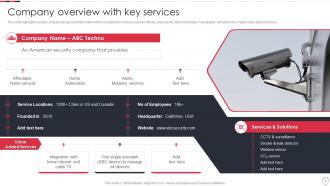
Folie 4 : Diese Folie stellt einen Unternehmensüberblick mit Schlüsseldiensten dar.
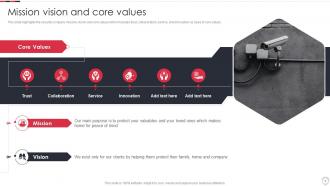
Folie 5 : Diese Folie zeigt die Mission, Vision und Kernwerte eines Sicherheitsunternehmens.
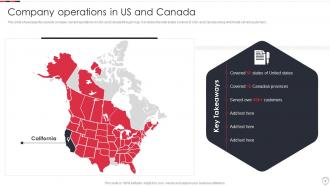
Folie 6 : Diese Folie zeigt die Geschäftstätigkeit des Unternehmens in den USA und Kanada.
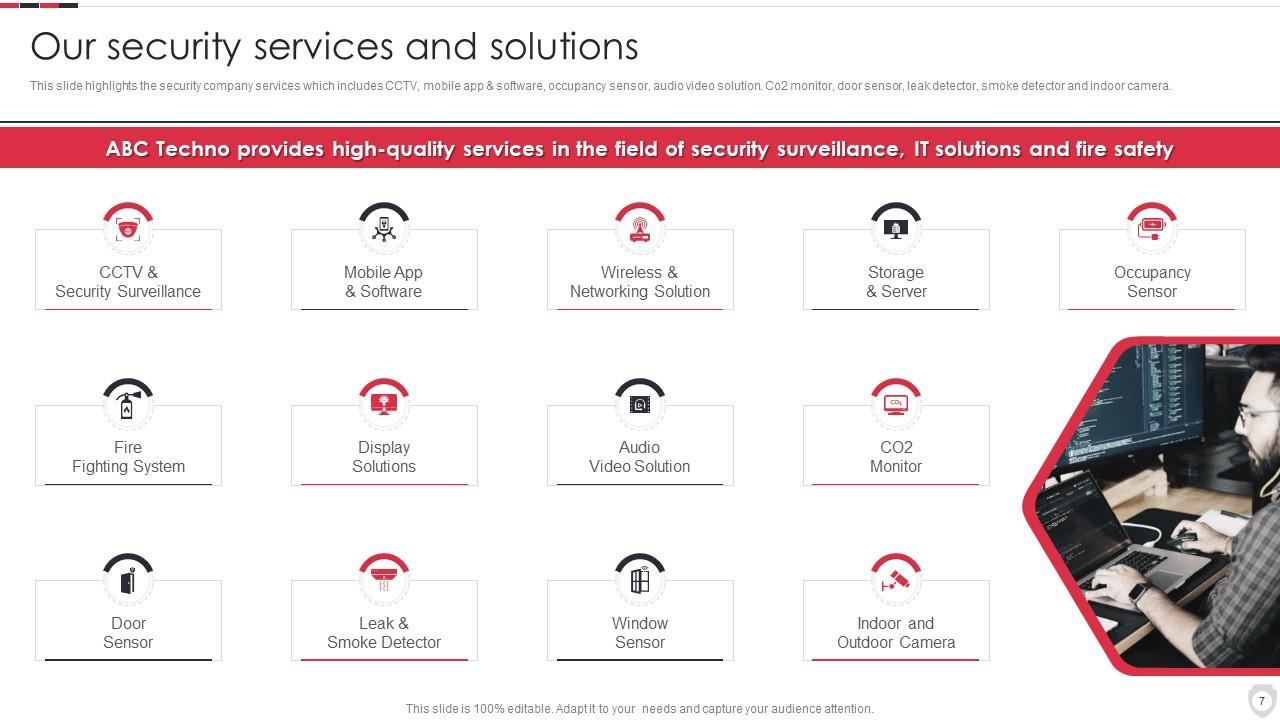
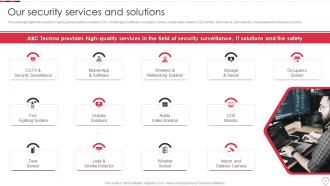
Folie 7 : Diese Folie stellt die Dienstleistungen von Sicherheitsunternehmen vor, darunter CCTV, mobile App und Software usw.
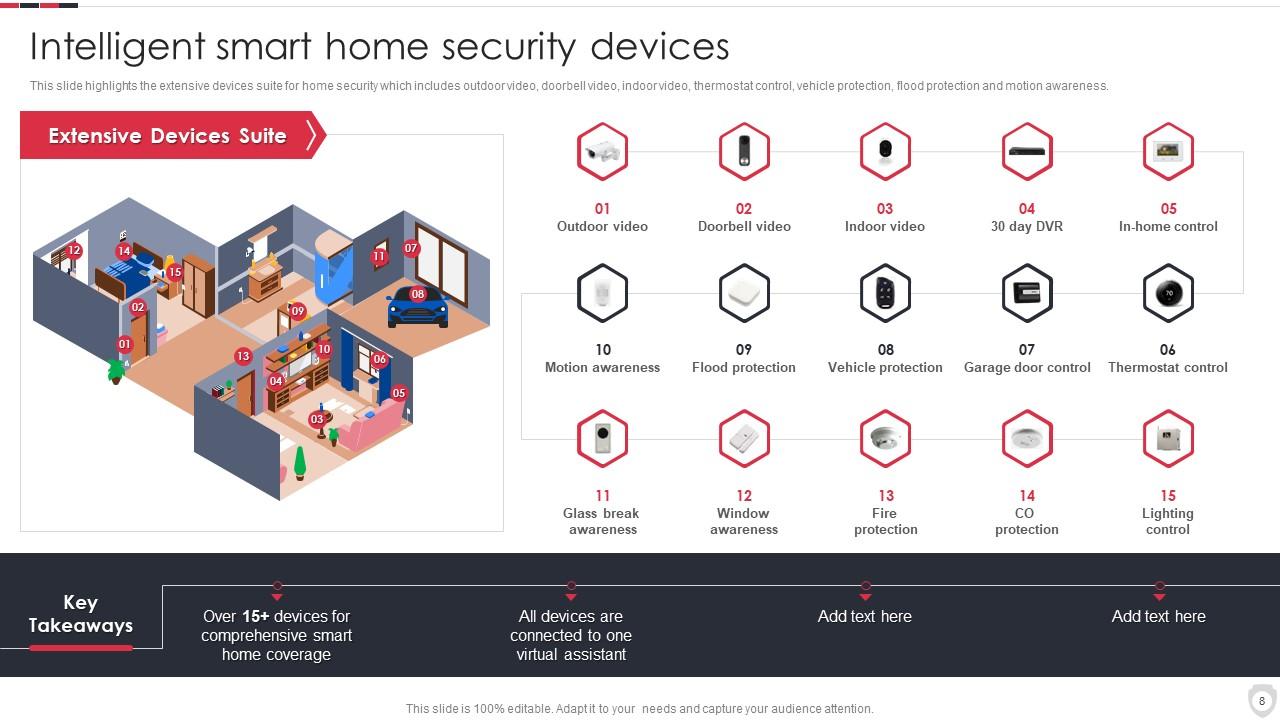
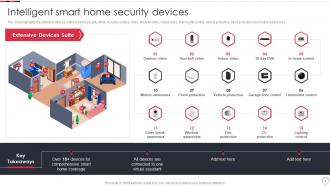
Folie 8 : Diese Folie zeigt intelligente Smart-Home-Sicherheitsgeräte.
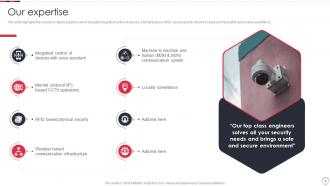
Folie 9 : Diese Folie repräsentiert das Know-how von Sicherheitsunternehmen, das die integrierte Steuerung von Geräten umfasst.
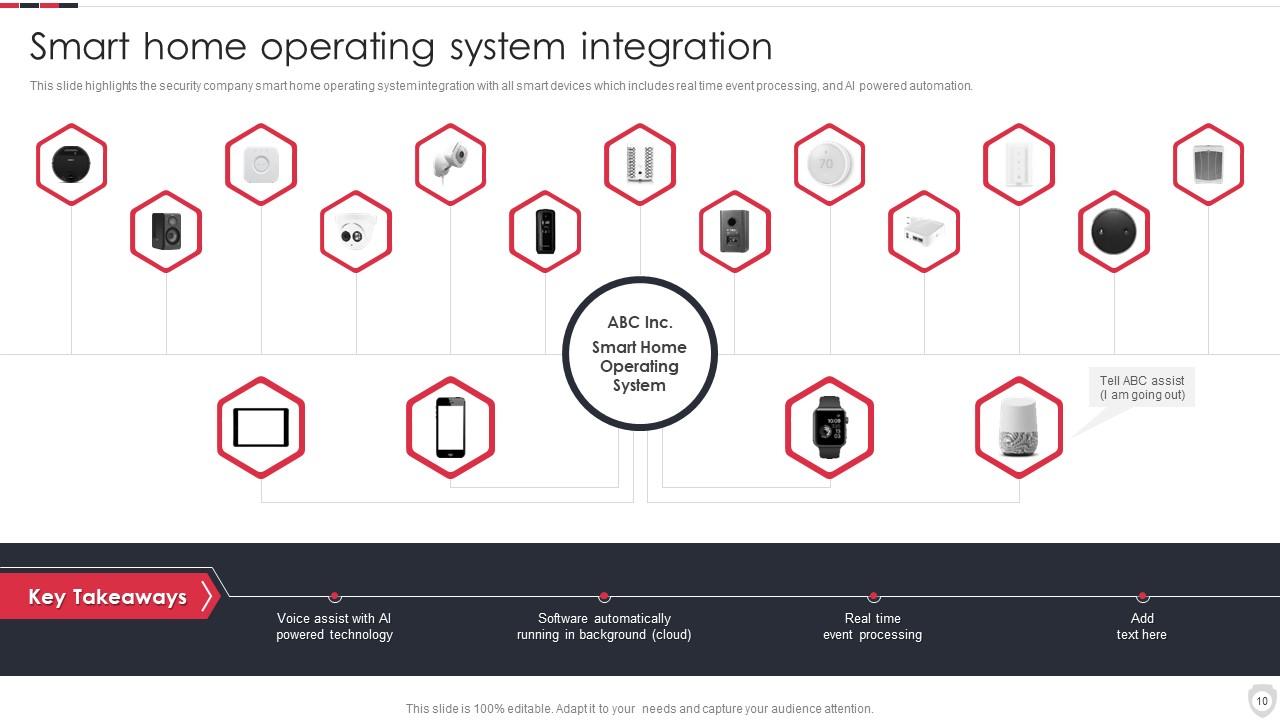
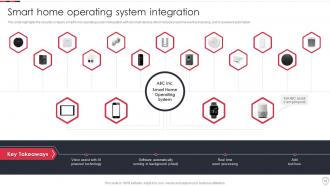
Folie 10 : Diese Folie zeigt die Integration von Smart-Home-Betriebssystemen.
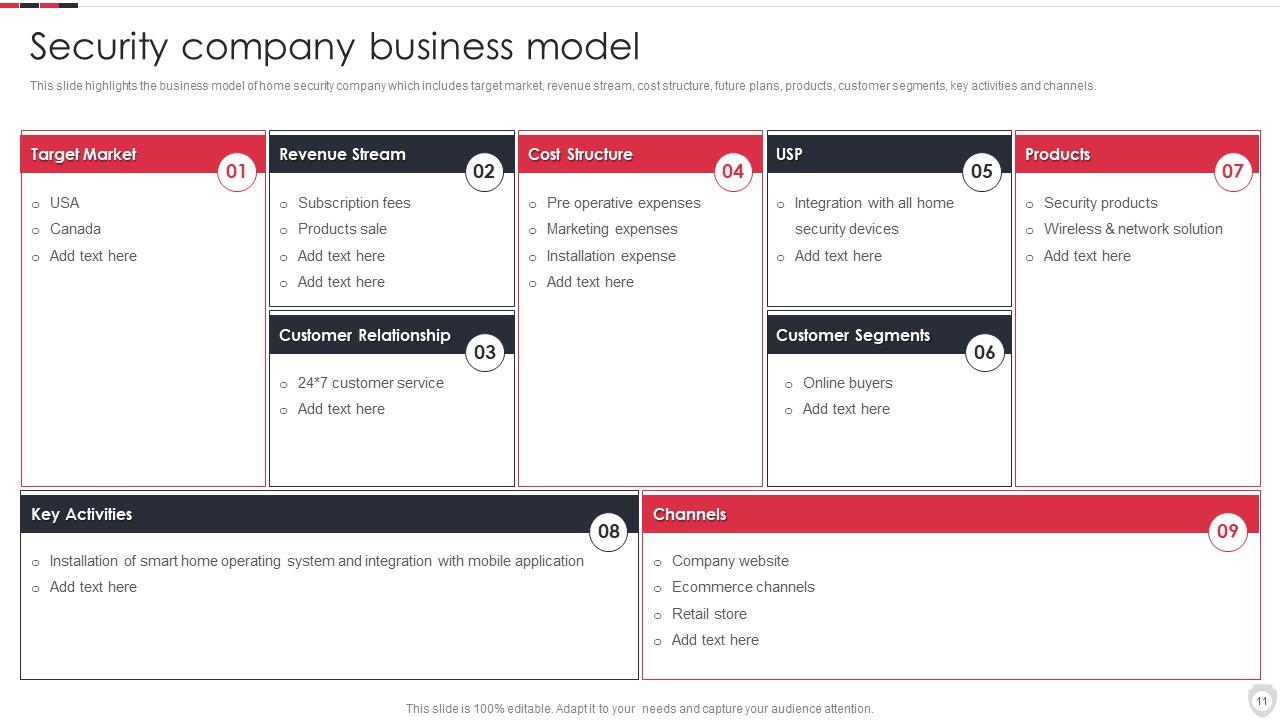
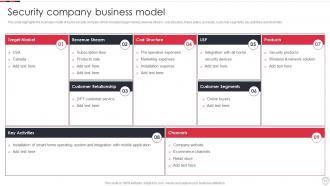
Folie 11 : Diese Folie zeigt das Geschäftsmodell eines Sicherheitsunternehmens.
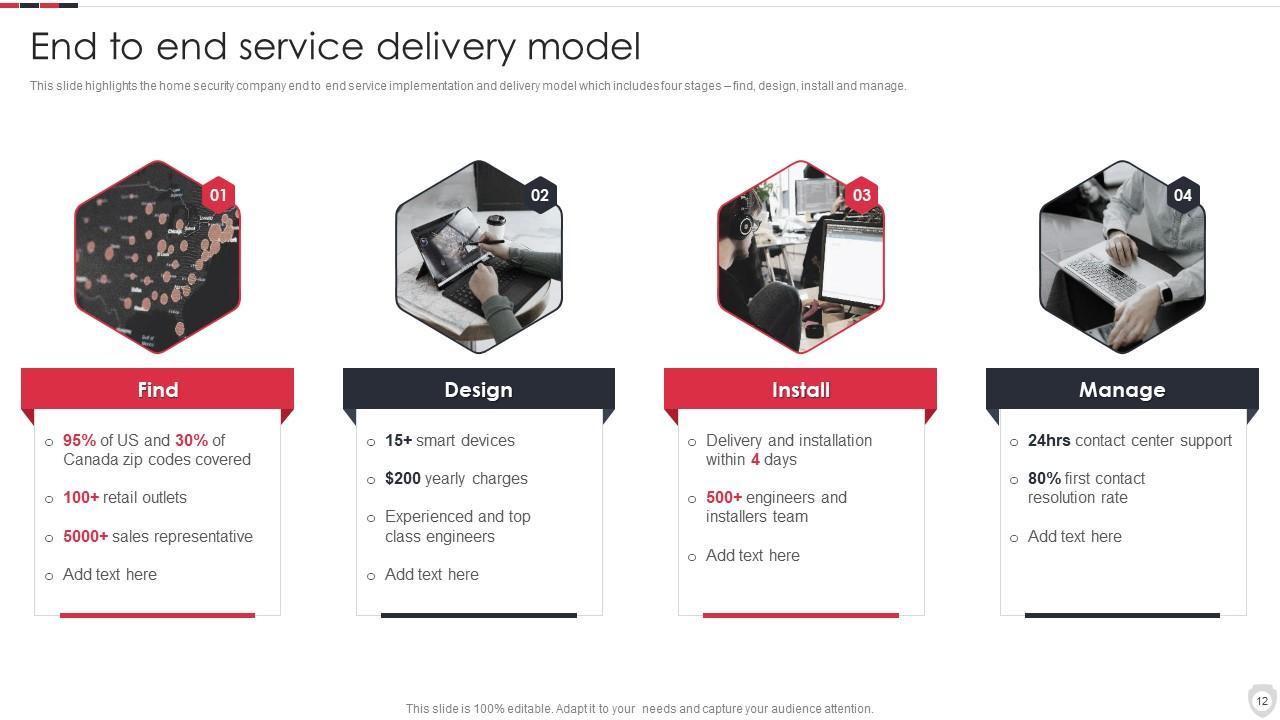
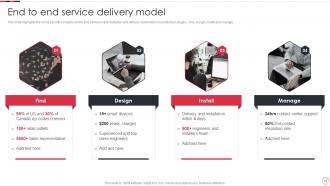
Folie 12 : Diese Folie beleuchtet die Implementierung des End-to-End-Services des Unternehmens für Heimsicherheit.
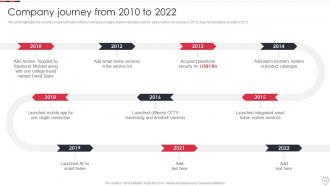
Folie 13 : Diese Folie zeigt die Zeitleiste des Sicherheitsunternehmens, die den Beginn des Betriebs im Jahr 2010 zeigt.
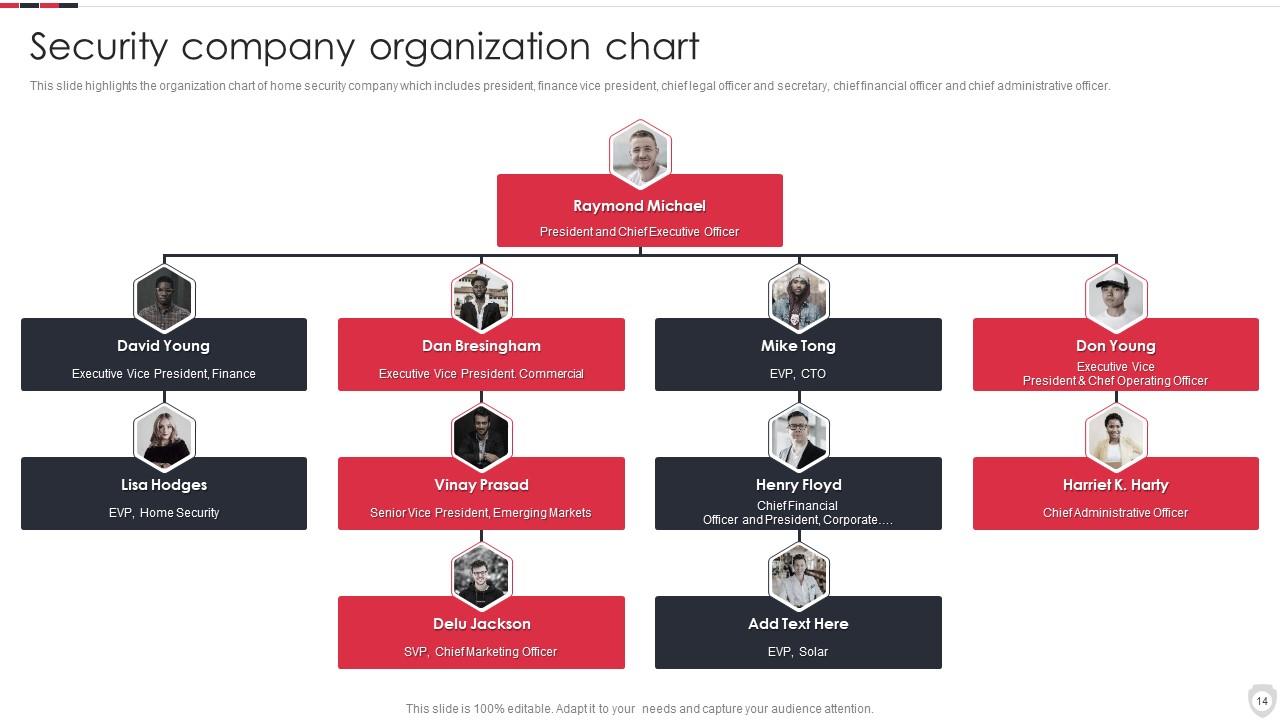
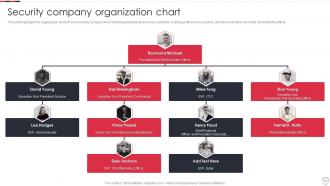
Folie 14 : Diese Folie zeigt das Organigramm eines Sicherheitsunternehmens.
Folie 15 : Diese Folie repräsentiert die Geschäftsleitung und das Managementteam.
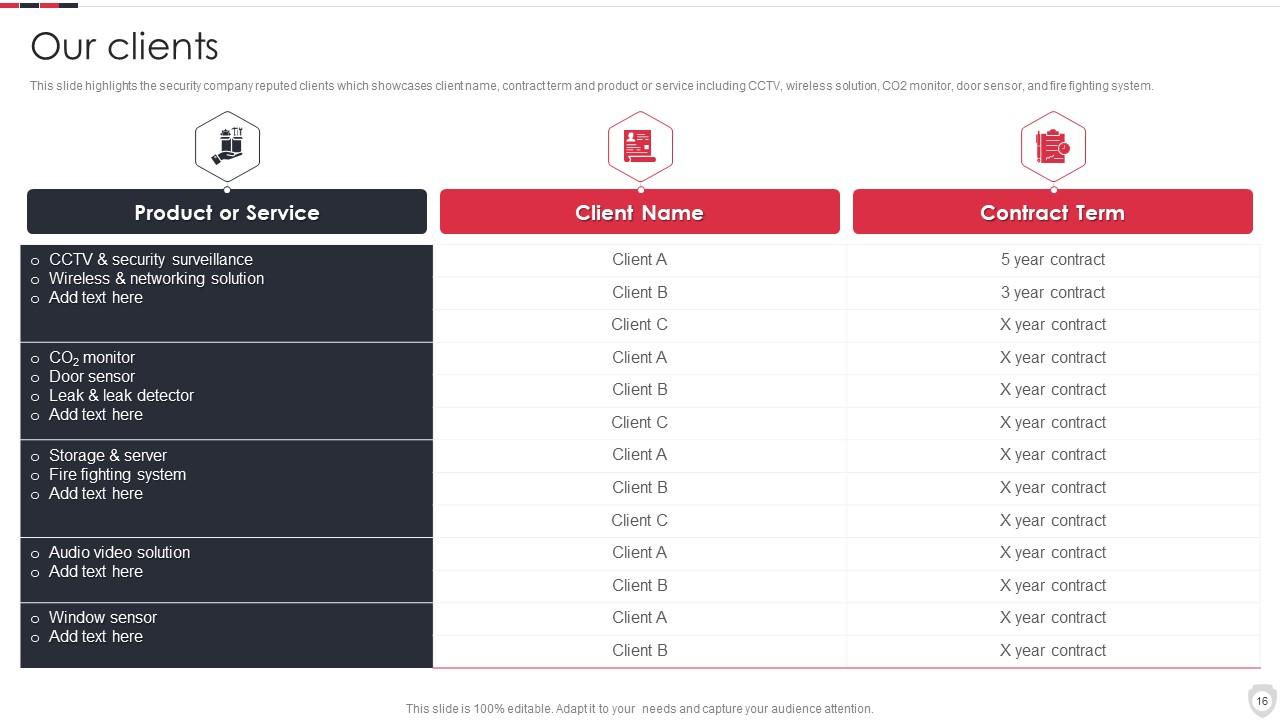
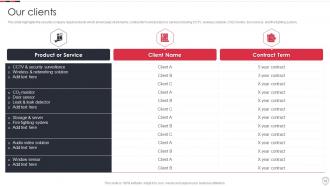
Folie 16 : Diese Folie zeigt renommierte Kunden von Sicherheitsunternehmen.
Folie 17 : Diese Folie zeigt Kundenreferenzen von Sicherheitsunternehmen.
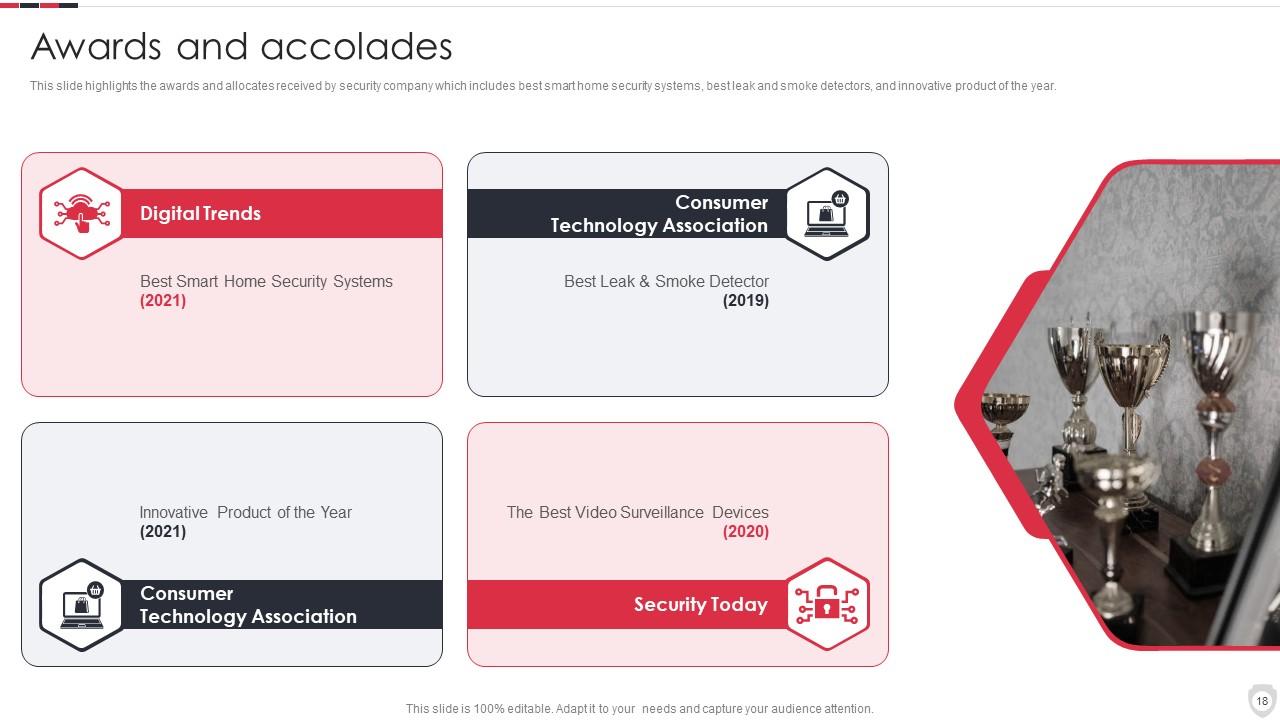
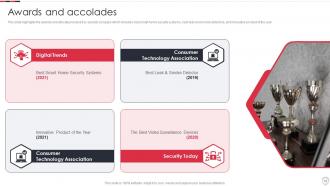
Folie 18 : Diese Folie präsentiert Auszeichnungen und Zuteilungen, die von Sicherheitsunternehmen erhalten wurden.
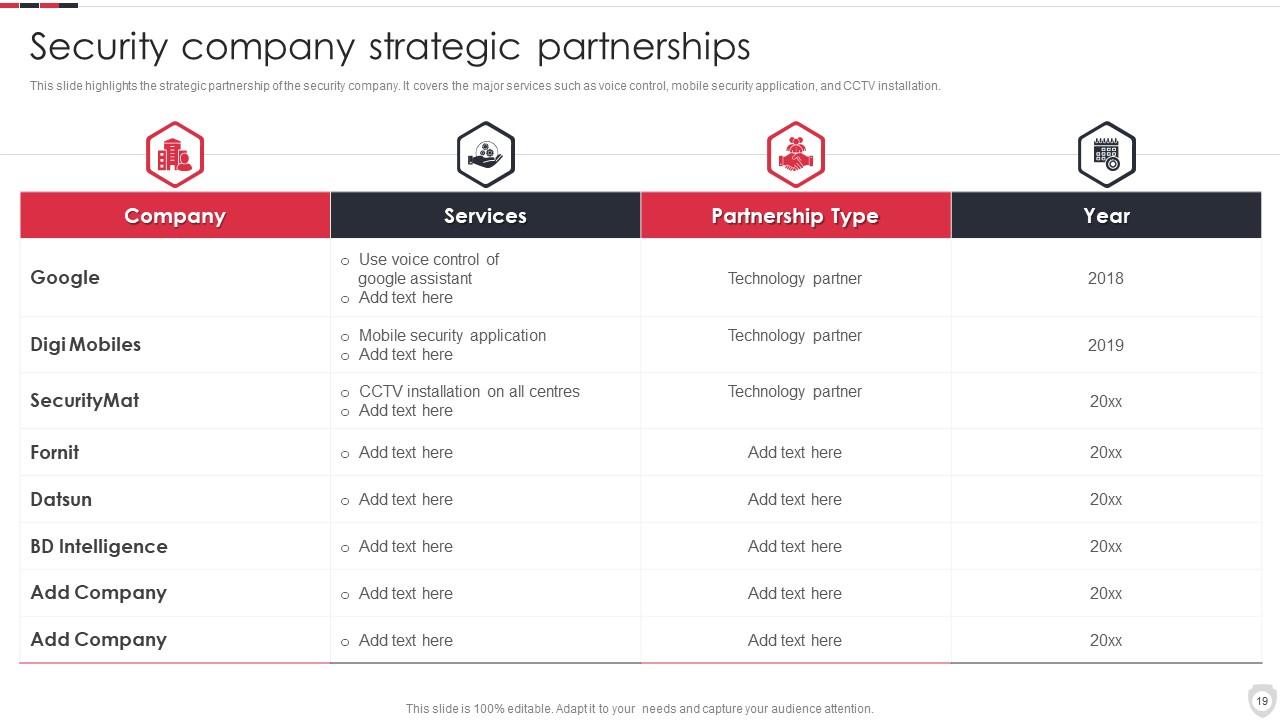
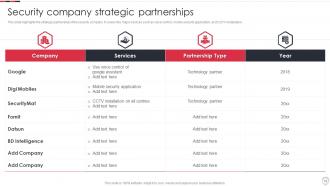
Folie 19 : Diese Folie zeigt strategische Partnerschaften von Sicherheitsunternehmen.
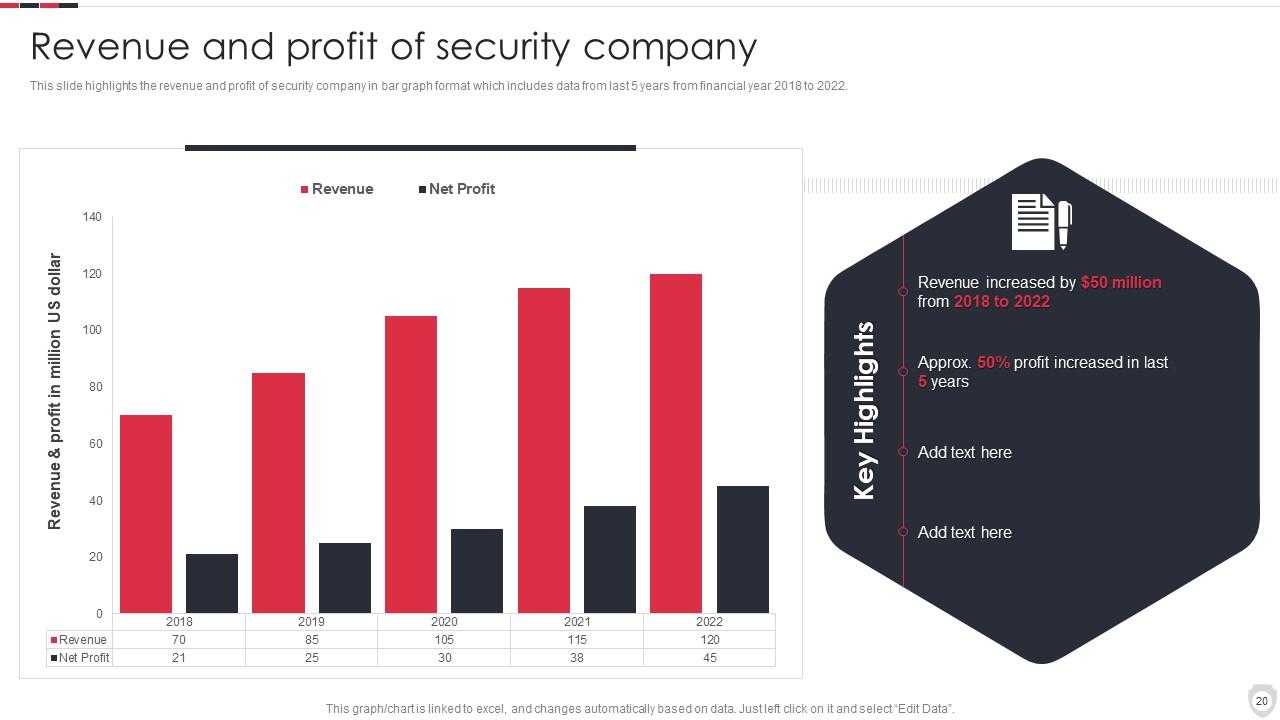
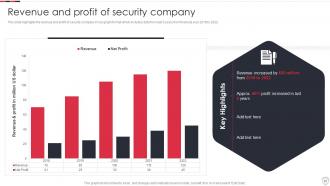
Folie 20 : Diese Folie stellt Umsatz und Gewinn des Sicherheitsunternehmens dar.
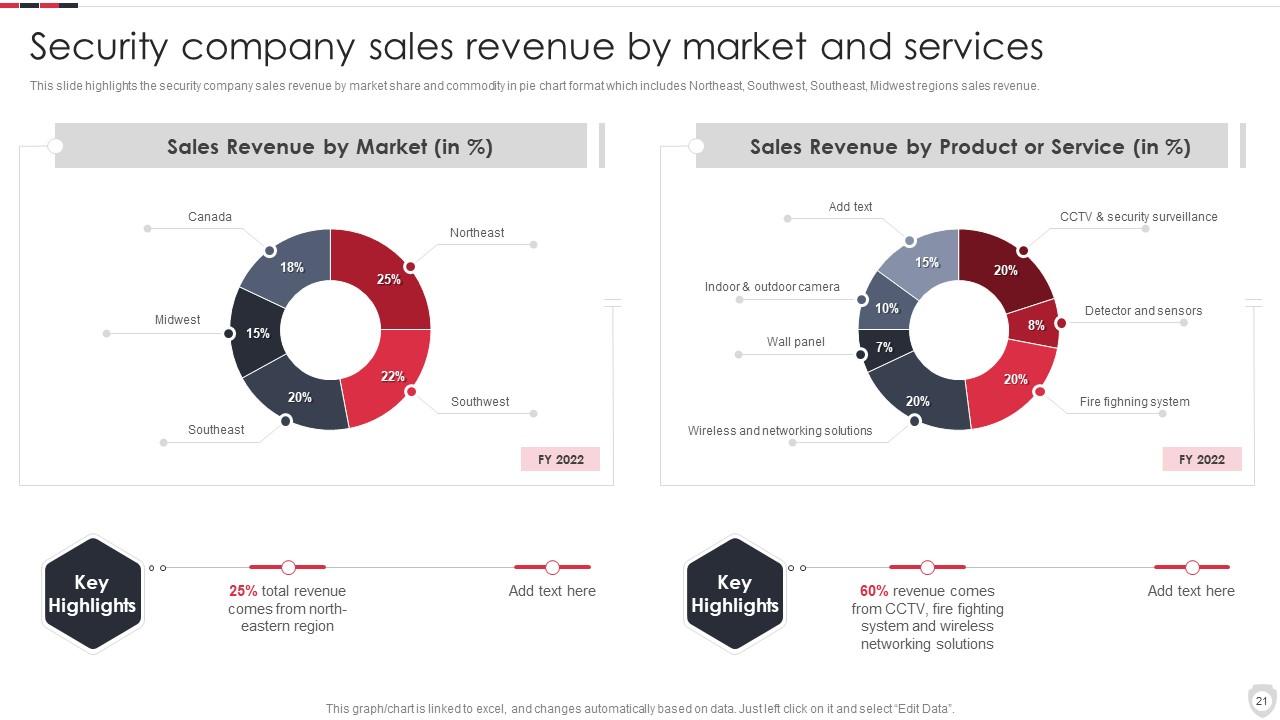
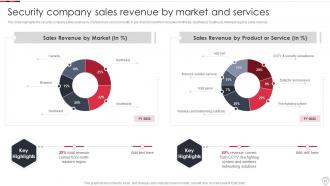
Folie 21 : Diese Folie zeigt die Umsatzerlöse von Sicherheitsunternehmen nach Märkten und Dienstleistungen.
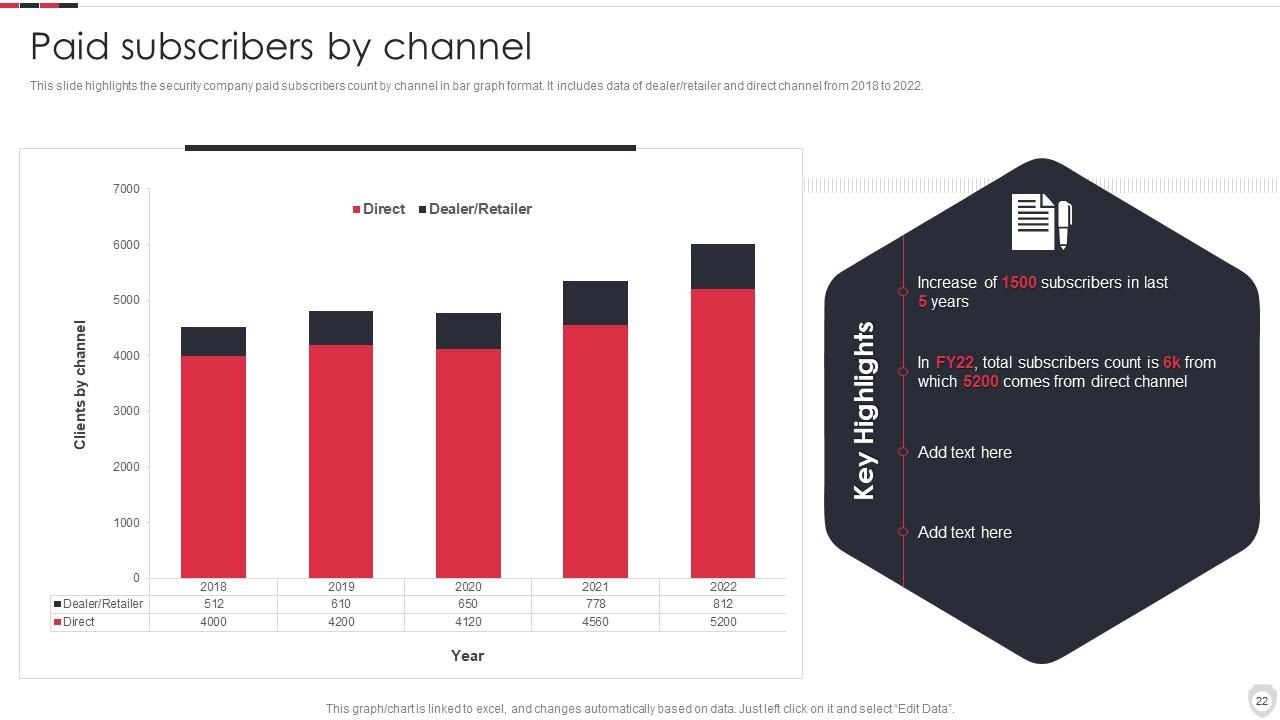
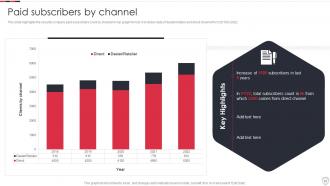
Folie 22 : Diese Folie zeigt die Zahl der bezahlten Abonnenten von Sicherheitsunternehmen nach Kanal im Balkendiagrammformat.
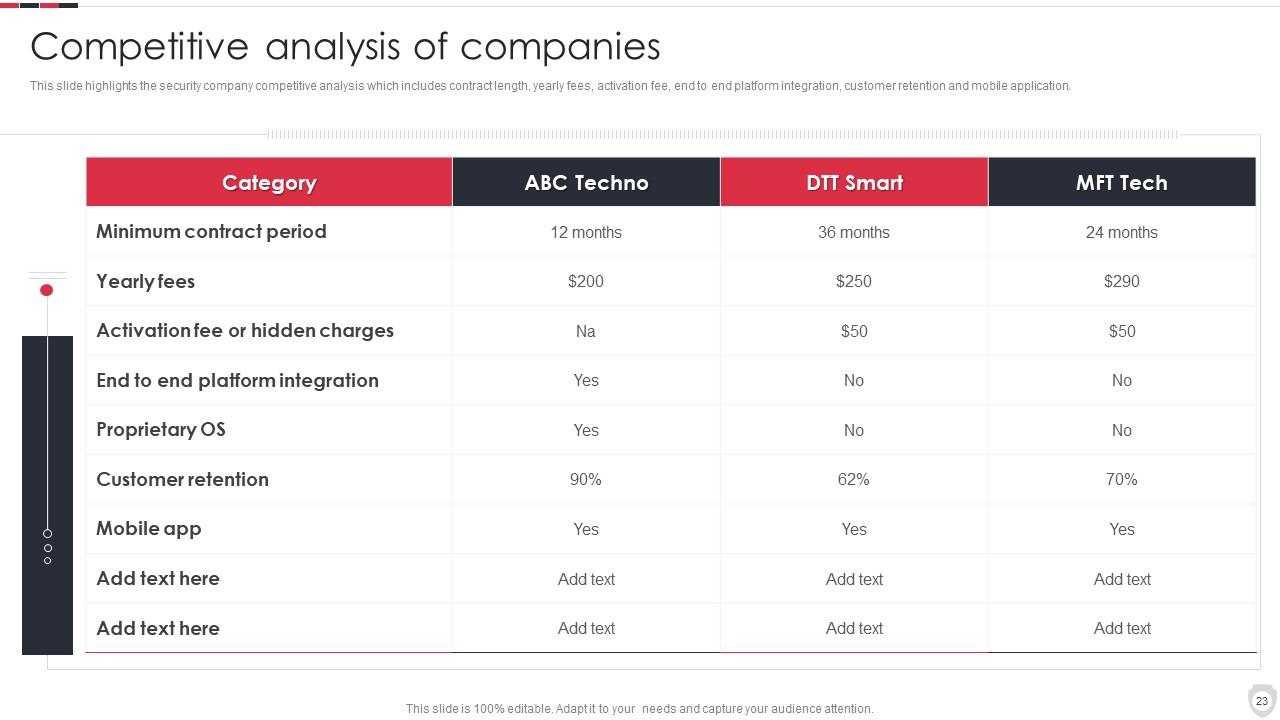
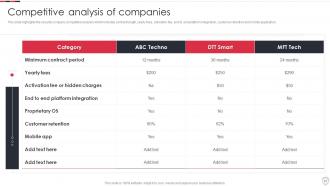
Folie 23 : Diese Folie präsentiert die Wettbewerbsanalyse von Sicherheitsunternehmen.
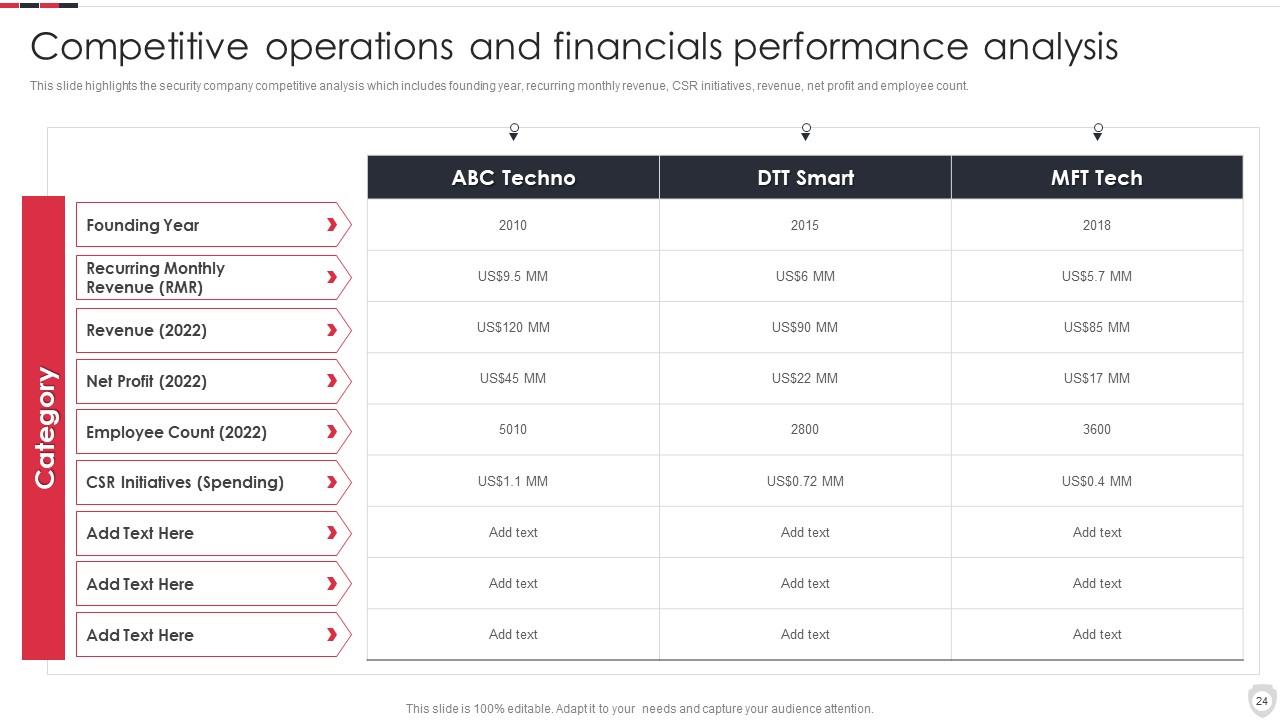
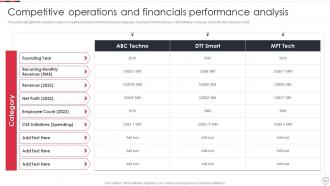
Folie 24 : Diese Folie zeigt die Leistungsanalyse von Wettbewerbsgeschäften und Finanzen.
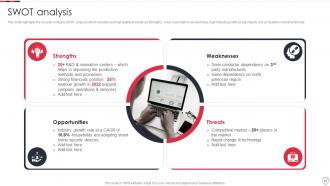
Folie 25 : Diese Folie repräsentiert die SWOT-Analyse eines Sicherheitsunternehmens.
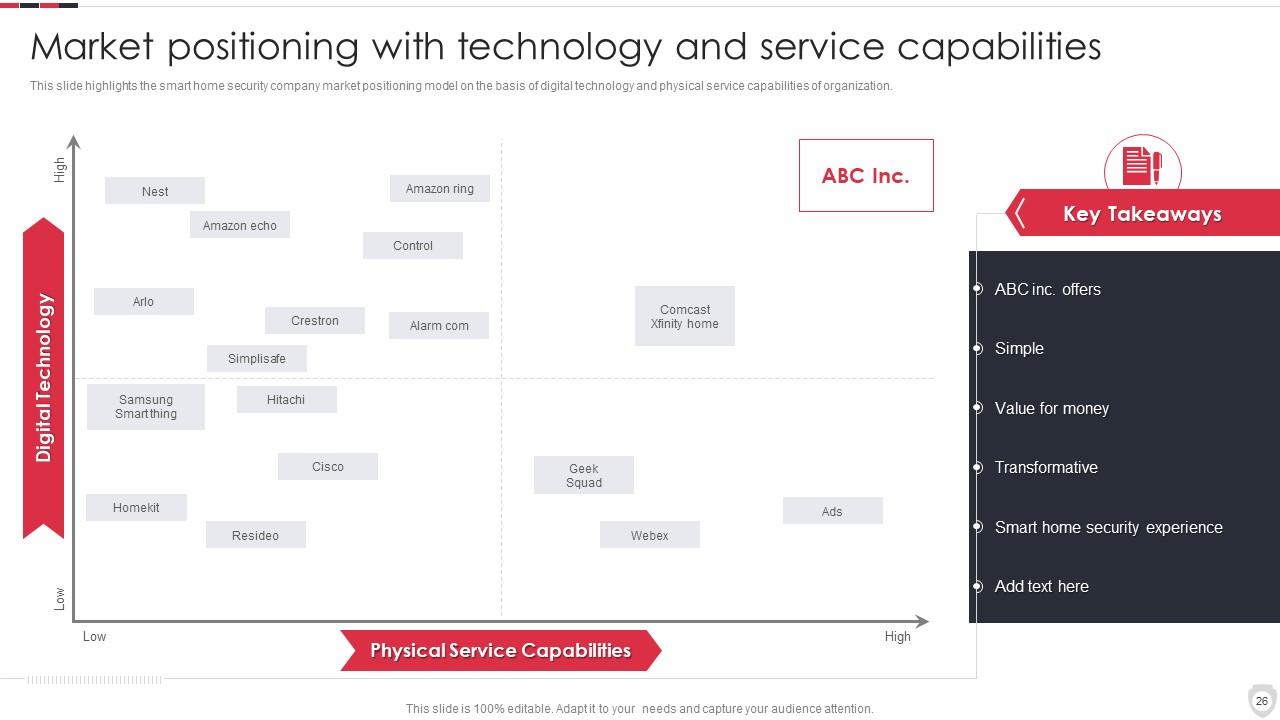
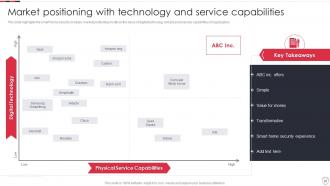
Folie 26 : Diese Folie zeigt die Marktpositionierung mit Technologie- und Servicekapazitäten.
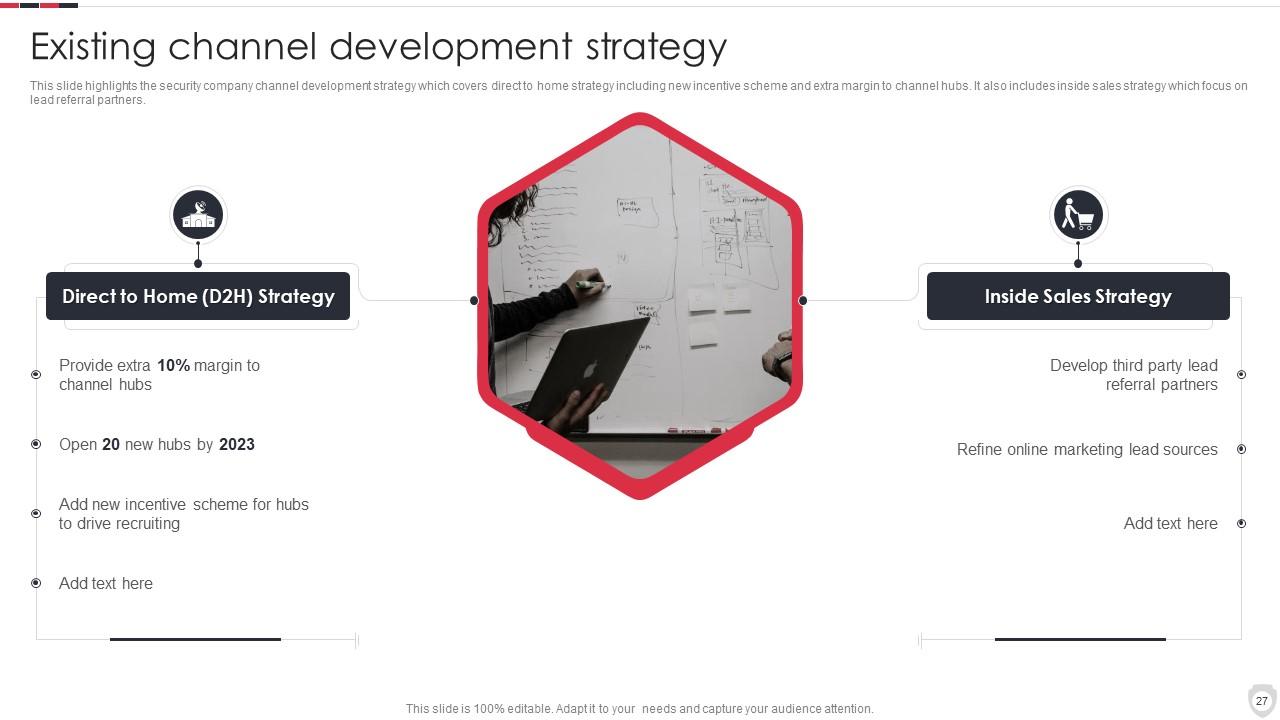
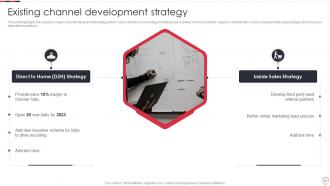
Folie 27 : Diese Folie zeigt die bestehende Kanalentwicklungsstrategie.
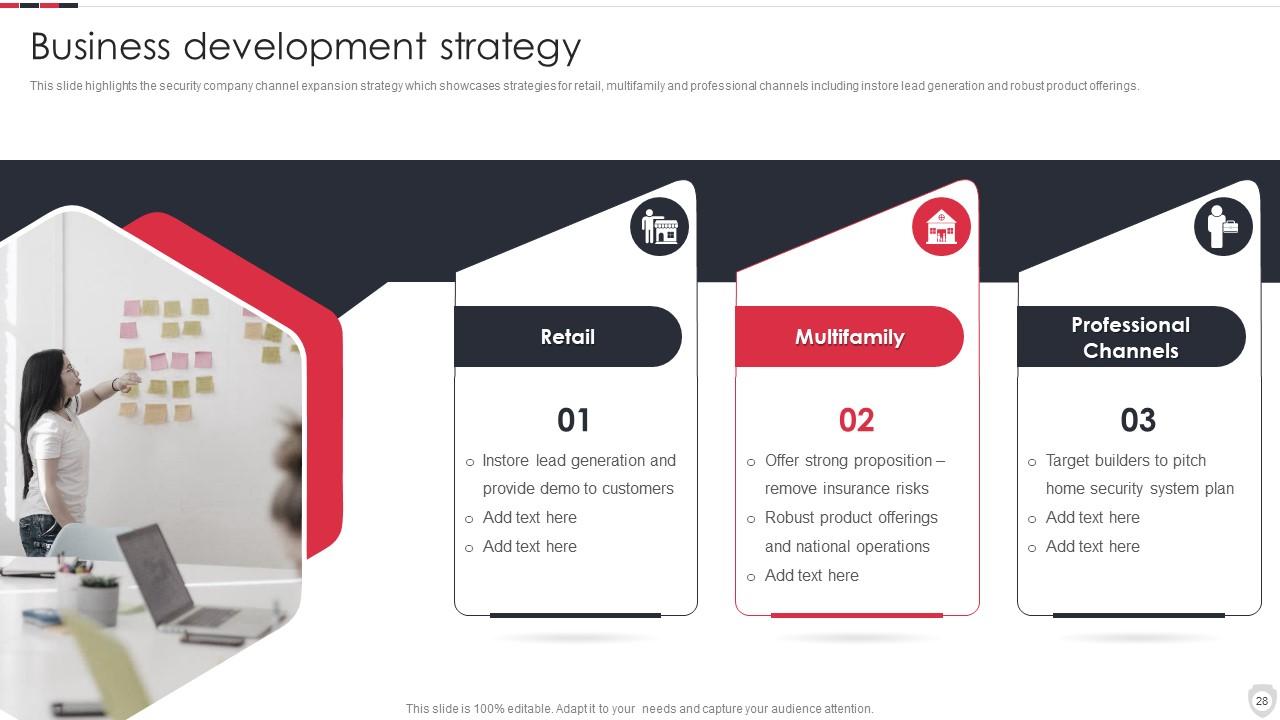
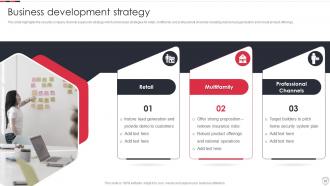
Folie 28 : Diese Folie stellt die Vertriebsstrategie von Sicherheitsunternehmen vor.
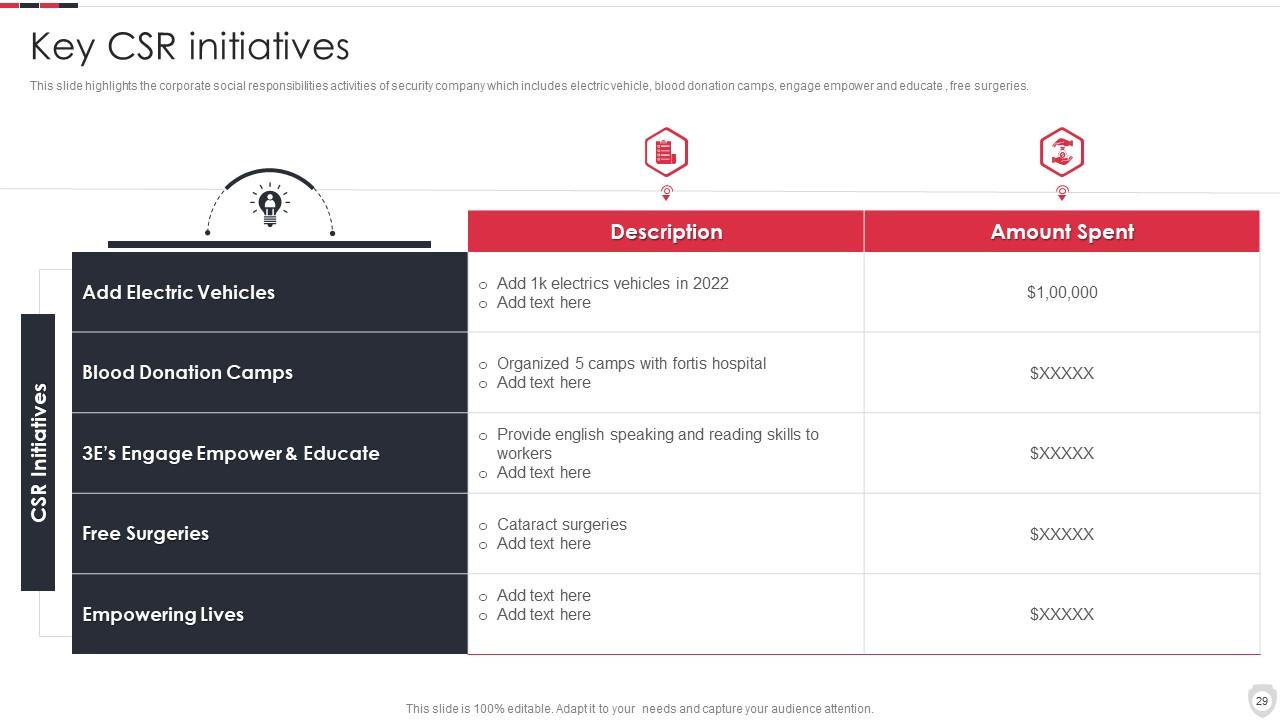
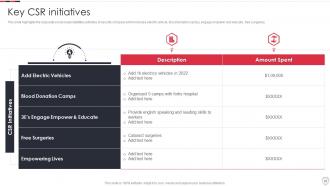
Folie 29 : Diese Folie zeigt die Aktivitäten zur sozialen Verantwortung des Sicherheitsunternehmens.
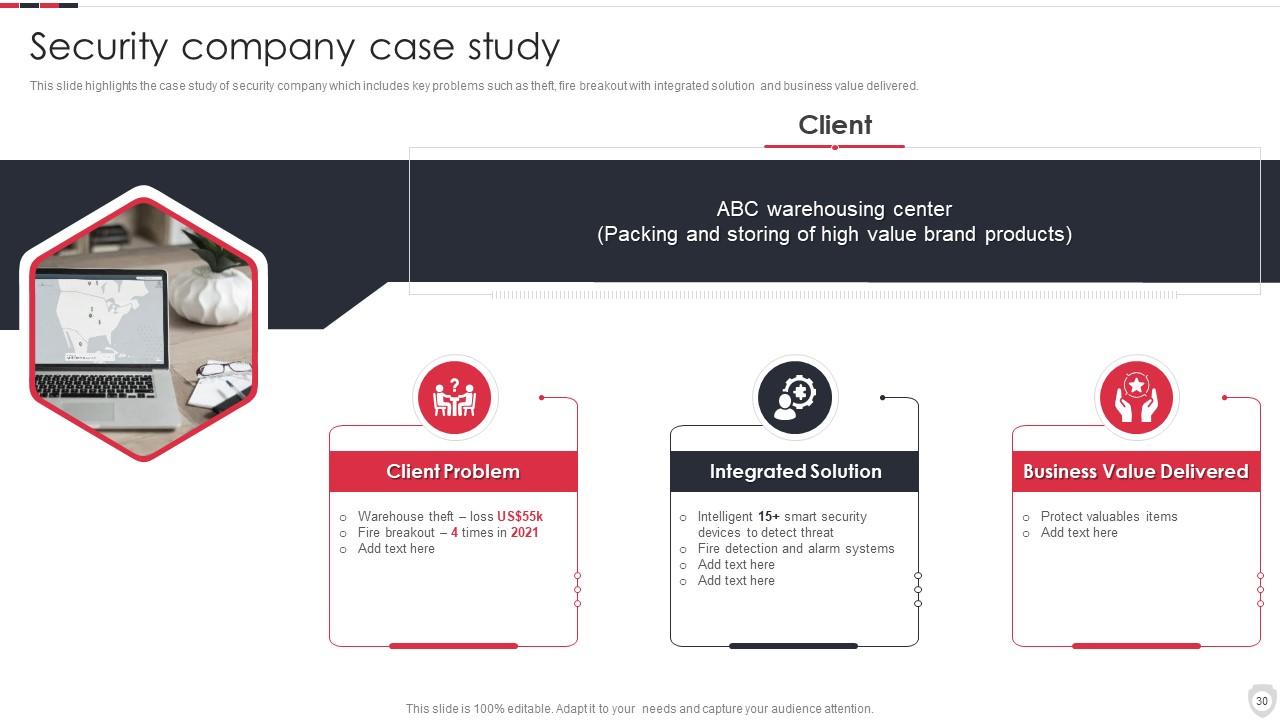
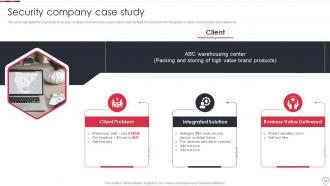
Folie 30 : Diese Folie stellt eine Fallstudie eines Sicherheitsunternehmens dar.
Folie 31 : Diese Folie zeigt das Firmenprofil von Icons for Home Security Systems.
Folie 32 : Diese Folie trägt den Titel „Zusätzliche Folien“, um voranzukommen.
Folie 33 : Dies ist die Folie „Über uns“, um Unternehmensspezifikationen usw. anzuzeigen.
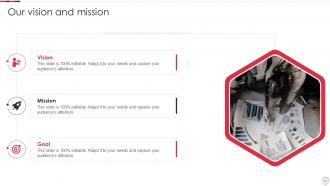
Folie 34 : Dies ist unsere Missionsfolie mit zugehörigen Bildern und Texten.
Folie 35 : Dies ist die Folie „Unser Team“ mit Namen und Bezeichnung.
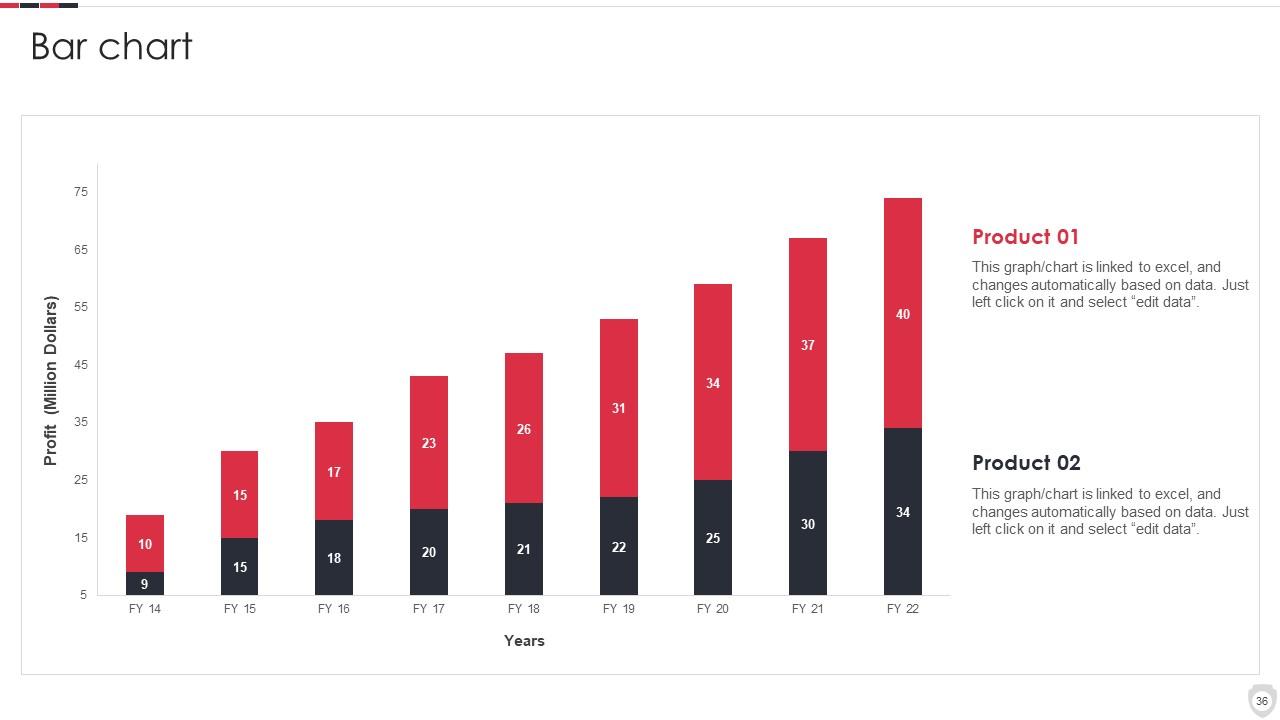
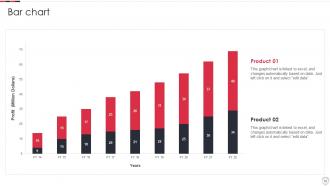
Folie 36 : Diese Folie zeigt ein Balkendiagramm mit zwei Produktvergleichen.
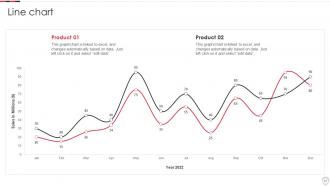
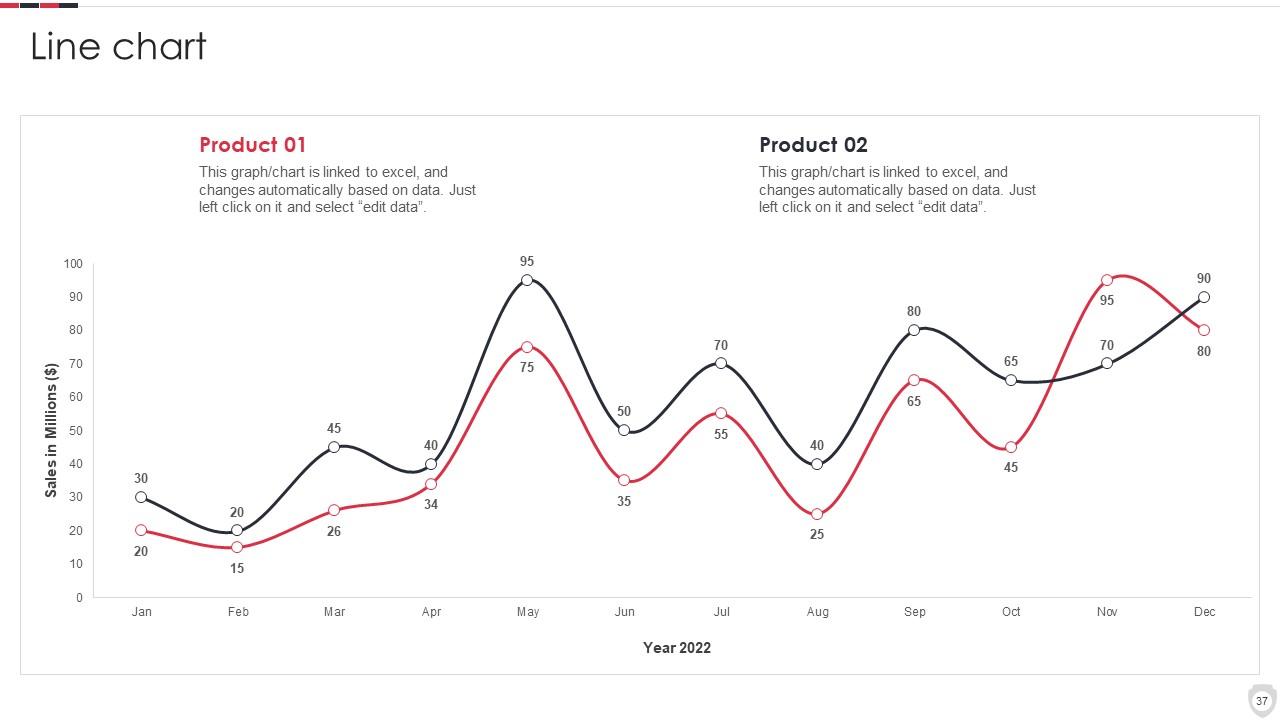
Folie 37 : Diese Folie beschreibt das Liniendiagramm mit zwei Produktvergleichen.
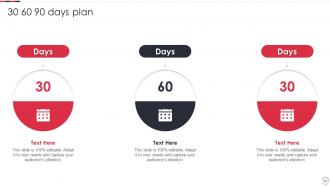
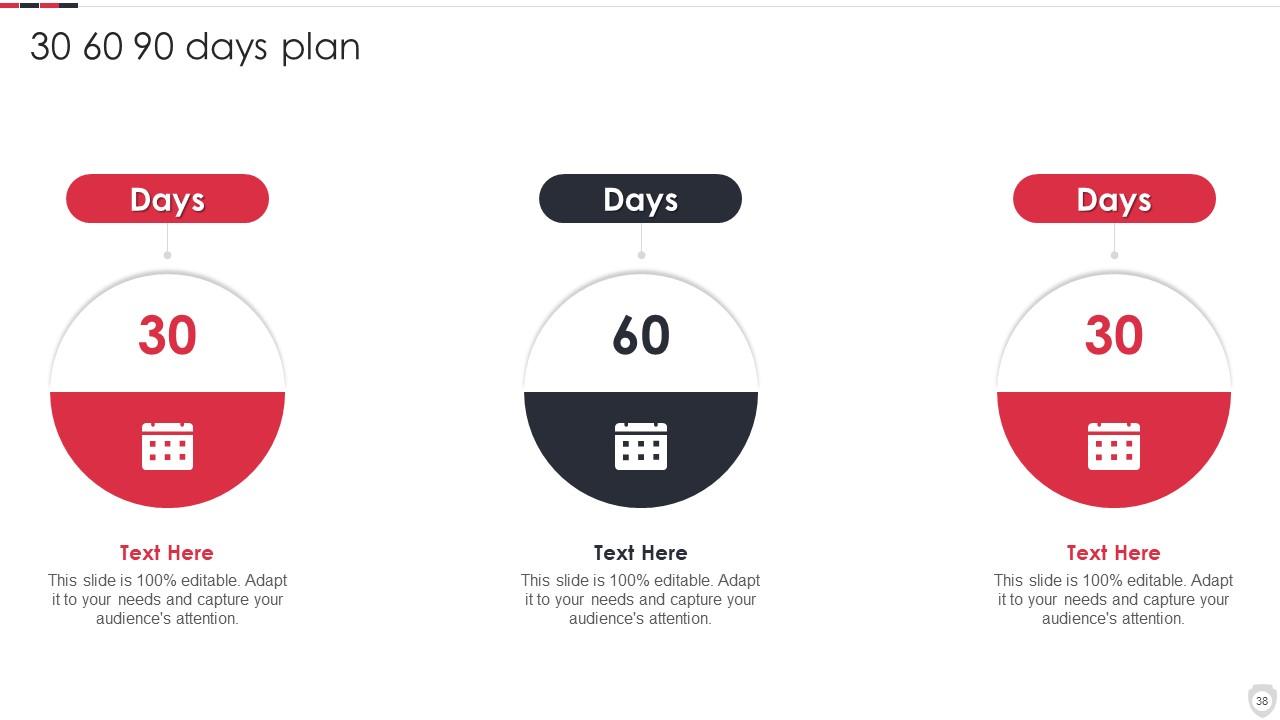
Folie 38 : Diese Folie enthält einen 30 60 90-Tage-Plan mit Textfeldern.
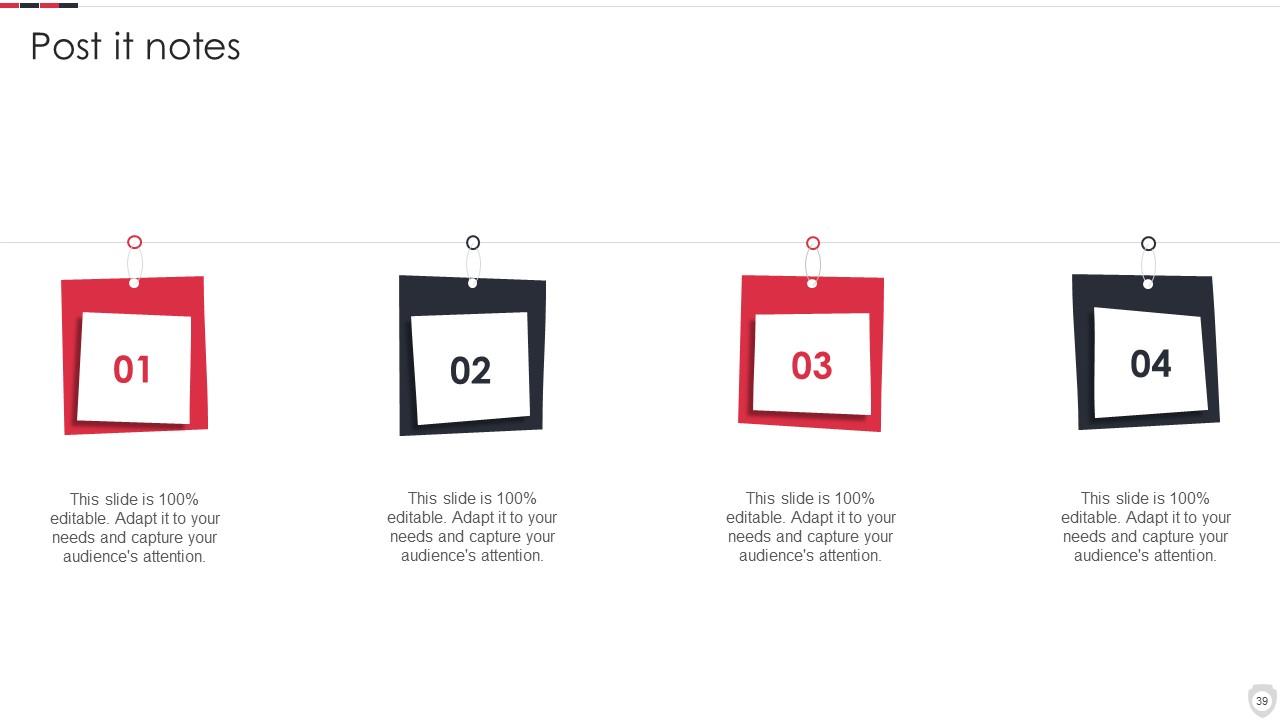
Folie 39 : Diese Folie zeigt Haftnotizen. Posten Sie hier Ihre wichtigen Notizen.
Folie 40 : Dies ist unsere Zielfolie. Geben Sie hier Ihre Ziele an.
Folie 41 : Dies ist eine Dankeschön-Folie mit Adresse, Kontaktnummern und E-Mail-Adresse.

FAQs for Home Security Systems Company Profile

Get the basics first - 24/7 monitoring, app control, wireless sensors for doors/windows plus motion detection. HD cameras with night vision are a must, and cloud storage so you can actually access your footage later. Smart home stuff should work with Alexa or Google without being a pain. Battery backup's super important during outages. Monthly fees vary a lot so shop around - I learned that the hard way with my first system. Get quotes from 2-3 companies and ask about DIY installation if you're handy. Honestly saves you like $200+ in setup fees.

Smart home security is honestly a game changer - everything connects to your phone so you get alerts instantly and can watch live feeds from wherever. The best part? All the devices actually talk to each other. Like your cameras can flip on lights automatically, door sensors set off alarms, that kind of thing. You can customize rules for different situations too. Oh and access control is way better than old systems. I'd probably start with something that works with whatever smart stuff you already have - no point making it complicated right off the bat.

Honestly, DIY is way cheaper - like $200-500 vs $500-1500+ for the pros. Plus you avoid those monthly monitoring fees since most DIY options let you self-monitor or have cheaper plans. Took me forever to set up my Ring system (my neighbor kept coming over to "help" lol), but I saved like $800. Sure, professional installs might integrate better, but most DIY stuff is pretty straightforward now. You're decent with tech, right? I'd totally go DIY and use the savings for something fun.

Think of it like having backup plans for your backup plans. Motion sensors catch anyone who's already gotten inside. Door and window sensors go off the second someone tries to open something. Glass break detectors? They'll alert you before an intruder even gets the window fully open. Honestly, most burglars aren't that smart - they'll trigger something. If they somehow sneak past your door sensor, motion detection still nails them. You definitely want at least one of each type on your main floor since that's where most break-ins happen anyway.

Dude, cameras are seriously your best bet. Most thieves will just bounce when they see they're being filmed - nobody wants to end up on someone's highlight reel, you know? Plus you can watch everything from your phone which is clutch. The footage helps big time if something actually goes down. Position them by doors and windows, but make sure there's decent lighting or you'll just get useless blurry mess. Honestly, even fake cameras work sometimes, but real ones are obviously better since you get that actual monitoring.

So I'd grab a smart hub first - SmartThings or Hubitat work great. Then you create these "scenes" that do multiple things at once, which is where it gets fun. Your security system arms for away mode and boom - locks engage, lights shut off, thermostat adjusts automatically. Motion sensors can flip lights on too, so it looks like you're still home. I went a little overboard with mine at first, but honestly? Start with just a couple devices and add more later. Way less overwhelming that way.

Honestly, most people mess up the basics. Ground floor windows left unlocked are huge - burglars check those first. Your door frame might look solid but if it's cheap wood, one good kick and you're done. Stop hiding spare keys under the doormat too, that's like burglar 101. Garage doors are sketchy weak spots everyone ignores. Same with sliding patio doors. And seriously, quit posting vacation pics while you're still gone! You're basically putting up a "rob me now" sign. Walk around your place sometime and think what you'd target if you were breaking in. Might surprise you what you find.

Honestly, monitored systems are so much faster - like 30-60 seconds and emergency services already know what's up. Your monitoring company calls you first to check if it's real, then boom, they're calling the cops or fire department. Unmonitored ones? They just scream into the void hoping your neighbors actually care enough to call 911. Which... good luck with that lol. I mean, how many times have you heard a car alarm and just ignored it? Same energy. If you want quick response times, the monthly fee is totally worth it for monitored.

So the big thing is just don't point them at your neighbor's stuff - their windows, yard, whatever. Keep everything focused on your own property like your front door, driveway, that kind of thing. Some places want you to put up signs about recording but honestly I'd just check what your city requires. Oh and audio recording gets weird legally, way more complicated than just video. I'd probably skip that part if you can. Stay away from sidewalks and streets too. As long as you're not being creepy about it you'll be good.

Dude, where you live makes a huge difference in what security stuff you actually need. High-crime areas? Definitely get cameras and motion sensors, maybe glass break detectors too. Rural places are trickier since cops take forever to show up - cellular backup is a must in case someone cuts your landlines. Weather's another thing to think about. Coastal homes need systems that won't crap out from humidity and storms. My buddy learned this the hard way when his kept going off every time it got windy lol. Check your local crime stats first and ask neighbors what's been working for them before you drop any money.

Check your system monthly - most update automatically but you never know. I test my sensors and cameras every few months, honestly whenever I remember to. Replace those wireless device batteries before they're completely dead (learned that one the hard way). Update your access codes if someone moves out or gets fired - awkward but necessary. Make sure everyone in the house actually knows how to use the thing properly. Oh, and call your monitoring company if your contact info changes. I just set a phone reminder because otherwise I'd totally forget this stuff.

Your alarm works by having sensors on doors/windows plus motion detectors that talk to a main panel. When something trips, it alerts your monitoring company or sends notifications straight to your phone. Honestly, most people forget to test theirs regularly but you should do it monthly. Reliability depends on your internet connection and battery backup - also dust messes with sensors way more than you'd think. For it to actually work, you gotta place sensors right, remember to arm the damn thing, and have decent outdoor lighting. Oh and replace those sensor batteries before they die completely.

Dude, don't put cameras where everyone can see them - burglars aren't idiots, they'll just break those first. Ground floor windows are huge blind spots that people always forget about. Your system's useless if the power goes out and you don't have backup batteries or internet. That's literally when break-ins happen most! Test everything monthly because I swear half my friends set theirs up years ago and have no clue if it still works. Oh, and make sure you can actually check the feeds from your phone before you're in some sketchy situation trying to figure it out.

Yeah so security systems are pretty modular now - you can just grab what you actually need. For apartments, maybe door sensors and a smart doorbell work fine. Bigger houses usually want cameras, motion stuff, glass break detectors, the whole deal. Walk through your place first and see where you're actually vulnerable, then build from there. Don't just buy some random package deal. You can pick your monitoring too - 24/7 professional service or just check your phone yourself. Honestly got a bit overwhelmed when I was looking into this stuff last year, but starting simple helps.

Oh yeah, climate totally affects security stuff. Batteries in wireless devices hate extreme temps - learned that the hard way last winter. Salt air near the coast? That'll eat your metal components alive. Moisture causes corrosion, and rain makes cameras go all blurry right when you need clear footage. Motion sensors get wonky in bad weather too. Look for IP65 ratings or higher - anything less is basically useless outdoors. Honestly, I'd go hardwired if you're dealing with nasty weather since wireless can be unreliable. Just double-check the temperature range before buying.

Ratings and Reviews

100% of 100
Review Form
Write a review
Most Relevant Reviews
  1. 100%

    by Li Stewart

    Such amazing slides with easy editable options. A perfect time-saver.
  2. 100%

    by Cory Reynolds

    The templates you provide are great! They have saved me tons of time and made my presentations come alive. Thank you for this awesome product. Keep up the good work!

2 Item(s)

per page: