


Home Security Systems Diapositivas de presentación de Powerpoint del perfil de la empresa
El perfil de una empresa resume los elementos relevantes de una entidad, lo que ayuda a los inversores y partes interesadas a evaluar el valor y el rendimiento del negocio. Echa un vistazo a nuestra presentación en PowerPoint del perfil de la empresa de sistemas de seguridad para el hogar diseñada profesionalmente. En primer lugar, este perfil cubre el resumen ejecutivo, la descripción general de la empresa con servicios de valor agregado, la presencia de la empresa, los servicios y soluciones de seguridad integrados, los dispositivos inteligentes de seguridad para el hogar inteligente, la experiencia de la empresa y la integración de dispositivos inteligentes. Además, incluye el modelo de negocio, el modelo de prestación de servicios de extremo a extremo, el recorrido de la empresa, el organigrama y el equipo de alta dirección, los clientes, los testimonios de los clientes, los premios y el reconocimiento externo con alianzas estratégicas. Además, esta plataforma incluye ingresos y ganancias netas, ingresos por ventas por mercado y servicios, suscriptores pagos por canal, análisis competitivo que incluye el desempeño de operaciones y finanzas, y análisis FODA. Por último, incluye el posicionamiento de mercado basado en capacidades de tecnología y servicio, estrategia de desarrollo de canales existente, estrategia de desarrollo de negocios, iniciativas de responsabilidad social corporativa y estudio de caso de seguridad. Descarga nuestra baraja 100% editable y personalizable para conocer más en detalle.






















You must be logged in to download this presentation.


Do you want to remove this product from your favourites?
Características de estas diapositivas de presentación de PowerPoint:
Entregue esta plataforma completa a los miembros de su equipo y otros colaboradores. Con diapositivas estilizadas que presentan varios conceptos, estas diapositivas de presentación de Powerpoint del perfil de la empresa de sistemas de seguridad para el hogar son la mejor herramienta que puede utilizar. Personalice su contenido y gráficos para que sea único y estimulante. Todas las cuarenta y una diapositivas son editables y modificables, así que siéntete libre de ajustarlas a la configuración de tu negocio. La fuente, el color y otros componentes también vienen en un formato editable, lo que hace que este diseño PPT sea la mejor opción para su próxima presentación. Entonces, descarga ahora.

People who downloaded this PowerPoint presentation also viewed the following :
Contenido de esta presentación de Powerpoint
Diapositiva 1 : Esta diapositiva presenta el perfil de la empresa de sistemas de seguridad para el hogar. Indique el nombre de su empresa y comience.
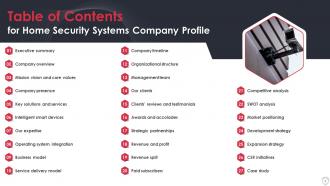
Diapositiva 2 : Esta diapositiva presenta la tabla de contenido de la presentación.
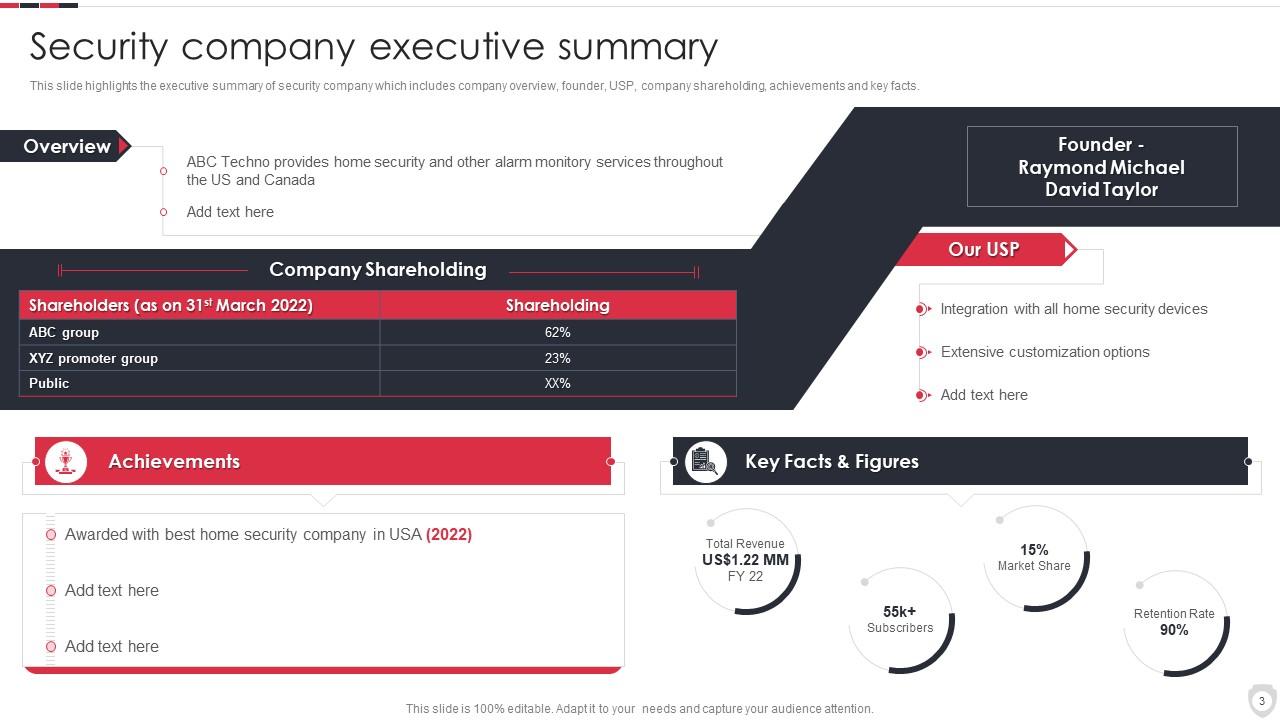
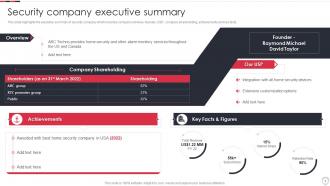
Diapositiva 3 : esta diapositiva muestra el resumen ejecutivo de la empresa de seguridad.
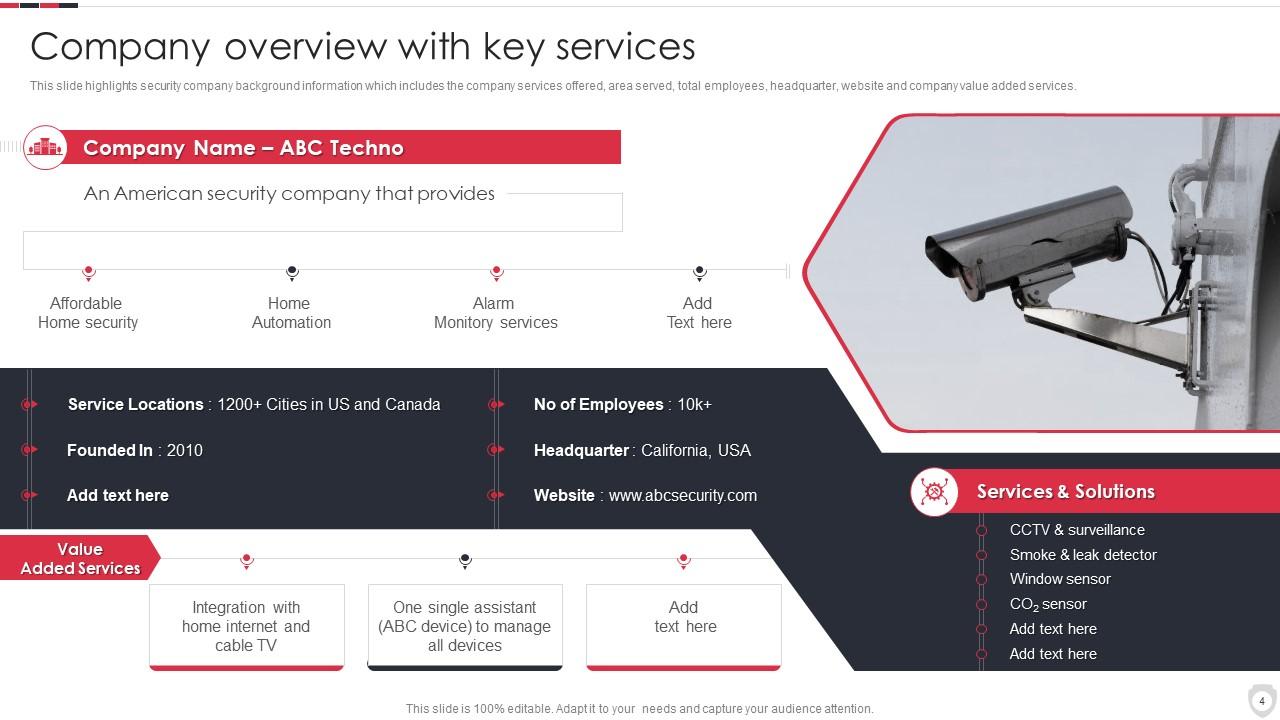
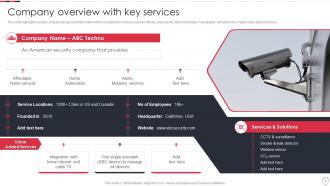
Diapositiva 4 : Esta diapositiva representa la descripción general de la empresa con servicios clave.
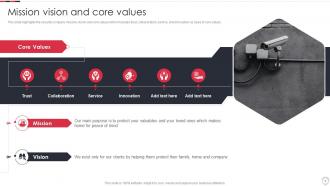
Diapositiva 5 : esta diapositiva muestra la misión, la visión y los valores fundamentales de la empresa de seguridad.
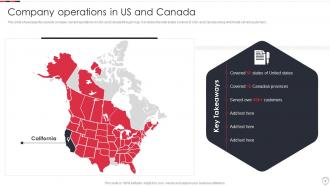
Diapositiva 6 : Esta diapositiva muestra las operaciones de la empresa en EE. UU. y Canadá.
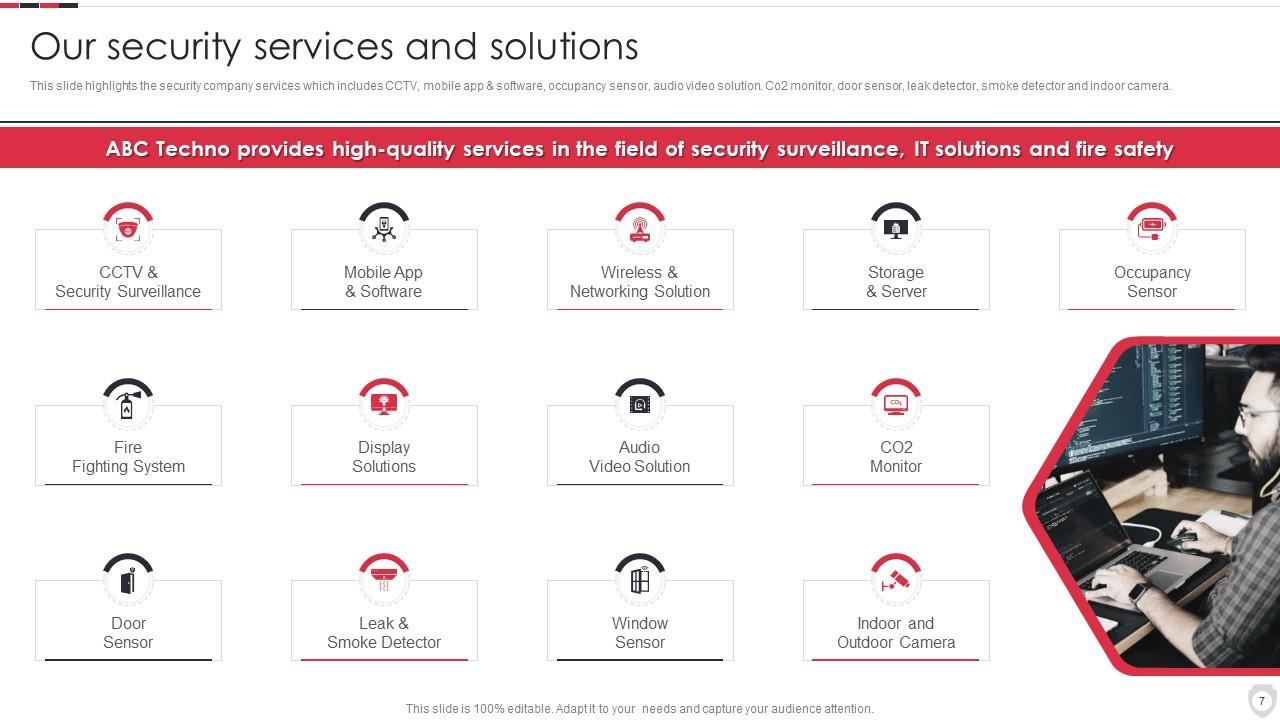
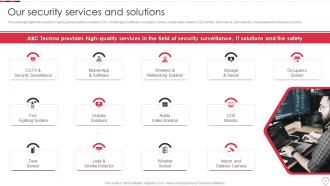
Diapositiva 7 : esta diapositiva presenta los servicios de la empresa de seguridad, que incluyen CCTV, aplicaciones y software móviles, etc.
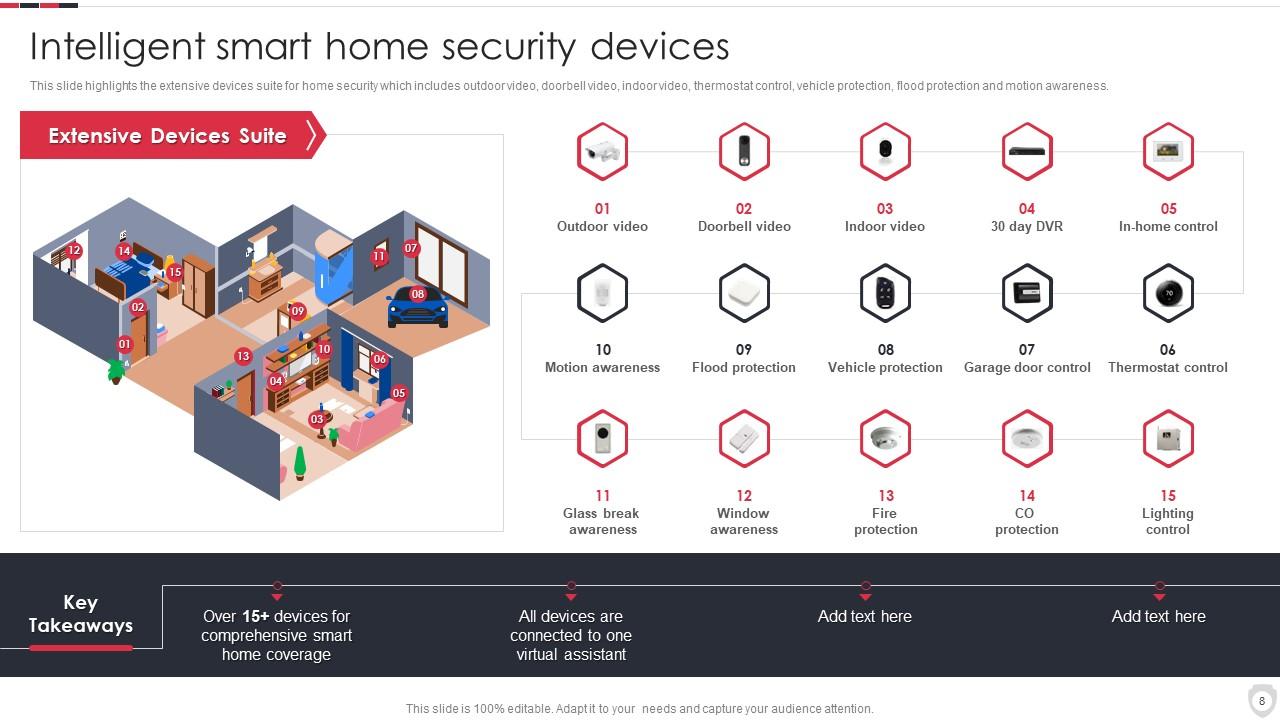
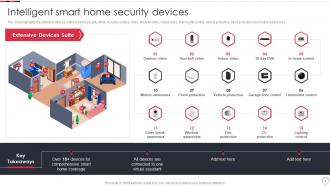
Diapositiva 8 : esta diapositiva muestra dispositivos inteligentes de seguridad para el hogar inteligente.
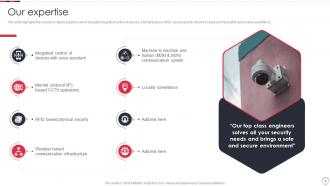
Diapositiva 9 : esta diapositiva representa la experiencia de la empresa de seguridad que incluye el control integrado de dispositivos.
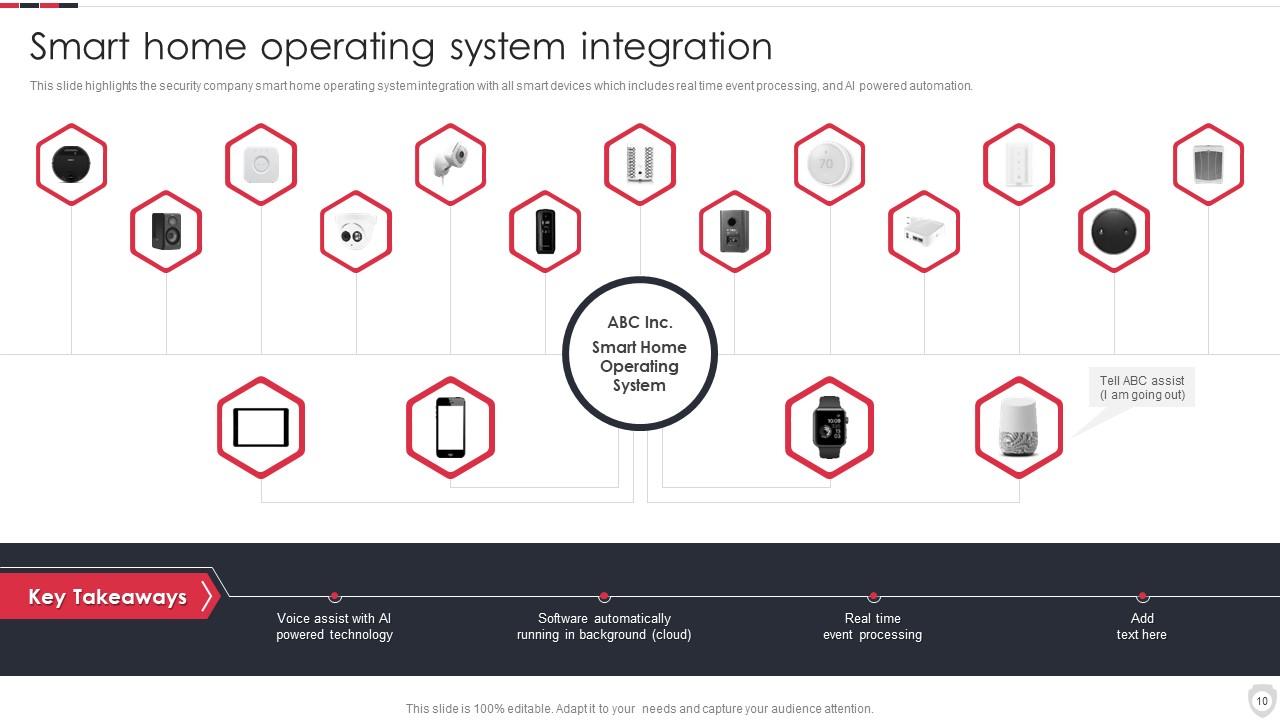
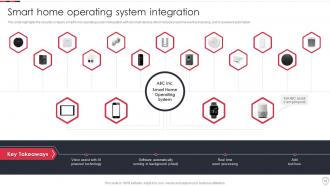
Diapositiva 10 : Esta diapositiva muestra la integración del sistema operativo de hogar inteligente.
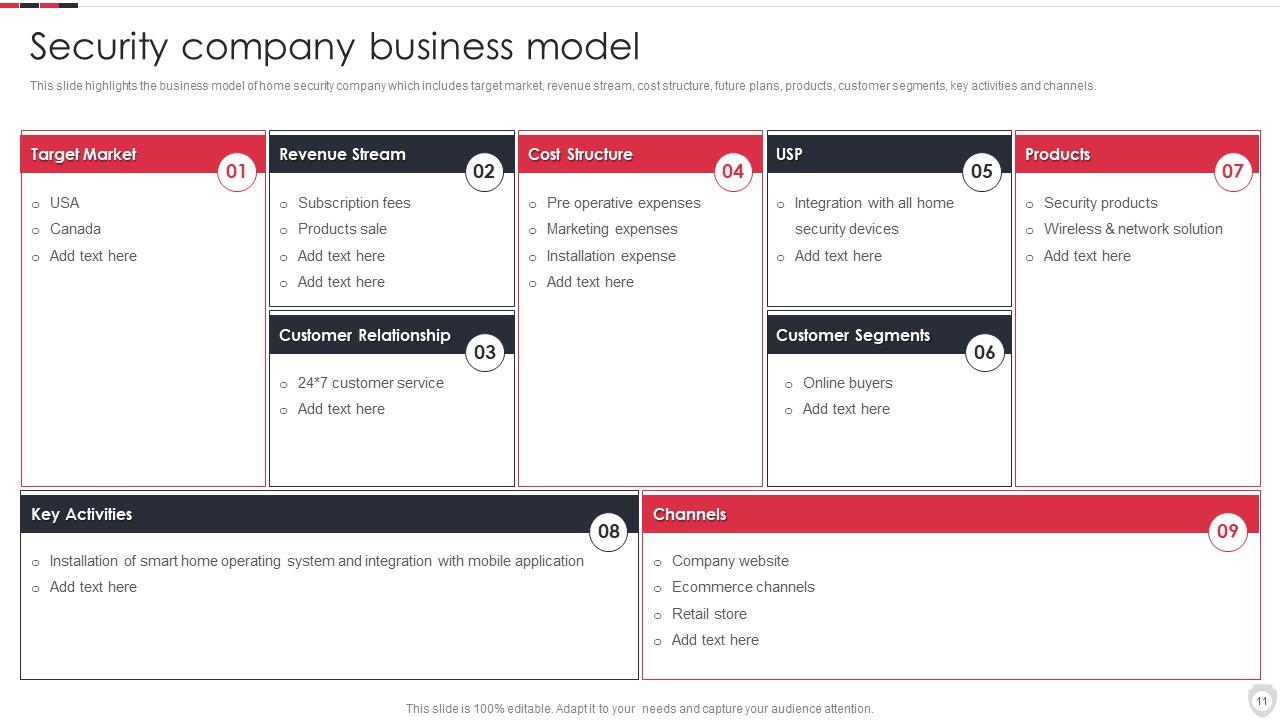
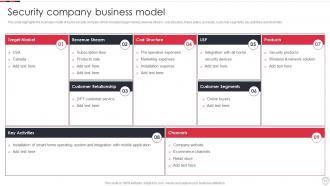
Diapositiva 11 : Esta diapositiva muestra el modelo comercial de la empresa de seguridad.
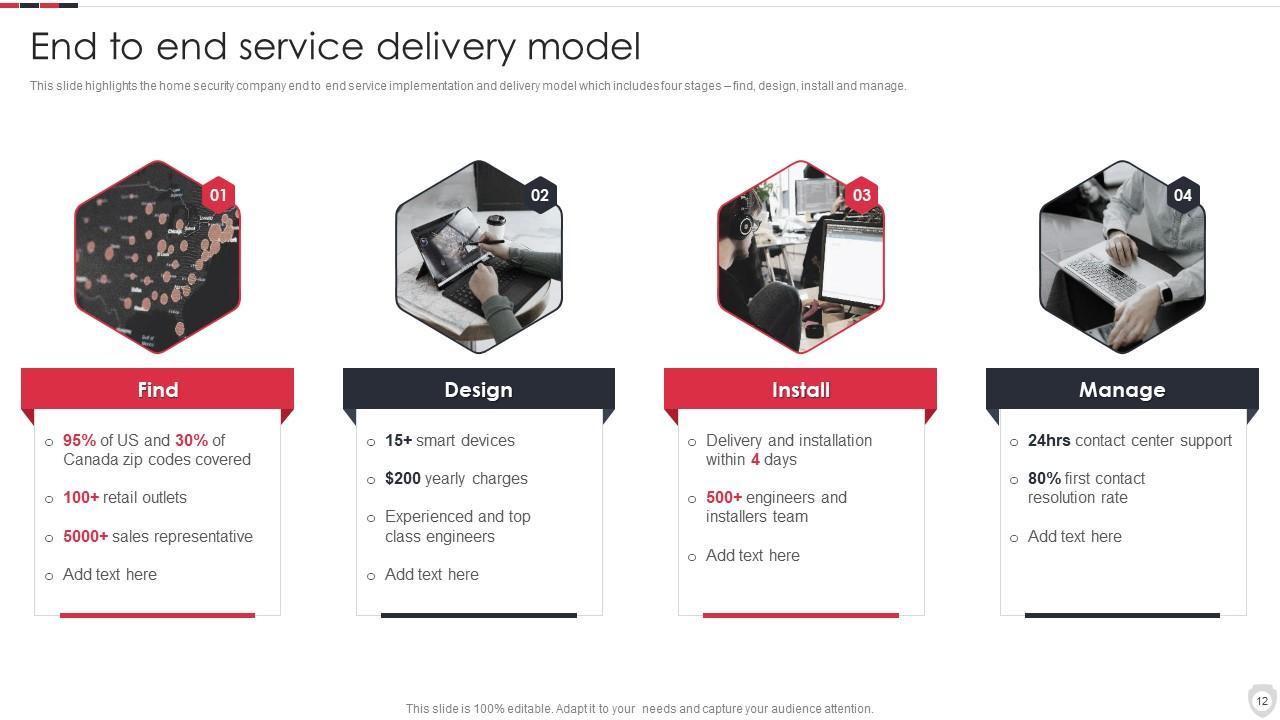
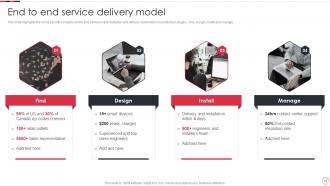
Diapositiva 12 : Esta diapositiva destaca la implementación del servicio integral de la empresa de seguridad para el hogar.
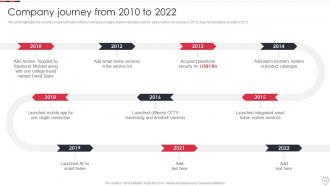
Diapositiva 13 : Esta diapositiva presenta el cronograma de la empresa de seguridad que muestra que la empresa comenzó a operar en 2010.
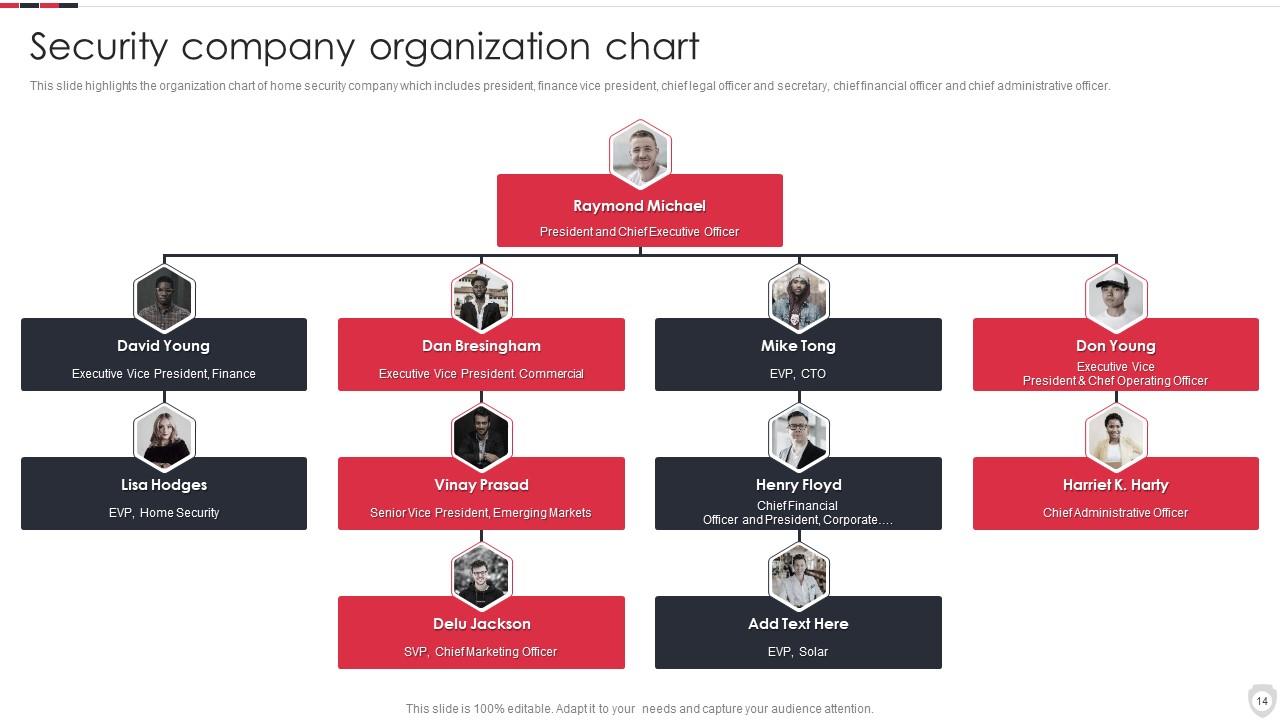
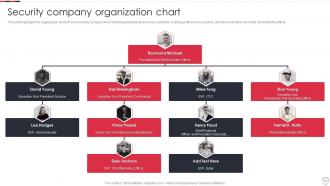
Diapositiva 14 : esta diapositiva muestra el organigrama de la empresa de seguridad.
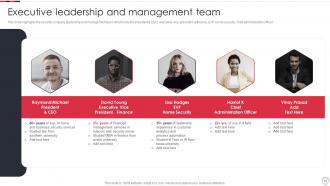
Diapositiva 15 : Esta diapositiva representa el liderazgo ejecutivo y el equipo de gestión.
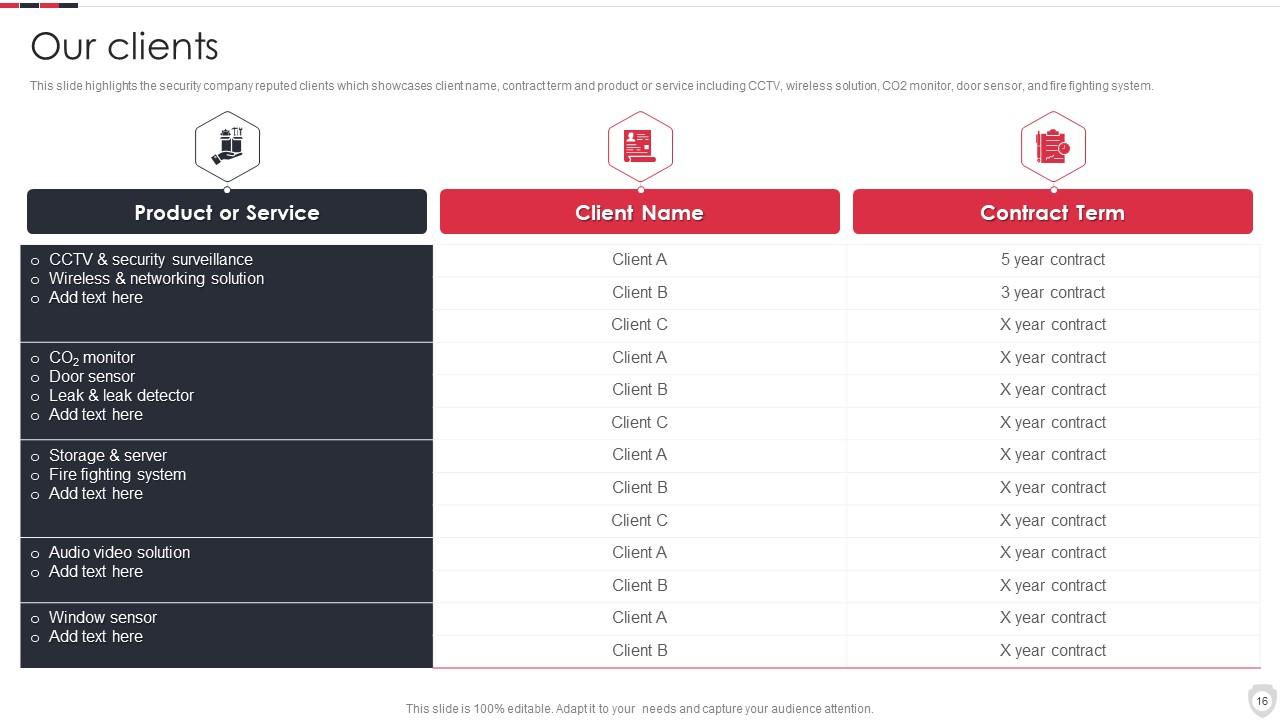
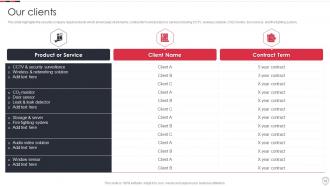
Diapositiva 16 : Esta diapositiva muestra clientes de renombre de la empresa de seguridad.
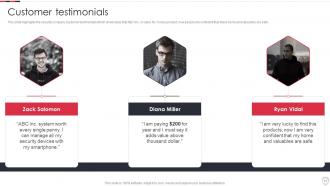
Diapositiva 17 : Esta diapositiva muestra testimonios de clientes de empresas de seguridad.
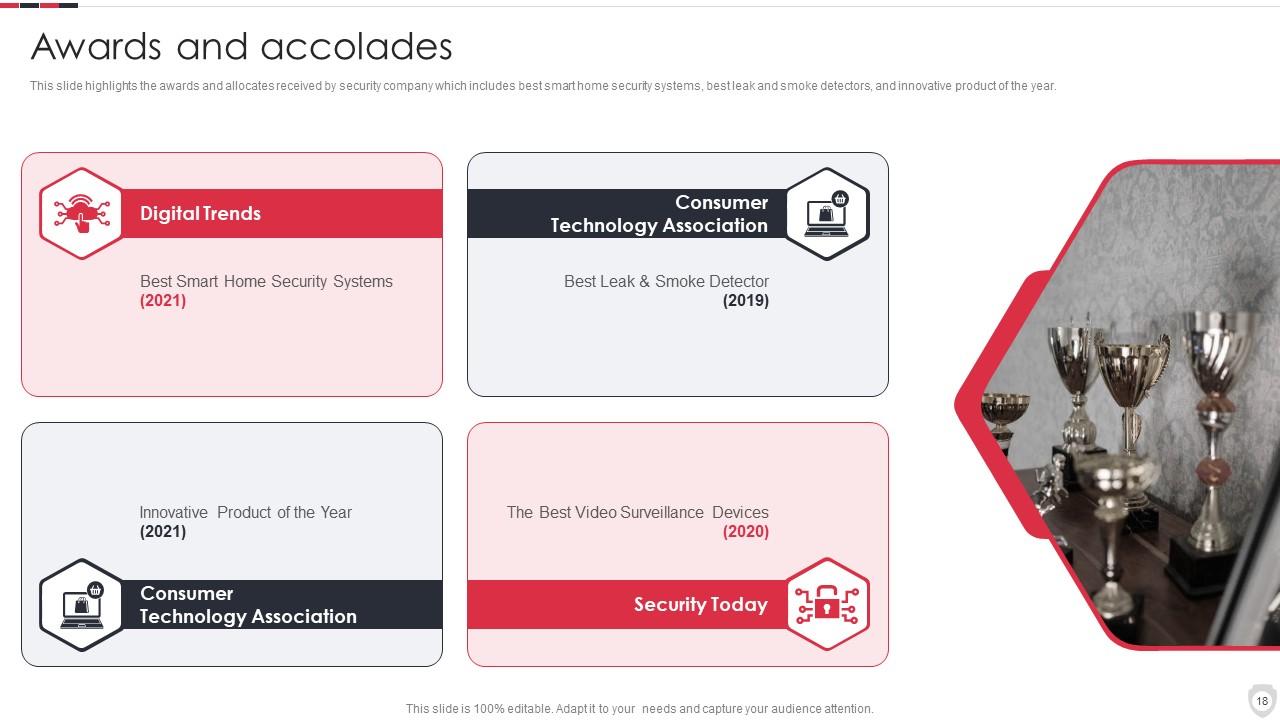
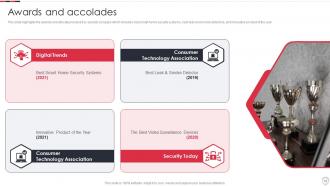
Diapositiva 18 : Esta diapositiva presenta las adjudicaciones y asignaciones recibidas por la empresa de seguridad.
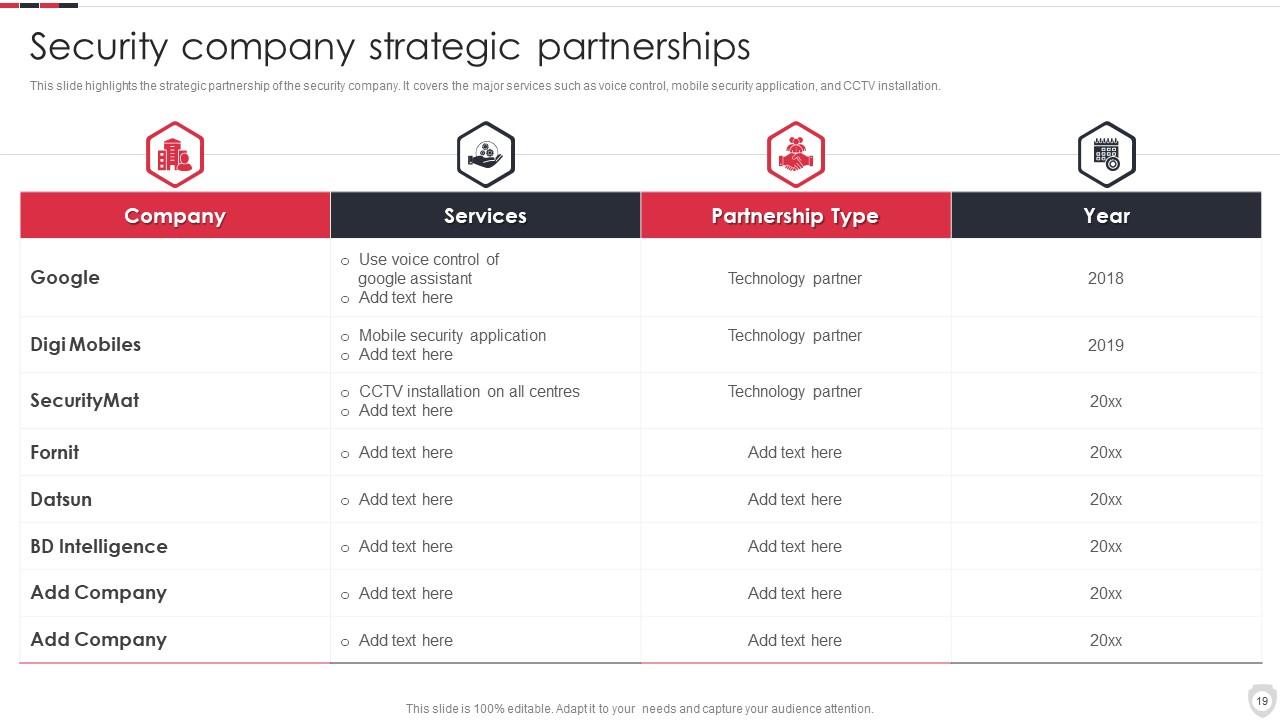
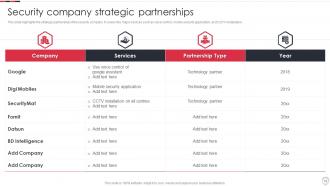
Diapositiva 19 : esta diapositiva muestra las asociaciones estratégicas de la empresa de seguridad.
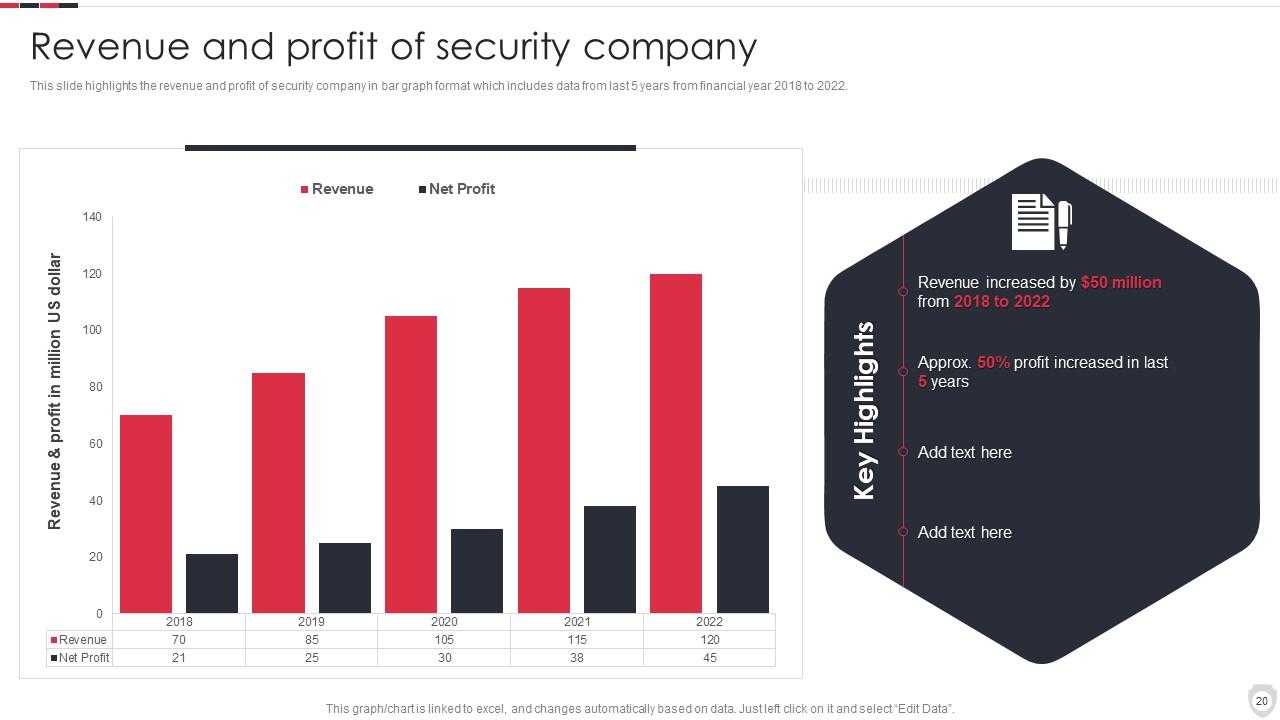
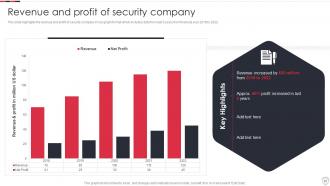
Diapositiva 20 : esta diapositiva representa los ingresos y las ganancias de la empresa de seguridad.
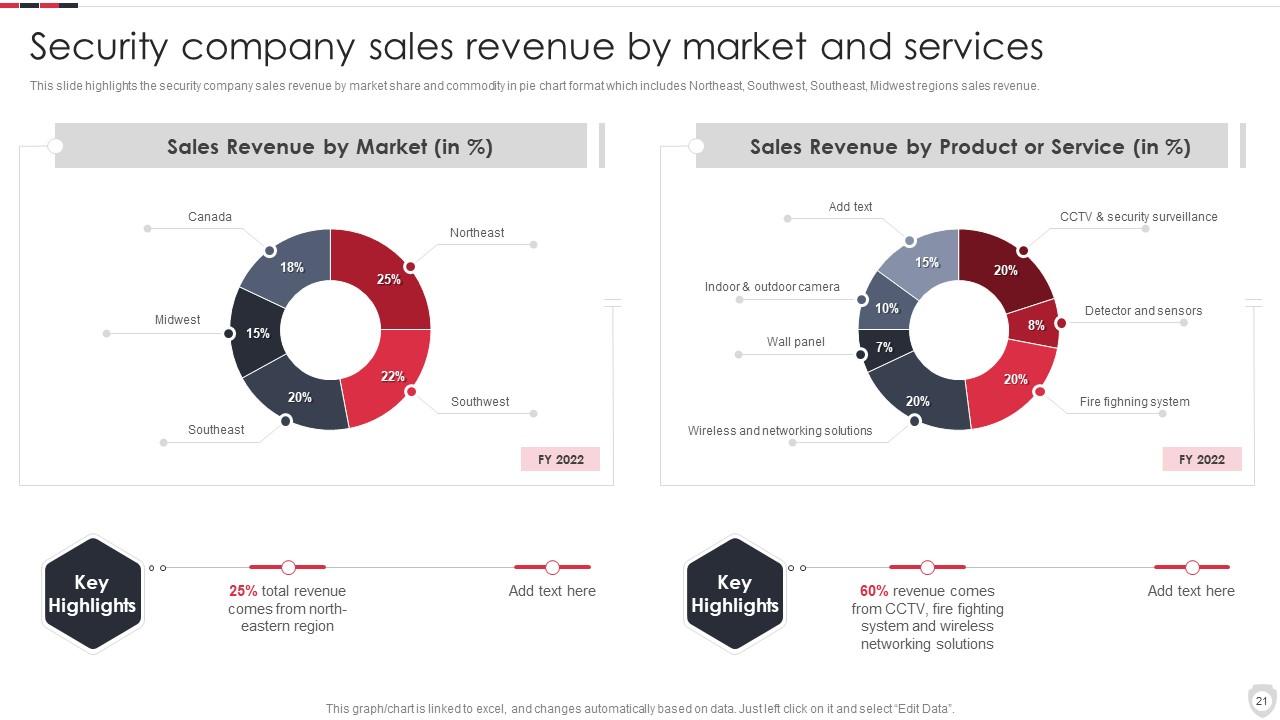
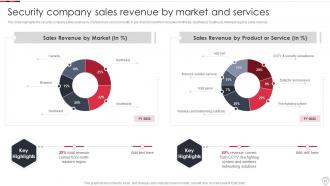
Diapositiva 21 : esta diapositiva muestra los ingresos por ventas de la empresa de seguridad por mercado y servicios.
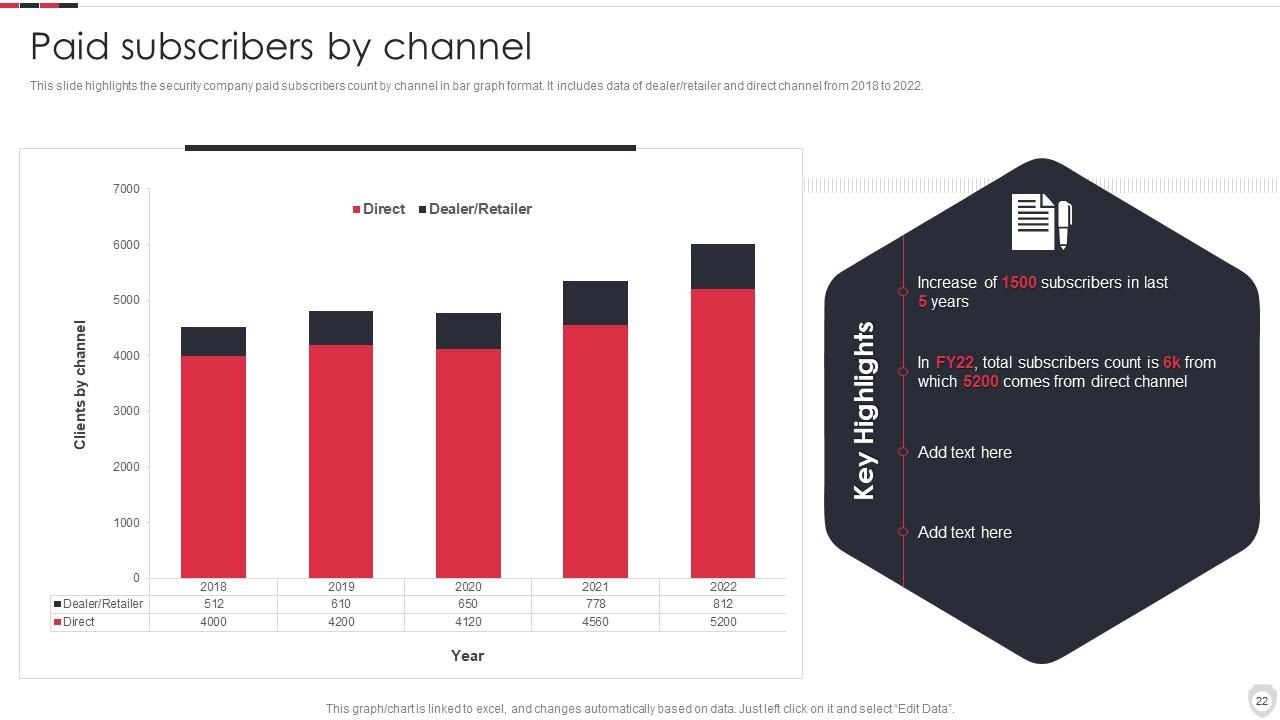
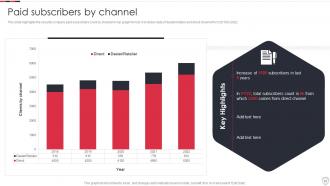
Diapositiva 22 : esta diapositiva muestra el recuento de suscriptores pagos de la empresa de seguridad por canal en formato de gráfico de barras.
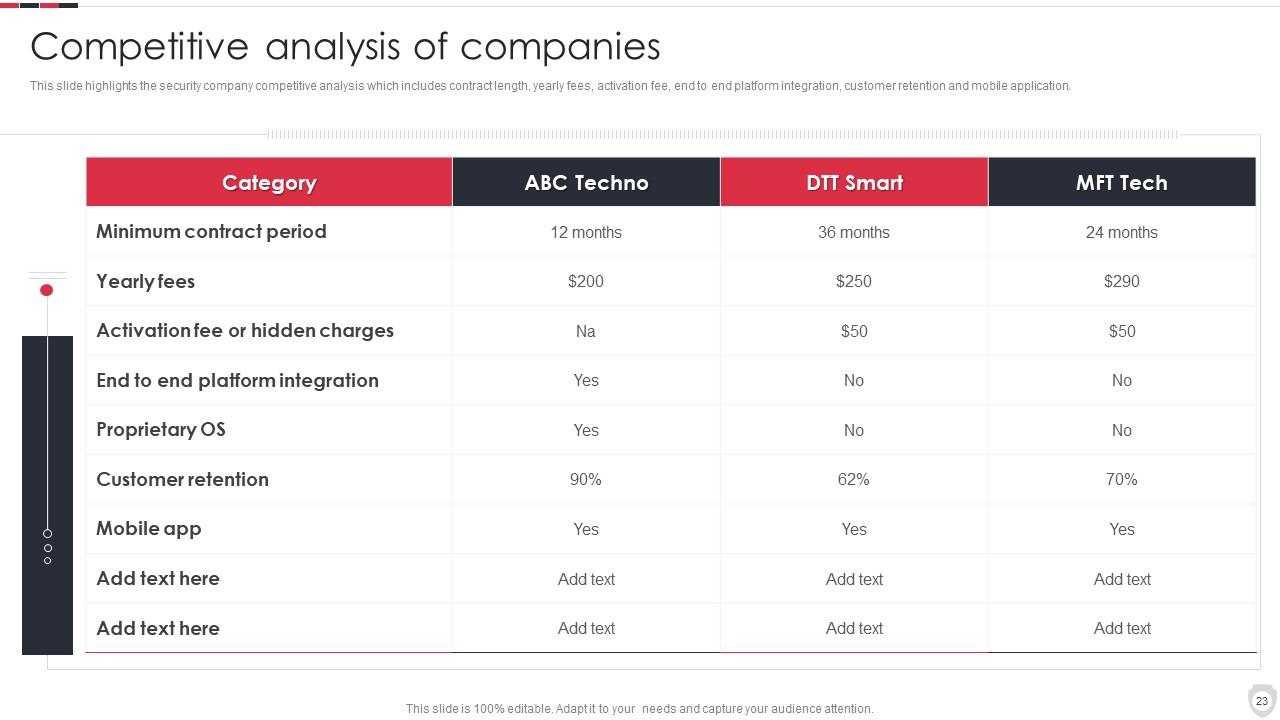
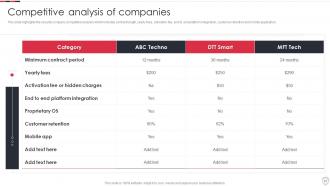
Diapositiva 23 : Esta diapositiva presenta un análisis competitivo de la empresa de seguridad.
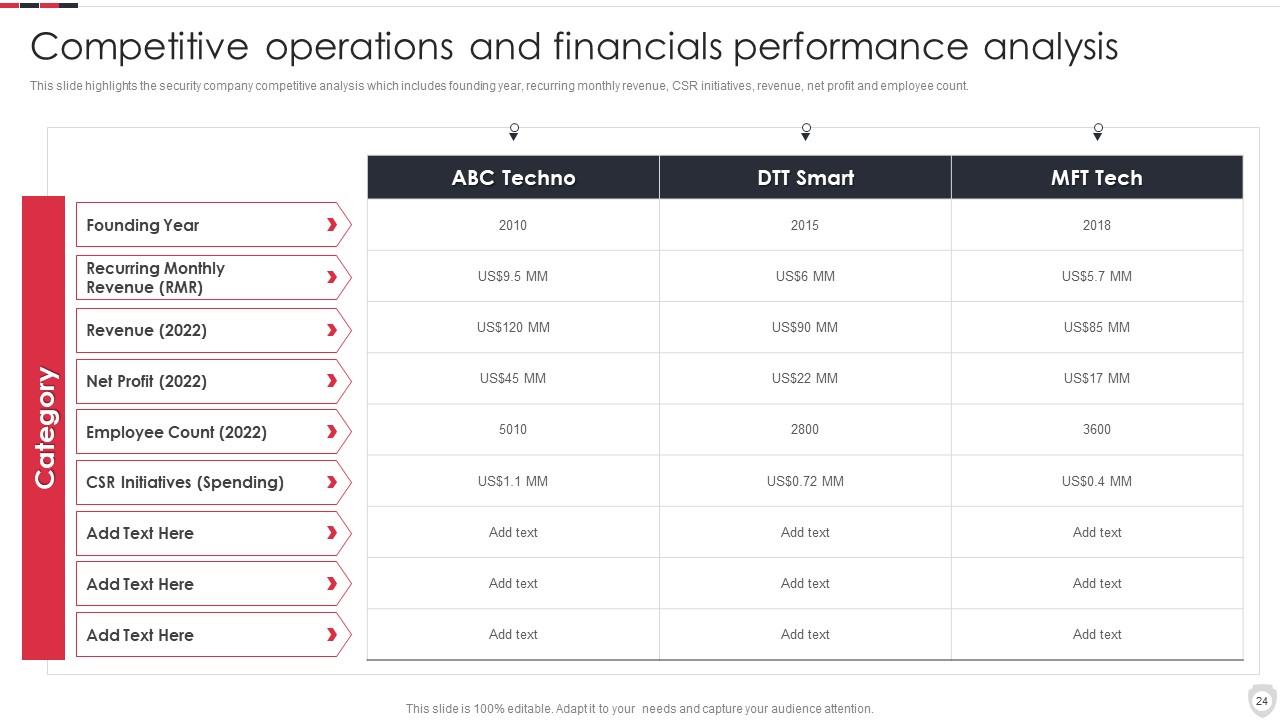
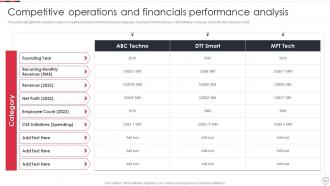
Diapositiva 24 : Esta diapositiva muestra el análisis de desempeño financiero y de operaciones competitivas.
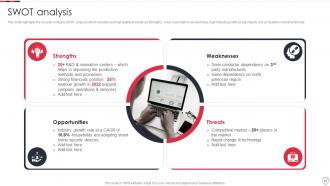
Diapositiva 25 : Esta diapositiva representa el análisis DAFO de la empresa de seguridad.
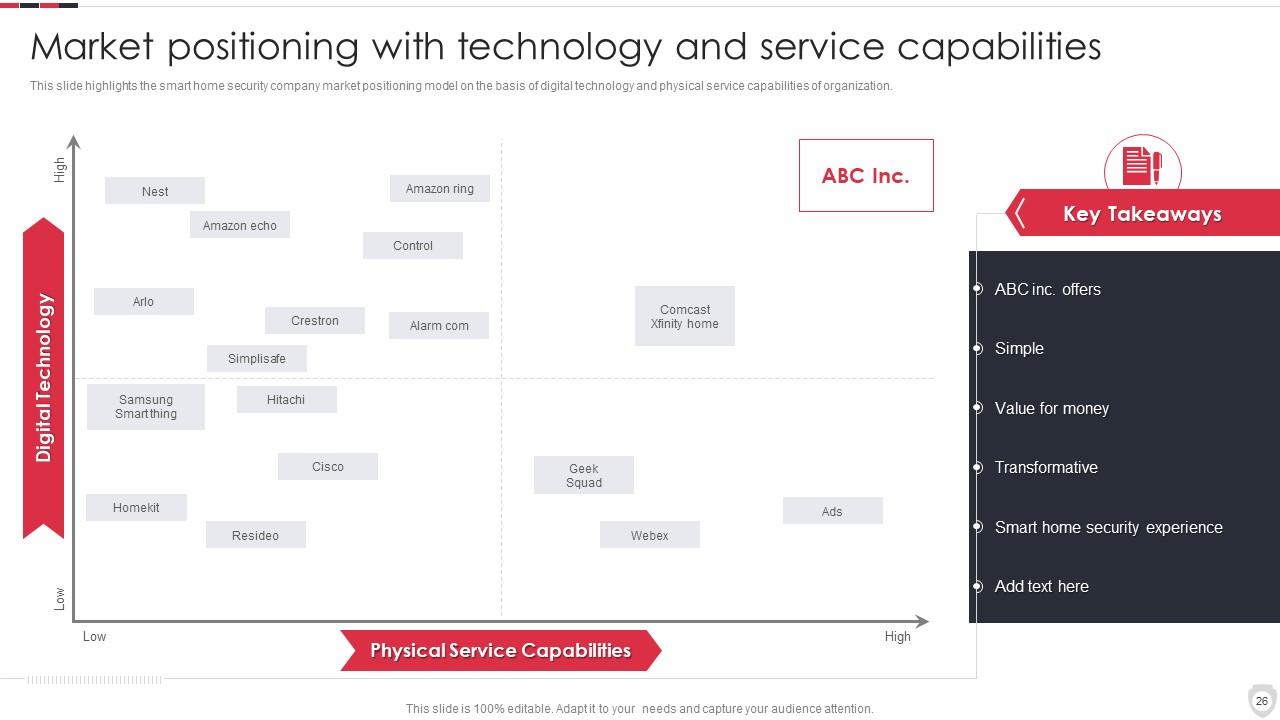
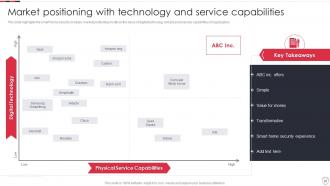
Diapositiva 26 : Esta diapositiva muestra el posicionamiento en el mercado con tecnología y capacidades de servicio.
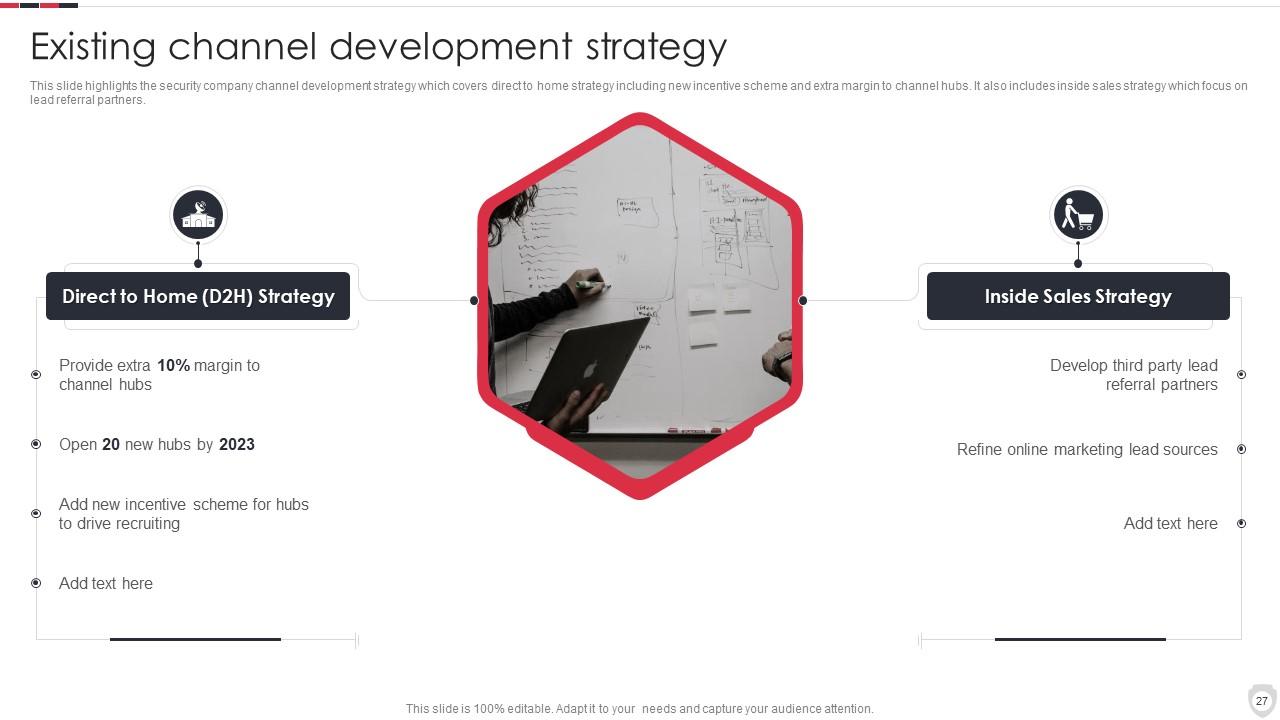
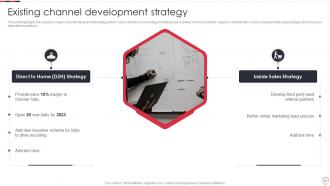
Diapositiva 27 : Esta diapositiva muestra la estrategia de desarrollo de canales existente.
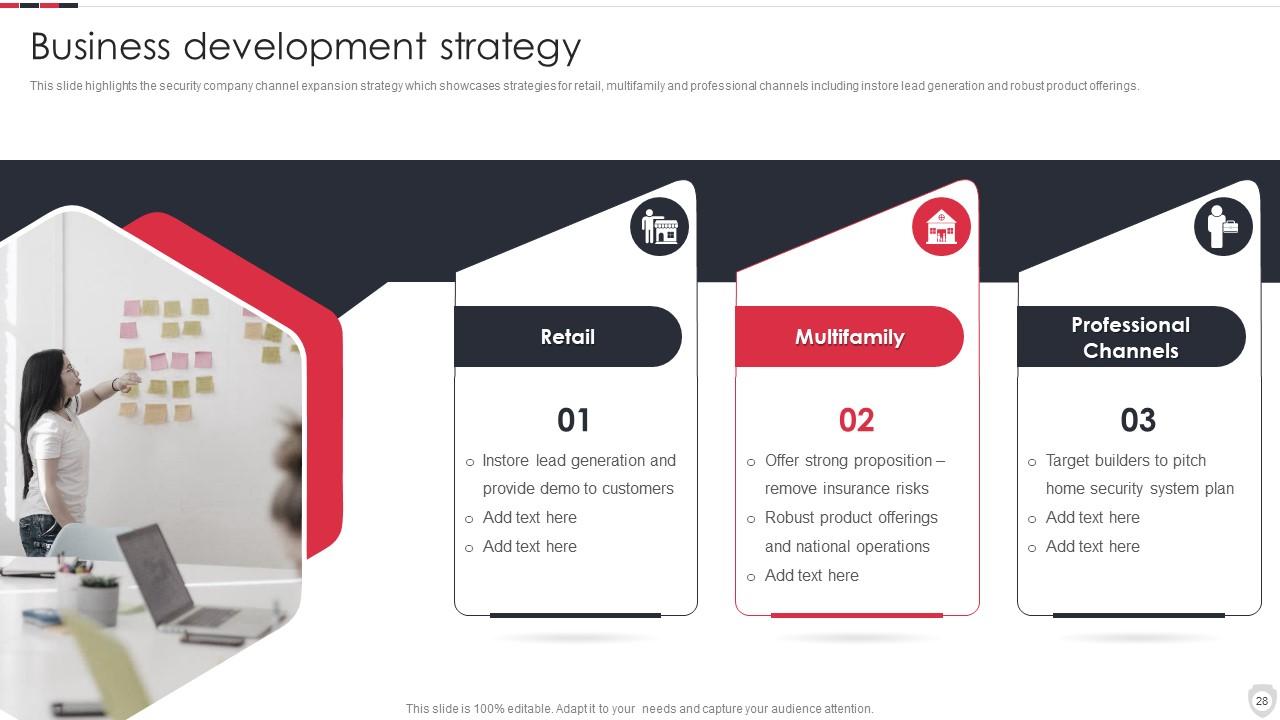
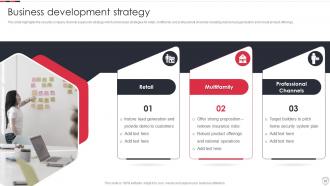
Diapositiva 28 : Esta diapositiva presenta la estrategia de expansión del canal de la empresa de seguridad.
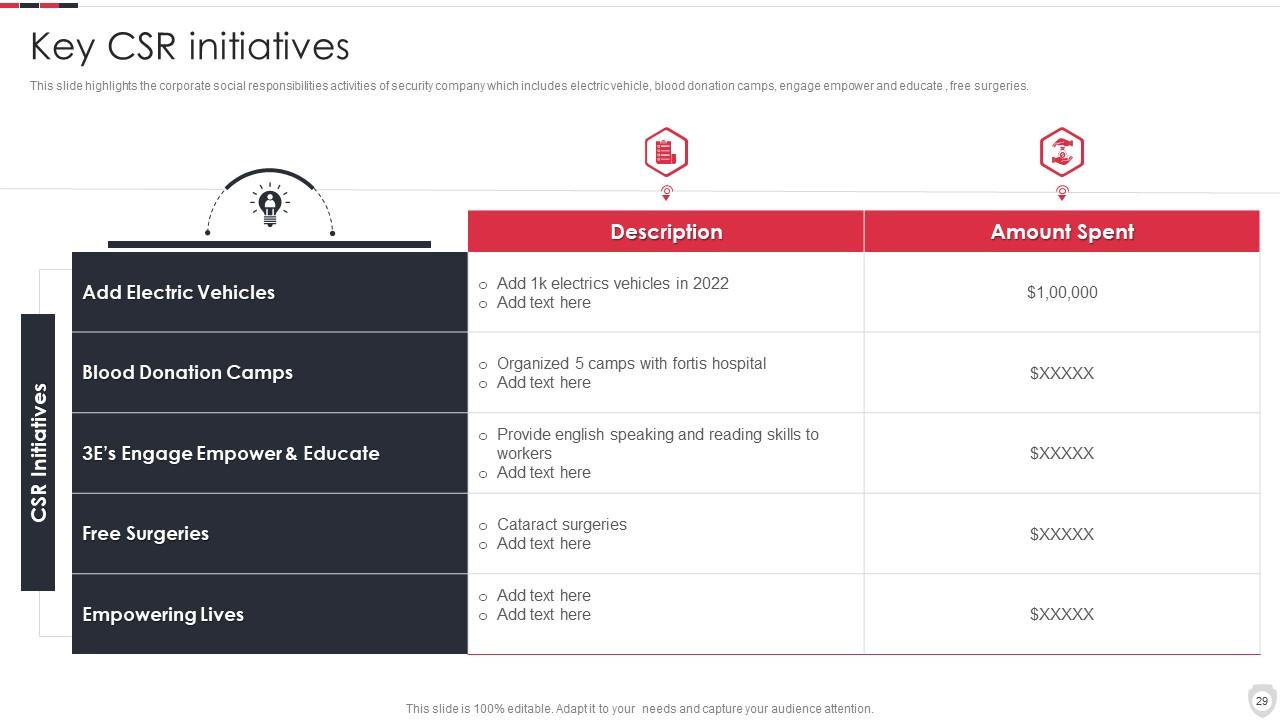
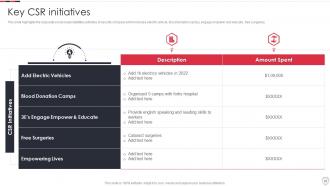
Diapositiva 29 : Esta diapositiva muestra las actividades de responsabilidad social corporativa de la empresa de seguridad.
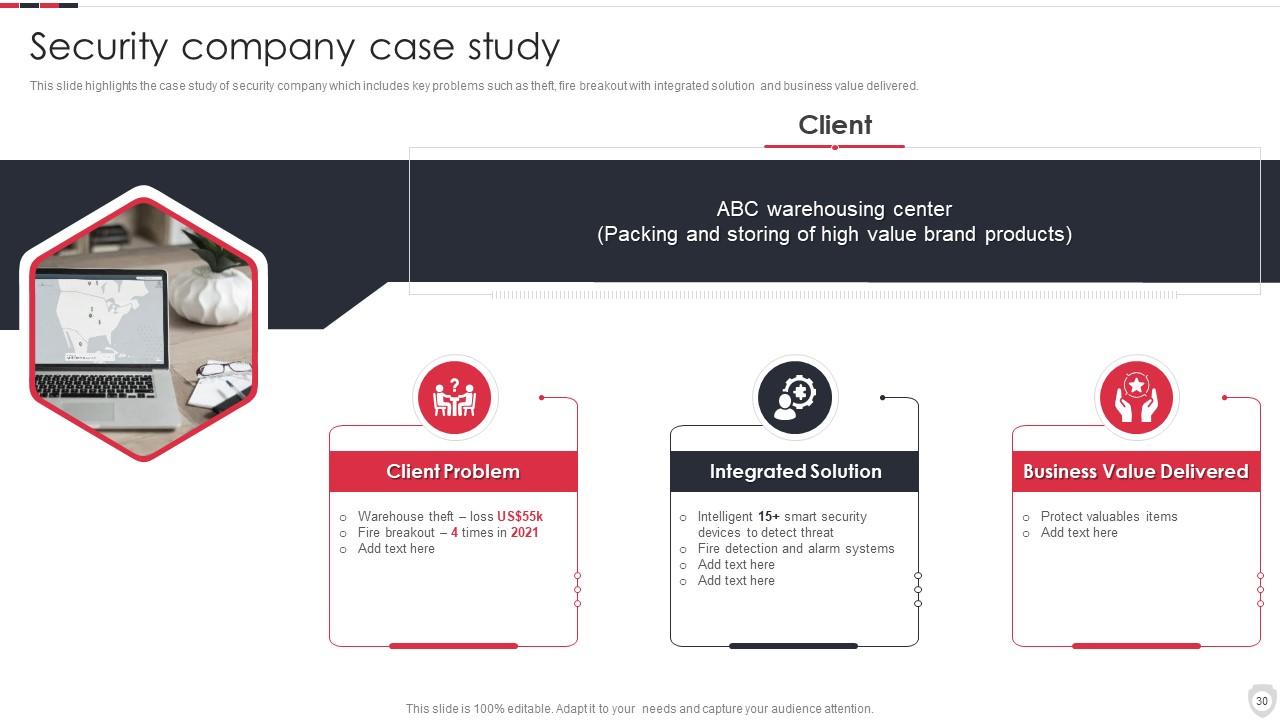
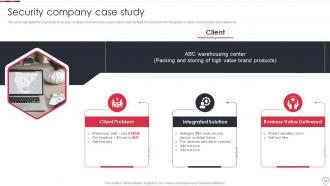
Diapositiva 30 : Esta diapositiva representa el estudio de caso de una empresa de seguridad.
Diapositiva 31 : esta diapositiva muestra los íconos para el perfil de la empresa de sistemas de seguridad para el hogar.
Diapositiva 32 : esta diapositiva se titula Diapositivas adicionales para avanzar.
Diapositiva 33 : Esta es la diapositiva Acerca de nosotros para mostrar las especificaciones de la empresa, etc.
Diapositiva 34 : Esta es la diapositiva Nuestra misión con imágenes y texto relacionados.
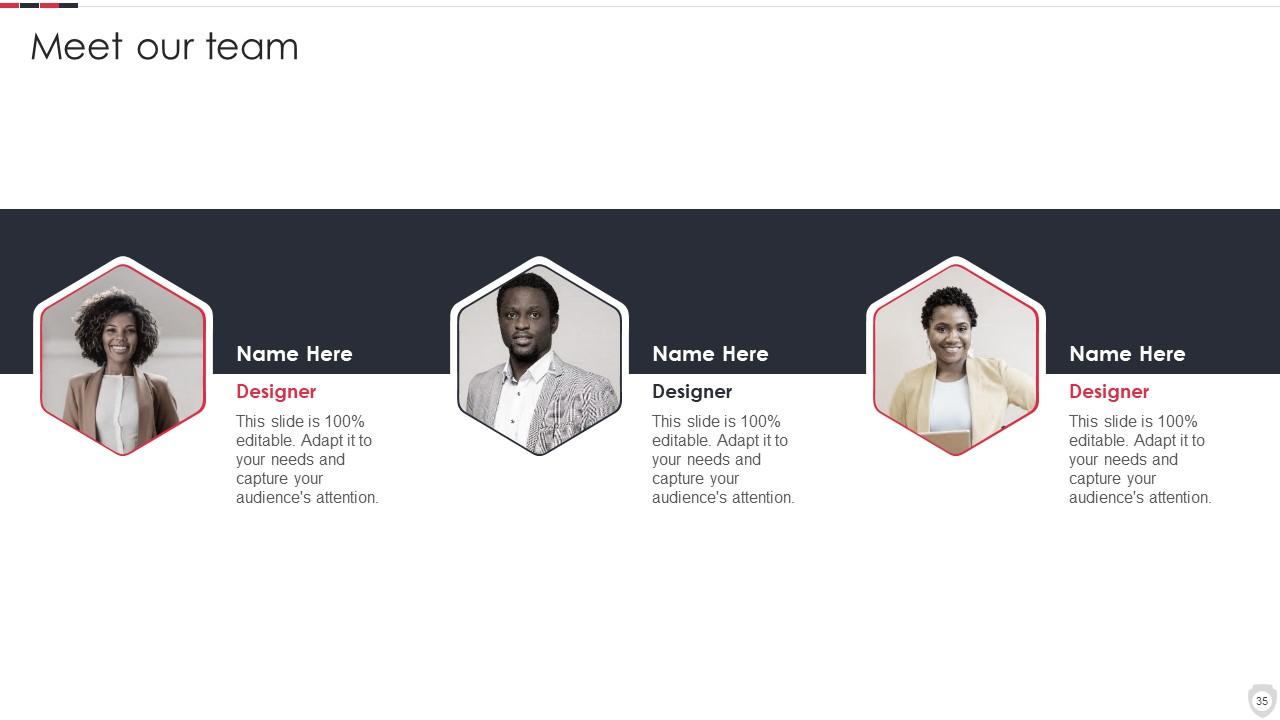
Diapositiva 35 : Esta es la diapositiva Nuestro equipo con nombres y designación.
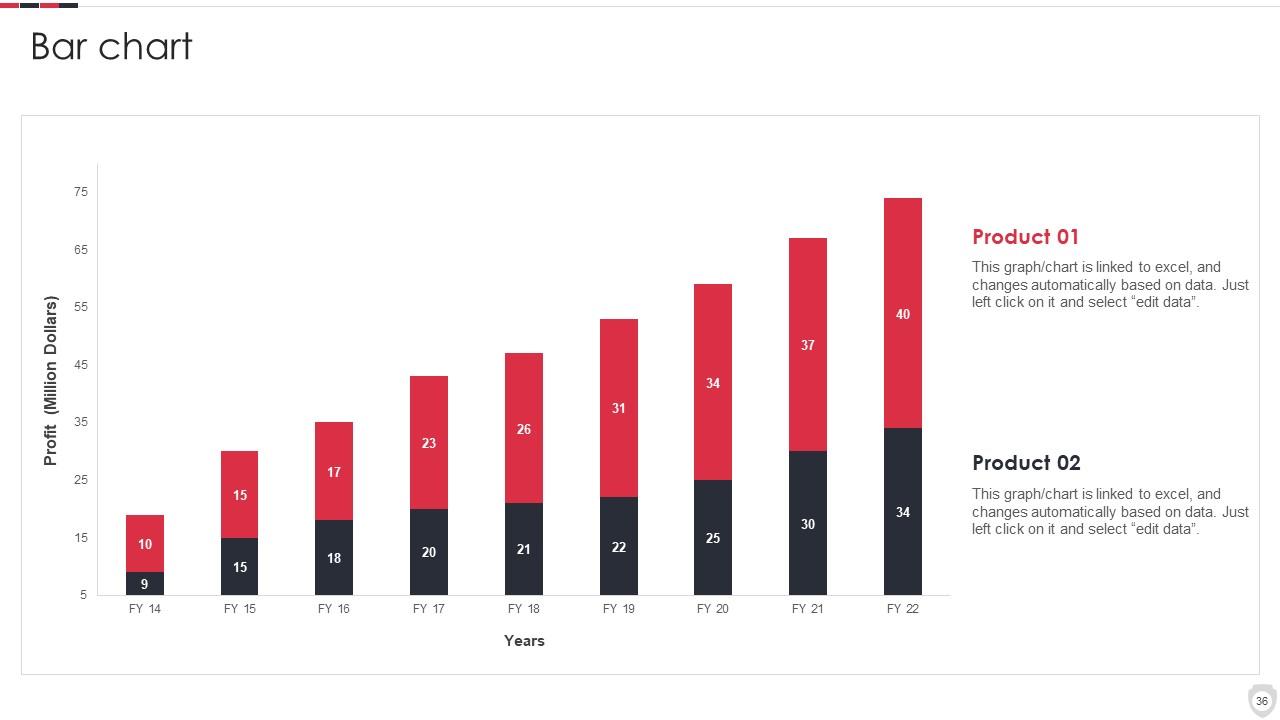
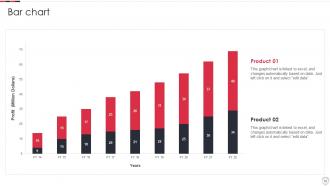
Diapositiva 36 : Esta diapositiva presenta un gráfico de barras con una comparación de dos productos.
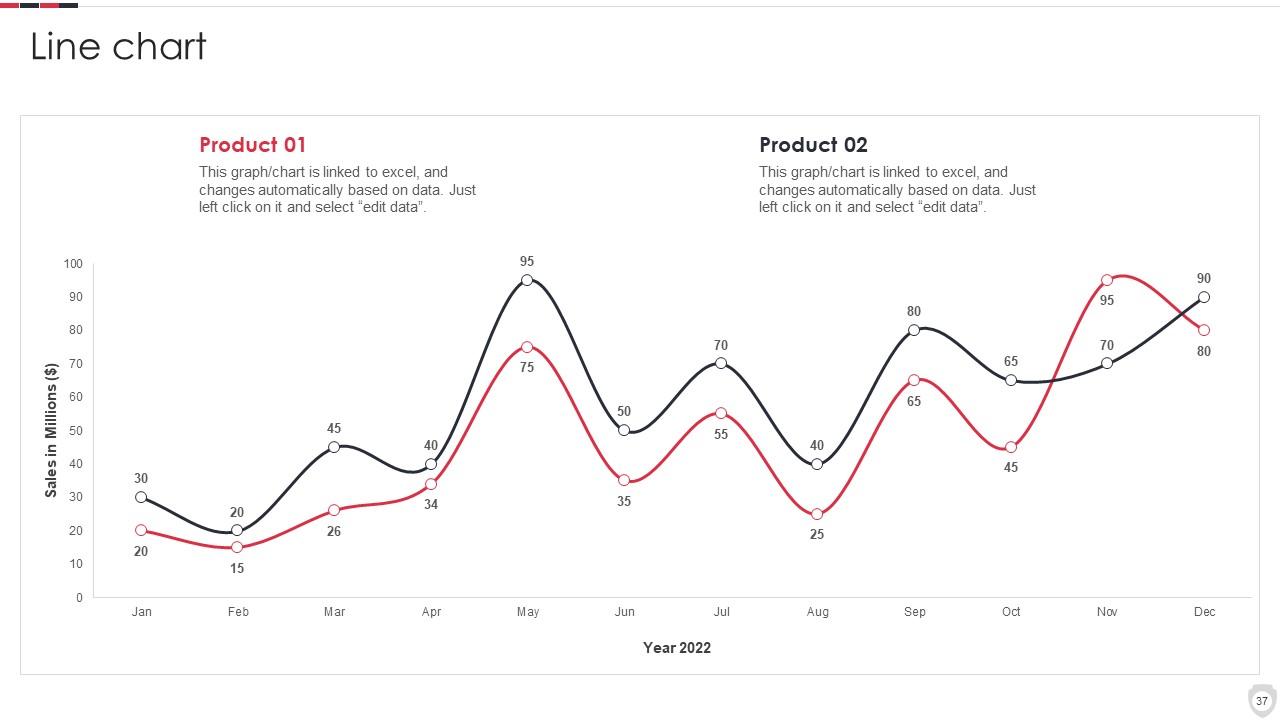
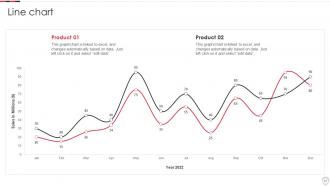
Diapositiva 37 : Esta diapositiva describe el gráfico de líneas con la comparación de dos productos.
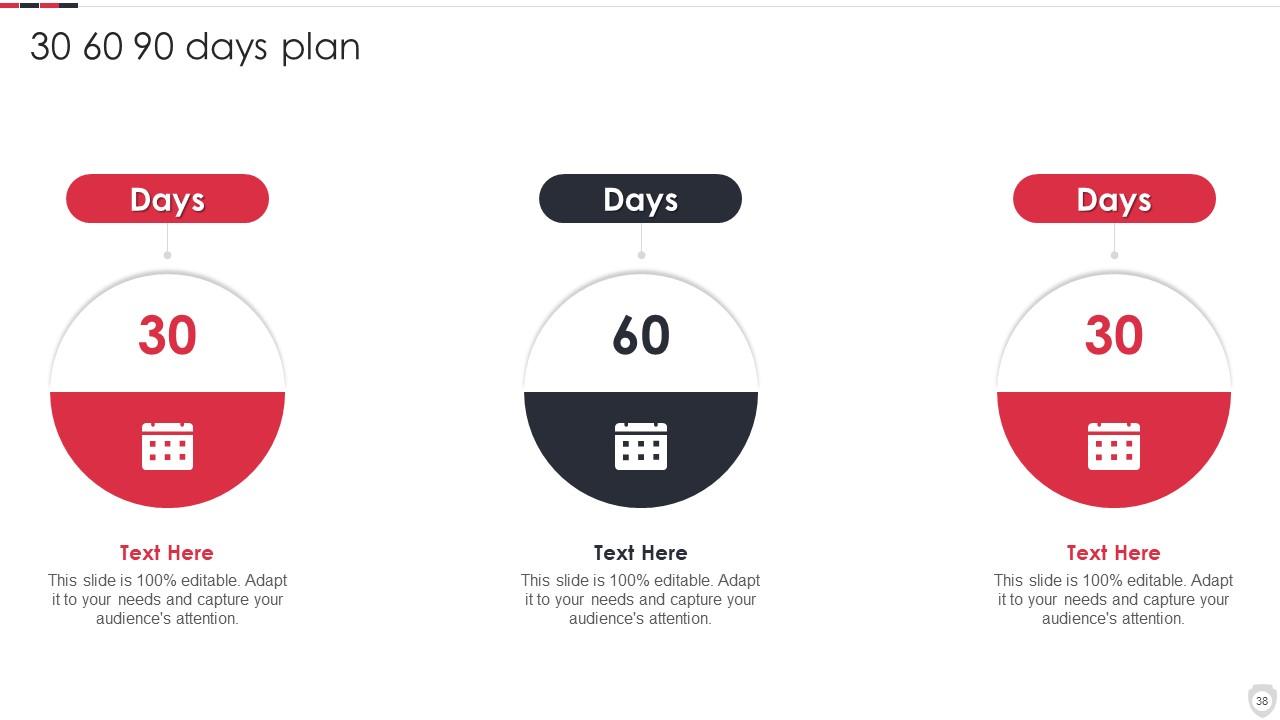
Diapositiva 38 : esta diapositiva proporciona un plan de 30 60 90 días con cuadros de texto.
Diapositiva 39 : Esta diapositiva muestra Post-It Notes. Publique sus notas importantes aquí.
Diapositiva 40 : Esta es la diapositiva Nuestro objetivo. Indique sus objetivos aquí.
Diapositiva 41 : Esta es una diapositiva de agradecimiento con dirección, números de contacto y dirección de correo electrónico.
Sistemas de seguridad para el hogar Perfil de empresa Diapositivas de presentación de Powerpoint con las 46 diapositivas:
Utilice nuestras diapositivas de presentación de Powerpoint del perfil de la empresa de sistemas de seguridad para el hogar para ayudarlo de manera efectiva a ahorrar su valioso tiempo. Están listos para encajar en cualquier estructura de presentación.
-
Such amazing slides with easy editable options. A perfect time-saver.
-
The templates you provide are great! They have saved me tons of time and made my presentations come alive. Thank you for this awesome product. Keep up the good work!
