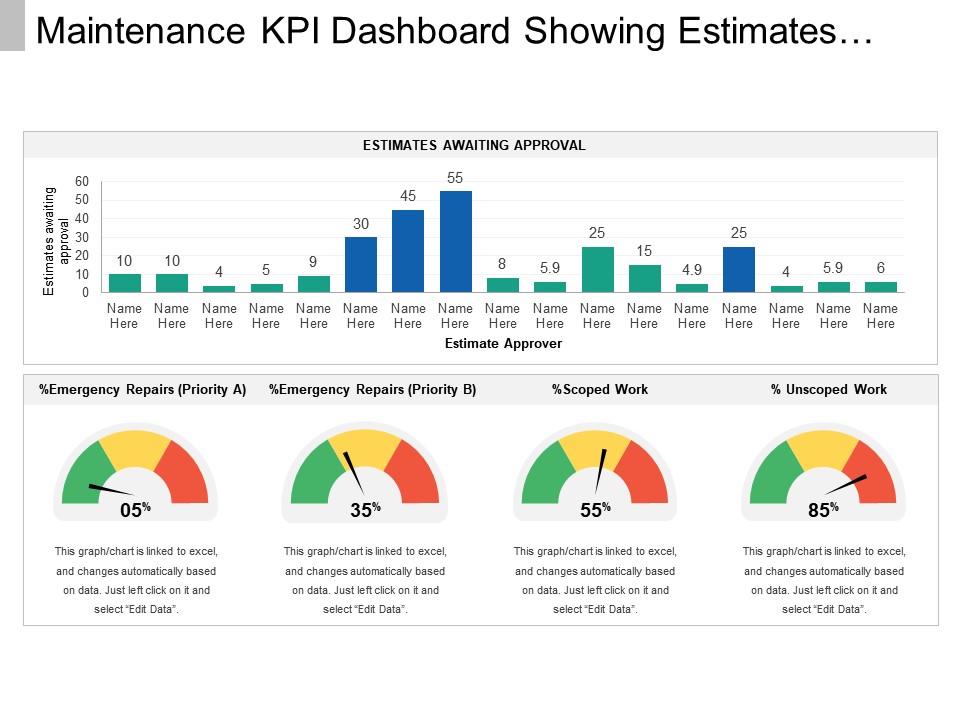
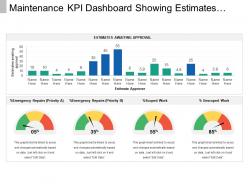
Wartungs-KPI-Dashboard mit Schätzungen, die auf Genehmigung warten

Rating:
100%
Slide 1 of 6
Favourites Favourites

Try Before you Buy Download Free Sample Product

Audience Impress Your
Audience
Editable 100%
Editable
Time Save Hours
of Time
The Biggest Sale is ending soon in
0
0
:
0
0
:
0
0
Rating:
100%

Funktionen dieser PowerPoint-Präsentationsfolien:

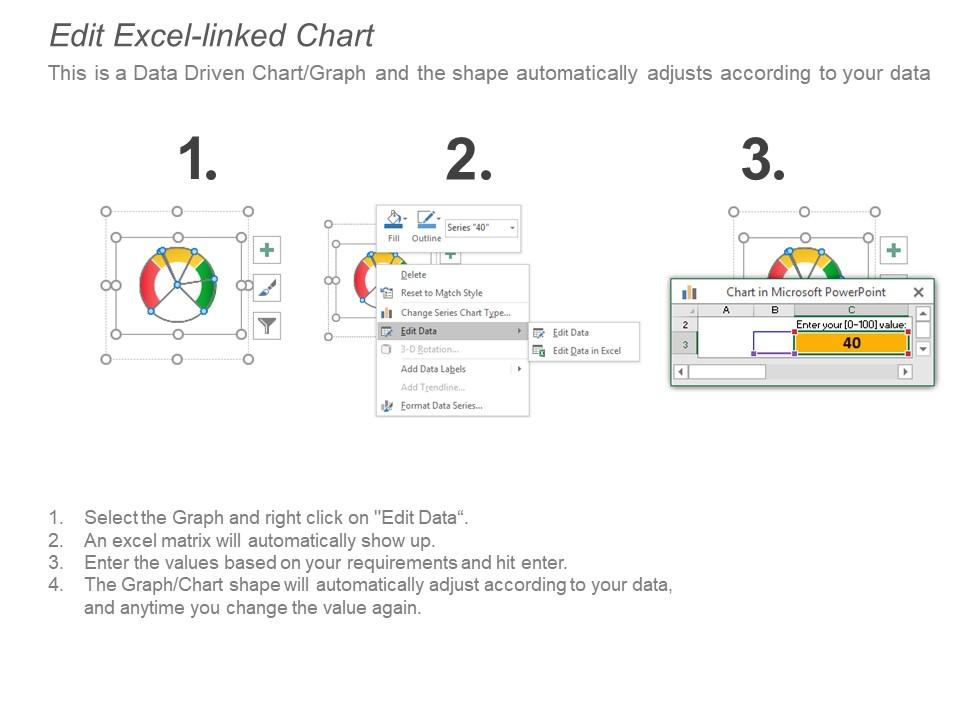
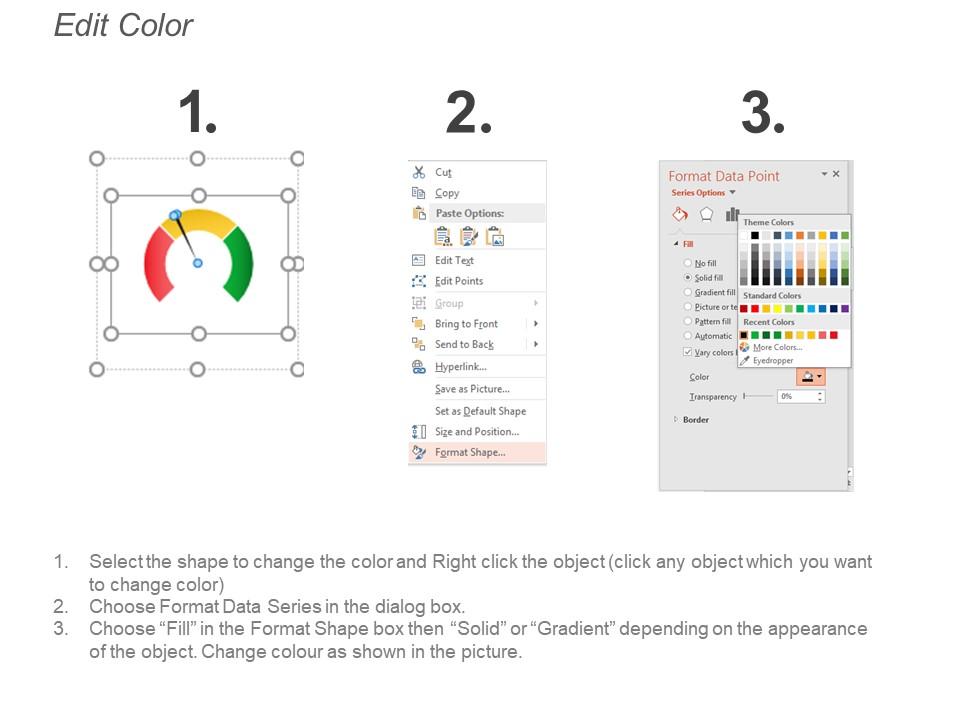
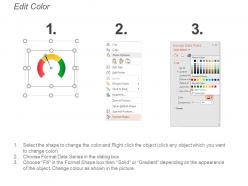
Präsentieren Sie das Wartungs-KPI-Dashboard mit Schätzungen, die auf Genehmigung warten PPT-Folie. Dieses Layout ist vollständig kompatibel mit Google-Folien und datengesteuert. Der Benutzer kann die Daten im verknüpften Excel-Blatt bearbeiten und das Design ändert sich entsprechend. Einfaches Einfügen von Firmenlogo, Warenzeichen oder Namen; Platzieren Sie Wörter, um die wichtigsten Punkte zu unterstützen. Bilder verzerren nicht, selbst wenn sie auf eine große Leinwand projiziert werden. Passen Sie Farben, Text und Schriftarten an Ihre Geschäftsanforderungen an.

People who downloaded this PowerPoint presentation also viewed the following :

FAQs for Maintenance kpi dashboard snapshot showing

Start with the big three: OEE, MTBF, and MTTR. Those will tell you everything about how your equipment's actually performing. After that, track your planned vs unplanned maintenance ratio and work order completion rates. Oh, and definitely include spare parts inventory turnover - trust me on this one, you don't want a $2 million line down because nobody ordered a basic bearing. Maintenance costs per asset matters too, obviously. But here's the thing: keep your dashboard under 8 KPIs or you'll never look at it. Figure out what your boss actually cares about first, then build around these basics.

So predictive maintenance totally flips your dashboard game. You're no longer just watching downtime after stuff breaks - now you're seeing equipment health scores and failure probabilities before problems hit. Your MTBF numbers get way better, and OEE usually bumps up 10-20%. Honestly, it makes everyone look brilliant. The whole thing becomes about predicting issues instead of reporting disasters that already happened. Oh, and definitely track how accurate your predictions actually are - otherwise you're just guessing with fancy charts. It's like having a crystal ball for your equipment.

Dude, real-time data completely changes the game with maintenance dashboards. You'll catch problems while they're still small instead of scrambling after everything breaks down. Honestly, it's like having a heads up before disaster strikes. When performance dips or maintenance is due, you get instant alerts. No more playing catch-up or dealing with surprise failures that kill your budget. The trends become obvious as they happen, which is pretty sweet. I'd start with your most critical equipment first - don't try to monitor everything at once or you'll go crazy.

Honestly, most people just grab whatever metrics look cool without thinking it through. Map your KPIs back to what your company actually wants to achieve first. Cost reduction focus? Show maintenance cost per asset, not just uptime stats. I've watched so many teams build these gorgeous dashboards that nobody cares about because they don't connect to real business goals. Talk to people outside maintenance too - get the full picture. Simple test: if your KPI jumped 20%, would leadership notice? If not, ditch it and find something that actually moves things forward.

Dude, go with the traffic light system - red/yellow/green jumps right out at you. Put your biggest KPIs at the top where you can't miss them. I swear, half the dashboards I see are these gorgeous disasters that nobody can actually read. Real-time updates are clutch, and group similar stuff together so you're not playing Where's Waldo with your data. Trend lines for uptime and MTTR help tons. Bottom line: if someone can't walk by and instantly know what's broken, you've overcomplicated it. Five seconds max to spot trouble.

So downtime data is pretty much what makes your whole maintenance dashboard tick. Your OEE gets crushed when machines randomly break down. MTTR shoots up too. Plus it throws off that planned vs unplanned maintenance ratio - nobody wants to see those numbers. The dashboard pulls all this downtime info to figure out availability rates, what each asset costs to maintain, reliability patterns, stuff like that. Oh and root cause tracking matters way more than people think. You gotta capture those downtime events as they happen, not days later when everyone's already forgotten what went wrong.

Honestly, don't jam everything onto one screen - I learned this the hard way. Pick maybe 5-7 metrics that actually matter for your maintenance goals. Skip the vanity stuff like total work orders (who cares?) and focus on things like planned vs unplanned work ratios. Real-time updates are crucial, otherwise people stop trusting the data. Oh, and definitely test it with whoever's gonna use it daily before you call it done. They'll catch issues you never thought of.

Manufacturing companies are obsessed with OEE and unplanned downtime - makes sense since downtime costs them huge money. Healthcare? They care way more about equipment uptime and compliance because patient safety is everything. Airlines track maintenance-related flight delays like crazy (honestly, who can blame them). Oil & gas folks focus on safety and environmental compliance first, then worry about the usual reliability stuff. Here's the thing though - you gotta figure out what actually hurts your business before building any dashboard. Don't just pick random maintenance metrics that look impressive but won't help you make real decisions.

Honestly, I'd go with Power BI or Tableau for maintenance dashboards - both handle tricky data viz pretty well and connect to most CMMS systems without much fuss. Grafana's worth considering if you're tech-savvy (and it's free, which your finance team will appreciate). You could even use Excel with Power Query for basic stuff, though it gets messy fast with big datasets. The main thing is finding something that works with your current maintenance software. Nobody wants to fight with updates every month. I'd probably test Power BI first since it plays nice with almost everything.

User feedback is seriously gold for your maintenance dashboard. Talk to your technicians - they'll tell you if they need faster equipment history access. Managers might want better trend visuals. That's your actual roadmap right there. Most dashboards I've seen track metrics nobody gives a damn about, honestly. Monthly check-ins with key users will show you what gaps exist and what clutter you can ditch. Just listen to them - they'll suggest improvements you'd never think of. Way better than guessing what people want from your desk.

Honestly, the best part is it stops all those annoying "well I think..." arguments in meetings. Everyone's looking at the same numbers - downtime, work orders, equipment stuff - instead of just throwing opinions around. Management finally sees what you're actually dealing with day-to-day, and you can show how your work connects to the bigger picture. Those monthly check-ins become way less painful when you're talking facts, not feelings. Oh, and ditch the spreadsheet dumps - nobody reads those anyway. Start with maybe 3-5 metrics that both you and the bosses care about.

Check your historical failure data first - that's where the gold is. Plot trends in breakdown frequency and time between failures over the past year or two. Your dashboard should flag recurring problems (like equipment that craps out every summer when it gets hot). Based on those actual patterns, you can predict when stuff's about to fail and set alerts before it happens. Way better than just following what the manual says, honestly. Focus on your 3 most critical machines to start - don't try to tackle everything at once or you'll get overwhelmed.

Start with clean design - consistent colors, clear labels, logical groupings. Nobody wants to get lost trying to find basic info. Make sure it works on tablets too since people check these in the field all the time. The real game-changer though? Actually talk to your users instead of guessing what they want. I've seen so many beautiful dashboards that nobody uses because they're built backwards. Run quick tests with different teams. Watch how they navigate around. Short sentences work better than long ones for instructions. Add tooltips for the technical stuff - not everyone speaks maintenance.

Look, benchmarking is basically your sanity check for figuring out which KPIs actually matter. Industry standards for stuff like MTTR and OEE give you real targets to hit. Manufacturing companies obsess over uptime while facilities teams care way more about cost per square foot - makes sense, right? I'd grab data from trade associations or those pricey consulting reports (ugh, but they're useful). Pick maybe 3-5 metrics that match both what your industry does AND what your boss actually cares about. Don't go crazy with too many at first.

Focus your training on three things: what each KPI actually means, how to read the visuals, and when numbers mean trouble. Dashboard navigation? That's easy - people figure it out fast. The tricky part is teaching them which trends actually matter vs random ups and downs. Show them how metrics connect and what thresholds mean "time to panic." Honestly, I'd skip the boring PowerPoint stuff and jump straight into real data from your past months. Do monthly check-ins after that. Oh, and make sure everyone knows who gets the emergency calls when things look weird.

Ratings and Reviews

100% of 100
Review Form
Write a review
Most Relevant Reviews
  1. 100%

    by Colin Barnes

    Innovative and Colorful designs.
  2. 100%

    by Claudio Alvarez

    Really like the color and design of the presentation.

2 Item(s)

per page: