

Man In The Middle Attack In Cyber Security Training Ppt




Try Before you Buy Download Free Sample Product
 Impress Your
 Audience
 100%
100% Editable
 Save Hours
 of Time


This set of PPT slides in depth covers Man-in-the-Middle Attack in Cyber Security. It covers its types, such as IP Spoofing, HTTP spoofing, SSL hijacking, session hijacking, cache poisoning, and Wi-Fi eavesdropping, and tips to prevent such attacks.
People who downloaded this PowerPoint presentation also viewed the following :
Content of this Powerpoint Presentation
Slide 2
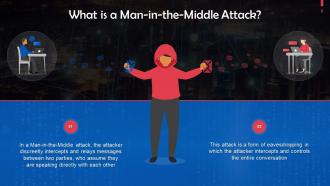
This slide talks about man-in-the-middle attacks. In a Man-in-the-Middle attack, the attacker discreetly intercepts and relays messages between two parties, who assume they are speaking directly with each other.
Slide 3
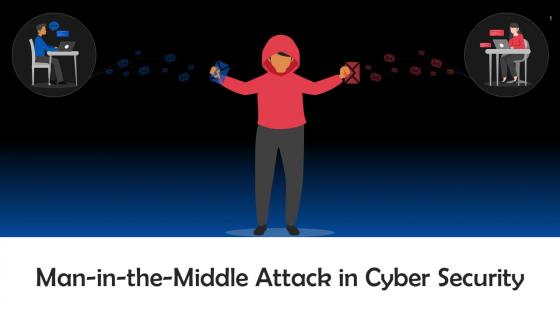
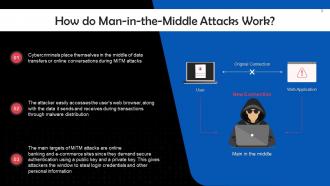
This slide depicts the working of Man-in-the-Middle (MiTM). Cybercriminals place themselves in the middle of data transfers or online conversations during MiTM attacks.
Slide 4
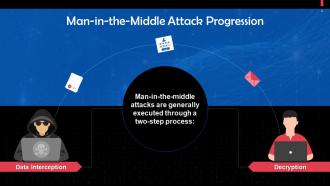
This slide highlights a two-step process of executing a MiTM attack. The steps are data interception and decryption.
Slide 5
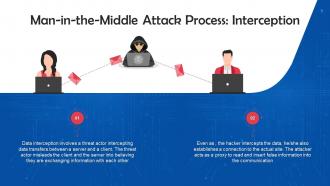
This slide discusses the first step, i.e. Interception, for executing MiTM attacks. Data interception involves a threat actor intercepting data transfers between a server and a client. The threat actor misleads the client and the server into believing they are exchanging information with each other.
Slide 6
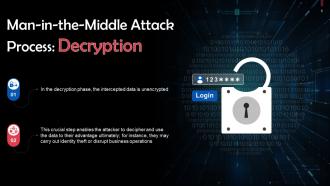
This slide discusses the second step, i.e. decryption, for executing MITM attacks. In the decryption phase, the intercepted data is unencrypted.
Slide 7
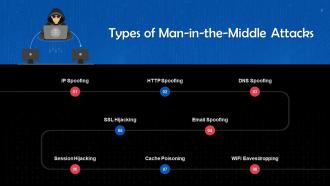
This slide depicts the working of man-in-the-middle attacks. These are: IP Spoofing, HTTP spoofing, DNS spoofing, email spoofing, SSL hijacking, session hijacking, cache poisoning, and WiFi eavesdropping.
Slide 8
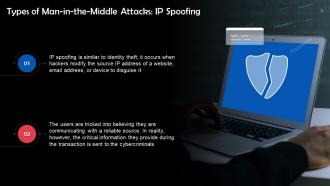
This slide talks about IP Spoofing. IP spoofing is similar to identity theft; it occurs when hackers modify the source IP address of a website, email address, or device to disguise it.
Slide 9
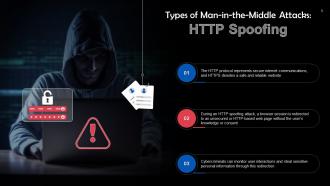
This slide discusses HTTP Spoofing. It involves redirecting a browser session to an unsecured or HTTP-based web page without the user's knowledge or consent. This also easy stealing of sensitive information to cybercriminals.
Slide 10
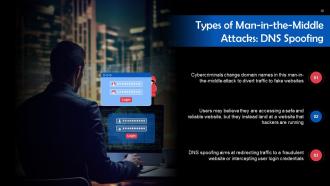
This slide talks about DNS Spoofing. Cybercriminals change domain names in this man-in-the-middle attack to divert traffic to fake websites.
Slide 11
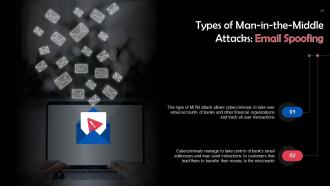
This slide discusses Email Spoofing. This type of MiTM attack allows cybercriminals to take over the email accounts of banks and other financial organizations and track all user transactions.
Slide 12
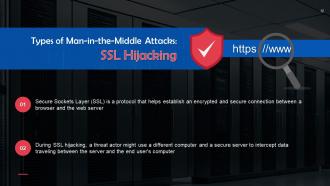
This slide talks about SSL (Secure Sockets Layer) Hijacking. SSL is a protocol that helps establish an encrypted and secure connection between a browser and the web server.
Slide 13
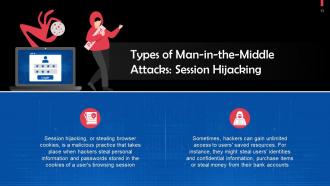
This slide discusses Session Hijacking. Session hijacking, or stealing browser cookies, is a malicious practice that takes place when hackers steal personal information and passwords stored in the cookies of a user's browsing session.
Slide 14
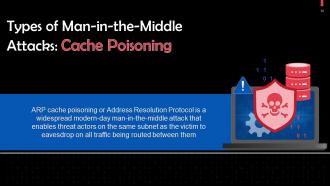
This slide talks about Cache Poisoning. It enables threat actors on the same subnet as the victims’ to eavesdrop on traffic being routed between them.
Slide 15
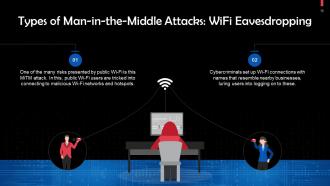
This slide discusses WiFi Eavesdropping. During this attack, public Wi-Fi users are tricked into connecting to malicious Wi-Fi networks and hotspots.
Slide 16
This slide depicts an example of a man-in-the-middle attack. One of the biggest credit reporting companies, Equifax, suffered a major data breach in 2017 that revealed the financial data of around 150 million Americans.
Slide 17
This slide gives information about the prevention of man-in-the-attacks. Users should visit secure websites that display “HTTPS” in the URL bar or a padlock symbol before the URL. A VPN should be used while connecting to public WiFi networks and hotspots.
Man In The Middle Attack In Cyber Security Training Ppt with all 36 slides:
Use our Man In The Middle Attack In Cyber Security Training Ppt to effectively help you save your valuable time. They are readymade to fit into any presentation structure.
-
Man in the Middle Attack in Cyber Security
-
What is a Man in the Middle Attack
-
How do Man in the Middle Attacks Work
-
Man in the Middle Attack Progression
-
Man in the Middle Attack Process Interception
-
Man in the Middle Attack Process Decryption
-
Types of Man in the Middle Attacks
-
Types of Man in the Middle Attacks IP Spoofing
-
Types of Man in the Middle Attacks HTTP Spoofing
-
Types of Man in the Middle Attacks DNS Spoofing
-
Types of Man in the Middle Attacks Email Spoofing
-
Types of Man in the Middle Attacks SSL Hijacking
-
Types of Man in the Middle Attacks Session Hijacking
-
Types of Man in the Middle Attacks Cache Poisoning
-
Types of Man in the Middle Attacks WiFi Eavesdropping
-
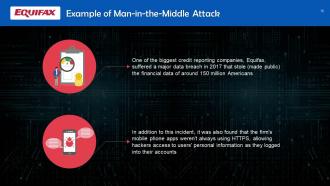
Example of Man in the Middle Attack
-
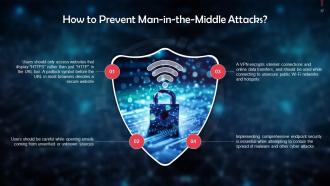
How to Prevent Man in the Middle Attacks
-

Thank You
-
Comprehensive Training Curriculum on Cyber Security Awareness Icons Slide
-

Additional Slides
-

About Us
-

Vision Mission Goal
-

Our Team
-

Idea generation
-
30 60 90 Days Plan
-
Timeline
-

Roadmap
-

Training Completion Certificate
-

-

-

-

-

-

-

-

FAQs for Man In The Middle Attack In Cyber
So basically, it's when someone sneaks into the middle of your internet connection and spies on everything. Think of it like someone tapping your phone line, except they can also mess with what you're seeing. Usually happens through sketchy public WiFi or hacked routers. They can steal passwords, inject weird stuff into websites, or pretend to be whoever you're talking to. The worst part? You won't even know it's happening. Stick to HTTPS sites when possible, and honestly just avoid doing anything important on public WiFi. Oh, and keep your stuff updated - I know, boring but necessary.
Wireshark's probably the biggest one - it's like the gold standard for packet sniffing. Then you've got Ettercap for ARP spoofing, which is honestly pretty scary how easy it makes things. SSL stripping tools like sslstrip are nasty too. Oh and those random "Free_WiFi" networks? Yeah, half of those are probably traps. Attackers set up fake hotspots all the time. DNS spoofing's another big one - they'll redirect your traffic without you even knowing. Best defense is just avoiding public wifi when you can, or at least using a VPN if you have to connect.
Look, encryption basically scrambles your messages so even if someone intercepts them, they can't read what you're actually saying. Way harder for attackers to steal your data that way. You know that little lock icon when you're browsing? That's HTTPS doing its thing - always way better than regular HTTP. One thing though - attackers love using fake certificates to trick you, so double-check you're connecting to the real site. I learned this the hard way once. Strong encryption protocols help a ton, but honestly? Just avoid sketchy public wifi when you can.
So PKI is like having a digital bouncer check IDs - it makes sure you're actually talking to the real website, not some sketchy imposter. Your browser gets a digital certificate from the server that proves it's legit. The whole thing works because certificate authorities vouch for these certificates (kinda like how the DMV vouches for your driver's license). Without it? Attackers can just pretend to be your bank or whatever and steal your info. Oh, and here's the thing - your app actually has to check these certificates properly. I've seen way too many developers just ignore certificate errors.
Oh man, there've been some crazy ones. The NSA had this QUANTUM thing where they basically hijacked Facebook and LinkedIn traffic. Then in 2011, hackers got fake SSL certificates from DigiNotar - completely destroyed that company overnight, which honestly they kinda deserved. Belgian telecom Belgacom got hit in 2013 too, attackers were spying on all their communications. You've probably seen those fake WiFi hotspots at airports and conferences lately. The pattern? People trust stuff they shouldn't. Just double-check you're on the real network and don't ignore those certificate warnings - they're actually trying to help you out.
So MitM attacks happen in real-time - basically someone's sitting between you and whatever site you're trying to reach, watching everything and sometimes changing your data as it goes through. Replay attacks are different though. Someone records your legit login or transaction, then just plays it back later to trick the system. It's kinda like the difference between someone listening to your actual phone call vs recording your voicemail and replaying it. Both suck obviously, but MitM is scarier since they can mess with your stuff instantly. Just make sure you're using good encryption and check those security certificates - catches most of this crap.
Dude, MitM attacks are seriously bad news. They'll grab your login credentials, customer data, financial stuff - basically anything flowing through your network. Trade secrets? Gone. Internal emails? Compromised. Client info? Up for grabs. The money side hits hard too - you're looking at response costs, regulatory fines, plus lawsuits from angry customers. Your company's reputation gets torched once word gets out. I've seen it happen and it's ugly. Get SSL certificates and network monitoring set up ASAP. Trust me, preventing this mess costs way less than cleaning it up later.
Keep an eye on your network traffic for weird certificate changes and SSL warnings that pop up randomly. The decent monitoring tools cost money but honestly they're not optional if you're serious about this. Certificate pinning helps for your most critical apps. Train people to actually report browser warnings instead of just dismissing them - you'd be shocked how often that gets ignored. DNS responses acting funky? That's a red flag. Have a response plan ready that includes cutting off compromised systems fast and yanking certificates if needed. Oh, and tackle your most sensitive stuff first obviously.
Yeah so basically public Wi-Fi is sketchy because anyone can set up a fake hotspot. Like that "Free_Airport_WiFi" network? Could literally just be some guy with a laptop trying to steal your info. Even legit networks are risky since wireless signals are easier to intercept than wired ones. Most public spots don't encrypt anything properly either, so your data's just floating around for anyone to grab. I always use a VPN when I'm out - probably overkill but whatever. And definitely don't do banking or anything sensitive unless you trust the network.
WPA3 is your best bet for wifi security - way better than WPA2 that most places still use. Double-check SSL certificates on new networks, but honestly? I just skip public wifi entirely for banking stuff. VPN is a must for remote work, and your access points need solid unique passwords. Oh, and turn on network isolation so devices can't spy on each other - learned that one the hard way. None of this stuff is perfect by itself, but stack them up and you'll make hackers work way harder.
Dude, training your people is seriously the best thing you can do. Most attacks work because someone clicks through a scary-looking warning or connects to "Free_WiFi_Totally_Safe" without thinking. Teach them to actually read those certificate errors instead of just hitting "proceed anyway." Also show them red flags - like when Netflix suddenly asks for your password again, or familiar sites look slightly off. My old boss used to say people are either your weakest link or your strongest defense. Make it ongoing training too, not just some boring annual slideshow nobody remembers.
Dude, don't mess with MitM attacks unless you have written permission - the feds will throw the book at you. Computer Fraud and Abuse Act carries serious prison time, sometimes decades if you hit banks or government stuff. Civil lawsuits happen all the time too where people sue for damages. Honestly the legal system has zero chill about this stuff anymore. If you're doing legit pen testing, get everything in writing first and document your scope. I know it sounds paranoid but one wrong move and you're screwed.
So basically, quantum computers are gonna mess up all our current encryption - RSA, elliptic curve, all that stuff. They'll crack it using Shor's algorithm in hours instead of the centuries it'd take regular computers. Honestly pretty terrifying when you think about it. But we've got time since quantum computers aren't that powerful yet. Companies are already working on quantum-resistant encryption too. You should probably start planning for the switch now though - these transitions always take forever and you don't wanna be scrambling later.
So basically, MitM attacks love going after apps with crappy SSL setups and anything still running on HTTP. Cookie hijacking is probably the biggest issue I see - tons of devs forget to set secure flags. Mixed content bugs are another pain point where your HTTPS site loads HTTP stuff. Really opens the door for attackers. Apps that don't validate server certs properly? Easy targets. You'll want HTTPS everywhere obviously, plus certificate pinning helps a lot. Don't forget secure cookie settings either - that stuff matters more than people think.
So there's actually some pretty cool stuff happening on the security front. Zero-trust networks are huge right now - basically they don't trust anything by default, even stuff already on your network. Certificate transparency logs catch sketchy certificates, and DNS-over-HTTPS stops people from hijacking your DNS requests. Oh, and post-quantum crypto is coming because apparently quantum computers might crack everything we use now (fun times). But real talk? Certificate pinning in your apps and moving toward zero-trust is what'll actually help you today. The fancy future stuff is interesting but you need protection now.
-
Easily Editable.
-
The best collection of PPT templates!! Totally worth the money.