

Microsoft AI Solutions For Business Transformation AI CD




Try Before you Buy Download Free Sample Product
 Impress Your
 Audience
 100%
100% Editable
 Save Hours
 of Time


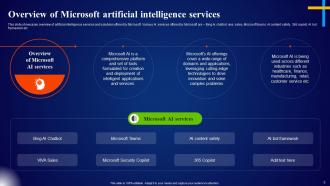
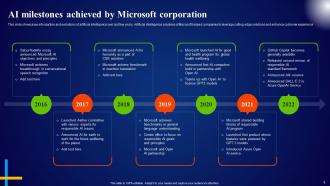
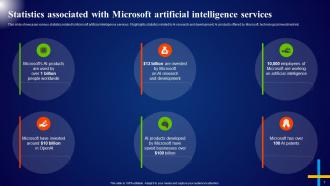
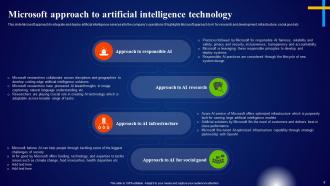
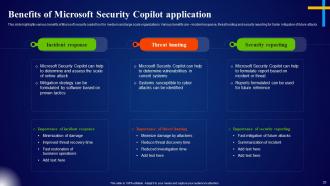
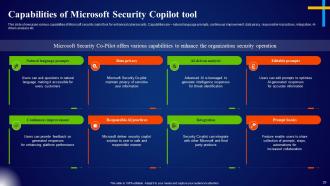
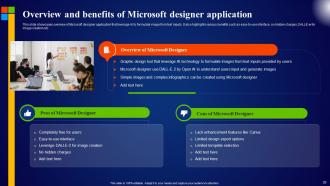
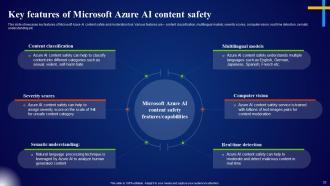
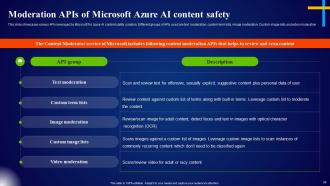
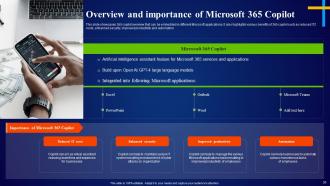
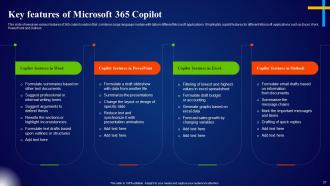
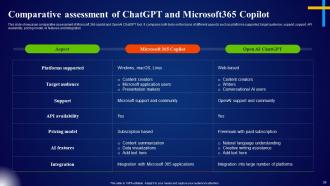
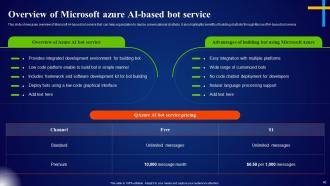
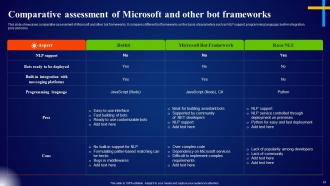
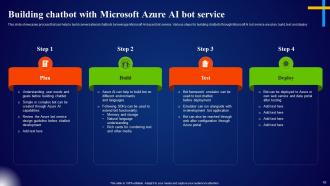
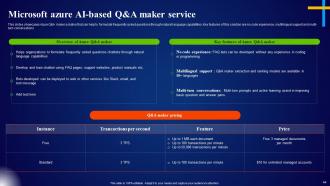
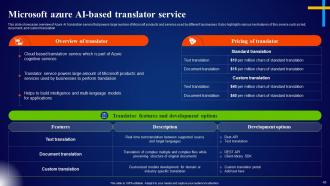
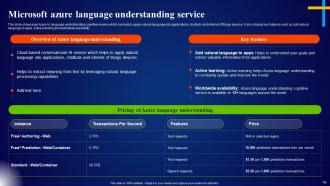
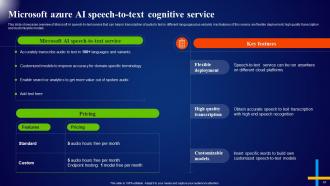
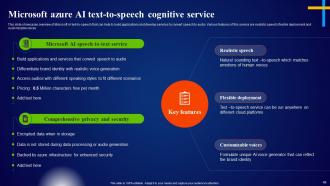
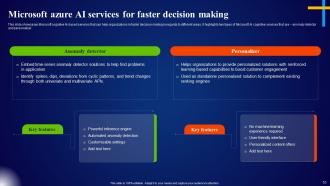
Check out our professionally designed Microsoft AI solutions for business transformation. This AI Chatbot PPT is a comprehensive platform and set of tools formulated for the deployment of intelligent products plus services. Moreover, this Microsoft AI services deck highlights various AI milestones achieved by Microsoft in the last few years, statistics associated with the adoption of artificial intelligence, and Microsofts approach to AI. Further, this Microsoft services presentation also highlights various AI services and solutions Microsoft provides. Also, this Microsoft solutions deck shows other AI solutions, such as Microsoft security copilot, AI bot service, 365 copilot, etc. Lastly, the AI cognitive services module highlights multiple Azure-based AI cognitive services such as speech-to-text translation, Q and A maker, translator service, speaker recognition, personalizer, anomaly detector, etc. Download our 100 percent editable and customizable template, which is also compatible with Google Slides.
People who downloaded this PowerPoint presentation also viewed the following :
Content of this Powerpoint Presentation
Slide 1: The slide introduces Cloud Data Encryption Implementation Plan.
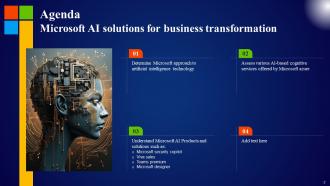
Slide 2: This is an Agenda slide. State your agendas here.
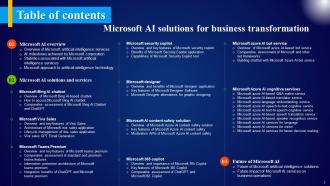
Slide 3: The slide displays Table of contents for presentation.
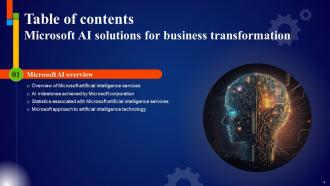
Slide 4: The slide continues Table of contents.
Slide 5: This slide highlights the components of the current cloud framework, which are prone to several data security concerns.
Slide 6: The slide represents title of contents further.
Slide 7: This slide discusses the security issues faced by the organization due to a lack of encryption in cloud services.
Slide 8: This slide summarizes data security attacks across different organizational departments.
Slide 9: The slide describes title of contents which is to be discussed further.
Slide 10: The slide is to indicate the performance analysis of the organization’s current security infrastructure.
Slide 11: The slide also presents title of contents.
Slide 12: The slide represents the summary of the cloud data encryption implementation project providing information.
Slide 13: The slide describes title of contents further.
Slide 14: This slide discusses client-side encryption to protect the data after storing it in the cloud network.
Slide 15: This slide renders server-side encryption to protect the data after storing it in the cloud network.
Slide 16: The slide also highlights title of contents.
Slide 17: This slide represents the timeline to implement cloud data encryption in an organization.
Slide 18: This slide highlights the checklist for integrating cloud encryption into business.
Slide 19: The slide also renders title of contents.
Slide 20: This slide represents the team structure for the cloud data encryption implementation project.
Slide 21: This slide shows the matrix to assign multiple responsibilities to the different team members for the cloud data encryption implementation project.
Slide 22: The slide displays title of contents further.
Slide 23: This slide represents the different steps involved in the cloud data encryption implementation process.
Slide 24: The slide shows another title of contents.
Slide 25: This slide demonstrates the process for client-side encryption with keys managed by Key Management System.
Slide 26: This slide describes the decryption process for client-side encryption with keys managed by Key Management System.
Slide 27: This slide shows the client-side encryption and decryption process with the keys provided by the customer.
Slide 28: The slide showcases title of contents which is to be discussed further.
Slide 29: This slide demonstrates the process for server-side encryption with keys managed by Key Management System.
Slide 30: This slide displays the decryption process for server-side encryption with keys managed by Key Management System.
Slide 31: This slide renders the server-side encryption process with the keys provided by the customer.
Slide 32: The slide covers another title of contents which is to be discussed further.
Slide 33: This slide discusses zero-knowledge cloud encryption services to secure data stored in the cloud.
Slide 34: The slide is to highlight the several factors to be considered while selecting zero-knowledge encryption service providers.
Slide 35: The slide exhibits title of contents further.
Slide 36: This slide discusses the Cryptomator software for cloud data encryption.
Slide 37: This slide contains the NordLocker software for cloud data encryption.
Slide 38: This slide compares the two popular encryption software, named Cryptomator and NordLocker.
Slide 39: The slide also exhibits title of contents.
Slide 40: This slide represents the budget for integrating cloud encryption in an organization.
Slide 41: The slide depicts title of contents further.
Slide 42: This slide represents the composition of a training plan for cloud data encryption implementation.
Slide 43: This slide shows the cost breakup of cloud data encryption implementation training.
Slide 44: The slide illustrates another title of contents.
Slide 45: This slide outlines several cloud storage providers with in-built zero-knowledge encryption.
Slide 46: This slide highlights the availability of various services in different zero-knowledge encryption providers to encrypt the data stored in the cloud.
Slide 47: This slide demonstrates the top cloud cryptography solution providers.
Slide 48: The slide describes title of contents further.
Slide 49: This slide presents the roadmap to implement cryptographic cloud security in an organization.
Slide 50: The slide also renders title of contents.
Slide 51: The slide is to discuss the challenges faced while encrypting cloud data.
Slide 52: The slide again covers title of contents.
Slide 53: This slide represents the dashboard which can be utilized by organization to monitor cloud security.
Slide 54: This slide presents the dashboard that can be utilized by organizations to monitor security risks.
Slide 55: The slide contains title of contents further.
Slide 56: This slide highlights the various factors that showcase the improvement of application security after adopting encryption.
Slide 57: This slide compares the scenario after integrating encryption protocols in organizational networks.
Slide 58: This slide shows all the icons included in the presentation.
Slide 59: This slide is titled as Additional Slides for moving forward.
Slide 60: The slide is to compare client-side and server-side encryption procedures.
Slide 61: This slide represents the key management process for encrypted cloud storage.
Slide 62: This slide presents the budget for securing cloud data using encryption techniques.
Slide 63: This slide displays Roadmap with additional textboxes.
Slide 64: This is a Timeline slide. Show data related to time intervals here.
Slide 65: This slide depicts Venn diagram with text boxes.
Slide 66: This slide shows Post It Notes. Post your important notes here.
Slide 67: This slide shows SWOT describing- Strength, Weakness, Opportunity, and Threat.
Slide 68: This is a Thank You slide with address, contact numbers and email address.
Microsoft AI Solutions For Business Transformation AI CD with all 74 slides:
Use our Microsoft AI Solutions For Business Transformation AI CD to effectively help you save your valuable time. They are readymade to fit into any presentation structure.









FAQs for Microsoft AI Solutions For Business
Honestly? Microsoft's big advantage is how everything just works together - Office 365, Azure, all of it. You get AI baked right into the apps you're already using every day. Word, Excel, Teams, whatever. Their Copilot stuff is actually pretty solid. What I really like though is they don't treat security as some add-on feature like everyone else does. It's built in from the start. Azure gives you way more control over where your data lives too, which is huge for enterprise stuff. If you're already using Microsoft's ecosystem, just start with Copilot for 365. Easiest win you'll get.
So there's a few ways to go about this. Microsoft's got pre-built APIs and Azure Cognitive Services if you want something ready-made. Already on Office 365? Just use Copilot - it plugs right in without much hassle. Azure AI is solid for custom projects but yeah, you'll need some dev skills (though honestly not as scary as it sounds). Power Automate's perfect if you hate coding - connects AI stuff to your apps pretty easily. Oh, and don't try to do everything at once. Pick one thing first, maybe chatbots or document stuff. Once people see it actually works, they'll be way more on board with expanding it.
Honestly, healthcare and retail are crushing it with Microsoft AI right now. Hospitals are doing crazy diagnostic work, retailers are nailing personalization - that whole inventory optimization thing too. Manufacturing's big on predicting when machines will break down (smart, right?). Banks are all over this stuff lately, feels like they're in some kind of AI arms race or something. These industries just have massive amounts of data sitting around. Makes the ROI pretty obvious. I'd definitely peek at what companies like yours are already doing before diving in. Good starting point at least.
So Microsoft built this responsible AI framework around six principles - fairness, reliability, safety, privacy, inclusiveness, transparency, and accountability. They've got teams doing bias testing and audits on their AI stuff. There's also some AI Ethics Committee that reviews big projects (pretty corporate, right?). But here's what actually matters for you - you can ask for their responsible AI docs when implementing their solutions. They have built-in fairness tools to test your models too. Honestly, it's one of the better frameworks I've seen companies put together.
So Azure is Microsoft's cloud platform where you can mess around with AI stuff without building your own server farm. They've got pre-made services for speech recognition, computer vision, all that good stuff - honestly makes starting AI projects way less painful. You don't need to code everything from scratch, which is nice because who has time for that? The compute power scales up when you're ready to train custom models. Best part is you can start with their basic tools and grow from there as you figure out what you actually need.
Honestly, I'd go with Microsoft's Power Platform if I were you. Power Automate can handle all that tedious stuff like data entry and email workflows. Power BI is solid for spotting trends in your sales data too. But Copilot for Microsoft 365? That's probably your best bet since it works with everything you're already using daily. You don't need some fancy AI team to get started either - just pick one thing you're doing manually and automate that first. Way easier than I thought it'd be when I first looked into this stuff.
Oh nice! Microsoft's got some great examples you can pull from. H&R Block automates tax prep with their AI, and Progressive uses it for processing claims. The retail stuff is probably easiest to relate to though - Walgreens does inventory optimization and personalizes customer experiences. KPMG uses Azure AI for document analysis during audits, which is pretty cool. Healthcare companies like Providence St. Joseph are doing patient care insights too. Definitely check out Microsoft's customer stories page for the actual ROI numbers - super helpful when you're putting together your business case.
So Microsoft's actually pretty solid on data privacy - they encrypt everything and follow all the big compliance rules like GDPR. Makes sense since big companies would lose their minds if there were breaches. You get decent control over who sees what data, plus they have audit tools so you can track usage. Honestly, I'd just check their Trust Center first to see what applies to your situation. The security is there, but you know how these things go - always good to double-check the fine print yourself.
So Microsoft's got Azure AI Services - basically pre-built APIs for vision, speech, language stuff. Pretty decent toolkit honestly. Azure Machine Learning is there for custom models, and there's Cognitive Services for quick integrations. The docs are kind of a mess at first (fair warning), but you get used to it. Bot Framework's solid if you want chatbots. Oh, and they've got Azure OpenAI now for GPT stuff which is cool. I'd just start with their free tier - you can mess around and build prototypes without dropping any cash upfront.
So basically Azure acts like the main connector for everything Microsoft AI-related. You can hook it up to Windows, Office, Teams, whatever. But here's what's actually pretty sweet - you're not stuck with just Microsoft stuff. It plays nice with AWS and Google Cloud too, as long as they use REST APIs (which most things do these days). Power Platform is great if you don't want to code much. For pre-built stuff, check out Azure Cognitive Services first - honestly the easiest way to dip your toes in. Your AI models can bounce between different systems without much hassle, which saves you headaches later.
Microsoft Learn is honestly your best bet - it's free and has those hands-on Azure AI labs. Pretty solid starting point. If your team wants something more formal, the AI-900 cert is decent (though I'd probably start with the basics first). Their documentation doesn't suck anymore either, especially for Cognitive Services stuff. You can also do instructor-led workshops if you've got budget. I'd just dive into their AI learning paths since you can go at your own pace. Way better than trying to figure it out from random blog posts.
Honestly, you need to track the obvious stuff first - cost savings, time saved, fewer screw-ups in your processes. Set up baselines before you even start implementing anything (trust me on this one, everyone forgets). Microsoft's Power Platform is pretty solid for building dashboards that show this stuff in real-time. Don't ignore the softer metrics either though. Employee happiness, better customer experience - that matters even if it's annoying to measure. The trick is comparing before vs after, so start tracking from day one instead of scrambling to remember what things looked like six months ago.
Microsoft's crushing it with NLP right now. Their OpenAI partnership gets you access to GPT models, plus Azure has solid text analytics and translation for like 100+ languages. The Turing model is actually really good at understanding context - way better than I expected. You can plug this stuff straight into Office and Teams too, which is handy for live translation. Oh, and Bot Framework makes building conversational AI pretty painless. Start with their Text Analytics API if you're just testing things out. It'll give you sentiment analysis and key phrases without much setup work.
So Microsoft has some solid AI tools that'll help you personalize customer experiences. Their Copilot thing handles basic customer service stuff 24/7, which frees up your actual team for the tricky problems. The predictive analytics are surprisingly good - like, it actually figures out what customers want before they ask. Sentiment analysis tracks how people feel about your brand across everything. Oh, and their Azure AI digs into customer behavior patterns pretty well. Honestly, I'd start with just a basic chatbot if you're new to this whole AI customer thing. Don't go crazy right away.
Yeah, Microsoft's AI stuff is pretty adaptable actually. Their APIs and Azure services let you build custom models with your own data instead of being stuck with generic solutions. You can plug AI into apps you already have, or use their Cognitive Services for speech recognition and document processing - that kind of thing. Power Platform is decent too if your team isn't super technical. Honestly though, I'd just figure out what's driving you crazy first, then see which Azure service actually fixes that specific problem. Way easier than trying to boil the ocean.
-
Spacious slides, just right to include text. SlideTeam has also helped us focus on the most important points that need to be highlighted for our clients.
-
Fantastic and innovative graphics with useful content. The templates are the best and latest in the industry.