Monthly Content Calendar Roadmap With Gantt Chart

Rating:
90%
Monthly Content Calendar Roadmap With Gantt Chart
Slide 1 of 6
Favourites Favourites

Try Before you Buy Download Free Sample Product

Audience Impress Your
Audience
Editable 100%
Editable
Time Save Hours
of Time
The Biggest Sale is ending soon in
0
0
:
0
0
:
0
0
Rating:
90%
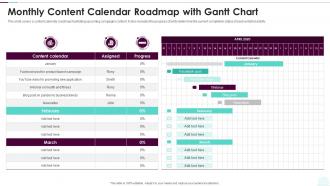
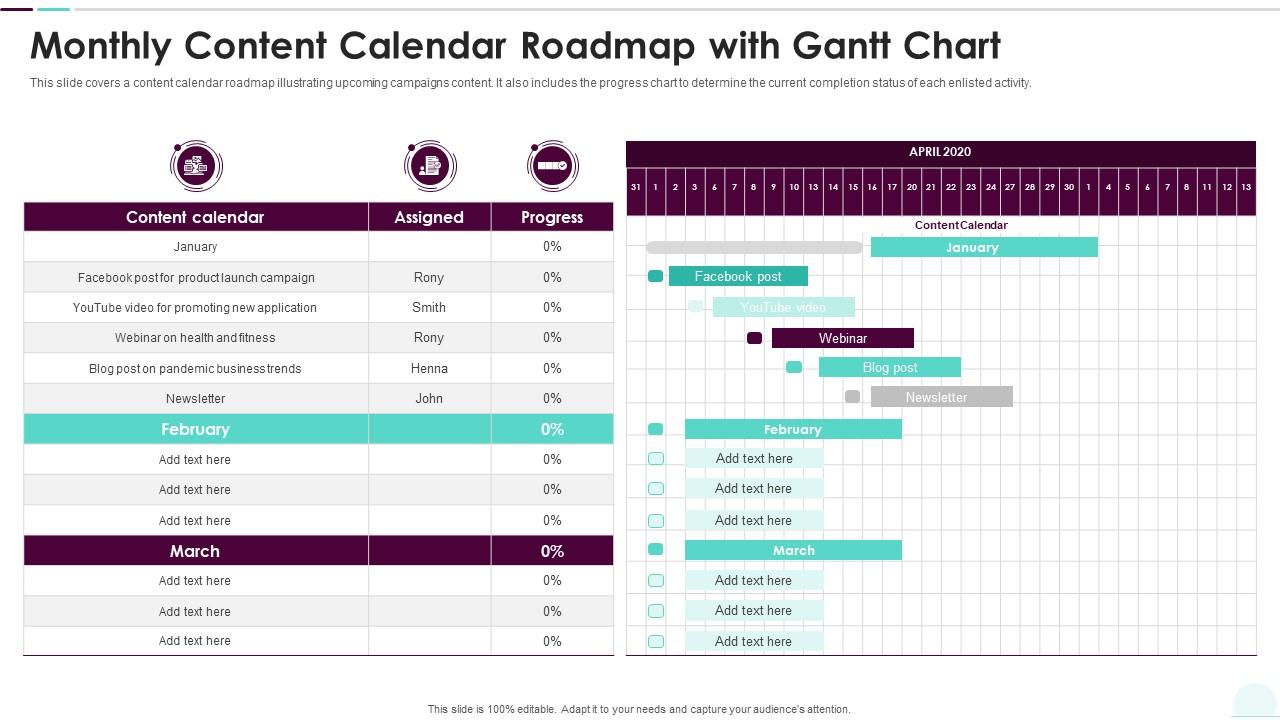
This slide covers a content calendar roadmap illustrating upcoming campaigns content. It also includes the progress chart to determine the current completion status of each enlisted activity. Design a highly optimized project management report using this well researched Monthly Content Calendar Roadmap With Gantt Chart. This layout can be used to present the professional details of a task or activity. Showcase the activities allocated to the business executives with this Gantt Chart PowerPoint theme. List down the column tasks in various timeframes and allocate time for each. In addition, also monitor the actual time and make comparisons to interpret the final progress using this innovative Gantt Chart Template. Showcase the work breakdown structure to attract your audience. Download and share it using Google Slides, if it suits your requirement.
FAQs for Monthly Content Calendar Roadmap

So you need the basics: publication dates, content types (blog posts, videos, whatever), which platforms you're hitting, and who's doing what. I always add keywords and status tracking too - saves me from constantly asking "wait, where are we on this?" Your content goals should be in there so everyone knows the messaging. Oh, and make it detailed enough that if someone new jumps in, they won't be totally lost. Honestly though? Start basic. You can get fancy with more columns later once you figure out what actually matters for how your team works.

Honestly, weekly updates are the bare minimum but daily tweaks are where it's at if you have the bandwidth. Social moves so damn fast - Monday's genius idea can look completely tone-deaf by Thursday. I learned this the hard way lol. Build in those regular check-ins so you can pivot when trends shift or your boss suddenly needs something ASAP. Quick morning scan works great, maybe 15 minutes to catch anything urgent. Then do a deeper dive weekly to adjust your strategy. Don't get too attached to your original plan - flexibility is everything in this space.

Honestly, just start with Google Sheets or Airtable if you want something basic. Trello's pretty solid too for the visual stuff. I've been using Buffer lately and it's actually nice being able to schedule posts right from the calendar - saves so much time when you're juggling Instagram, Twitter, all that. CoSchedule and Hootsuite do the same thing but they're pricier. Oh, and Canva has calendar templates now which is random but helpful. My advice? Don't overthink it at first. Pick something free, see what you actually use, then upgrade later if you need fancier features.

Honestly, it's like having a master document everyone can check instead of constantly asking "what are we posting today?" You'll see who's doing what and when stuff is due. Prevents those awkward moments where you both post about the same thing on Tuesday. I mean, we've all been there, right? Track progress without endless meetings - which is probably the best part. Even just throwing everything into a Google Sheet with dates and who owns what makes such a difference. Your team will actually know what's happening for once.

Honestly, batch creating is a total game changer - I'll sit down Sunday mornings and knock out like 5-6 posts at once instead of stressing every day. Buffer's pretty solid for scheduling, though Hootsuite works too. Always stay at least two weeks ahead if you can. Oh, and keep a notes app full of random topic ideas because writer's block hits at the worst times. I learned this the hard way - don't go crazy with posting frequency right off the bat. Better to do 3 posts weekly that you can actually stick with than burning yourself out trying to post daily.

Honestly, I always start by mapping out the big stuff first - holidays, industry events, whatever matters to your audience. Do this like 3-4 months out minimum. Block those dates, then work backwards with content that builds up to them. But here's the thing - don't sleep on the smaller seasonal moments. Way less competition there. I've seen brands absolutely crush it with random food holidays nobody else thought to touch. Keep some wiggle room though. Those "we need to post about this RIGHT NOW" trends will pop up and you'll want space to pivot without screwing up your whole plan.

Oh man, there's so much to track it gets crazy fast. Start with the basics - likes, comments, shares, click-through rates. Those show what actually connects with people. Reach and impressions tell you how many eyeballs you're getting. But honestly? Conversions are what really matter - like how many sign-ups or sales come from each post. Website traffic from your content is solid too. I always tell people to just pick 3 or 4 metrics that match your goals instead of drowning in data. Way easier to stay consistent that way.

Honestly, visual templates are a game changer for content calendars. Color-coding different content types means you can scan everything super quickly instead of reading through tons of text. Your team will actually know where to find stuff - like deadlines and approval status - without digging around forever. It's kind of like comparing a messy spreadsheet to a clean dashboard, you know? Plus everyone stays on the same page with formatting. I'd start simple though - just content type, publish date, and status. You can always add more later once you get the hang of it.

Honestly, the two things that'll kill you are overplanning and being way too rigid about it. I tried scheduling every post weeks out once - total disaster, burned out so fast. Also, don't just create stuff in a bubble without checking what's actually going on in your industry. Build in some buffer time because you'll want to jump on trending topics or make last-minute tweaks. Oh, and batch similar content together - saves your brain from constantly switching gears. Keep things flexible enough that you can pivot when something big happens. Way better approach.

Honestly, content calendars are total game-changers for staying organized. Map out your big themes each month, then break it down by platform weekly. That way your Instagram isn't pushing one promotion while your email talks about something completely different - which looks super unprofessional. You can actually see how campaigns flow across social, blog posts, newsletters, whatever. Short sentences work. But you'll also catch those weird gaps where you've been ignoring certain channels for weeks. I learned this the hard way when I realized my LinkedIn was dead for like a month while I was obsessing over TikTok content.

Honestly, you can't build a decent content calendar without knowing your audience first. It's like cooking for people without knowing if they're vegetarian or whatever. Your research shows you which topics actually matter to them, plus when they're scrolling and what format they prefer. I learned this the hard way - used to just post random stuff and wonder why engagement sucked. Now I check my analytics to see what's already hitting, survey my followers, and match content themes to what they're struggling with. Way better results when you know if they want quick videos or detailed posts.

Honestly, your content calendar is perfect for this. Just scan through and you'll spot those empty weeks where you can drop in updated versions of old posts. I literally did this last month - found a blog post from six months back that was doing really well, so I turned it into a video series. It's basically free content! Look for your top performers first and mark down when you want to refresh them. Sometimes I'll break one good post into like 5 social media posts. The calendar makes it super obvious which content is just sitting there waiting to be reused.

Block out actual time slots for UGC instead of just throwing it in randomly. I'd say aim for like 20-30% of your posts and schedule them when your audience is most active. Feature Friday or similar themed days work really well - people get genuinely excited seeing their content highlighted and they'll keep making more. You'll need some kind of approval process though, since reviewing and getting permissions takes time. Oh, and start with your most engaged followers first to get things moving. Consistency matters way more than being perfect about it. Trust me, sporadic posting won't get you anywhere.

Honestly, I just throw deadline columns right into my calendar spreadsheet - way easier than trying to track stuff separately. Color-coding works great too for the big milestone dates. What I do is work backwards from launch dates and mark when I need drafts done, reviews finished, all that stuff. Pro tip: always add buffer time because everything takes like 50% longer than you think it will (learned that the hard way). Oh, and set up alerts a few days before each deadline. Trust me, you don't want to be that person scrambling at 11pm trying to finish something.

Ugh, when something big happens you basically have to hit pause and scan your whole calendar. Look for anything that'll make you look completely out of touch - nobody wants to see your flash sale post right after bad news breaks. I'd swap out the weird-timing stuff with backup content or just delay it. Having some evergreen posts saved is honestly a lifesaver for moments like this. You can also tweak your messaging to match what people are actually dealing with. Don't stress about your perfect posting schedule - being tone-deaf is way worse than being a day late.

Ratings and Reviews

90% of 100
Review Form
Write a review
Most Relevant Reviews
  1. 80%

    by Eduardo Greene

    Well-designed and informative templates. Absolutely brilliant!
  2. 100%

    by Drew Alvarado

    Editable, diversified, compatible with MS PPT and Google Slides, and on top of that finest graphics!! I mean in the words of the famous Ross Geller, “What more do you want!”

2 Item(s)

per page: