


Presentación de PowerPoint del informe de marketing mensual con diapositivas
Es difícil conceptualizar una presentación de diapositivas PPT de informe de marketing que tenga un texto equilibrado con temas de plantilla originales innovadores. Teniendo esto en cuenta, hemos creado un modelo PPT prefabricado para las agencias de marketing para resaltar las actividades de ventas importantes del mes pasado. Además, nuestro ejemplo de PPT ayuda a destacar los planes de marketing para el próximo mes. La mejor parte es que puede usar este programa de PowerPoint para compartir información comercial y de mercado con sus gerentes de frente. Además, con la ayuda de nuestra muestra de PPT, puede dar recomendaciones a sus empleados para la planificación futura de la estrategia de mercado. Aparte de esto, utilizando nuestra plantilla de informe de marketing es bastante sencillo hacer hincapié en la planificación estratégica de la competencia. Finalmente, para que le resulte más fácil, esta plataforma de presentación consta de plantillas de diapositivas como informes de rendimiento de ventas, finanzas clave, revisión del rendimiento del sitio web, rendimiento del producto, canalización mensual, etc. Así que comience ahora simplemente descargando nuestro informe de marketing mensual completo con diapositivas de PowerPoint. Insista en que se esté considerando el problema con nuestro Informe de marketing mensual completo Presentación en PowerPoint con diapositivas. Dale a cada elemento la debida importancia.
Es difícil conceptualizar una presentación de diapositivas PPT de informe de marketing que tenga un texto equilibrado con ..



































-

- Google Slides is a new FREE Presentation software from Google.
- All our content is 100% compatible with Google Slides.
- Just download our designs, and upload them to Google Slides and they will work automatically.
- Amaze your audience with SlideTeam and Google Slides.
-

Want Changes to This PPT Slide? Check out our Presentation Design Services
-

- WideScreen Aspect ratio is becoming a very popular format. When you download this product, the downloaded ZIP will contain this product in both standard and widescreen format.
-

- Some older products that we have may only be in standard format, but they can easily be converted to widescreen.
- To do this, please open the SlideTeam product in Powerpoint, and go to
- Design ( On the top bar) -> Page Setup -> and select "On-screen Show (16:9)” in the drop down for "Slides Sized for".
- The slide or theme will change to widescreen, and all graphics will adjust automatically. You can similarly convert our content to any other desired screen aspect ratio.
Compatible With Google Slides

Get This In WideScreen
You must be logged in to download this presentation.


Do you want to remove this product from your favourites?
Características de estas diapositivas de presentación de PowerPoint:
Valorando el tiempo completamente prefabricado mazo de 66 plantillas de diseño. Lo mejor para ejecutivos comerciales de ventas y marketing. Paso de un solo clic para insertar el nombre de la empresa, el logotipo y la marca comercial. Opción de edición manual exclusiva disponible. Gráficos de presentación con un comienzo excepcional, agradecimiento y testimonios de clientes. La marca de agua temporal desaparece gradualmente con un clic. Fácil de modificar en formatos PDF o JPG. Responde rápidamente a todos los software. Bueno, es compatible con las diapositivas de Google. Las etapas de este proceso son investigación de mercado, informes de servicios, rendimiento del producto, informe de ventas, informe de progreso, analítica web.

People who downloaded this PowerPoint presentation also viewed the following :
Contenido de esta presentación de Powerpoint
Diapositiva 1 : Esta diapositiva presenta el Informe mensual de rendimiento de marketing. Indique el nombre de su empresa y comience.
Diapositiva 2 : esta diapositiva muestra la agenda. Indique la agenda de la empresa y úsela.
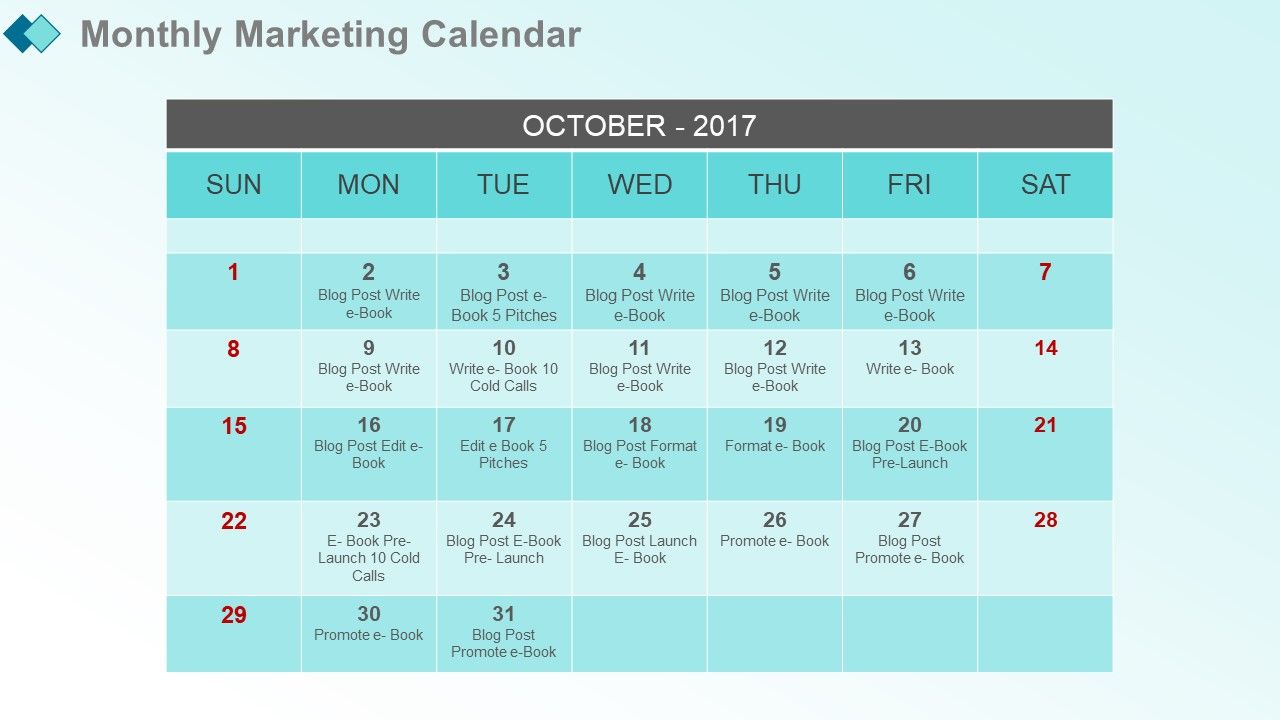
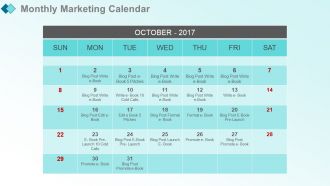
Diapositiva 3 : esta diapositiva presenta el calendario de marketing mensual. Agregue el calendario con fechas y horarios.
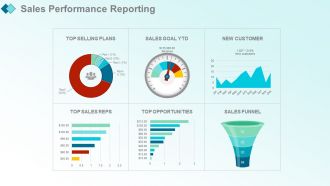
Diapositiva 4 : esta diapositiva muestra los informes de rendimiento de ventas.
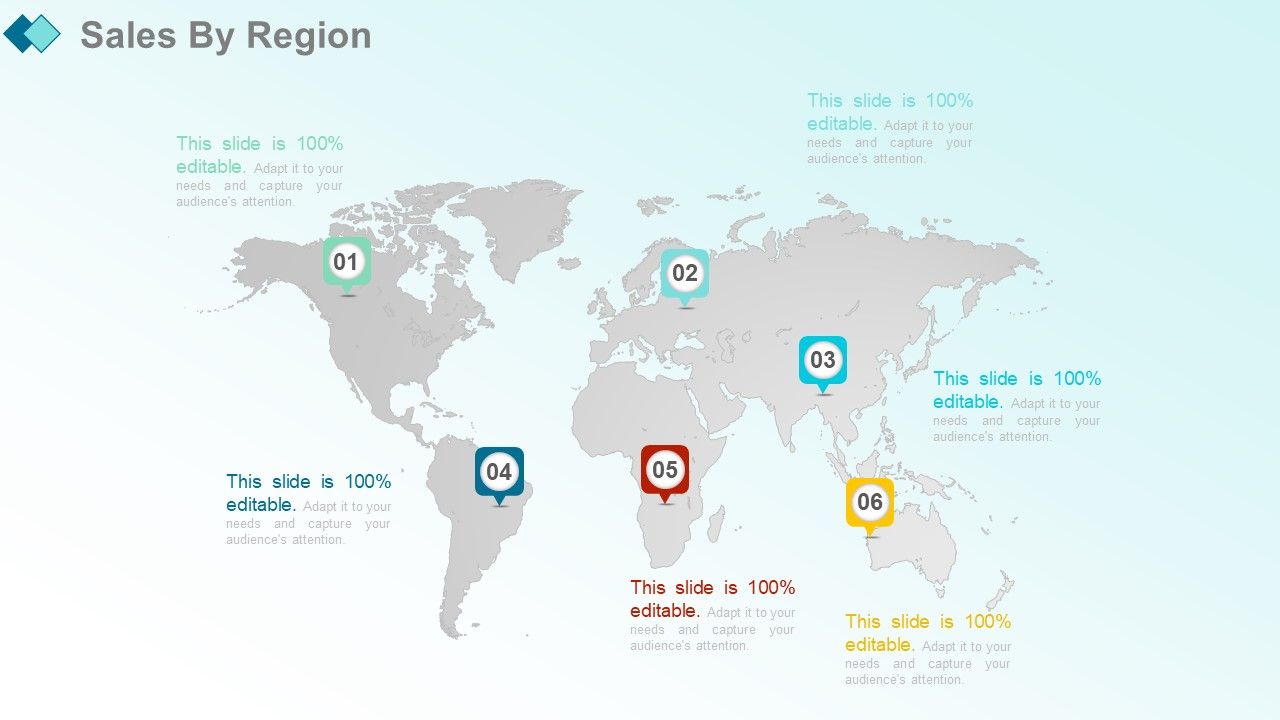
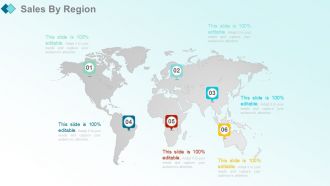
Diapositiva 5 : esta diapositiva presenta las ventas por región.
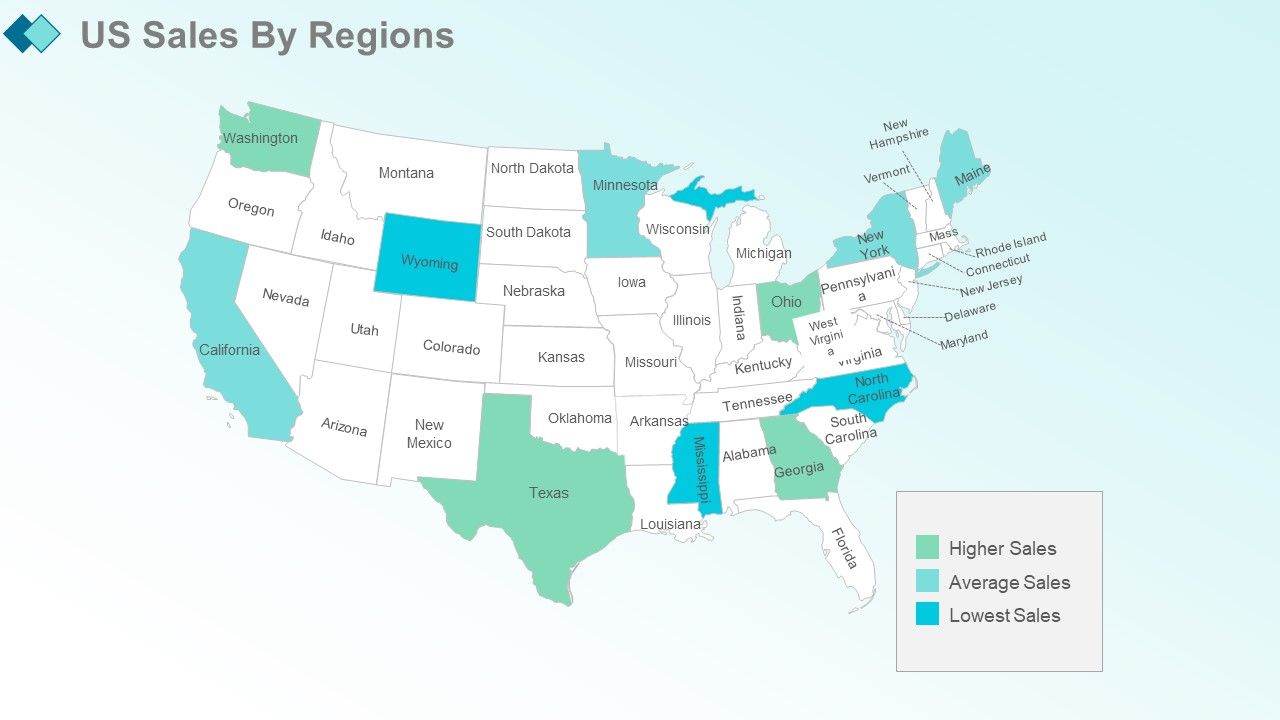
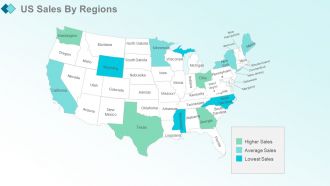
Diapositiva 6 : Esta diapositiva muestra las ventas de EE. UU. Por regiones.
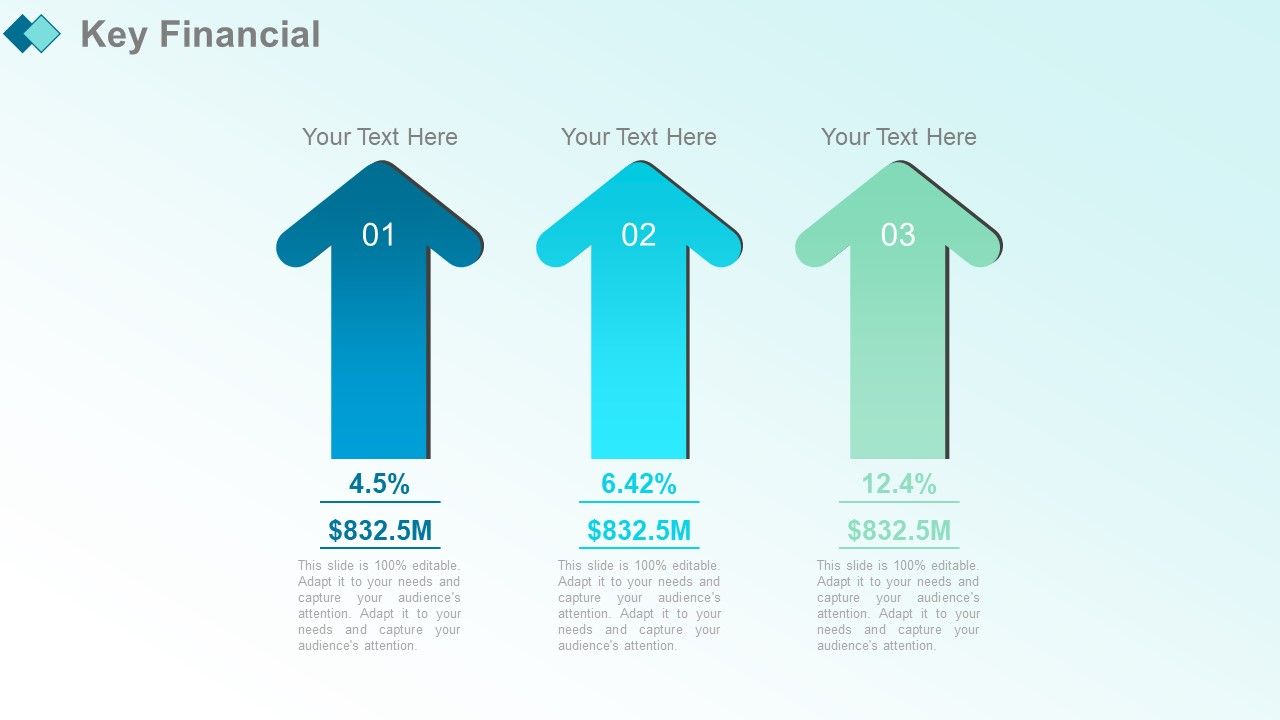
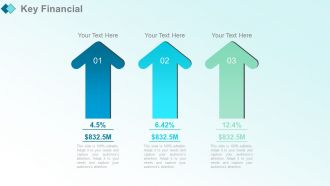
Diapositiva 7 : En esta diapositiva se presentan los aspectos financieros clave.
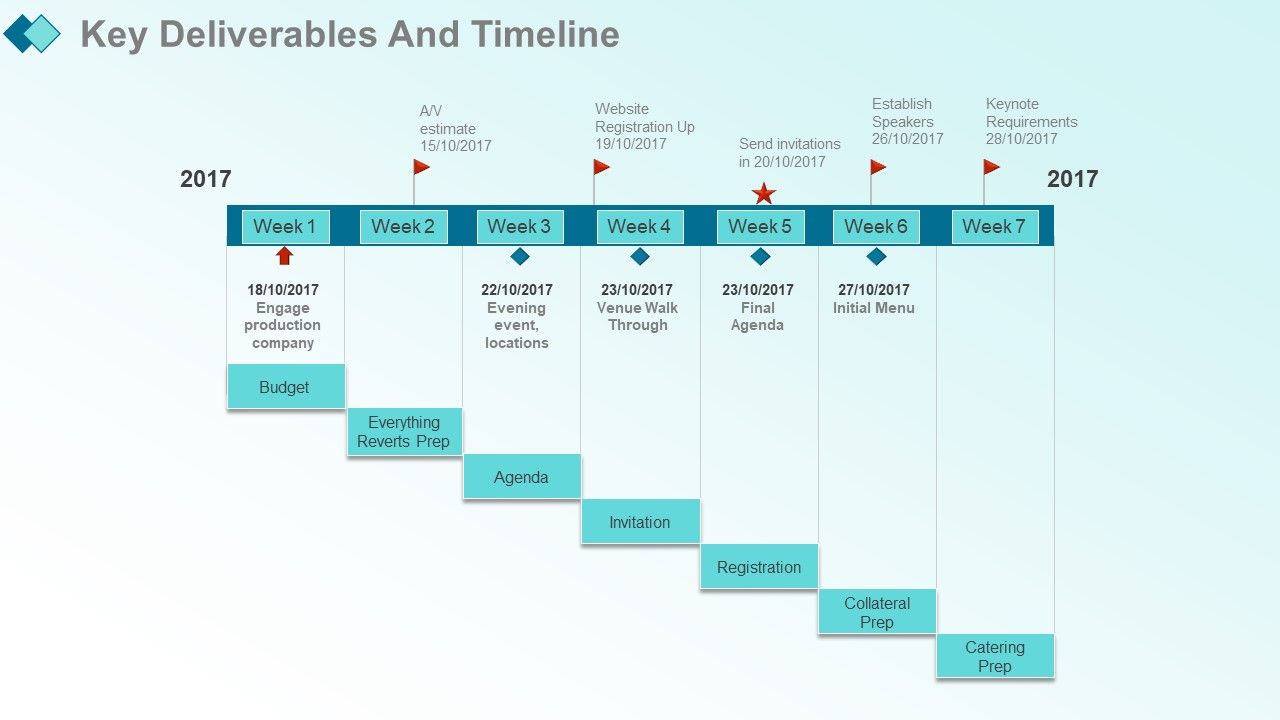
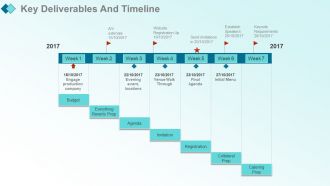
Diapositiva 8 : Esta diapositiva muestra los entregables clave y el cronograma.
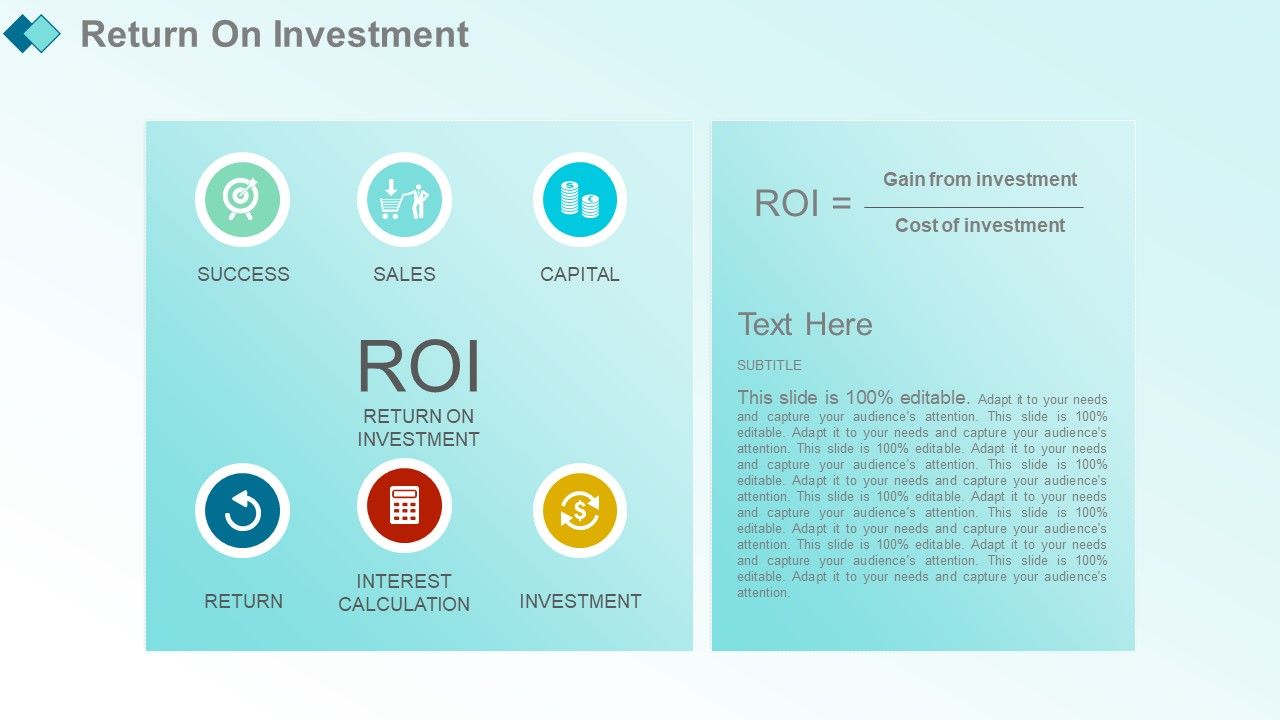
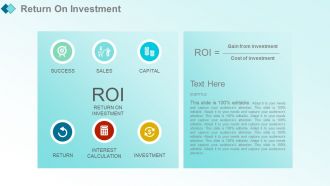
Diapositiva 9 : Esta diapositiva presenta el retorno de la inversión.
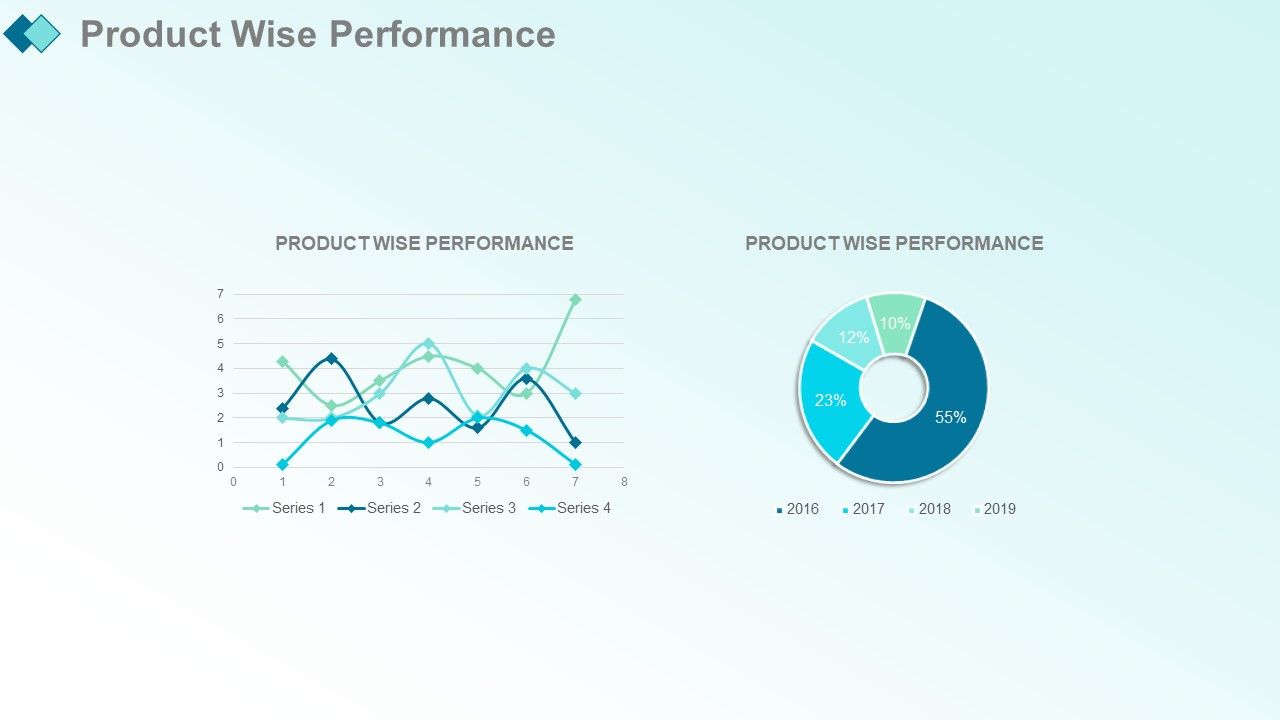
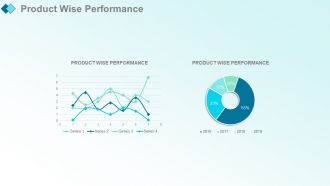
Diapositiva 10 : Esta diapositiva muestra el rendimiento inteligente del producto que puede utilizar para su propio uso.
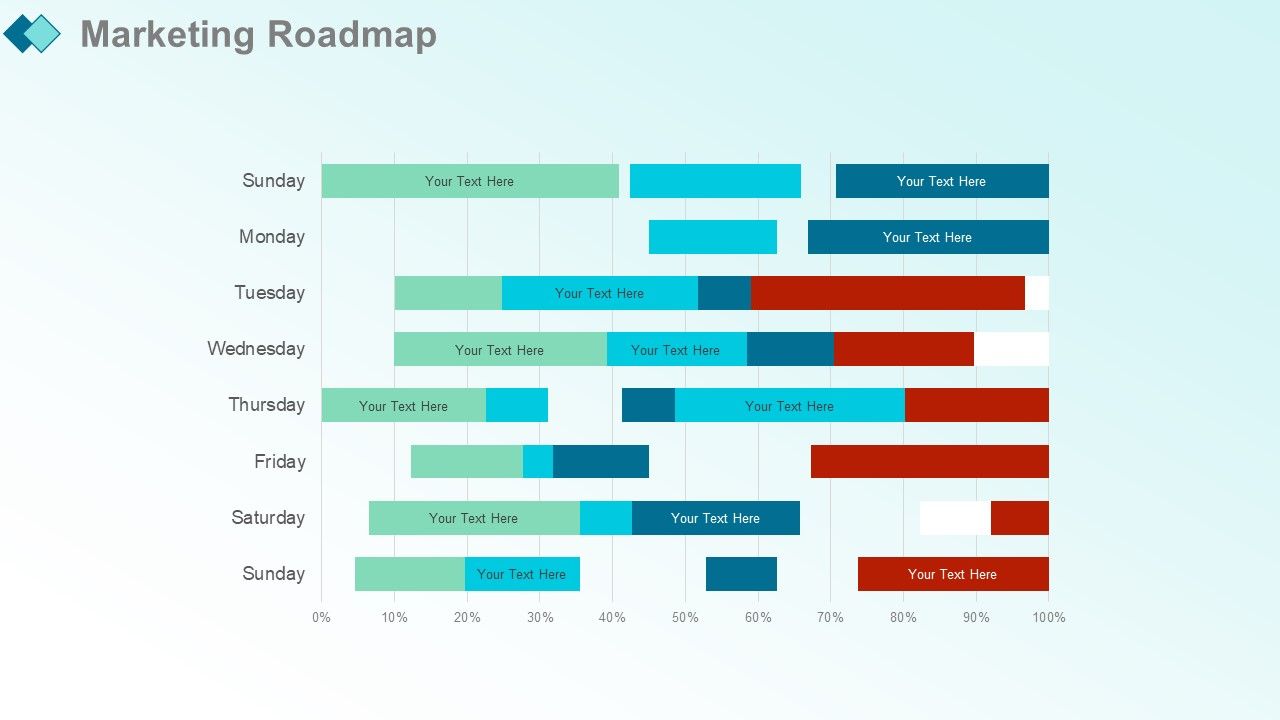
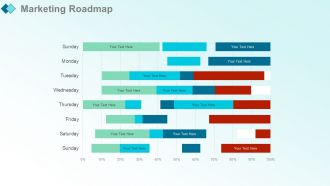
Diapositiva 11 : Esta diapositiva presenta la hoja de ruta de marketing.
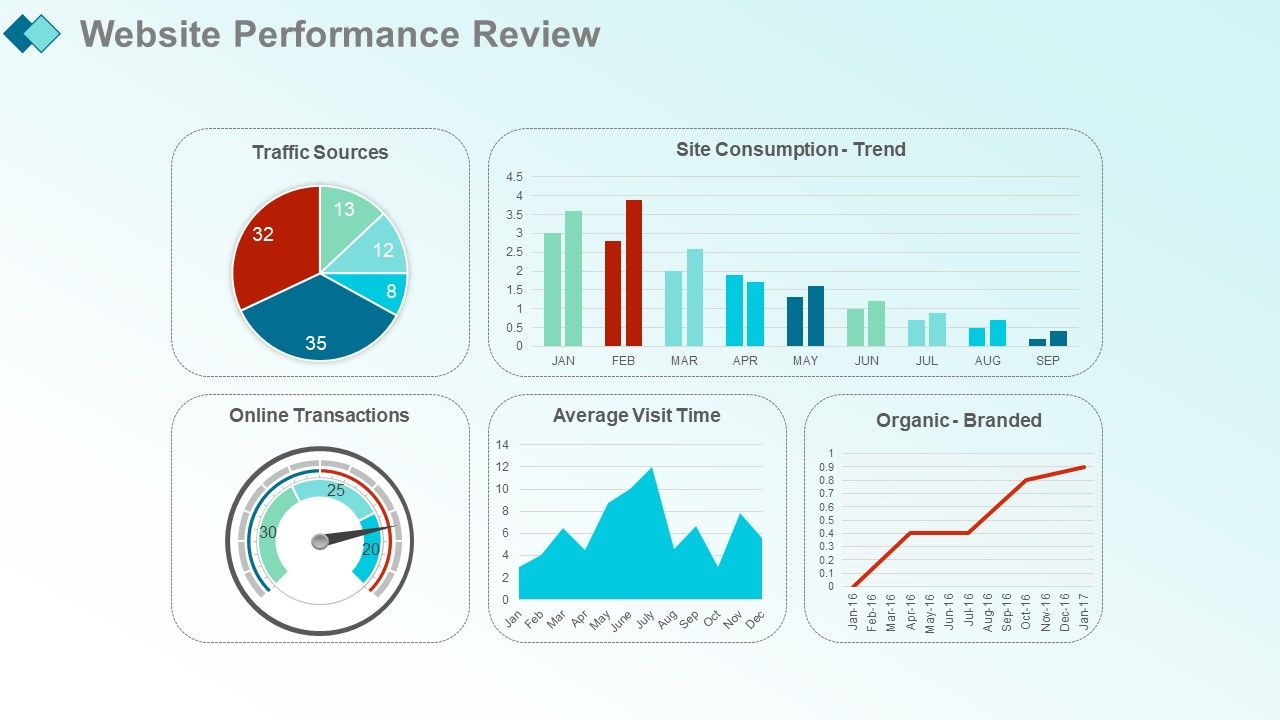
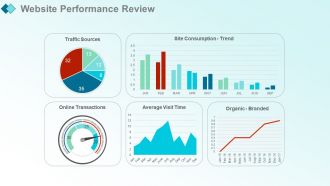
Diapositiva 12 : Esta diapositiva muestra la Revisión del rendimiento del sitio web con los siguientes parámetros: Consumo del sitio: Tendencia, Fuentes de tráfico, Orgánico: De marca, Mes anterior, Año anterior, Transacciones en línea, Tiempo promedio de visita, Mes anterior, Año anterior.
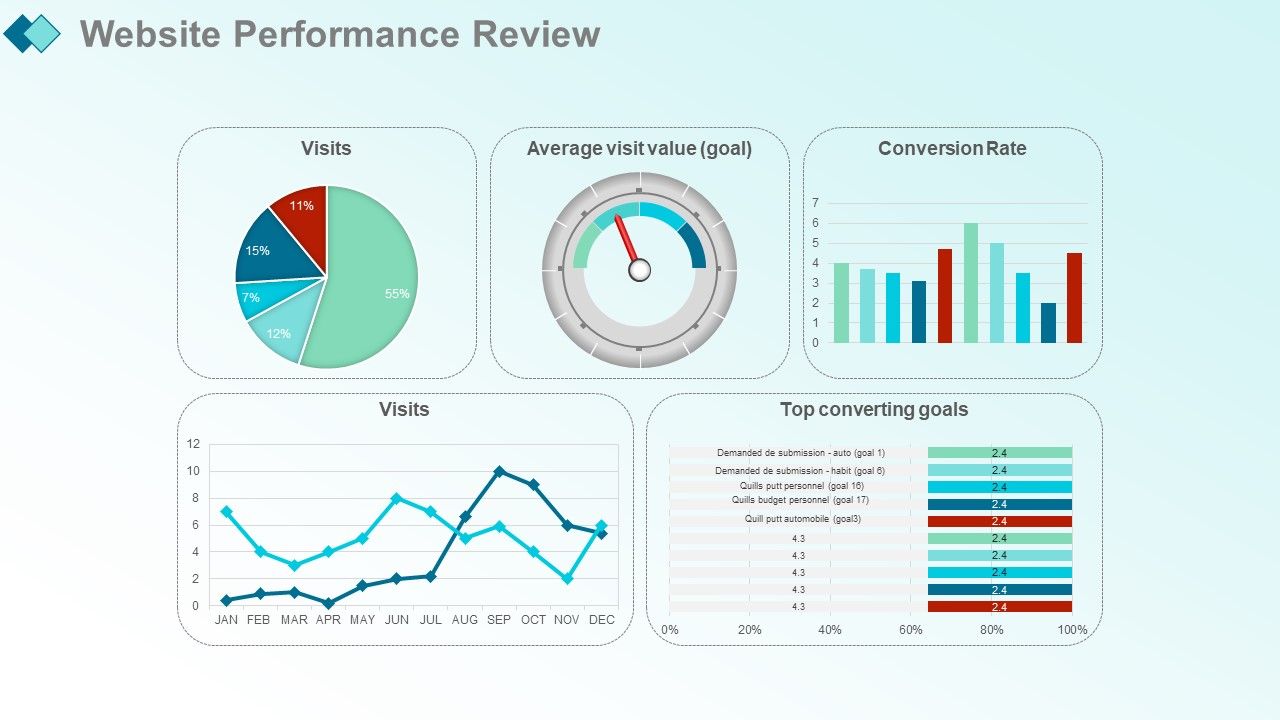
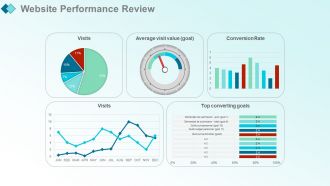
Diapositiva 13 : esta diapositiva muestra los principales objetivos de conversión con estos parámetros: visitas, valor medio de la visita (objetivo), tasa de conversión, mes anterior, año anterior, visitas.
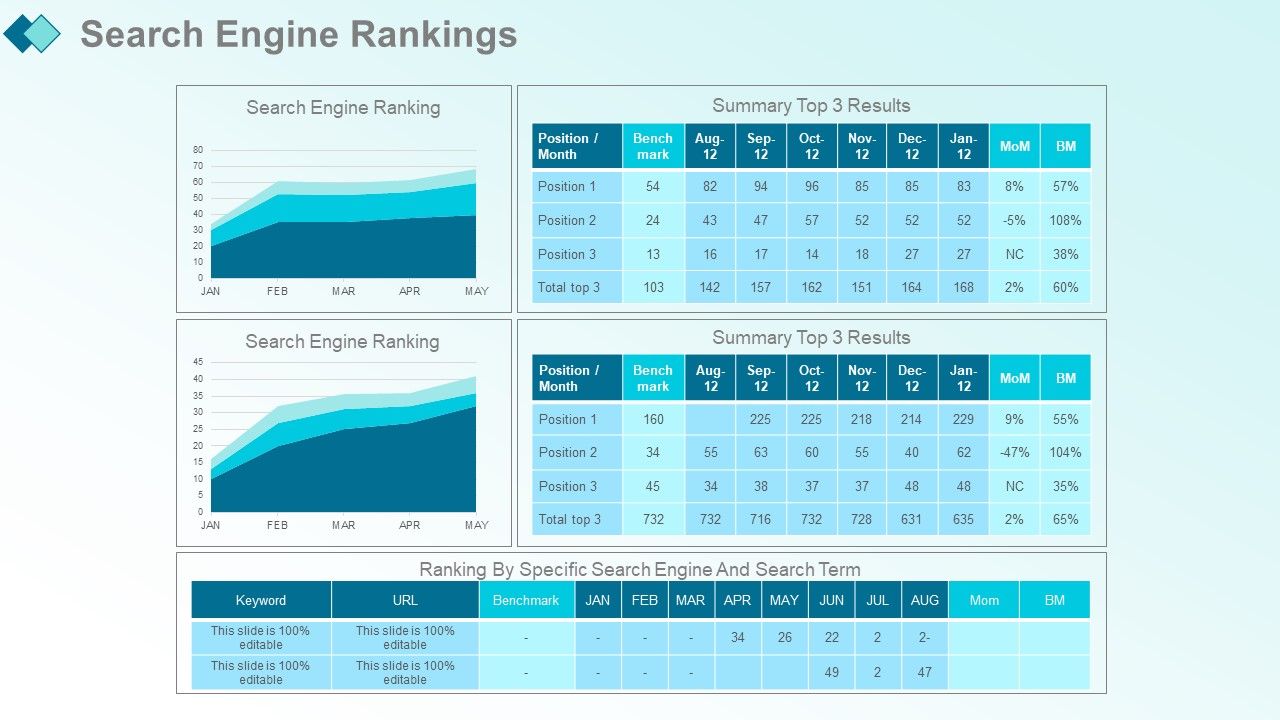
Diapositiva 14 : Esta diapositiva presenta las clasificaciones de los motores de búsqueda con estos parámetros: clasificación por motor de búsqueda específico y término de búsqueda, clasificación del motor de búsqueda, resumen de los 3 resultados principales.
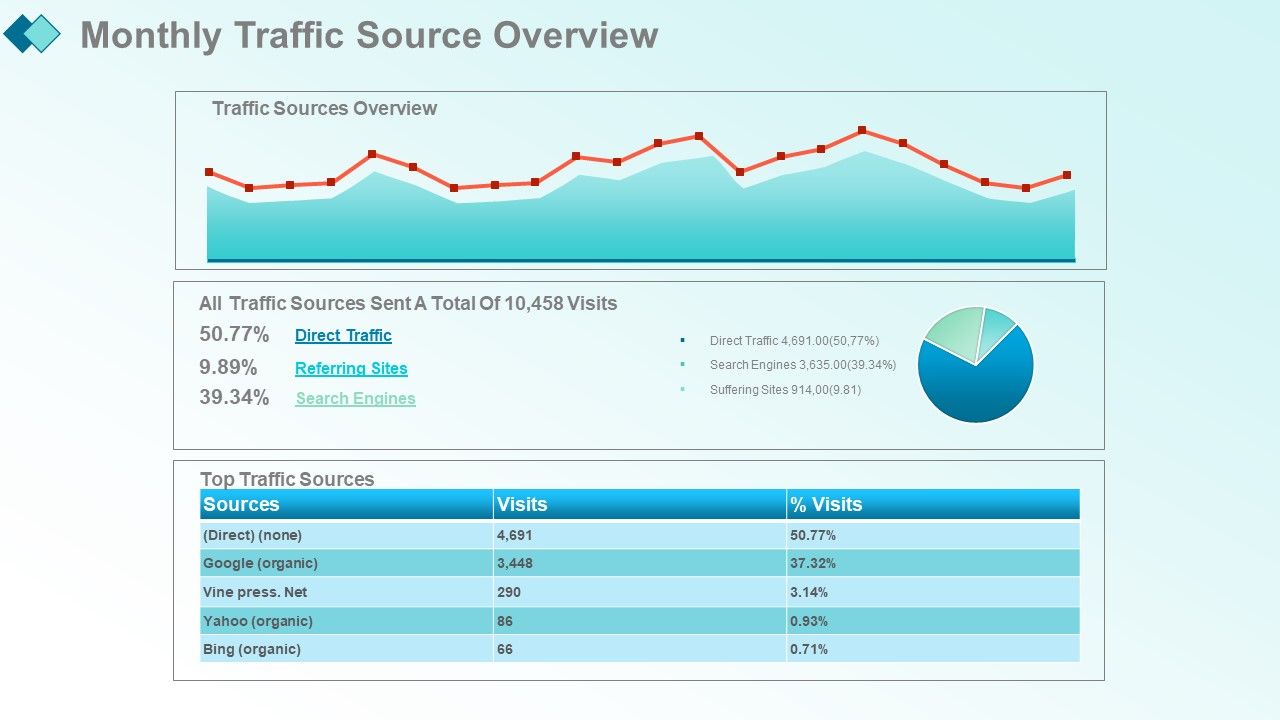
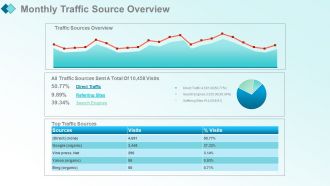
Diapositiva 15 : Esta diapositiva muestra las clasificaciones de los motores de búsqueda con estos dos factores: principales fuentes de tráfico, descripción general de las fuentes de tráfico.
Diapositiva 16 : Esta diapositiva presenta Visitas y vínculos de retroceso orgánicos con estos gráficos de barras y el gráfico circular que puede utilizar.
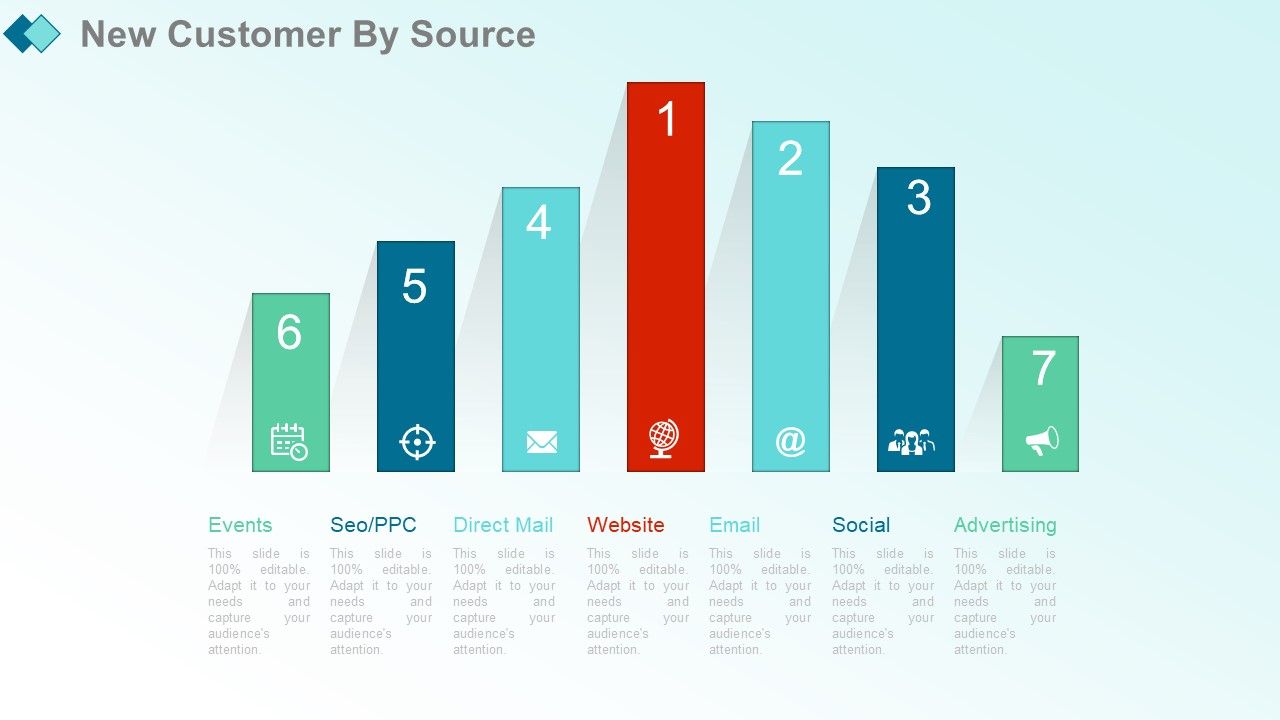
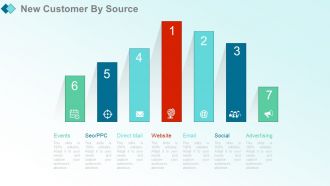
Diapositiva 17 : Esta diapositiva muestra a los nuevos clientes por fuente con estos de los parámetros principales: sitio web, correo electrónico, redes sociales, correo directo, SEO / PPC, eventos, publicidad.
Diapositiva 18 : Esta diapositiva presenta el plan de actualización del sitio web. Puede agregar y editar.
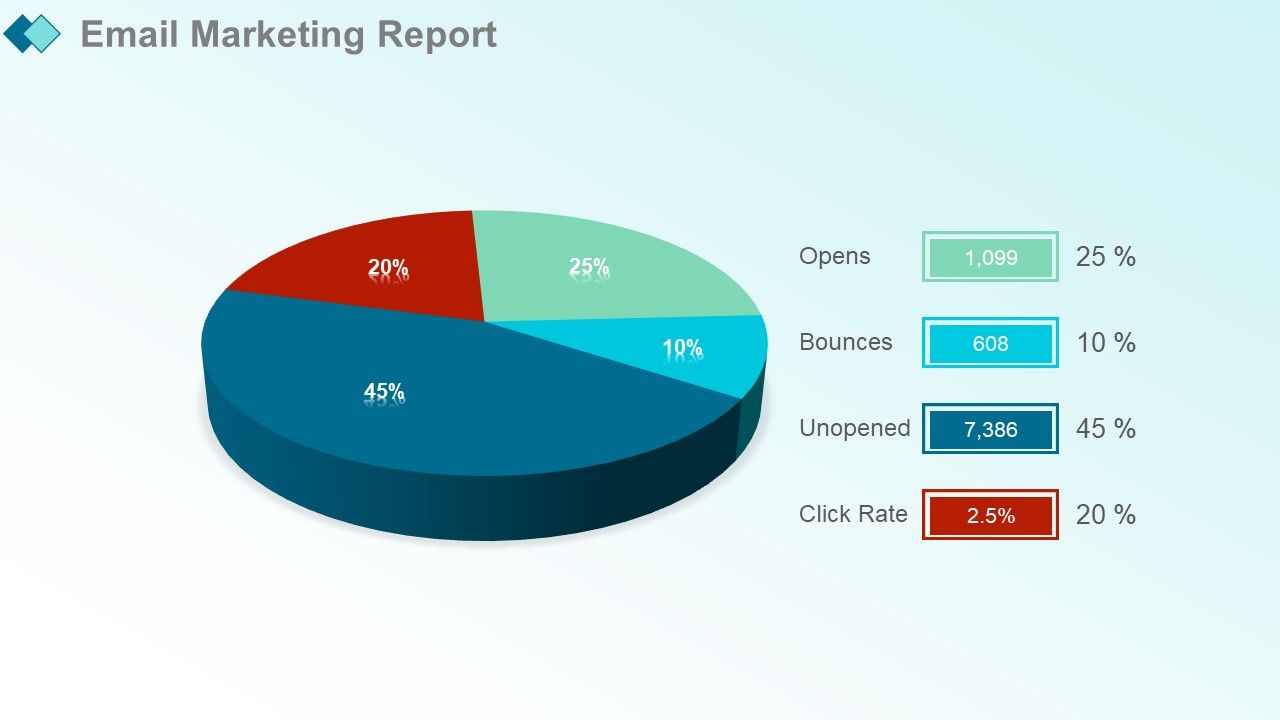
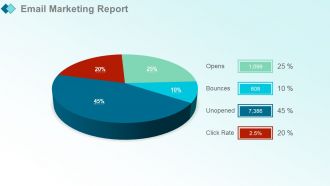
Diapositiva 19 : Esta diapositiva muestra el Informe de marketing por correo electrónico. Puede agregar el gráfico circular y usarlo.
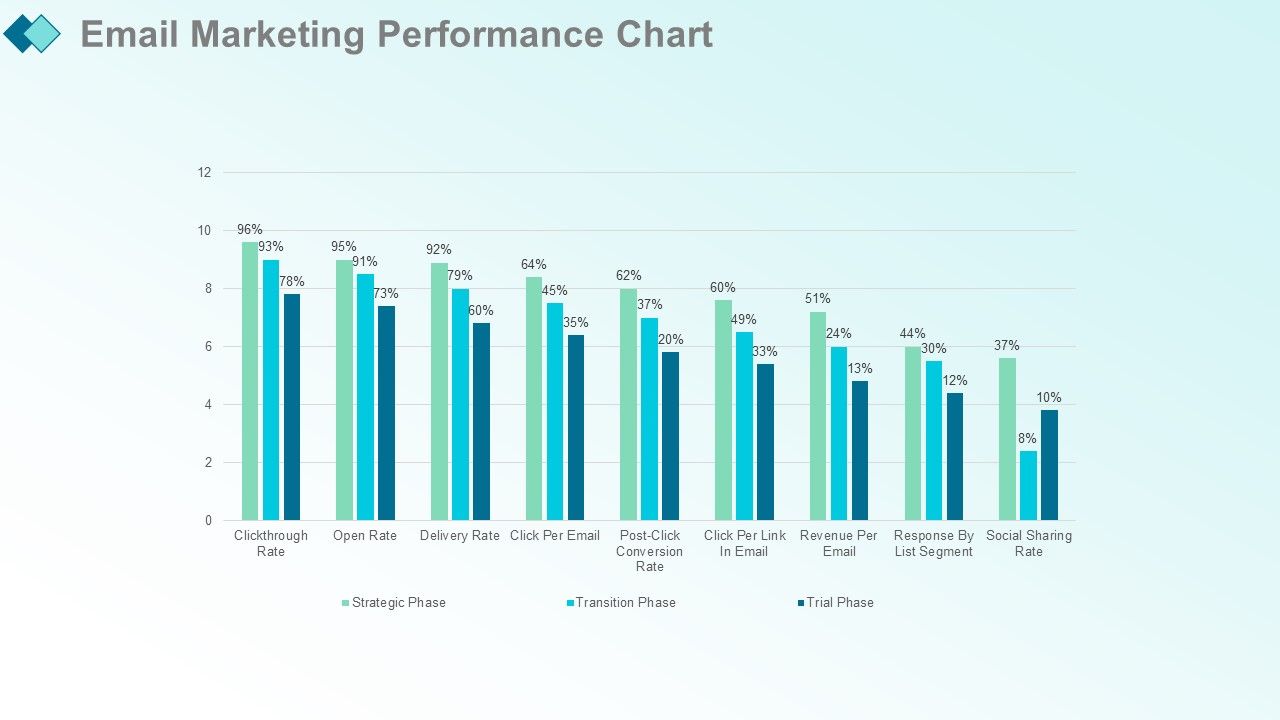
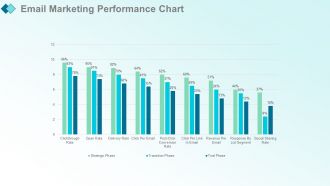
Diapositiva 20 : Esta diapositiva presenta el Cuadro de rendimiento del marketing por correo electrónico.
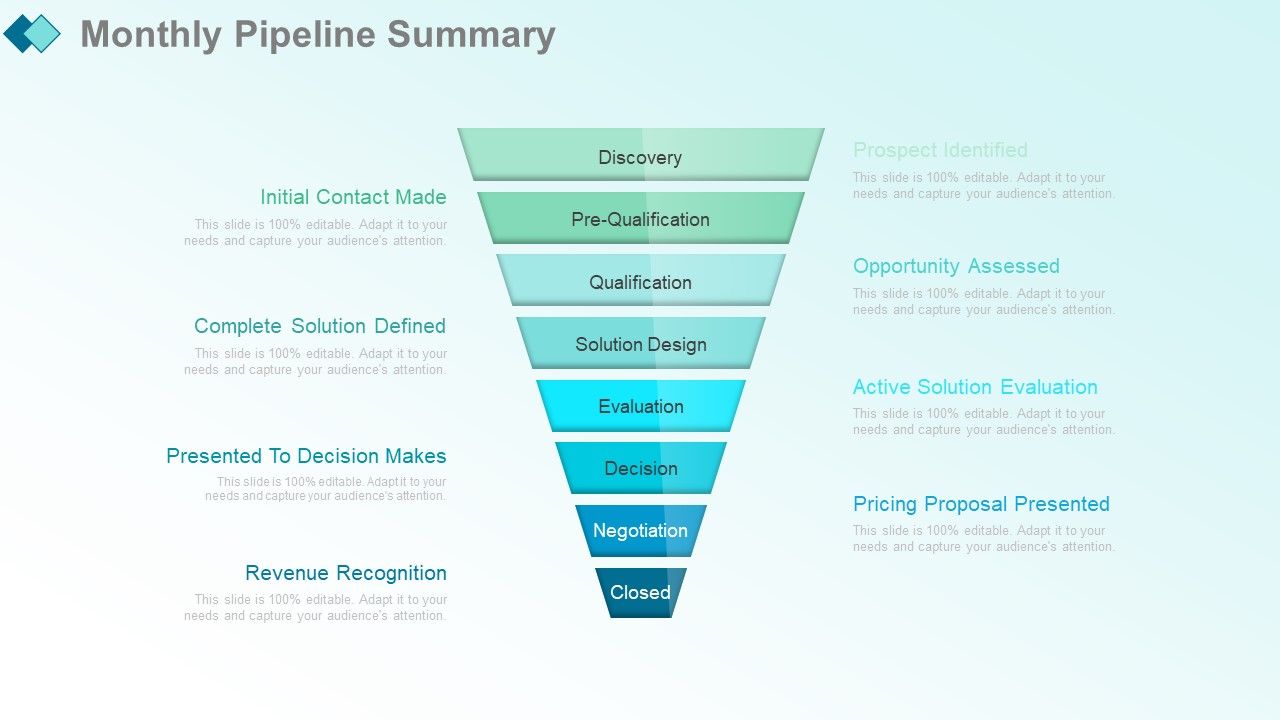
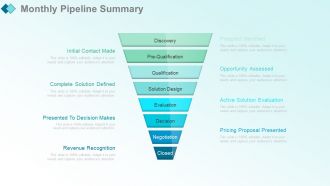
Diapositiva 21 : Esta diapositiva presenta un resumen mensual del pipeline con estos factores: descubrimiento, precalificación, calificación, diseño de la solución, evaluación, decisión, negociación, cerrado.
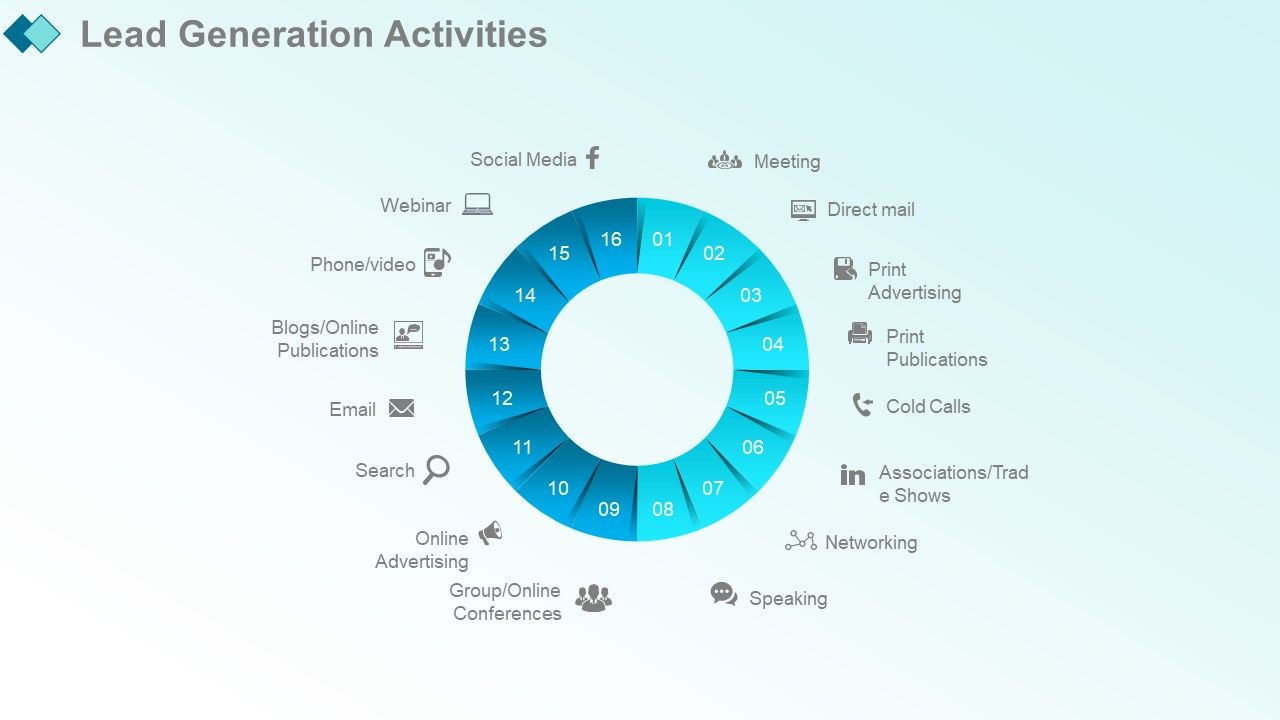
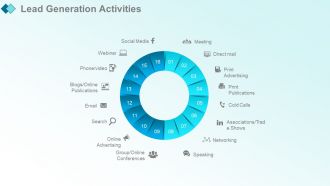
Diapositiva 22 : Esta diapositiva muestra las actividades de generación de clientes potenciales con estos de los parámetros: redes, charlas, reuniones, publicaciones impresas, correo directo, llamadas en frío, publicidad impresa, asociaciones / ferias comerciales, blogs de seminarios web / publicaciones en línea, correo electrónico, búsquedas, publicidad en línea , Teléfono / video, conferencias grupales / en línea, redes sociales, EN LÍNEA, cara a cara.
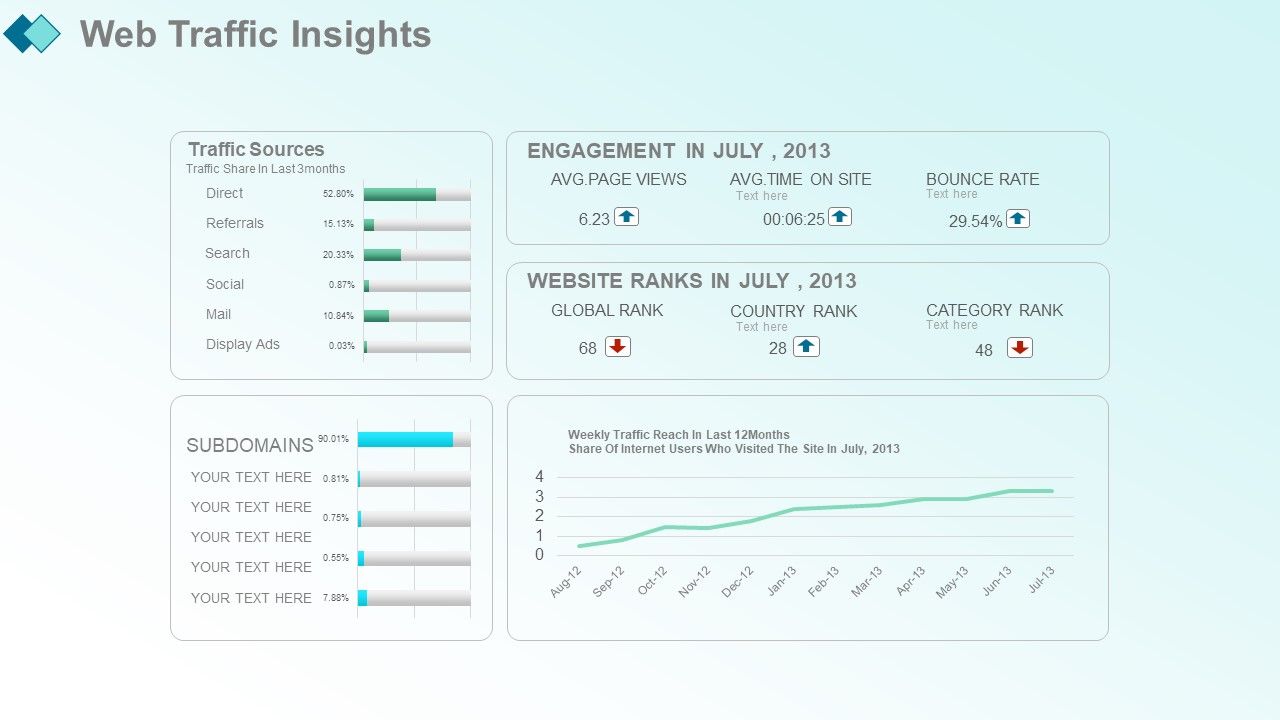
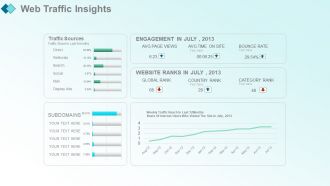
Diapositiva 23 : Esta diapositiva presenta las estadísticas del tráfico web con estos factores: fuentes de tráfico, porcentaje de tráfico en los últimos 3 meses, referencias directas, búsqueda, redes sociales, correo, anuncios gráficos, subdominios.
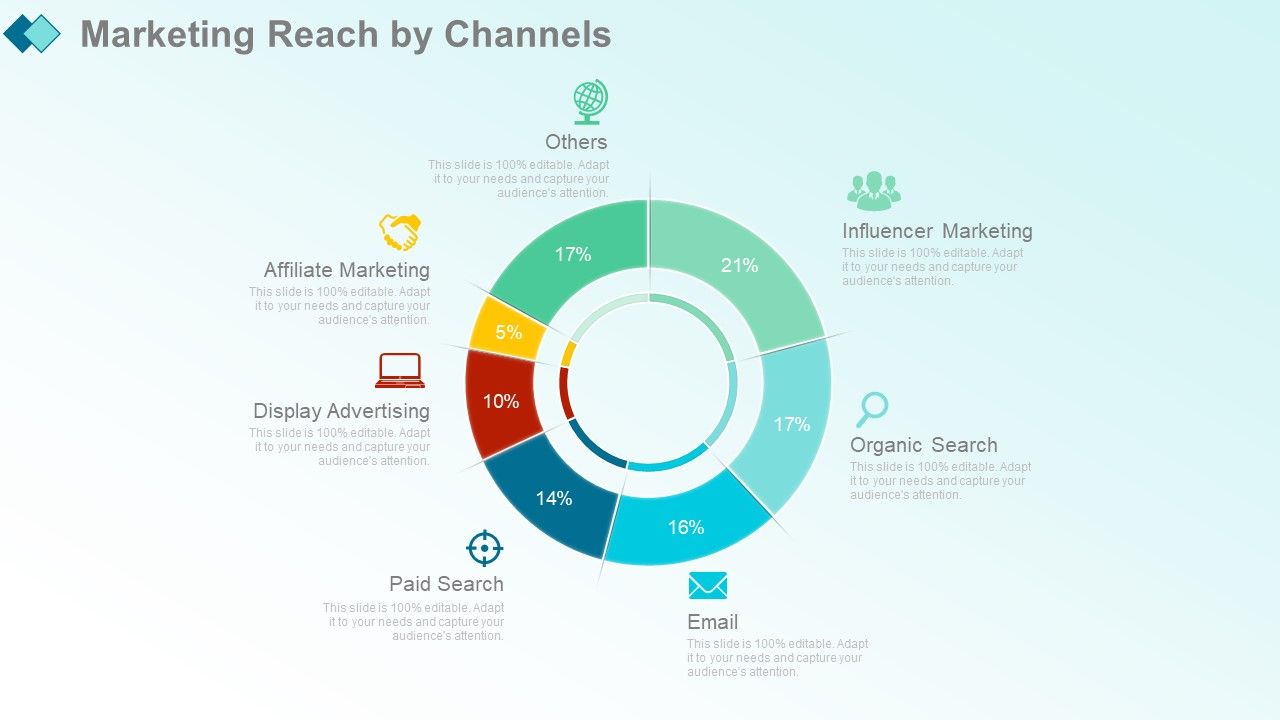
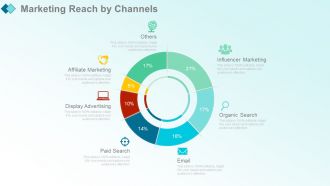
Diapositiva 24 : Esta diapositiva muestra el alcance de marketing por canales con estos de los parámetros: búsqueda pagada, correo electrónico, búsqueda orgánica, marketing de influencers, publicidad gráfica, marketing de afiliados. Otros
Diapositiva 25 : esta diapositiva muestra el alcance de marketing por canales.
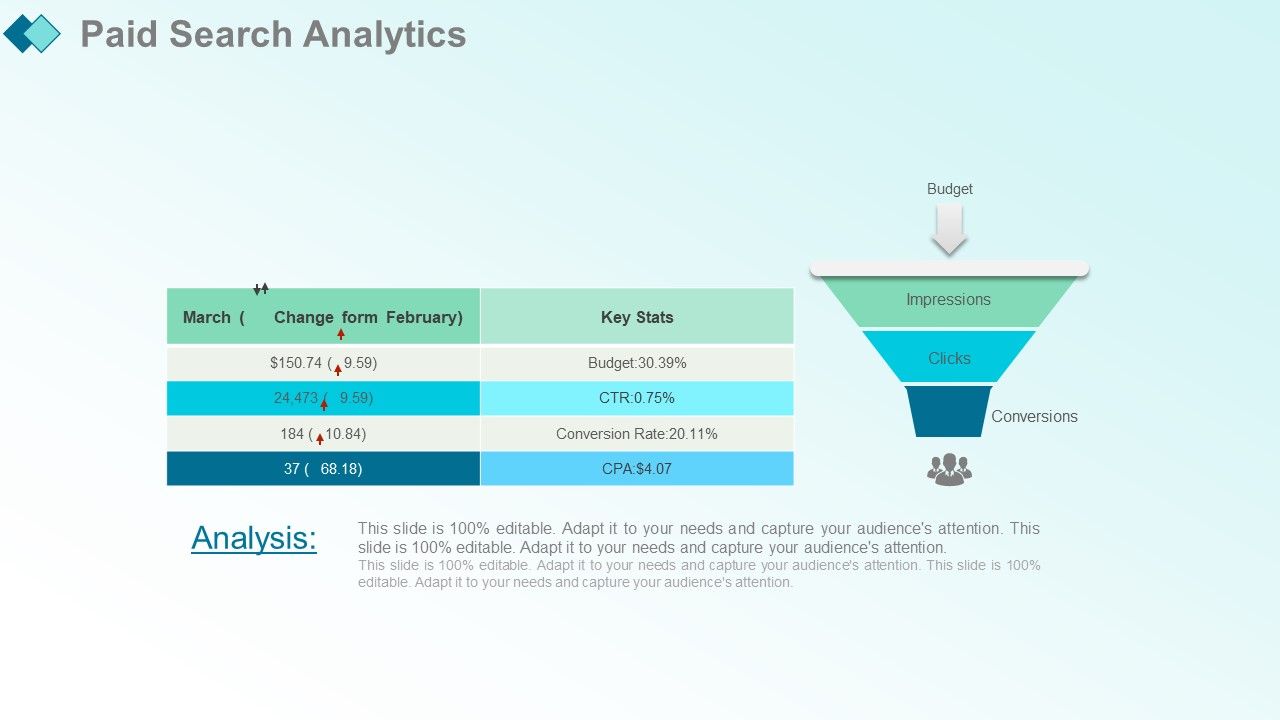
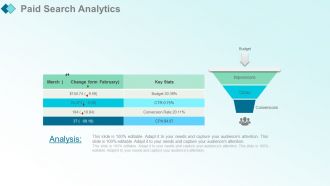
Diapositiva 26 : Esta diapositiva muestra Paid Search Analytics con estas etapas.
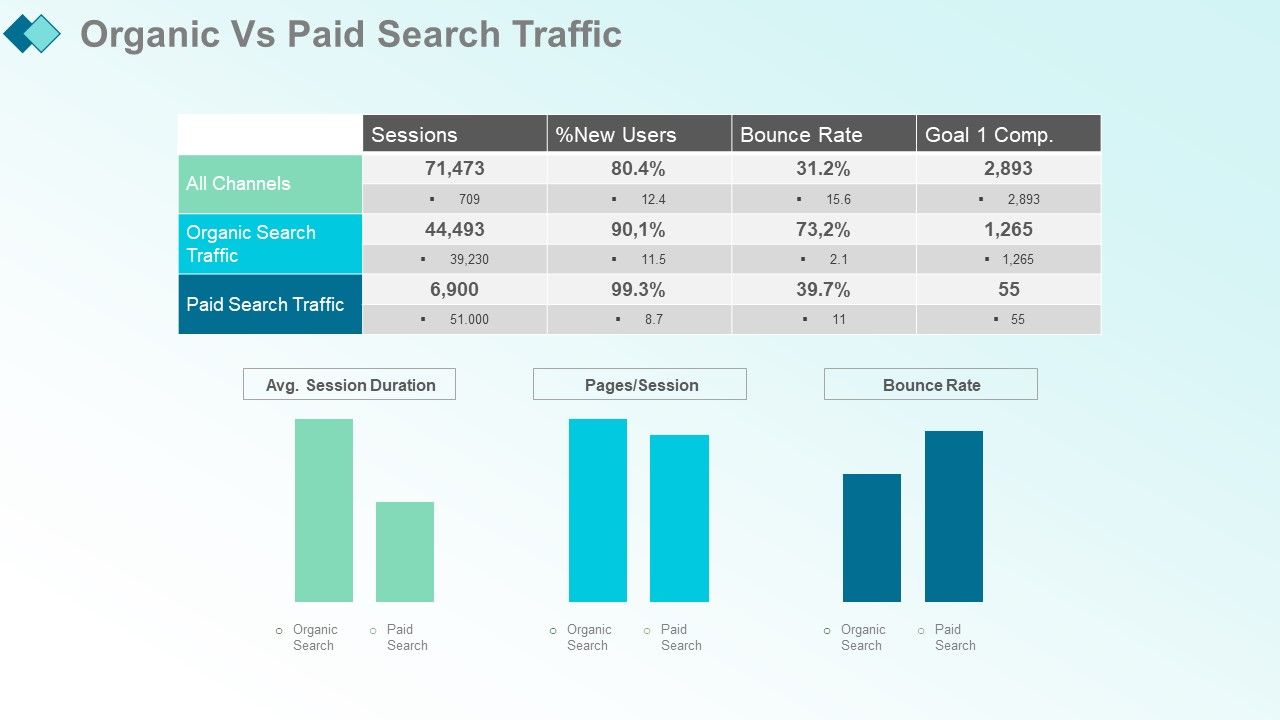
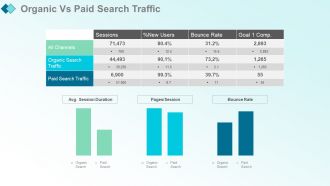
Diapositiva 27 : Esta diapositiva presenta el tráfico de búsqueda de pago orgánico y el de pago.
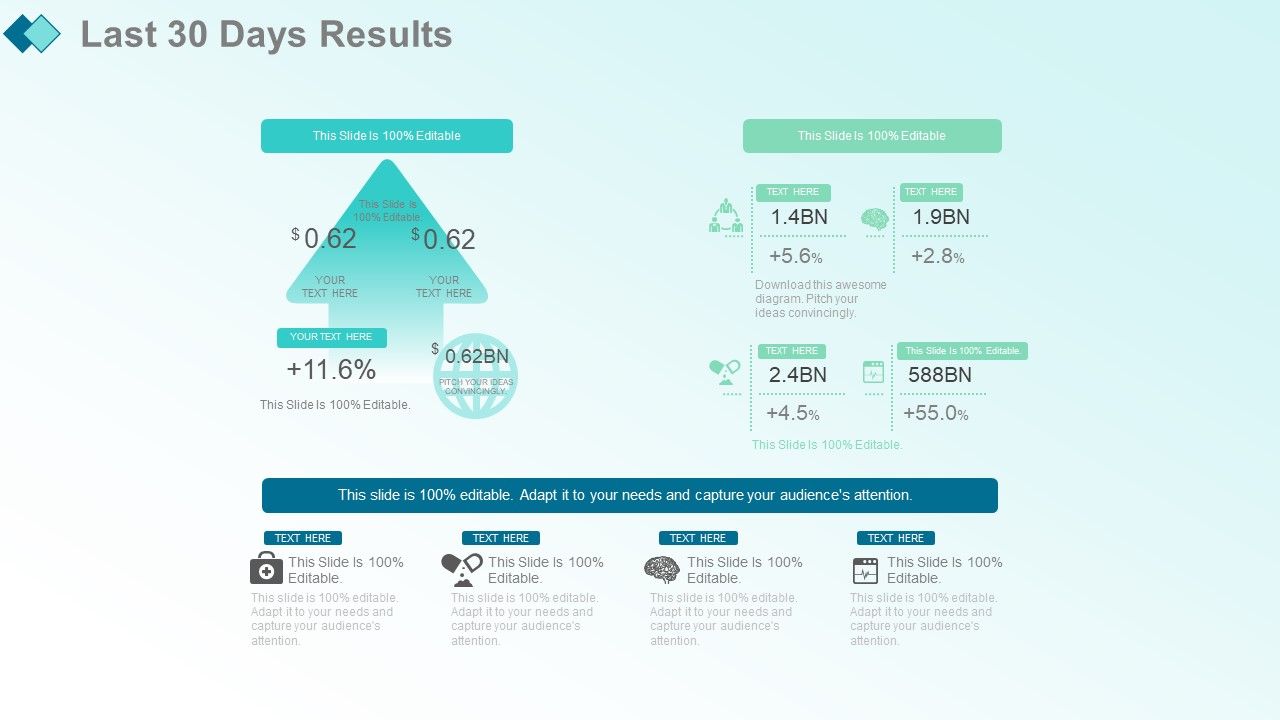
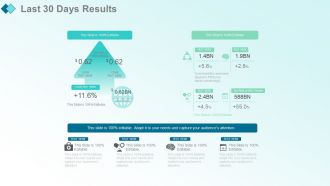
Diapositiva 28 : Esta diapositiva muestra los resultados de los últimos 30 días. Agregue datos o información como desee.
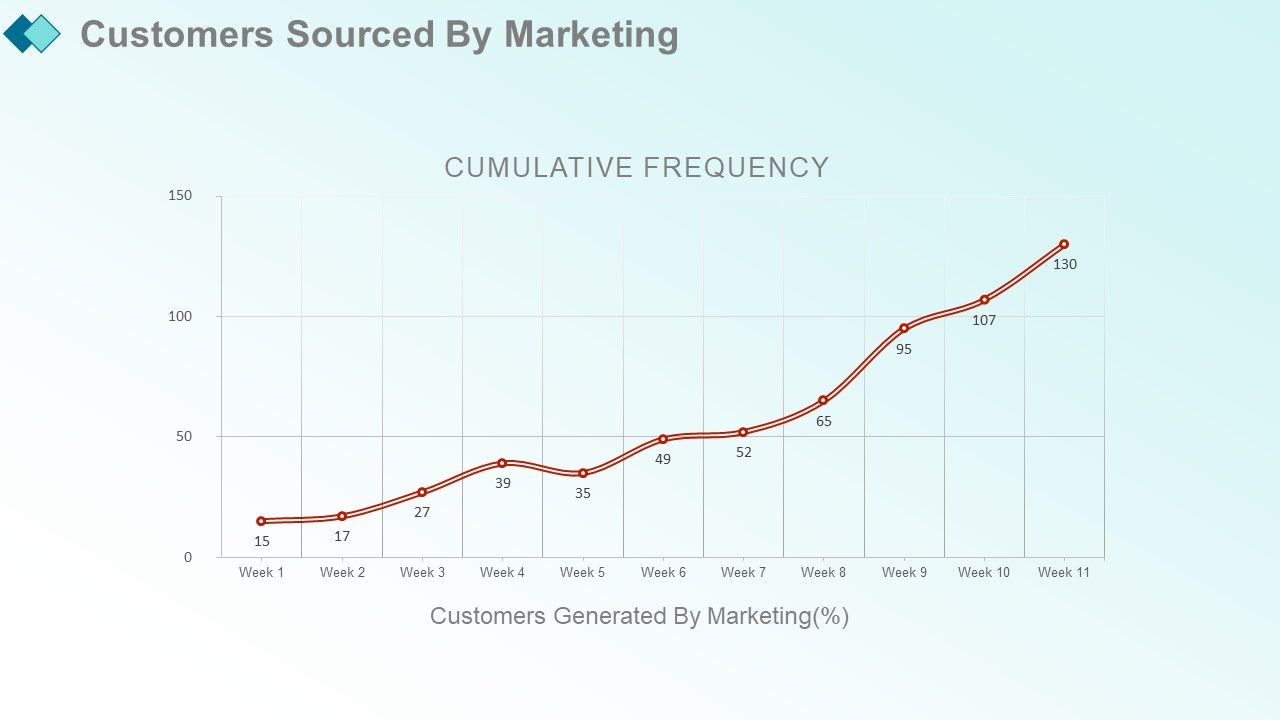
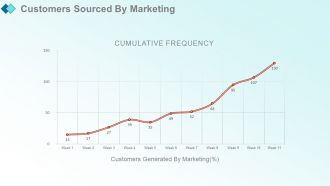
Diapositiva 29 : Esta diapositiva muestra los clientes obtenidos por marketing con estos clientes generados por marketing (%).
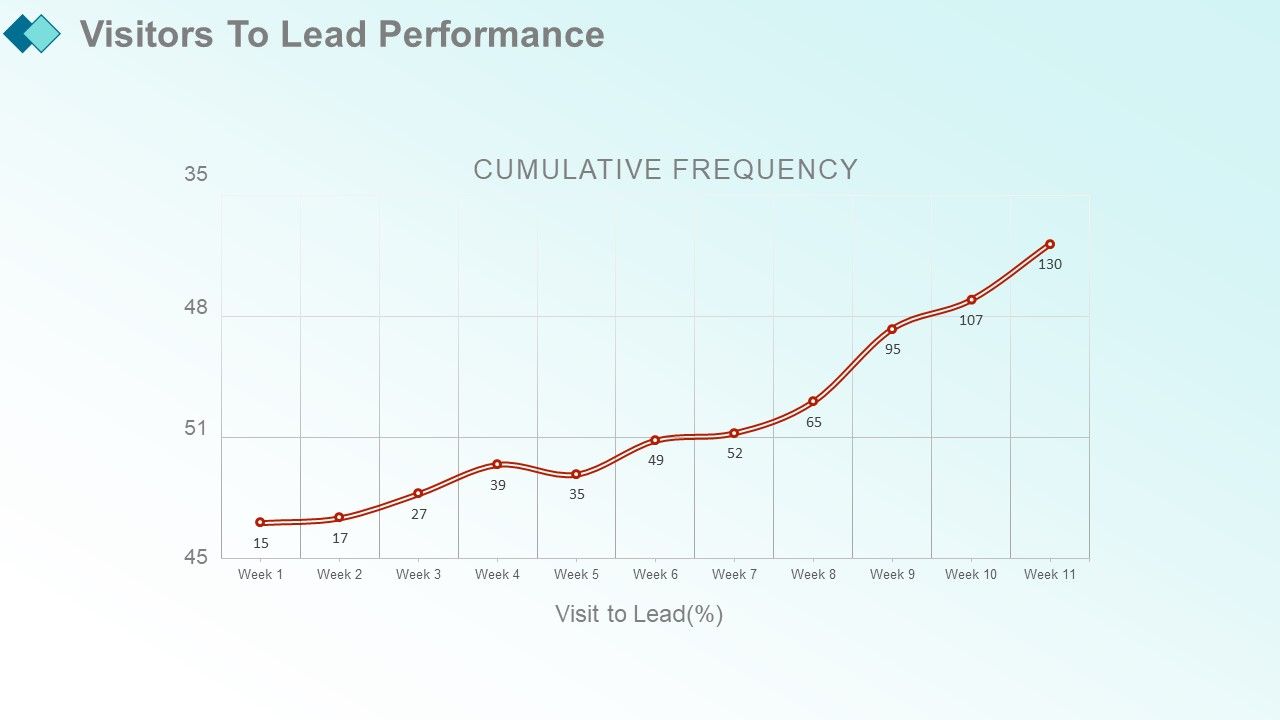
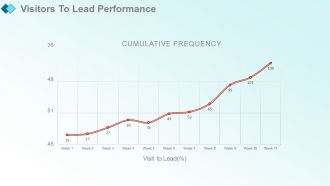
Diapositiva 30 : Esta diapositiva presenta a los visitantes para liderar el desempeño.
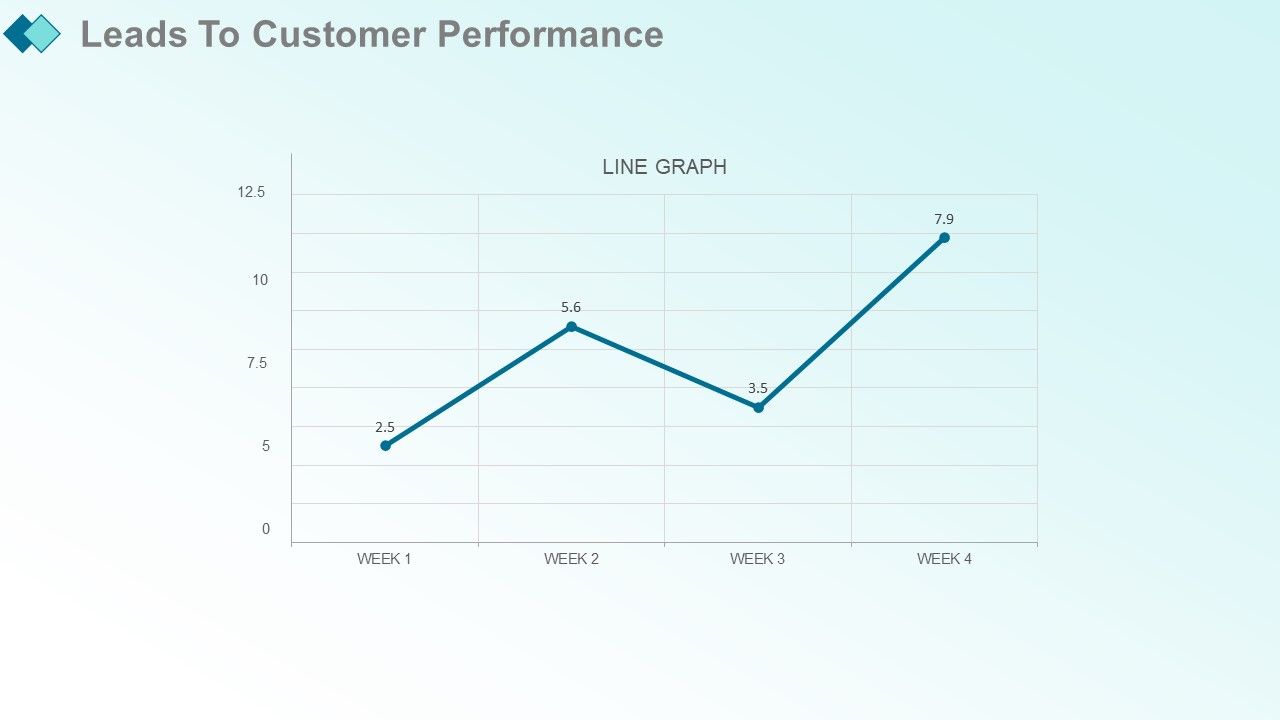
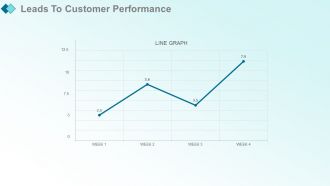
Diapositiva 31 : Esta diapositiva muestra Conduce al rendimiento del cliente. Agregue los datos y utilícelos.
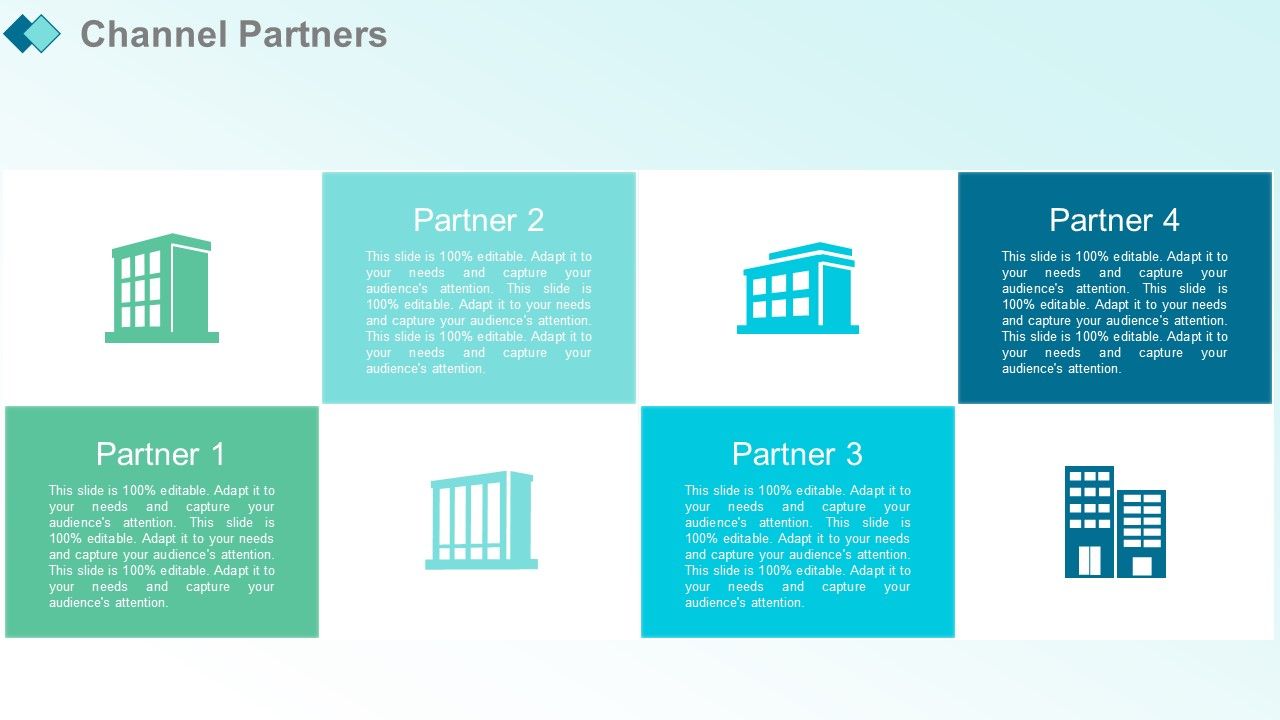
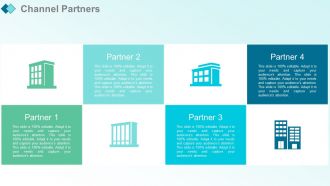
Diapositiva 32 : esta diapositiva presenta los socios de canal.
Diapositiva 33 : esta diapositiva muestra a los principales vendedores del canal.
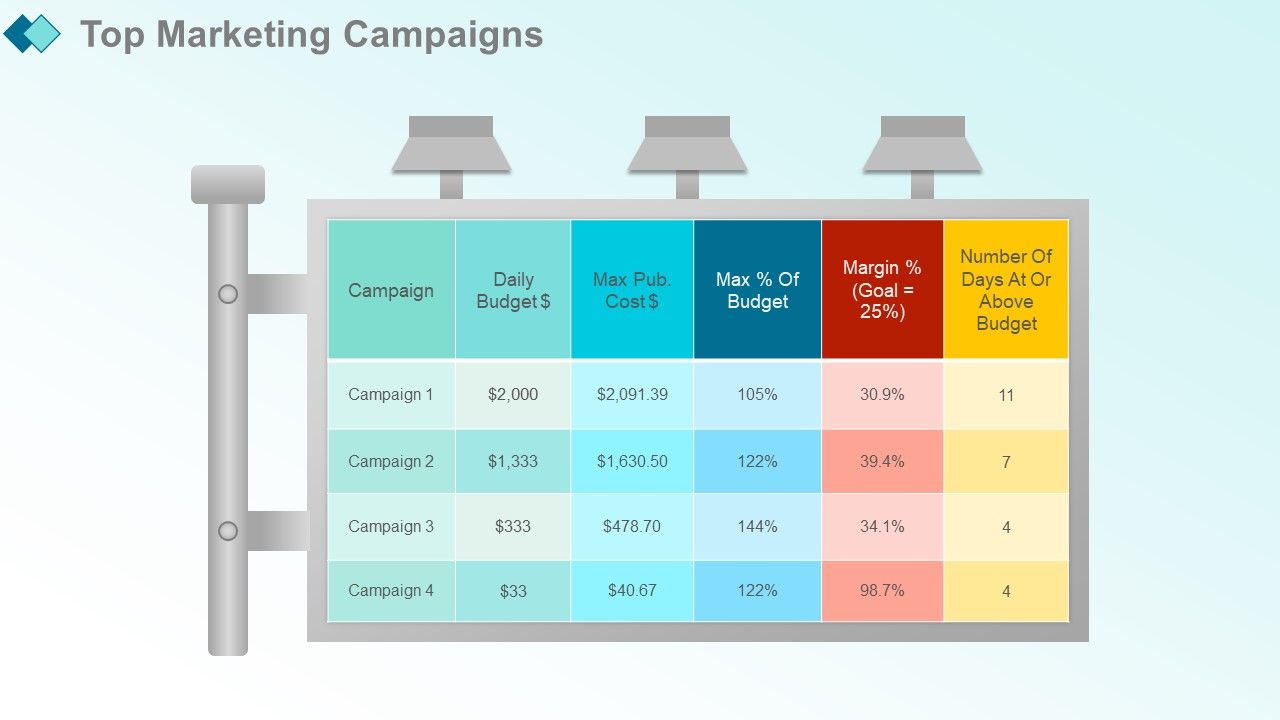
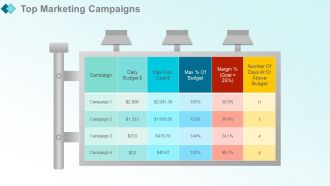
Diapositiva 34 : esta diapositiva presenta las principales campañas de marketing.
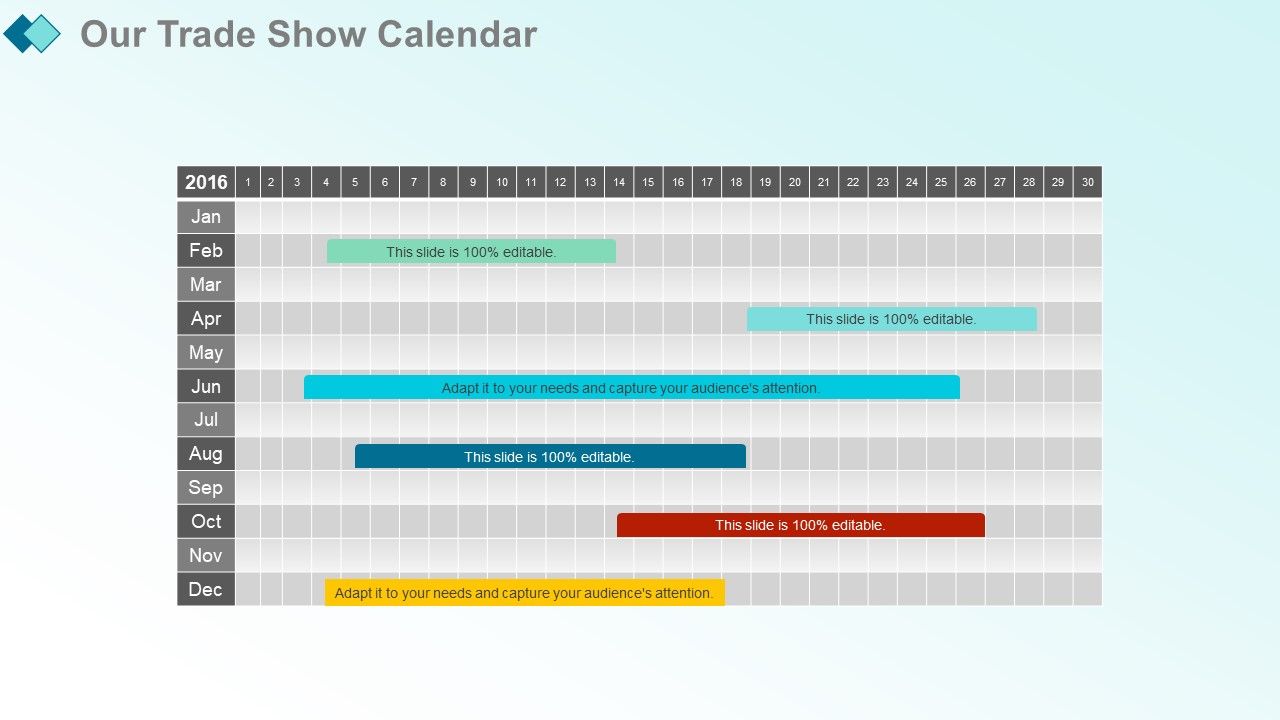
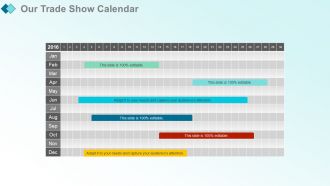
Diapositiva 35 : Esta diapositiva muestra nuestro calendario de ferias comerciales.
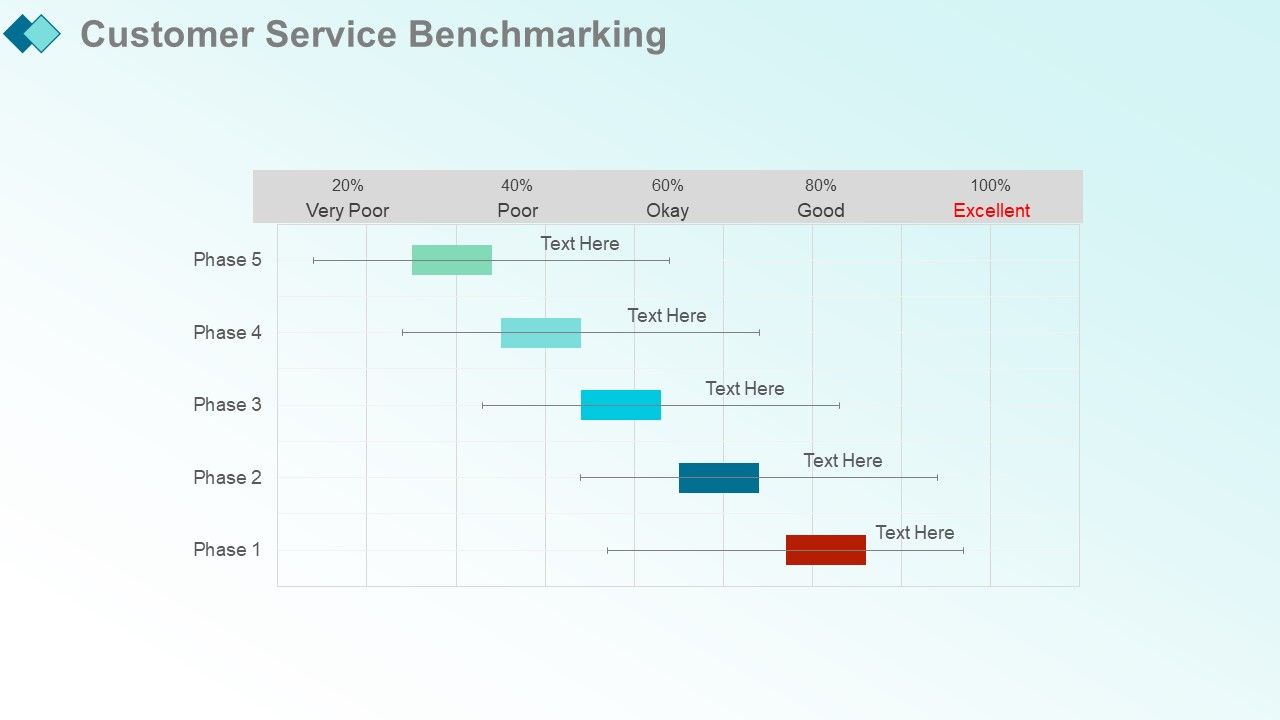
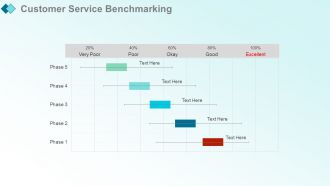
Diapositiva 36 : esta diapositiva presenta la evaluación comparativa del servicio al cliente.
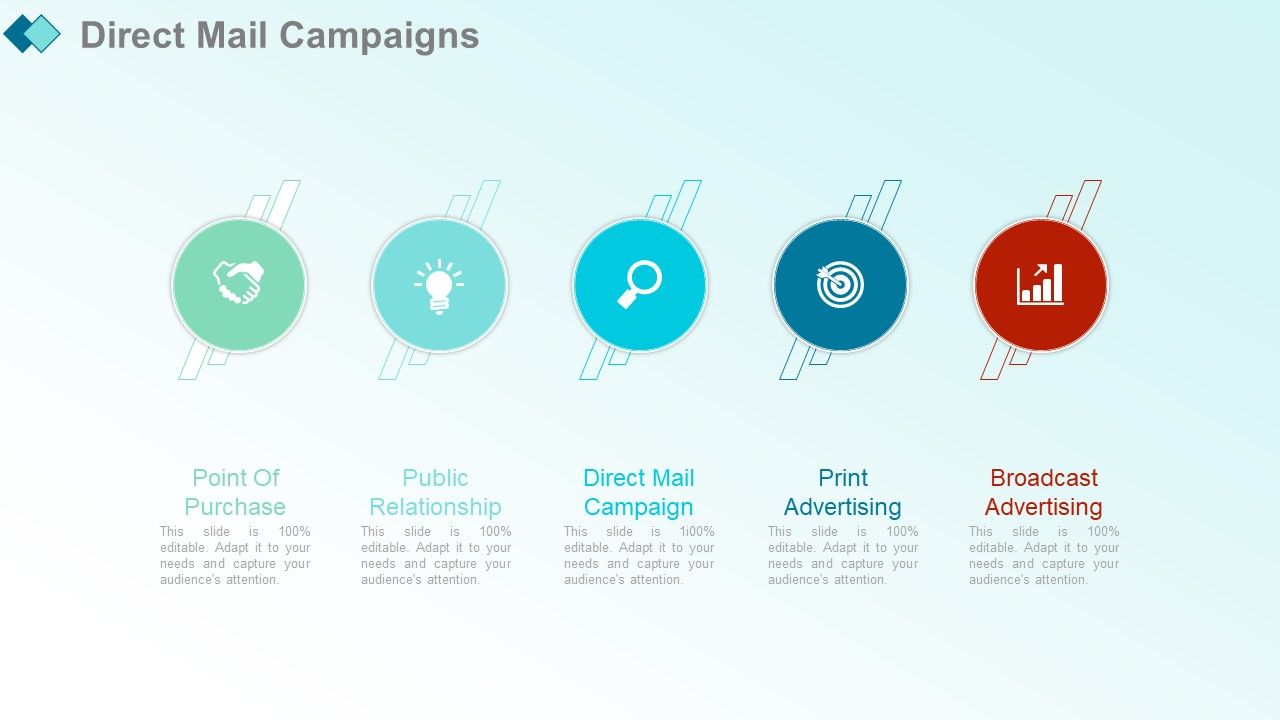
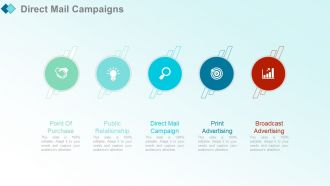
Diapositiva 37 : Esta diapositiva muestra las campañas de correo directo con estos cinco puntos: punto de compra, relaciones públicas, campaña de correo directo, publicidad impresa y publicidad por radiodifusión.
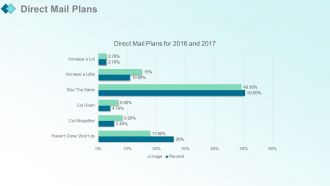
Diapositiva 38 : esta diapositiva presenta los planes de correo directo. Agregue los datos y utilícelos.
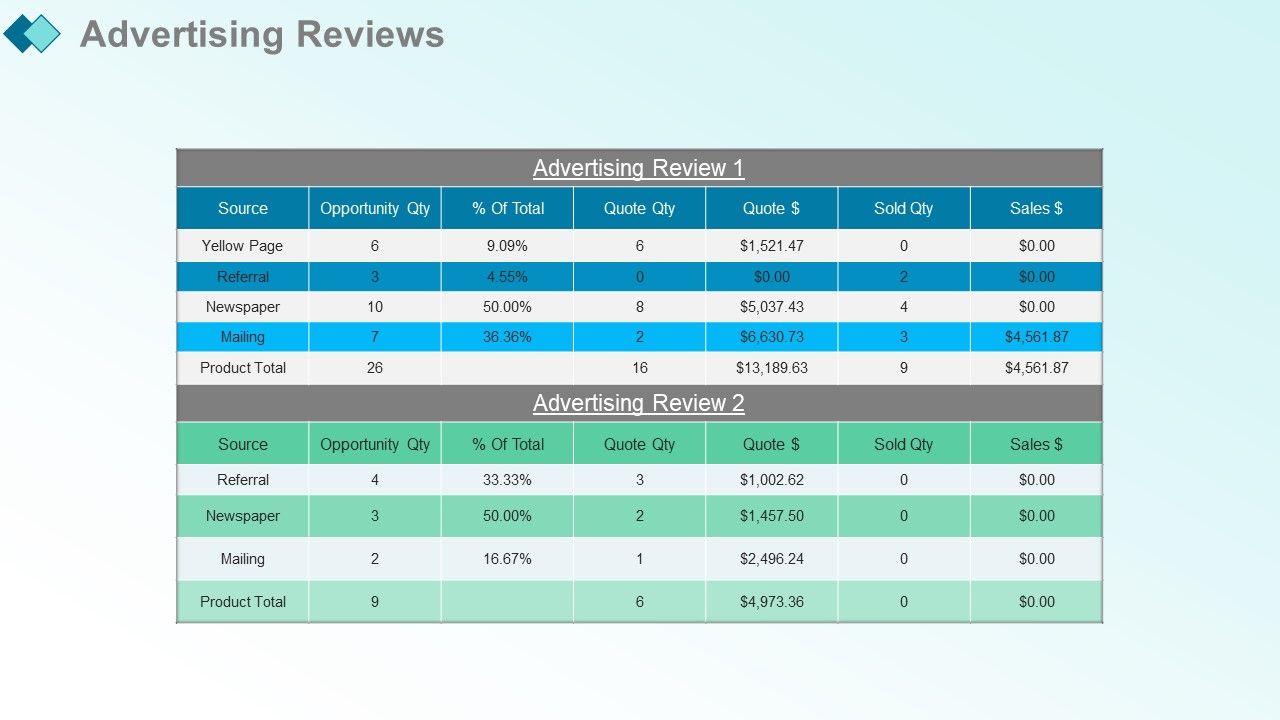
Diapositiva 39 : esta diapositiva muestra las reseñas publicitarias.
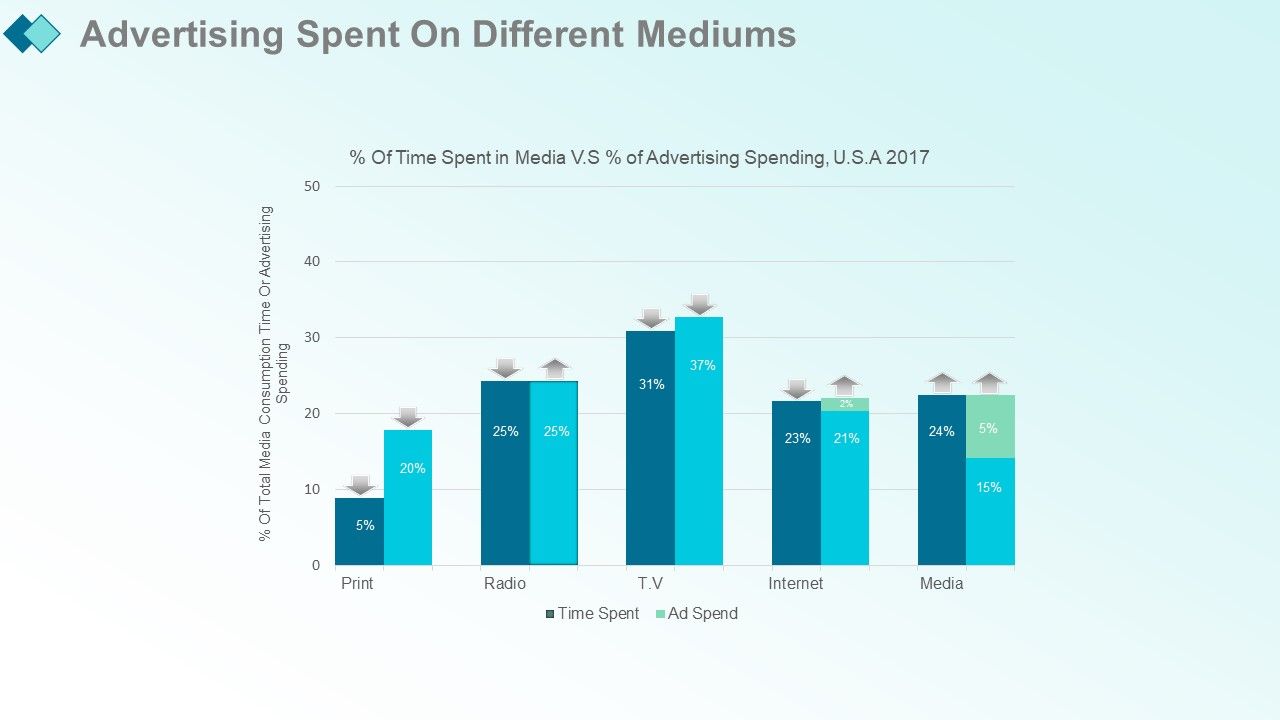
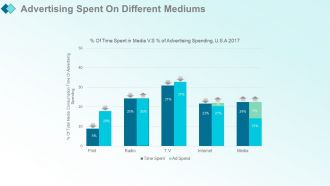
Diapositiva 40 : Esta diapositiva presenta la publicidad gastada en diferentes medios con estas tres etapas: oportunidad, tiempo invertido, inversión publicitaria.
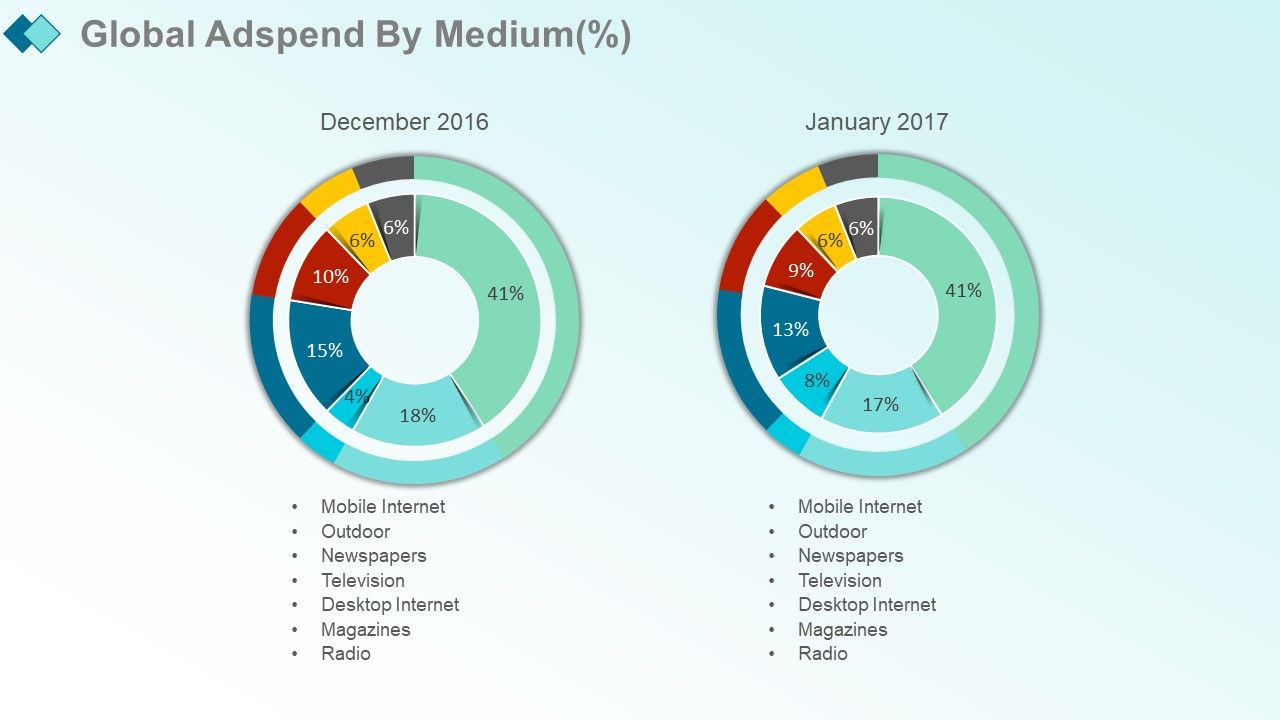
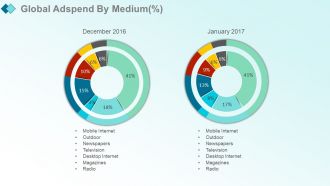
Diapositiva 41 : Esta diapositiva muestra la inversión publicitaria global por medio (%) con estos de los factores: revistas, televisión, exteriores, radio, Internet de escritorio, periódicos, Internet móvil.
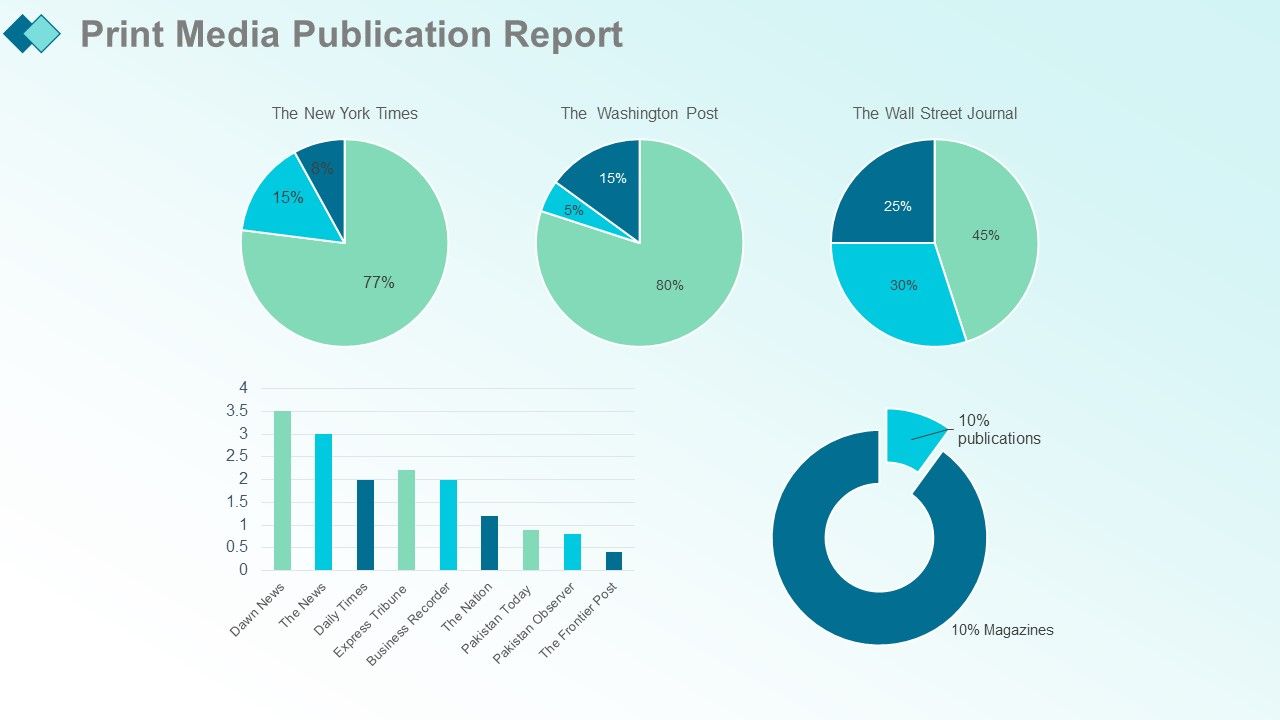
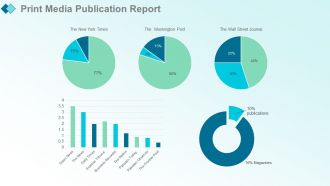
Diapositiva 42 : Esta diapositiva presenta el Informe de publicación de medios impresos con estos de los factores: Las 10 principales publicaciones en inglés, Publicaciones VS Revistas, Número sin procesar, Número sin procesar con contexto, Términos porcentuales.
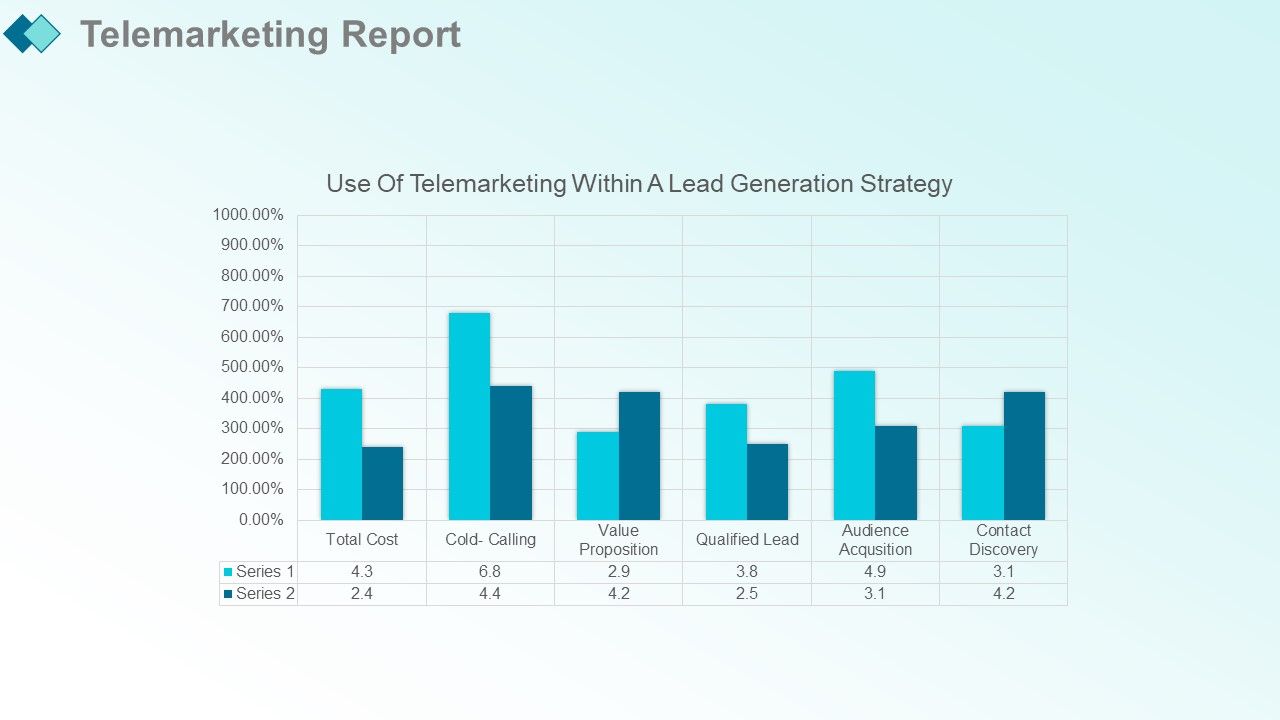
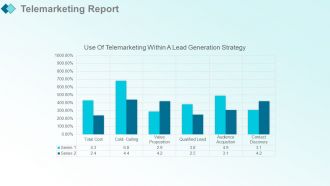
Diapositiva 43 : Esta diapositiva muestra el Informe de telemarketing.
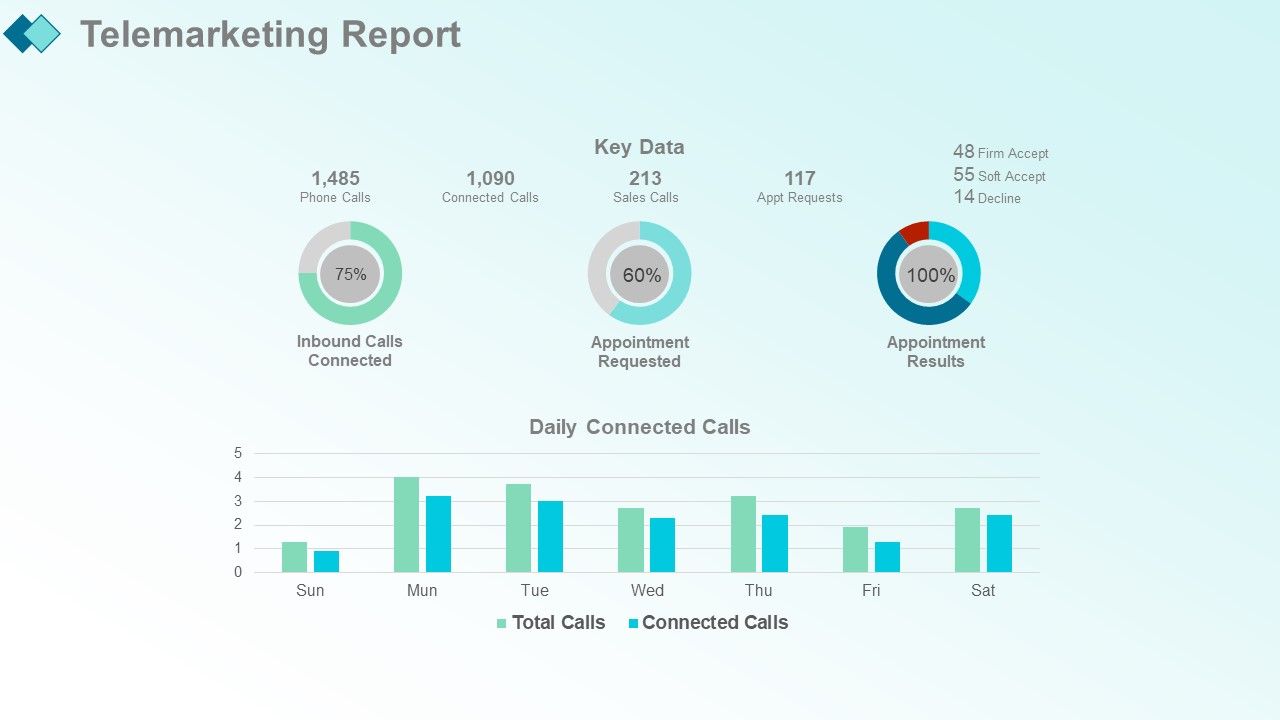
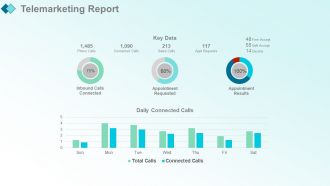
Diapositiva 44 : Esta diapositiva presenta el Informe de telemarketing. Puede agregar los datos clave y las llamadas conectadas diarias.
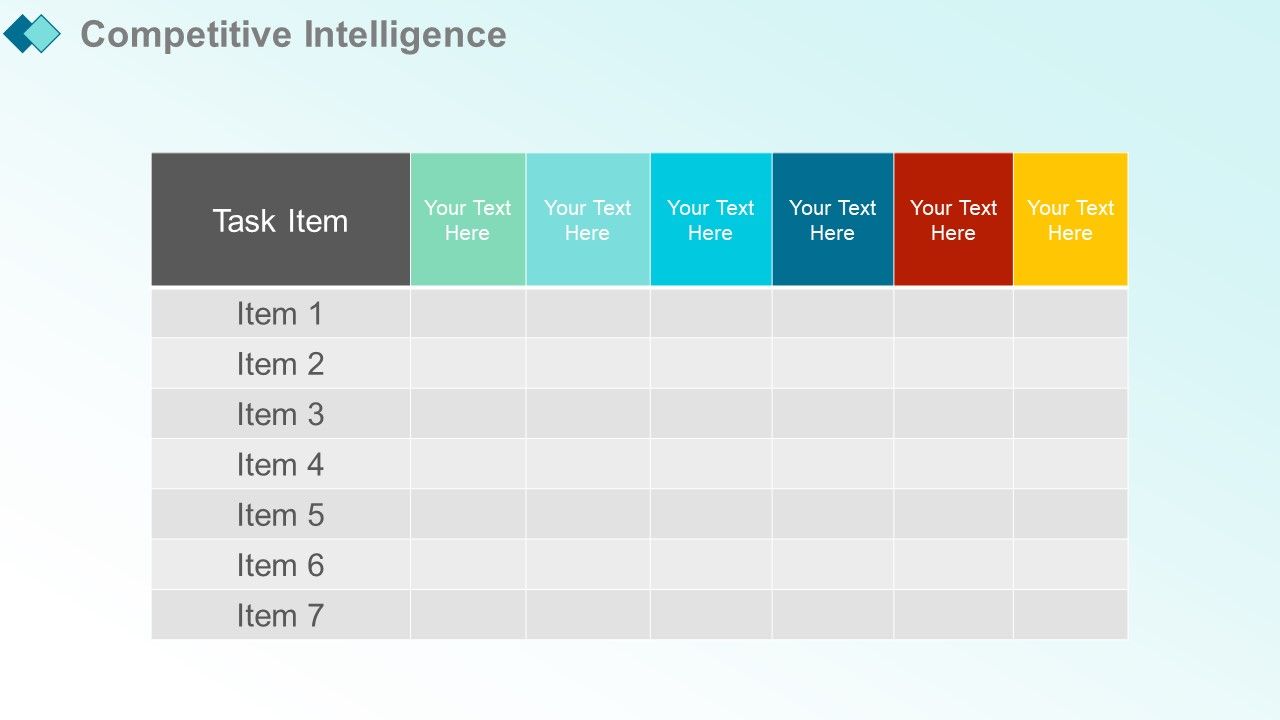
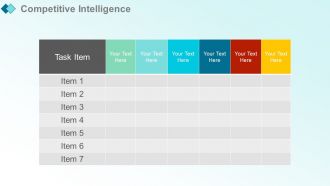
Diapositiva 45 : esta diapositiva muestra la inteligencia competitiva. Agregue los detalles y las tareas y utilícelo.
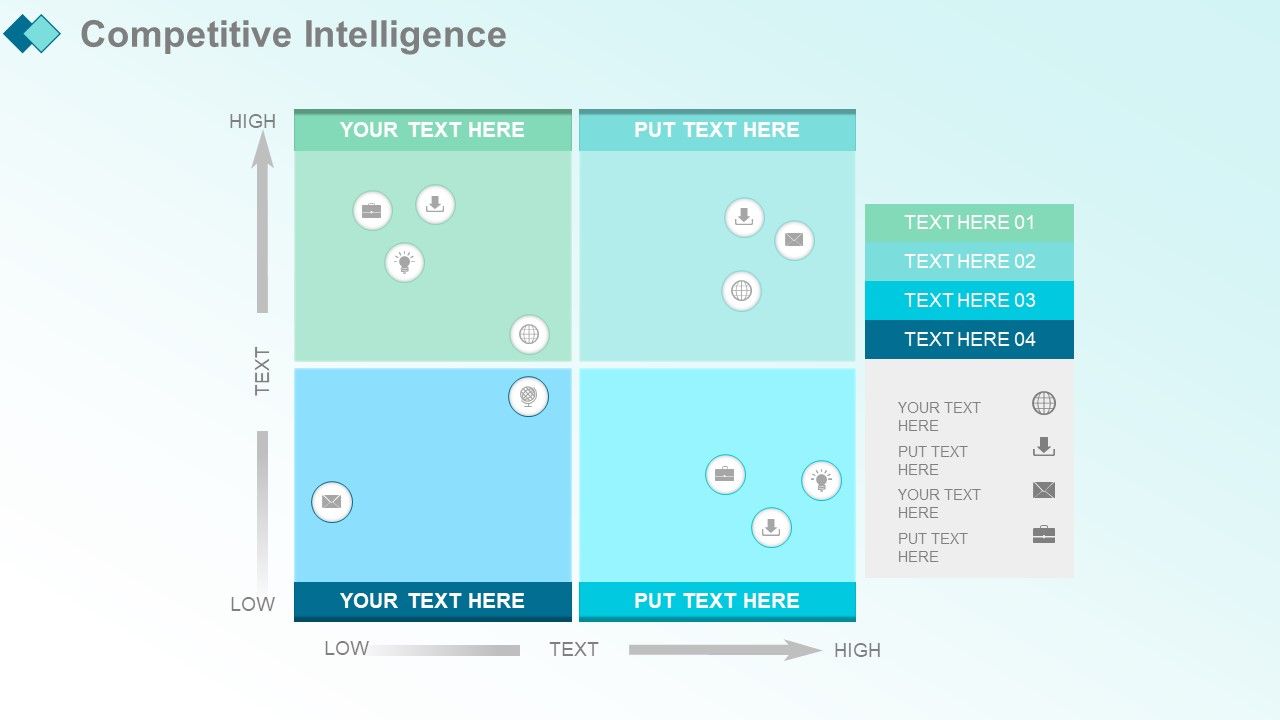
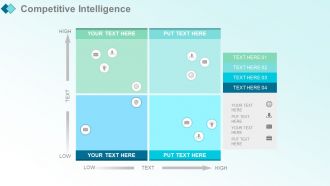
Diapositiva 46 : esta diapositiva presenta la inteligencia competitiva.
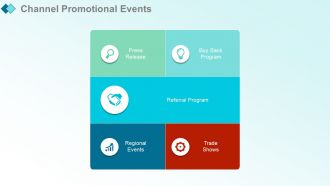
Diapositiva 47 : Esta diapositiva muestra los eventos promocionales del canal con estos cinco factores: comunicado de prensa, eventos regionales, programa de recompra, ferias comerciales, programa de recomendación.
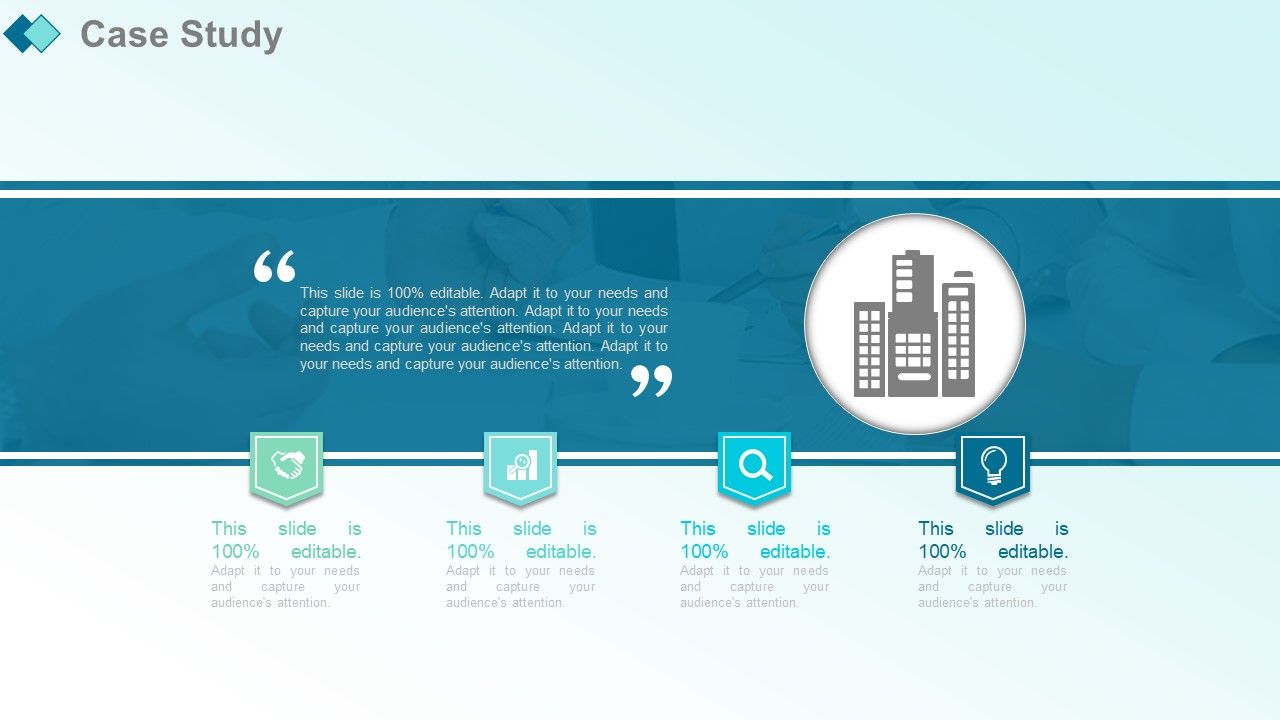
Diapositiva 48 : Esta diapositiva presenta el estudio de caso con estos cuatro pasos.
Diapositiva 49 : Esta diapositiva muestra los testimonios de clientes en los que puede agregar la descripción.
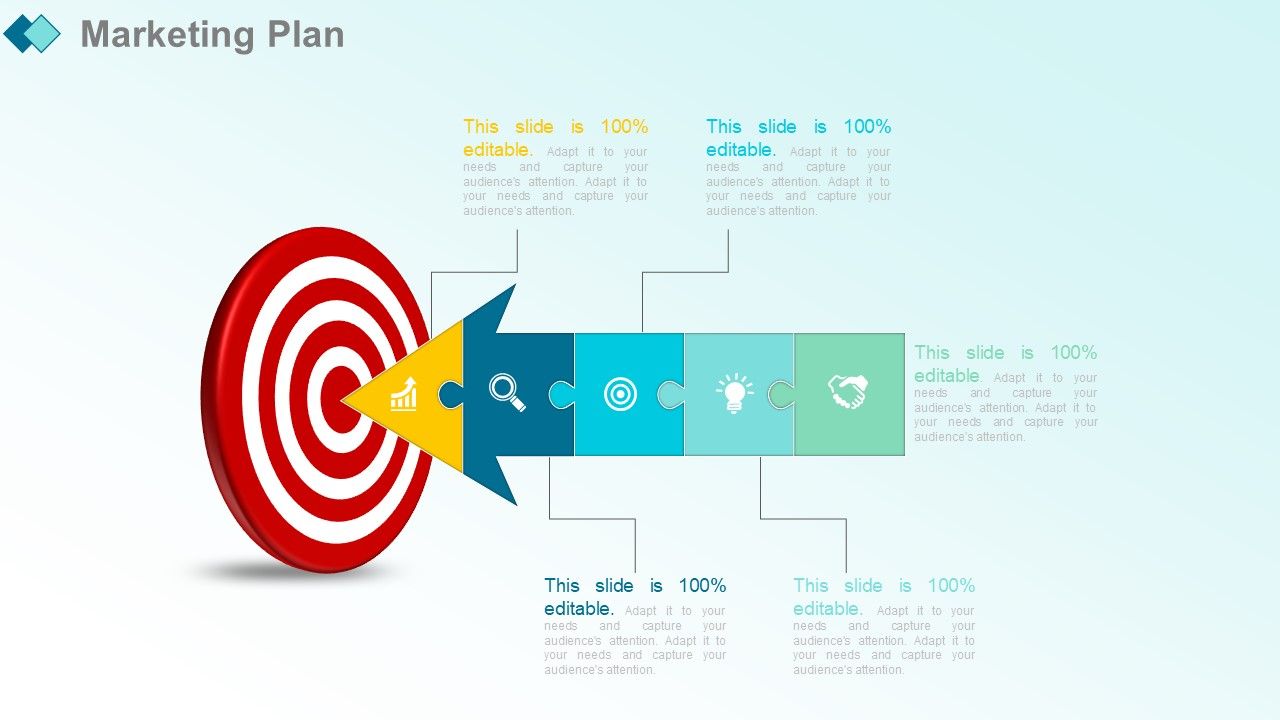
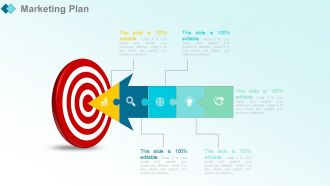
Diapositiva 50 : esta diapositiva presenta el plan de marketing.
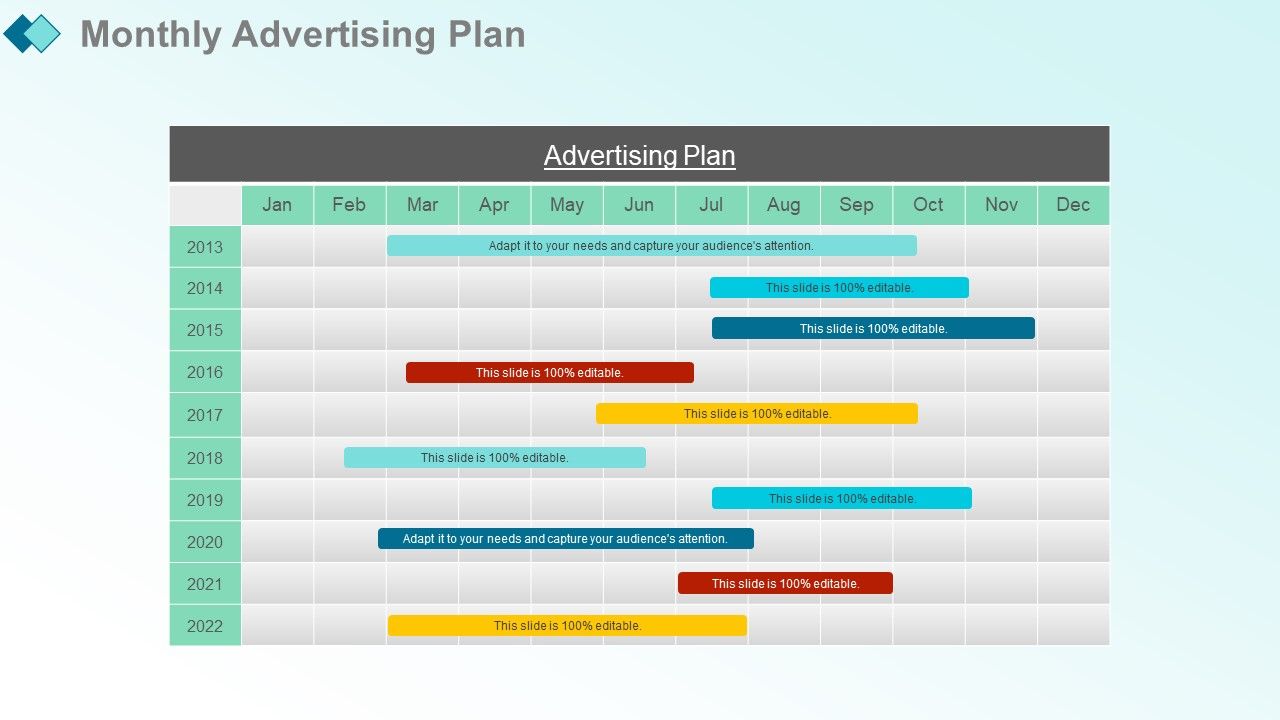
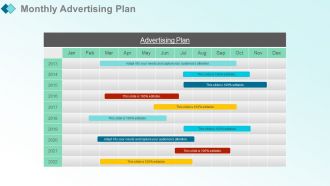
Diapositiva 51 : Esta diapositiva muestra el plan de publicidad mensual. Agregue los detalles y utilícelo como desee.
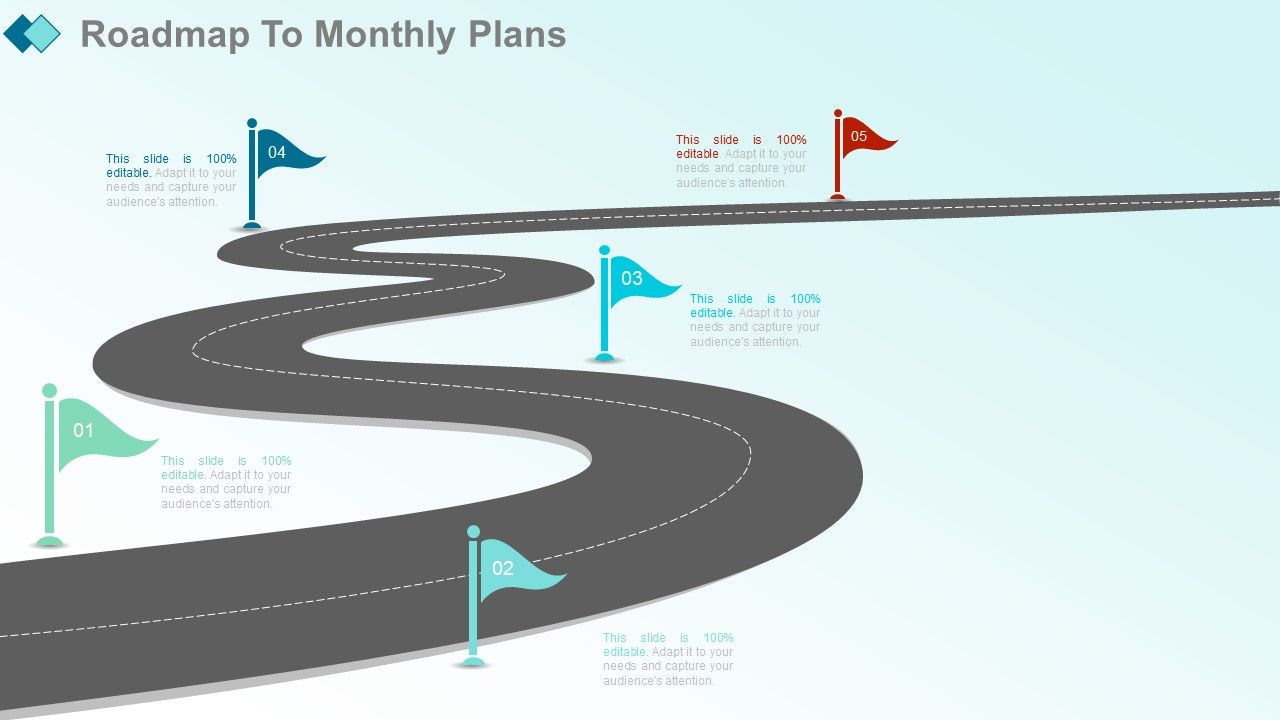
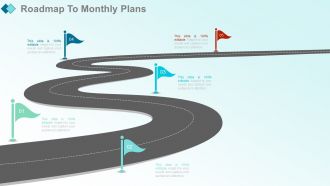
Diapositiva 52 : Esta diapositiva presenta la hoja de ruta para los planes mensuales.
Diapositiva 53 : esta diapositiva se titula Diapositivas adicionales.
Diapositiva 54 : Esta diapositiva representa Nuestra visión. Indique su misión, objetivos, etc.
Diapositiva 55 : Esta diapositiva muestra nuestro equipo con nombre y designación para completar.
Diapositiva 56 : Esta es una diapositiva de líneas de tiempo para mostrar: planificar, presupuestar, programar, revisar.
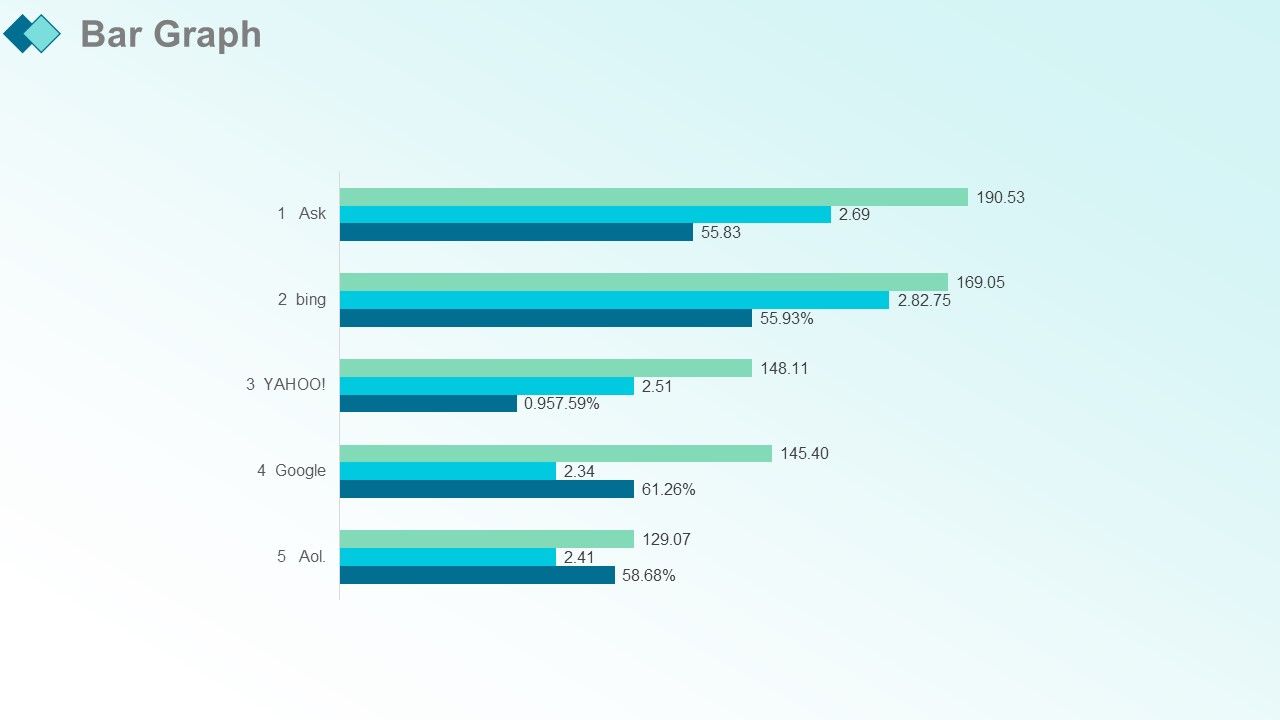
Diapositiva 57 : Esta es una diapositiva de imagen de gráfico de barras para mostrar la comparación de productos, el crecimiento, etc.
Diapositiva 58 : Esta es una diapositiva de agradecimiento como agradecimiento.
Informe de marketing mensual Presentación de PowerPoint con diapositivas con las 66 diapositivas:
Forje un excelente futuro con nuestro Informe de marketing mensual completo Presentación en PowerPoint con diapositivas. Construya esa fortuna con la que sueña.
-
Use of different colors is good. It's simple and attractive.
-
Perfect template with attractive color combination.
