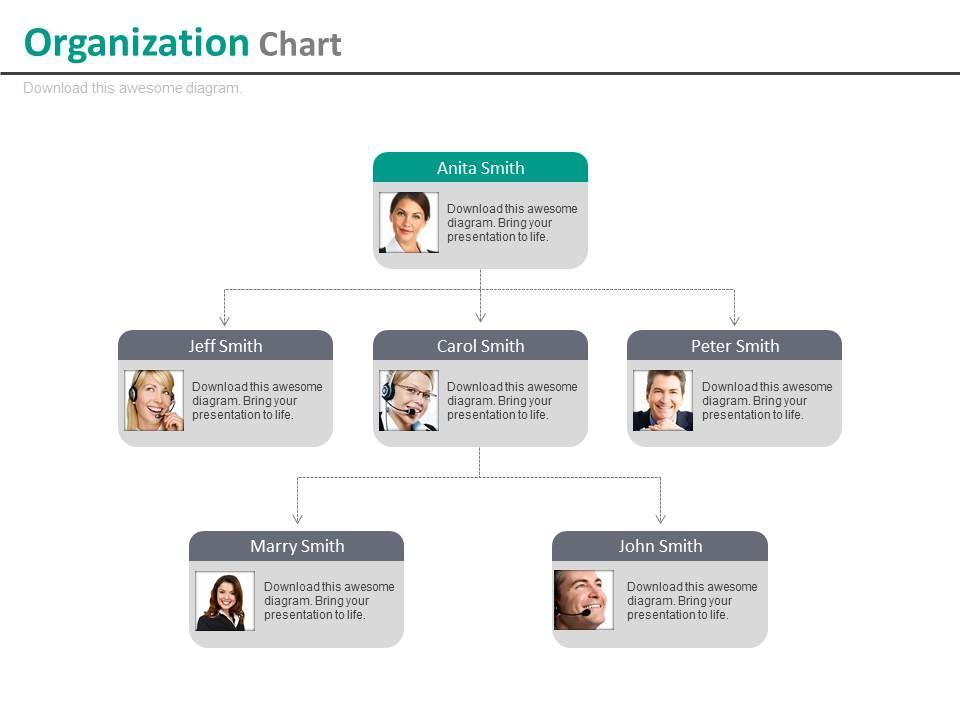
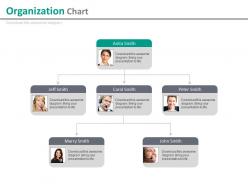
Mehrstufiges Unternehmensorganigramm für Mitarbeiterprofil-Powerpoint-Folien

Rating:
100%
Multilevel company organizational chart for employee profile powerpoint slides
Slide 1 of 4
Favourites Favourites

Try Before you Buy Download Free Sample Product

Audience Impress Your
Audience
Editable 100%
Editable
Time Save Hours
of Time
The Biggest Sale is ending soon in
0
0
:
0
0
:
0
0
Rating:
100%

Merkmale dieser PowerPoint-Präsentationsfolien:

Einzigartige und energetische schattierte PPT-Vorlagenfolien. Ändern Sie jedes Folienlayout physisch, ohne auf eine hohe Auflösung verzichten zu müssen. Präsentieren Sie das Logo, die Marke oder den Namen der Organisation nach Ihrer Entscheidung. Bereit zu nutzen spart so Zeit. Hilft beim schnellen Download. Wechseln Sie zu PDF- oder JPG-Anordnungen, um klare Geschenke zu machen. PPT-Folien läuft gut mit Google-Folien. Perfekte Versammlung für Geschäftsleiter, Gruppenleiter, Personaladministratoren und Versammlungsingenieure, Marketingspezialisten und Geschäftsleute.

People who downloaded this PowerPoint presentation also viewed the following :

FAQs for Multilevel company organizational chart for employee

Honestly, the biggest win is just knowing who's actually supposed to do what. No more of those super awkward meetings where everyone's looking around like "wait, who decides this?" You can spot where communication gets stuck too, which is huge. New people love them because they figure out the office dynamics way faster - like who to actually talk to about stuff. Oh and if someone quits unexpectedly, you won't be scrambling to figure out what they handled. I update mine maybe every few months when things shift around, but don't stress about it being perfect.

So basically, org charts show who reports to who - cuts down on all that "wait, who do I even ask about this?" confusion. Information flows way smoother when people can actually see the chain of command. Plus you'll know which decision-makers to bug for different stuff. Honestly, half the time people don't even know how their job connects to everyone else's, so it helps with that too. Just make sure you keep the thing updated - nothing worse than outdated charts where half the people have already quit.

Ugh, data accuracy is your biggest nightmare - people constantly forget to update when someone switches teams. Layout gets messy fast too, especially with matrix reporting where Bob reports to like three different people somehow. Large orgs turn into visual chaos real quick. Oh, and good luck fitting a 500-person company on one readable page! Honestly, just get a digital tool that syncs with HR automatically. Way less headache than manually tracking every promotion and hire. Make department heads own their sections of the chart - they'll actually keep it current that way.

Oh man, org charts are seriously clutch for new hires! Walk them through it first week so they actually understand who does what and where they fit in. Way better than trying to explain the whole company structure verbally - that never sticks. Plus you can show them who to bug for different questions instead of having them come to you every time. Maps out the expertise too, like "oh Sarah handles all the marketing stuff, Jim's your go-to for tech issues." Honestly saves so much confusion later. I learned this the hard way when I started somewhere with zero guidance!

Look, multilevel org charts are honestly game-changers for strategic planning. You can spot who makes decisions at each level super quickly. Plus they show you exactly how info flows up and down - kinda like a GPS for your company structure. Really helps you catch bottlenecks before they mess things up. When I'm tackling big projects, I always check the org chart first to map out stakeholders. It's way easier to align initiatives when you know who's accountable where. The visual aspect just makes everything click - you'll see reporting relationships that weren't obvious before.

Honestly, Lucidchart's probably your best bet for complex org charts. Real-time collaboration is clutch if you're working with a team. Visio's solid too, especially if you're already using Microsoft stuff everywhere. Draw.io works if you don't want to spend money, though it feels a bit clunky compared to the paid options. SmartDraw does this cool auto-formatting thing that saves time - I actually forgot about that one until now. Start with Lucidchart's free trial and see how it goes. Worst case, you'll know what you don't like before committing to anything.

Honestly, org charts are lifesavers when you're trying to figure out who's who. They show the whole reporting structure so you can see exactly where you fit and who your boss's boss is. Super useful when you need approvals - no more wandering around asking random people for permission on stuff. I actually keep mine bookmarked because it's clutch for identifying stakeholders when I'm working on projects with other teams. The visual layout makes it way easier to spot decision-makers too. Definitely reference it before big meetings or when you're not sure who to escalate something to.

Start with span of control - figure out how many people one manager can actually handle without losing their mind. Geographic stuff matters if you've got remote teams scattered around. Map out your key functions first, then decide where authority really lives (not where it looks good on an org chart). I've watched companies stack layers just to seem more "corporate" - total waste. Keep things flat but don't sacrifice clear accountability. Oh, and focus on critical decisions rather than fancy titles. That's where the real structure needs to be anyway.

Honestly, multilevel org charts are pretty great for cutting through workplace confusion. Everyone can see who reports to whom and where decisions actually happen. No more awkward "wait, who's my boss's boss again?" moments. Your team will get how info moves around the company, which kills a lot of office drama. People can also map out their career path better when they see the full structure laid out. Just keep that thing updated though - nothing's worse than an org chart from 2019 still hanging around. And yeah, make sure everyone can actually access it.

Yeah definitely! Honestly, nonprofits might benefit even more than regular companies. You can show your board at the top, then map out how executive staff, program managers, and volunteers all fit together. Donors love seeing this stuff - makes your org look professional and organized. Plus it's a lifesaver when you're mixing paid staff with volunteers because nobody knows who reports to whom otherwise. Short sentences work. Try showing both the official reporting lines and the collaborative relationships too, since most nonprofits aren't super rigid hierarchies anyway.

Your org chart is like a mirror for company culture, but it also shapes what happens day-to-day. Lots of layers? You'll probably get that formal, top-down vibe where everyone stays in their box. Flatter structures usually create more collaboration since people can actually talk to each other without going through five managers first. But here's what's wild - the chart doesn't just show existing culture, it reinforces it. People look at that thing and instantly know how they're supposed to behave and who they can approach. So when you're building yours, think about the interactions you want happening, not just who reports to who.

Update them quarterly minimum, but really? Do it whenever big stuff happens. New boss, restructuring, department changes - fix it right away. I've watched org charts sit there for months getting more useless by the day. Pretty frustrating when you're trying to figure out who actually runs what! Quarterly works since it matches your business cycles anyway. Just pick someone to own it - can't be everyone's job or it becomes nobody's job. Set a reminder and actually stick to it, because outdated charts just confuse people.

You'll want clear lines between boxes and consistent sizing - that's honestly the foundation. Different colors help separate departments too. White space is your friend here; cramped charts are the worst. Keep reporting lines straight and don't let them cross if you can help it. Fonts matter more than people think - if someone squints, you've lost them. Here's what I always do: step back and see if you can still follow the structure from across the room. Sounds weird but it works. Get those basics right and you'll actually have something useful.

Org charts are honestly a lifesaver for performance reviews. You can see exactly who reports to who, which makes the whole evaluation process way less chaotic. Managers know who they're supposed to review, plus they can check if their people are doing a good job developing the folks under them. HR loves this stuff because they can spot patterns - like if one department consistently has issues or whatever. When review season rolls around (ugh, the worst time of year), you won't be scrambling to figure out reporting structures. Just use the chart to map out your review cycle so nobody gets forgotten.

Honestly, org charts can be tricky. Too many layers and people feel like their ideas never reach the top - super frustrating. Unclear promotion paths make everyone think they're trapped forever in the same spot. But here's the thing: done right, they actually help. People need to see where they can go next and how their job connects to everything else. I've seen teams get way more motivated when managers actually explain the promotion process instead of keeping it mysterious. Communication between levels is huge too - can't just draw boxes and call it done.

Ratings and Reviews

100% of 100
Review Form
Write a review
Most Relevant Reviews
  1. 100%

    by Darrel Burns

    Understandable and informative presentation.
  2. 100%

    by Cristobal West

    Qualitative and comprehensive slides.

2 Item(s)

per page: