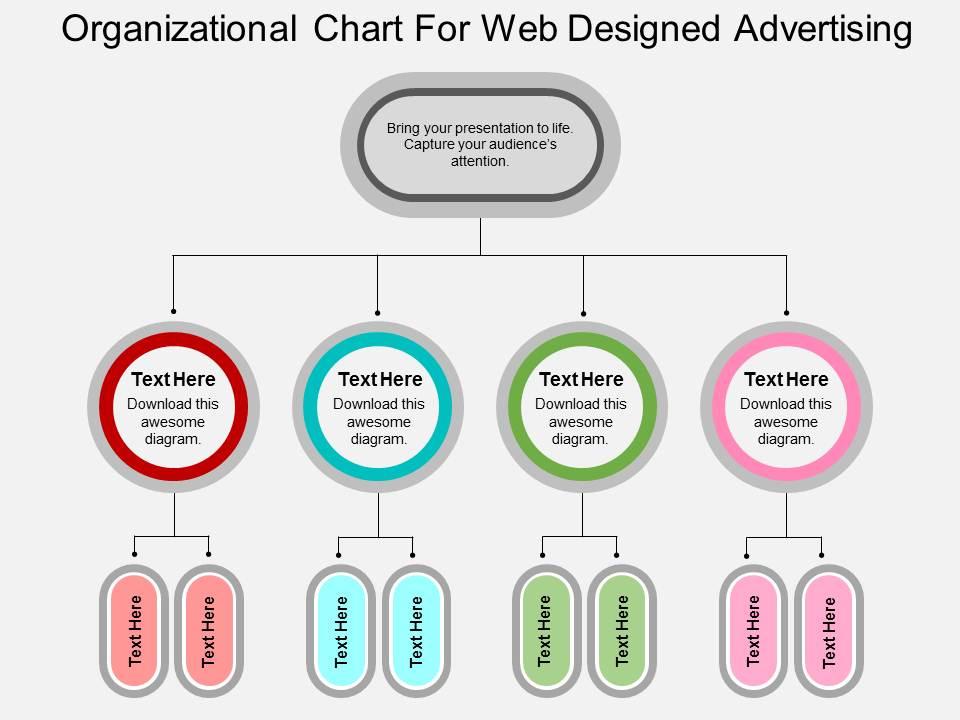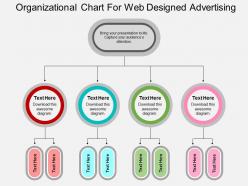
Organigrama para diseño web y publicidad Diseño plano de PowerPoint

Rating:
100%
Slide 1 of 4
Favourites Favourites

Try Before you Buy Download Free Sample Product

Audience Impress Your
Audience
Editable 100%
Editable
Time Save Hours
of Time
The Biggest Sale is ending soon in
0
0
:
0
0
:
0
0
Rating:
100%

Características de estas diapositivas de presentación de PowerPoint:

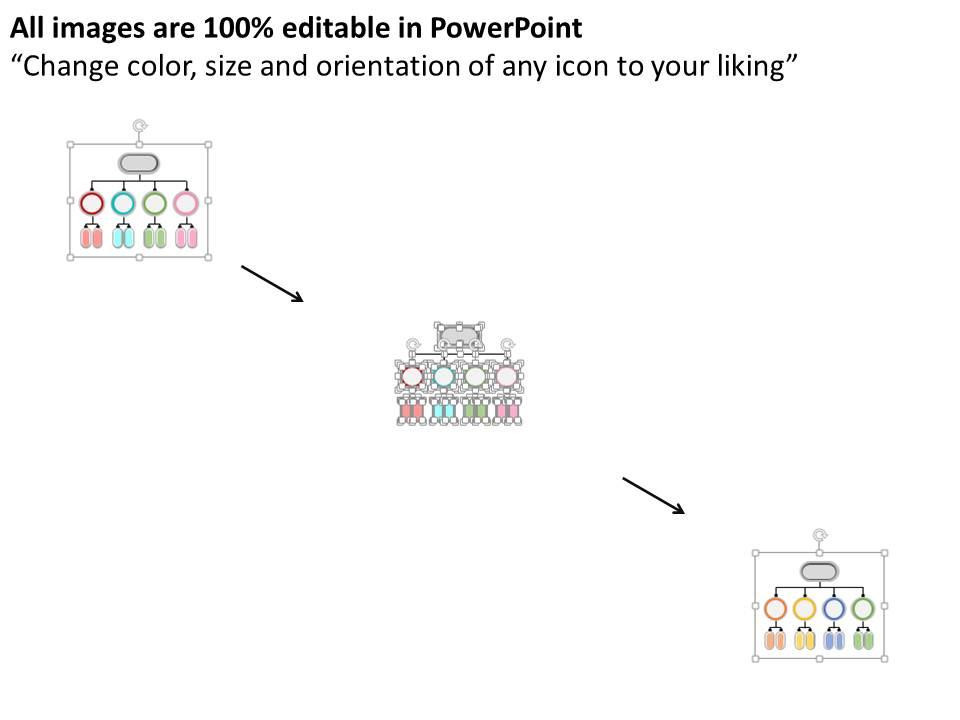
La diapositiva es 100% editable a su gusto. Se puede descargar en unos segundos. Se proporciona soporte estándar y de pantalla ancha. Diseños compatibles con Google Slides. Adecuado para su uso por diseñadores, anunciantes, gerentes y organizaciones. Servicio de atención al cliente Premium.

People who downloaded this PowerPoint presentation also viewed the following :

FAQs for Organizational chart for web design and advertising

Honestly, they're game-changers for cutting through workplace confusion. No more guessing who's in charge of what or sending emails to the wrong person for three days straight. New hires love them too - they can figure out the team dynamics without awkwardly asking around. Decision-making gets way faster when people know exactly who to bug for approvals. Oh, and if you're doing any kind of restructuring? Super helpful for spotting where you've got too many people doing the same thing. I'd keep it simple at first and just update it every few months so it doesn't get stale.

Honestly, org charts are super helpful for figuring out who reports to who without all the awkward guesswork. No more wondering if you should go straight to someone or loop in your manager first. They're great for finding the right people when you need to work across teams too. New hires love them - saves so much time instead of spending forever trying to understand the hierarchy. The key is actually keeping it current though (so many companies let theirs get outdated). I'd definitely reference it before reaching out to people you don't normally work with.

So there are four main types you'll see. Hierarchical is your classic pyramid - works well for big companies that need clear chains of command. Flat structures have barely any management layers. Perfect for startups or creative teams (way less politics too). Matrix gets weird because people report to two bosses - like a department head AND a project manager. Honestly it's confusing but helpful when teams work across different areas. Functional just groups everyone by what they do - marketing with marketing, etc. Works great when departments don't really need to collaborate much. Just pick whatever actually fits how your team operates, not what sounds fancy.

So basically an org chart shows you exactly who reports to who and where you fit in the whole mess. No more awkward "wait, is this my problem or yours?" situations. You can see your boss, your teammates, and if you have anyone under you. Super helpful when you need to escalate something - just follow the lines up until you find someone who actually makes decisions. Honestly, it saves so much time and confusion. The visual layout makes everything way clearer than trying to remember who does what from some random email or meeting.

Honestly, Lucidchart is probably your best bet - it's made specifically for org charts and handles weird hierarchies without breaking. Visio's solid too if you already have Office. Canva's surprisingly good for simpler stuff, super clean templates. I've seen people make decent ones in PowerPoint but ugh, it gets messy fast with bigger teams. Miro's clutch if multiple people need to edit at once. Oh, and FigJam works well for that too. I'd just grab Lucidchart's free trial first - you'll figure out pretty quick what features you actually need versus what sounds cool but you'll never use.

Honestly, just put someone in charge of it - HR works or whoever's your most organized team lead. Quarterly reviews are clutch. I've seen so many companies where the org chart becomes this sad, outdated thing nobody touches (like my gym membership lol). Every time someone gets hired, promoted, or leaves, update it immediately. Google Docs works fine if you're being scrappy, or grab something like Lucidchart if you want to get fancy. Let people know when you've made changes! Set a recurring calendar reminder to double-check everything every few months. Trust me, future you will thank present you.

Honestly, org charts are a lifesaver for new people. You know how overwhelming the first few weeks are - everyone's throwing names at you and you have zero clue who does what. The chart shows reporting lines and helps them figure out who to bug for different stuff. No more awkward "should I email my boss's boss about this?" moments. I always do a quick walkthrough during their first week, maybe day two or three when they're not totally drowning yet. Keep a digital copy handy they can check whenever. Trust me, it cuts down on so much confusion.

Yeah totally! Flat org charts with lots of cross-team connections show you're all about collaboration. Those old-school pyramid ones? More buttoned-up, formal vibes. You can get creative with it too - throw in employee photos, quirky job titles, maybe highlight people's hobbies. Some places even add diversity stats or team wins. Oh, and make sure it actually reflects how decisions get made, not just who reports to who on paper. I've seen some companies go way overboard with the visual stuff though, so don't get too fancy.

Honestly, org charts are super useful for finding bottlenecks. Map your actual workflow against it and you'll spot the problems fast. Too many approval layers? Check. Weird reporting lines that make no sense? Yep. Teams that should work together but are buried in different departments? Classic mistake. Look for roles that seem totally disconnected from who they actually need to collaborate with daily. Sometimes there's literally nobody who owns a critical handoff - which is always fun to discover during crunch time. The visual aspect makes it obvious where your structure is fighting against getting stuff done efficiently.

Oh man, cross-functional teams totally mess with the usual org chart setup. Your marketing person ends up on product teams, suddenly answering to like three different people. It's chaos but somehow works? Instead of that neat ladder structure, you get this web where everyone's connected sideways too. Authority flows every direction now - up, down, sideways, diagonally probably. Honestly the matrix thing sounds fancy but it just means your accountability gets split between your actual boss and whatever project lead you're under. I'd draw it out or something so people aren't constantly confused about who they report to.

Don't overcomplicate it - seriously, I've seen org charts that look like subway maps and nobody can figure out who their boss actually is. Keep reporting lines super clear. Skip the contractors and consultants too, that just muddies everything up. Also, you can't just make this thing once and call it good for the next two years (though honestly, who has time to think about org charts constantly?). Things change fast, so maybe check it every few months. Start basic with direct reports and main departments. You can always add more detail later if you really need to.

Org charts are lifesavers for project management, trust me. They show who does what and who reports to who - no more guessing games when you need approvals or have to track down the person actually responsible for something. Your team gets to see where they fit in too, which is huge because people work in these weird bubbles sometimes. I swear, half the project drama I've seen could've been avoided with a simple chart. When problems come up, you know exactly who to talk to instead of sending emails into the void. Just sketch out your current team structure and you'll be shocked how much smoother everything runs.

Honestly, ditch the whole traditional hierarchy thing for remote teams. Your org chart should show who actually talks to each other daily, not just who reports to who - because let's be real, in remote work that stuff gets blurry fast. Time zones are huge if you're spread out globally. Cross-functional project connections matter way more than they used to since you can't just pop over to someone's cube anymore. Oh, and update it constantly! Remote team structures shift like crazy compared to office setups. Make it show the real workflow, not some outdated corporate fantasy.

Definitely start with HRIS integration - it'll auto-update when people switch roles or teams. Active Directory sync is clutch too, saves you from manually updating everything when someone moves departments (which happens way more than you'd think). Performance management platforms are solid for tracking departmental goals. Oh, and embedding charts in your intranet is pretty standard now. Project management tools can show team structures, budgeting software helps visualize headcount costs. Honestly though? Pick whichever integration fixes your biggest pain point first, then add others gradually.

Check how fast decisions actually get made - if stuff's getting stuck in approval hell, that's your first red flag. Survey people about whether they even know who to go to for different things (you'd be surprised how often they don't). Manager workload is another big one - nobody should be drowning with 15 direct reports, but having just 2 is weird too. Employee satisfaction usually drops when the structure sucks. Also worth tracking how long new people take to figure out who reports to whom. Honestly though, just pick 2-3 things that match whatever's driving you crazy right now.

Ratings and Reviews

100% of 100
Review Form
Write a review
Most Relevant Reviews
  1. 100%

    by Chester Kim

    Awesome use of colors and designs in product templates.
  2. 100%

    by Chas Kelly

    Very unique and reliable designs.

2 Item(s)

per page: