Planning Monitoring And Evaluation PowerPoint PPT Template Bundles

Rating:
90%
Planning Monitoring And Evaluation PowerPoint PPT Template Bundles
Slide 1 of 17
Favourites Favourites

Try Before you Buy Download Free Sample Product

Audience Impress Your
Audience
Editable 100%
Editable
Time Save Hours
of Time
The Biggest Sale is ending soon in
0
0
:
0
0
:
0
0
Rating:
90%
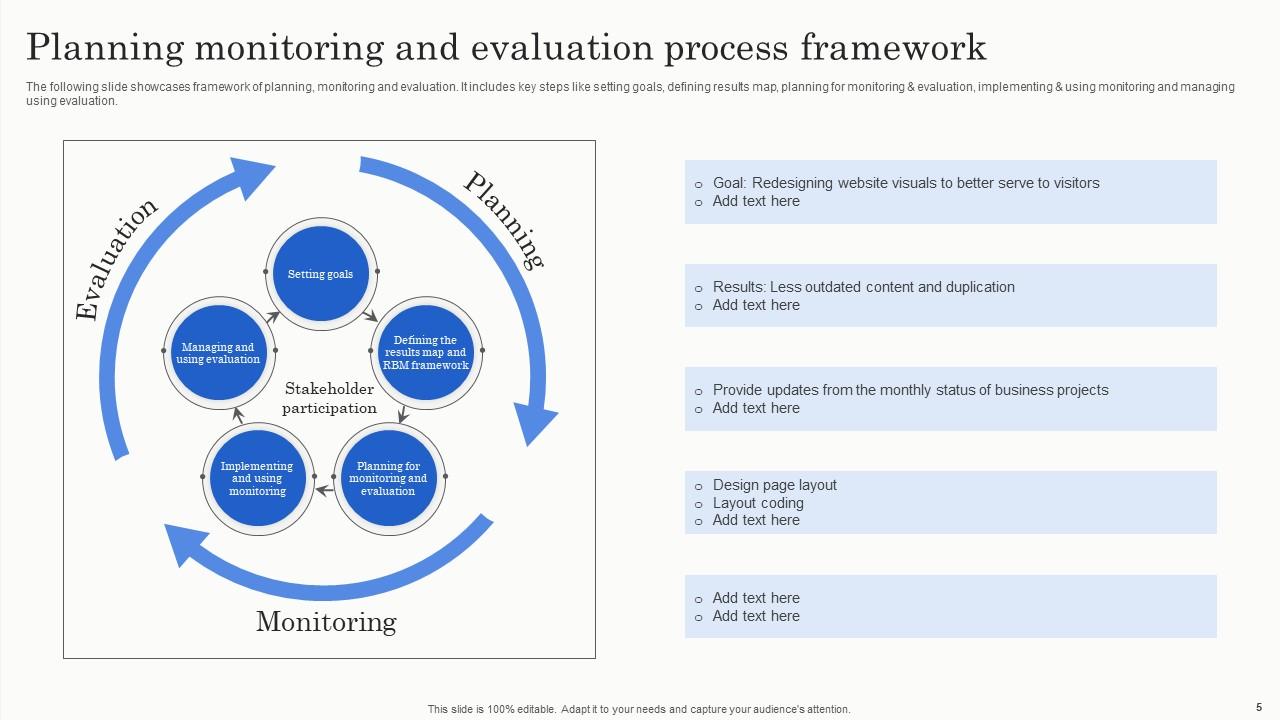
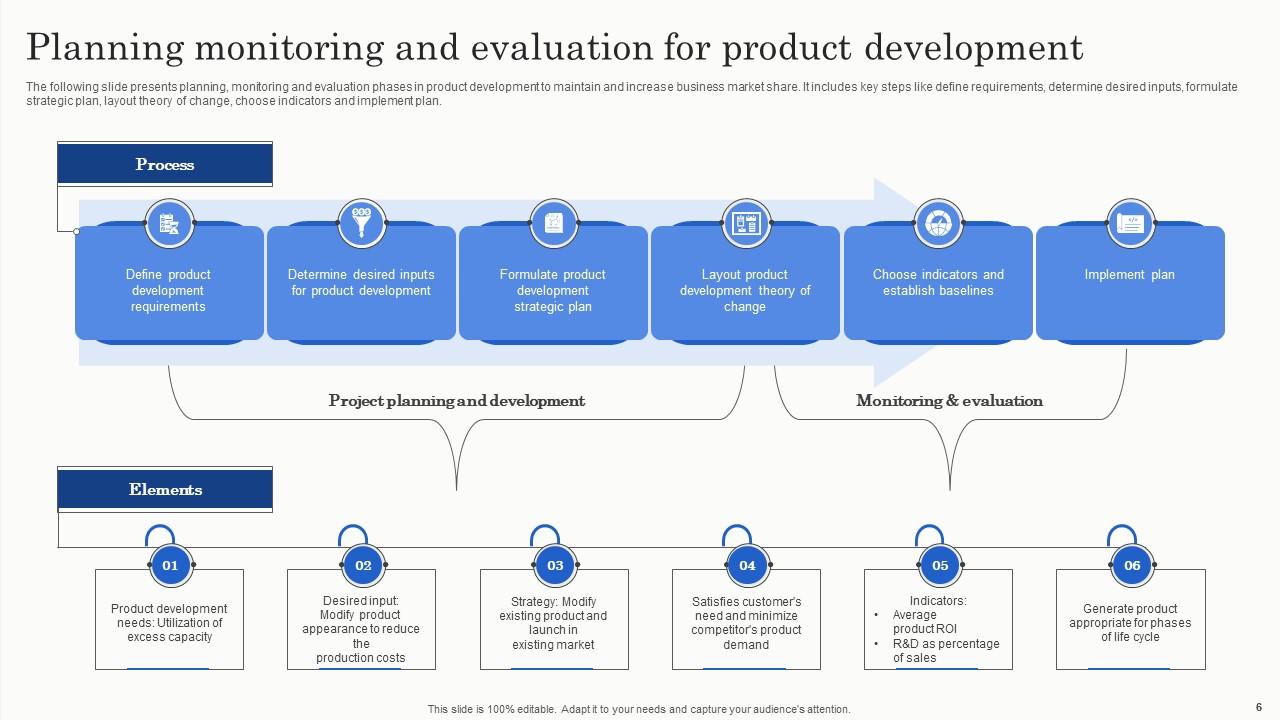
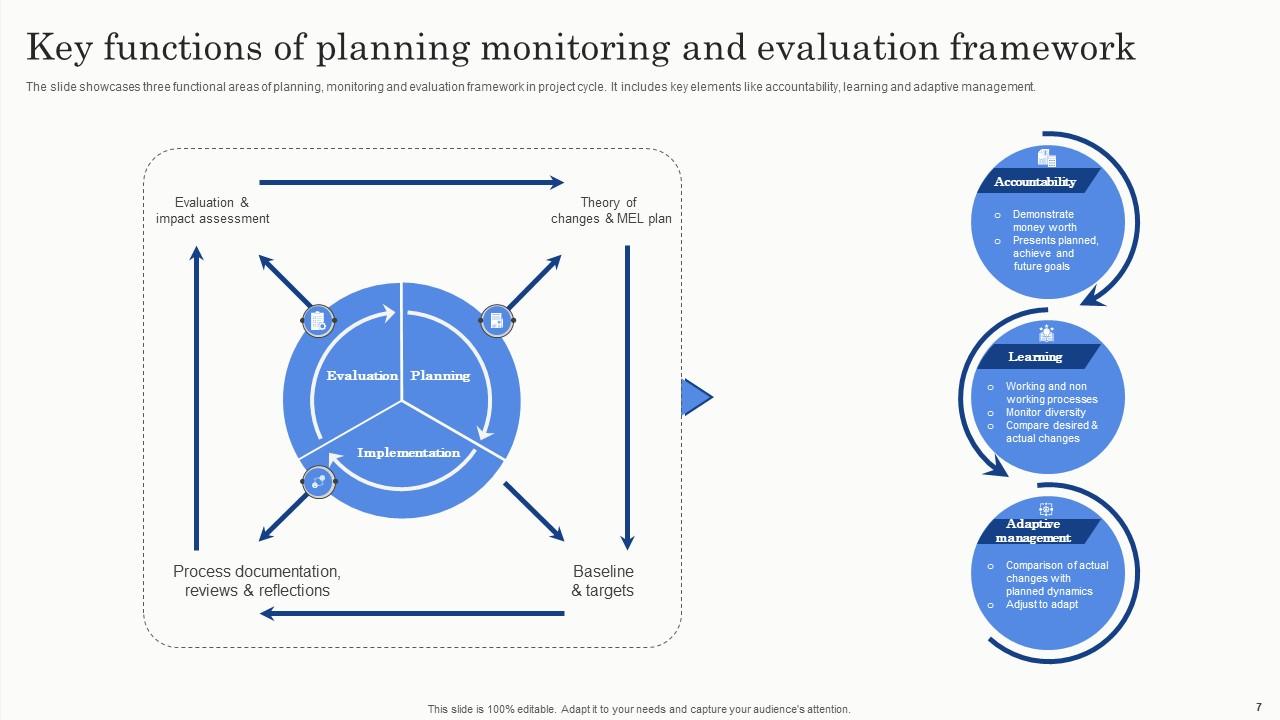
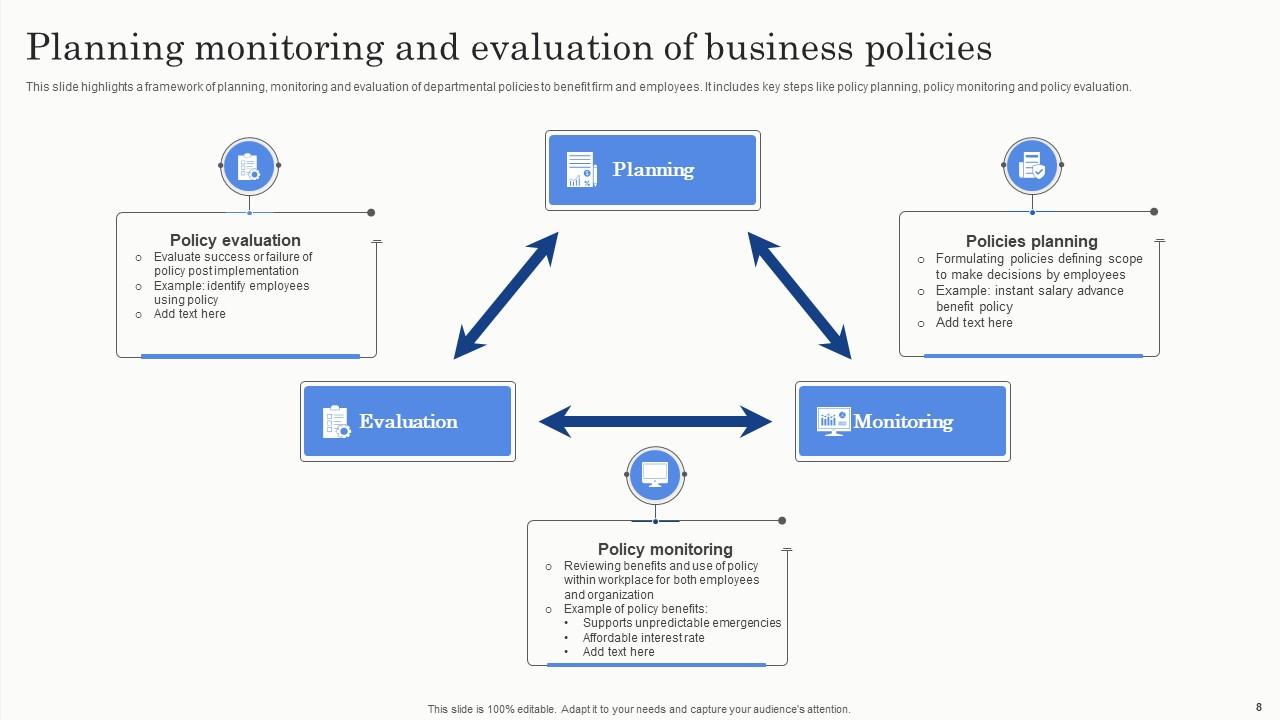
If you require a professional template with great design, then this Planning Monitoring And Evaluation PowerPoint PPT Template Bundles is an ideal fit for you. Deploy it to enthrall your audience and increase your presentation threshold with the right graphics, images, and structure. Portray your ideas and vision using Twelve slides included in this complete deck. This template is suitable for expert discussion meetings presenting your views on the topic. With a variety of slides having the same thematic representation, this template can be regarded as a complete package. It employs some of the best design practices, so everything is well-structured. Not only this, it responds to all your needs and requirements by quickly adapting itself to the changes you make. This PPT slideshow is available for immediate download in PNG, JPG, and PDF formats, further enhancing its usability. Grab it by clicking the download button.

People who downloaded this PowerPoint presentation also viewed the following :

FAQs for Planning Monitoring And Evaluation PowerPoint

For your PME template, start with clear objectives and measurable indicators - you need baseline data to compare against later. Map out who's responsible for collecting what data and when. I'd definitely build in regular review cycles, maybe monthly for fast-moving projects or quarterly for longer ones. Both quantitative metrics and qualitative feedback matter, so leave space for both. Oh, and don't forget a lessons learned section where you can note what worked and what didn't. The biggest thing though? Keep it simple. I've watched teams create these elaborate templates that just collect dust because they're too much work to maintain.

Honestly these templates are game-changers. They map out your whole project so you're not scrambling to figure out what metrics actually matter. Everyone knows their deadlines and deliverables - cuts down on those awkward "wait, I thought you were handling that" moments. I used to waste so much time starting from scratch every single time. The real win though? You spot issues early before they blow up your budget. Just grab a basic template and tweak it as you learn what works for your team.

Start with your 3-5 most critical success factors, then build everything around those. Map template fields directly to your actual objectives and stakeholders - skip the generic stuff that doesn't fit. Customize indicators and metrics for your specific project type. Reporting frequency should match your timeline too (weekly for short projects, monthly for longer ones). Honestly, I've watched so many teams try to jam their project into templates that make zero sense for what they're doing. Don't forget sector requirements or donor expectations if you have them. The template should work for you, not the other way around.

Make your indicators SMART - you know, specific, measurable, achievable, relevant, time-bound. First figure out what change you actually want to see. Then get concrete with numbers. "Increase program participation by 25%" beats "improve engagement" every time - that's just too vague to mean anything. Don't pick indicators requiring data you can't realistically collect (learned that one the hard way). Connect each indicator back to your objectives so it all makes sense together. Set clear targets with deadlines. Oh, and include both output indicators - what you actually did - plus outcome indicators showing what changed because of your work.

Definitely get your stakeholders involved from the start - they're the ones who'll actually use this thing. Ask them what metrics they really care about and what format works best for them. Trust me, there's no point making something that looks fancy but nobody reads. Your funders probably want different data than your program team does anyway. Funders love impact numbers while your team needs the day-to-day operational stuff. If you design it together, you'll get something that actually works for everyone instead of ending up with another template gathering dust in someone's email folder.

So formative evaluation is basically tracking stuff while your project's happening - like checking in monthly on attendance rates or early results. You can course-correct if things go sideways. Summative evaluation happens after everything's done to see if you actually hit your goals. For your template, build in those regular check-ins alongside your final impact measures. People always obsess over the end results but honestly? The ongoing monitoring is where you catch problems before they tank your whole project. Start planning both now or you'll be stressed later trying to prove what worked.

Just build dashboard sections right into your PME template that connect to your monitoring data. I'd go with Tableau or Power BI, though honestly some people work magic with basic Excel charts - whatever fits your budget. Set up automated feeds so everything updates live as new data comes in. Way better than those dead PDF reports nobody reads. Start with simple stuff like trend lines and progress bars first. Your team can handle fancier visualizations once they're used to it. The whole point is making your template actually useful instead of just another document sitting in a folder somewhere.

Honestly, three things will probably trip you up. Data collection is a nightmare - people forget to log stuff and your systems won't sync properly. Your staff will hate the "extra paperwork" too, especially if they weren't part of creating it. Those indicators that look perfect on paper? Half of them will be impossible to actually measure. I'd definitely test it with just a few people first - maybe your most cooperative team members. Get their honest feedback before you unleash it on everyone. Trust me, fixing problems early beats dealing with organization-wide chaos later.

Honestly, cloud tools like Google Workspace completely change how PME templates work - no more static docs gathering dust. Your remote team can update stuff in real-time, which is clutch when everyone's scattered. I'd grab something like Asana for tracking progress too. It'll bug people with reminders when evals are due (trust me, people forget). Video calls make reviewing templates way less painful than endless email chains. Oh, and pick ONE tool everyone will actually stick with - don't go crazy with five different platforms. Start by digitizing what you've got, then build from there.

Honestly, the biggest mistake I see is people treating these templates like some sacred document that can't be changed. You'll drown yourself in metrics - seriously, I've watched entire teams collect data they never even look at. Start with realistic stuff you can actually measure, not pie-in-the-sky goals. Get your stakeholders involved from day one or you'll waste time tracking things nobody gives a damn about. Oh, and build in checkpoints to tweak things as you go. What looks good on paper rarely survives contact with reality, you know?

Build feedback spots right into each section - like little checkpoints after big milestones. Add columns asking what's working, what sucks, what needs fixing. Otherwise it just gets forgotten when everyone's swamped (trust me on this one). Set up regular reviews where you actually USE that feedback to tweak your plans. Don't just collect it and let it sit there gathering digital dust. Include space for team input AND outside stakeholder thoughts. Then create a simple process for folding all that back into your next planning round.

Honestly, PME templates are game-changers because they make you document everything upfront - goals, progress, all of it. No more hiding problems or making your results sound better than they actually are. The paper trail becomes super clear for everyone to follow. Templates also standardize your reporting, which cuts down on the whole "creative storytelling" thing that happens way too often with project updates. When you're forced to update specific metrics regularly, everyone stays honest about reality vs. what you wished happened. Trust me, start using them now and your stakeholders will actually believe what you're telling them.

Quarterly reviews are usually the sweet spot, but honestly it depends on your project. Fast-moving stuff? Check monthly. More stable projects can probably get away with twice a year. The main thing is sticking to whatever schedule you pick - I've seen too many people create these templates and then never look at them again lol. Set up calendar reminders so you don't forget. Also, definitely review after hitting major milestones or if your project scope changes significantly. Consistency beats perfection here.

Oh there's tons of options! I'd start with Coursera or edX - their PME courses are solid and you can go at your own pace. Workshops from development orgs are great too, way better for actually retaining stuff than just reading. CDC and WHO have these free step-by-step guides that are actually pretty decent (who knew government resources could be useful lol). Honestly I'd have your team do a basic online module first, then practice on something small so they get the hang of how the templates work. That way nobody's thrown into the deep end.

So track the obvious stuff first - completion rates, how long it takes, whether teams actually hit their deadlines. But honestly? The real insights come from just talking to people using it. Ask what's driving them nuts and what actually helps. I'd also check if your data quality improved and if decisions are happening faster. Oh, and don't get too attached to your first version - plan to review everything after like 3-6 months because you'll definitely want to tweak things based on what you learn.

Ratings and Reviews

90% of 100
Review Form
Write a review
Most Relevant Reviews
  1. 100%

    by Dario Freeman

    “Excellent service from the customer support team when I wanted a slide that was a bit different from those on their standard menu. Super helpful.”
  2. 80%

    by Chas Kelly

    Qualitative and comprehensive slides.

2 Item(s)

per page: